版权声明
- 本文原创作者:谷哥的小弟
- 作者博客地址:http://blog.csdn.net/lfdfhl

效果展示
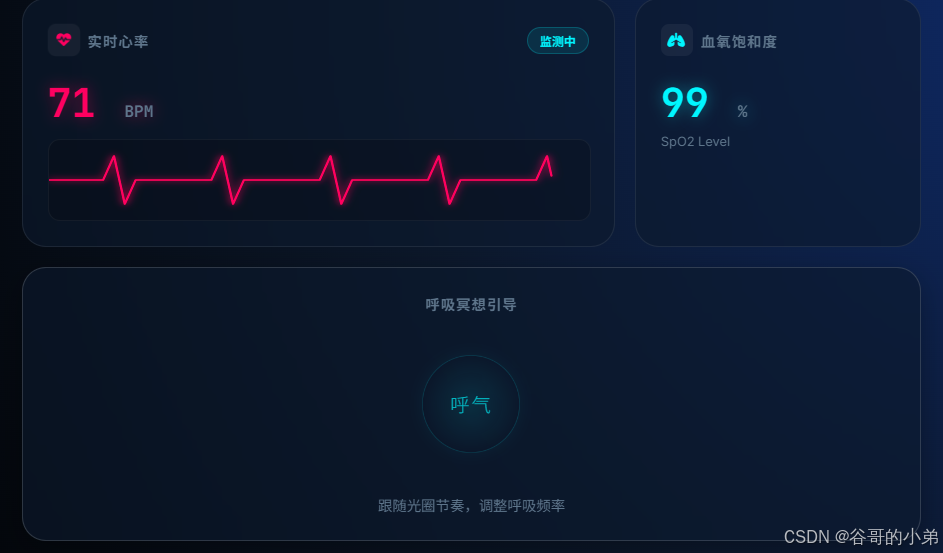
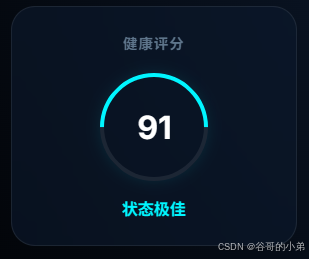

项目源码
html
<!DOCTYPE html>
<html lang="zh-CN">
<head>
    <meta charset="UTF-8">
    <meta name="viewport" content="width=device-width, initial-scale=1.0">
    <title>生命体征监测仪表盘</title>
    <link href="https://fonts.googleapis.com/css2?family=Inter:wght@300;400;600;700&family=JetBrains+Mono:wght@400;700&display=swap" rel="stylesheet">
    <style>
        :root {
            /* 医疗科技色盘 */
            --color-primary: #00f2ff; /* 青色 - 正常/氧气 */
            --color-danger: #ff2a6d;  /* 红色 - 心率/警告 */
            --color-bg-dark: #050a14;
            --color-bg-panel: rgba(16, 24, 45, 0.6);

            /* 背景渐变 */
            --bg-gradient: radial-gradient(circle at top right, #1a2a6c, #0f172a, #000000);

            --glass-border: rgba(255, 255, 255, 0.08);
            --text-main: #e2e8f0;
            --text-muted: #64748b;
            --shadow-glow: 0 0 20px rgba(0, 242, 255, 0.15);
        }

        body {
            font-family: 'Inter', sans-serif;
            background: var(--bg-gradient);
            background-attachment: fixed;
            color: var(--text-main);
            min-height: 100vh;
            display: flex;
            justify-content: center;
            align-items: center;
            padding: 20px;
            margin: 0;
        }

        .dashboard {
            width: 100%;
            max-width: 900px;
            display: grid;
            grid-template-columns: repeat(3, 1fr);
            grid-template-rows: auto auto;
            gap: 20px;
            animation: fadeIn 1s ease-out;
        }

        @keyframes fadeIn {
            from { opacity: 0; transform: scale(0.98); }
            to { opacity: 1; transform: scale(1); }
        }

        /* 通用卡片样式 */
        .card {
            background: var(--color-bg-panel);
            backdrop-filter: blur(20px);
            -webkit-backdrop-filter: blur(20px);
            border: 1px solid var(--glass-border);
            border-radius: 24px;
            padding: 25px;
            position: relative;
            overflow: hidden;
            transition: transform 0.3s ease, box-shadow 0.3s ease;
        }

        .card:hover {
            box-shadow: 0 10px 30px rgba(0,0,0,0.3);
            border-color: rgba(255,255,255,0.15);
        }

        .card-header {
            display: flex;
            justify-content: space-between;
            align-items: center;
            margin-bottom: 20px;
        }

        .card-title {
            font-size: 0.9em;
            color: var(--text-muted);
            text-transform: uppercase;
            letter-spacing: 1px;
            font-weight: 600;
            display: flex;
            align-items: center;
            gap: 8px;
        }

        .card-icon {
            width: 32px;
            height: 32px;
            border-radius: 8px;
            background: rgba(255,255,255,0.05);
            display: flex;
            align-items: center;
            justify-content: center;
            color: var(--color-primary);
        }

        /* 数值显示 */
        .value-display {
            font-family: 'JetBrains Mono', monospace;
            font-size: 2.5em;
            font-weight: 700;
            margin-bottom: 5px;
            text-shadow: 0 0 10px rgba(0,0,0,0.5);
        }

        .unit {
            font-size: 0.4em;
            color: var(--text-muted);
            margin-left: 5px;
        }

        .status-badge {
            display: inline-block;
            padding: 4px 12px;
            border-radius: 20px;
            font-size: 0.75em;
            font-weight: 600;
            background: rgba(0, 242, 255, 0.1);
            color: var(--color-primary);
            border: 1px solid rgba(0, 242, 255, 0.2);
        }

        .status-badge.warning {
            background: rgba(255, 42, 109, 0.1);
            color: var(--color-danger);
            border-color: rgba(255, 42, 109, 0.2);
        }

        /* 1. 心率卡片 (跨两列) */
        .card-heart-rate {
            grid-column: span 2;
            display: flex;
            flex-direction: column;
            justify-content: space-between;
        }

        .heart-value { color: var(--color-danger); text-shadow: 0 0 15px rgba(255, 42, 109, 0.4); }
        .heart-icon { color: var(--color-danger); animation: pulse 1s infinite; }

        @keyframes pulse {
            0% { transform: scale(1); }
            50% { transform: scale(1.1); }
            100% { transform: scale(1); }
        }

        /* 心电图 SVG */
        .ecg-container {
            width: 100%;
            height: 80px;
            position: relative;
            overflow: hidden;
            margin-top: 10px;
            background: rgba(0,0,0,0.2);
            border-radius: 12px;
            border: 1px solid rgba(255,255,255,0.05);
        }

        .ecg-line {
            fill: none;
            stroke: var(--color-danger);
            stroke-width: 2;
            stroke-linecap: round;
            stroke-linejoin: round;
            filter: drop-shadow(0 0 4px var(--color-danger));
            stroke-dasharray: 1000;
            stroke-dashoffset: 1000;
            animation: drawLine 2s linear infinite;
        }

        @keyframes drawLine {
            to { stroke-dashoffset: 0; }
        }

        /* 2. 血氧卡片 */
        .card-oxygen .oxygen-value { color: var(--color-primary); text-shadow: 0 0 15px rgba(0, 242, 255, 0.4); }

        /* 3. 呼吸引导 (全宽) */
        .card-breathing {
            grid-column: span 3;
            display: flex;
            flex-direction: column;
            align-items: center;
            justify-content: center;
            min-height: 200px;
            text-align: center;
        }

        .breathing-circle-container {
            position: relative;
            width: 120px;
            height: 120px;
            display: flex;
            align-items: center;
            justify-content: center;
            margin-bottom: 20px;
        }

        .breathing-circle {
            position: absolute;
            width: 100%;
            height: 100%;
            border-radius: 50%;
            background: radial-gradient(circle, rgba(0, 242, 255, 0.2) 0%, rgba(0,0,0,0) 70%);
            border: 1px solid rgba(0, 242, 255, 0.3);
            box-shadow: 0 0 20px rgba(0, 242, 255, 0.1);
            animation: breathe 8s ease-in-out infinite;
        }

        .breathing-text {
            font-size: 1.2em;
            font-weight: 300;
            color: var(--color-primary);
            z-index: 2;
            letter-spacing: 2px;
        }

        @keyframes breathe {
            0%, 100% { transform: scale(0.8); opacity: 0.5; } /* 呼气 */
            50% { transform: scale(1.4); opacity: 1; } /* 吸气 */
        }

        .breathing-instruction {
            font-size: 0.9em;
            color: var(--text-muted);
            margin-top: 10px;
        }

        /* 4. 综合评分 */
        .card-score {
            grid-column: span 1;
            display: flex;
            flex-direction: column;
            align-items: center;
            justify-content: center;
        }

        .score-circle {
            width: 100px;
            height: 100px;
            border-radius: 50%;
            border: 4px solid var(--glass-border);
            border-top-color: var(--color-primary);
            border-right-color: var(--color-primary);
            display: flex;
            align-items: center;
            justify-content: center;
            margin-bottom: 15px;
            transform: rotate(-45deg);
            box-shadow: 0 0 15px rgba(0, 242, 255, 0.1);
        }

        .score-number {
            transform: rotate(45deg);
            font-size: 2em;
            font-weight: 700;
            color: #fff;
        }

        /* 响应式调整 */
        @media (max-width: 768px) {
            .dashboard {
                grid-template-columns: 1fr;
            }
            .card-heart-rate, .card-breathing, .card-score {
                grid-column: span 1;
            }
        }
    </style>
</head>
<body>

    <div class="dashboard">
        <!-- 心率卡片 -->
        <div class="card card-heart-rate">
            <div class="card-header">
                <div class="card-title">
                    <div class="card-icon heart-icon"><i class="fas fa-heartbeat"></i></div>
                    实时心率
                </div>
                <div class="status-badge">监测中</div>
            </div>
            <div>
                <div class="value-display heart-value" id="bpmValue">72 <span class="unit">BPM</span></div>
                <div class="ecg-container">
                    <!-- 模拟心电图波形 -->
                    <svg width="100%" height="100%" viewBox="0 0 500 100" preserveAspectRatio="none">
                        <path class="ecg-line" d="M0,50 L50,50 L60,20 L70,80 L80,50 L150,50 L160,20 L170,80 L180,50 L250,50 L260,20 L270,80 L280,50 L350,50 L360,20 L370,80 L380,50 L450,50 L460,20 L470,80 L480,50 L500,50" />
                    </svg>
                </div>
            </div>
        </div>

        <!-- 血氧卡片 -->
        <div class="card card-oxygen">
            <div class="card-header">
                <div class="card-title">
                    <div class="card-icon"><i class="fas fa-lungs"></i></div>
                    血氧饱和度
                </div>
            </div>
            <div class="value-display oxygen-value" id="spo2Value">98 <span class="unit">%</span></div>
            <div style="font-size: 0.8em; color: var(--text-muted); margin-top: 5px;">SpO2 Level</div>
        </div>

        <!-- 呼吸引导卡片 -->
        <div class="card card-breathing">
            <div class="card-title" style="margin-bottom: 30px;">呼吸冥想引导</div>
            <div class="breathing-circle-container">
                <div class="breathing-circle"></div>
                <div class="breathing-text" id="breathText">吸气</div>
            </div>
            <div class="breathing-instruction">跟随光圈节奏,调整呼吸频率</div>
        </div>

        <!-- 综合评分卡片 -->
        <div class="card card-score">
            <div class="card-title" style="margin-bottom: 20px;">健康评分</div>
            <div class="score-circle">
                <div class="score-number" id="healthScore">92</div>
            </div>
            <div style="color: var(--color-primary); font-weight: 600;">状态极佳</div>
        </div>
    </div>

    <!-- 引入 FontAwesome 图标库 -->
    <link rel="stylesheet" href="https://cdnjs.cloudflare.com/ajax/libs/font-awesome/6.4.0/css/all.min.css">

    <script>
        // 模拟数据波动逻辑
        function fluctuate(base, variance) {
            const change = (Math.random() - 0.5) * variance;
            return Math.round(base + change);
        }

        // 1. 心率模拟
        const bpmElement = document.getElementById('bpmValue');
        let baseBpm = 72;

        setInterval(() => {
            // 偶尔改变基准心率,模拟运动或休息
            if (Math.random() > 0.9) baseBpm = fluctuate(75, 10);

            const currentBpm = fluctuate(baseBpm, 4);
            bpmElement.innerHTML = `${currentBpm} <span class="unit">BPM</span>`;

            // 简单的阈值颜色变化
            if (currentBpm > 100) {
                bpmElement.style.color = '#ff2a6d'; // 红色警告
                bpmElement.style.textShadow = '0 0 20px rgba(255, 42, 109, 0.6)';
            } else {
                bpmElement.style.color = '#ff2a6d'; // 正常红
                bpmElement.style.textShadow = '0 0 15px rgba(255, 42, 109, 0.4)';
            }
        }, 2000);

        // 2. 血氧模拟
        const spo2Element = document.getElementById('spo2Value');
        setInterval(() => {
            const spo2 = fluctuate(98, 1.5); // 96-99 之间波动
            spo2Element.innerHTML = `${spo2} <span class="unit">%</span>`;
        }, 3000);

        // 3. 呼吸文字同步 (8秒一个周期: 4秒吸气, 4秒呼气)
        const breathText = document.getElementById('breathText');
        let isInhaling = true;

        setInterval(() => {
            isInhaling = !isInhaling;
            breathText.innerText = isInhaling ? "吸气" : "呼气";
            breathText.style.opacity = isInhaling ? "1" : "0.7";
        }, 4000);

        // 4. 健康评分动态计算
        const scoreElement = document.getElementById('healthScore');
        setInterval(() => {
            // 随机微调分数,让界面看起来是"活"的
            const score = 90 + Math.floor(Math.random() * 5); // 90-94
            scoreElement.innerText = score;
        }, 5000);

    </script>
</body>
</html>