k8s官方的ingress-nginx到2026年3月就停止维护了,为了迁移到gateway api,下面记录尝试在一个测试k8s里面部署f5 nginx gateway fabric的过程。
先说整体流程:在现有集群里面安装gateway api crd,毕竟对于原来使用ingress的集群来说这是个新东西,然后安装gateway api的具体实现f5 nginx gateway fabric,然后是创建gateway和配置listener,我这里是集群内多个网站和服务都共用同一个gateway的方式,最后是创建具体网站的路由,下面是每一步的操作过程。
第一步是在现有的k8s集群里面安装官方的 Gateway API Standard CRD
XML
#配置一个网络代理
export http_proxy="http://x.x.x.x:8080"
export https_proxy="http://x.x.x.x:8080"

kubectl apply --server-side -f https://github.com/kubernetes-sigs/gateway-api/releases/download/v1.4.1/standard-install.yaml
执行效果如下图:

官方标准gateway api肯定是最标准的,其实你要是只想用f5 nginx gateway fabric,也可以单独安装nginx的gateway api,用下面的方法(你要是安装了上面的官方标准api就不用安装下面这个了):
#你要是能连上github网络没问题,直接执行下面这一行就行
kubectl kustomize "https://github.com/nginx/nginx-gateway-fabric/config/crd/gateway-api/standard?ref=v2.3.0" | kubectl apply -f -


#你要是连不上github,就得按照下面的方法解决
#配置一个网络代理
export http_proxy="http://x.x.x.x:8080"
export https_proxy="http://x.x.x.x:8080"

#手动克隆项目
git clone --depth=1 --branch v2.3.0 https://github.com/nginx/nginx-gateway-fabric.git

#克隆项目以后手动安装
cd nginx-gateway-fabric/config/crd/gateway-api/standard
kubectl kustomize . | kubectl apply -f -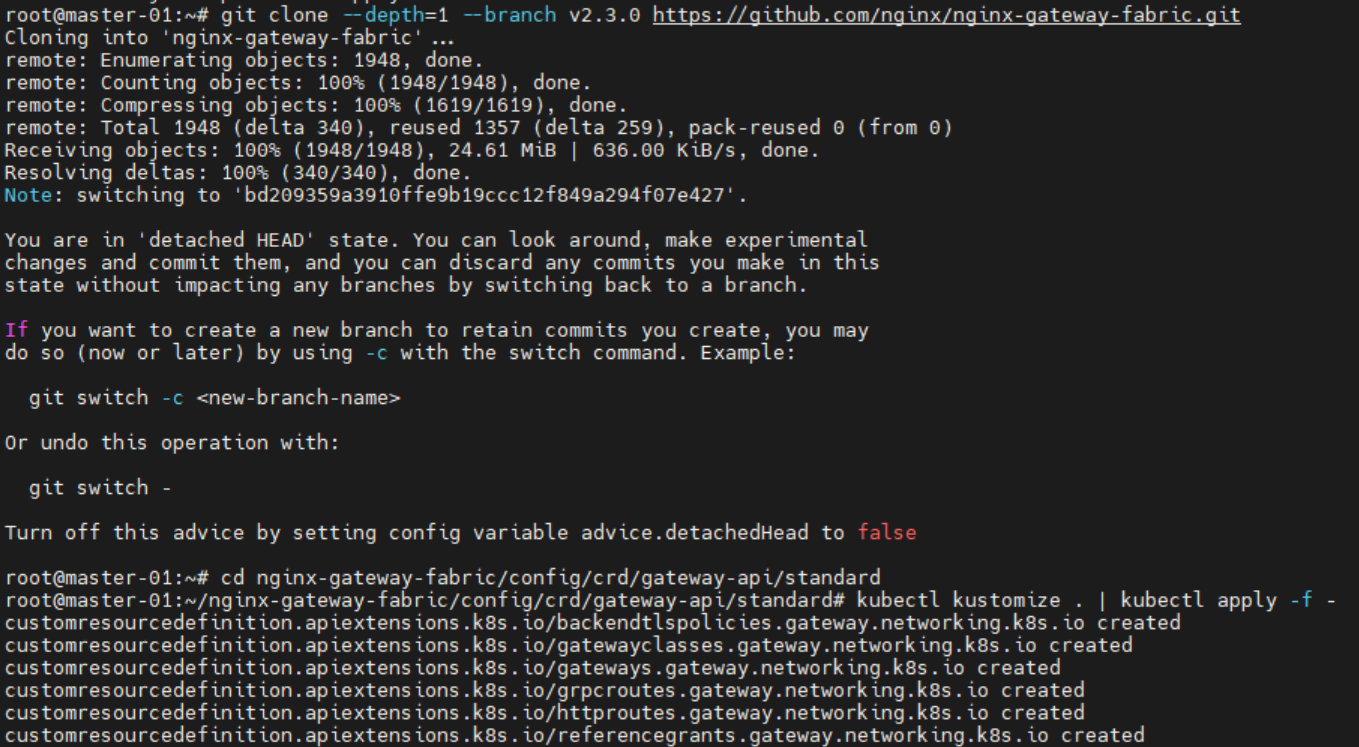
上面的步骤是安装gateway api 自定义资源定义(Custom Resource Definitions, CRD),有了crd以后才可以安装nginx gateway fabric。标准版本的crd是不包含实验性的tcproute和udproute支持的,不过我们的目的是替代ingress-nginx,原来老的ingress-nginx也没支持过tcp和udp端口转发,所以就不考虑实验性的experimental版本的crd了,而且那玩意老大了,1.17M的yaml,没必要。你要是非要支持tcp和udp可以这么安装:kubectl apply --server-side -f https://github.com/kubernetes-sigs/gateway-api/releases/download/v1.4.0/experimental-install.yaml ,官方没有1.4.1版本的实验性安装文件只有1.4.0的。
第二步:安装f5 nginx gateway fabric
前置条件是你机器里面有helm,这个应该都有。
helm install ngf oci://ghcr.io/nginx/charts/nginx-gateway-fabric \
  --create-namespace -n nginx-gateway \
  --set service.type=LoadBalancer
确认一下是否安装成功:

root@master-01:~# kubectl -n nginx-gateway rollout status deploy/ngf-nginx-gateway-fabric
deployment "ngf-nginx-gateway-fabric" successfully rolled out
root@master-01:~# kubectl -n nginx-gateway get pods,svc
NAME                                            READY   STATUS    RESTARTS   AGE
pod/ngf-nginx-gateway-fabric-6d6d49bd69-x6xhh   1/1     Running   0          2m5s

NAME                               TYPE        CLUSTER-IP     EXTERNAL-IP   PORT(S)   AGE
service/ngf-nginx-gateway-fabric   ClusterIP   10.68.117.11   <none>        443/TCP   2m5s
root@master-01:~# kubectl get gatewayclass
NAME    CONTROLLER                                   ACCEPTED   AGE
nginx   gateway.nginx.org/nginx-gateway-controller   True       2m30s
以上是gateway api和f5 nginx gateway fabric的安装过程,下面开始创建gateway和路由
第三步:创建gateway https证书配置
根据你的k8s里面运行的网站所对应的https证书情况,创建多个secret,如果你是生产环境已经有网站证书的secret了,也可以直接创建ReferenceGrant使用。
XML
# 为每个域名创建对应的 Secret
kubectl -n nginx-gateway create secret tls tls-app-a \
  --cert=app-a.crt --key=app-a.key

kubectl -n nginx-gateway create secret tls tls-app-b \
  --cert=app-b.crt --key=app-b.key

kubectl -n nginx-gateway create secret tls tls-wildcard-example-org \
  --cert=wildcard.crt --key=wildcard.key
因为是升级ingress,生产环境大概率已经有了老ingress的https证书配置,这种情况不需要重复创建新的secret但是要创建下面的ReferenceGrant
XML
apiVersion: gateway.networking.k8s.io/v1beta1
kind: ReferenceGrant
metadata:
  name: allow-gateway-to-secrets
  namespace: cert-namespace   # 老Secret 所在的 namespace
spec:
  from:
  - group: gateway.networking.k8s.io
    kind: Gateway
    namespace: nginx-gateway   # Gateway 所在的 namespace
  to:
  - group: ""
    kind: Secret
第四步创建gateway
这里是整个集群就准备只创建一个gateway,然后配置多个listener去对多个不同的域名提供服务,编辑gateway.yaml内容如下:
XML
apiVersion: gateway.networking.k8s.io/v1
kind: Gateway
metadata:
  name: prod-gateway
  namespace: nginx-gateway
spec:
  gatewayClassName: nginx
  listeners:
  # ========== 域名 A ==========
  - name: http-domain-a
    protocol: HTTP
    port: 80
    hostname: "app-a.example.com"
    allowedRoutes:
      namespaces:
        from: All

  - name: https-domain-a
    protocol: HTTPS
    port: 443
    hostname: "app-a.example.com"
    tls:
      mode: Terminate
      certificateRefs:
      - kind: Secret
        name: tls-app-a
        namespace: nginx-gateway
    allowedRoutes:
      namespaces:
        from: All

  # ========== 域名 B ==========
  - name: http-domain-b
    protocol: HTTP
    port: 80
    hostname: "app-b.example.com"
    allowedRoutes:
      namespaces:
        from: All

  - name: https-domain-b
    protocol: HTTPS
    port: 443
    hostname: "app-b.example.com"
    tls:
      mode: Terminate
      certificateRefs:
      - kind: Secret
        name: tls-app-b
        namespace: nginx-gateway
    allowedRoutes:
      namespaces:
        from: All

  # ========== 域名 C(泛域名) ==========
  - name: https-wildcard
    protocol: HTTPS
    port: 443
    hostname: "*.example.org"
    tls:
      mode: Terminate
      certificateRefs:
      - kind: Secret
        name: tls-wildcard-example-org
        namespace: nginx-gateway
    allowedRoutes:
      namespaces:
        from: All
kubectl apply -f gateway.yaml 执行创建
下面就是到具体service的http路由配置了
XML
apiVersion: gateway.networking.k8s.io/v1
kind: HTTPRoute
metadata:
  name: app-a-route
  namespace: app-a-prod
spec:
  parentRefs:
  - name: prod-gateway
    namespace: nginx-gateway
    sectionName: https-domain-a   # 绑定到特定的 listener
  hostnames:
  - "app-a.example.com"
  rules:
  - matches:
    - path:
        type: PathPrefix
        value: /
    backendRefs:
    - name: app-a-service
      port: 80
---
apiVersion: gateway.networking.k8s.io/v1
kind: HTTPRoute
metadata:
  name: app-b-route
  namespace: app-b-prod
spec:
  parentRefs:
  - name: prod-gateway
    namespace: nginx-gateway
    sectionName: https-domain-b   # 绑定到另一个 listener
  hostnames:
  - "app-b.example.com"
  rules:
  - matches:
    - path:
        type: PathPrefix
        value: /
    backendRefs:
    - name: app-b-service
      port: 80