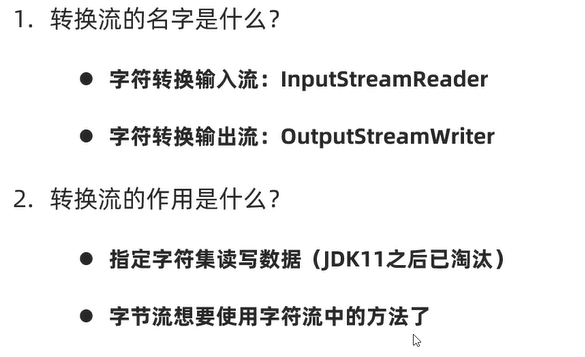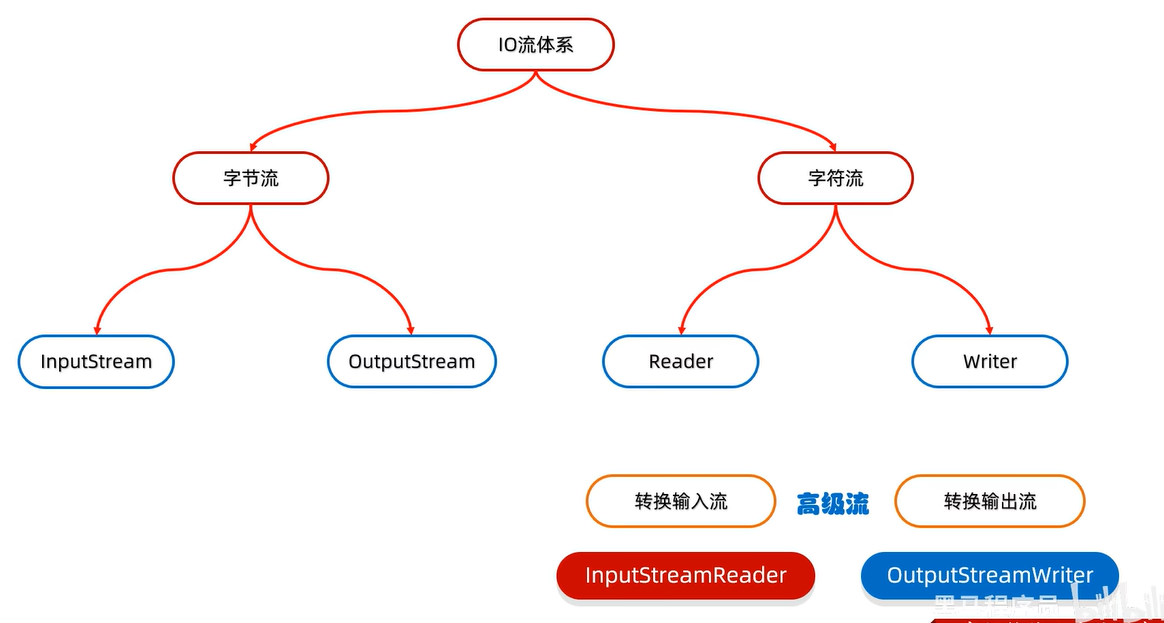
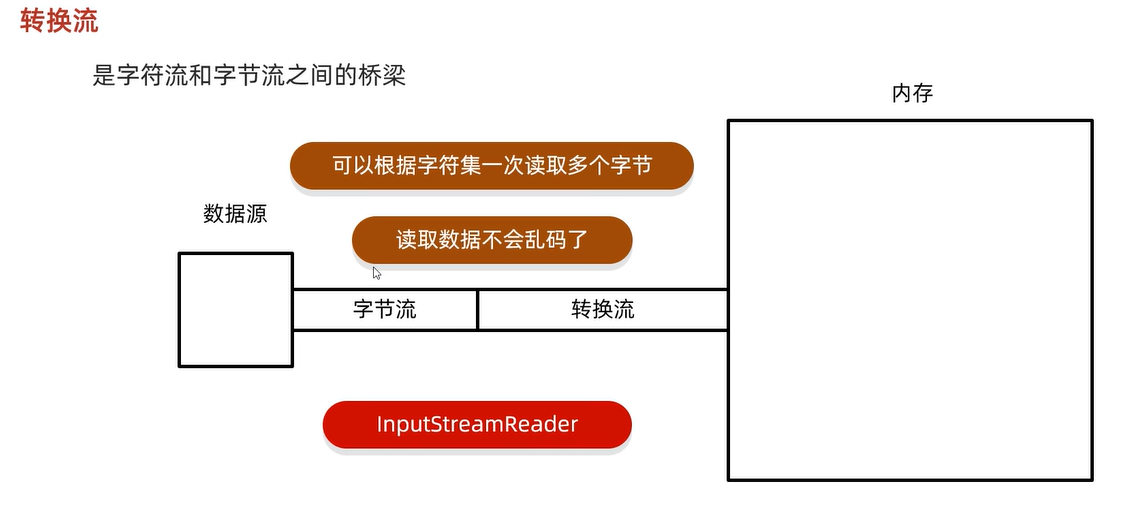
1、指定字符编码读取
package Day10_IO;

import java.io.*;
import java.nio.charset.Charset;

public class IOTest04 {
    public static void main(String[] args) throws IOException {
        //利用转换流按照指定字符编码读取
        //1、创建对象并指定字符编码
//        InputStreamReader isr = new InputStreamReader(new FileInputStream("E:\\java\\javase\\basic\\javadown\\test.txt"),"GBK");
//        int len;
//        while((len=isr.read())!=-1){
//            System.out.print((char)len);
//        }
//        isr.close();
        //JDK11之后的替代方案
        FileReader fr = new FileReader("E:\\java\\javase\\basic\\javadown\\test.txt", Charset.forName("GBK"));
        int len;
        while((len=fr.read())!=-1){
            System.out.print((char)len);
        }
        fr.close();
    }
}
2、指定字符编码写出
package Day10_IO;

import java.io.*;
import java.nio.charset.Charset;

public class IOTest05 {
    public static void main(String[] args) throws IOException {
        //利用转换流按照指定字符编码写出

//        OutputStreamWriter osw = new OutputStreamWriter(new FileOutputStream("E:\\java\\javase\\basic\\javadown\\test1.txt"),"GBK");
//        //写出数据
//        osw.write("你好");
//        osw.close();
        //同样的在JDK11之后,字符输出流也可以指定字符编码了
        FileWriter fw = new FileWriter("E:\\java\\javase\\basic\\javadown\\test2.txt", Charset.forName("GBK"));
        fw.write("字符输出");
        fw.close();
    }
}
3、将本地GBK文件转化为UTF-8,两种方式,JDK11之后会不需要单独new一个字符基本流,也不用在做字符转换了
package Day10_IO;

import java.io.*;
import java.nio.charset.Charset;

public class IOTest06 {
    public static void main(String[] args) throws IOException {
        //将本地GBK转化为UTF-8字符编码
        //方式一:
        InputStreamReader isr = new InputStreamReader(new FileInputStream("E:\\java\\javase\\basic\\javadown\\test.txt"),"GBK");
        OutputStreamWriter osw = new OutputStreamWriter(new FileOutputStream("E:\\java\\javase\\basic\\javadown\\test3.txt"),"UTF-8");

        int ch;
        while((ch=isr.read())!=-1){
            osw.write((char)ch);
        }
        isr.close();
        osw.close();
        //方式二:JDK11之后的
        FileReader fr = new FileReader("E:\\java\\javase\\basic\\javadown\\test.txt", Charset.forName("GBK"));
        FileWriter fw = new FileWriter("E:\\java\\javase\\basic\\javadown\\test4.txt", Charset.forName("UTF-8"));
        int len;
        while((len=fr.read())!=-1){
            fw.write(len);
        }
        fr.close();
        fw.close();
    }
}4、利用字节流读取文件,每次读取一整行,并且不能乱码package Day10_IO;
import java.io.*;
public class IOTest07 {
public static void main(String[] args) throws IOException {
//利用字节流读取文件,每次读取一整行,并且不能乱码
InputStreamReader isr = new InputStreamReader(new FileInputStream("E:\\java\\javase\\basic\\javadown\\test5.txt"));
BufferedReader br = new BufferedReader(isr);
String len;
while((len=br.readLine())!=null){
System.out.println(len);
}
isr.close();
br.close();
}
}