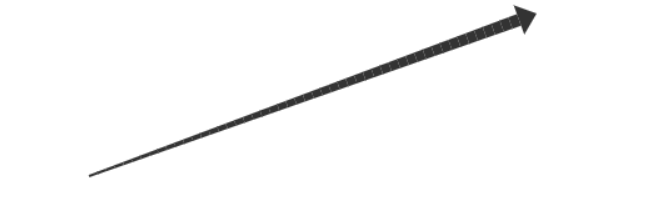
<!DOCTYPE html>
<html>
<head>
<meta charset="UTF-8">
<title>跟随鼠标移动的拖拽箭头</title>
<style>
    body { margin: 0; background: #f0f0f0; }
    canvas { background: #fff; border: 1px solid #ccc; }
</style>
</head>
<body>
<canvas id="canvas"></canvas>

<script>
const canvas = document.getElementById('canvas');
const ctx = canvas.getContext('2d');
canvas.width = window.innerWidth;
canvas.height = window.innerHeight;

let startPoint = null;
let currentMouse = null;
let arrow = null;
let clickCount = 0;

// 箭头头部参数
const headLength = 15; // 箭头头部长度
const headWidth = 25;  // 箭头头部宽度

function draw() {
    ctx.clearRect(0, 0, canvas.width, canvas.height);

    // 第一次点击后,鼠标移动时就显示箭头
    if (startPoint && currentMouse && clickCount === 1) {
        const angle = angleBetweenPoints(startPoint.x, startPoint.y, currentMouse.x, currentMouse.y);

        // 箭身终点往回退 headLength
        const bodyEnd = shortenLine(currentMouse.x, currentMouse.y, angle, headLength);

        // 1. 绘制箭身(渐变线)
        drawGradientLine(startPoint.x, startPoint.y, bodyEnd.x, bodyEnd.y, 2, 10);

        // 2. 绘制箭头头部(三角形)
        drawArrowHead(currentMouse.x, currentMouse.y, angle, headWidth, headLength);
    }

    // 绘制最终箭头
    if (arrow) {
        const { x1, y1, x2, y2 } = arrow;
        const angle = angleBetweenPoints(x1, y1, x2, y2);

        // 箭身终点往回退 headLength
        const bodyEnd = shortenLine(x2, y2, angle, headLength);

        // 1. 绘制箭身(渐变线)
        drawGradientLine(x1, y1, bodyEnd.x, bodyEnd.y, 2, 10);

        // 2. 绘制箭头头部(三角形)
        drawArrowHead(x2, y2, angle, headWidth, headLength);
    }
}

// 绘制渐变线
function drawGradientLine(x1, y1, x2, y2, startWidth, endWidth) {
    const dx = x2 - x1;
    const dy = y2 - y1;
    const len = Math.sqrt(dx*dx + dy*dy);
    const steps = 50;
    const widthStep = (endWidth - startWidth) / steps;

    for (let i = 0; i < steps; i++) {
        const t = i / steps;
        const x = x1 + dx * t;
        const y = y1 + dy * t;
        const nextX = x1 + dx * (t + 1/steps);
        const nextY = y1 + dy * (t + 1/steps);

        ctx.beginPath();
        ctx.moveTo(x, y);
        ctx.lineTo(nextX, nextY);
        ctx.lineWidth = startWidth + widthStep * i;
        ctx.strokeStyle = '#333';
        ctx.stroke();
    }
}

// 绘制箭头头部
function drawArrowHead(x, y, angle, headWidth, headLength) {
    ctx.save();
    ctx.translate(x, y);
    ctx.rotate(angle);
    ctx.beginPath();
    ctx.moveTo(0, 0);
    ctx.lineTo(-headLength, -headWidth/2);
    ctx.lineTo(-headLength, headWidth/2);
    ctx.closePath();
    ctx.fillStyle = '#333';
    ctx.fill();
    ctx.restore();
}

// 计算两点之间的角度
function angleBetweenPoints(x1, y1, x2, y2) {
    return Math.atan2(y2 - y1, x2 - x1);
}

// 计算缩短后的终点
function shortenLine(x, y, angle, length) {
    return {
        x: x - Math.cos(angle) * length,
        y: y - Math.sin(angle) * length
    };
}

canvas.addEventListener('mousedown', e => {
    const rect = canvas.getBoundingClientRect();
    const mx = e.clientX - rect.left;
    const my = e.clientY - rect.top;

    if (clickCount === 0) {
        startPoint = { x: mx, y: my };
        clickCount = 1;
    } else if (clickCount === 1) {
        arrow = { x1: startPoint.x, y1: startPoint.y, x2: mx, y2: my };
        startPoint = null;
        clickCount = 0;
    }
});

canvas.addEventListener('mousemove', e => {
    const rect = canvas.getBoundingClientRect();
    currentMouse = { x: e.clientX - rect.left, y: e.clientY - rect.top };
    draw();
});

draw();
</script>
</body>
</html>