第 5 章:组合数据类型
组合数据类型可将多个相同或不同类型的数据组织为整体,分为序列类型(字符串、列表、元组)、集合类型和映射类型(字典)三类,能让数据表示更清晰,提升开发效率。
5.1 核心特性区分
- 序列类型:支持双向索引(正向从 0 开始,反向从 - 1 开始),元素有序。
- 集合类型:元素无序、唯一,仅接收不可变类型元素(如整型、字符串、元组)。
- 映射类型:以键值对存储,键唯一且不可变,通过键快速映射值。
5.2 列表(list)
列表是灵活的序列类型,支持增删改查,用[]或list()函数创建。
核心操作示例
python
# 创建列表
list1 = [1, "python", 3.14]
list2 = list("hello")

# 访问元素
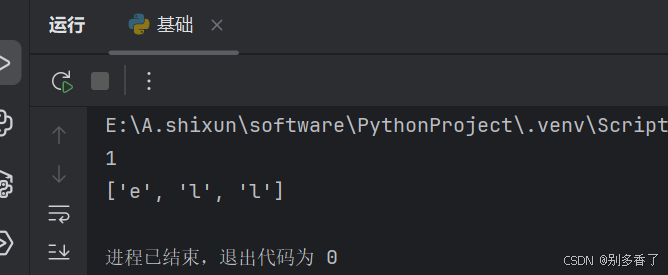
print(list1[0])
print(list2[1:4])

# 添加元素
list1.append(4)
list1.extend([5,6])
list1.insert(1, "new")

# 排序与逆置
list3 = [3,1,4,2]
list3.sort()
list3.reverse()

# 删除元素
del list3[0]
list3.remove(2)
list3.pop()

# 列表推导式
list4 = [x*2 for x in range(5) if x%2==0]
输出:
5.3 元组(tuple)
元组元素不可修改,用()或tuple()函数创建,元素类型和个数无限制。
核心操作示例
python
# 创建元组(单元素需加逗号)
tuple1 = (1,)
tuple2 = (2, "test", (3,4))
tuple3 = tuple([5,6,7])

# 访问元素
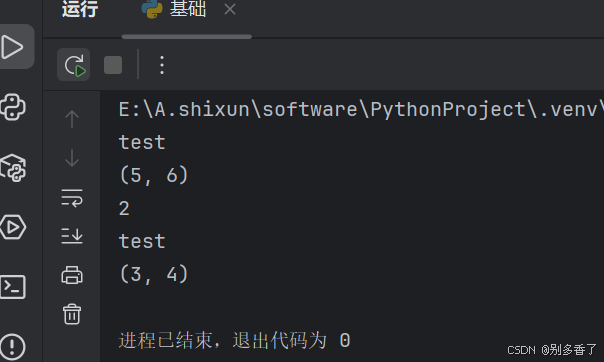
print(tuple2[1])
print(tuple3[0:2])

# 循环遍历
for item in tuple2:
    print(item)
输出:
5.4 集合(set)
集合元素无序且唯一,用{}或set()函数创建,仅接收不可变类型元素。
核心操作示例
python
# 创建集合(空集合需用set())
set1 = {1,2,3,3}  # 自动去重
set2 = set([4,5,6])

# 增删元素
set1.add(4)
set1.remove(2)
set1.discard(5)  # 元素不存在时不报错

# 集合推导式
set3 = {x for x in range(10) if x%3==0}

# 集合关系判断,看有没有共同元素
print(set1.isdisjoint(set2))
5.5 字典(dict)
字典是映射类型,以键:值对存储,用{}或dict()函数创建,键唯一且不可变。
核心操作示例
python
# 创建字典
dict1 = {"name":"张三", "age":18}
dict2 = dict.fromkeys(["a","b"], 0)

# 访问元素
print(dict1["name"])
print(dict1.get("gender", "男"))  # 不存在时返回默认值

# 增删改
dict1["gender"] = "男"
dict1.update(age=20)
dict1.pop("gender")

# 字典推导式
dict3 = {k:v*2 for k,v in dict1.items()}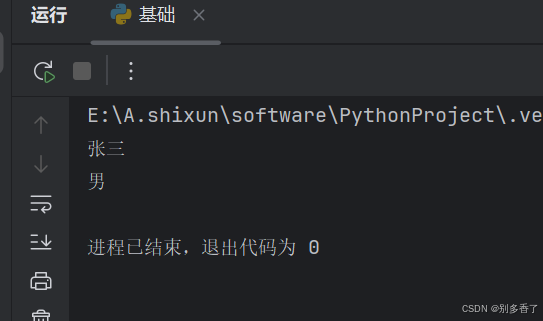
5.6 组合数据类型运算符
+:字符串、列表、元组的拼接
python
print([1,2] + [3,4]) # 输出[1,2,3,4]*:字符串、列表、元组的整数倍拼接
python
print("ab" * 3) # 输出"ababab"in/not in:判断元素是否存在
python
print(2 in {1,2,3}) # 输出True第 6 章:函数
函数是组织好的代码段,实现单一或相关功能,可重复调用,能提升代码重用性和维护性。
6.1 函数定义与调用
python
# 定义函数(带参数和返回值)
def add(a, b):
    return a + b

# 调用函数
result = add(3, 5)
print(result)  # 输出8

# 嵌套调用
def calculate(a, b):
    def multiply(x, y):
        return x * y
    return add(a, b) + multiply(a, b)

print(calculate(2, 3))  # 输出2+3 + 2*3 = 11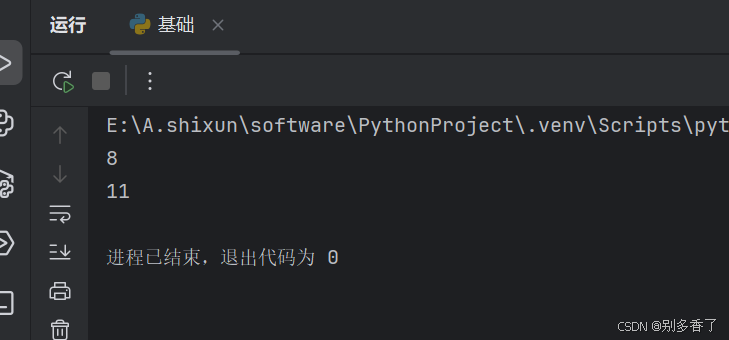
6.2 函数参数传递
python
# 位置参数
def get_max(x, y):
    return x if x > y else y
print(get_max(4, 7))  # 输出7

# 默认参数
def connect(ip, port=8080):
    print(f"{ip}:{port}")
connect("127.0.0.1")  # 输出127.0.0.1:8080

# 打包与解包
def test(*args, **kwargs):
    print(args)    # 元组形式接收位置参数
    print(kwargs)  # 字典形式接收关键字参数

test(1,2, name="李四", age=22)
nums = (3,4)
test(*nums)  # 解包元组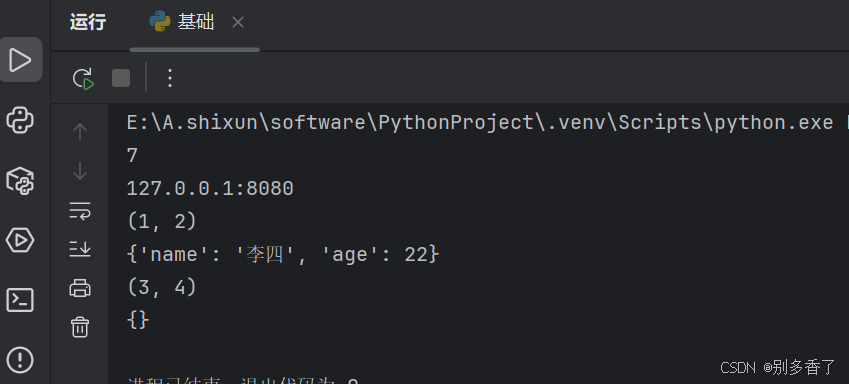
6.3 变量作用域与特殊函数
python
# 全局变量与局部变量
global_var = 10
def func():
    local_var = 20
    global global_var
    global_var += 5  # 修改全局变量
func()
print(global_var)  # 输出15

# 递归函数(计算阶乘)
def factorial(n):
    if n == 1:
        return 1
    return n * factorial(n-1)
print(factorial(5))  # 输出120

# 匿名函数
square = lambda x: x**2
print(square(6))  # 输出36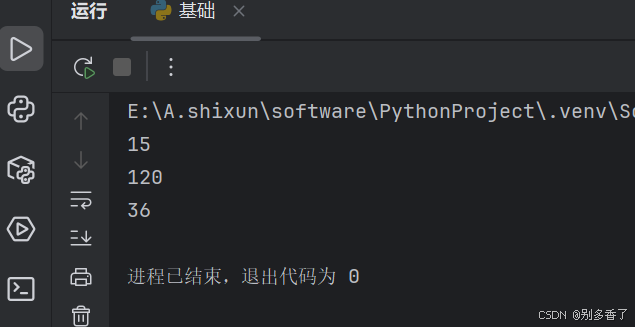
第 7 章:文件与数据格式化
文件用于持久化存储数据,分为文本文件和二进制文件,支持读写、目录管理等操作,数据格式化可实现不同维度数据的规范存储。
7.1 文件基础操作
python
# 打开与关闭文件(with语句自动关闭)
with open("test.txt", "w", encoding="utf-8") as f:
    f.write("Python文件操作")

# 读取文件
with open("test.txt", "r", encoding="utf-8") as f:
    print(f.readline())  # 读取一行
    print(f.read())      # 读取剩余内容

# 定位读写
with open("test.txt", "rb") as f:
    f.seek(3, 0)  # 从文件开头偏移3字节
    print(f.tell())  # 获取当前读写位置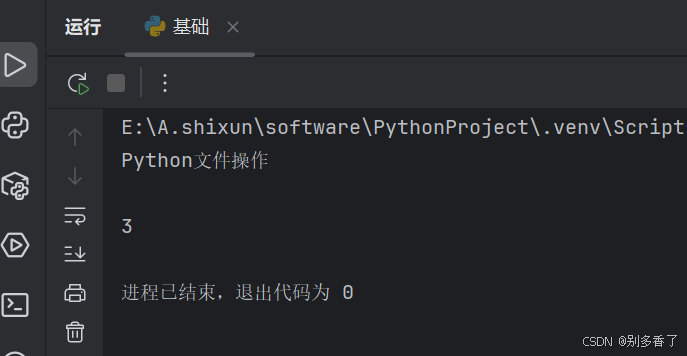
7.2 目录管理(os 模块)
python
import os

# 获取当前目录
print(os.getcwd())

# 创建与删除目录
os.mkdir("new_dir")
os.rmdir("new_dir")

# 重命名文件
os.rename("test.txt", "demo.txt")

# 获取目录下文件列表
print(os.listdir("."))
7.3 数据格式化(JSON)
python
import json

# Python对象转JSON字符串
data = {"name":"张三", "age":18, "hobbies":["读书","运动"]}
json_str = json.dumps(data)
print(json_str)

# JSON字符串转Python对象
new_data = json.loads(json_str)
print(new_data["hobbies"])  # 输出["读书","运动"]
第 8 章:面向对象
面向对象编程将事物抽象为对象,封装属性和方法,通过继承、多态等特性实现代码复用和扩展。
属性 属性按声明的方式可以分为两类:类属性和实例属性。
**1)类属性 : **
- 声明在类内部、方法外部的属性。
- 可以通过类或对象进行访问,但只能通过类进行修改。
**2)实例属性: **
- 实例属性是在方法内部声明的属性。
- Python支持动态添加实例属性。
方法 Python中的方法按定义方式和用途可以分为三类:实例方法、类方法和静态方法。
1)实例方法
-
形似函数,但它定义在类内部。
-
以self为第一个形参,self参数代表对象本身。
-
只能通过对象调用。
2)类方法
-
类方法是定义在类内部
-
使用装饰器@classmethod修饰的方法第一个参数为cls,代表类本身
-
可以通过类和对象调用
3)静态方法
- 静态方法是定义在类内部
- 使用装饰器@staticmethod修饰的方法
- 没有任何默认参数
8.1 类与对象
面向对象编程有两个非常重要的概念:类和对象。 对象映射现实中真实存在的事物,如一本书。 具有相同特征和行为的事物的集合统称为类。 对象是根据类创建的,一个类可以对应多个对象。 类是对象的抽象,对象是类的实例。
python
# 定义类
class Car:
    wheels = 4  # 类属性

    def __init__(self, color):
        self.color = color  # 实例属性

    def drive(self):
        print(f"{self.color}的车在行驶")

# 创建对象与调用
car1 = Car("红色")
print(car1.wheels)  # 访问类属性
car1.drive()        # 调用实例方法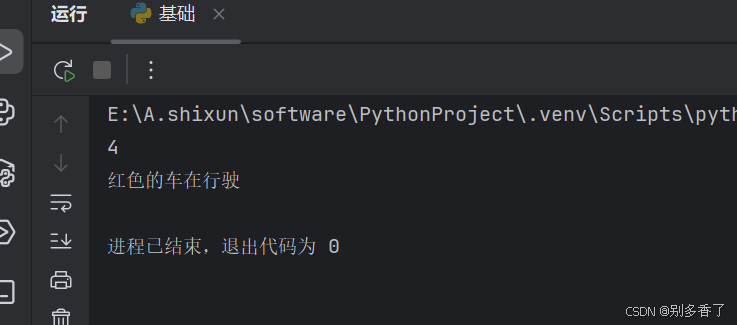
8.2 继承与重写
python
# 单继承
class Cat(object):
     def __init__(self,color):
        self.color = color
     def walk(self):
       print('猫步')
class ScottishFold(Cat):
    pass
fold = ScottishFold('灰色')
print(f'{fold.color}的折耳猫')
fold.walk()

# 多继承
class House(object):
     def live(self):
         print('供人居住')
     def abc(self):
         print('123')
class drive(object):
     def car(self):
         print('开车')
     def abc(self):
         print('456')
class son(House,drive):
     pass
tc=son()
tc.live()
tc.abc()
tc.car()
8.3 封装与多态
python
# 封装(私有属性与公开接口)
class Person:
    def __init__(self, name, age):
        self.name = name
        self.__age = age  # 私有属性

    def get_age(self):
        return self.__age

# 多态
class Cat:
    def shout(self):
        print("喵喵喵")

class Dog:
    def shout(self):
        print("汪汪汪")

def animal_shout(animal):
    animal.shout()

animal_shout(Cat())
animal_shout(Dog())
第 9 章:异常
异常是程序运行时的错误,通过捕获和处理可避免程序终止,支持自定义异常满足特定需求。
9.1 异常捕获
python
# try-except捕获异常
try:
    num1 = int(input("请输入被除数:"))
    num2 = int(input("请输入除数:"))
    print(num1 / num2)
except ZeroDivisionError:
    print("除数不能为0")
except ValueError:
    print("请输入有效数字")
finally:
    print("计算结束")
9.2 抛出与自定义异常
python
# 主动抛出异常
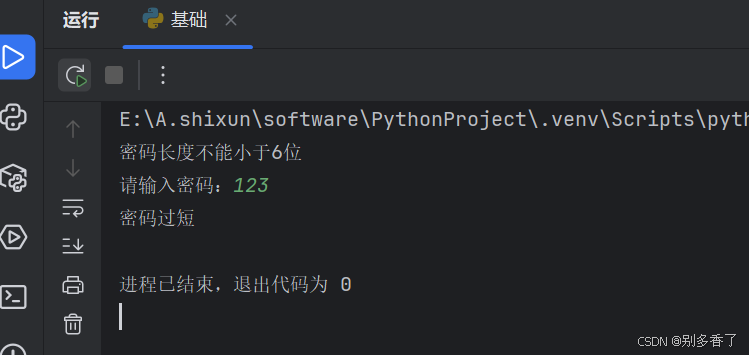
def check_password(pwd):
    if len(pwd) < 6:
        raise ValueError("密码长度不能小于6位")

try:
    check_password("12345")
except ValueError as e:
    print(e)

# 自定义异常
class ShortPwdError(Exception):
    pass

try:
    if len(input("请输入密码:")) < 6:
        raise ShortPwdError("密码过短")
except ShortPwdError as e:
    print(e)
ally:
print("计算结束")
[外链图片转存中...(img-93luxhBd-1767171323351)]

## 9.2 抛出与自定义异常

```python
# 主动抛出异常
def check_password(pwd):
    if len(pwd) < 6:
        raise ValueError("密码长度不能小于6位")

try:
    check_password("12345")
except ValueError as e:
    print(e)

# 自定义异常
class ShortPwdError(Exception):
    pass

try:
    if len(input("请输入密码:")) < 6:
        raise ShortPwdError("密码过短")
except ShortPwdError as e:
    print(e)