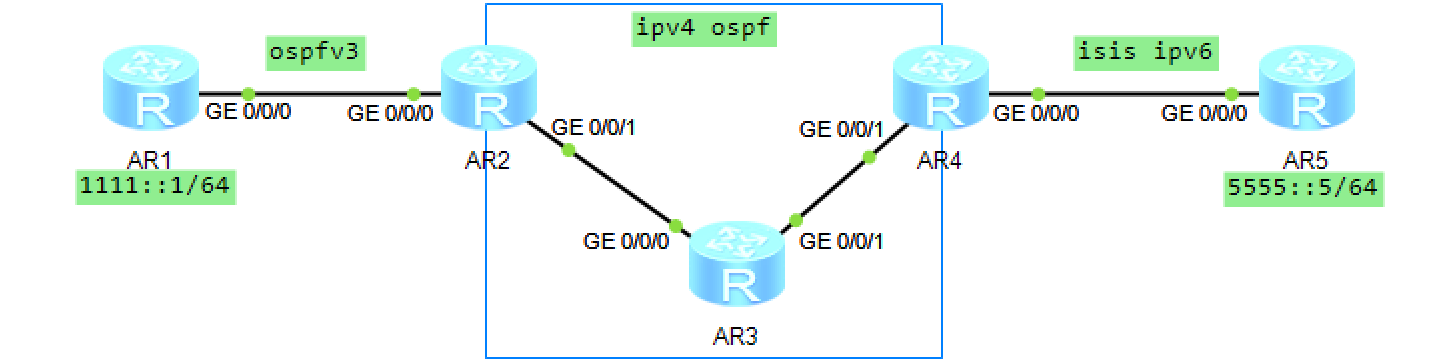
一、拓扑:
二、配置过程:
- AR2/3/4 配置 OSPF 互通,区域 0
- AR1/2 配置 IPv6 地址,起 OSPFv3,AR2 配置打开路由通告
- AR4/5 配置 IPv6 地址,起 isis ipv6,AR4 配置打开路由通告
- AR2/4 起隧道,隧道协议分别用 GRE/ipv6-ipv4 做为隧道协议
- AR2/4 分别配置静态路由到 AR5/1 的业务路由地址为隧道接口
三、测试:
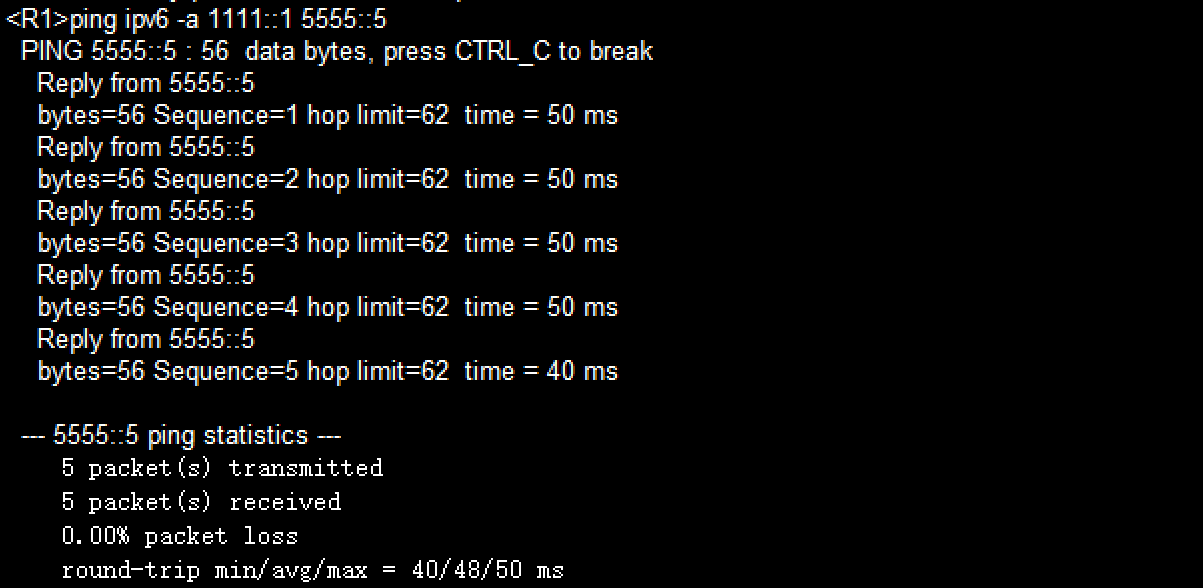
在 AR1 上带源 ping ipv6 AR5 的业务地址:
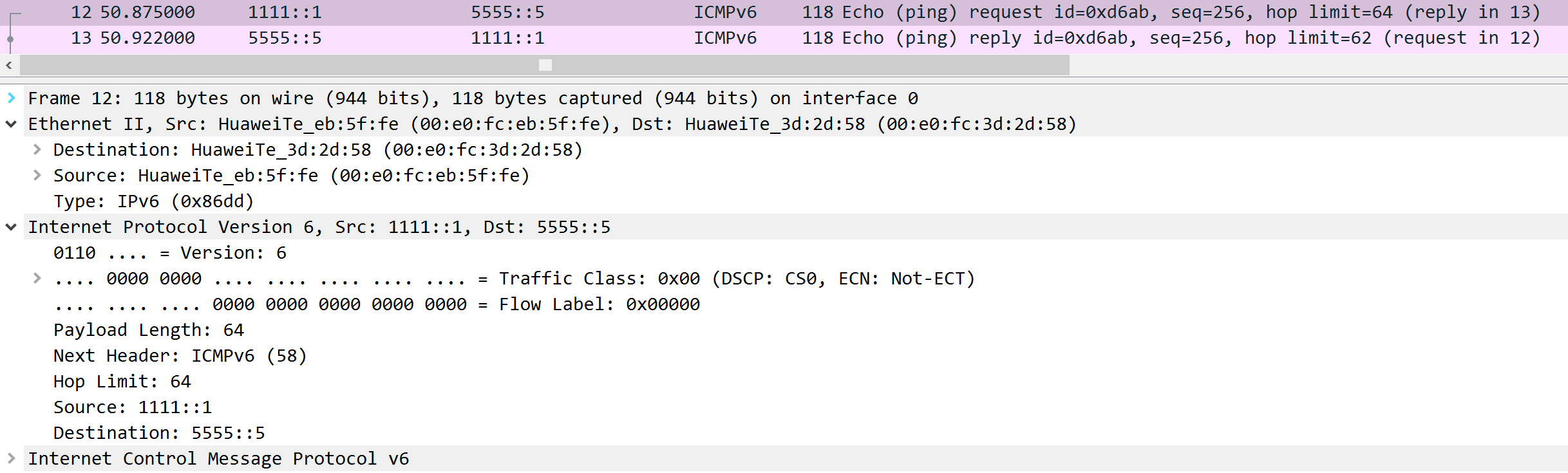
在 AR2 的 G0/0/0 口抓包,看到是纯 IPv6 包:
在AR2 的 G0/0/0 口抓包,看到是 IPv4 用隧道包裹了 IPv6 通过 IPv4 网络:
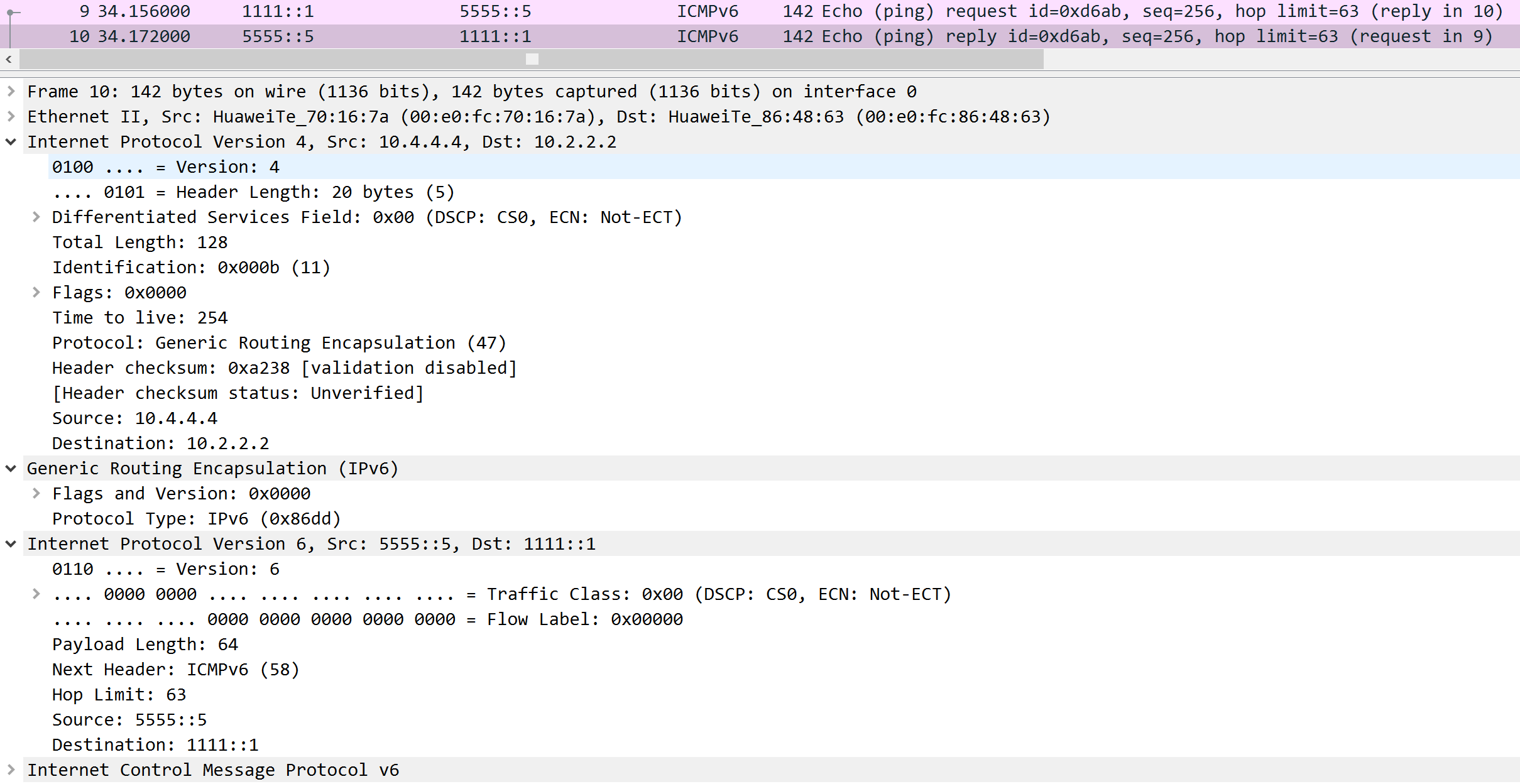
换用 IPv6-IPv4 隧道协议,可以看到IPv4 直接包裹了 IPv6,少了 GRE 头部,减小了载荷:
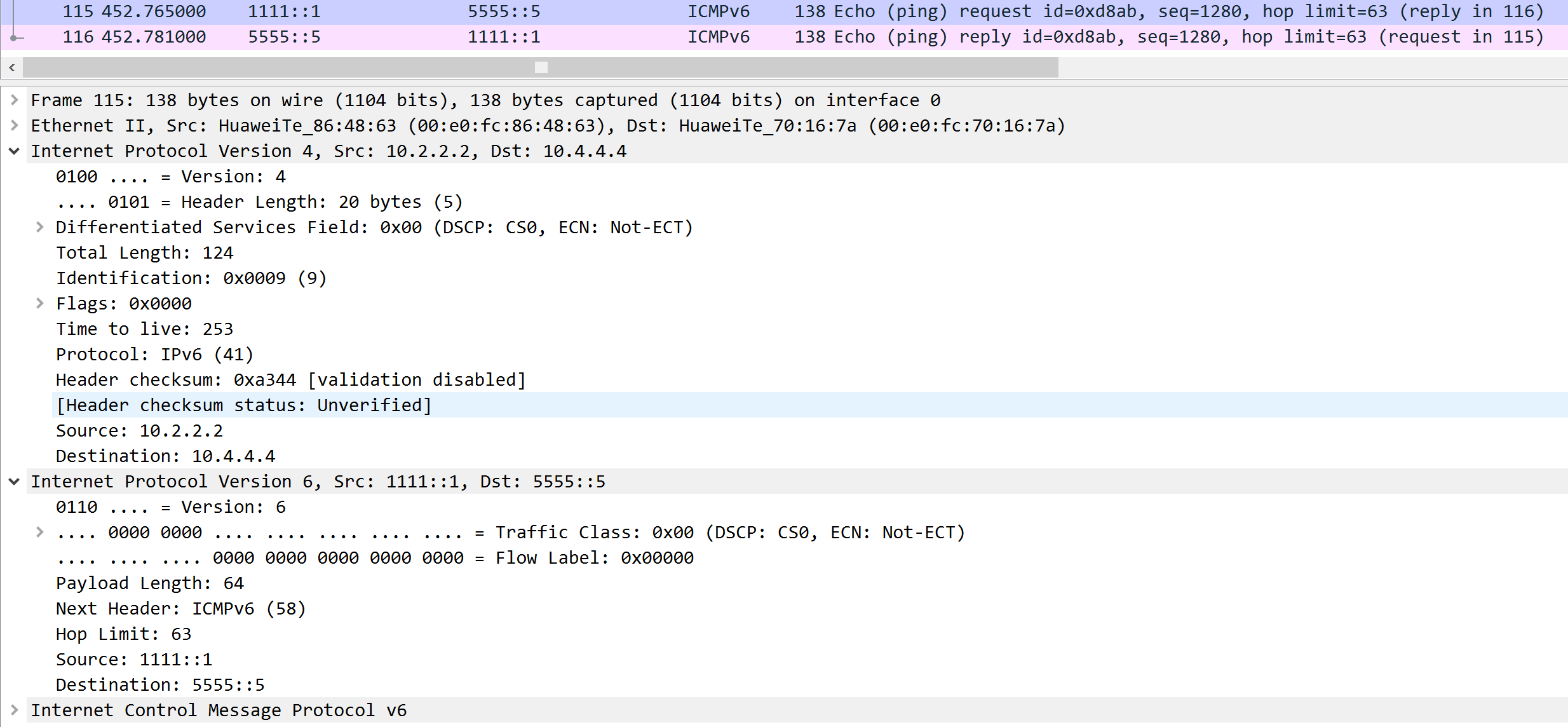
四、所有配置:
AR1:
ipv6
#
ospfv3 1
 router-id 10.1.1.1
#
interface GigabitEthernet0/0/0
 ipv6 enable
 ipv6 address 2001::12:1/64
 ipv6 address FE80::1 link-local
 ospfv3 1 area 0.0.0.0
#
interface LoopBack0
 ipv6 enable
 ipv6 address 1111::1/64
 ospfv3 1 area 0.0.0.0
#
AR2:
ipv6
#
ospfv3 1
 router-id 10.2.2.2
 default-route-advertise always
#
interface GigabitEthernet0/0/0
 ipv6 enable
 ipv6 address 2001::12:2/64
 ipv6 address FE80::2 link-local
 ospfv3 1 area 0.0.0.0
#
interface GigabitEthernet0/0/1
 ip address 10.1.23.2 255.255.255.0
#
interface LoopBack0
 ip address 10.2.2.2 255.255.255.255
#
interface Tunnel0/0/0
 ipv6 enable
 ipv6 address 3333::1/64
 tunnel-protocol gre		# 或者 ipv6-ipv4
 source 10.2.2.2
 destination 10.4.4.4
#
ospf 1 router-id 10.2.2.2
 area 0.0.0.0
  network 10.1.23.2 0.0.0.0
  network 10.2.2.2 0.0.0.0
#
ipv6 route-static 5555:: 64 Tunnel0/0/0
#
AR3:
interface GigabitEthernet0/0/0
 ip address 10.1.23.3 255.255.255.0
#
interface GigabitEthernet0/0/1
 ip address 10.1.34.3 255.255.255.0
#
interface LoopBack0
 ip address 10.3.3.3 255.255.255.255
#
ospf 1 router-id 10.3.3.3
 area 0.0.0.0
  network 10.1.23.3 0.0.0.0
  network 10.1.34.3 0.0.0.0
  network 10.3.3.3 0.0.0.0
#
AR4:
ipv6
#
isis 1
 is-level level-2
 cost-style wide
 network-entity 49.0001.0000.0000.0004.00
 #
 ipv6 enable topology standard
 ipv6 default-route-advertise always
 #
interface GigabitEthernet0/0/0
 ipv6 enable
 ipv6 address 2001::45:4/64
 ipv6 address FE80::4 link-local
 isis ipv6 enable 1
#
interface GigabitEthernet0/0/1
 ip address 10.1.34.4 255.255.255.0
#
interface LoopBack0
 ip address 10.4.4.4 255.255.255.255
#
interface Tunnel0/0/0		# 或者 ipv6-ipv4
 ipv6 enable
 ipv6 address 3333::2/64
 tunnel-protocol gre
 source 10.4.4.4
 destination 10.2.2.2
#
ospf 1 router-id 10.4.4.4
 area 0.0.0.0
  network 10.1.34.4 0.0.0.0
  network 10.4.4.4 0.0.0.0
#
ipv6 route-static 1111:: 64 Tunnel0/0/0
AR5:
ipv6
#
isis 1
 is-level level-2
 cost-style wide
 network-entity 49.0001.0000.0000.0005.00
 is-name R5
 #
 ipv6 enable topology standard
 #
interface GigabitEthernet0/0/0
 ipv6 enable
 ipv6 address 2001::45:5/64
 ipv6 address FE80::5 link-local
 isis ipv6 enable 1
#
interface NULL0
#
interface LoopBack0
 ipv6 enable
 ipv6 address 5555::5/64
 isis ipv6 enable 1
#
五、排错:
如果全局未开 ipv6 ,则 dis ipv6 int brief 时,会这样显示:
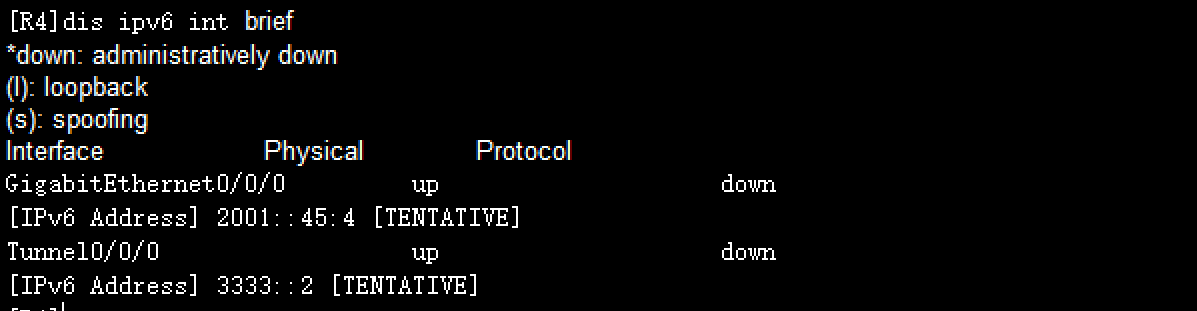
就是协议未起来