4向及8向均为VUE2+elementUI实现!
一、4向云台(上下左右)
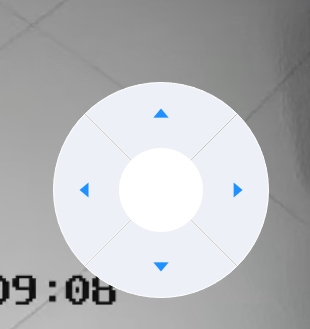
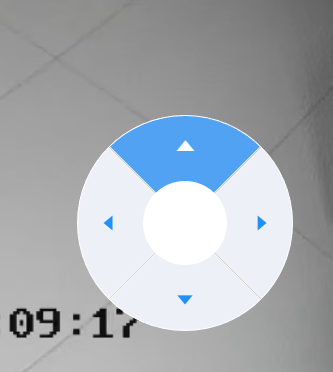
组件源码:
javascript<template> <div class="btns-container"> <div class="btns-control-circle" :class="circleClass"> <div class="btns-control"> <!-- 向上 --> <div class="control-btn" @click="directionAction('top')"> <i class="el-icon-caret-left control-icon"></i> </div> <!-- 向右 --> <div class="control-btn" style="transform: rotate(90deg)" @click="directionAction('right')"> <i class="el-icon-caret-left control-icon"></i> </div> <!-- 向左 --> <div class="control-btn" style="transform: rotate(-90deg)" @click="directionAction('left')"> <i class="el-icon-caret-left control-icon"></i> </div> <!-- 向下 --> <div class="control-btn" style="transform: rotate(180deg)" @click="directionAction('bottom')"> <i class="el-icon-caret-left control-icon"></i> </div> <!-- 中间空白圆圈 --> <div class="control-round"></div> </div> </div> </div> </template> <script> export default { name: 'btns-controller', props: { showCircle: { type: Boolean, default: true } }, computed: { // 是否需要浅透明底色 circleClass() { return !this.showCircle ? 'no-circle' : '' } }, data() { return { } }, methods: { directionAction(command) { this.$emit('direction',command) } } } </script> <style scoped lang="scss"> $color-control-btn: #edf0f7; .btns-container { display: flex; justify-content: center; align-items: center; min-width: 180px; .no-circle { background: transparent !important; width: 140px !important; } .btns-control-circle { width: 180px; height: 180px; border-radius: 90px; background: rgb(221 221 221 / 0.1); .btns-control { // 超出位置换行 display: flex; flex-wrap: wrap; justify-content: center; align-content: center; width: 180px; height: 180px; border-radius: 90px; transform: rotate(45deg); .control-btn { display: flex; justify-content: center; align-items: center; width: 90px; height: 90px; border-top-left-radius: 90px; // 把上左两个方向变圆角 border: 1px solid #fff; background-color: $color-control-btn; cursor: pointer; &:hover { background-color: #51a2f3; .control-icon{ font-size: 23px; color: white; } } .control-icon { font-size: 20px; transform: rotate(45deg); color: #1e90ff; } } .control-round { width: 70px; height: 70px; border-radius: 35px; position: absolute; // 绝对定位找到圆心 top: 55px; background-color: #fff; } } } .control-zoom { font-size: 25px; color: #1e90ff; cursor: pointer; .control-zoom-circle { width: 70px; height: 70px; border-radius: 35px; background: rgb(221 221 221 / 0.1); display: flex; justify-content: center; align-items: center; margin: 20px; } .no-circle { background: transparent !important; } .zoom-circle { width: 40px; height: 40px; border-radius: 20px; background-color: $color-control-btn; display: flex; justify-content: center; align-items: center; &:hover { background-color: aliceblue; } } } } </style>
二、八向云台
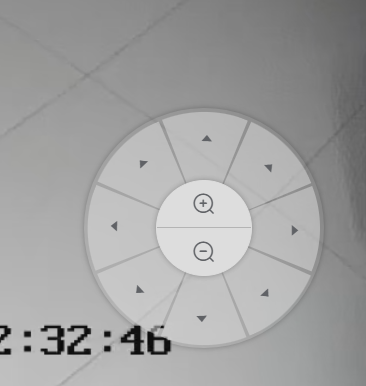
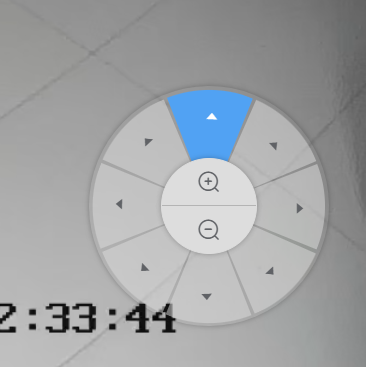
javascript<template> <div class="controller"> <div v-for="btn in directionButton" :key="btn.key" :class="[btn.value != 9 ? 'sector' : '', btn.key]" :title="btn.label" @click="directionAction(btn)"> <i v-if="btn.value != 9" class="el-icon el-icon-caret-left"></i> <div v-else class="el-icon flex-col w-100 h-100" style="transform: rotate(-22deg);"> <div class="zoom-view flex-col border-r-top"> <i class="zoom-icon el-icon-zoom-in"></i> </div> <div class="zoom-view flex-col border-b-top"> <i class="zoom-icon el-icon-zoom-out"></i> </div> </div> </div> </div> </template> <script> export default { data() { return { directionButton: [ { label: '上', key: 'up', value: 1 }, { label: '右上', key: 'up-right', value: 2 }, { label: '右', key: 'right', value: 3 }, { label: '右下', key: 'down-right', value: 4 }, { label: '下', key: 'down', value: 5 }, { label: '左下', key: 'down-left', value: 6 }, { label: '左', key: 'left', value: 7 }, { label: '左上', key: 'up-left', value: 8 }, { label: '中心', key: 'center', value: 9 } ] } }, methods: { directionAction(m) { this.$emit('direction',m.key) } } } </script> <style lang="scss" scoped> .flex-col { display: flex; flex-direction: column; justify-content: center; align-items: center; } .zoom-view { position: relative; width: 100%; height: 50%; .zoom-icon{ font-size: 20px; } &:hover { background-color: #51a2f3; .zoom-icon{ color: white; } } } .border-r-top{ border-top-left-radius: 40px; border-top-right-radius: 40px; border-bottom: 1px solid rgb(180 ,180, 180); } .border-b-top{ border-bottom-left-radius: 40px; border-bottom-right-radius: 40px; } .controller { position: relative; width: 200px; height: 200px; display: flex; justify-content: center; align-items: center; box-shadow: 0 0 5px rgba(0, 0, 0, 0.3); border-radius: 50%; z-index: 9; transform: rotate(22deg); .sector { width: 194px; height: 194px; background-color: rgb(221 221 221 / 0.5); clip-path: polygon(50% 50%, 100% 50%, 100% 3%); border-radius: 50%; position: absolute; cursor: pointer; &:hover { background-color: #51a2f3; .el-icon { color: white; } } .el-icon { position: absolute; right: 20px; top: 63px; transform: rotate(-200deg); } } /* 各个方向的扇形按钮 */ .up { transform: rotate(270deg); } .right { transform: rotate(0deg); .el-icon { transform: rotate(-202deg); } } .down-right { transform: rotate(45deg); } .down { transform: rotate(90deg); .el-icon { transform: rotate(-204deg); } } .down-left { transform: rotate(135deg); } .left { transform: rotate(180deg); .el-icon { transform: rotate(-200deg); } } .up-left { transform: rotate(225deg); } .up { transform: rotate(270deg); } .up-right { transform: rotate(315deg); } /* 中心的圆形空心区域 */ .center { position: absolute; transform: translate(-50%, -50%); /* 将中心定位到控制器的中心 */ width: 80px; height: 80px; top: 100px; left: 100px; background-color: rgb(221, 221, 221); border: 1px solid rgb(221, 221, 221); border-radius: 50%; box-shadow: 0 0 5px rgba(0, 0, 0, 0.3); z-index: 10; /* 确保中心区域在其他扇形之上 */ display: flex; align-items: center; justify-content: center; cursor: pointer; } } </style>
三、向父组件回调传值