目录
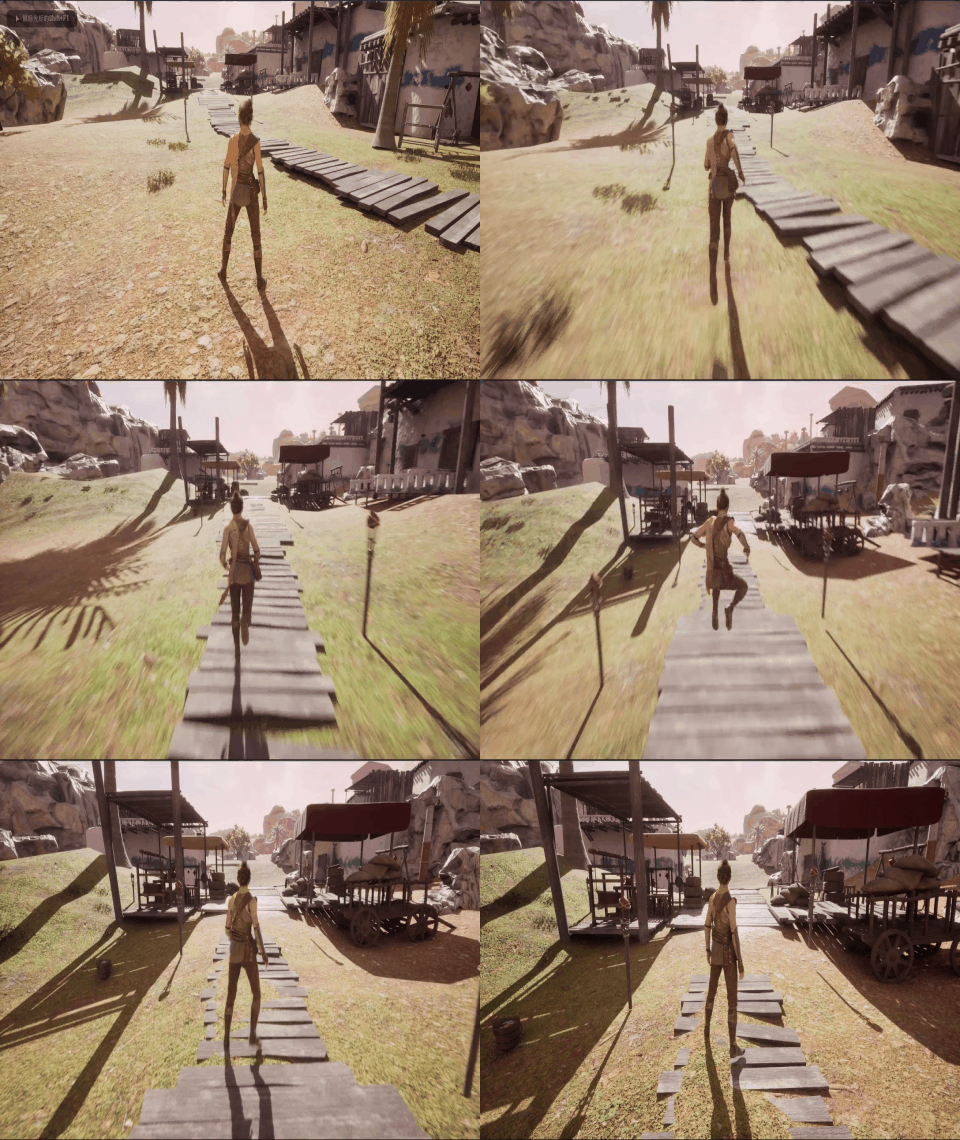
效果
步骤
一、资产准备
Fab中找到"Windwalker Echo",点击创建项目
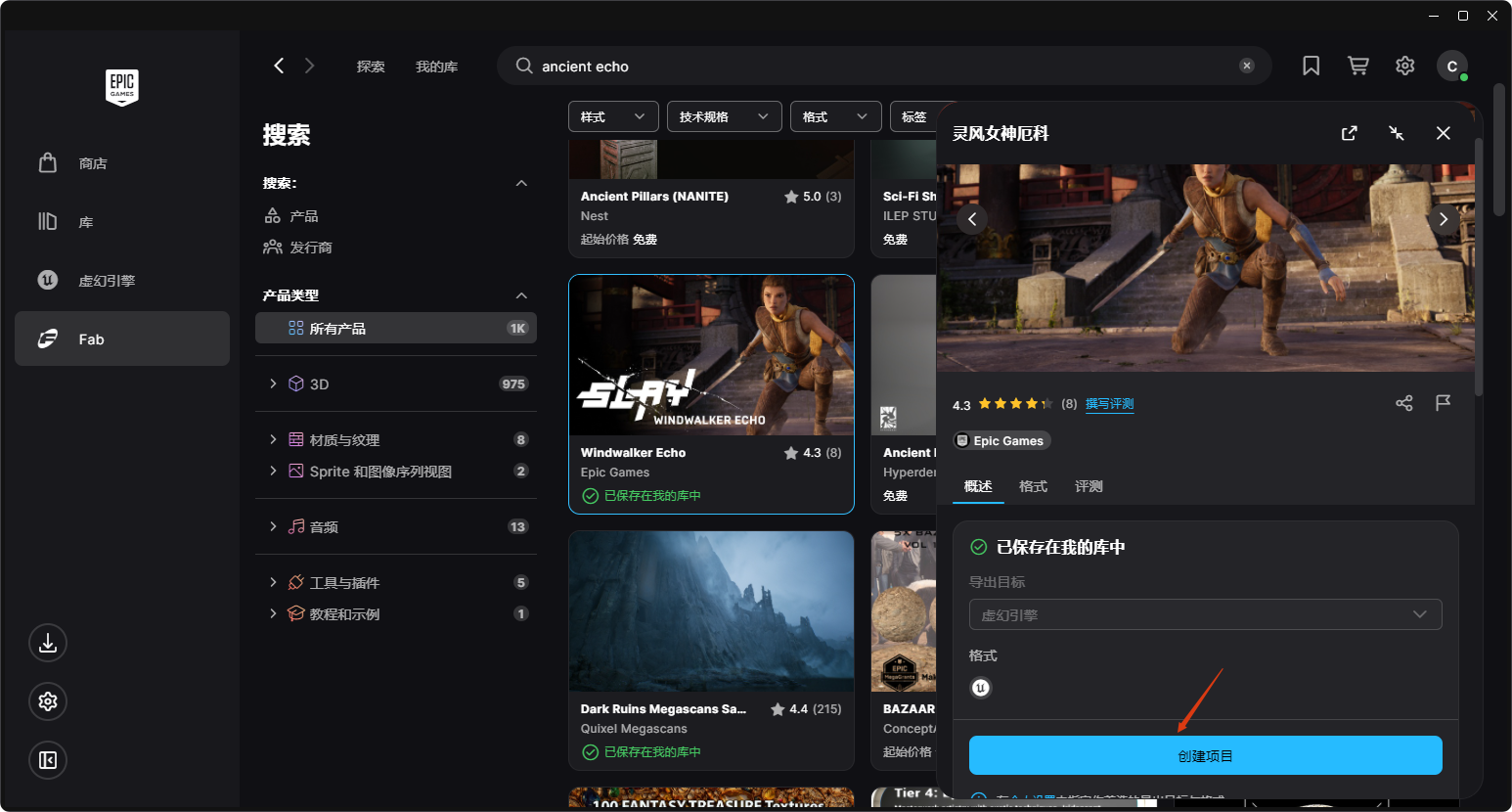
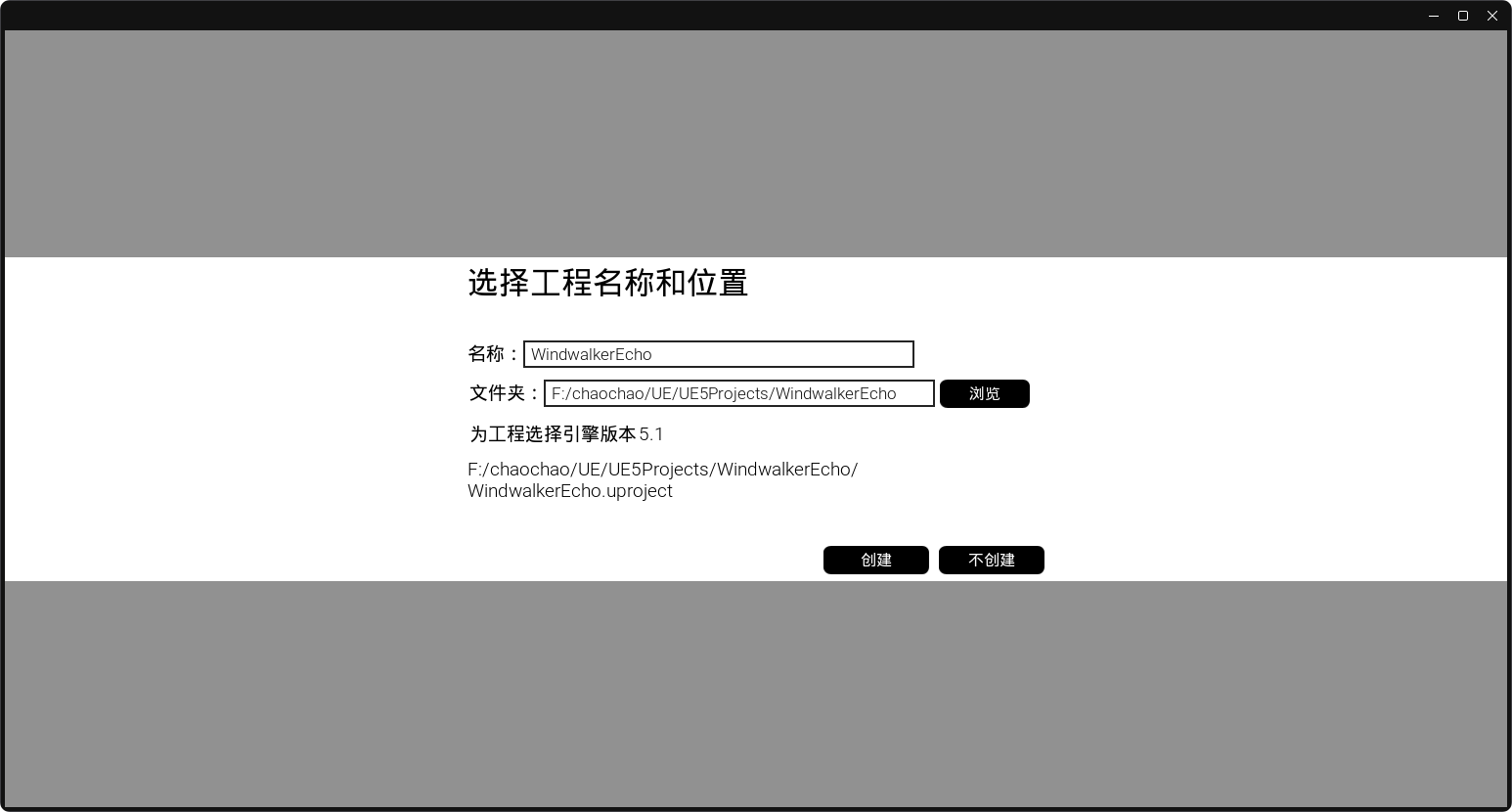
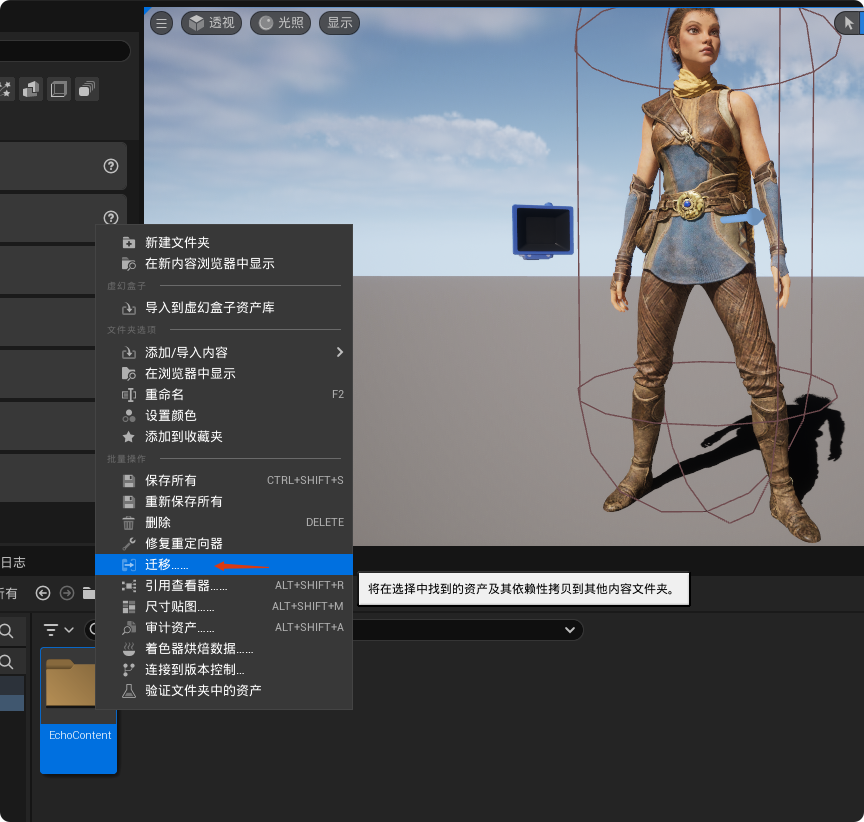
打开下载的工程,将EchoContent整体迁移到我们的工程中
二、创建Character类
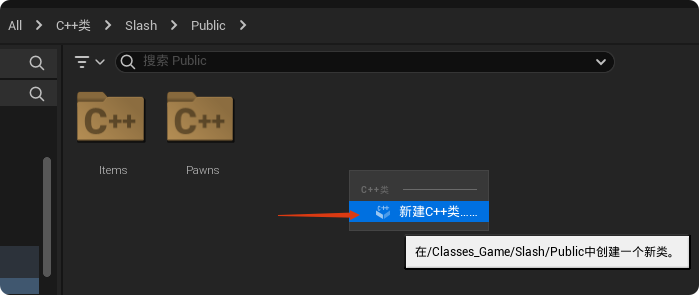
新建C++类
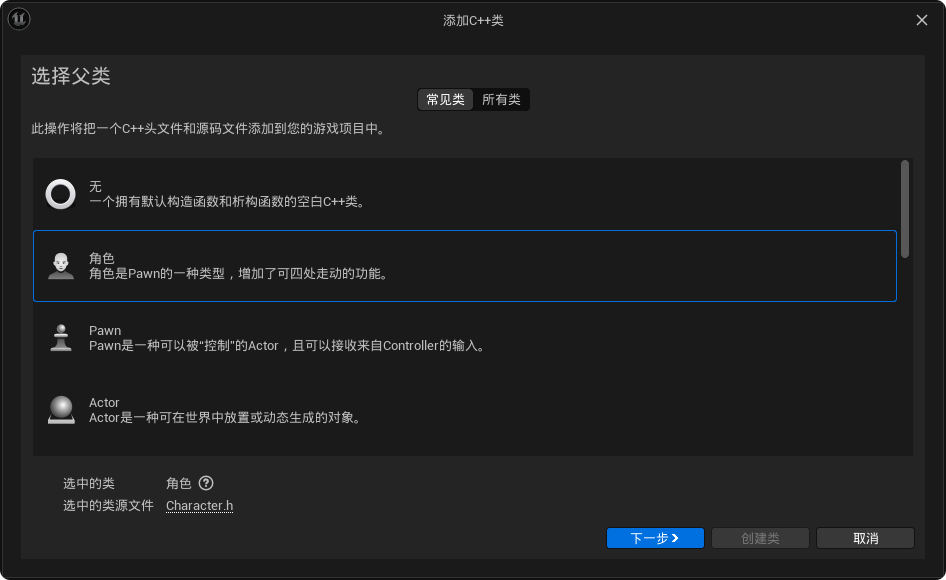
选择"角色"
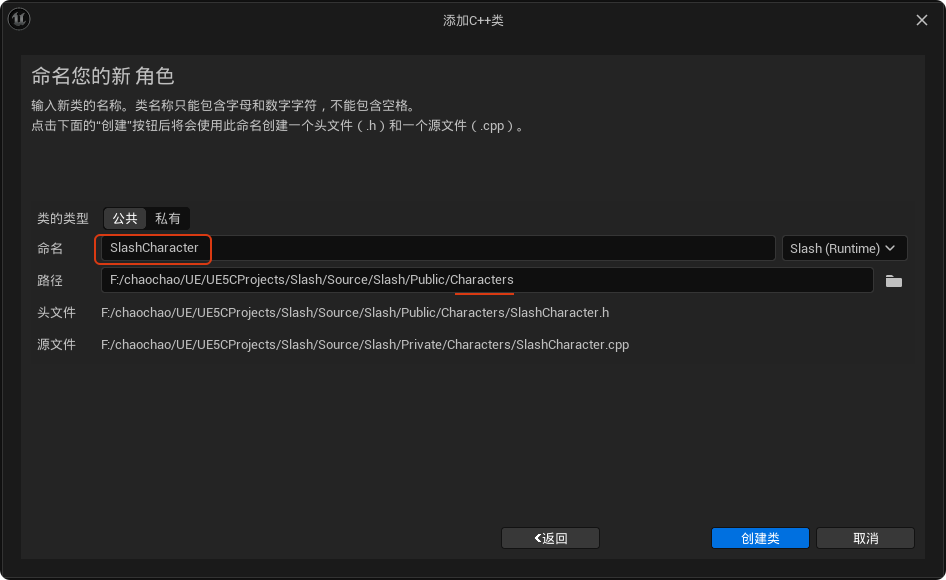
这里命名为"SlashCharacter"
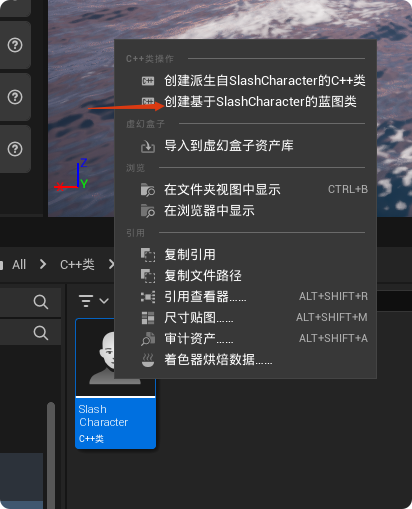
创建基于"SlashCharacter"的蓝图类
这里命名为"BP_SlashCharacter"
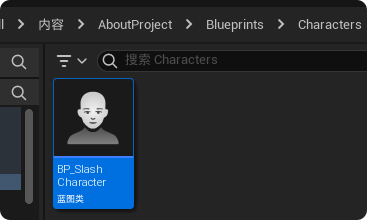
打开"BP_SlashCharacter",设置骨骼网格体资产为"Echo"
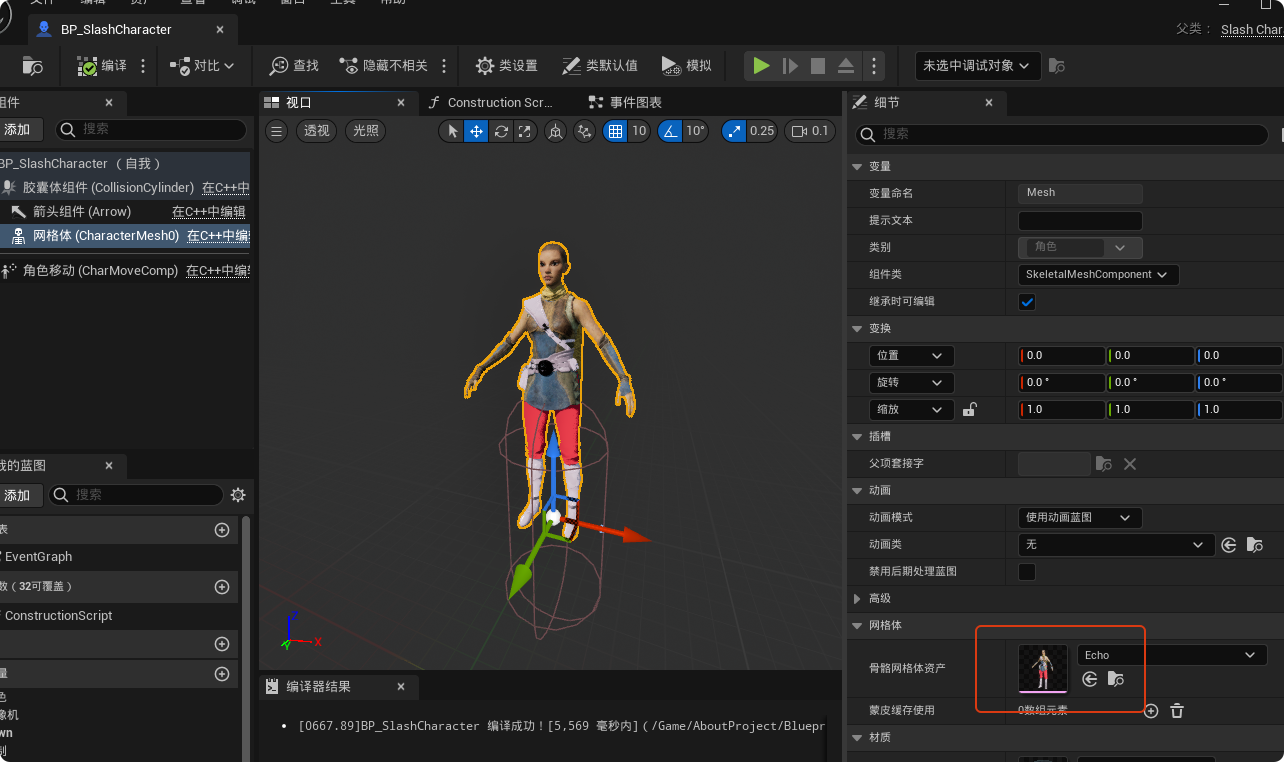
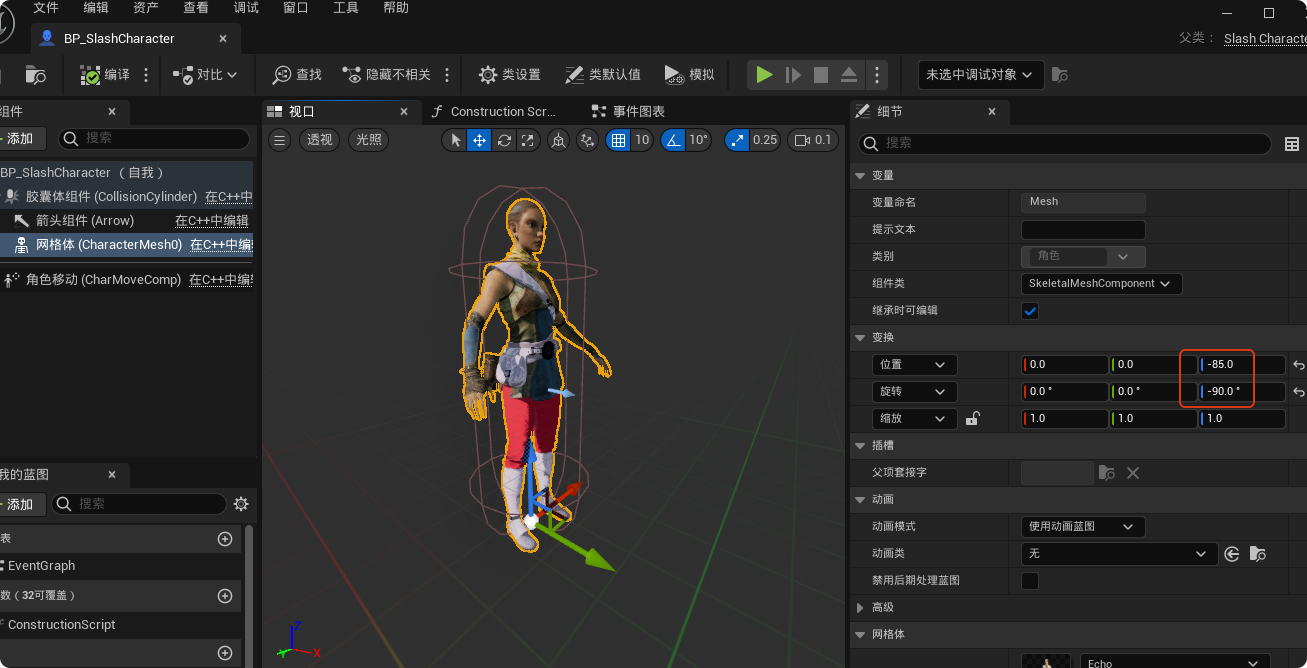
调整下位置和旋转
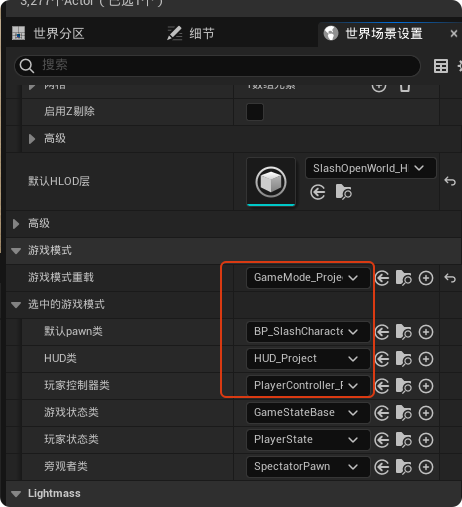
创建游戏模式,设置默认Pawn类为"BP_SlashCharacter"
三、通过增强输入控制角色
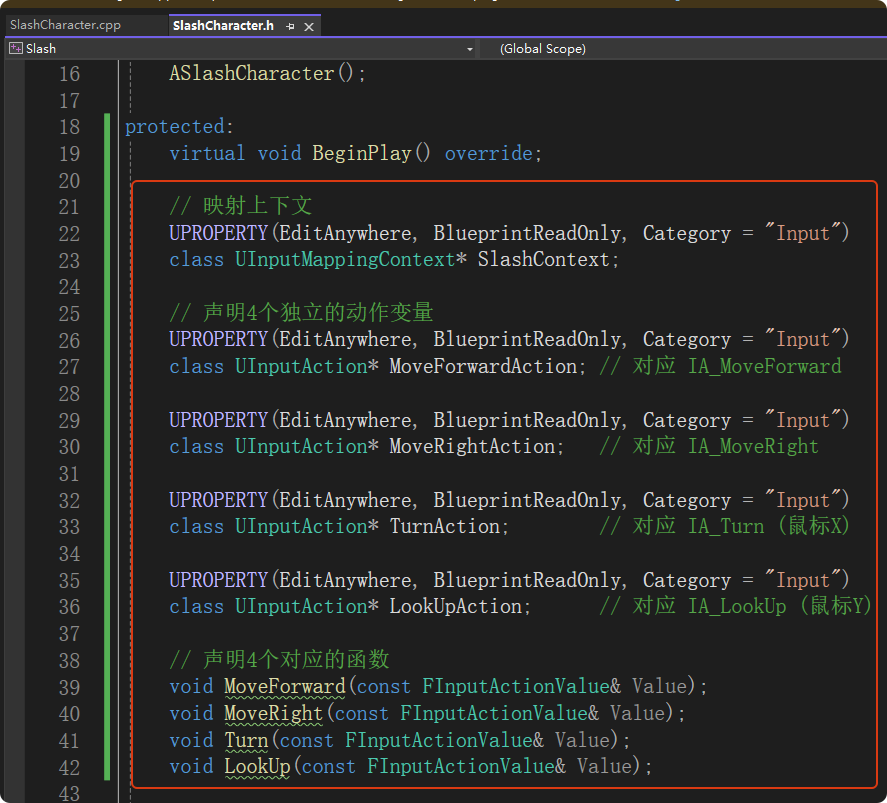
在"EchoContent"可以找到如下输入资产,这套资源包采用的是一种"模拟旧版输入系统"的增强输入写法。它把前后和左右拆分成了两个独立的资产:IA_MoveForward(前后)和 IA_MoveRight(左右)。同理,视角也拆分成了 IA_Turn(左右看)和 IA_LookUp(上下看)。

在"SlashCharacter.h"中添加如下代码,首先添加必须的头文件
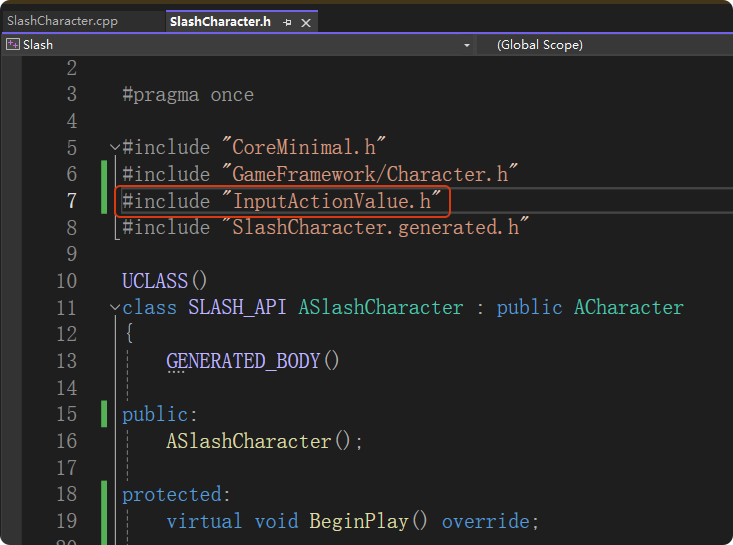
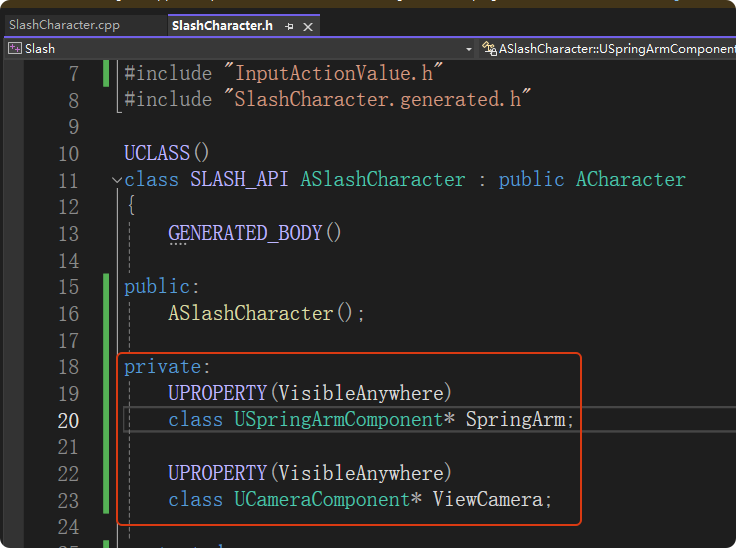
声明组件
声明输入变量和对应的回调函数
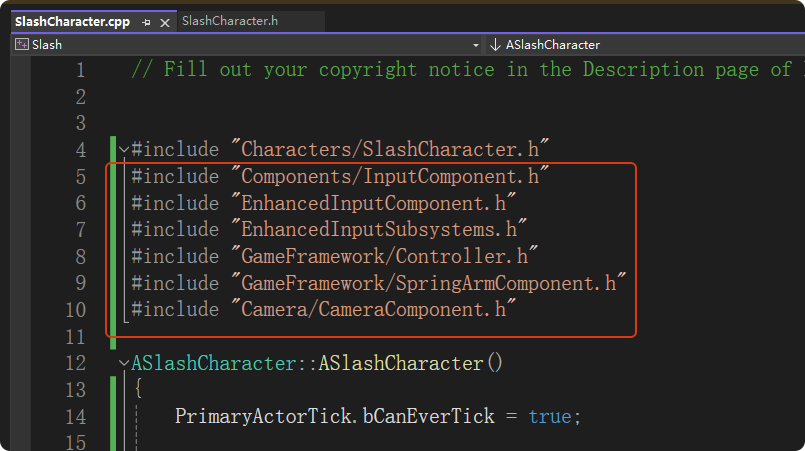
在"SlashCharacter.cpp"中添加如下代码:
引入必要的头文件
添加组件
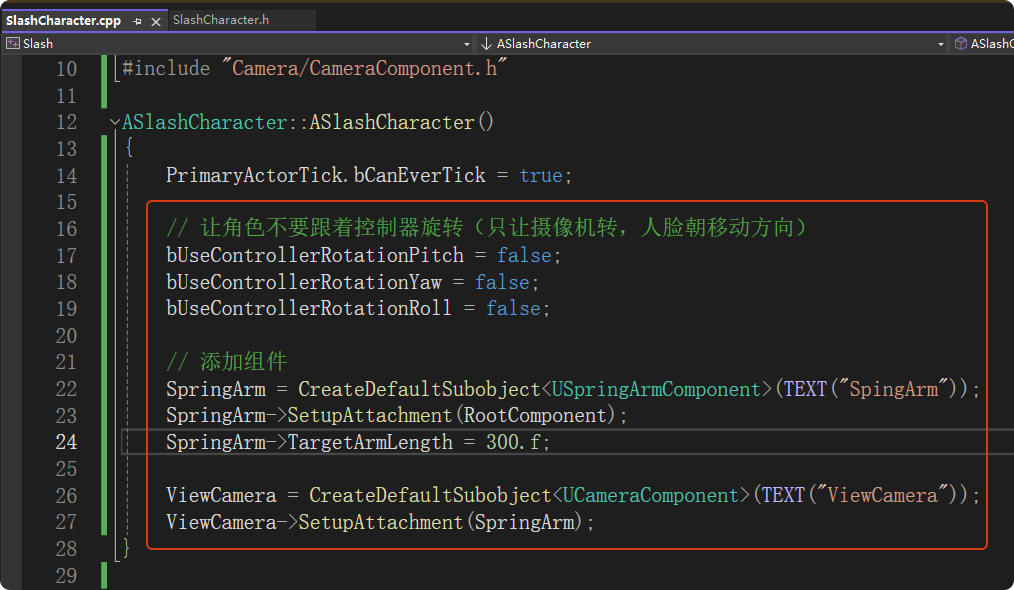
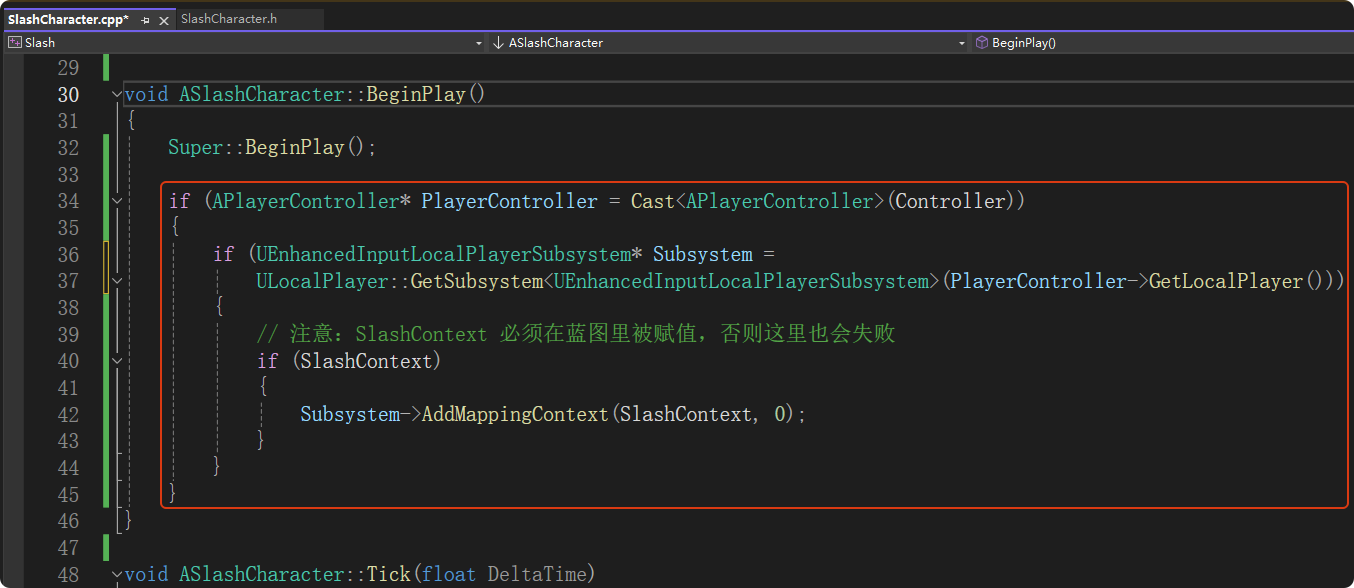
在游戏开始时激活"映射上下文"
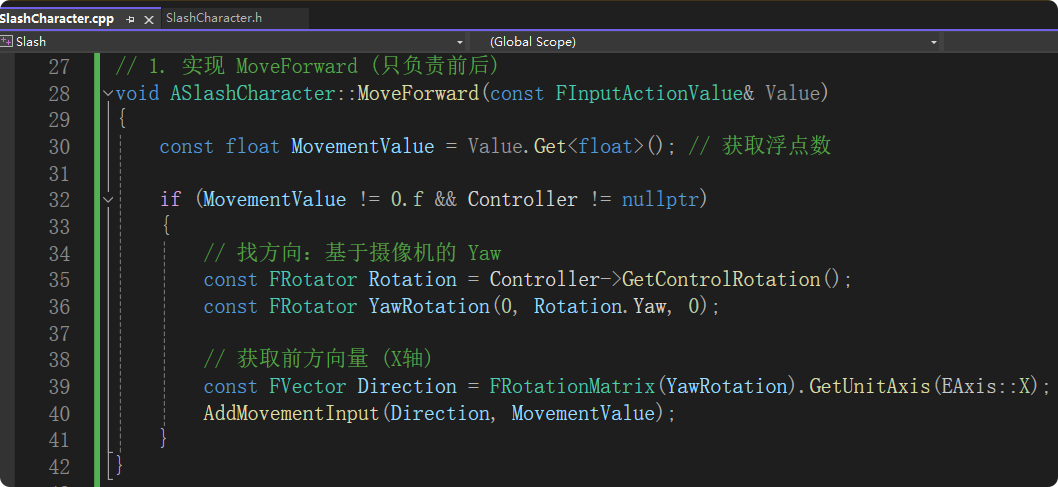
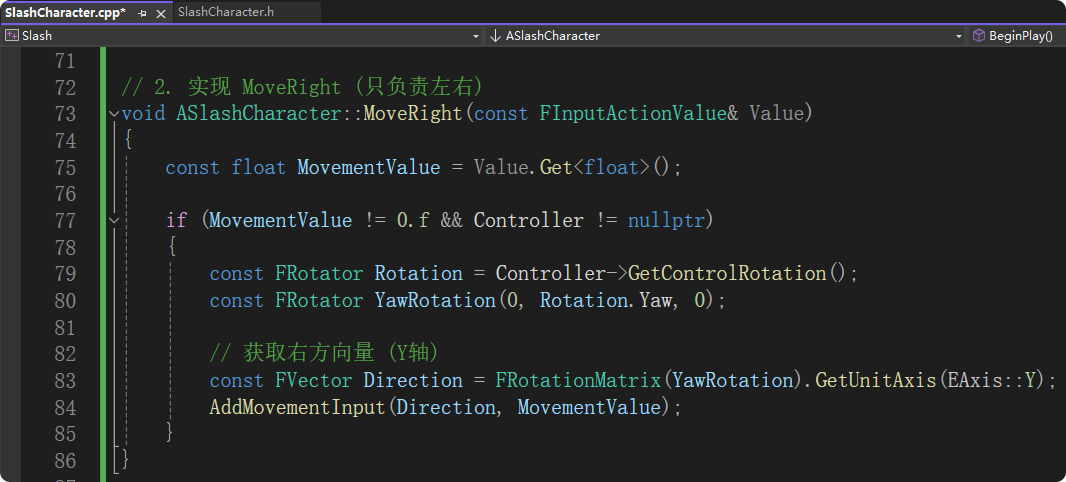
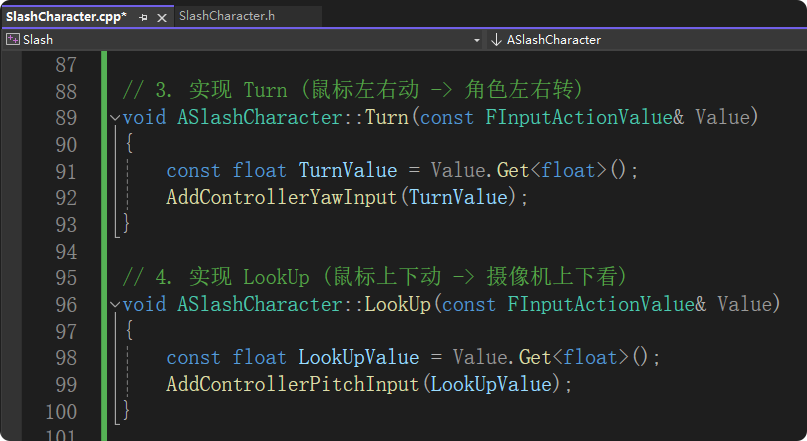
实现回调函数
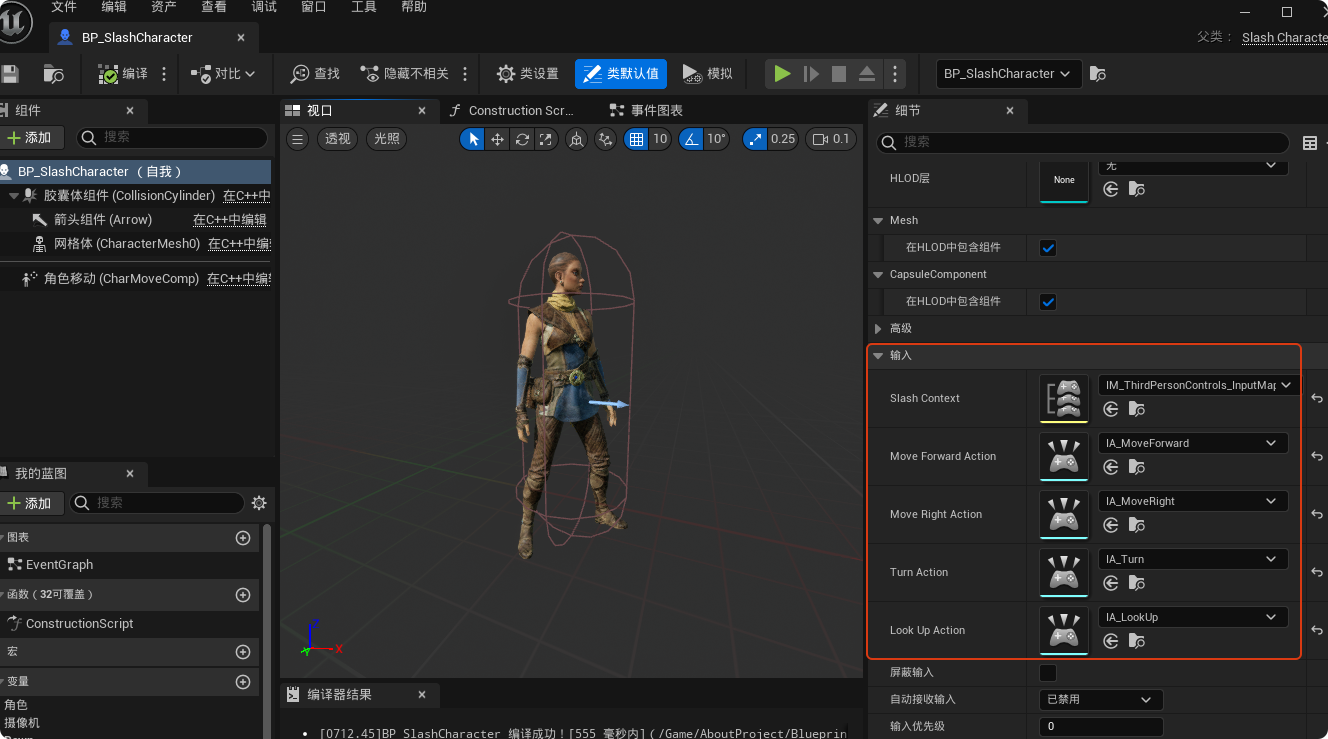
打开"BP_SlashCharacter",进行如下设置
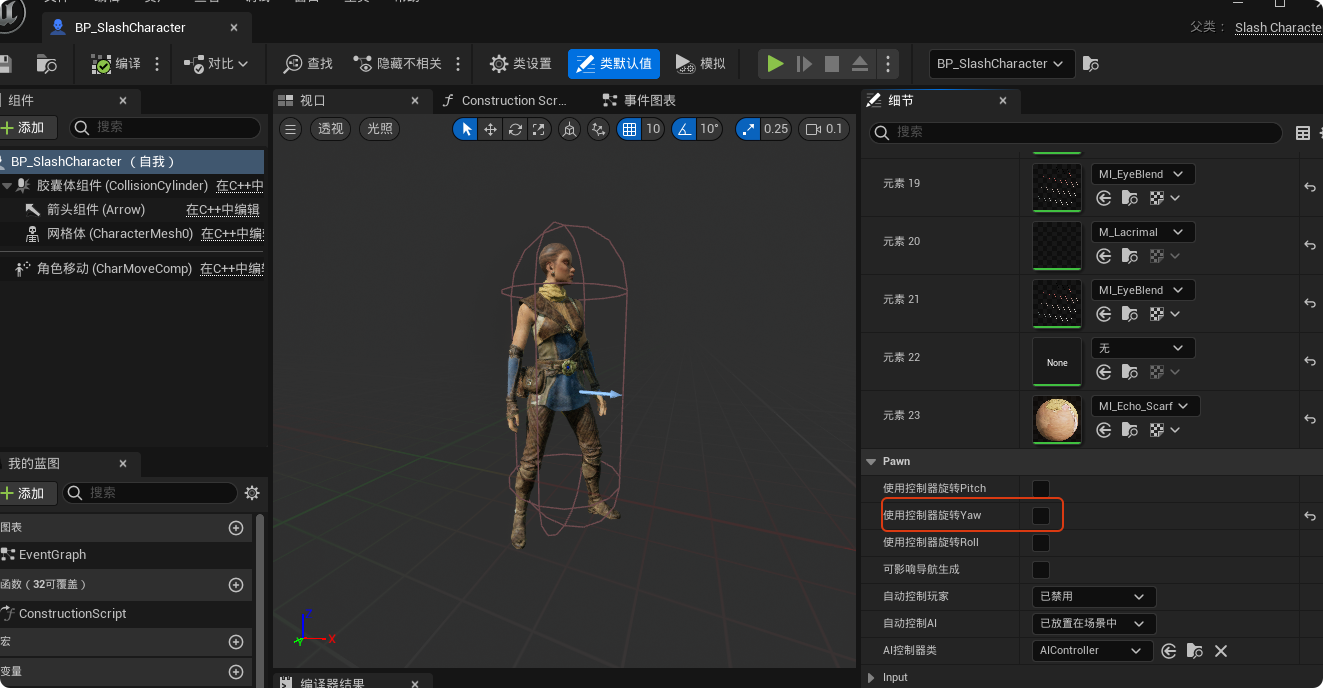
取消勾选"使用控制器旋转Yaw",让角色身体独立于视角
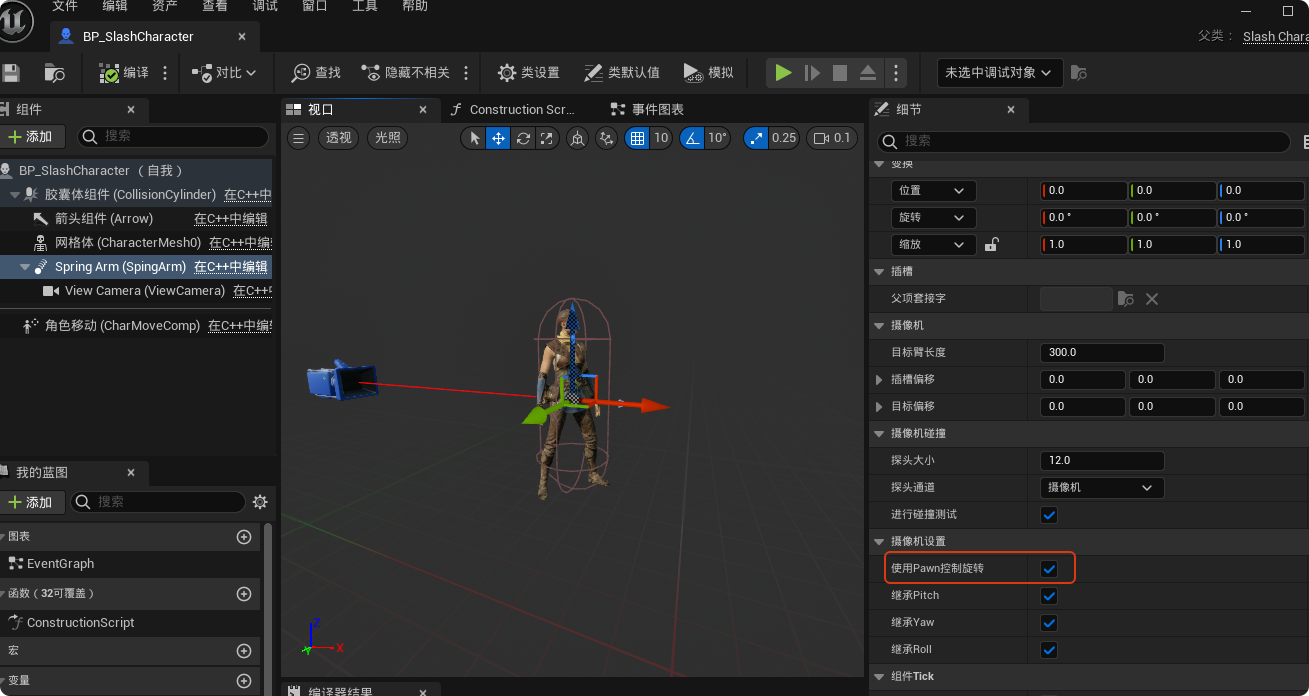
选中弹簧臂组件,勾选"使用Pawn控制旋转",使弹簧臂跟着鼠标转
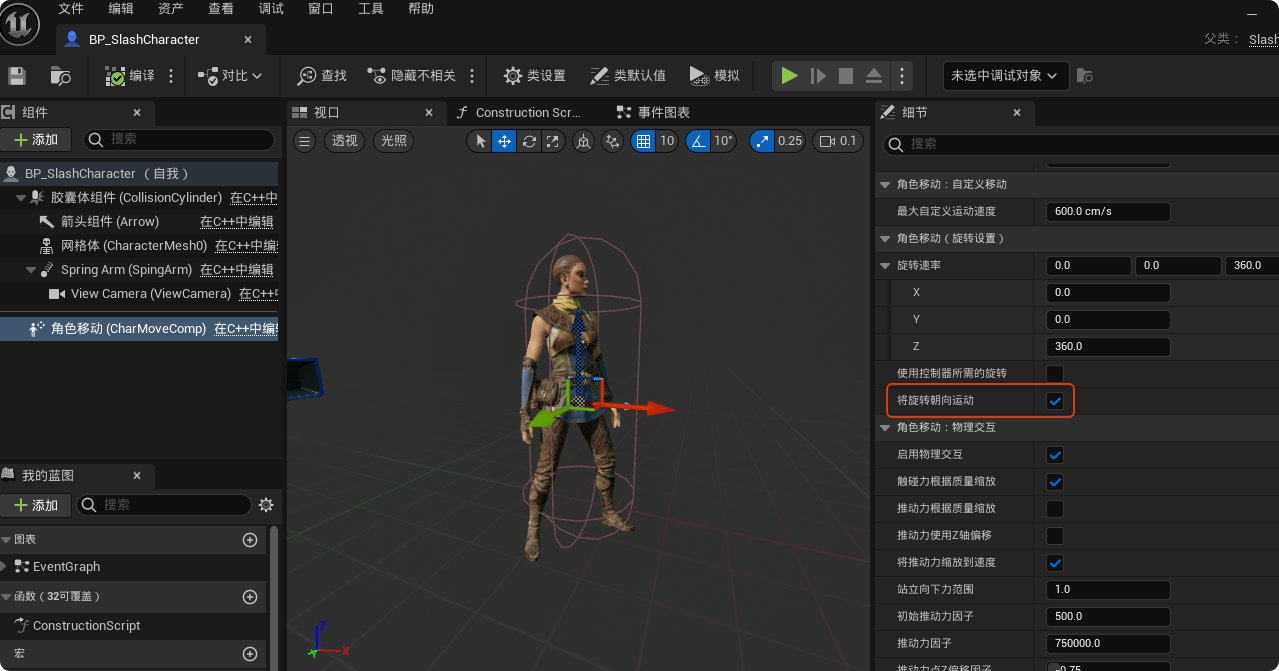
选中角色移动组件,勾选"将旋转朝向运动",此时角色在前进时就会自动将身体朝向视角方向
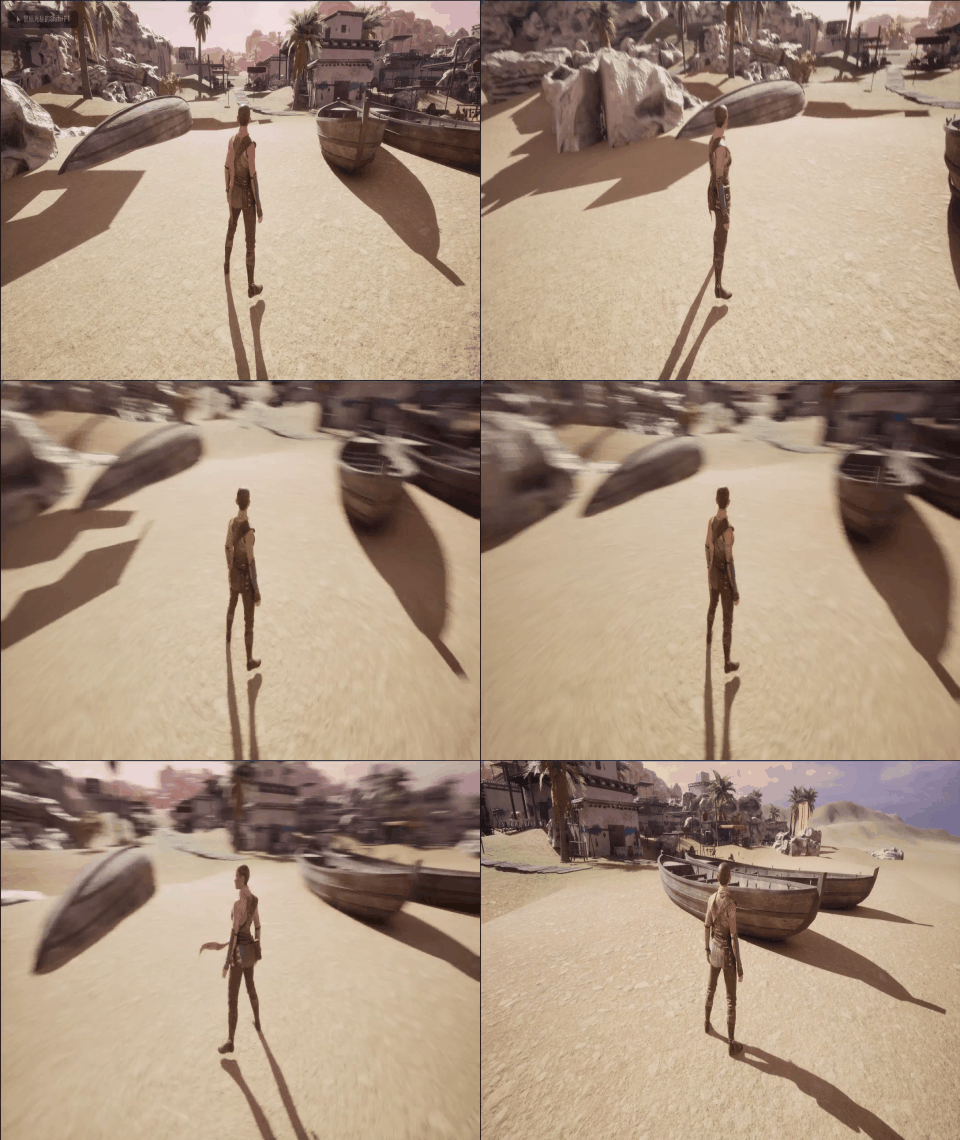
此时我们已经可以让角色前后左右移动并旋转视角,但是还没有执行相应的动作。
四、给角色添加毛发
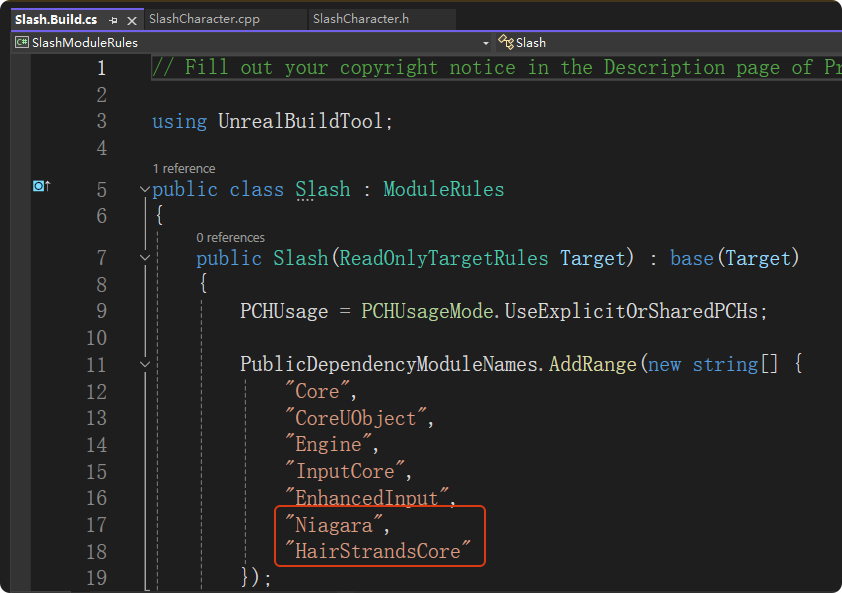
打开".Build.cs",添加"HairStrandsCore"和"Niagara"模块,然后最好重新生成一下vs项目文件
Ctrl+Shift+B重新编译解决方案,然后关闭Visual Studio。打开文件资源管理器,找到项目所在目录,删除如下3个目录
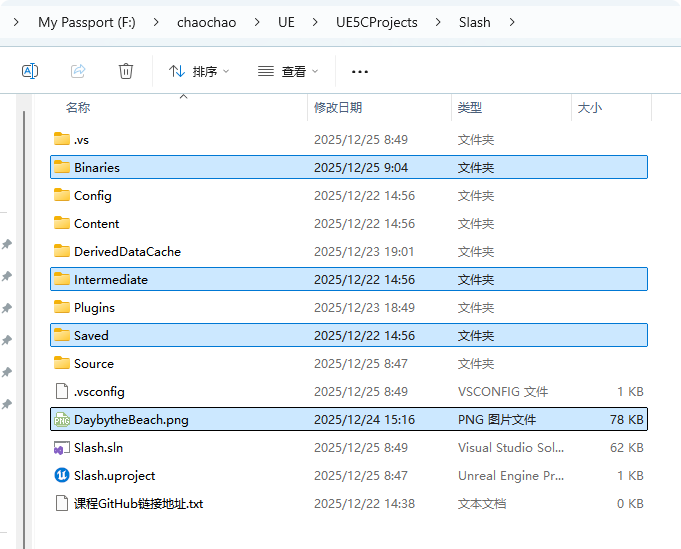
删除后,右键点击重新生成vs文件,等进度提示结束后会重新生成"Saved"、"Intermediate"目录
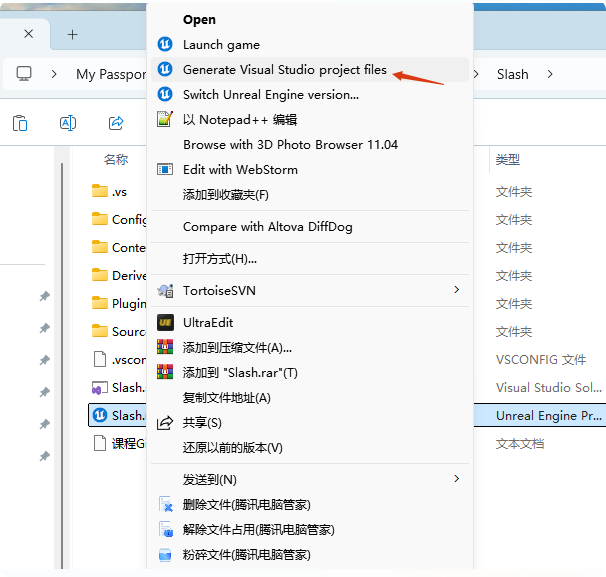
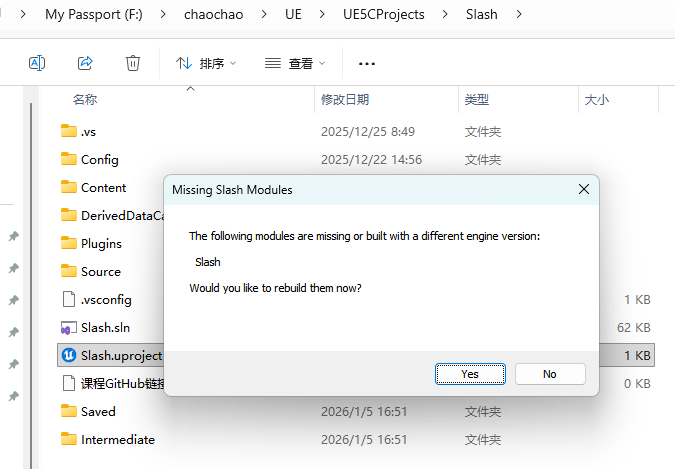
双击.uproject文件,此时会弹出是否rebuild,选择Yes。等一会后,会重新生成"Binaries"目录,并自动打开UEEditor。
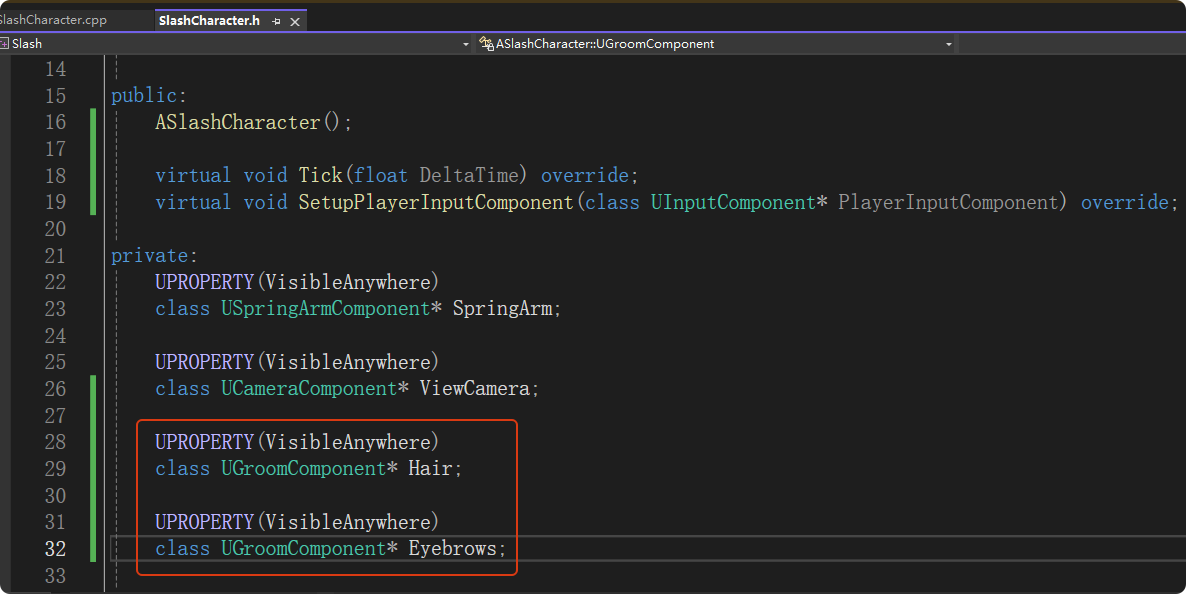
关闭UEEditor,打开Visual Studio。在"SlashCharacter.h"声明两个毛发组件变量
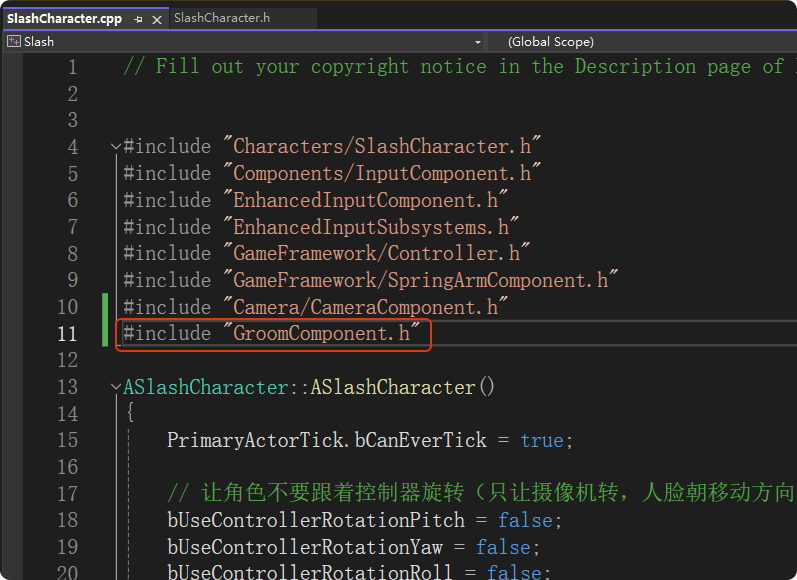
在"SlashCharacter.cpp"中引入必要的头文件
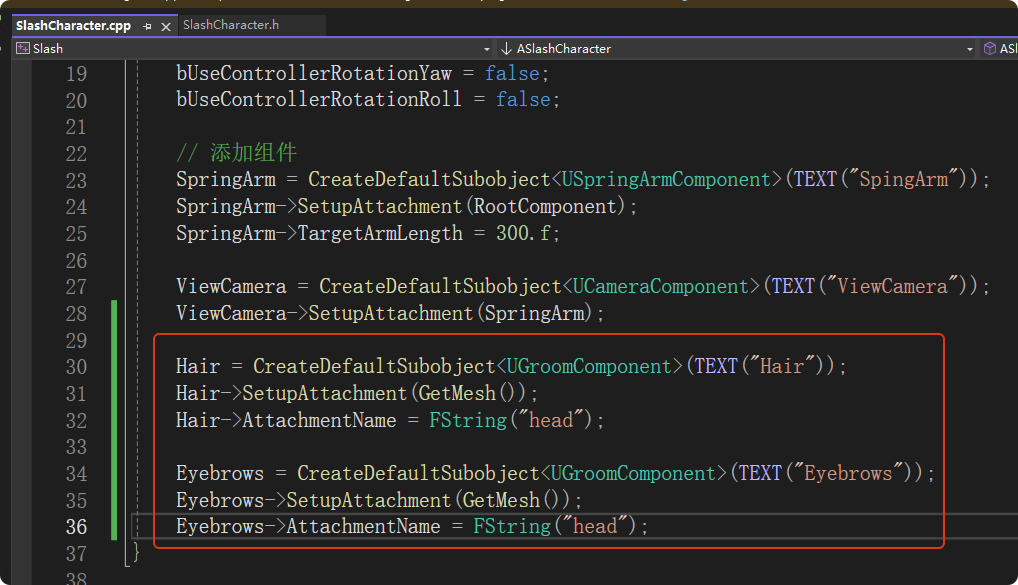
创建两个毛发组件分别是头发和眉毛,附加到网格体上
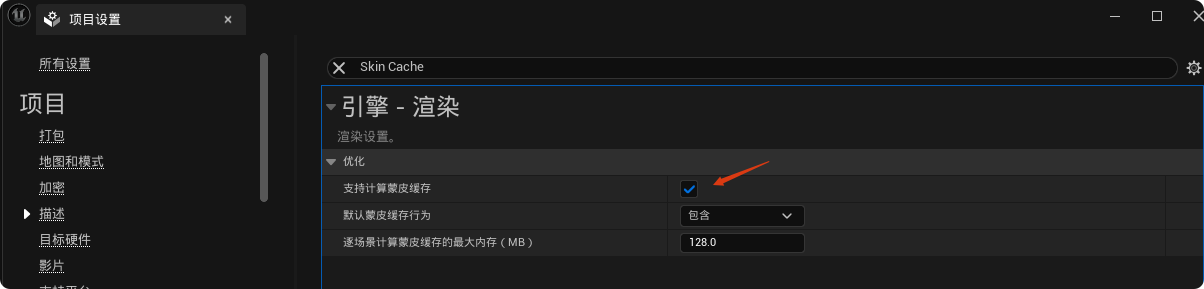
在项目设置中勾选"支持蒙皮缓存"
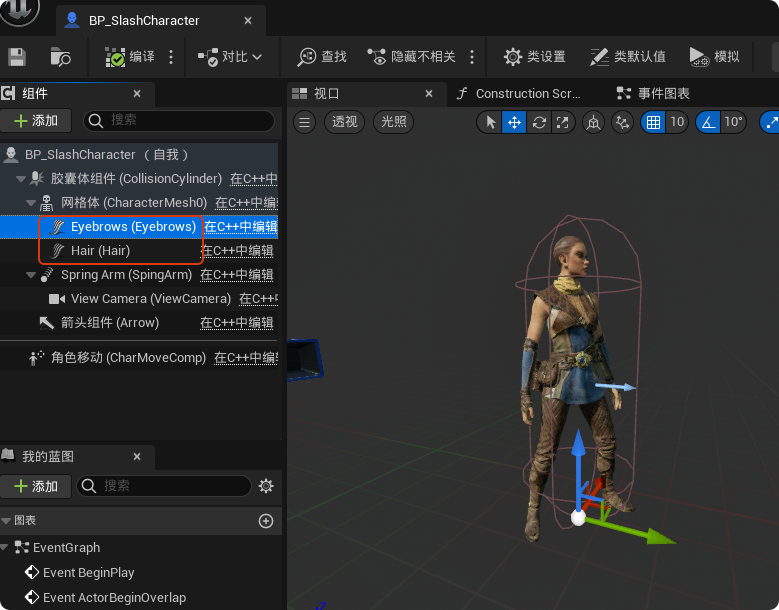
编译后打开"BP_SlashCharacter",此时可以看到已经成功添加了两个毛发组件
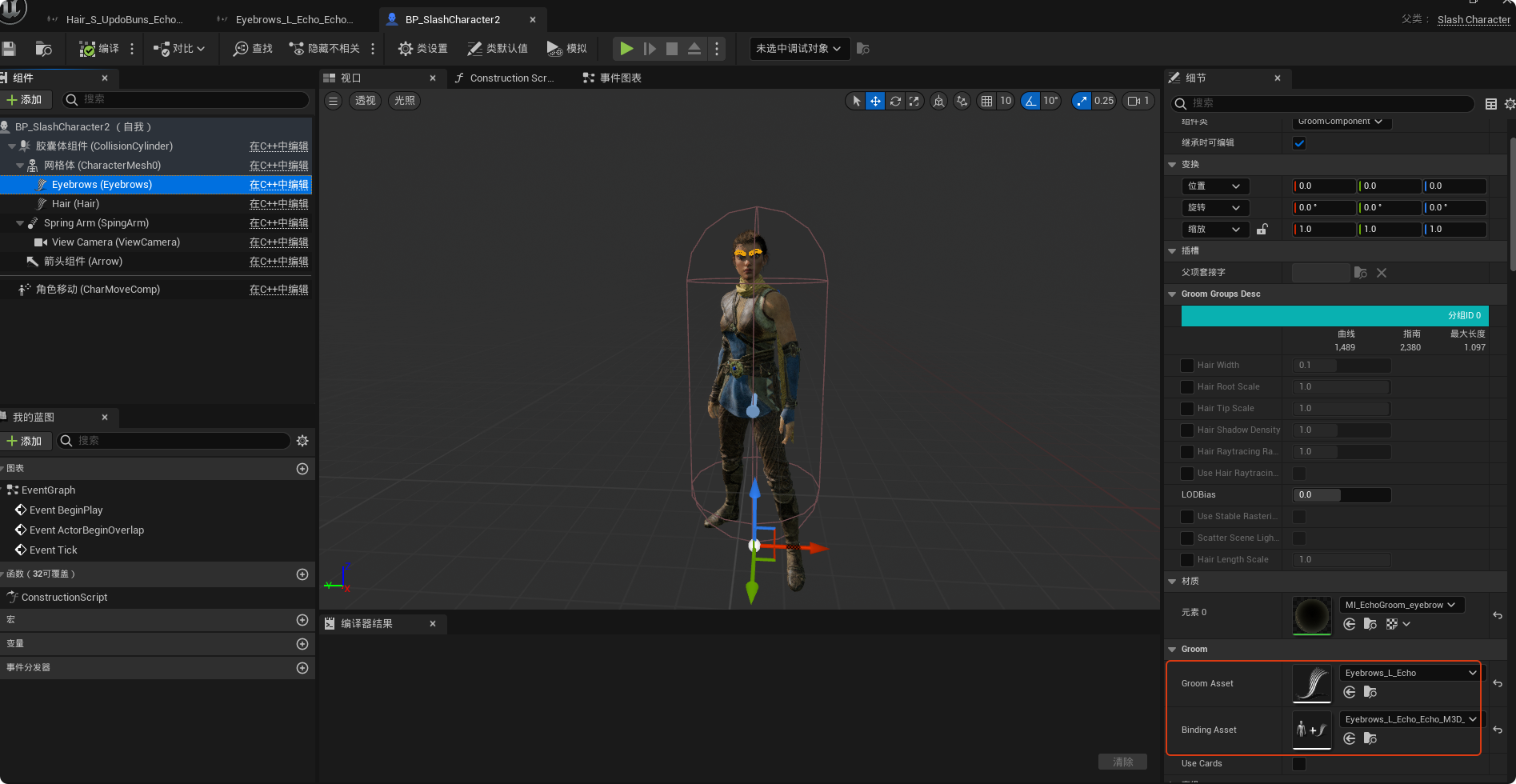
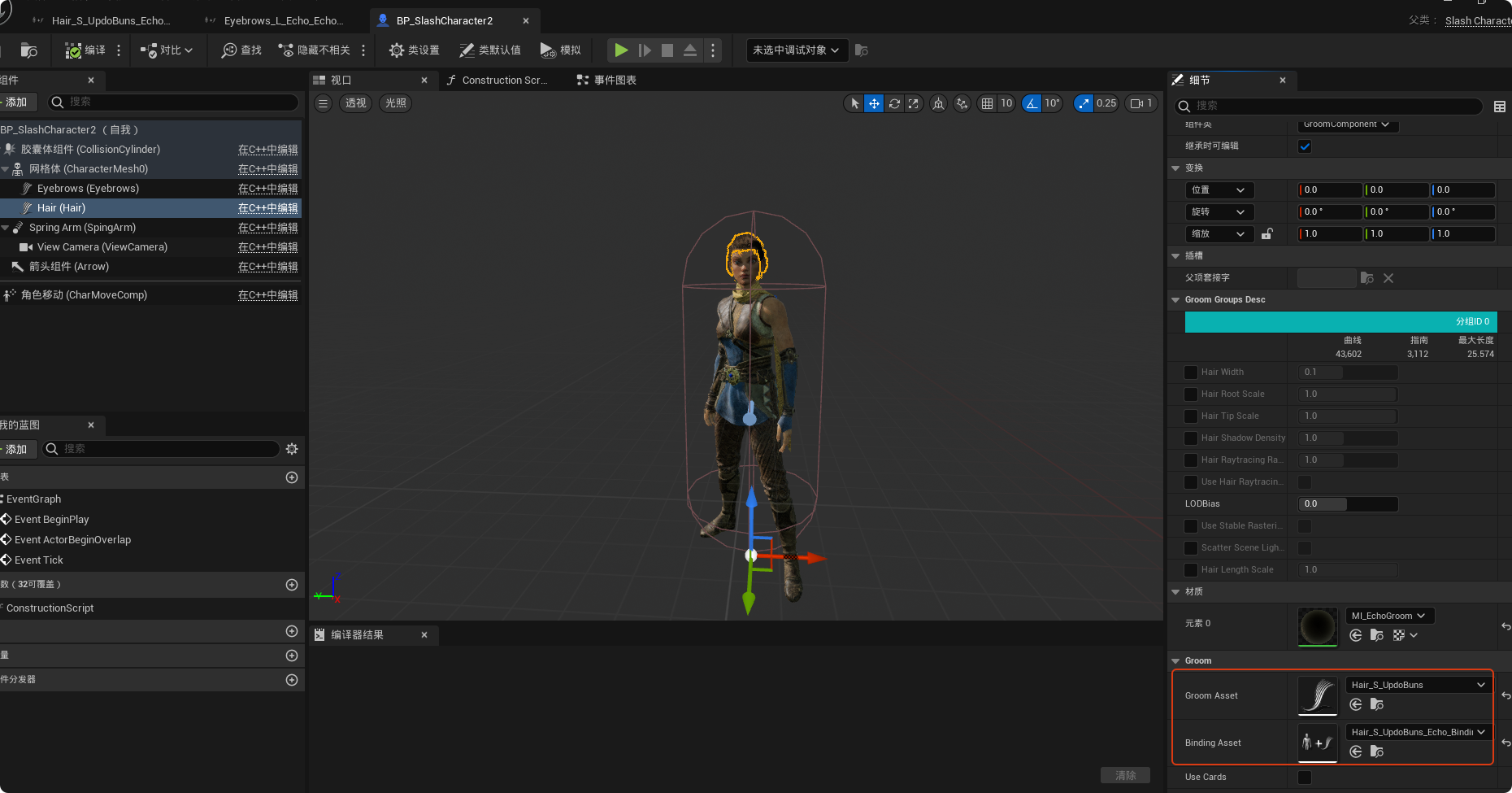
设置GroomAsset
五、动画蓝图(站立、跑)
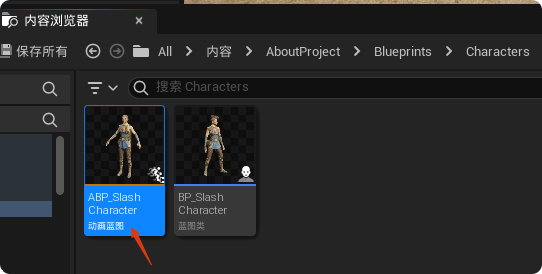
新建一个动画蓝图,骨骼使用"Echo_Skeleton"

这里命名为"ABP_SlashCharacter"
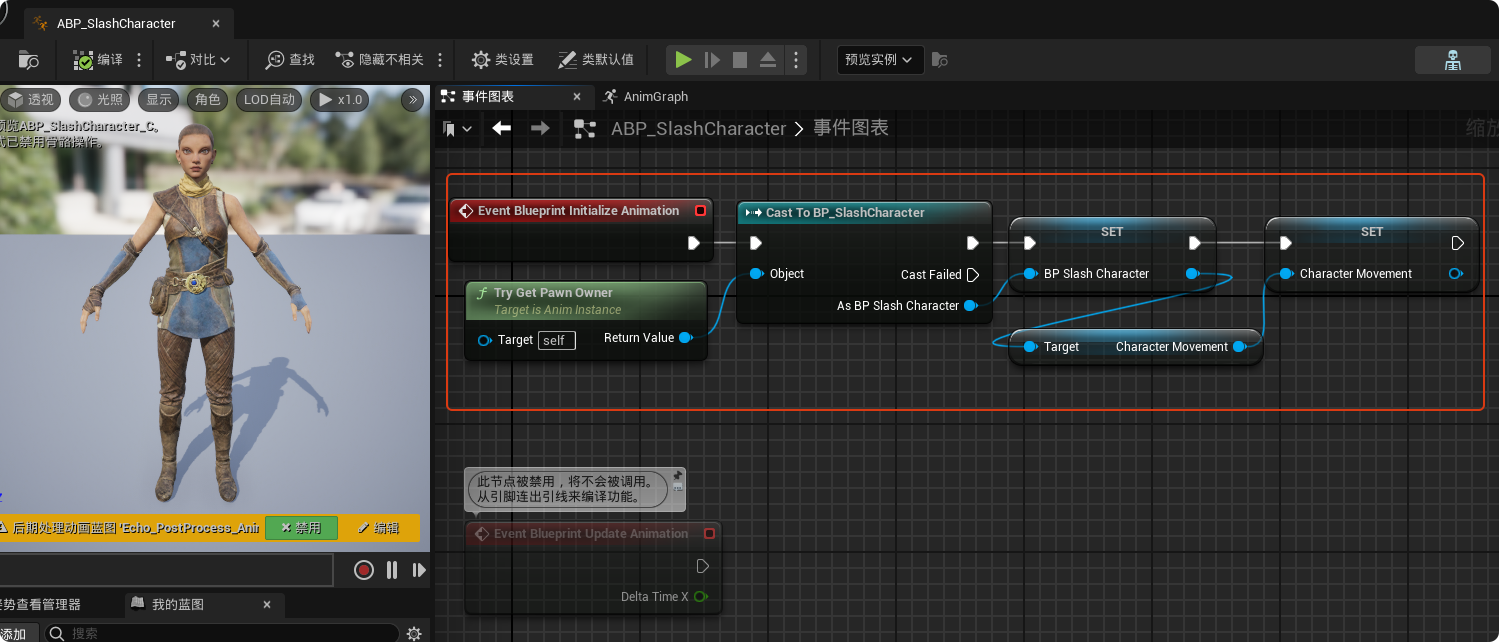
打开"ABP_SlashCharacter",在事件图表中,先获取角色和角色移动组件的引用
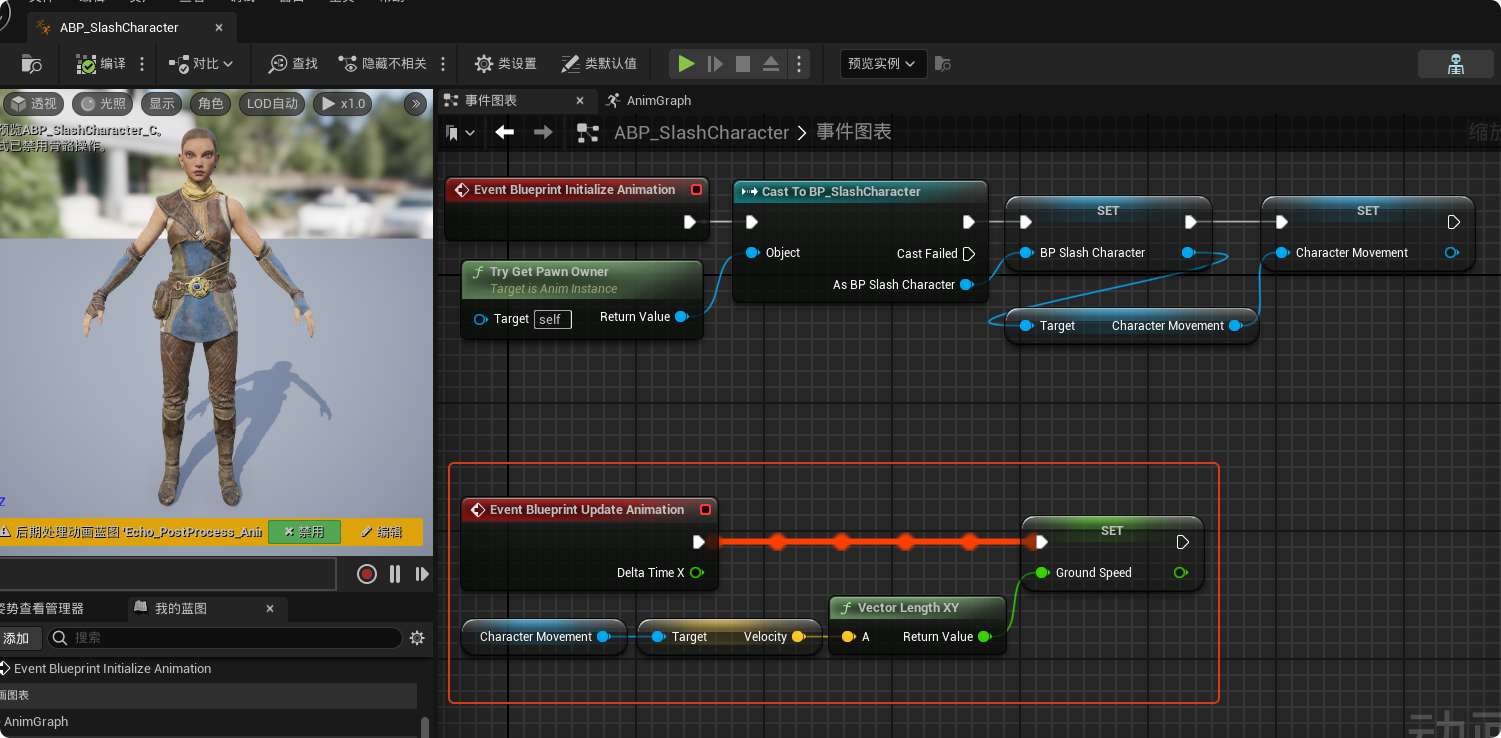
逐帧获取角色的移动速度
在动画图表中新增一个状态机,这里命名为"GroundLocomotion"
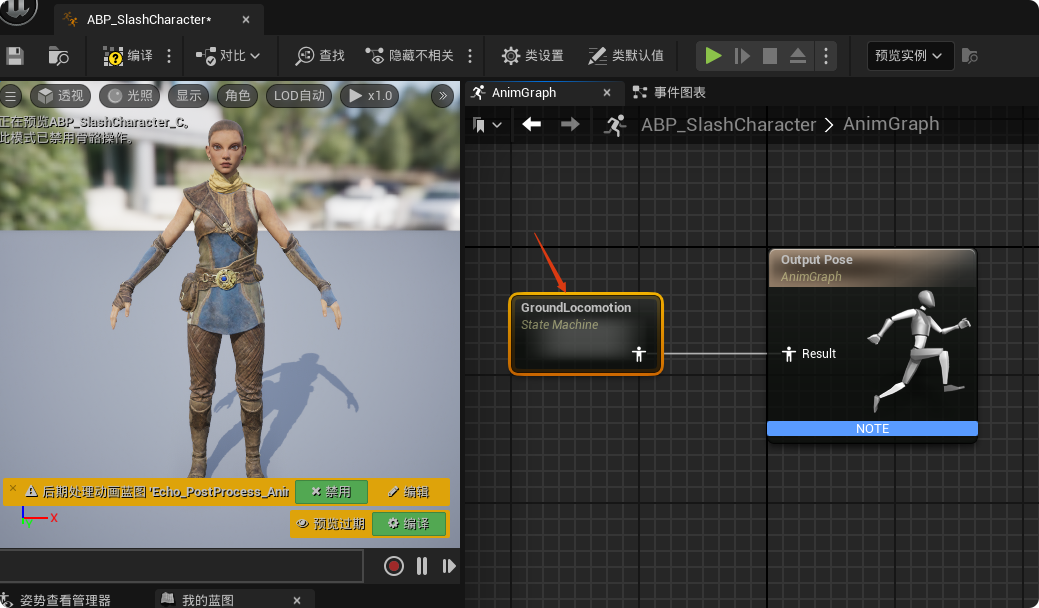
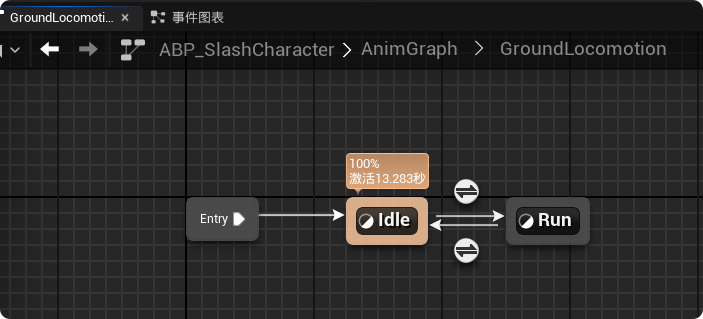
打开"GroundLocomotion",添加站立和跑步两种状态及其转换规则
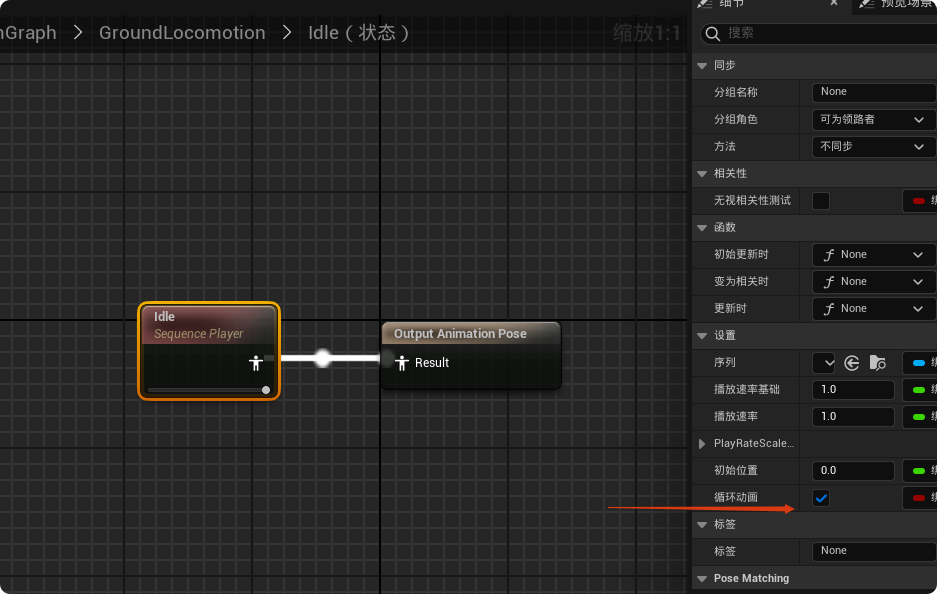
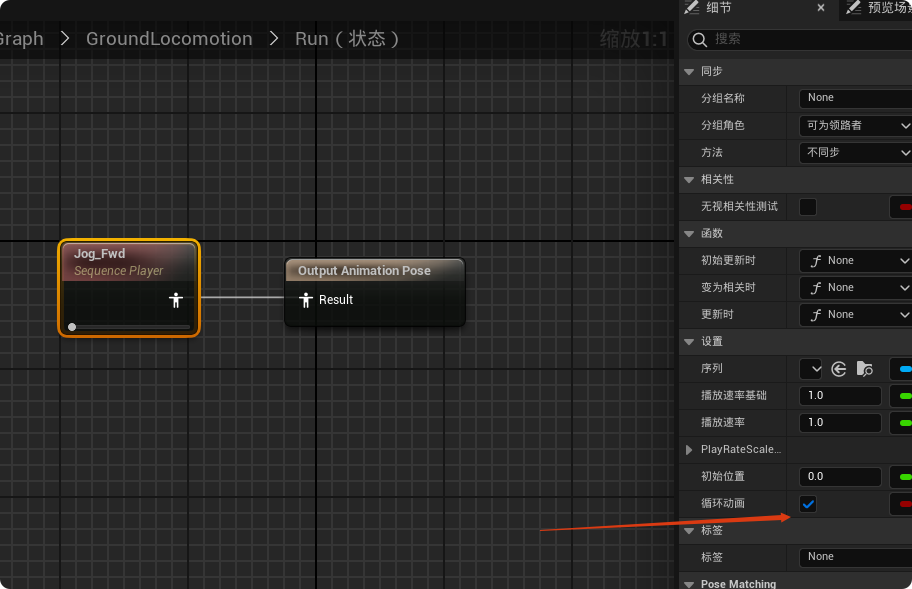
站立和跑步状态分别输出对应姿势
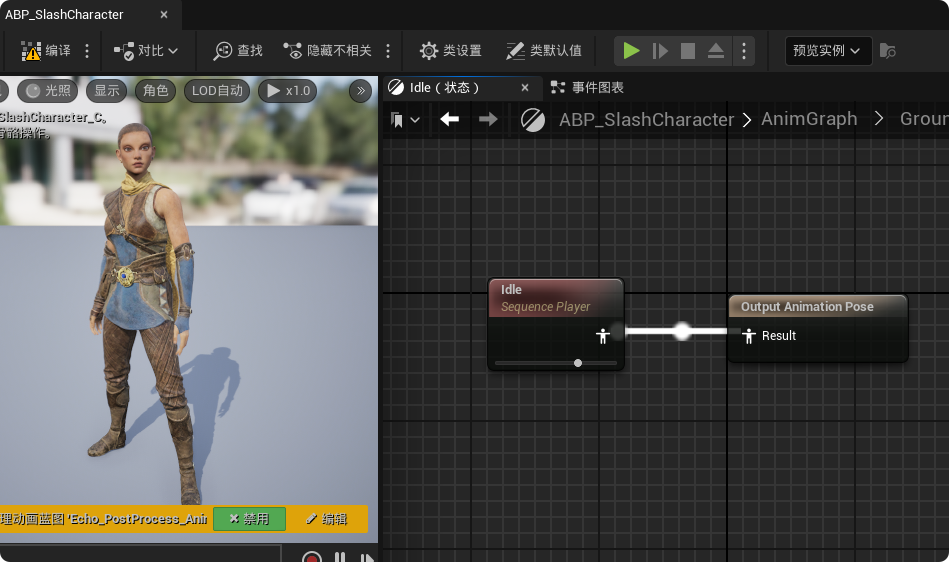
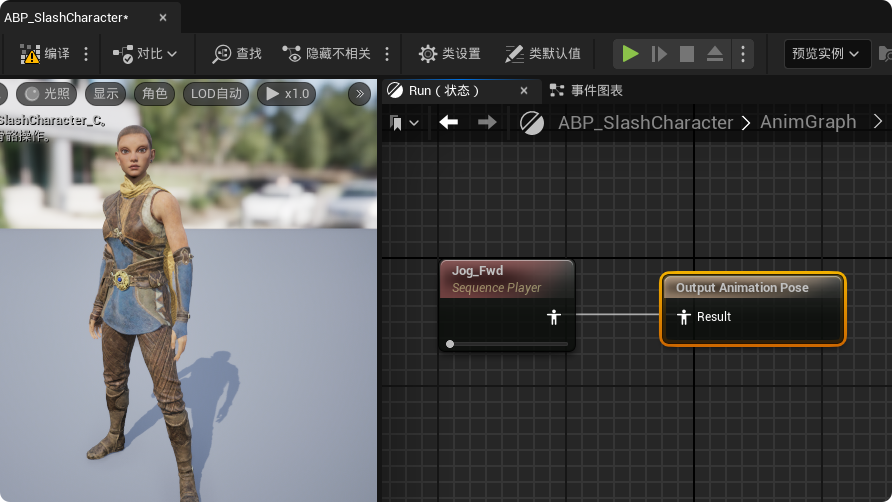
注意设置循环动画
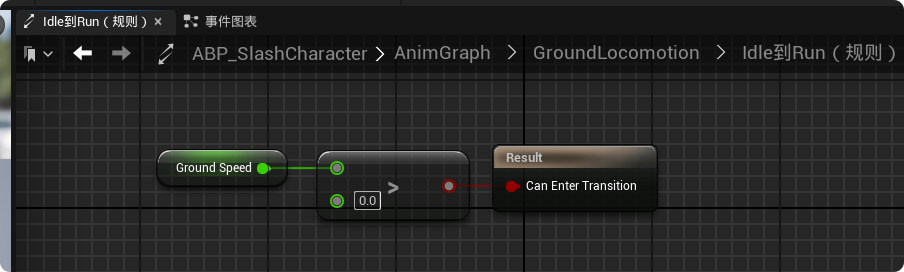
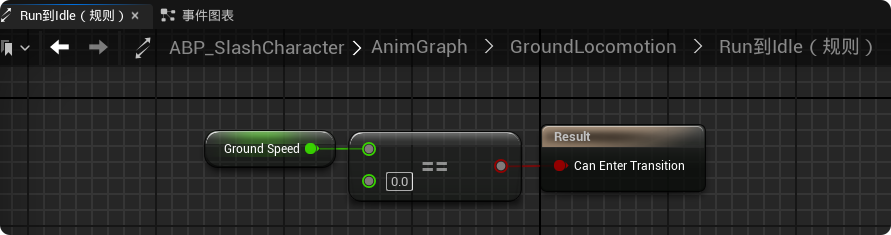
设置状态切换的规则
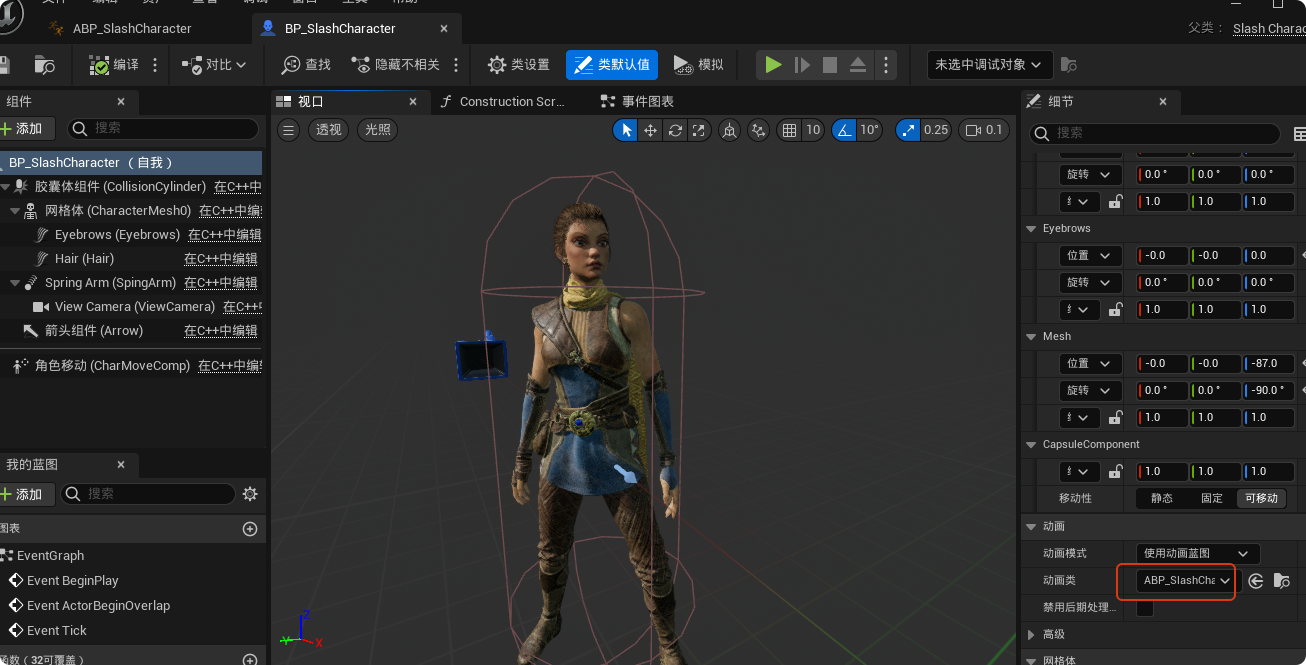
在"BP_SlashCharacter"中使用动画蓝图
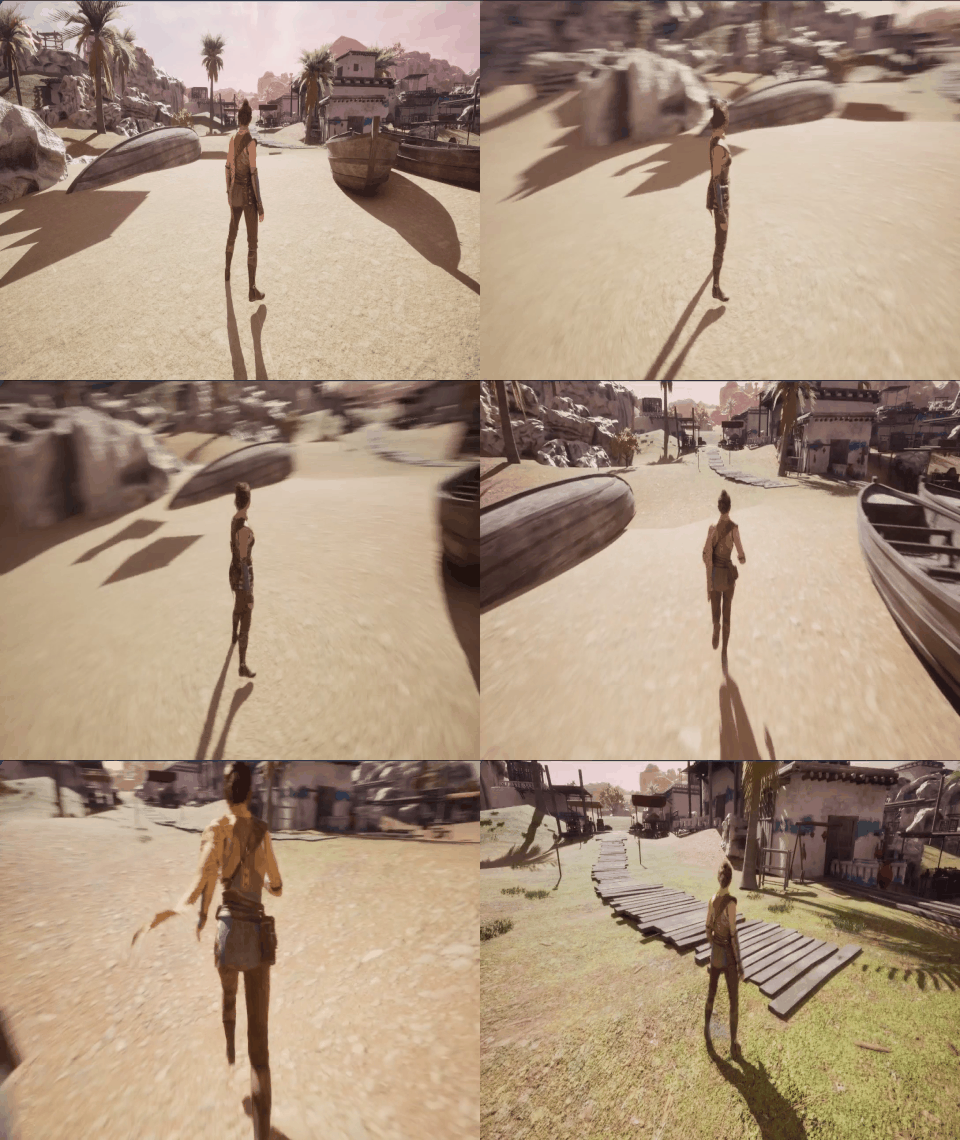
此时运行游戏可以看到角色能够站立和跑步了:
六、C++创建动画实例
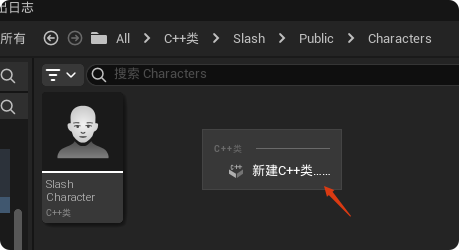
新建C++类
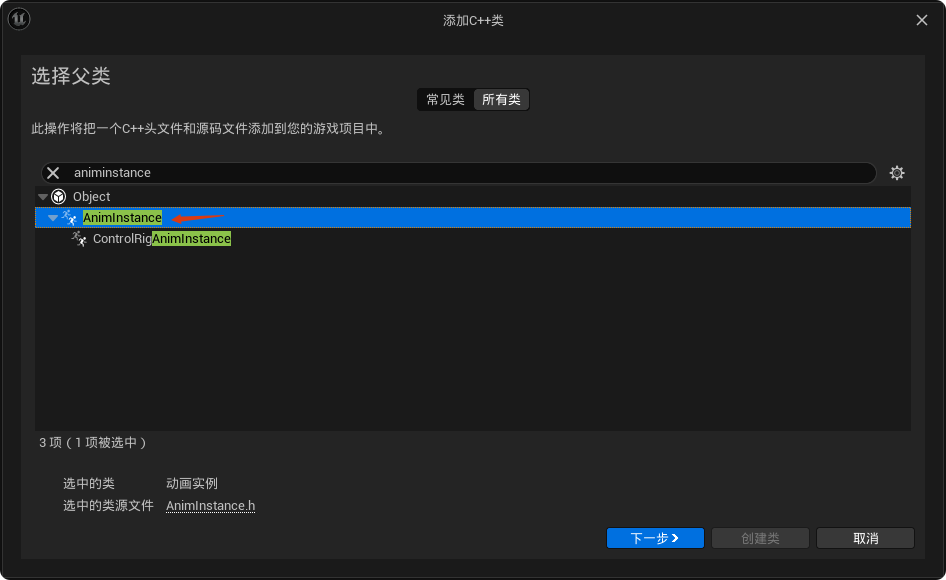
父类选择"AnimInstance"
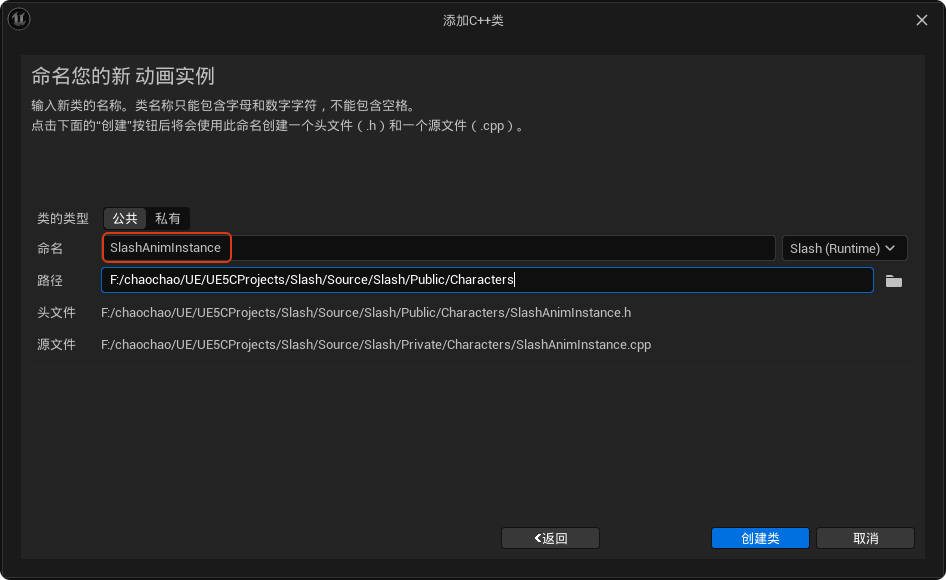
这里命名为"SlashAnimInstance"
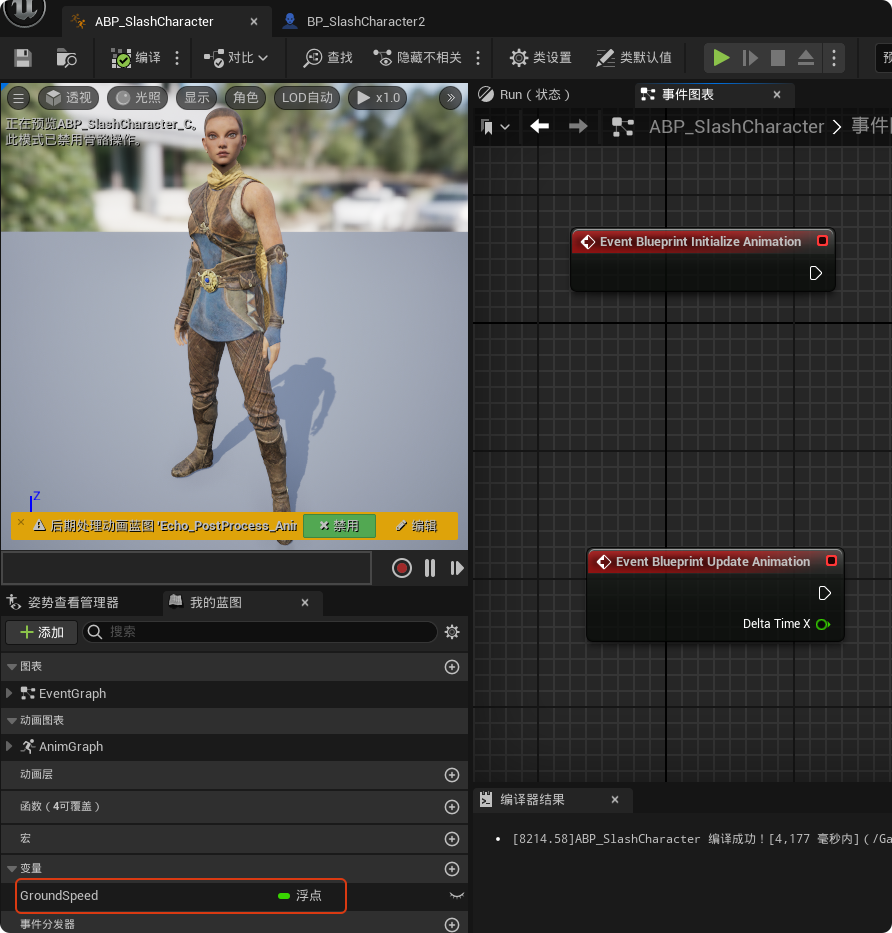
删除动画蓝图中事件图表的所有节点和变量,我们准备在C++中获取"BP_SlashCharacter"及其角色移动组件的引用,动画蓝图只保留"GroundSpeed"
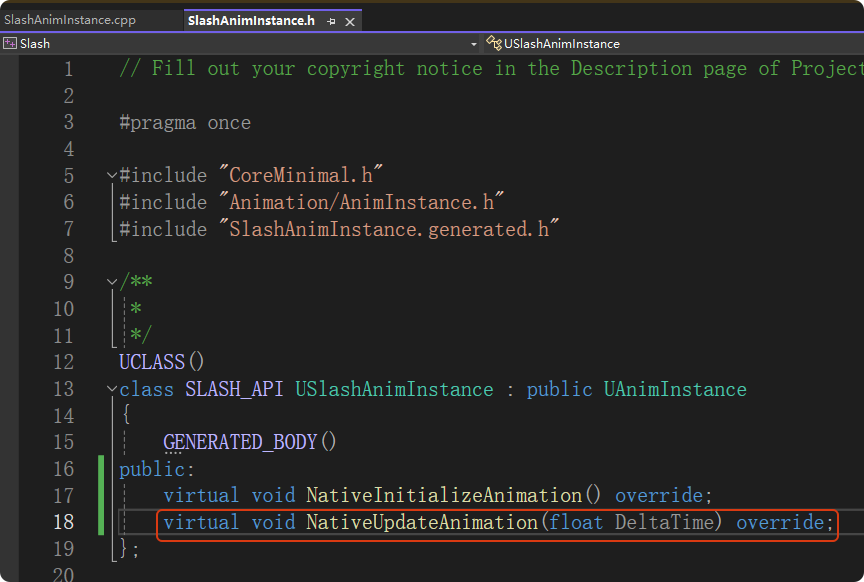
在"SlashAnimInstance.h"中重写父类中的初始化函数"NativeInitializeAnimation",这个函数对应于动画蓝图中的 Event Blueprint Initialize Animation 节点,通常在动画实例被创建或初始化时**只执行一次,**用于初始化变量或获取其他组件的引用。最常见的用法是在这里获取拥有该动画的Pawn或Character的引用,以便后续在更新动画时使用。

继续重写父类的NativeUpdateAnimation函数,对应于动画蓝图中的 Event Blueprint Update Animation 节点。简单来说,这是动画实例的"Tick"函数,每一帧都会执行,核心目的是把游戏角色的状态(C++ 数据)同步给动画蓝图(变量),以便驱动状态机或混合空间。
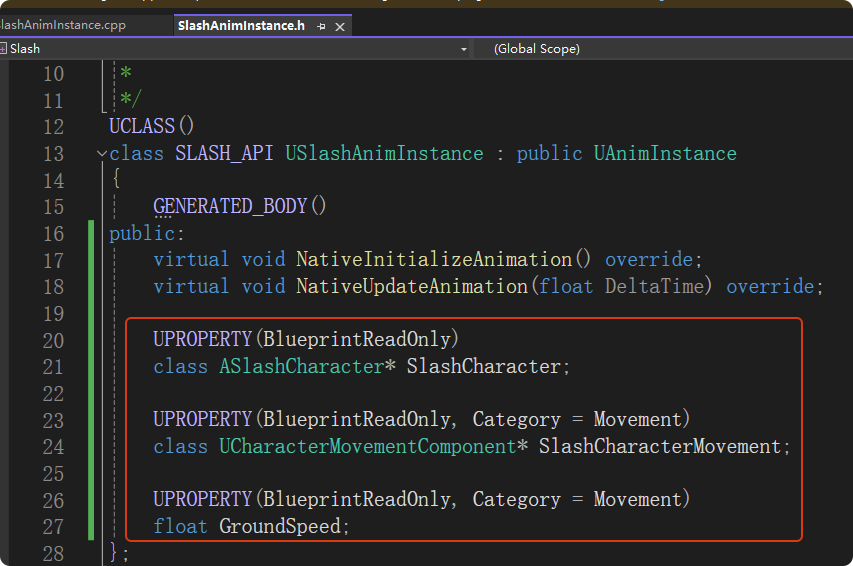
声明如下成员变量
在"SlashAnimInstance.cpp"中先引入必要的头文件
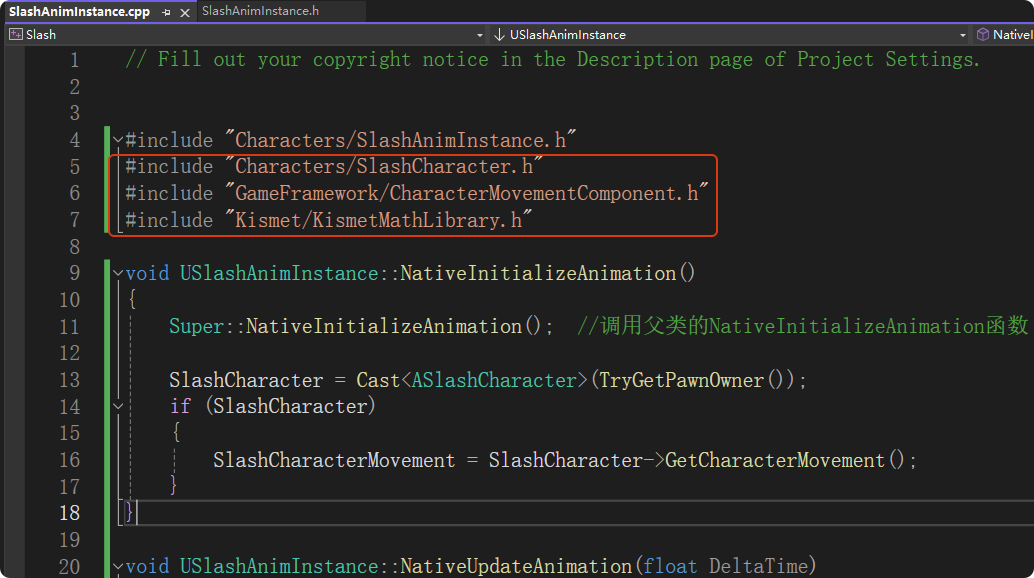
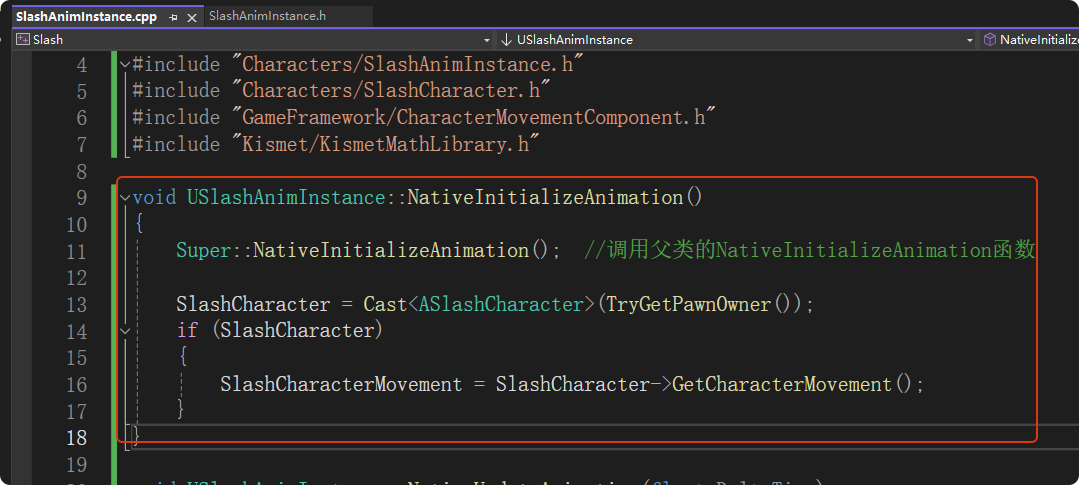
在NativeInitializeAnimation函数中获取动画实例的Pawn拥有者,然后转换为ASlashCharacter类型,从而获取SlashCharacter的引用,进而获取其角色移动组件的引用
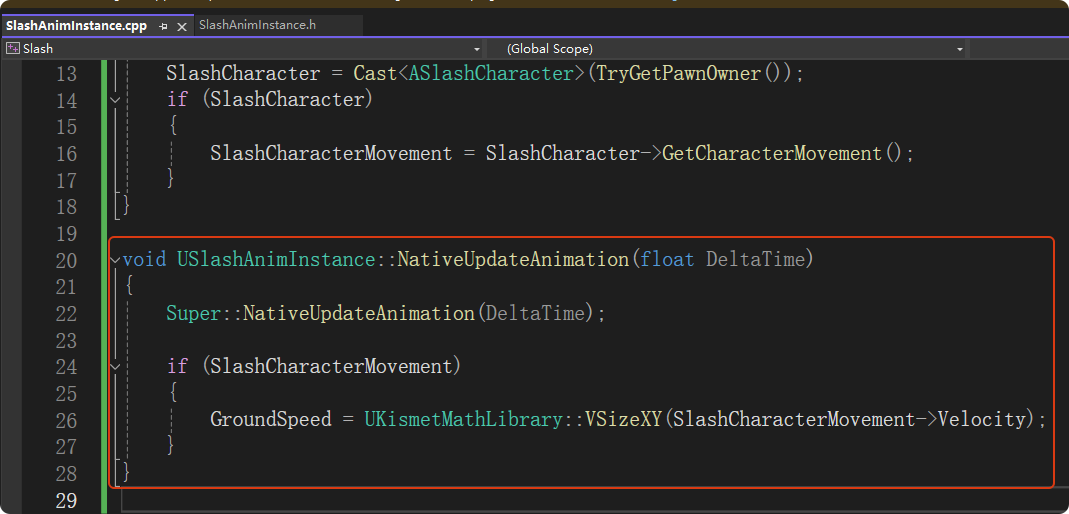
在NativeUpdateAnimation函数中实时更新角色的移动速度
编译后,打开动画蓝图"ABP_Echo",将该动画蓝图的父类设置为用C++编写的动画实例"SlashAnimInstance"
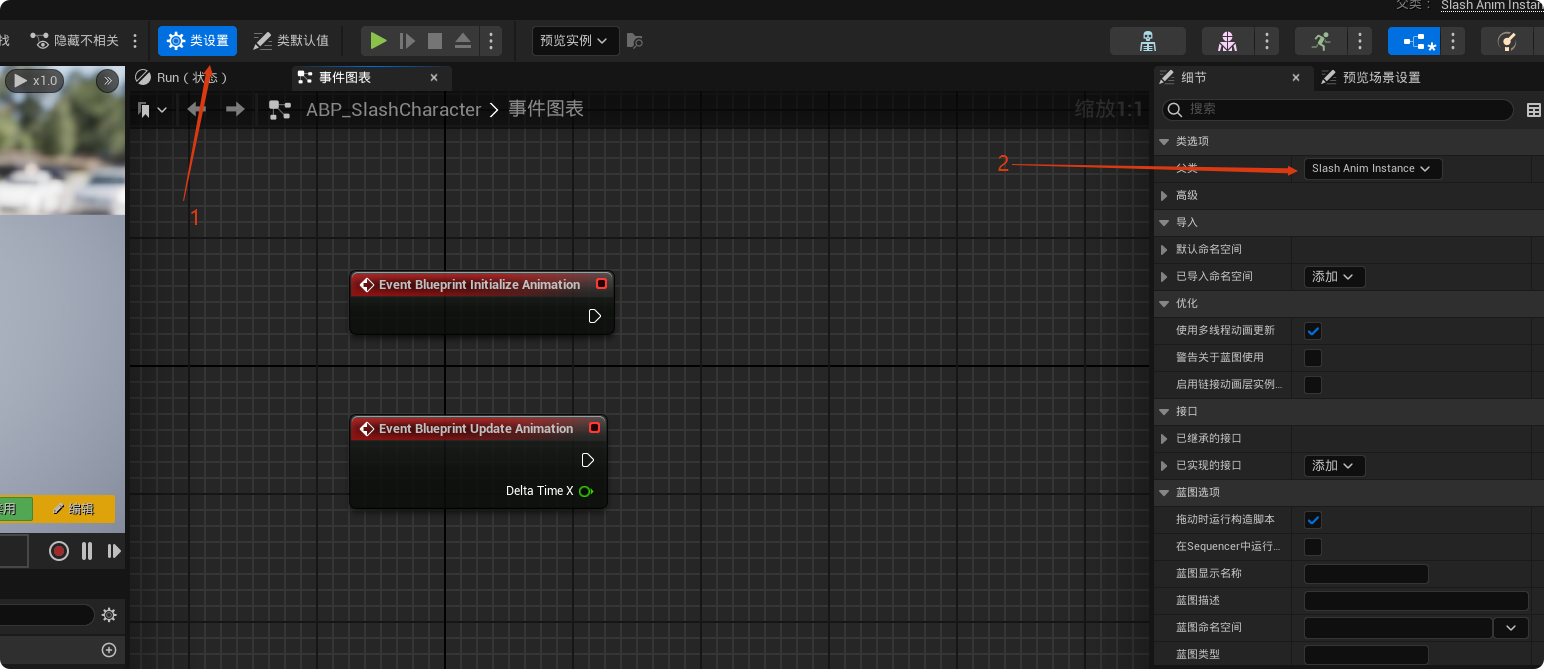
重设父类后,可以看到虚幻引擎防止变量重名,自动修改了蓝图中变量名
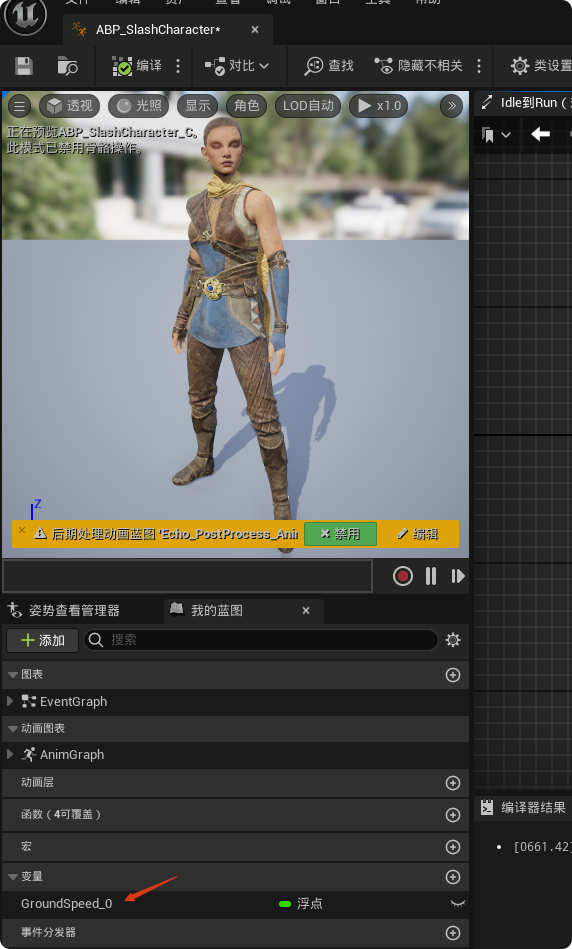
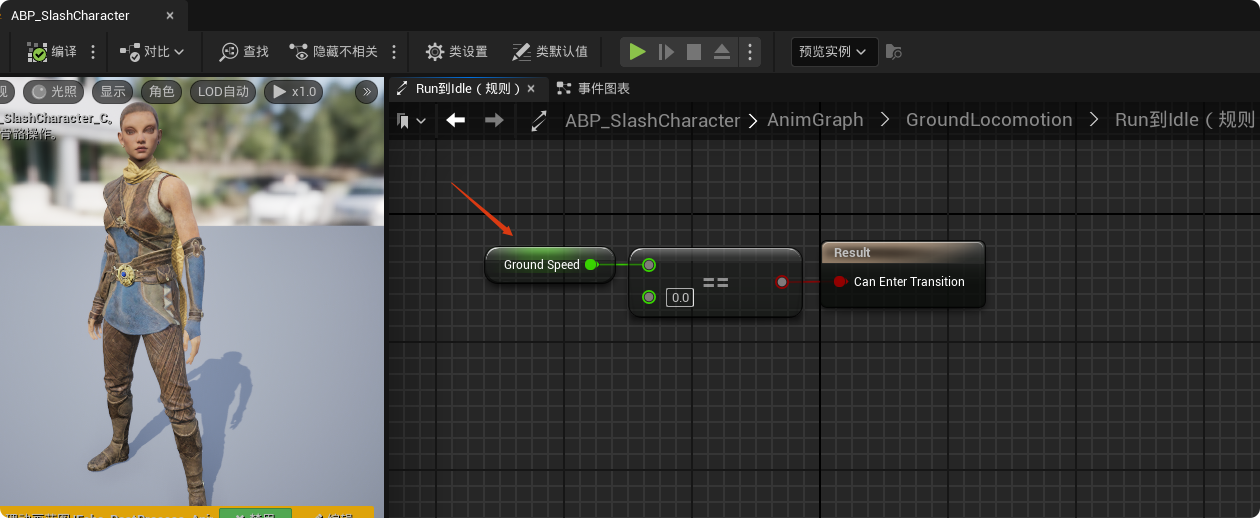
由于父类已经创建了"GroundSpeed",这里删除之前蓝图中创建的"GroundSpeed"变量,并将转换规则中涉及到的变量进行替换
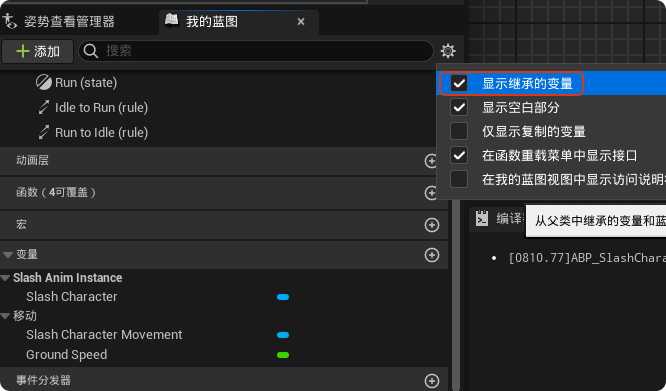
可以通过勾选"显示继承的变量"来显示我们在C++中创建的变量
七、动画蓝图(跳)
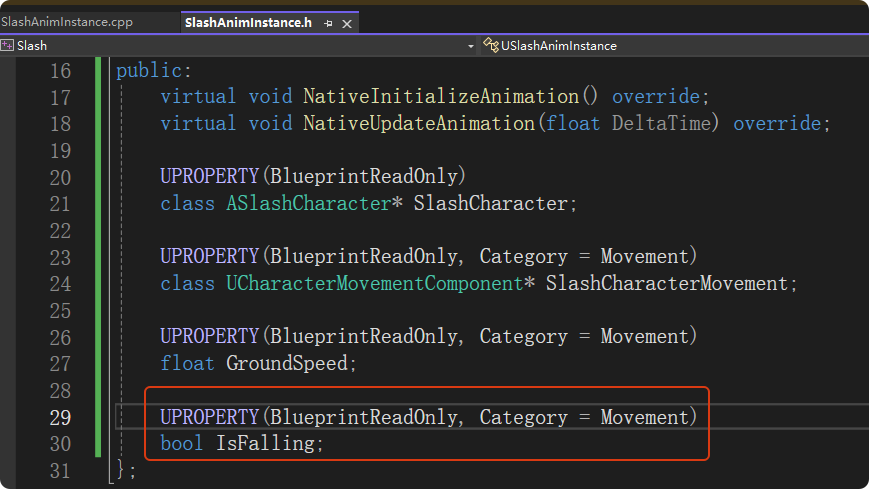
在动画实例头文件中声明变量
在动画蓝图更新时获取角色是否处于下落状态
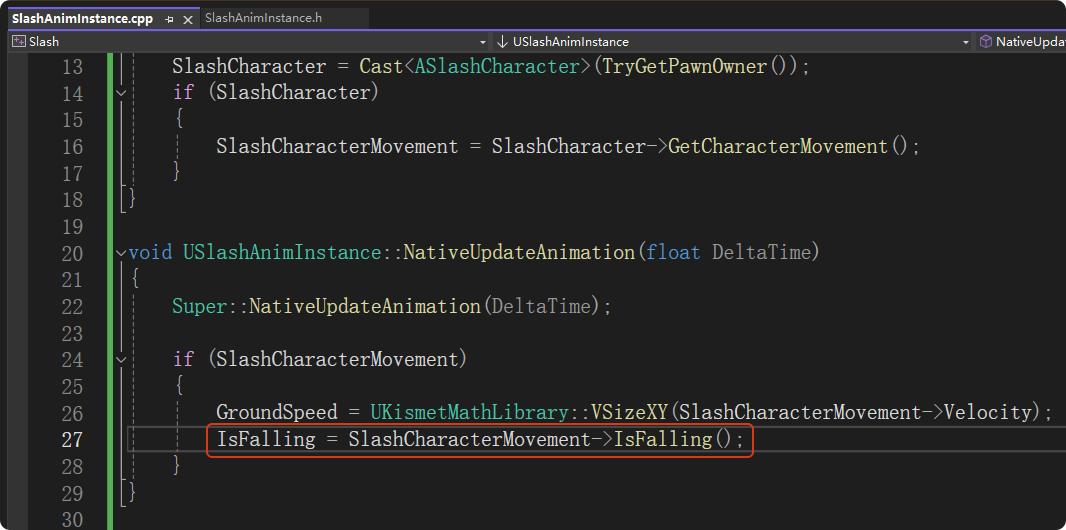
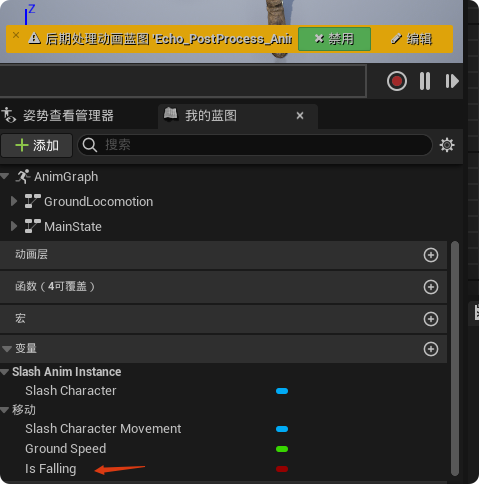
编译后可以看到此时动画蓝图中出现变量"IsFalling"可以用于判断角色状态
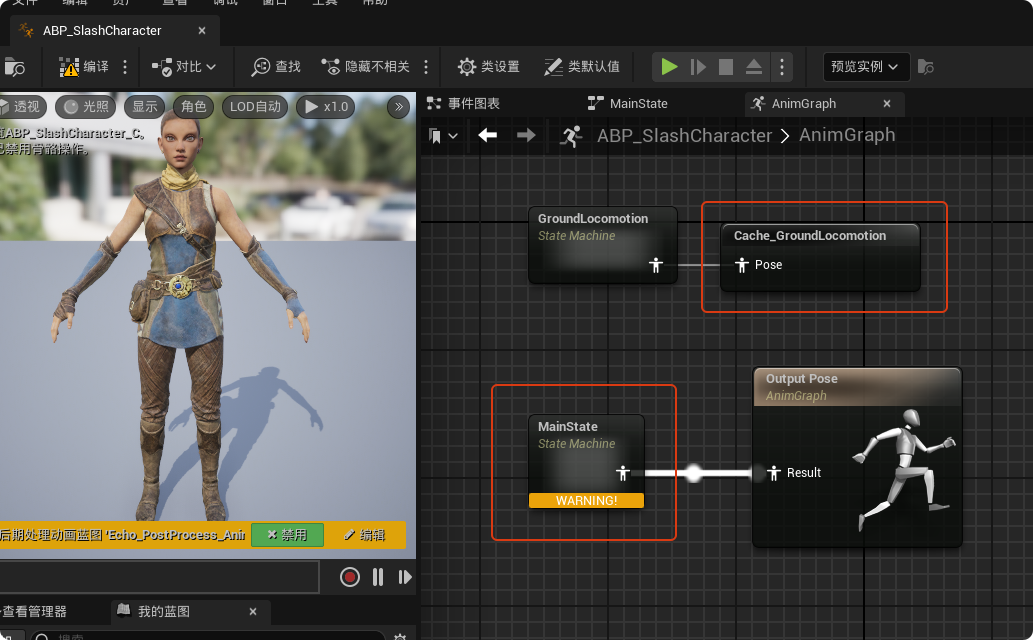
在动画蓝图"ABP_SlashCharacter"中,将先前状态机"GroundLocomotion"输出的姿势存起来,然后新建一个状态机"MainState"
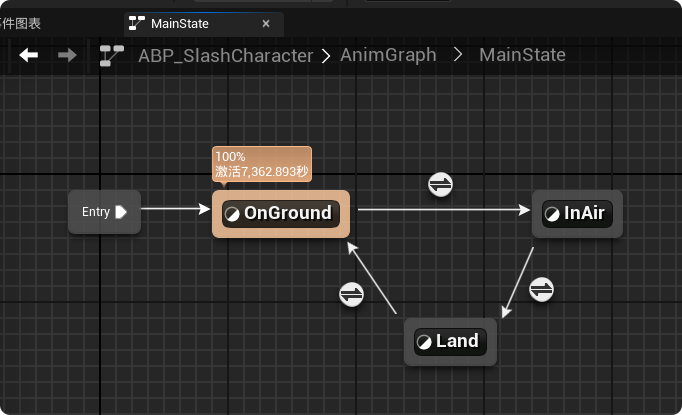
在"MainState"中添加"OnGround"、"InAir"和"Land"三个状态
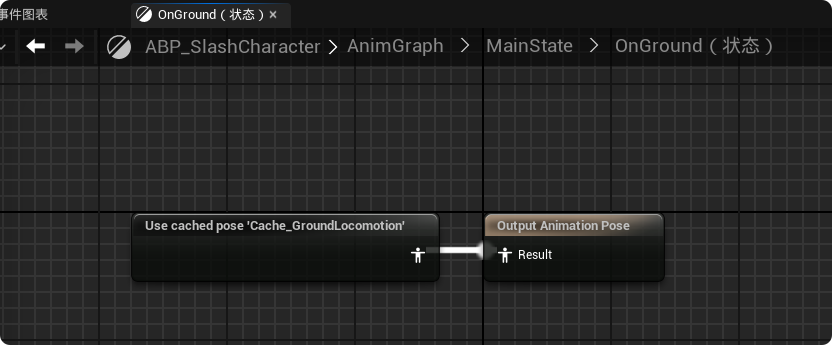
在状态"OnGround"中使用之前存的"Cache_GroundLocomotion"
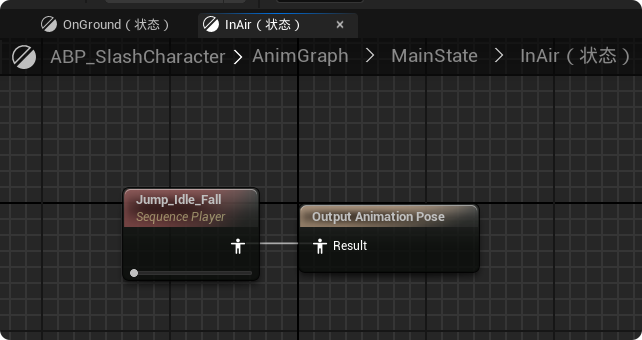
"InAir"状态使用起跳的动画序列
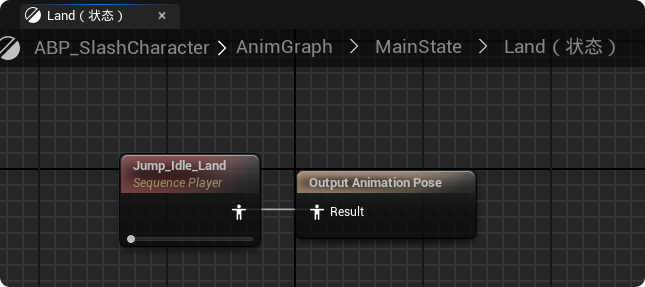
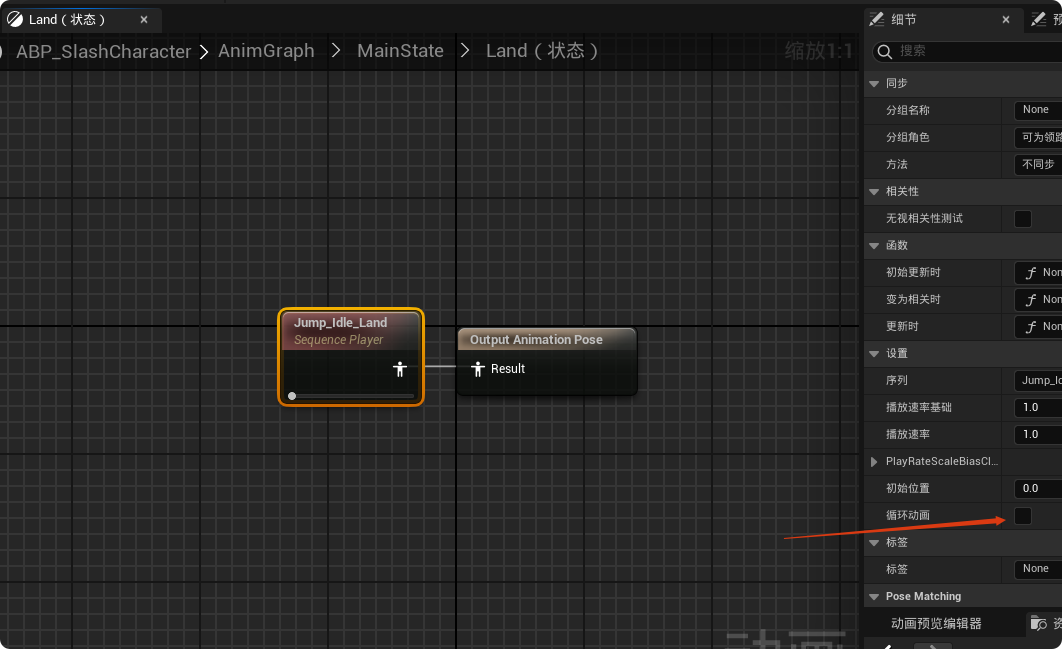
"Land"状态使用下落的动画序列
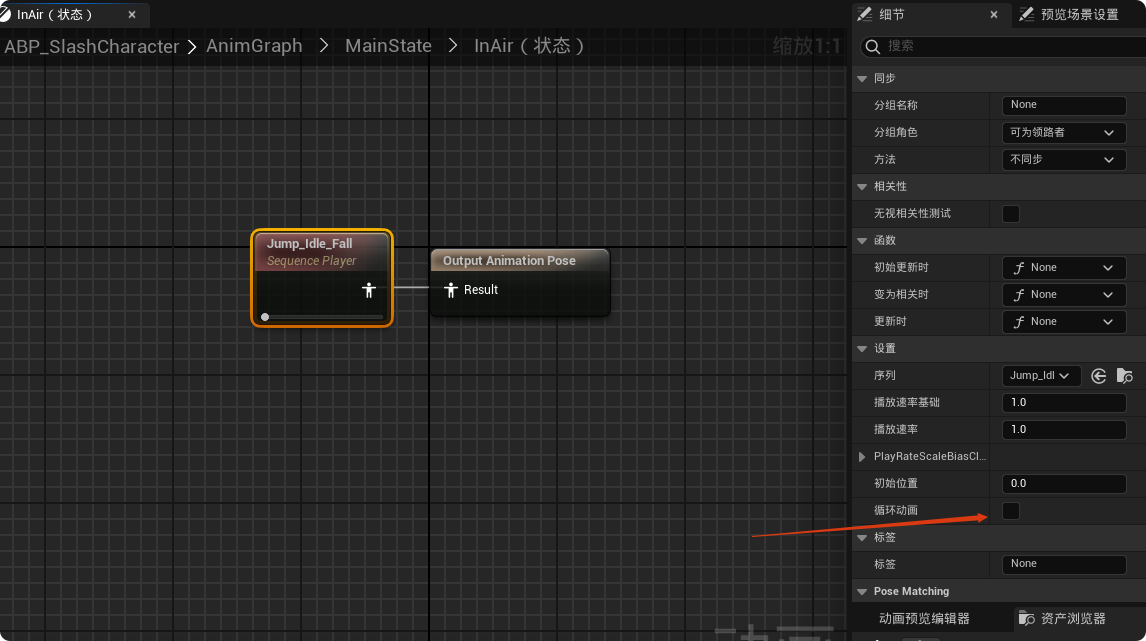
注意要取消循环动画
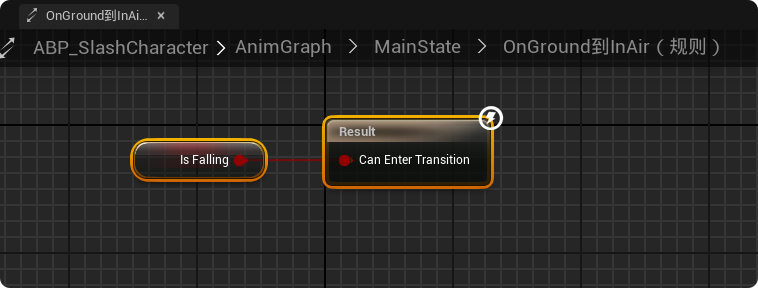
当"IsFalling"为True时,让角色状态由"OnGround"转为"InAir",表示起跳
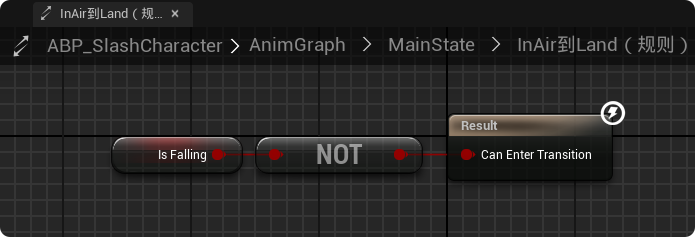
当"IsFalling"由True变为False时让角色状态由"InAir"转为"Land",表示落地
当落地动画播放完成自动将状态由"Land"转为"OnGround"
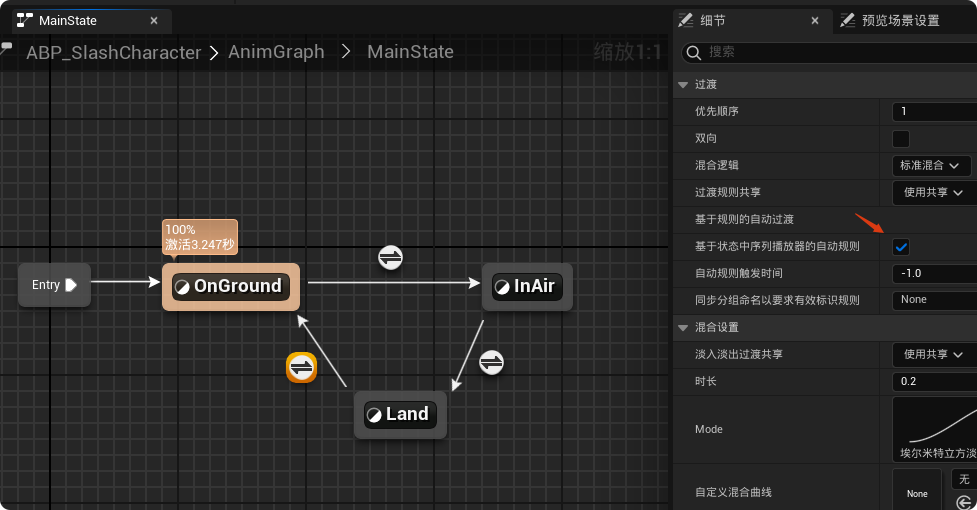
但是由于落地动画时间较长,这里需要再增加一个转换规则
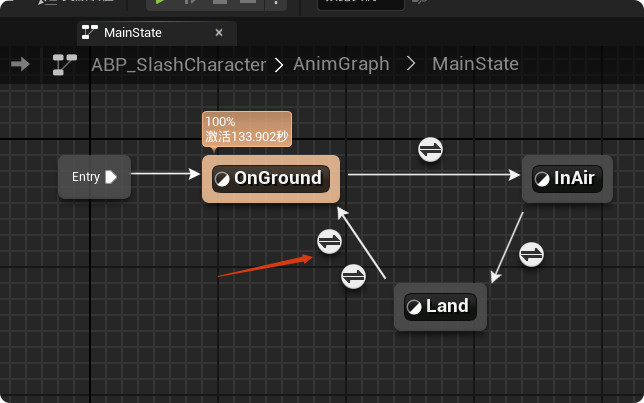
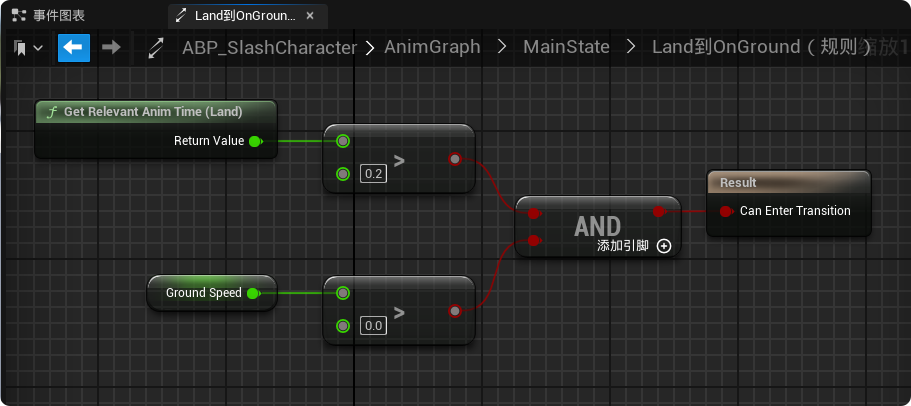
转换规则中添加如下节点。表示如果玩家落地后立即开始移动,不要播放完整的落地缓冲动画,只播放前 0.2秒,然后迅速切换到跑步状态。
为了防止玩家多次原地起跳,需要增加"Land"到"InAir"的规则
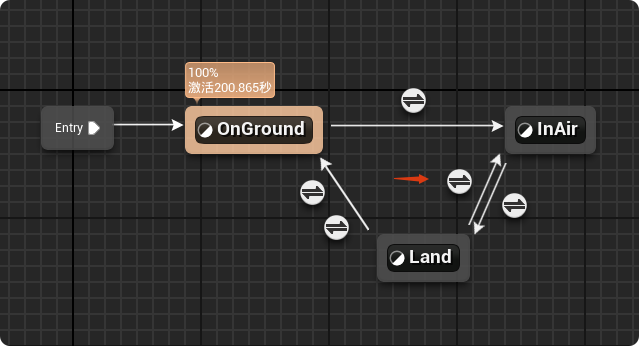
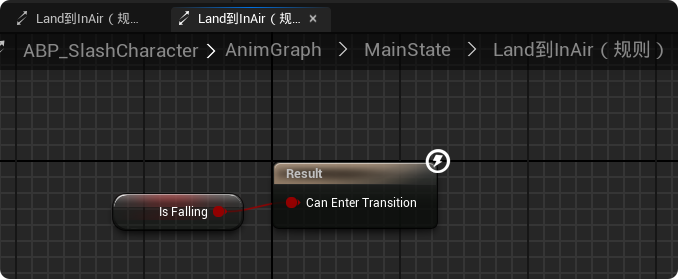
规则就是"IsFalling"为True,这样一来,无论落地动画播了多少,只要系统检测到角色在空中按下空格键导致 CharacterMovement 进入 Falling 模式,动画蓝图就会无视落地动作,瞬间切换到跳跃/空中动作,操作响应会非常灵敏
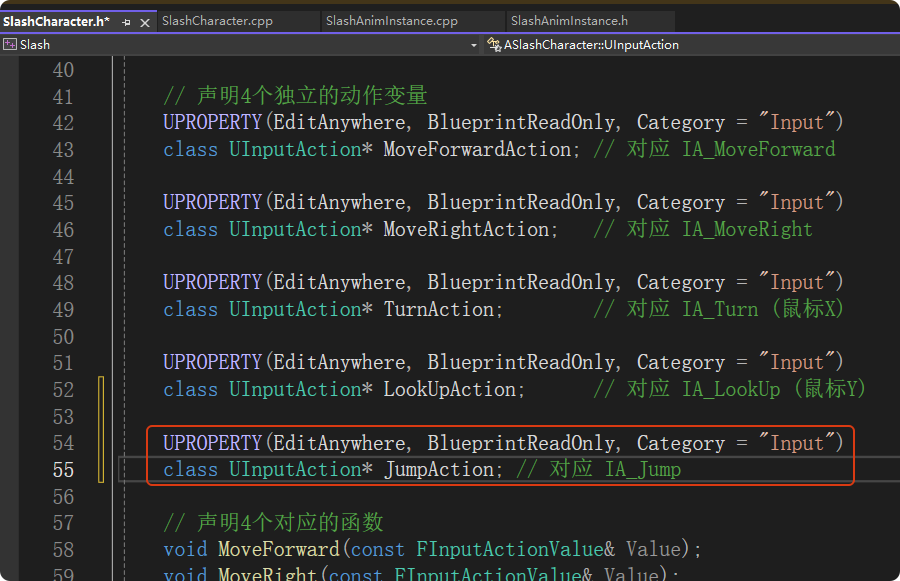
在"SlashCharacter.h"中添加跳跃的 Input Action 变量,这里不需要像 MoveForward 那样声明一个新的 void Jump(const FInputActionValue& Value) 函数,因为我们要直接使用父类 ACharacter 自带的 Jump 函数实现角色跳跃
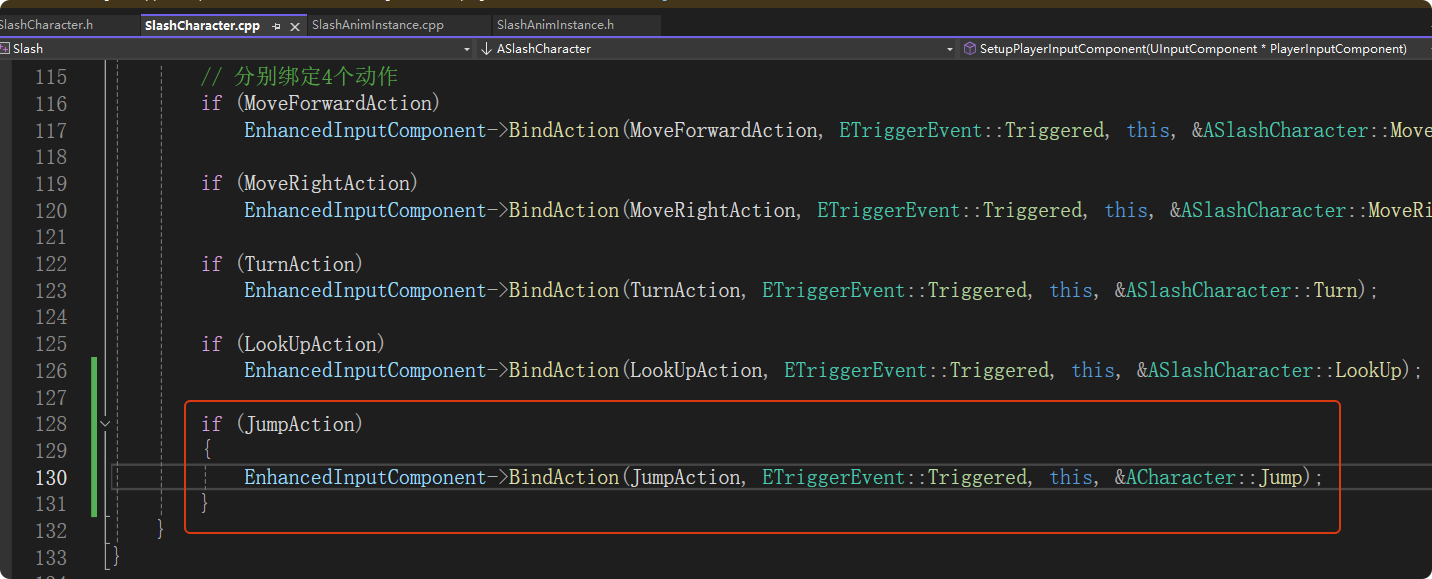
在"SlashCharacter.cpp"中绑定输入
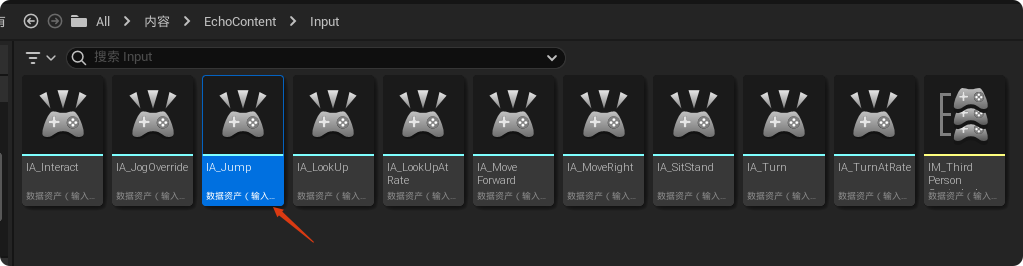
新增一个输入操作资产,这里命名为"IA_Jump"
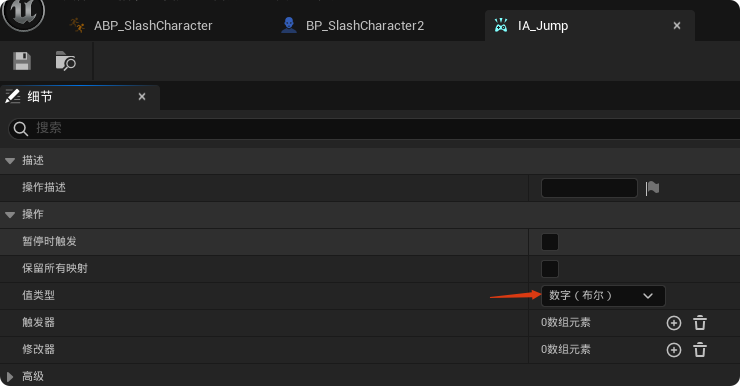
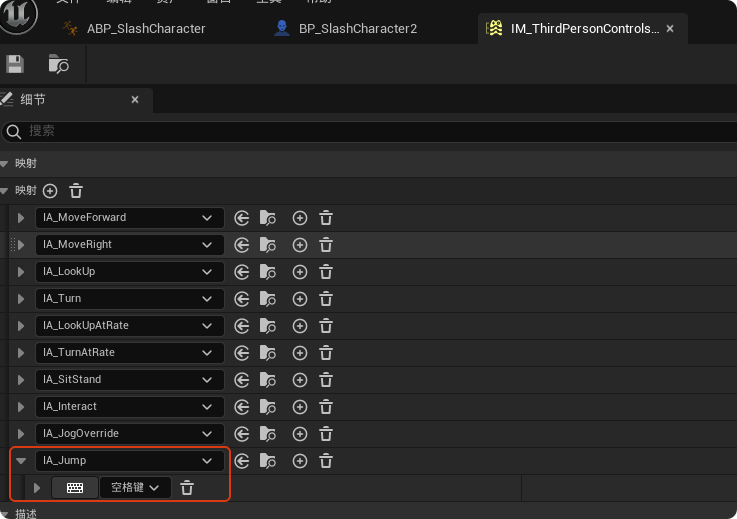
在输入映射上下文中增加一个映射,按键设置为空格键
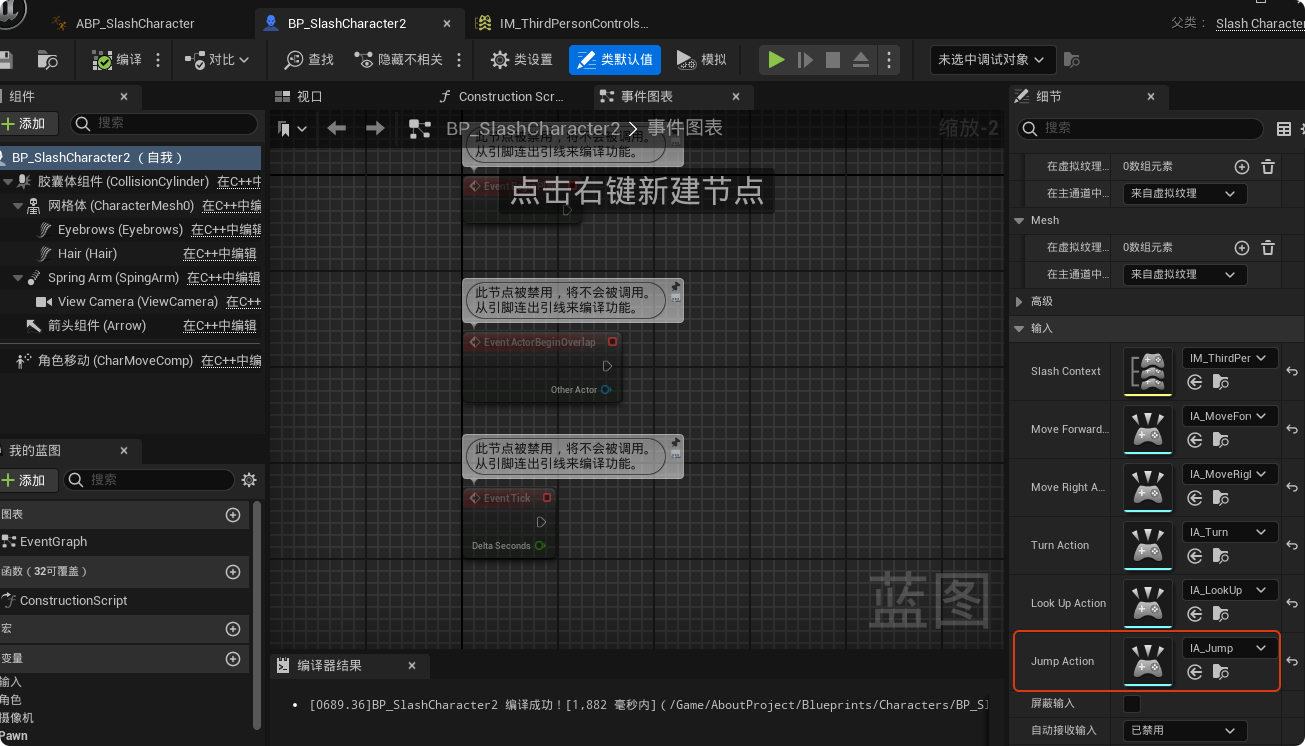
在"BP_SlashCharacter"中设置Jump Action
最终效果如文章开头所示。
代码:
cpp
// SlashCharacter.h

#pragma once

#include "CoreMinimal.h"
#include "GameFramework/Character.h"
#include "InputActionValue.h"
#include "SlashCharacter.generated.h"

UCLASS()
class SLASH_API ASlashCharacter : public ACharacter
{
	GENERATED_BODY()

public:
	ASlashCharacter();

    virtual void Tick(float DeltaTime) override;
    virtual void SetupPlayerInputComponent(class UInputComponent* PlayerInputComponent) override;

private:
    UPROPERTY(VisibleAnywhere)
    class USpringArmComponent* SpringArm;

    UPROPERTY(VisibleAnywhere)
    class UCameraComponent* ViewCamera;

    UPROPERTY(VisibleAnywhere)
    class UGroomComponent* Hair;

    UPROPERTY(VisibleAnywhere)
    class UGroomComponent* Eyebrows;

protected:
	virtual void BeginPlay() override;

    // 映射上下文
    UPROPERTY(EditAnywhere, BlueprintReadOnly, Category = "Input")
    class UInputMappingContext* SlashContext;

    // 声明4个独立的动作变量
    UPROPERTY(EditAnywhere, BlueprintReadOnly, Category = "Input")
    class UInputAction* MoveForwardAction; // 对应 IA_MoveForward

    UPROPERTY(EditAnywhere, BlueprintReadOnly, Category = "Input")
    class UInputAction* MoveRightAction;   // 对应 IA_MoveRight

    UPROPERTY(EditAnywhere, BlueprintReadOnly, Category = "Input")
    class UInputAction* TurnAction;        // 对应 IA_Turn (鼠标X)

    UPROPERTY(EditAnywhere, BlueprintReadOnly, Category = "Input")
    class UInputAction* LookUpAction;      // 对应 IA_LookUp (鼠标Y)

    UPROPERTY(EditAnywhere, BlueprintReadOnly, Category = "Input")
    class UInputAction* JumpAction; // 对应 IA_Jump

    // 声明4个对应的函数
    void MoveForward(const FInputActionValue& Value);
    void MoveRight(const FInputActionValue& Value);
    void Turn(const FInputActionValue& Value);
    void LookUp(const FInputActionValue& Value);

};
cpp
// SlashCharacter.cpp


#include "Characters/SlashCharacter.h"
#include "Components/InputComponent.h"
#include "EnhancedInputComponent.h"
#include "EnhancedInputSubsystems.h"
#include "GameFramework/Controller.h"
#include "GameFramework/SpringArmComponent.h"
#include "Camera/CameraComponent.h"
#include "GroomComponent.h"

ASlashCharacter::ASlashCharacter()
{
	PrimaryActorTick.bCanEverTick = true;

    // 让角色不要跟着控制器旋转(只让摄像机转,人脸朝移动方向)
    bUseControllerRotationPitch = false;
    bUseControllerRotationYaw = false;
    bUseControllerRotationRoll = false;

    // 添加组件
    SpringArm = CreateDefaultSubobject<USpringArmComponent>(TEXT("SpingArm"));
    SpringArm->SetupAttachment(RootComponent);
    SpringArm->TargetArmLength = 300.f;

    ViewCamera = CreateDefaultSubobject<UCameraComponent>(TEXT("ViewCamera"));
    ViewCamera->SetupAttachment(SpringArm);

    Hair = CreateDefaultSubobject<UGroomComponent>(TEXT("Hair"));
    Hair->SetupAttachment(GetMesh());

    Eyebrows = CreateDefaultSubobject<UGroomComponent>(TEXT("Eyebrows"));
    Eyebrows->SetupAttachment(GetMesh());
}

void ASlashCharacter::BeginPlay()
{
	Super::BeginPlay();

    if (APlayerController* PlayerController = Cast<APlayerController>(Controller))
    {
        if (UEnhancedInputLocalPlayerSubsystem* Subsystem =
            ULocalPlayer::GetSubsystem<UEnhancedInputLocalPlayerSubsystem>(PlayerController->GetLocalPlayer()))
        {
            // 注意:SlashContext 必须在蓝图里被赋值,否则这里也会失败
            if (SlashContext)
            {
                Subsystem->AddMappingContext(SlashContext, 0);
            }
        }
    }
}

void ASlashCharacter::Tick(float DeltaTime)
{
	Super::Tick(DeltaTime);

}

// 1. 实现 MoveForward (只负责前后)
void ASlashCharacter::MoveForward(const FInputActionValue& Value)
{
    const float MovementValue = Value.Get<float>(); // 获取浮点数
    // UE_LOG(LogTemp, Warning, TEXT("MovementValue: %f"), MovementValue);

    if (MovementValue != 0.f && Controller != nullptr)
    {
        // 找方向:基于摄像机的 Yaw
        const FRotator Rotation = Controller->GetControlRotation();
        const FRotator YawRotation(0, Rotation.Yaw, 0);

        // 获取前方向量 (X轴)
        const FVector Direction = FRotationMatrix(YawRotation).GetUnitAxis(EAxis::X);
        AddMovementInput(Direction, MovementValue);
    }
}

// 2. 实现 MoveRight (只负责左右)
void ASlashCharacter::MoveRight(const FInputActionValue& Value)
{
    const float MovementValue = Value.Get<float>();

    if (MovementValue != 0.f && Controller != nullptr)
    {
        const FRotator Rotation = Controller->GetControlRotation();
        const FRotator YawRotation(0, Rotation.Yaw, 0);

        // 获取右方向量 (Y轴)
        const FVector Direction = FRotationMatrix(YawRotation).GetUnitAxis(EAxis::Y);
        AddMovementInput(Direction, MovementValue);
    }
}

// 3. 实现 Turn (鼠标左右动 -> 角色左右转)
void ASlashCharacter::Turn(const FInputActionValue& Value)
{
    const float TurnValue = Value.Get<float>();
    AddControllerYawInput(TurnValue);
}

// 4. 实现 LookUp (鼠标上下动 -> 摄像机上下看)
void ASlashCharacter::LookUp(const FInputActionValue& Value)
{
    const float LookUpValue = Value.Get<float>();
    AddControllerPitchInput(LookUpValue);
}

void ASlashCharacter::SetupPlayerInputComponent(UInputComponent* PlayerInputComponent)
{
	Super::SetupPlayerInputComponent(PlayerInputComponent);

    if (UEnhancedInputComponent* EnhancedInputComponent = CastChecked<UEnhancedInputComponent>(PlayerInputComponent))
    {
        // 分别绑定4个动作
        if (MoveForwardAction)
            EnhancedInputComponent->BindAction(MoveForwardAction, ETriggerEvent::Triggered, this, &ASlashCharacter::MoveForward);

        if (MoveRightAction)
            EnhancedInputComponent->BindAction(MoveRightAction, ETriggerEvent::Triggered, this, &ASlashCharacter::MoveRight);

        if (TurnAction)
            EnhancedInputComponent->BindAction(TurnAction, ETriggerEvent::Triggered, this, &ASlashCharacter::Turn);

        if (LookUpAction)
            EnhancedInputComponent->BindAction(LookUpAction, ETriggerEvent::Triggered, this, &ASlashCharacter::LookUp);

        if (JumpAction)
        {
            EnhancedInputComponent->BindAction(JumpAction, ETriggerEvent::Triggered, this, &ACharacter::Jump);
        }
    }
}
cpp
// SlashAnimInstance.h

#pragma once

#include "CoreMinimal.h"
#include "Animation/AnimInstance.h"
#include "SlashAnimInstance.generated.h"

/**
 *
 */
UCLASS()
class SLASH_API USlashAnimInstance : public UAnimInstance
{
	GENERATED_BODY()
public:
	virtual void NativeInitializeAnimation() override;
	virtual void NativeUpdateAnimation(float DeltaTime) override;

	UPROPERTY(BlueprintReadOnly)
	class ASlashCharacter* SlashCharacter;

	UPROPERTY(BlueprintReadOnly, Category = Movement)
	class UCharacterMovementComponent* SlashCharacterMovement;

	UPROPERTY(BlueprintReadOnly, Category = Movement)
	float GroundSpeed;

	UPROPERTY(BlueprintReadOnly, Category = Movement)
	bool IsFalling;
};
cpp
// SlashAnimInstance.cpp


#include "Characters/SlashAnimInstance.h"
#include "Characters/SlashCharacter.h"
#include "GameFramework/CharacterMovementComponent.h"
#include "Kismet/KismetMathLibrary.h"

void USlashAnimInstance::NativeInitializeAnimation()
{
	Super::NativeInitializeAnimation();  //调用父类的NativeInitializeAnimation函数

	SlashCharacter = Cast<ASlashCharacter>(TryGetPawnOwner());
	if (SlashCharacter)
	{
		SlashCharacterMovement = SlashCharacter->GetCharacterMovement();
	}
}

void USlashAnimInstance::NativeUpdateAnimation(float DeltaTime)
{
	Super::NativeUpdateAnimation(DeltaTime);

	if (SlashCharacterMovement)
	{
		GroundSpeed = UKismetMathLibrary::VSizeXY(SlashCharacterMovement->Velocity);
		IsFalling = SlashCharacterMovement->IsFalling();
	}
}