网站地址:新东方
找加密参数+定位
只需要逆向sign即可:
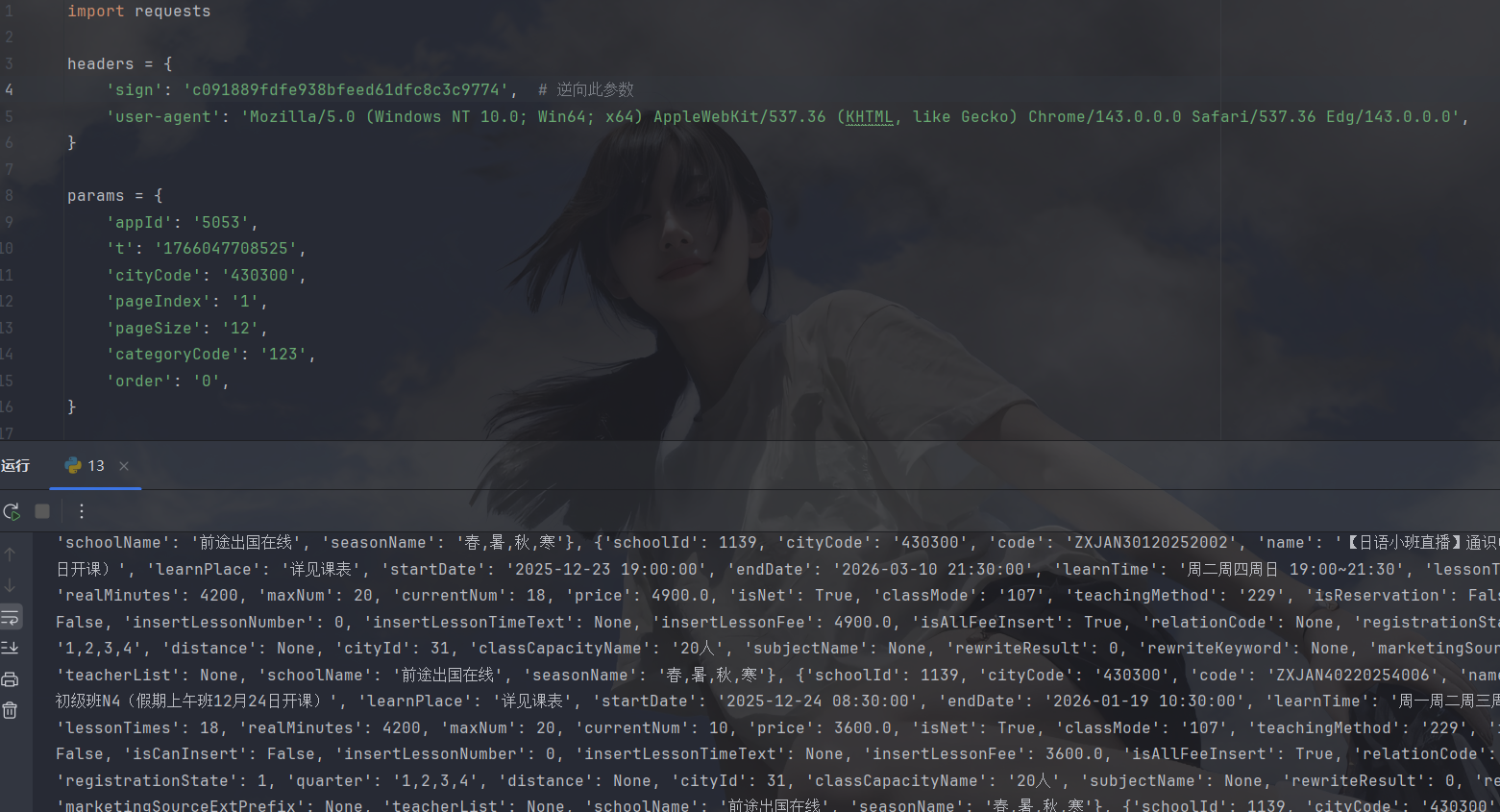
我们直接xhr断点:
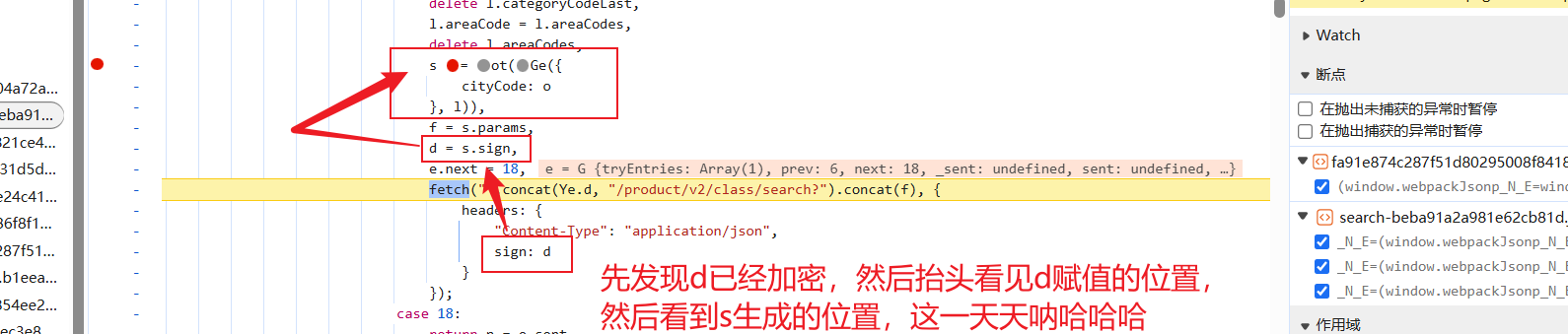
打上断点看看怎么个事儿:
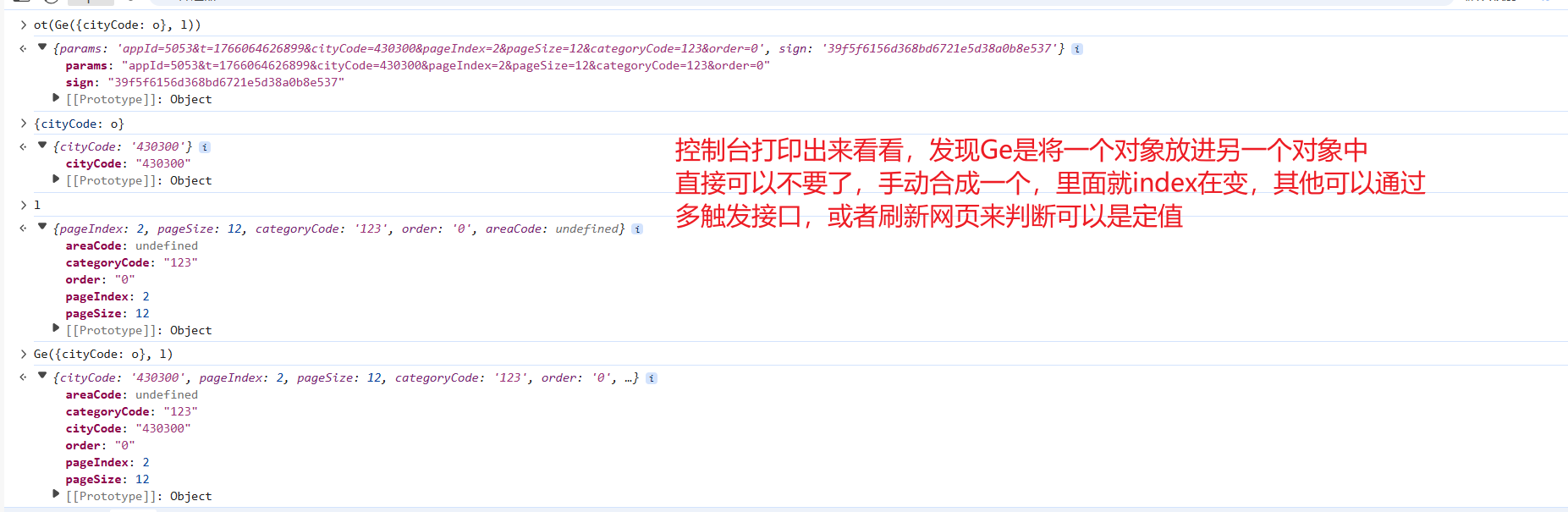
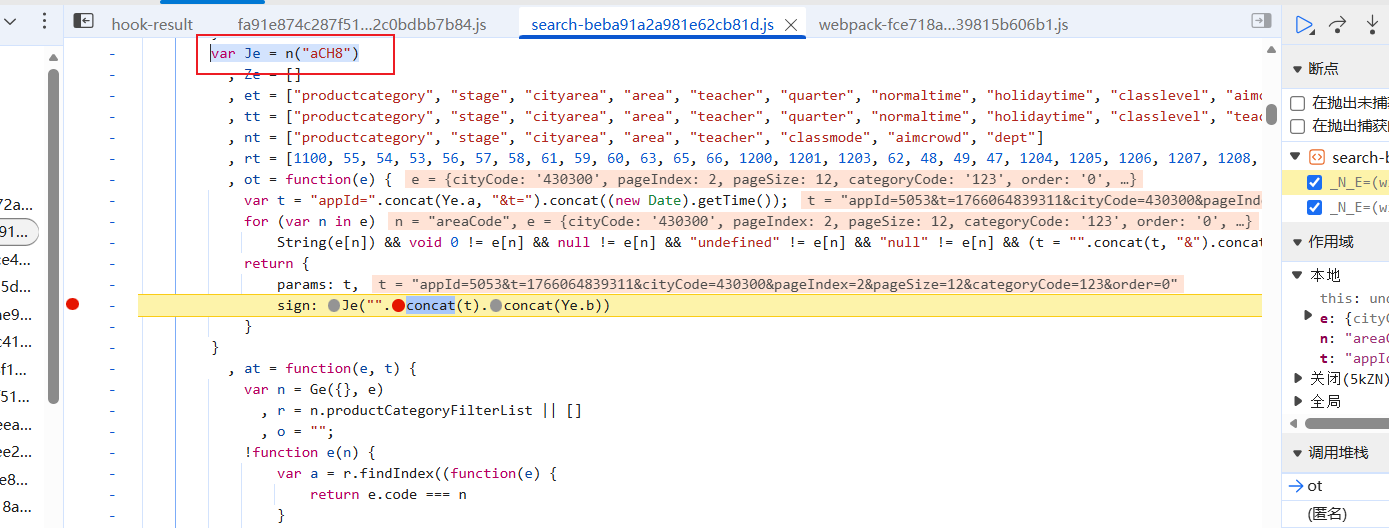
然后我们看看ot是啥:
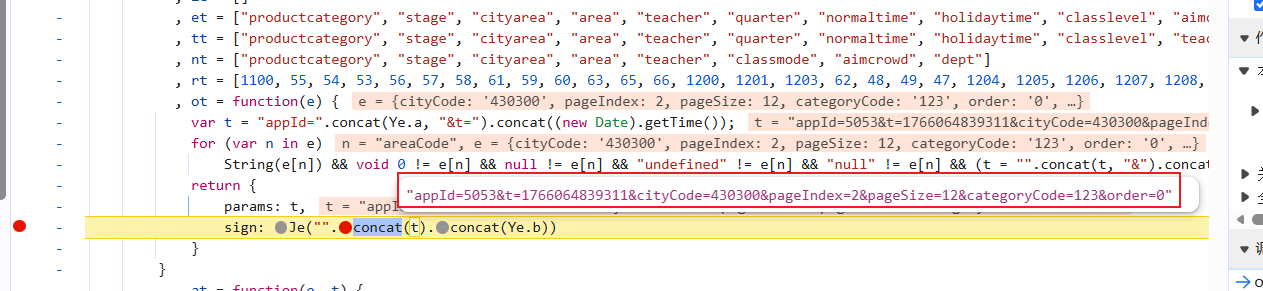
直接看sign生成的位置发现t竟然是刚才那个对象转化成的字符串,后面那个Ye.b是一个固定字符串,就差Je函数了,可以进去扣函数,但是进去一看就是webpack的模块存储文件,扣着可能会麻烦:
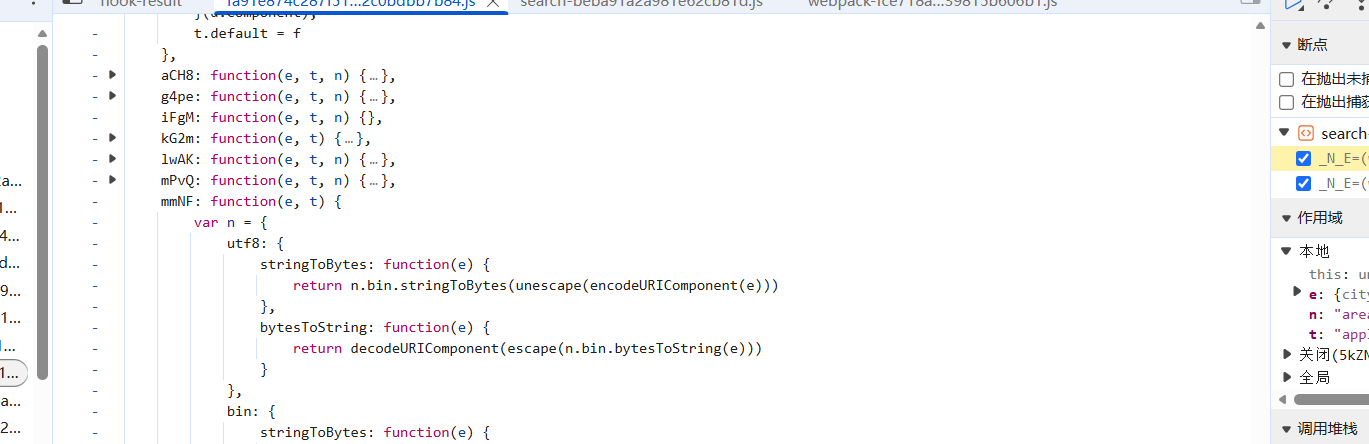
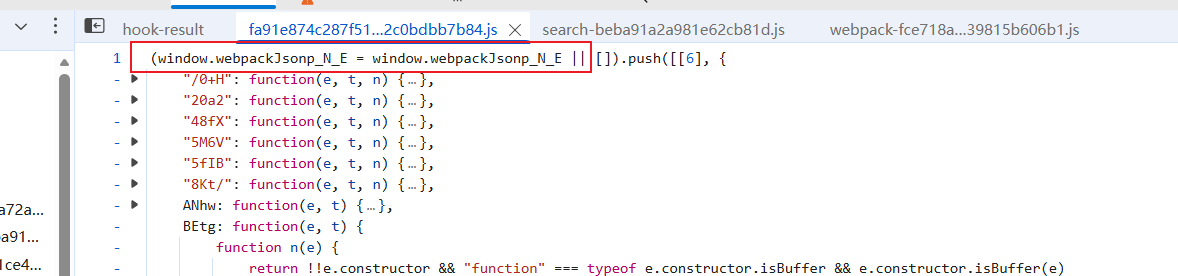
所以我另辟蹊径,找到了调用加载器的地方:
进去看看结构:
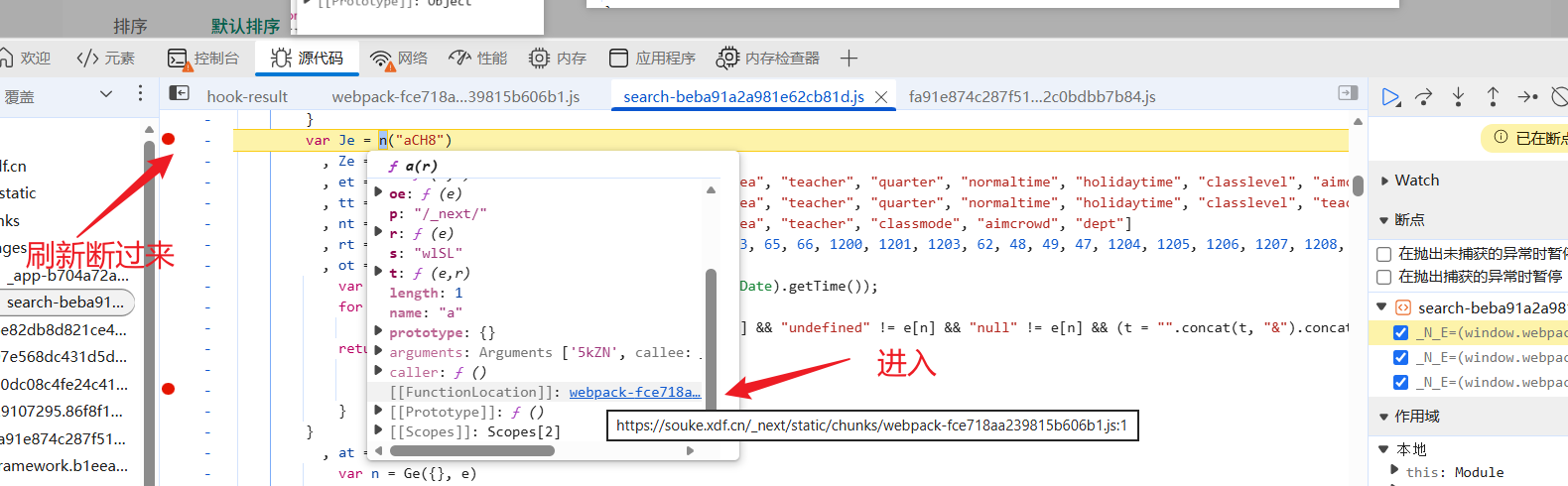

这种直接全扣就行,然后填充模块
复现逻辑
经过上面分析可得到代码如下:

python
var sz
!function(e) {
    function r(r) {
        for (var n, a, i = r[0], c = r[1], l = r[2], p = 0, s = []; p < i.length; p++)
            a = i[p],
            Object.prototype.hasOwnProperty.call(o, a) && o[a] && s.push(o[a][0]),
            o[a] = 0;
        for (n in c)
            Object.prototype.hasOwnProperty.call(c, n) && (e[n] = c[n]);
        for (f && f(r); s.length; )
            s.shift()();
        return u.push.apply(u, l || []),
        t()
    }
    function t() {
        for (var e, r = 0; r < u.length; r++) {
            for (var t = u[r], n = !0, i = 1; i < t.length; i++) {
                var c = t[i];
                0 !== o[c] && (n = !1)
            }
            n && (u.splice(r--, 1),
            e = a(a.s = t[0]))
        }
        return e
    }
    var n = {}
      , o = {
        0: 0
    }
      , u = [];
    function a(r) {
        if (n[r])
            return n[r].exports;
        var t = n[r] = {
            i: r,
            l: !1,
            exports: {}
        }
          , o = !0;
        try {
            console.log('chunk:', r)
            e[r].call(t.exports, t, t.exports, a),
            o = !1
        } finally {
            o && delete n[r]
        }
        return t.l = !0,
        t.exports
    }
    a.e = function(e) {
        var r = []
          , t = o[e];
        if (0 !== t)
            if (t)
                r.push(t[2]);
            else {
                var n = new Promise((function(r, n) {
                    t = o[e] = [r, n]
                }
                ));
                r.push(t[2] = n);
                var u, i = document.createElement("script");
                i.charset = "utf-8",
                i.timeout = 120,
                a.nc && i.setAttribute("nonce", a.nc),
                i.src = function(e) {
                    return a.p + "static/chunks/" + ({}[e] || e) + "." + {
                        10: "47c029199ae9bfb21463",
                        14: "17a52b04003ad29fee67"
                    }[e] + ".js"
                }(e);
                var c = new Error;
                u = function(r) {
                    i.onerror = i.onload = null,
                    clearTimeout(l);
                    var t = o[e];
                    if (0 !== t) {
                        if (t) {
                            var n = r && ("load" === r.type ? "missing" : r.type)
                              , u = r && r.target && r.target.src;
                            c.message = "Loading chunk " + e + " failed.\n(" + n + ": " + u + ")",
                            c.name = "ChunkLoadError",
                            c.type = n,
                            c.request = u,
                            t[1](c)
                        }
                        o[e] = void 0
                    }
                }
                ;
                var l = setTimeout((function() {
                    u({
                        type: "timeout",
                        target: i
                    })
                }
                ), 12e4);
                i.onerror = i.onload = u,
                document.head.appendChild(i)
            }
        return Promise.all(r)
    }
    ,
    a.m = e,
    a.c = n,
    a.d = function(e, r, t) {
        a.o(e, r) || Object.defineProperty(e, r, {
            enumerable: !0,
            get: t
        })
    }
    ,
    a.r = function(e) {
        "undefined" !== typeof Symbol && Symbol.toStringTag && Object.defineProperty(e, Symbol.toStringTag, {
            value: "Module"
        }),
        Object.defineProperty(e, "__esModule", {
            value: !0
        })
    }
    ,
    a.t = function(e, r) {
        if (1 & r && (e = a(e)),
        8 & r)
            return e;
        if (4 & r && "object" === typeof e && e && e.__esModule)
            return e;
        var t = Object.create(null);
        if (a.r(t),
        Object.defineProperty(t, "default", {
            enumerable: !0,
            value: e
        }),
        2 & r && "string" != typeof e)
            for (var n in e)
                a.d(t, n, function(r) {
                    return e[r]
                }
                .bind(null, n));
        return t
    }
    ,
    a.n = function(e) {
        var r = e && e.__esModule ? function() {
            return e.default
        }
        : function() {
            return e
        }
        ;
        return a.d(r, "a", r),
        r
    }
    ,
    a.o = function(e, r) {
        return Object.prototype.hasOwnProperty.call(e, r)
    }
    ,
    a.p = "",
    a.oe = function(e) {
        throw console.error(e),
        e
    }
    ;
    sz = a
    // var i = window.webpackJsonp_N_E = window.webpackJsonp_N_E || []
    //   , c = i.push.bind(i);
    // i.push = r,
    // i = i.slice();
    // for (var l = 0; l < i.length; l++)
    //     r(i[l]);
    // var f = c;
    // t()
}([]);

var Je = sz("aCH8"),
    data = `appId=5053&t=1766065342563&cityCode=430300&pageIndex=${1}&pageSize=12&categoryCode=123&order=0`
Je("".concat(data).concat("750F82C2-D8F6-49F6-878C-1E7EBEBC8DA2"))
然后开始补模块了,所有模块如下:

result(这里面有一点改动,时间戳写活了,上面忘记了哈哈):
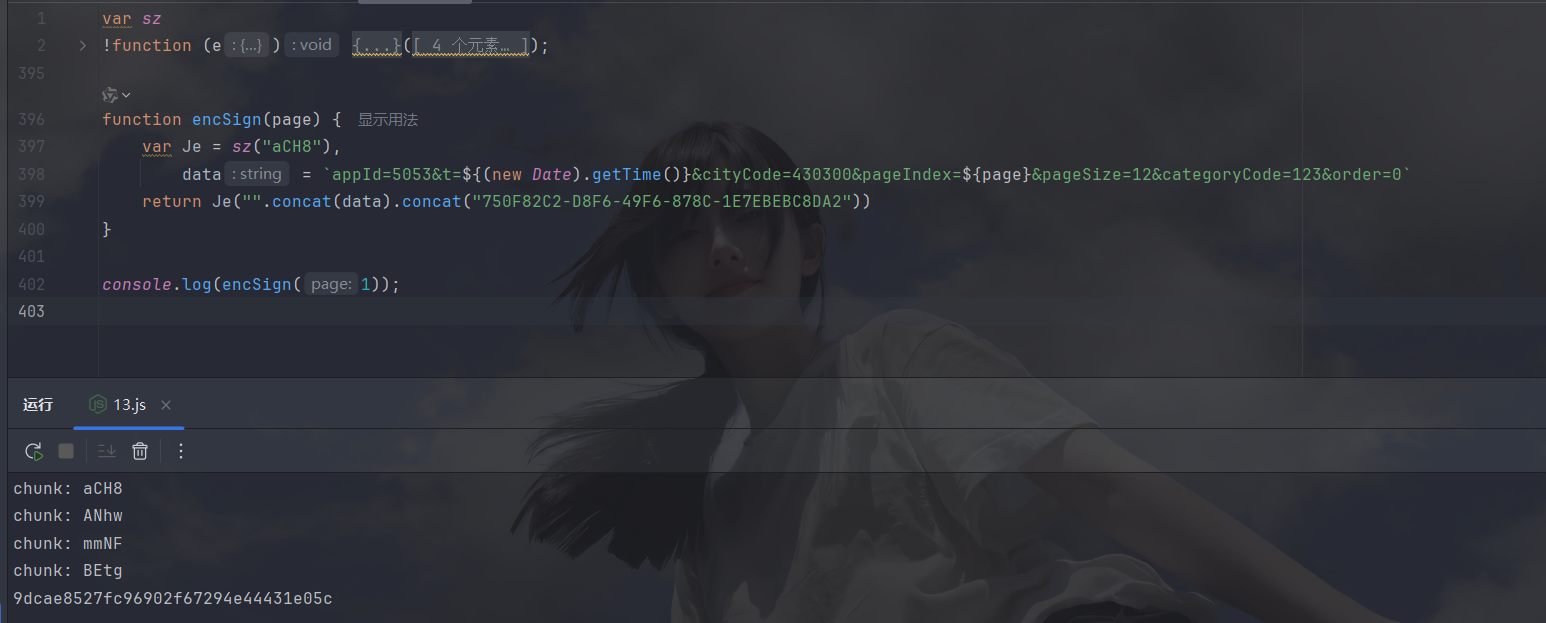
py调用
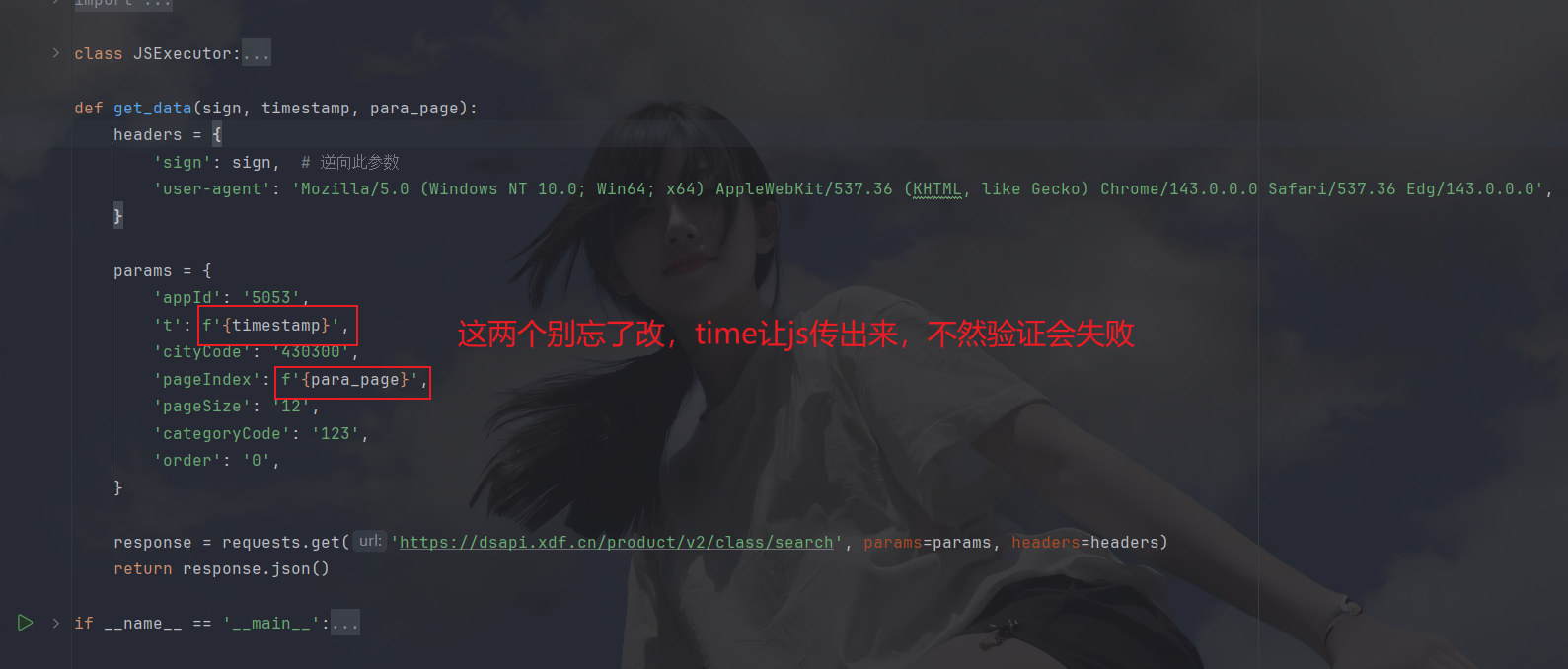
py代码:
python
import requests
import os
import execjs
import time

class JSExecutor:
    def __init__(self, file_path):
        if not os.path.exists(file_path):
            print('NotFoundFile')
        with open(file_path, 'r', encoding='utf-8') as f:
            self.js_code = f.read()
        self.js_code = execjs.compile(self.js_code)

    def call(self, func_name, *args):
        return self.js_code.call(func_name, *args)

def get_data(sign, timestamp, para_page):
    headers = {
        'sign': sign,  # 逆向此参数
        'user-agent': 'Mozilla/5.0 (Windows NT 10.0; Win64; x64) AppleWebKit/537.36 (KHTML, like Gecko) Chrome/143.0.0.0 Safari/537.36 Edg/143.0.0.0',
    }

    params = {
        'appId': '5053',
        't': f'{timestamp}',
        'cityCode': '430300',
        'pageIndex': f'{para_page}',
        'pageSize': '12',
        'categoryCode': '123',
        'order': '0',
    }

    response = requests.get('https://dsapi.xdf.cn/product/v2/class/search', params=params, headers=headers)
    return response.json()

if __name__ == '__main__':
    js_executor = JSExecutor('13.js')
    for page in range(1, 4):
        js_params = js_executor.call('encSign', page)
        print(get_data(js_params['sign'], js_params['timeSign'], page))
        time.sleep(0.3)
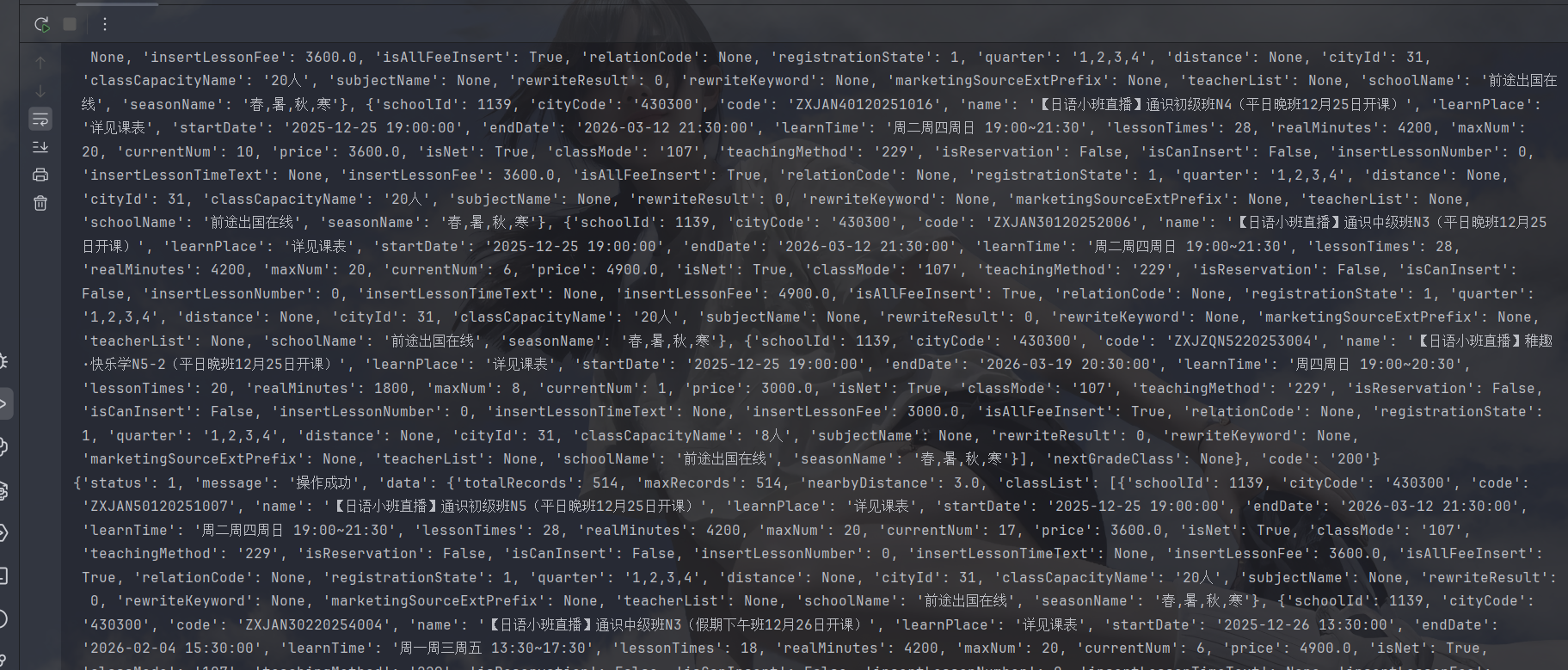
result:
小结
本文很简单,如有问题请及时提出,加油加油