WebSpoon,是kettle的web版本,可以直接通过tomcat部署并且在浏览器访问,也可以集成到自己的web系统。
一、拉代码
仓库地址: https://github.com/HiromuHota/pentaho-kettle
git clone https://github.com/HiromuHota/pentaho-kettle.gitsettings.xml为官网的配置,放在用户目录下 /.m2 中,添加自己需要的配置即可
本地构建以下依赖库:
pentaho-xul-swt
git clone -b webspoon-9.0 https://github.com/HiromuHota/pentaho-commons-xul.git
cd pentaho-commons-xul
mvn clean install -pl swt -DskipTests
rap
拉取代码后,进入 rap/releng/org.eclipse.rap.build 目录修改 pom.xml 文件, 找到 properties 标签
将 jetty-repo.url 标签值改为 https://download.eclipse.org/jetty/updates/jetty-bundles-9.x/9.4.44.v20210927/
将 rap-extra-repo.url 标签值改为 https://download.eclipse.org/rt/rap/base-platforms/3.14/extra-dependencies/
git clone -b webspoon-3.12.0 https://github.com/HiromuHota/rap.git
cd rap
mvn clean install -DskipTests
pentaho-vfs-browser
git clone -b webspoon-9.0 https://github.com/HiromuHota/apache-vfs-browser.git
cd apache-vfs-browser
mvn clean install -DskipTests以上操作结束后,去pentaho-kettle根目录执 行 mvn clean install -DskipTests 构建项目
构建成功后可在 assemblies/client/target 目录下找到 spoon.war 部署包
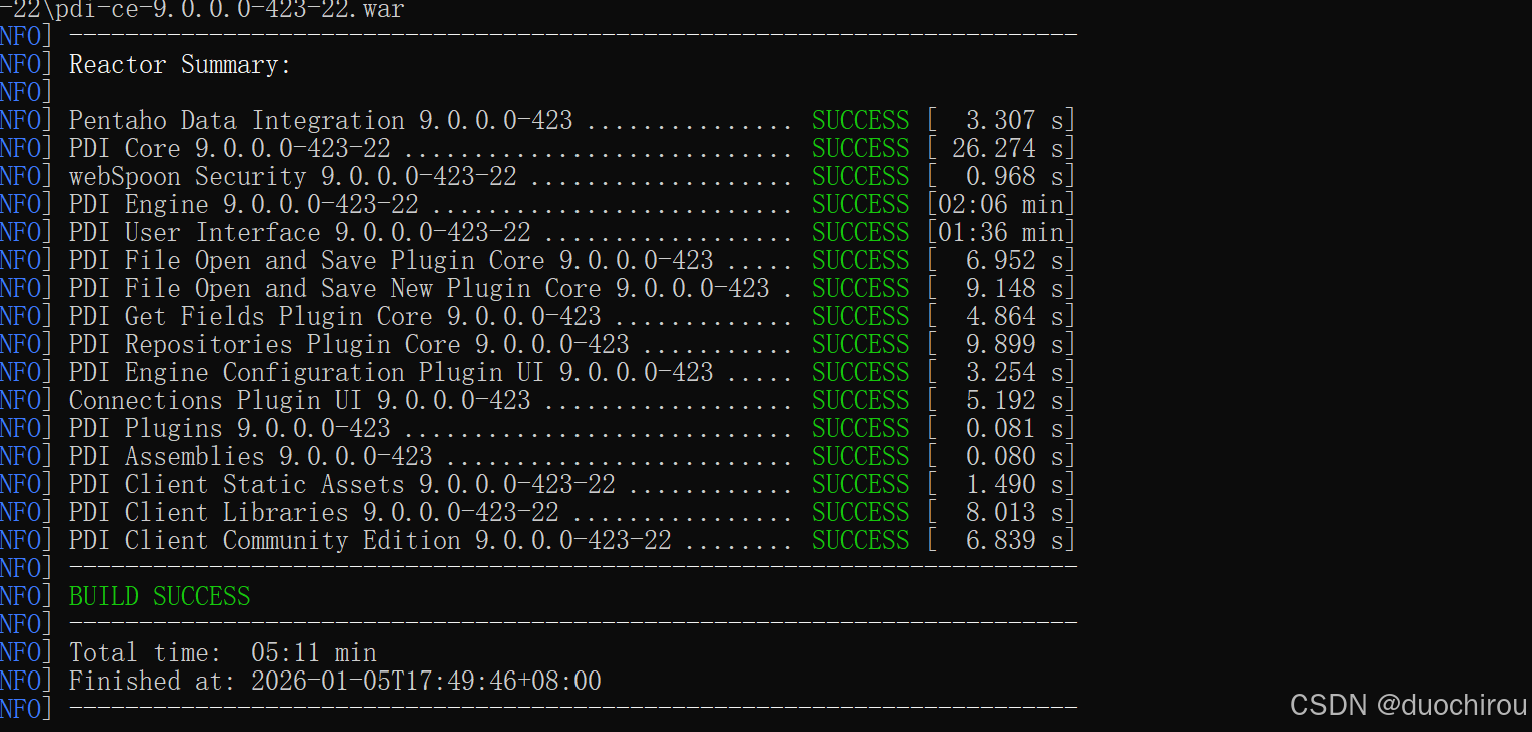
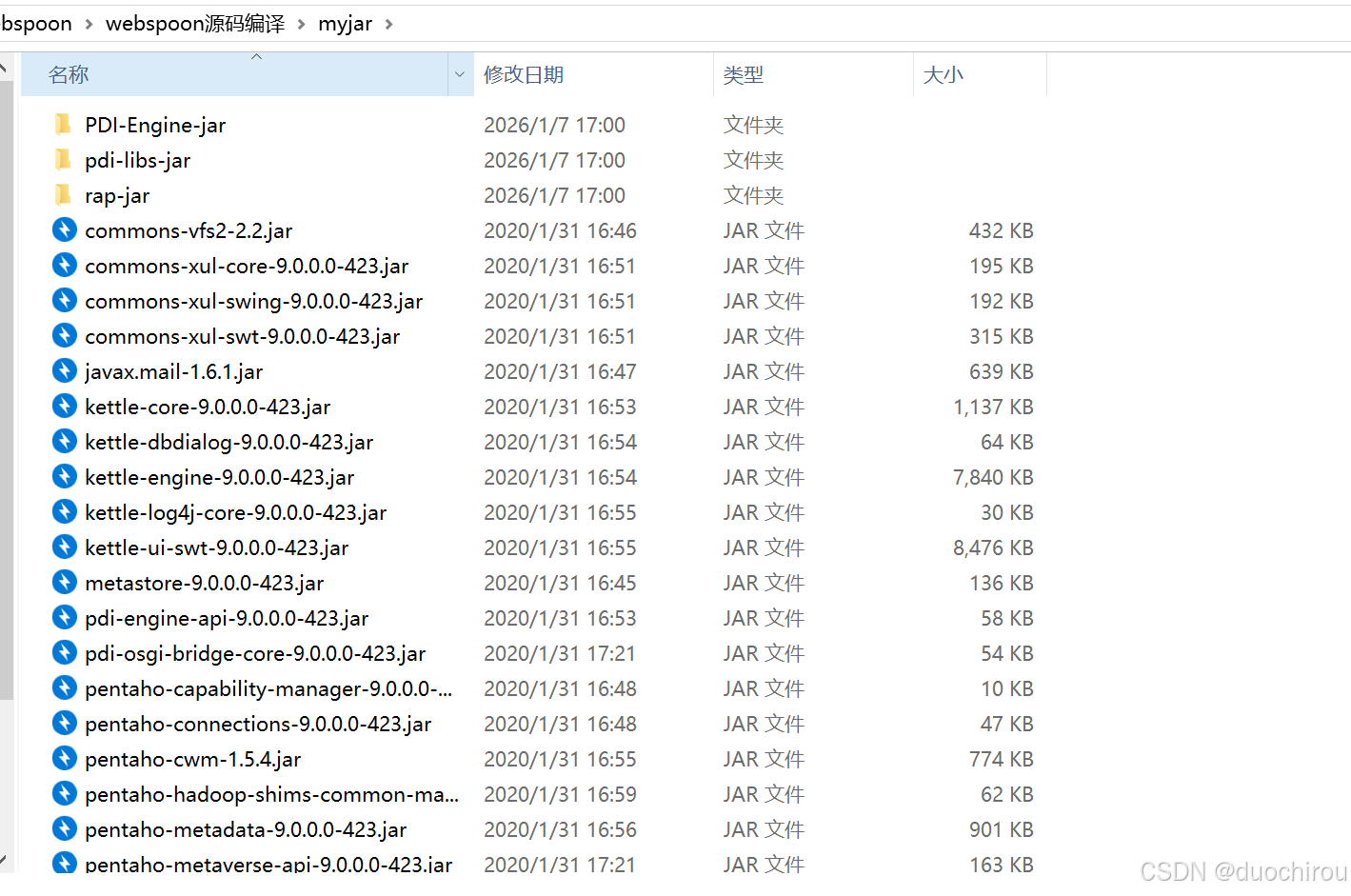
构建会有很多jar包找不到的情况,可以将正常下载的pdi的包安装到本地仓库,如下图,都是我手动安装到本地仓库的包
二、部署
将 spoon.war 放入 tomcat/webapps 目录下
将 system 和 plugins 目录放入 tomcat/bin 下
启动 tomcat, 访问ip:端口/spoon/spoon既可访问到webspoon
三、常见访问问题
①、webSpoon没有connection: webSpoon页面右上角没有connection按钮
解决办法:
1,第一次运行
如第一次运行页面上就没有connection按钮,请将客户端plugins,system目录拷贝到startup.bat(tomcat启动脚本)同级目录
2、之前可以连接可以,增加了一个之后就打不开
请检查当前用户目录下.kettle/目录中repositories.xml文件中是否有中文
②、webSpoon保存转圈圈: webSpoon保存新的转换的时候一直在转圈圈
解决办法:
在执行tomcat时,添加转义支持,然后重启webSpoon的tomcat即可
vim tomcat/conf/catalina.properties
#在最后添加两行配置
tomcat.util.http.parser.HttpParser.requestTargetAllow=|{}
org.apache.tomcat.util.buf.UDecoder.ALLOW_ENCODED_SLASH=true