οndrοp="return false"
οndragοver="return false"
这两行代码通常一起使用,目的是:
- 允许元素成为有效的拖放目标 (通过
ondragover="return false"启用 drop);- 但又不执行任何实际的 drop 操作 (通过
ondrop="return false"取消默认行为)。ps:

2.contenteditable属性使div元素变得可编辑
html
@compositionstart="handleCompositionStart"
@compositionend="handleCompositionEnd"
是 Vue 模板中对 输入法(IME, Input Method Editor)组合输入事件 的监听,用于正确处理中文、日文、韩文等需要输入法拼写/选词的场景。
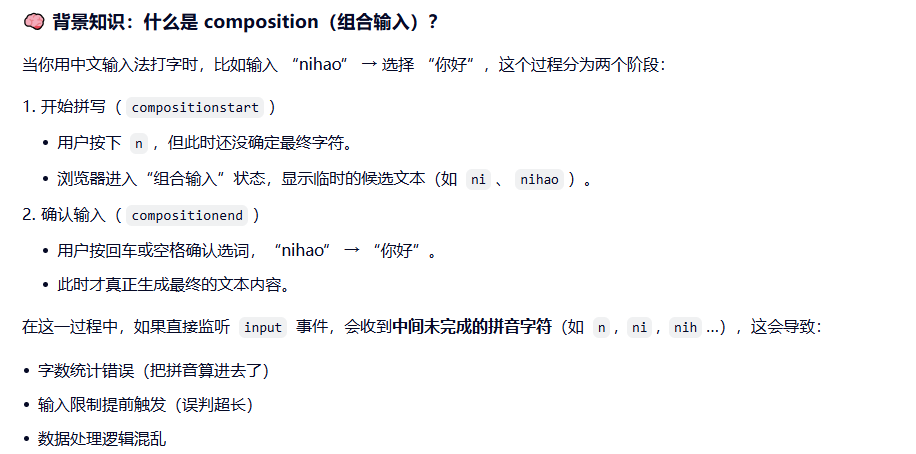
这两行代码的实际作用:
javascript
 // 输入法开始
    handleCompositionStart() {
      this.isComposing = true;
    },

    // 输入法结束
    handleCompositionEnd() {
      this.isComposing = false;

      // 输入法结束后检查字数
      setTimeout(() => {
        const pureText = this.getPureText();
        const newCount = pureText.length;

        if (newCount > 20) {
          // 如果超过限制,回滚
          this.rollbackToLastValidText();
        } else {
          // 保存为有效文本
          this.currentCount = newCount;
          this.lastValidText = this.$refs.textEdit.innerHTML;
          this.handleContentInputData();
        }
      }, 0);
    },
真实文本(除去span标签):
javascript
// 获取纯文本内容(去除参数标签)
    getPureText() {
      const content = this.$refs.textEdit.innerHTML;
      // 只去掉参数span标签,保留其他文本
      const regStr = /<span(?=\s)(?=[^>]*\bclass="code-button")(?=[^>]*\bcontenteditable="false")[^>]*>[\s\S]*?<\/span>/gi;
      const pureText = content.replace(regStr, '')
        .replace(/<br>/g, '')
        .replace(/\n/g, '')
        .replace(/<[^>]*>/g, ''); // 移除其他HTML标签
      return pureText;
    },
如果超出
javascript
// 回滚到上一次有效的文本
    rollbackToLastValidText() {
      if (this.lastValidText) {
        this.$refs.textEdit.innerHTML = this.lastValidText;

        // 恢复光标位置
        if (this.lastEditRange) {
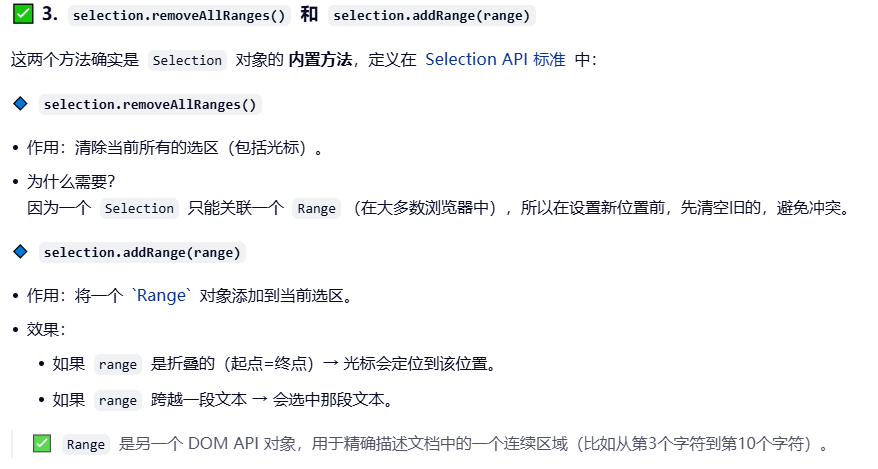
          const selection = window.getSelection();
          selection.removeAllRanges();
          selection.addRange(this.lastEditRange);
        }
      }

      // 重新计算字数
      const pureText = this.getPureText();
      this.currentCount = pureText.length;
    },
- 键盘事件
javascript
// 在keydown阶段阻止超过限制的输入(只处理非输入法情况)
    handleKeydown(event) {
      // 如果正在使用输入法,不处理
      if (this.isComposing) {
        return;
      }

      // 允许的功能键(退格、删除、方向键等)
      const allowedKeys = [
        'Backspace', 'Delete', 'Tab',
        'ArrowLeft', 'ArrowRight', 'ArrowUp', 'ArrowDown',
        'Home', 'End',
      ];

      // 允许Ctrl/Cmd组合键
      if (event.ctrlKey || event.metaKey) {
        return;
      }

      // 如果是允许的功能键,放行
      if (allowedKeys.includes(event.key)) {
        return;
      }

      // Enter键特殊处理:阻止默认换行
      if (event.key === 'Enter') {
        event.preventDefault();
        return;
      }

      // 如果已经达到20字,阻止任何字符输入
      if (this.currentCount >= 20) {
        event.preventDefault();
        return;
      }

      // 对于普通字符输入,让input事件处理
      if (event.key.length === 1) {
        // 这里不做限制,由input事件处理

      }
},- 禁止回车 禁止黏贴
javascript
 // 不允许回车
    forbidEnter() {
      this.$refs.textEdit.addEventListener('keydown', (e) => {
        if (e.key === 'Enter') {
          // 阻止默认行为,防止添加 <div> 或 <br>
          e.preventDefault();
        }
      });
    },

    // 阻止默认粘贴(保持你的原有逻辑)
    forbidPaste() {
      this.$refs.textEdit.addEventListener('paste', (e) => {
        e.preventDefault();
      });
    },
6.输入后逻辑
javascript
 // STOP 1
    // 实时处理输入的内容数据
    handleContentInputData() {
      // 禁止回车
      this.forbidEnter();
      // 禁止粘贴
      this.forbidPaste();
      // 全部内容
      const content = this.$refs.textEdit.innerHTML;
      // 去掉span 回车 换行
      const regStr = /<span(?=\s)(?=[^>]*\bclass="code-button")(?=[^>]*\bcontenteditable="false")[^>]*>[\s\S]*?<\/span>/gi;
      this.onlyContent = content.replace(regStr, '')
        .replace(/<br>/g, '')
        .replace(/\n/g, '');
      // 字数校验 - 这个逻辑你原有,我保留
      if (this.onlyContent && this.onlyContent.length > 20) return;
      // 符合字数限制才能走下面的逻辑
      // 张数 金额 span
      const countRegStr = /<span(?=\s)(?=[^>]*\bclass="code-button")(?=[^>]*\bcontenteditable="false")[^>]*>张数<\/span>/gi;
      const amountRegStr = /<span(?=\s)(?=[^>]*\bclass="code-button")(?=[^>]*\bcontenteditable="false")[^>]*>金额<\/span>/gi;
      // 需要传给后台的值
      // eslint-disable-next-line no-template-curly-in-string
      const reallyContent = content.replace(countRegStr, '${count}')
        // eslint-disable-next-line no-template-curly-in-string
        .replace(amountRegStr, '${amount}')
        .replace(/<br>/g, '')
        .replace(/\n/g, '');
      // 加一个延时器不要实时
      setTimeout(() => {
        this.$emit('getContent', this.onlyContent, reallyContent);
      }, 500);
    },
7.光标
javascript
// 点击记录光标位置
    handleTextEdit(e) {
      if (e.target.nodeName !== 'DIV') {
        return;
      }
      this.positionFocus();
    },
 positionFocus() {
      this.$refs.textEdit.focus();
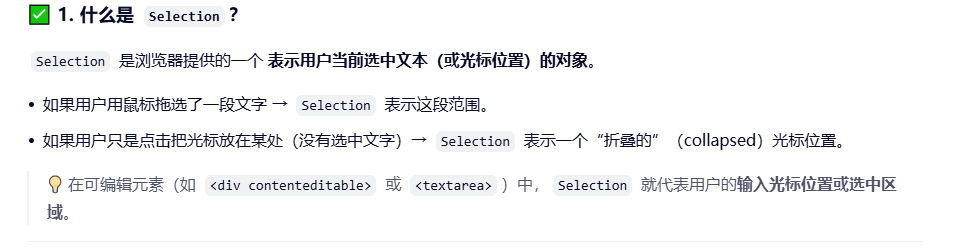
      const selection = window.getSelection();
      if (selection.rangeCount > 0) {
        this.lastEditRange = selection.getRangeAt(0);
      }
},- 调用
.focus()方法,让该 div 获得输入焦点。 - 获取当前整个页面的 Selection 对象(代表用户当前选中的文本范围或光标位置)
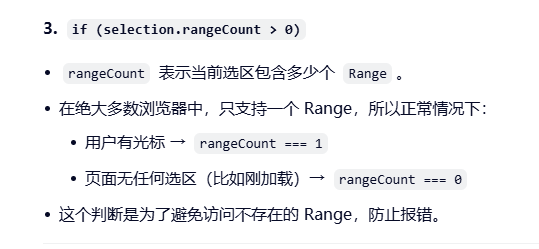
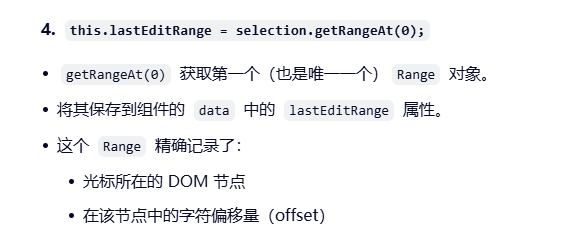
- 选span标签
防重复部分
javascript
handleRepetition(value) {
      // 检查是否已存在相同的参数标签
      const editorContent = this.$refs.textEdit.innerHTML;
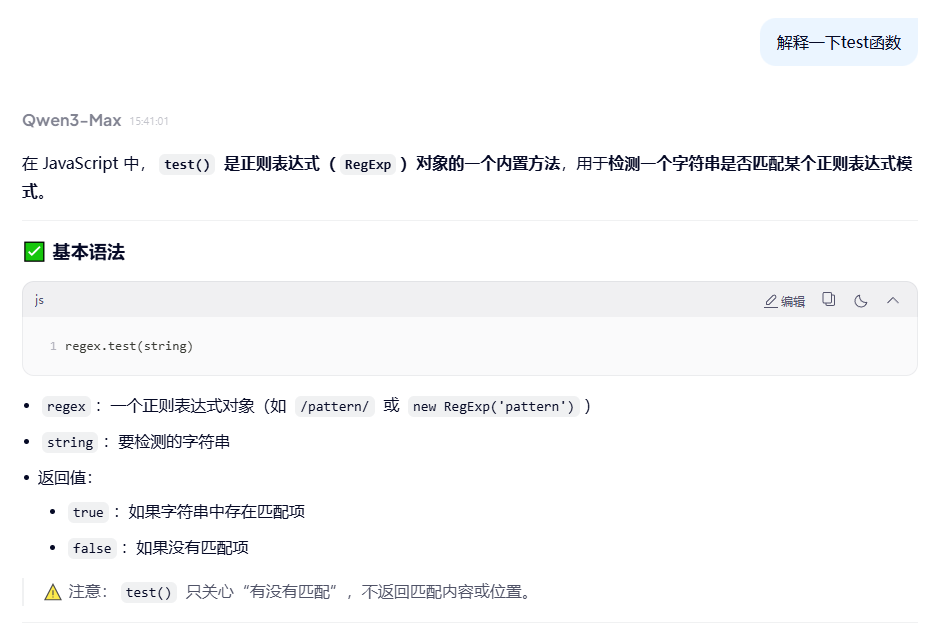
      const paramRegex = new RegExp(`<span[^>]*class="code-button"[^>]*>${this.escapeRegExp(value)}</span>`, 'g');
      if (paramRegex.test(editorContent)) {
        // 如果已存在相同的参数,不插入
        return true; // 直接返回,不执行插入
      }
      return false;
    },
点击按钮逻辑部分
javascript
 // 选择参数
    handleParameter(value) {
      // 在innerHTML中找到value,如果找到了,直接return,如果没找到继续向下执行
      const result = this.handleRepetition(value);
      if (result) return;

      this.$refs.textEdit.focus();
      const selection = window.getSelection();
      // 如果有最后光标位置
      if (this.lastEditRange) {
        // 清除所有光标
        selection.removeAllRanges();
        // 添加最后光标还原之前状态
        selection.addRange(this.lastEditRange);
      }
      const position = selection.getRangeAt(0) || 0;
      // 创建span元素
      const span = document.createElement('span');
      span.setAttribute('contenteditable', false);
      span.className = 'code-button';
      span.innerHTML = value;
      // 光标位置增加span节点
      position.insertNode(span);
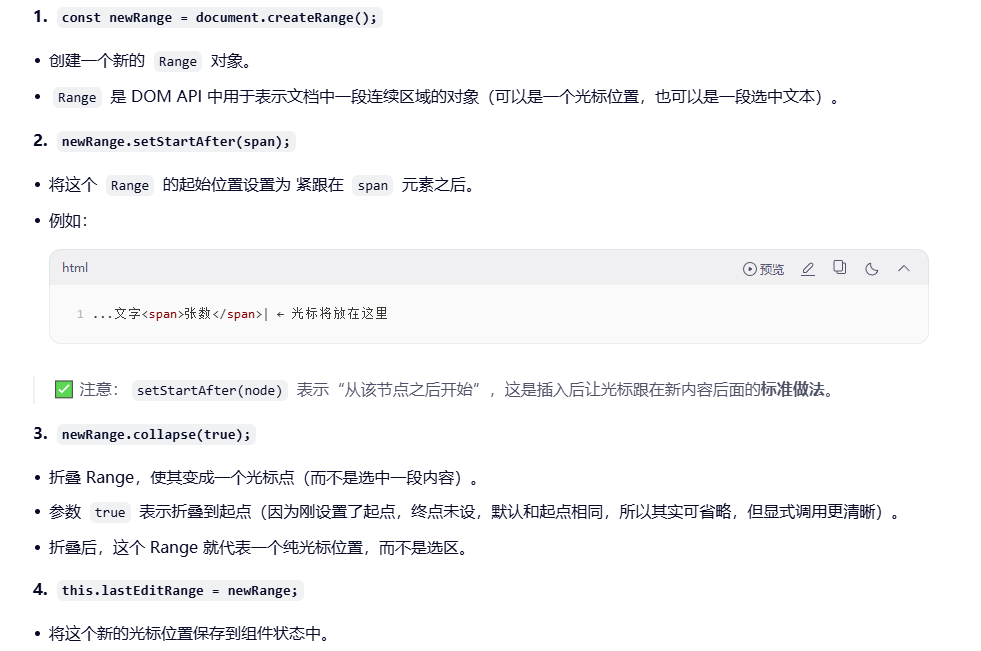
      position.setStartAfter(span);
      position.setEndAfter(span);

      // 保存光标位置
      const newRange = document.createRange();
      newRange.setStartAfter(span);
      newRange.collapse(true);
      this.lastEditRange = newRange;

      // 保存为有效文本
      this.lastValidText = this.$refs.textEdit.innerHTML;

      // 仅点击标签span也要在内容里添加对应的${}
      this.handleContentInputData();
    },
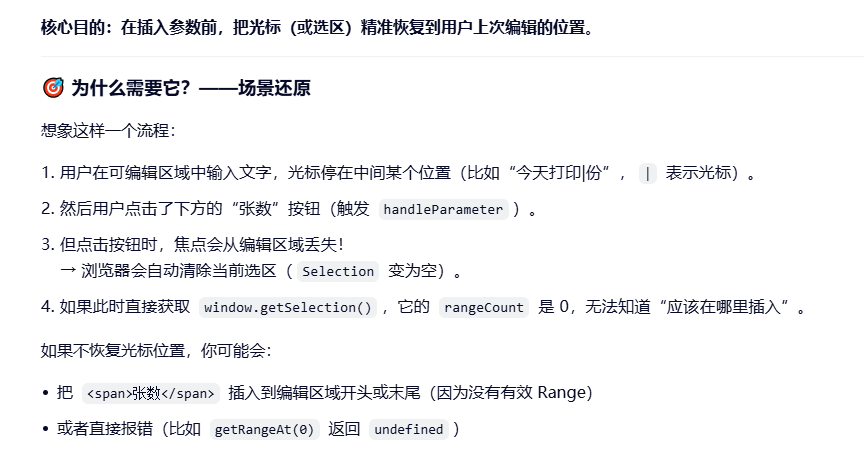
javascript
 // 如果有最后光标位置
      if (this.lastEditRange) {
        // 清除所有光标
        selection.removeAllRanges();
        // 添加最后光标还原之前状态
        selection.addRange(this.lastEditRange);
      }
javascript
// 保存光标位置
      const newRange = document.createRange();
      newRange.setStartAfter(span);
      newRange.collapse(true);
      this.lastEditRange = newRange;