一、下载相应ubuntu(密码123456789)
1、下载
通过网盘分享的文件:QT Hisilicon Ubuntu 18.7z
链接: https://pan.baidu.com/s/1AIYPC5IRXzy14UETVDl41A?pwd=2kgs 提取码: 2kgs
--来自百度网盘超级会员v4的分享
2、在VM上运行
二、QT的选择与下载(qt-everywhere-src-5.12.9.tar.xz)
1、下载
通过网盘分享的文件:qt移植到arm板子需要的资料
链接: https://pan.baidu.com/s/16mBOCxrXD8sADikICmeXNQ?pwd=d5dp 提取码: d5dp
--来自百度网盘超级会员v4的分享
2、把本次用的资料放进ubuntu内
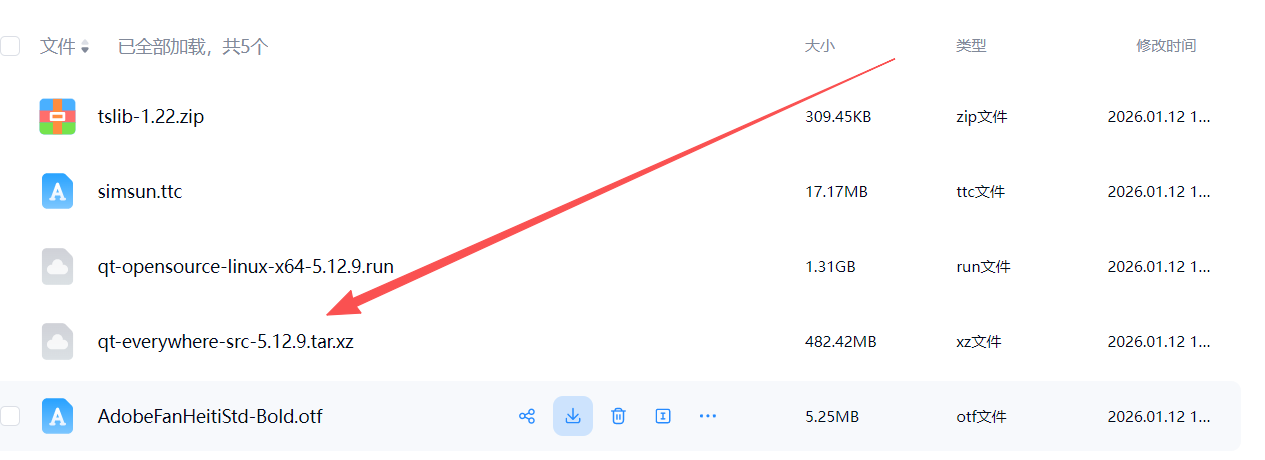
3、解压文件
三、创建海思的qmake.conf
cp /qt-everywhere-src-5.12.9/qtbase/mkspecs/linux-arm-gnueabi-g++/ /qt-everywhere-src-5.12.9/qtbase/mkspecs/arm-hisix500-linux-g++ -rf
vi /qt-everywhere-src-5.12.9/qtbase/mkspecs/arm-hisix200-linux-g++/qmake.con
qmake.conf内容修改如下:
linux-arm-gnueabi-g++改成arm-hisix500-linux-g++三、开始编译
./configure \
-prefix ../qt5.12.9_hi3519dv500 \    //make install后保存在的文件夹
-opensource \
-confirm-license \
-release \
-strip \
-no-eglfs \
-linuxfb \
-qt-zlib \
-no-gif \
-qt-libpng \
-qt-libjpeg \
-qt-freetype \
-no-rpath \
-no-pch \
-no-avx \
-no-openssl \
-no-cups \
-no-dbus \
-no-pkg-config \
-no-glib \
-no-iconv \
-xplatform arm-hisix500-linux-g++ \      //使用的工具
-no-opengl \
-nomake examples \
-nomake tools \
-no-sqlite \
-skip qtgamepad \
-skip qtandroidextras \
-skip qtmacextras \
-skip qtx11extras \
-skip qtsensors \
-skip qtserialbus \
-skip qtserialport \
-skip qtwebengine \
-skip qtwebchannel \
-skip qtwebsockets \
-skip qtlocation \
-skip qtquickcontrols \
-skip qtpurchasing \
-skip qtconnectivity \
-skip qtscxml \
-skip qtxmlpatterns \
-skip qtnetworkauth \
-skip qtspeech \
-skip qtscript \
-skip qtremoteobjects \
-skip qtcharts \
-skip qtdatavis3d \
-skip qtwebview

make

make install
四、配置QTCreator
1、下载QTCeator安装包
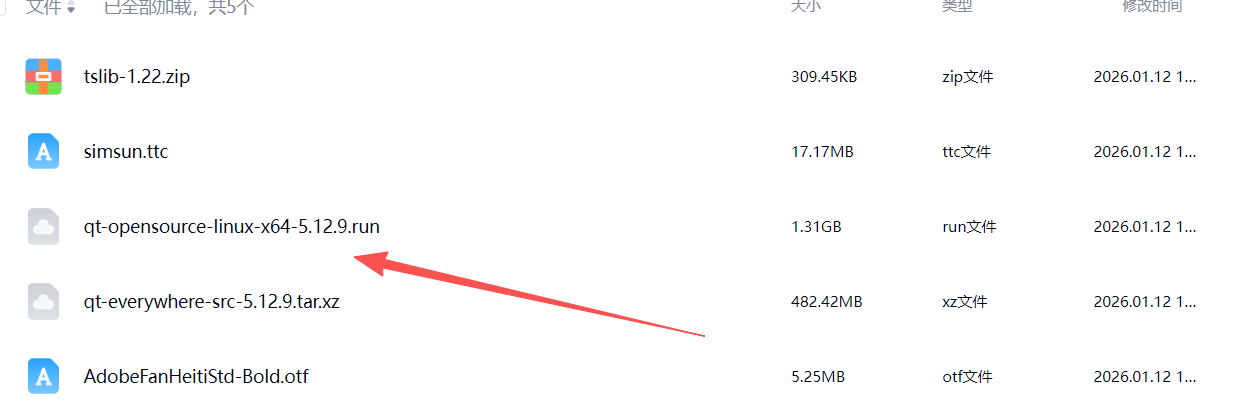
2、配置环境
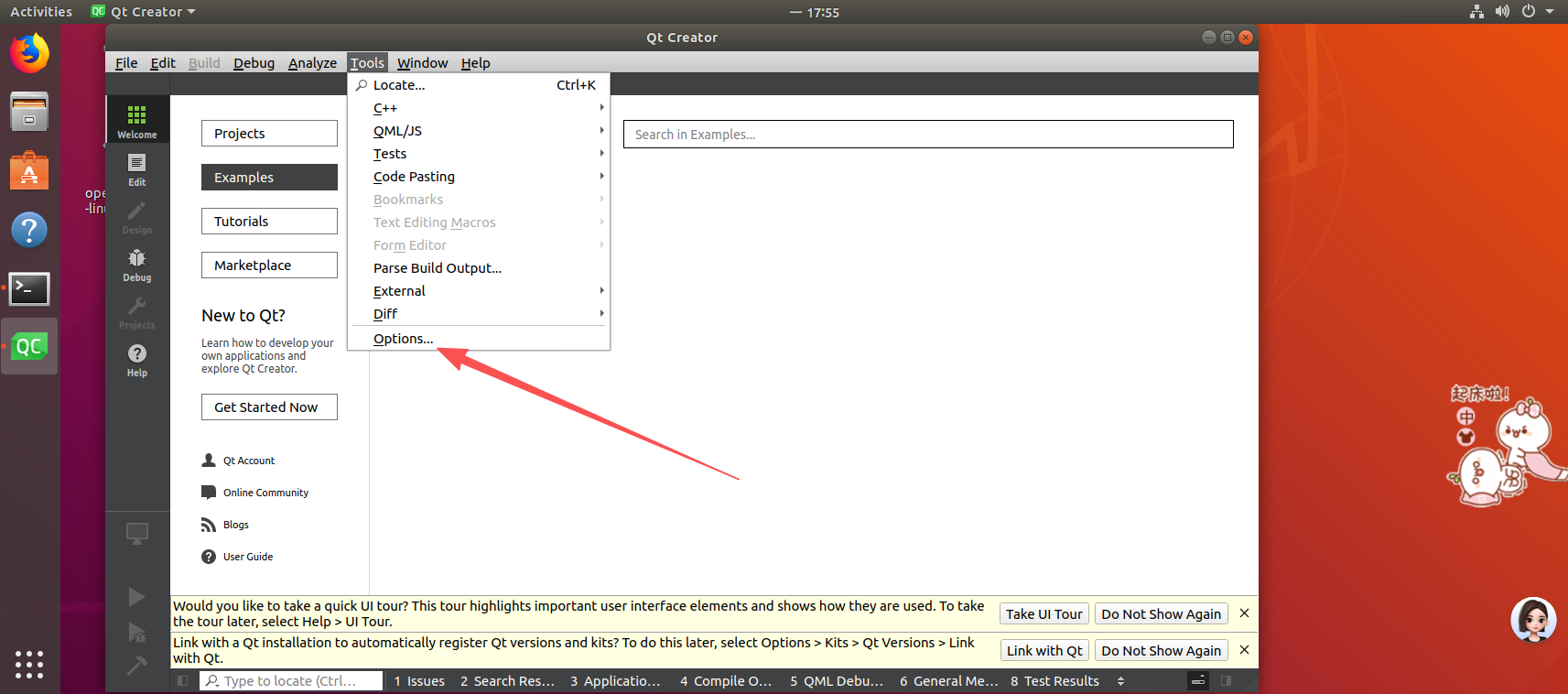
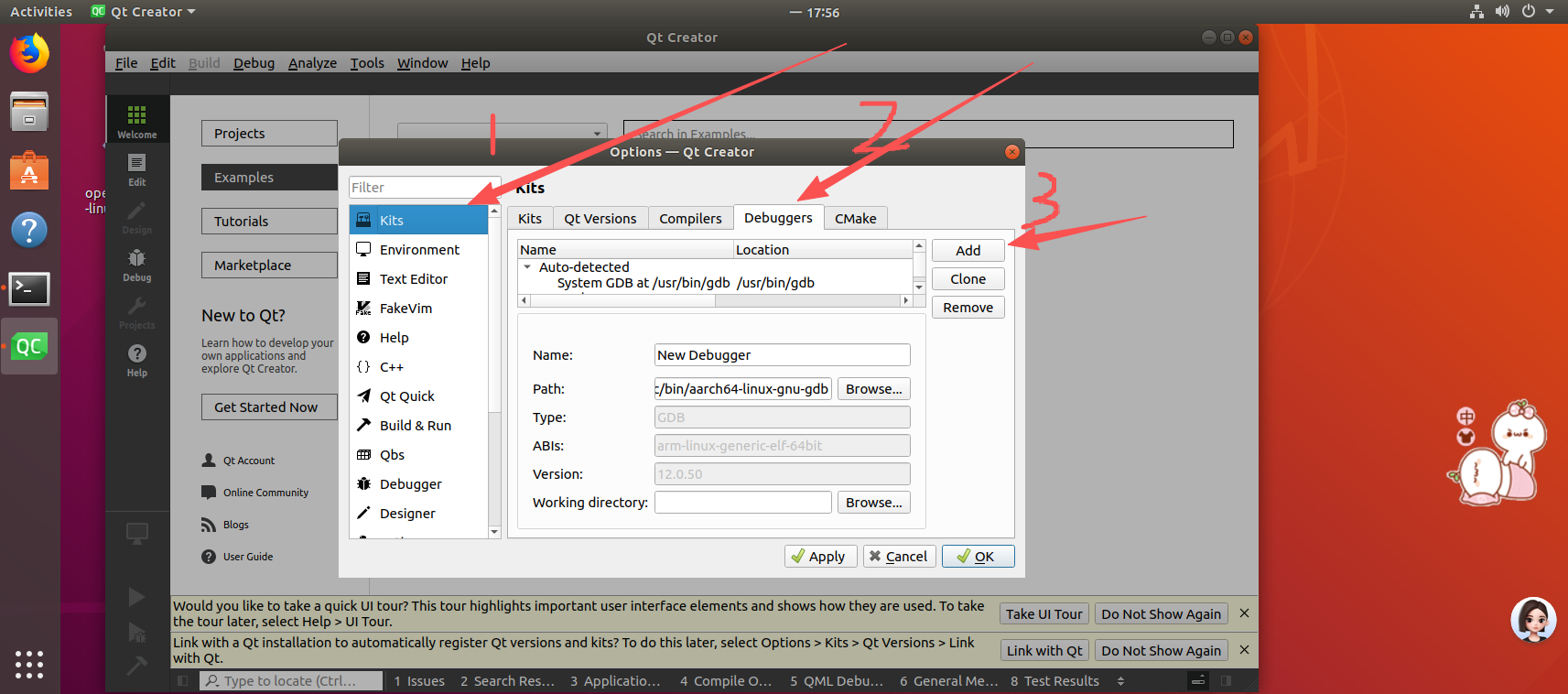
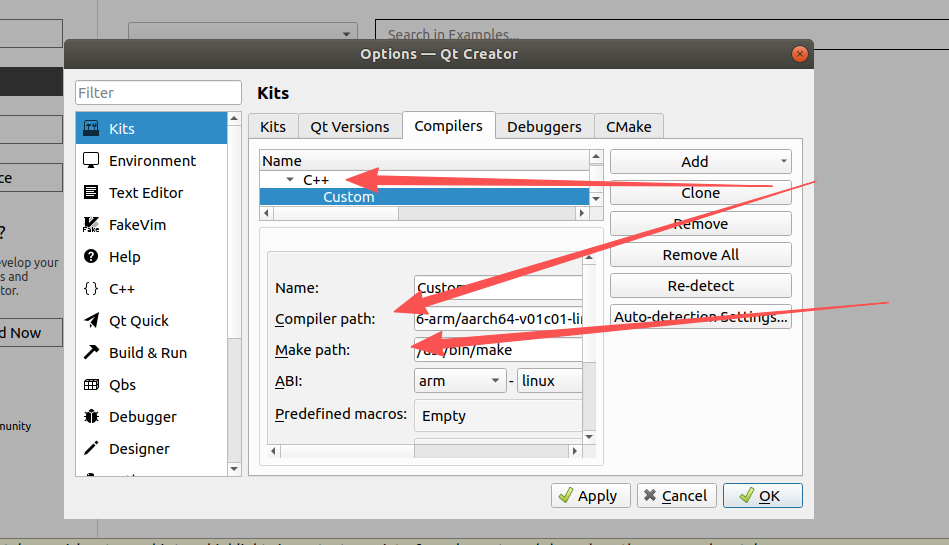
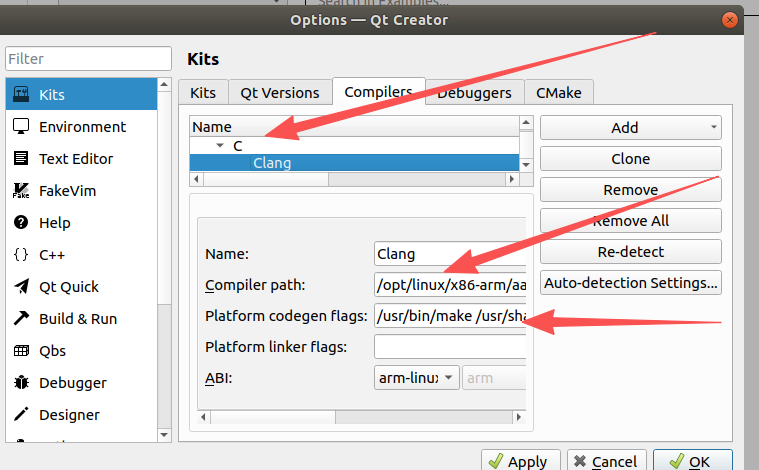
①C++
工具链:/opt/linux/x86-arm/aarch64-v01c01-linux-gnu-gcc/bin/aarch64-linux-gnu-gcc
make在/usr/bin/make /usr/share/man/man1/make.1.gz
②C++
工具链:/opt/linux/x86-arm/aarch64-v01c01-linux-gnu-gcc/bin/aarch64-linux-gnu-g++
make在/usr/bin/make