目录
- 一、生成`IHello.java`
- [二、删除所有 `JNI` 相关代码](#二、删除所有
JNI相关代码) - 三、添加依赖
- 四、修改服务端`HelloService`
-
- [3.1 原代码](#3.1 原代码)
- [3.2 修改后代码](#3.2 修改后代码)
- 五、应用层调用
- [六、 编译运行](#六、 编译运行)
|-----------------------------|
| 添加硬件访问服务(Java 层调用 HIDL) |
此前的代码中,我们仅生成了 hellohal 的C++层HAL代码,在 Framework 层是通过 JNI 的方式,调用 IHello.h 生成的getService()方法,进而从hwservicemanager中获取到 HelloService对应的 HIDL 服务实例。
c
out$ find ./ -name "IHello.*"
./soong/.intermediates/vendor/henry/hardware/interfaces/hello_hidl/1.0/henry.hardware.hello_hidl@1.0_genc++_headers/gen/henry/hardware/hello_hidl/1.0/IHello.h.d
./soong/.intermediates/vendor/henry/hardware/interfaces/hello_hidl/1.0/henry.hardware.hello_hidl@1.0_genc++_headers/gen/henry/hardware/hello_hidl/1.0/IHello.h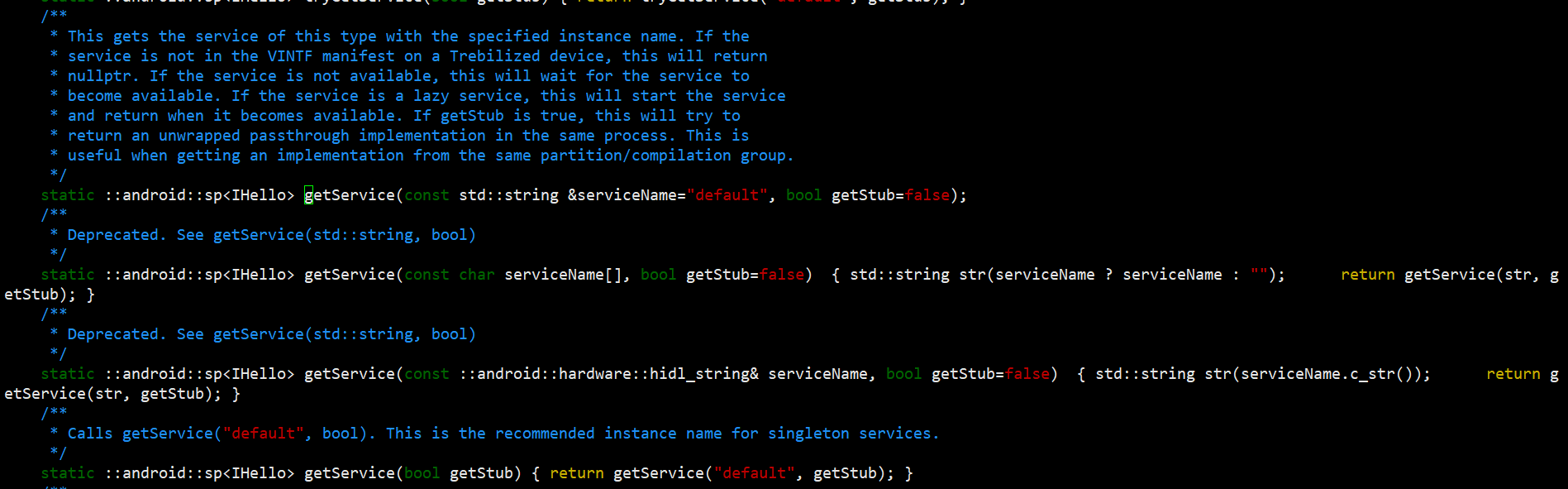
本章我们将采用 Framework 层中更常用的Java HAL 方式直接获取 HelloService的 HIDL 服务,摒弃 JNI 层的调用链路,进一步加深对 HIDL HAL 的整体理解与实际应用。
以下所有代码均基于此前的工程代码进行改造,关于原有代码的实现细节,本文不再过多赘述。
一、生成IHello.java
打开文件 vendor/henry/hardware/interfaces/hello_hidl/1.0/Android.bp
确认文件是否有java封装配置
c
hidl_interface {
    name: "henry.hardware.hello_hidl@1.0",
    root: "henry.hardware",
    system_ext_specific: true,
    srcs: [
        "IHello.hal",
    ],
    interfaces: [
        "android.hidl.base@1.0",
    ],
    gen_java: true, // ✅ 核心开关:开启自动生成Java层封装类
}
gen_java: true :必须加的配置,告诉 Soong 编译系统:为这个 HIDL 接口,自动生成 Java 层的所有封装类(IHello.java + 回调类 + 异常类);
此前这个配置已经加了,但是out目录并没有自动生成IHello.java相关文件,需要我们自己手动单编一下。
c
source build/envsetup.sh
lunch 你的编译版本
mmm vendor/henry/hardware/interfaces/hello_hidl/1.0/
编译完成后进入out目录确认一下
c
/out$ find ./ -name "IHello.*"
./soong/.intermediates/vendor/henry/hardware/interfaces/hello_hidl/1.0/henry.hardware.hello_hidl-V1.0-java_gen_java/gen/srcs/henry/hardware/hello_hidl/V1_0/IHello.java
./soong/.intermediates/vendor/henry/hardware/interfaces/hello_hidl/1.0/henry.hardware.hello_hidl-V1.0-java/android_common/javac/classes/henry/hardware/hello_hidl/V1_0/IHello.class
./soong/.intermediates/vendor/henry/hardware/interfaces/hello_hidl/1.0/henry.hardware.hello_hidl@1.0_genc++_headers/gen/henry/hardware/hello_hidl/1.0/IHello.h.d
./soong/.intermediates/vendor/henry/hardware/interfaces/hello_hidl/1.0/henry.hardware.hello_hidl@1.0_genc++_headers/gen/henry/hardware/hello_hidl/1.0/IHello.h
./soong/.intermediates/vendor/henry/hardware/interfaces/hello_hidl/1.0/henry.hardware.hello_hidl-V1.0-java-shallow/android_common/javac/classes/henry/hardware/hello_hidl/V1_0/IHello.class
二、删除所有 JNI 相关代码
c
git checkout frameworks/base/services/core/jni/Android.bp
c
git checkout frameworks/base/services/core/jni/onload.cpp
c
rm frameworks/base/services/core/jni/com_android_server_HelloService.cpp三、添加依赖
使framework核心模块能够正常引入IHello
c
git diff frameworks/base/services/core/Android.bp
diff --git a/frameworks/base/services/core/Android.bp b/frameworks/base/services/core/Android.bp
index 1c818c0981..934f51438c 100644
--- a/frameworks/base/services/core/Android.bp
+++ b/frameworks/base/services/core/Android.bp
@@ -155,6 +155,7 @@ java_library_static {
         "android.hardware.soundtrigger-V2.3-java",
         "android.hardware.power.stats-V1-java",
         "android.hidl.manager-V1.2-java",
+        "henry.hardware.hello_hidl-V1.0-java",
         "capture_state_listener-aidl-java",
         "icu4j_calendar_astronomer",
         "netd-client",
xuejie@vt-PowerEdge-R740:~/A11a133a12$ 四、修改服务端HelloService
文件路径
c
frameworks/base/services/core/java/com/android/server/HelloService.java3.1 原代码
c
package com.android.server;

import android.os.IHelloService;

// 硬件服务的服务端实现
public class HelloService extends IHelloService.Stub {

    public native void natvieWrite(String str);
    public native String nativeRead();

    public void write(String str) throws android.os.RemoteException  {
        natvieWrite(str);
    }

    public String read() throws android.os.RemoteException  {
        return nativeRead();
    }
}
3.2 修改后代码
删除native方法声明,引入IHello,直接获取服务调用hal接口
c
package com.android.server;

import android.util.Log;
import henry.hardware.hello_hidl.V1_0.IHello;
import android.os.IHelloService;
import android.os.RemoteException;

// 硬件服务的服务端实现
public class HelloService extends IHelloService.Stub {
    private static final String TAG = "HelloService";
    private IHello mHelloHal;

    public HelloService() {
    }

    private void getHidlService() {
        if (mHelloHal == null) {
            try {
                mHelloHal = IHello.getService();
            } catch (RemoteException  e) {
                Log.e(TAG, "获取HIDL服务失败: 服务未注册");
            }
        }
    }

    public void write(String str) {
        getHidlService(); // 每次调用先检查并获取服务
        if (mHelloHal == null) {
            Log.e(TAG, "write: mHelloHal is null");
            return;
        }
        try {
            mHelloHal.write(str);
        } catch (RemoteException e) {
            Log.e(TAG, "write RemoteException");
            mHelloHal = null; // 异常时置空,下次调用重新获取
        }
    }

    public String read() {
        getHidlService();
        if (mHelloHal == null) return null;
        try {
            return mHelloHal.read();
        } catch (RemoteException e) {
            Log.e(TAG, "read RemoteException");
            mHelloHal = null;
            return null;
        }
    }
}
五、应用层调用
应用层代码无需修改,我这里是在settings其中的一个页面调用的
c
Hello helloHal = (Hello)getSystemService(Context.HELLO_SERVICE);
try {
   helloHal.write("nihao");
    Log.d("HelloHal_test",helloHal.read());
} catch (Exception e) {
    e.printStackTrace();
}
六、 编译运行
