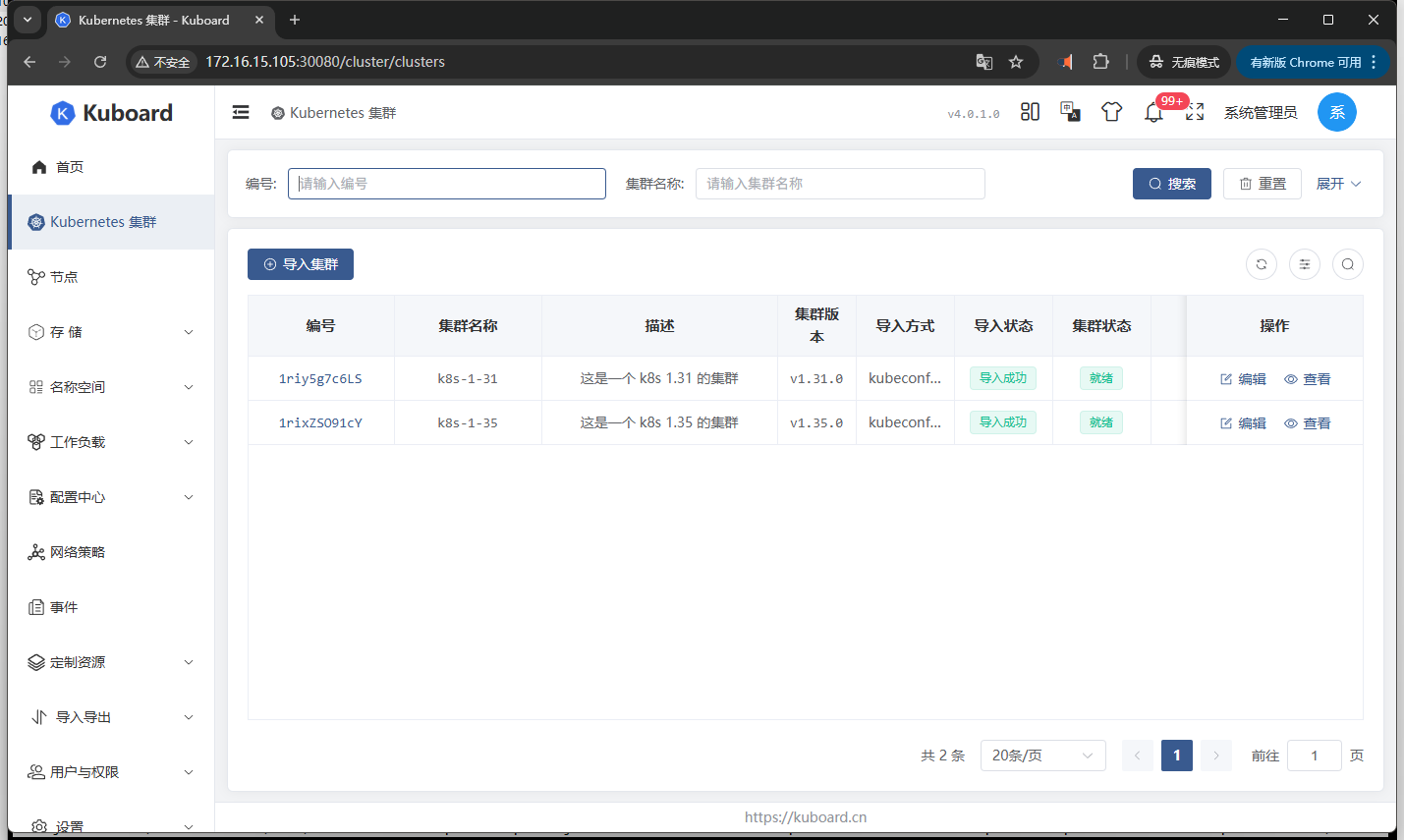
目前 Kuboard v4 官方尚未提供基于 K8s 的部署方案,经过本地测试,已成功实现在已有 K8s 集群中完成部署,现将部署过程分享如下,供大家参考。
- 操作系统:Ubuntu 24.04.2 LTS
- Kubernetes:1.35.0
1、数据库准备
- Kuboard v4 需要使用数据库作为存储,此处使用 mariadb:10.8.2
1.1、创建命名空间(Namespace)
- 将 Kuboard 部署在独立的 kuboard-v4 命名空间
bash
# namespace - 此处使用 kuboard-v4,可根据实际情况修改
apiVersion: v1
kind: Namespace
metadata:
  name: kuboard-v4
  labels:
    name: kuboard-v4
1.2、配置存储卷(PV/PVC)
bash
# PV - 此处使用 hostpath,可根据实际修改
apiVersion: v1
kind: PersistentVolume
metadata:
  name: pv-kuboard-mariadb
  labels:
    type: local
    app: mariadb
spec:
  capacity:
    storage: 3Gi
  volumeMode: Filesystem
  accessModes:
    - ReadWriteOnce
  persistentVolumeReclaimPolicy: Retain
  hostPath:
    path: /chen/kuboard/kuboard-db
    type: DirectoryOrCreate

# PVC
apiVersion: v1
kind: PersistentVolumeClaim
metadata:
  name: pvc-kuboard-mariadb
  namespace: kuboard-v4
spec:
  accessModes:
    - ReadWriteOnce
  resources:
    requests:
      storage: 2Gi
  selector:
    matchLabels:
      type: local
      app: mariadb
1.3、创建数据库账密(Secret)
bash
# 可根据实际情况修改数据库用户/密码信息
# echo -n 'YourRootPassword123!' | base64
apiVersion: v1
kind: Secret
metadata:
  name: mariadb-secret
  namespace: kuboard-v4
type: Opaque
data:
  mariadb.root.password: cm9vdDEyMw==
  kuboard.database: a3Vib2FyZA==
  mariadb.username: a3Vib2FyZA==
  mariadb.password: a3Vib2FyZDEyMw==
1.4、数据库初始化配置(ConfigMap)
bash
# 数据库初始化信息,${} 内容将根据环境变量进行替换
apiVersion: v1
kind: ConfigMap
metadata:
  name: mariadb-init-sql
  namespace: kuboard-v4
data:
  init.sql: |
    -- 创建数据库
    CREATE DATABASE IF NOT EXISTS ${MARIADB_DATABASE} DEFAULT CHARACTER SET = 'utf8mb4' DEFAULT COLLATE = 'utf8mb4_unicode_ci';

    -- 创建用户并授权
    CREATE USER IF NOT EXISTS '${MARIADB_USER}'@'%' IDENTIFIED BY '${MARIADB_PASSWORD}';
    GRANT ALL PRIVILEGES ON ${MARIADB_DATABASE}.* TO '${MARIADB_USER}'@'%';
    -- 刷新权限
    FLUSH PRIVILEGES;
1.5、部署数据库(Deployment)
bash
# Deployment - 初始化容器进行数据库初始化配置
apiVersion: apps/v1
kind: Deployment
metadata:
  annotations:
    description: kuboard_mariadb_server_description
  labels:
    app: kuboard-mariadb
  name: kuboard-mariadb
  namespace: kuboard-v4
spec:
  replicas: 1
  selector:
    matchLabels:
      app: kuboard-mariadb
  template:
    metadata:
      labels:
        app: kuboard-mariadb
    spec:
      initContainers:
        - args:
            - |
              if [ -n "$(ls -A /init_data 2>/dev/null)" ]; then
                echo "MariaDB already initialized, skipping..."
                exit 0
              fi
              echo "Starting MariaDB initialization..."
              cp /scripts/init.sql /docker-entrypoint-initdb.d/00-init.sql
              sed -i -e "s/\${MARIADB_DATABASE}/$MARIADB_DATABASE/g" -e "s/\${MARIADB_USER}/$MARIADB_USER/g" -e "s/\${MARIADB_PASSWORD}/$MARIADB_PASSWORD/g" /docker-entrypoint-initdb.d/00-init.sql
              /usr/local/bin/docker-entrypoint.sh mysqld &
              until mariadb -u root -p$MARIADB_ROOT_PASSWORD -e 'SELECT 1'; do
                sleep 2;
                echo "Waiting for MariaDB initialization...";
              done;
              cp -r /var/lib/mysql/* /init_data/
          command:
            - /bin/sh
            - '-c'
          env:
            - name: MARIADB_DATABASE
              valueFrom:
                secretKeyRef:
                  key: kuboard.database
                  name: mariadb-secret
            - name: MARIADB_PASSWORD
              valueFrom:
                secretKeyRef:
                  key: mariadb.password
                  name: mariadb-secret
            - name: MARIADB_ROOT_PASSWORD
              valueFrom:
                secretKeyRef:
                  key: mariadb.root.password
                  name: mariadb-secret
            - name: MARIADB_USER
              valueFrom:
                secretKeyRef:
                  key: mariadb.username
                  name: mariadb-secret
          image: docker.io/mariadb:10.8.2
          imagePullPolicy: IfNotPresent
          name: mariadb-init
          volumeMounts:
            - mountPath: /init_data
              name: mariadb-volume
            - mountPath: /scripts
              name: init-scripts
              readOnly: true
            - mountPath: /etc/localtime
              name: timezone
            - mountPath: /etc/timezone
              name: timezone
      containers:
        - env:
            - name: MARIADB_DATABASE
              valueFrom:
                secretKeyRef:
                  key: kuboard.database
                  name: mariadb-secret
            - name: MARIADB_PASSWORD
              valueFrom:
                secretKeyRef:
                  key: mariadb.password
                  name: mariadb-secret
            - name: MARIADB_ROOT_PASSWORD
              valueFrom:
                secretKeyRef:
                  key: mariadb.root.password
                  name: mariadb-secret
            - name: MARIADB_USER
              valueFrom:
                secretKeyRef:
                  key: mariadb.username
                  name: mariadb-secret
          image: docker.io/mariadb:10.8.2
          imagePullPolicy: IfNotPresent
          livenessProbe:
            exec:
              command:
                - /bin/sh
                - '-c'
                - mariadb -u root -p$MARIADB_ROOT_PASSWORD -e 'SELECT 1'
            failureThreshold: 5
            initialDelaySeconds: 15
            periodSeconds: 30
            successThreshold: 1
            timeoutSeconds: 20
          name: kuboard-mariadb
          ports:
            - containerPort: 3306
              protocol: TCP
          readinessProbe:
            exec:
              command:
                - /bin/sh
                - '-c'
                - mariadb -u root -p$MARIADB_ROOT_PASSWORD -e 'SELECT 1'
            failureThreshold: 5
            initialDelaySeconds: 15
            periodSeconds: 30
            successThreshold: 1
            timeoutSeconds: 20
          resources:
            limits:
              cpu: '1'
              memory: 1Gi
            requests:
              cpu: 500m
              memory: 512Mi
          volumeMounts:
            - mountPath: /var/lib/mysql
              name: mariadb-volume
            - mountPath: /etc/localtime
              name: timezone
            - mountPath: /etc/timezone
              name: timezone
      restartPolicy: Always
      schedulerName: default-scheduler
      volumes:
        - name: mariadb-volume
          persistentVolumeClaim:
            claimName: pvc-kuboard-mariadb
        - name: timezone
          hostPath:
            path: /etc/localtime
            type: ''
        - name: init-scripts
          configMap:
            name: mariadb-init-sql
            defaultMode: 0755
1.6、暴露数据库服务(Service)
bash
# SVC - 暴露 3306 端口,集群中使用 kuboard-mariadb-svc.kuboard-v4.svc.cluster.local 域名连接
apiVersion: v1
kind: Service
metadata:
  labels:
    app: kuboard-mariadb
  name: kuboard-mariadb-svc
  namespace: kuboard-v4
spec:
  ports:
    - port: 3306
      protocol: TCP
      targetPort: 3306
  selector:
    app: kuboard-mariadb
  type: ClusterIP
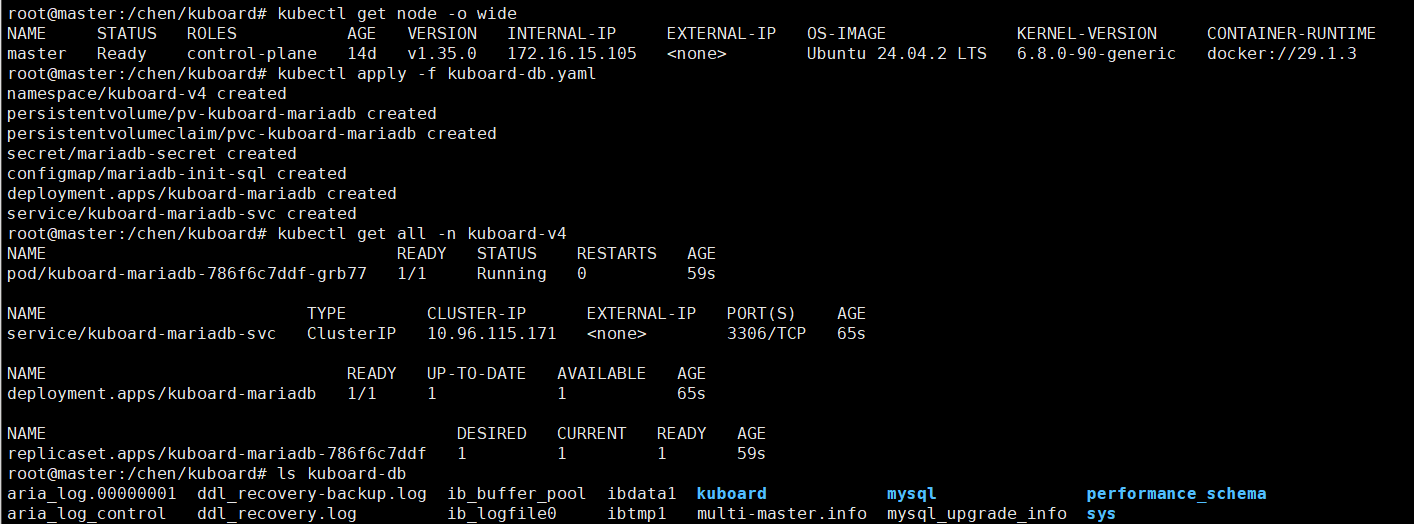
1.7、应用 YAML
2、部署 Kuboard
2.1、配置存储卷(PV/PVC)
bash
# PV - 此处使用 hostpath,根据实际情况进行修改
apiVersion: v1
kind: PersistentVolume
metadata:
  name: pv-kuboard
  labels:
    type: local
    app: kuboard
spec:
  capacity:
    storage: 3Gi
  volumeMode: Filesystem
  accessModes:
    - ReadWriteOnce
  persistentVolumeReclaimPolicy: Retain
  hostPath:
    path: /chen/kuboard/kuboard
    type: DirectoryOrCreate

# PVC
apiVersion: v1
kind: PersistentVolumeClaim
metadata:
  name: pvc-kuboard
  namespace: kuboard-v4
spec:
  accessModes:
    - ReadWriteOnce
  resources:
    requests:
      storage: 2Gi
  selector:
    matchLabels:
      type: local
      app: kuboard
2.2、部署 Kuboard(Deployment)
bash
# Deployment - 初始化容器等待数据库可正常连接
#  Kuboard 也可以使用镜像:eipwork/kuboard:v4
apiVersion: apps/v1
kind: Deployment
metadata:
  name: kuboard
  namespace: kuboard-v4
  labels:
    app: kuboard
spec:
  replicas: 1
  selector:
    matchLabels:
      app: kuboard
  template:
    metadata:
      labels:
        app: kuboard
    spec:
      initContainers:
        - args:
            - |
              until mariadb -u root -p$MARIADB_ROOT_PASSWORD -h kuboard-mariadb-svc.kuboard-v4.svc.cluster.local -e 'SELECT 1'; do
                sleep 2;
                echo "Waiting for MariaDB ...";
              done;
          command:
            - /bin/sh
            - '-c'
          env:
            - name: MARIADB_ROOT_PASSWORD
              valueFrom:
                secretKeyRef:
                  key: mariadb.root.password
                  name: mariadb-secret
          image: docker.io/mariadb:10.8.2
          imagePullPolicy: IfNotPresent
          name: wait-for-mariadb
      containers:
      - name: kuboard
        image: swr.cn-east-2.myhuaweicloud.com/kuboard/kuboard:v4
        ports:
        - containerPort: 80
          protocol: TCP
        env:
        - name: TZ
          value: "Asia/Shanghai"
        - name: DB_DRIVER
          value: "org.mariadb.jdbc.Driver"
        - name: DB_URL
          value: "jdbc:mariadb://kuboard-mariadb-svc.kuboard-v4.svc.cluster.local:3306/kuboard?&timezone=Asia/Shanghai"
        - name: DB_USERNAME
          valueFrom:
            secretKeyRef:
              key: mariadb.username
              name: mariadb-secret
        - name: DB_PASSWORD
          valueFrom:
            secretKeyRef:
              key: mariadb.password
              name: mariadb-secret
        volumeMounts:
        - name: kuboard-log
          mountPath: /app/logs
        - mountPath: /etc/localtime
          name: timezone
        - mountPath: /etc/timezone
          name: timezone
        resources:
          requests:
            memory: "512Mi"
            cpu: "500m"
          limits:
            memory: "1Gi"
            cpu: "1"
        readinessProbe:
          httpGet:
            path: /
            port: 80
          initialDelaySeconds: 30
          periodSeconds: 10
        livenessProbe:
          httpGet:
            path: /
            port: 80
          initialDelaySeconds: 60
          periodSeconds: 20
      volumes:
      - name: kuboard-log
        persistentVolumeClaim:
          claimName: pvc-kuboard
      - name: timezone
        hostPath:
          path: /etc/localtime
          type: ''
      restartPolicy: Always
2.3、暴露 Kuboard 服务(Service)
bash
# SVC - 使用 NodePort,此处指定使用 30080 端口,可根据实际情况修改
apiVersion: v1
kind: Service
metadata:
  name: kuboard-service
  namespace: kuboard-v4
spec:
  type: NodePort
  selector:
    app: kuboard
  ports:
  - port: 80
    targetPort: 80
    nodePort: 30080
    protocol: TCP
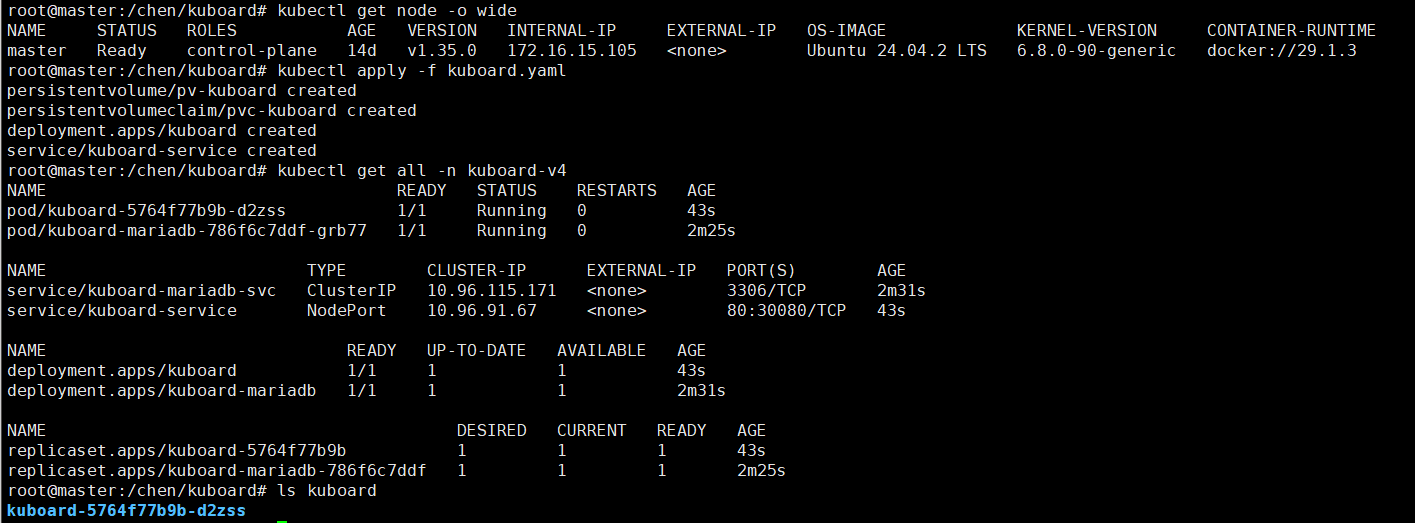
2.4、应用 YAML
3、使用 Kuboard
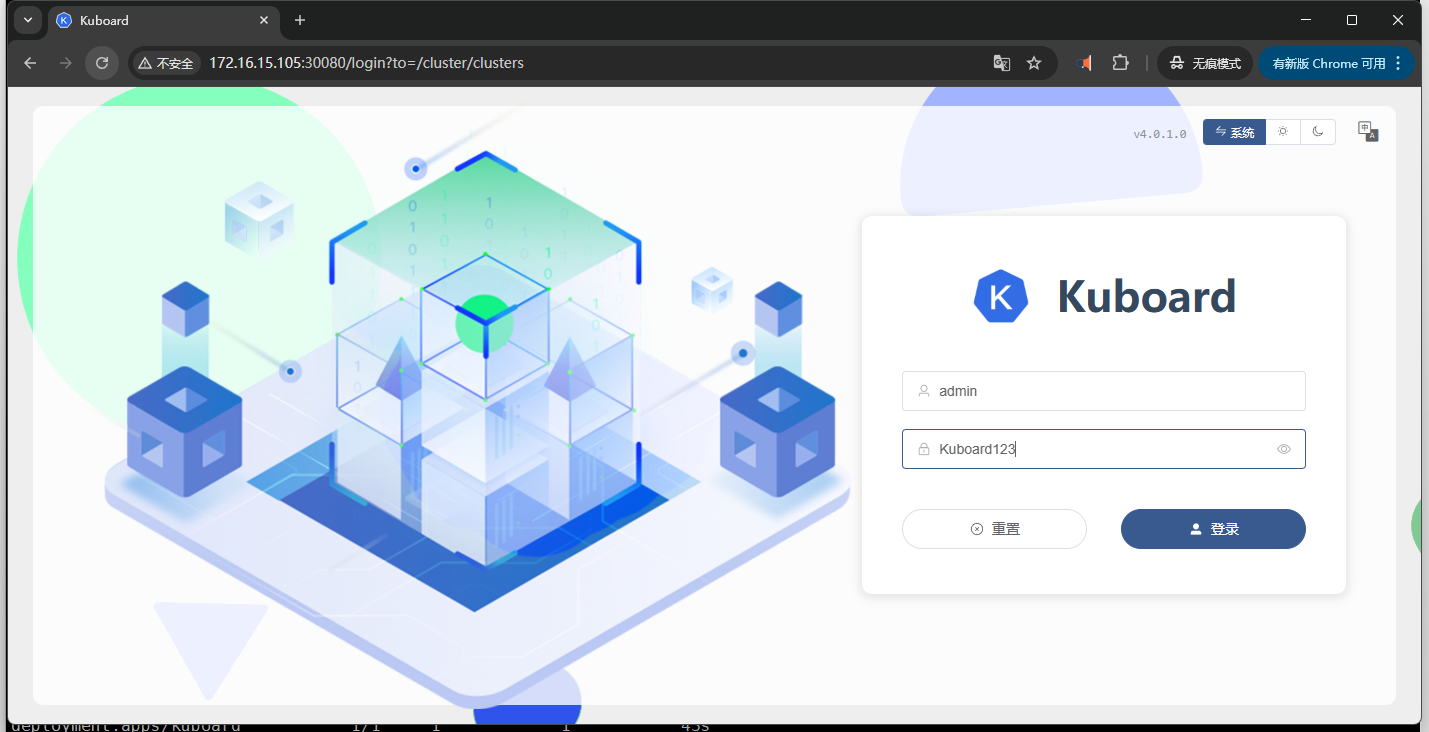
3.1、登录页面
- 使用 http://x.x.x.x:30080/login 打开 Kuboard 登录界面
- 登录 Kuboard 界面,默认账密:admin/Kuboard123
3.2、导入集群
- 页面 http://x.x.x.x:30080/cluster/clusters,根据提示配置集群信息即可导入
- 此处配置集群 /etc/kubernetes/admin.conf 文件进行导入
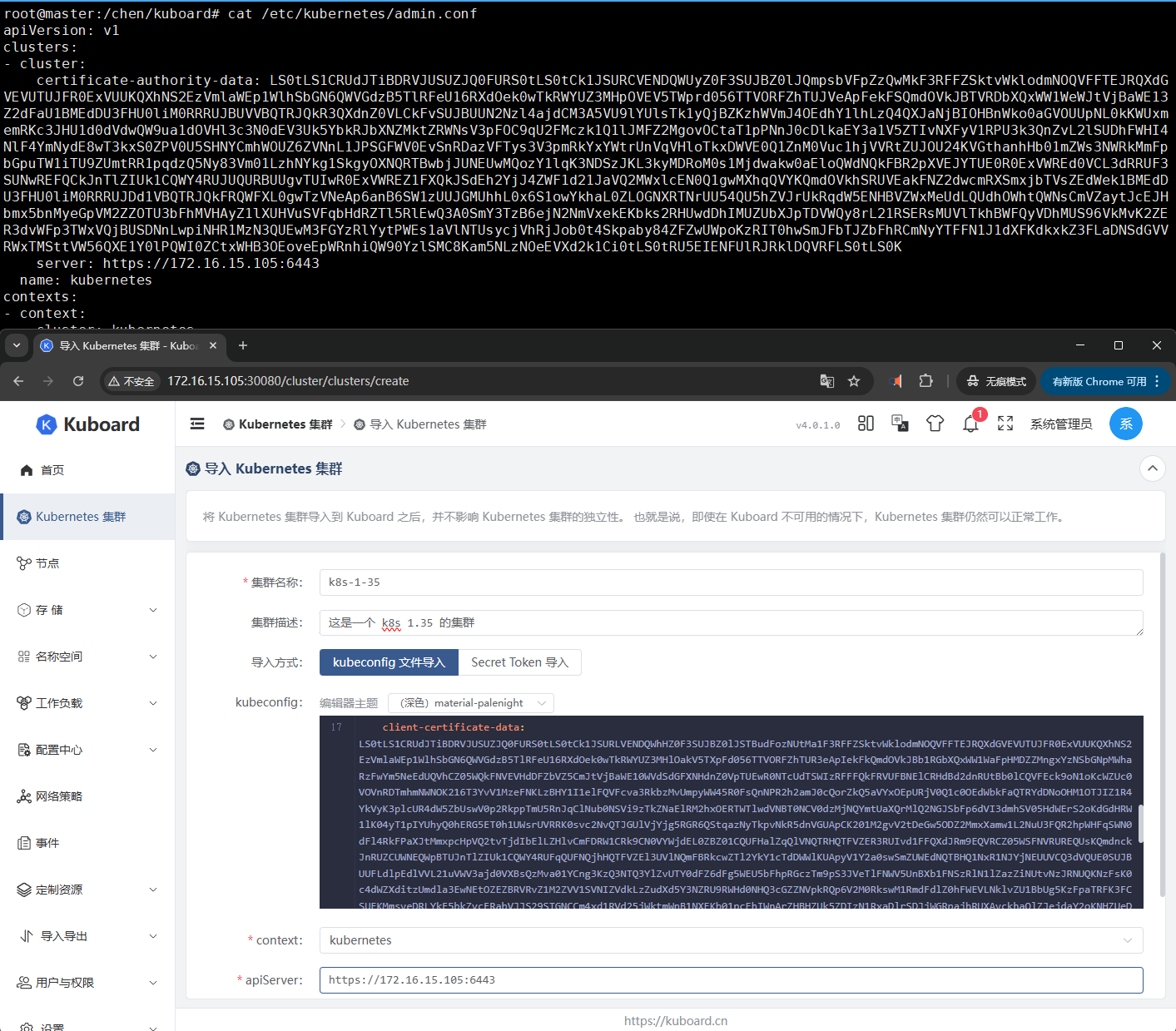
- 可按照配置导入多个 k8s 集群