一个8块多
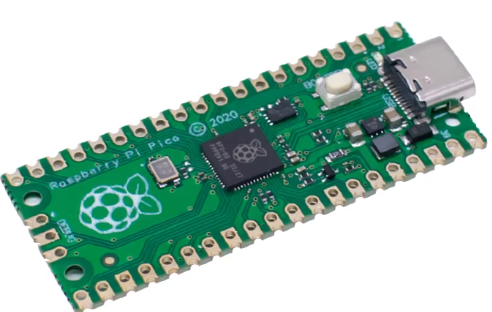
安装板子的python环境
microPython
https://www.raspberrypi.com/documentation/microcontrollers/micropython.html
选pico 2 .(pico 2 W应该是wifi版)
第一次插入电脑的时候是bootloader mode,电脑上多出一个盘RPI-PR2,
把uf2文件拖进去,他会自动重启,算是安装好了microPython
通常来说按住BOOTSEL按钮然后插入电脑识别之后再松开是进入bootloader mode
开始想用platformio开发的,但新建项目的时候发现Frameworks只有Arduino,没microPython, 文档里也没,就算了
https://docs.platformio.org/en/latest/boards/raspberrypi/pico.html
安装开发工具
Thonny
安装的时候就有地方选rasberry pi, 安装好后,插入板子到电脑, 右下角会自动检测到在哪个串口,勾选下就好了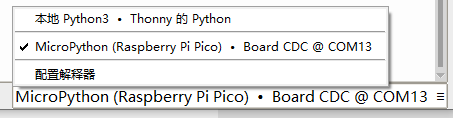
闪LED的代码
python
from machine import Pin, Timer
led = Pin(25, Pin.OUT) # 板载LED
timer = Timer()
def blink(timer):
   led.toggle()
timer.init(freq=2.0, mode=Timer.PERIODIC, callback=blink)
另外发现PlatformIO是乌克兰的,Thonny的支持也是乌克兰.


正义必胜