SSE介绍
SSE 通常指的是 Server-Sent Events(服务器推送事件) ,是一种服务器 → 浏览器 的实时通信技术,基于 HTTP,是单向的文本流推送,不支持推送二进制
通俗理解: 浏览器发起一次 HTTP 请求,服务器可以持续不断地往浏览器推送数据
对比WebSocket
| 对比项 | SSE | WebSocket |
|---|---|---|
| 通信方向 | 单向 | 双向 |
| 协议 | HTTP | WS / WSS |
| 浏览器支持 | 原生 | 原生 |
| 自动重连 | 自动支持 | (需自己实现) |
| 适合场景 | 消息通知、进度条 | 聊天、游戏 |
SSE适合的场景
导入 / 导出进度通知
AI / 大模型流式返回
长任务进度推送
实时日志推送
状态变更通知
SSE不适用的场景
需要客户端频繁发消息(如聊天)
需要二进制数据
需要强实时双向交互
SSE实现
统一推送模型
java
package com.example.ssedemo.model;

import java.io.Serializable;
import java.time.LocalDateTime;

/**
 * SSE 推送消息统一模型
 */
public class SseMessage implements Serializable {

    private static final long serialVersionUID = 1L;

    /**
     * 消息类型
     * connect / ping / progress / success / error / notice
     */
    private String type;

    /**
     * 消息内容
     */
    private String content;

    /**
     * 扩展数据(进度、结果等)
     */
    private Object data;

    /**
     * 发送时间
     */
    private LocalDateTime time;

    public SseMessage() {
    }

    public SseMessage(String type, String content) {
        this.type = type;
        this.content = content;
        this.time = LocalDateTime.now();
    }

    public SseMessage(String type, String content, Object data) {
        this.type = type;
        this.content = content;
        this.data = data;
        this.time = LocalDateTime.now();
    }

    // ===== getter / setter =====

    public String getType() {
        return type;
    }

    public void setType(String type) {
        this.type = type;
    }

    public String getContent() {
        return content;
    }

    public void setContent(String content) {
        this.content = content;
    }

    public Object getData() {
        return data;
    }

    public void setData(Object data) {
        this.data = data;
    }

    public LocalDateTime getTime() {
        return time;
    }

    public void setTime(LocalDateTime time) {
        this.time = time;
    }
}
控制器接口
java
package com.example.ssedemo.controller;

import com.example.ssedemo.model.SseMessage;
import com.example.ssedemo.service.SseClientManager;
import org.springframework.beans.factory.annotation.Autowired;
import org.springframework.http.MediaType;
import org.springframework.web.bind.annotation.*;
import org.springframework.web.servlet.mvc.method.annotation.SseEmitter;

@RestController
@RequestMapping("/sse")
public class SseController {

    @Autowired
    private SseClientManager sseClientManager;

    /**
     * 建立 SSE 连接
     */
    @GetMapping(value = "/connect", produces = MediaType.TEXT_EVENT_STREAM_VALUE)
    public SseEmitter connect(@RequestParam String clientId) {
        return sseClientManager.connect(clientId);
    }

    /**
     * 给指定客户端推送
     */
    @PostMapping("/send")
    public void send(@RequestParam String clientId,
                     @RequestParam String message) {

        SseMessage msg = new SseMessage(
                "notice",
                message
        );
        sseClientManager.send(clientId, msg);
    }

    /**
     * 广播
     */
    @PostMapping("/broadcast")
    public void broadcast(@RequestParam String message) {

        SseMessage msg = new SseMessage(
                "notice",
                message
        );
        sseClientManager.broadcast(msg);
    }

    /**
     * 在线人数
     */
    @GetMapping("/online")
    public int online() {
        return sseClientManager.onlineCount();
    }
}
核心Client管理
java
package com.example.ssedemo.service;

import com.example.ssedemo.model.SseMessage;
import org.springframework.stereotype.Service;
import org.springframework.web.servlet.mvc.method.annotation.SseEmitter;

import java.util.Map;
import java.util.concurrent.ConcurrentHashMap;

@Service
public class SseClientManager {

    /** 保存所有在线客户端 */
    private final Map<String, SseEmitter> clients = new ConcurrentHashMap<>();

    /**
     * 建立连接
     */
    public SseEmitter connect(String clientId) {
        // 不超时
        SseEmitter emitter = new SseEmitter(0L);

        clients.put(clientId, emitter);

        // 连接完成 / 超时 / 异常时清理
        emitter.onCompletion(() -> remove(clientId));
        emitter.onTimeout(() -> remove(clientId));
        emitter.onError(e -> remove(clientId));

        return emitter;
    }

    /**
     * 移除客户端
     */
    public void remove(String clientId) {
        clients.remove(clientId);
    }

    /**
     * 给指定客户端发送消息
     */
    public void send(String clientId, SseMessage message) {
        SseEmitter emitter = clients.get(clientId);
        if (emitter == null) {
            return;
        }
        try {
            emitter.send(SseEmitter.event()
                    .name(message.getType())
                    .data(message));
        } catch (Exception e) {
            remove(clientId);
        }
    }


    /**
     * 广播
     */
    public void broadcast(SseMessage message) {
        clients.forEach((clientId, emitter) -> {
            try {
                emitter.send(message);
            } catch (Exception e) {
                remove(clientId);
            }
        });
    }

    /**
     * 在线人数
     */
    public int onlineCount() {
        return clients.size();
    }
}
SSE测试
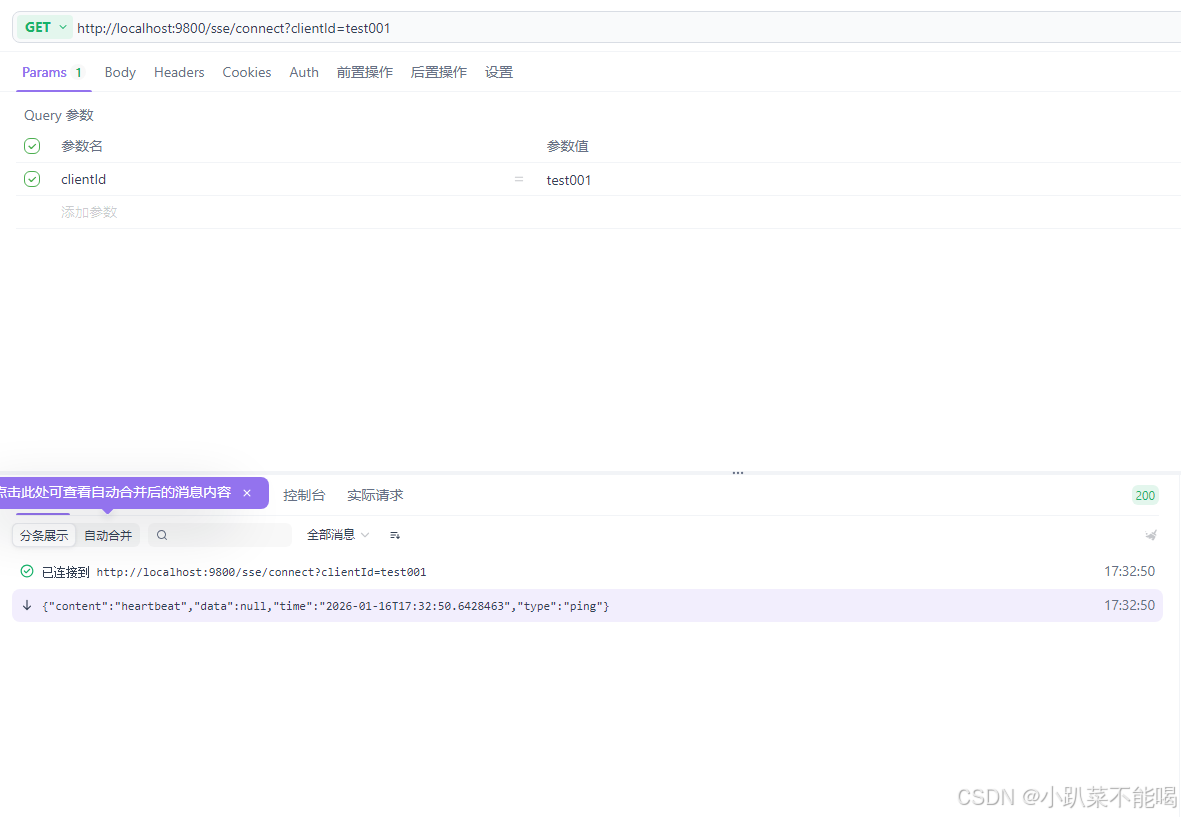
建立客户端连接
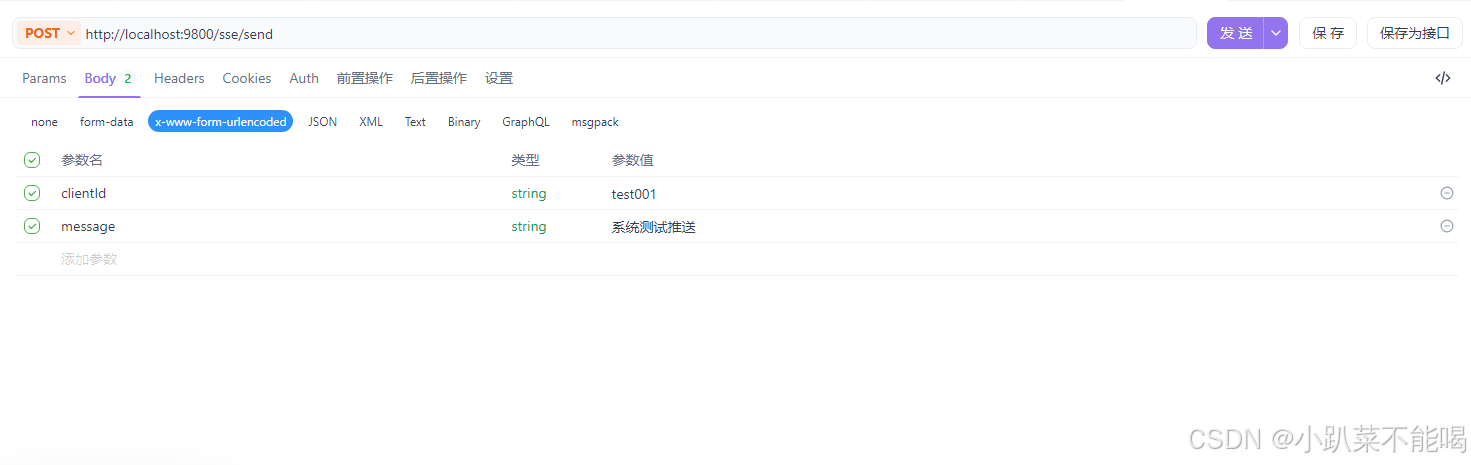
推送消息
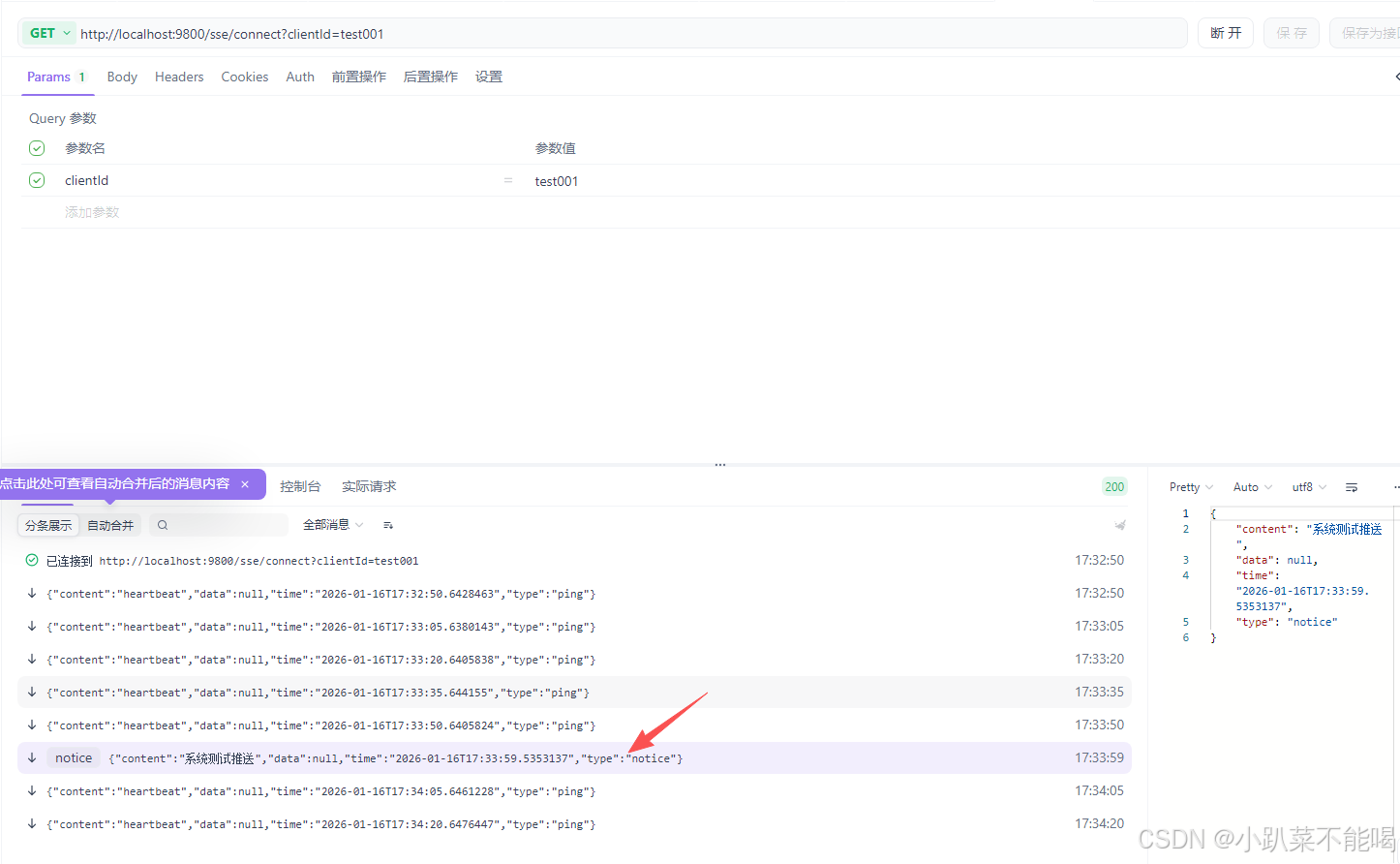
验证推送