一、添加图书功能
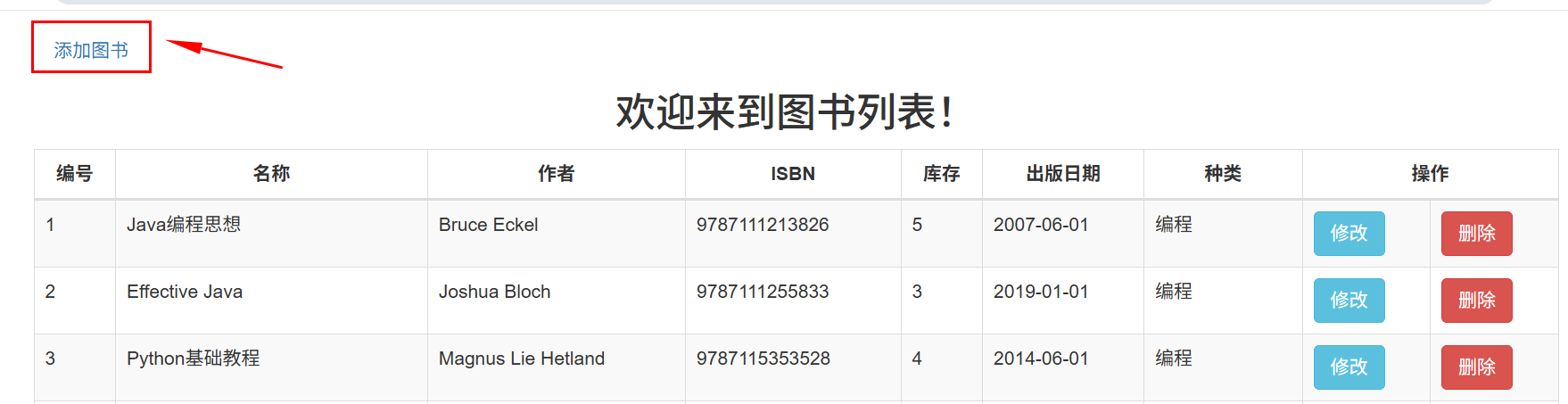
1、从列表页面跳转到图书页面
html
<p class="pp" ><a href="booksServlet?method=toAdd">添加图书</a></p>
java
    /**
     * 跳转到添加页面
     * @param req
     * @param resp
     * @throws ServletException
     * @throws IOException
     */
    public void toAdd(HttpServletRequest req, HttpServletResponse resp) throws ServletException, IOException {
     CustomTemplateEngine engine = CustomTemplateEngine.getInstance(req);
     // 转发到add.html页面
     engine.processTemplate("add", req, resp);

    }
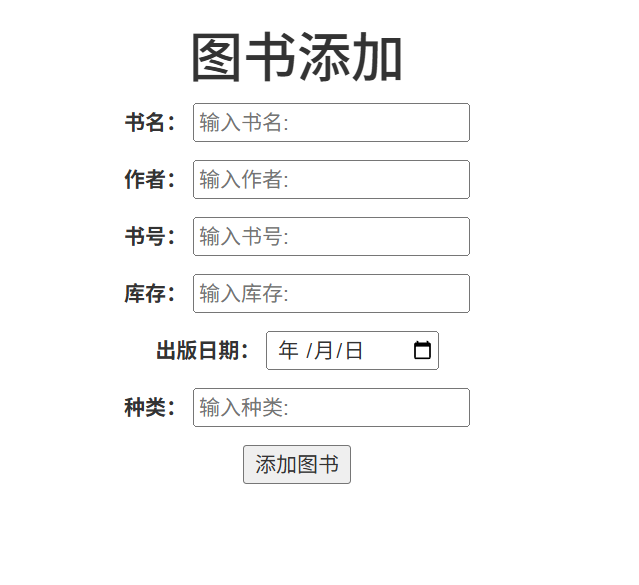
2、图书页面add.html
html
<!DOCTYPE html>
<html lang="en" xmlns:th="http://www.thymeleaf.org">
<head>
    <meta charset="UTF-8">
    <title>图书添加页面</title>
    <!-- 最新版本的 Bootstrap 核心 CSS 文件 -->
    <link rel="stylesheet" href="https://cdn.bootcdn.net/ajax/libs/twitter-bootstrap/3.4.1/css/bootstrap.min.css">

</head>
<body>
<h1 class="text-center">图书添加页面</h1>
<div class="container text-center">
<form action="booksServlet?method=save" method="post">
    <p>
        <label>书名:</label>
        <input type="text" name="title" placeholder="输入书名:">
    </p>
    <p>
        <label>作者:</label>
        <input type="text" name="author" placeholder="输入作者:">
    </p>
    <p>
        <label>书号:</label>
        <input type="text" name="isbn" placeholder="输入书号:">
    </p>
    <p>
        <label>库存:</label>
        <input type="number" name="stock" placeholder="输入库存:">
    </p>
    <p>
        <label>出版日期:</label>
        <input type="date" name="publishDate" placeholder="输入出版日期:">
    </p>
    <p>
        <label>种类:</label>
        <input type="text" name="category" placeholder="输入种类:">
    </p>
    <p>
        <button type="submit">添加图书</button>
    </p>
</form>
</div>
</body>
</html>
3、BooksServlet处理数据
java
 /**
     * 3、添加书籍信息
     * @param req
     * @param resp
     * @throws ServletException
     * @throws IOException
     */
    public void save(HttpServletRequest req, HttpServletResponse resp) throws ServletException, IOException {
        CustomTemplateEngine engine = CustomTemplateEngine.getInstance(req);
        try {
            System.out.println("执行save方法...");
            // 获取书籍信息
            String title = req.getParameter("title");
            String author = req.getParameter("author");
            String isbn = req.getParameter("isbn");
            int stock = Integer.parseInt(req.getParameter("stock"));
            String publishDate = req.getParameter("publishDate");
            String category = req.getParameter("category");

            //将字符串转换成java.util.Date
            java.sql.Date publishDate1 = java.sql.Date.valueOf(publishDate);

            // 封装书籍信息
            Books book = new Books(null,title, author, isbn, stock, publishDate1, category);

            // 删除书籍信息
            booksService.add(book);
            // 重定向到list.html页面
            resp.sendRedirect( req.getContextPath()+"/booksServlet?method=list");
        } catch (Exception e) {
            e.printStackTrace();
        }
    }
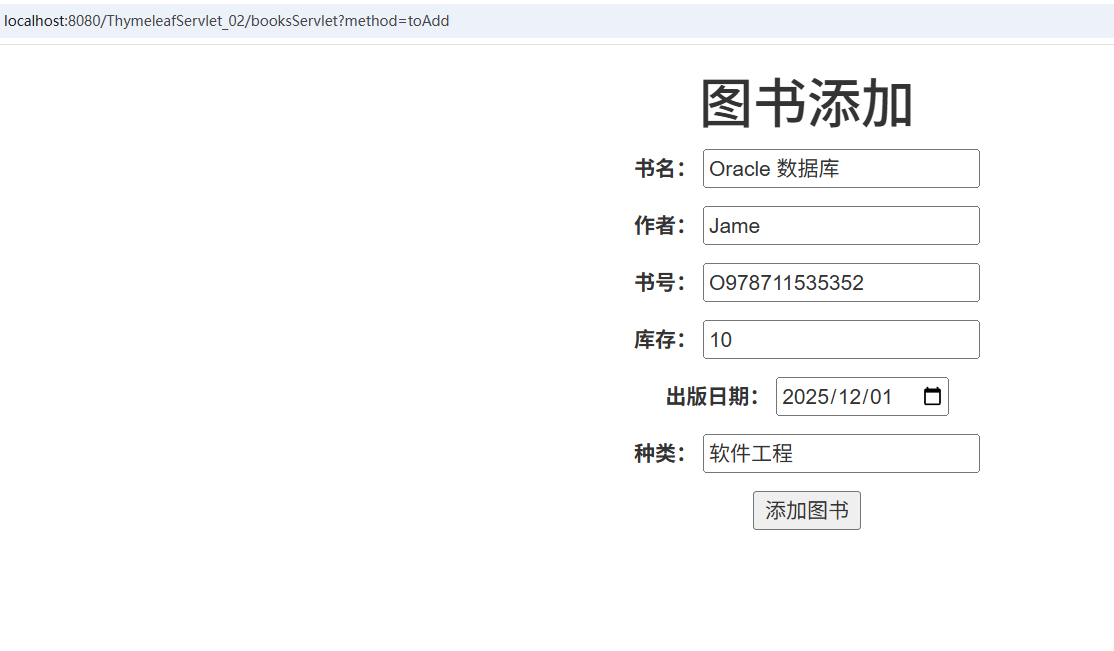
4、启动服务,运行如下

二、修改图书功能
1、从列表页面跳转到修改页面
java
    <td><a class="btn btn-info btn-small" th:href="@{/booksServlet(method='toUpdate',id=${book.id})}">修改</a>
            </td>
2、修改页面update.html
html
<!DOCTYPE html>
<html lang="en" xmlns:th="http://www.thymeleaf.org">
<head>
    <meta charset="UTF-8">
    <title>图书添加页面</title>
    <!-- 最新版本的 Bootstrap 核心 CSS 文件 -->
    <link rel="stylesheet" href="https://cdn.bootcdn.net/ajax/libs/twitter-bootstrap/3.4.1/css/bootstrap.min.css">

</head>
<body>
<h1 class="text-center">图书修改</h1>
<div class="container text-center">
<form action="booksServlet?method=update" method="post">
    <p>
        <input type="hidden" name="id" th:value="${book.id}">
        <label>书名:</label>
        <input type="text" name="title" placeholder="输入书名:" th:value="${book.title}">
    </p>
    <p>
        <label>作者:</label>
        <input type="text" name="author"  th:value="${book.author}">
    </p>
    <p>
        <label>书号:</label>
        <input type="text" name="isbn"  th:value="${book.isbn}">
    </p>
    <p>
        <label>库存:</label>
        <input type="number" name="stock"  th:value="${book.stock}">
    </p>
    <p>
        <label>出版日期:</label>
        <input type="date" name="publishDate"  th:value="${book.publishDate}">
    </p>
    <p>
        <label>种类:</label>
        <input type="text" name="category" th:value="${book.category}">
    </p>
    <p>
        <button class="btn btn-success" type="submit">更新图书</button>
    </p>
</form>
</div>
</body>
</html>3、BooksServlet处理数据
java
/**
     * 跳转到更新页面
     * @param req
     * @param resp
     * @throws ServletException
     * @throws IOException
     */
    public void toUpdate(HttpServletRequest req, HttpServletResponse resp) throws ServletException, IOException {
        CustomTemplateEngine engine = CustomTemplateEngine.getInstance(req);
        try {
           int id = Integer.parseInt(req.getParameter("id"));
           // 根据id查询书籍信息
            Books book = booksService.findById(id);
            System.out.println("book=>>>" + book);
            req.setAttribute("book", book);
        } catch (Exception e) {
        e.printStackTrace();
    }

        // 转发到add.html页面
        engine.processTemplate("update", req, resp);

    }

    /**
     * 4、更新书籍信息
     * @param req
     * @param resp
     * @throws ServletException
     * @throws IOException
     */
    public void update(HttpServletRequest req, HttpServletResponse resp) throws ServletException, IOException {
        CustomTemplateEngine engine = CustomTemplateEngine.getInstance(req);
        try {
            System.out.println("执行update方法...");
            int id = Integer.parseInt(req.getParameter("id"));
            // 获取书籍信息
            String title = req.getParameter("title");
            String author = req.getParameter("author");
            String isbn = req.getParameter("isbn");
            int stock = Integer.parseInt(req.getParameter("stock"));
            String publishDate = req.getParameter("publishDate");
            String category = req.getParameter("category");

            //将字符串转换成java.util.Date
            java.sql.Date publishDate1 = java.sql.Date.valueOf(publishDate);

            // 封装书籍信息
            Books book = new Books(id,title, author, isbn, stock, publishDate1, category);

            // 删除书籍信息
            booksService.edit(book);
            // 重定向到list.html页面
            resp.sendRedirect( req.getContextPath()+"/booksServlet?method=list");
        } catch (Exception e) {
            e.printStackTrace();
        }
    }
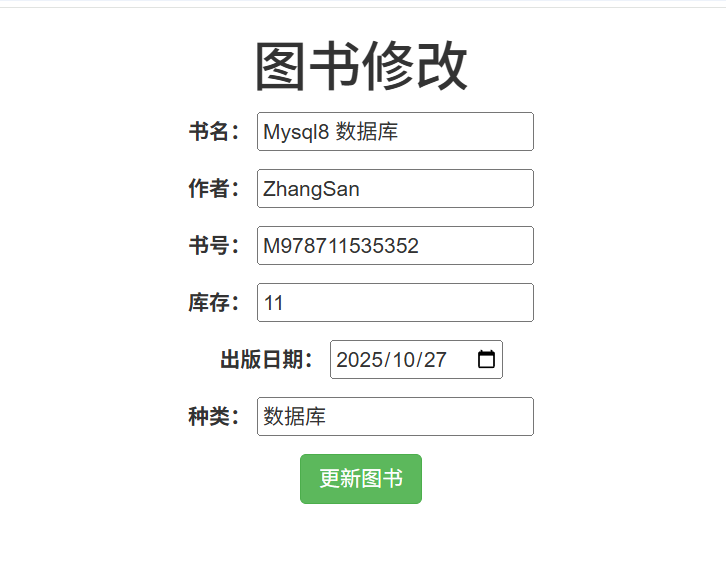
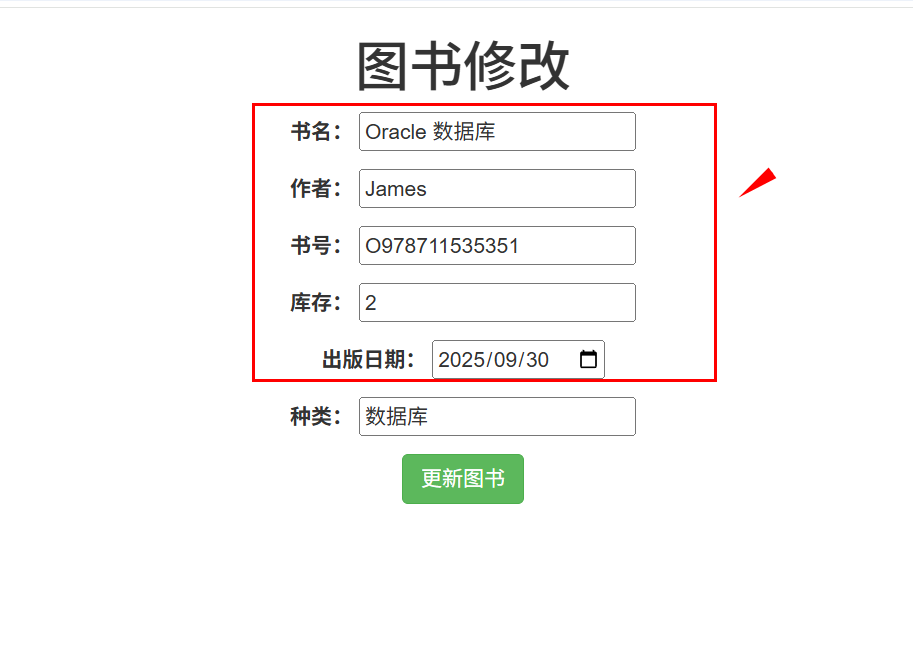
4、启动服务,运行如下

展示修改数据
部分修改数据
 修改后:
修改后:
