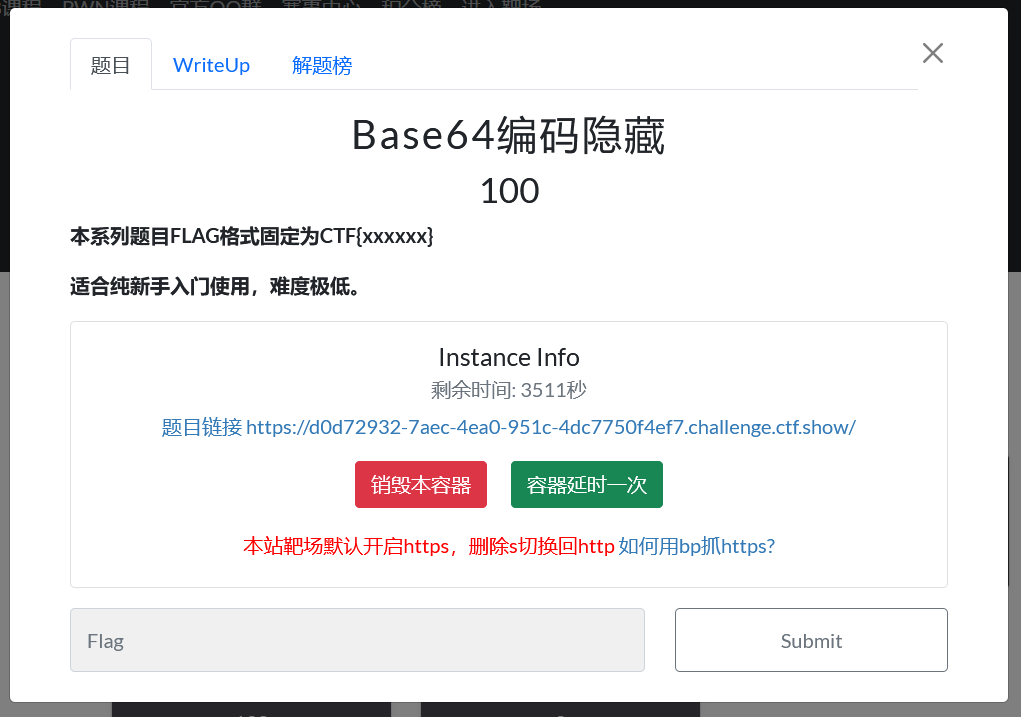
<!DOCTYPE html>
<html lang="en">
<head>
    <meta charset="UTF-8">
    <meta name="viewport" content="width=device-width, initial-scale=1.0">
    <title>Admin Login</title>
    <style>
        body {
            font-family: 'Arial', sans-serif;
            background: linear-gradient(135deg, #1e3c72, #2a5298);
            height: 100vh;
            display: flex;
            justify-content: center;
            align-items: center;
            margin: 0;
            color: white;
        }
        .login-container {
            background: rgba(255, 255, 255, 0.1);
            backdrop-filter: blur(10px);
            border-radius: 10px;
            padding: 2rem;
            width: 300px;
            box-shadow: 0 15px 30px rgba(0, 0, 0, 0.2);
            text-align: center;
        }
        .login-container h2 {
            margin-bottom: 1.5rem;
        }
        .form-group {
            margin-bottom: 1rem;
            text-align: left;
        }
        .form-group label {
            display: block;
            margin-bottom: 0.5rem;
        }
        .form-group input {
            width: 100%;
            padding: 0.8rem;
            border: none;
            border-radius: 5px;
            background: rgba(255, 255, 255, 0.2);
            color: white;
        }
        .form-group input:focus {
            outline: none;
            background: rgba(255, 255, 255, 0.3);
        }
        button {
            width: 100%;
            padding: 0.8rem;
            border: none;
            border-radius: 5px;
            background: #4CAF50;
            color: white;
            font-weight: bold;
            cursor: pointer;
            transition: background 0.3s;
        }
        button:hover {
            background: #45a049;
        }
        .message {
            margin-top: 1rem;
            padding: 0.8rem;
            border-radius: 5px;
            display: none;
        }
        .success {
            background: rgba(76, 175, 80, 0.3);
            display: block;
        }
        .error {
            background: rgba(244, 67, 54, 0.3);
            display: block;
        }
    </style>
</head>
<body>
    <div class="login-container">
        <h2>CTFshow Admin Login</h2>
        <form id="loginForm">
            <div class="form-group">
                <label for="username">Username</label>
                <input type="text" id="username" value="admin" readonly>
            </div>
            <div class="form-group">
                <label for="password">Password</label>
                <input type="password" id="password" placeholder="Enter password" required>
            </div>
            <button type="submit">Login</button>
            <div id="message" class="message"></div>
        </form>
    </div>

    <script>
        document.getElementById('loginForm').addEventListener('submit', function(e) {
            e.preventDefault();

            const correctPassword = "Q1RGe2Vhc3lfYmFzZTY0fQ==";
            const enteredPassword = document.getElementById('password').value;
            const messageElement = document.getElementById('message');

            if (btoa(enteredPassword) === correctPassword) {
                messageElement.textContent = "Login successful! Flag: "+enteredPassword;
                messageElement.className = "message success";
            } else {
                messageElement.textContent = "Login failed! Incorrect password.";
                messageElement.className = "message error";
            }
        });
    </script>
</body>
</html>
查看页面源代码
关键部分解析
1. HTML结构
-
标准的登录表单
-
用户名固定为"admin"(只读)
-
密码输入框需要用户输入
-
显示消息的区域用于反馈登录结果
2. CSS样式
-
使用渐变蓝色背景
-
玻璃态模糊效果(backdrop-filter)
-
响应式设计,居中显示
-
消息区域有成功(绿色)和错误(红色)两种样式
3. JavaScript逻辑(核心部分)
const correctPassword = "Q1RGe2Vhc3lfYmFzZTY0fQ==";
const enteredPassword = document.getElementById('password').value;

if (btoa(enteredPassword) === correctPassword) {
    messageElement.textContent = "Login successful! Flag: "+enteredPassword;
    // 成功逻辑
}
. CTF解题思路
关键线索:
-
代码中使用
btoa(enteredPassword)将用户输入的密码进行Base64编码 -
然后将编码结果与硬编码的
correctPassword进行比较 -
correctPassword的值为:"Q1RGe2Vhc3lfYmFzZTY0fQ=="
解题步骤:
-
将
Q1RGe2Vhc3lfYmFzZTY0fQ==进行Base64解码 -
解码得到:
CTF{easy_base64} -
所以正确密码是:
CTF{easy_base64}
验证逻辑:
-
用户输入
CTF{easy_base64} -
JavaScript执行
btoa("CTF{easy_base64}") -
得到
Q1RGe2Vhc3lfYmFzZTY0fQ== -
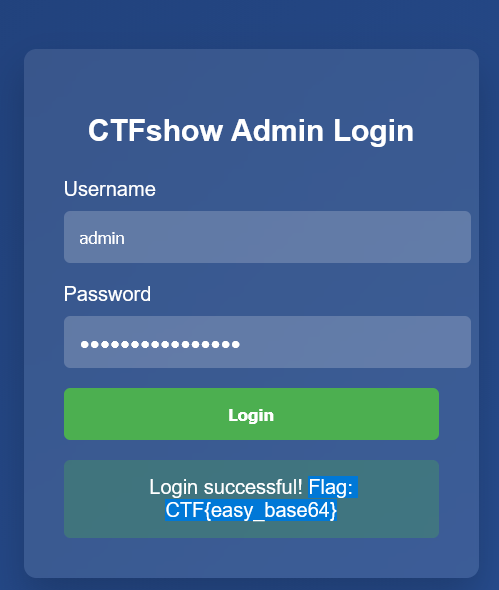
与预设值匹配,登录成功
-
显示flag:
CTF{easy_base64}
-
btoa():将二进制数据(实际上是一个字符串,其中每个字符都被视为二进制数据的字节)编码为Base64字符串。
函数名可以这样记忆:b to a (binary to ASCII)
-
atob():将Base64字符串解码为原始字符串。
函数名可以这样记忆:a to b (ASCII to binary)