一、基础环境
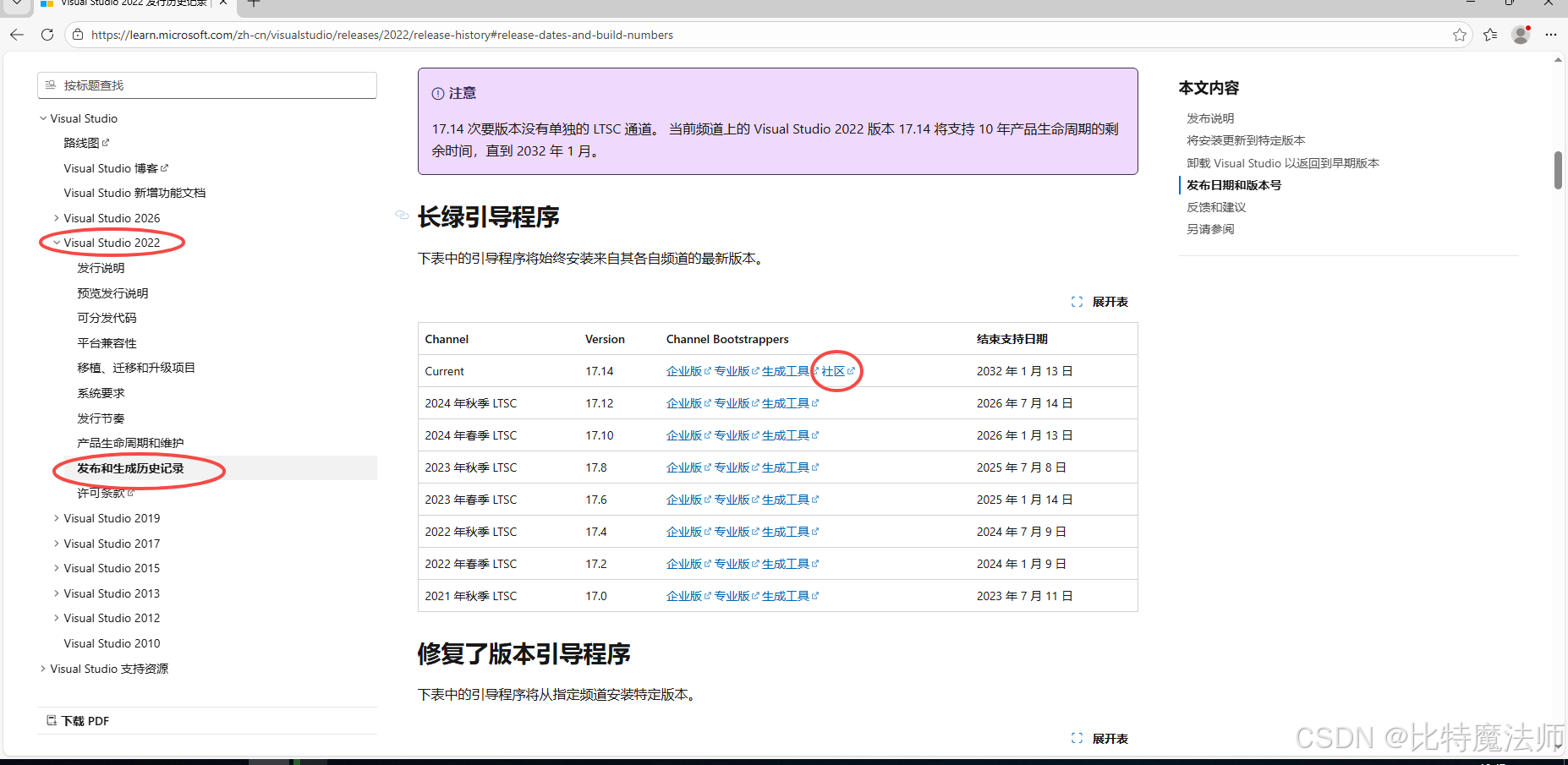
Visual Studio:提供 C++ 编译器 (MSVC) 和 IDE。安装 Visual Studio 2022 Community,在安装时必须勾选"使用 C++ 的桌面开发"工作负载。
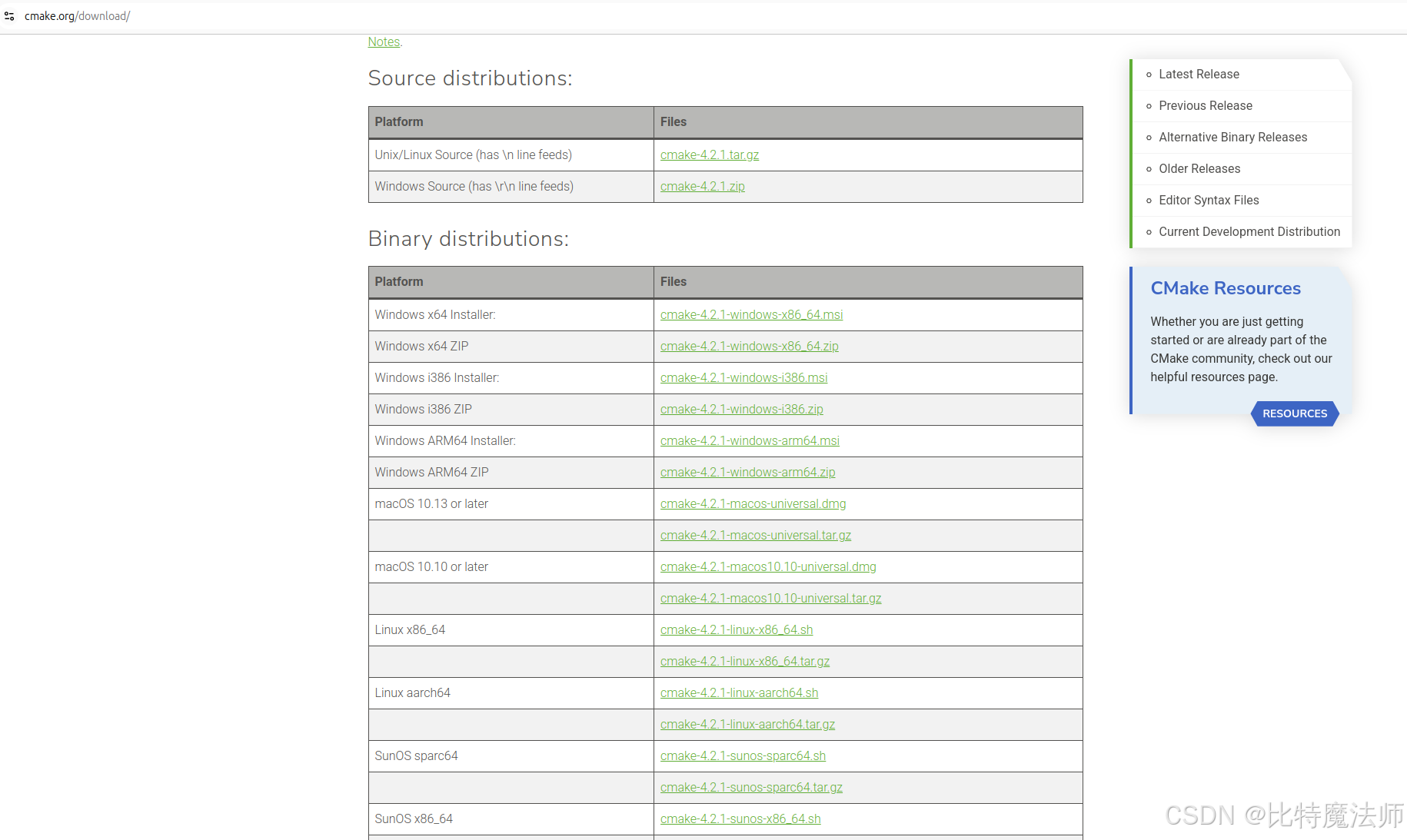
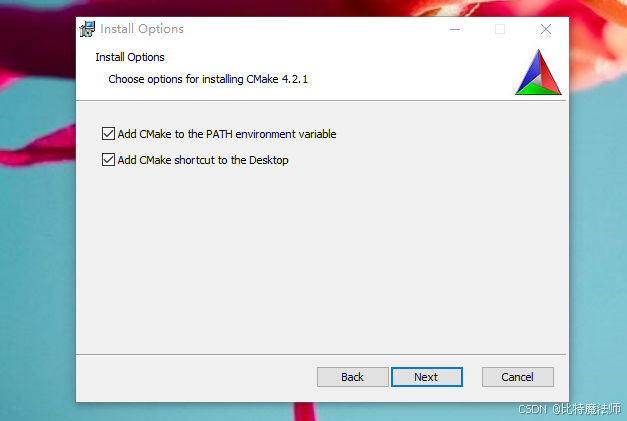
(可选)CMake:跨平台的构建系统生成器。从 cmake.org 下载并安装最新版 Windows 64位安装程序。安装时务必勾选"Add CMake to the system PATH"。
如果使用 VS2022 的 Cmake,则可以不用额外安装,但需要使用 VS2022 的命令行操作。
Git:用于克隆 vcpkg 和一些库源码,从 git-scm.com 下载并安装。
vcpkg:C++ 包管理器,用于自动安装依赖库。
在命令行中运行:
bash
git clone https://github.com/microsoft/vcpkg.git
# git clone https://gitcode.com/GitHub_Trending/vc/vcpkg.git
cd vcpkg
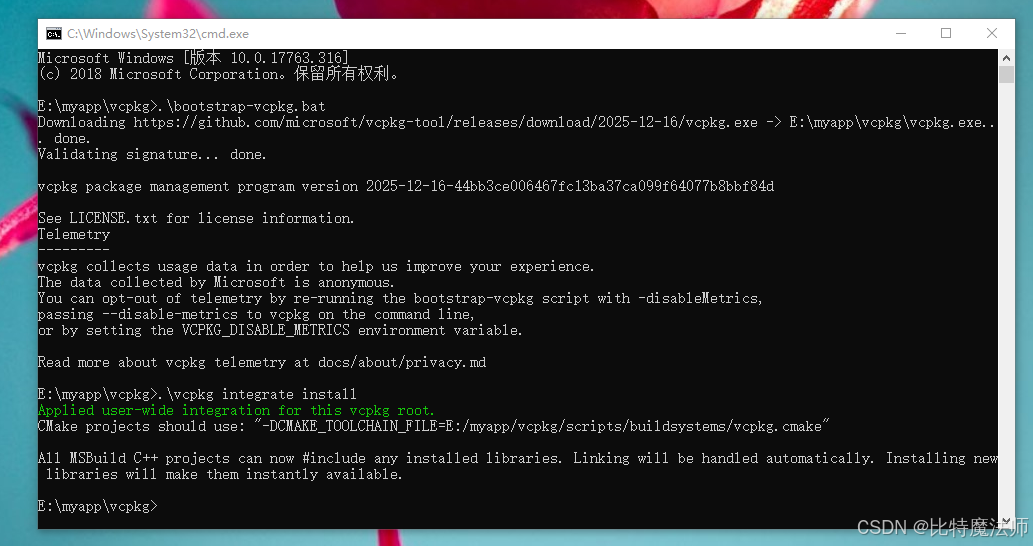
.\bootstrap-vcpkg.bat
然后执行 .\vcpkg integrate install 与系统集成。
克隆源码仓库:
bash
git clone https://anongit.freedesktop.org/git/poppler/poppler.git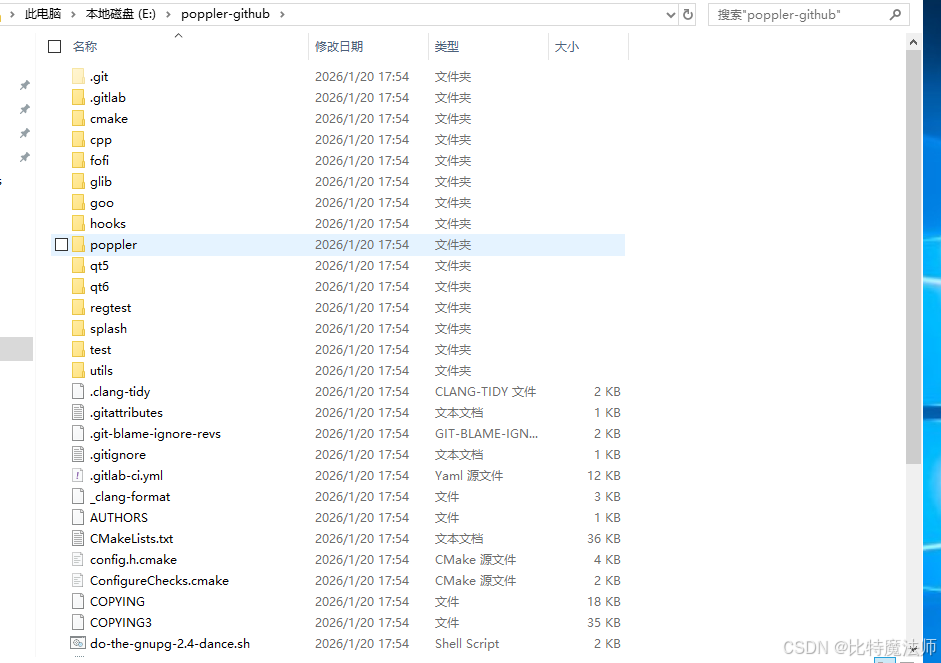
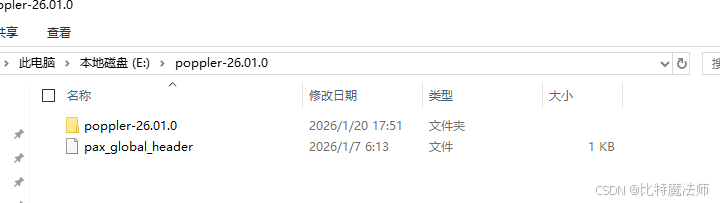
或者下载:
bash
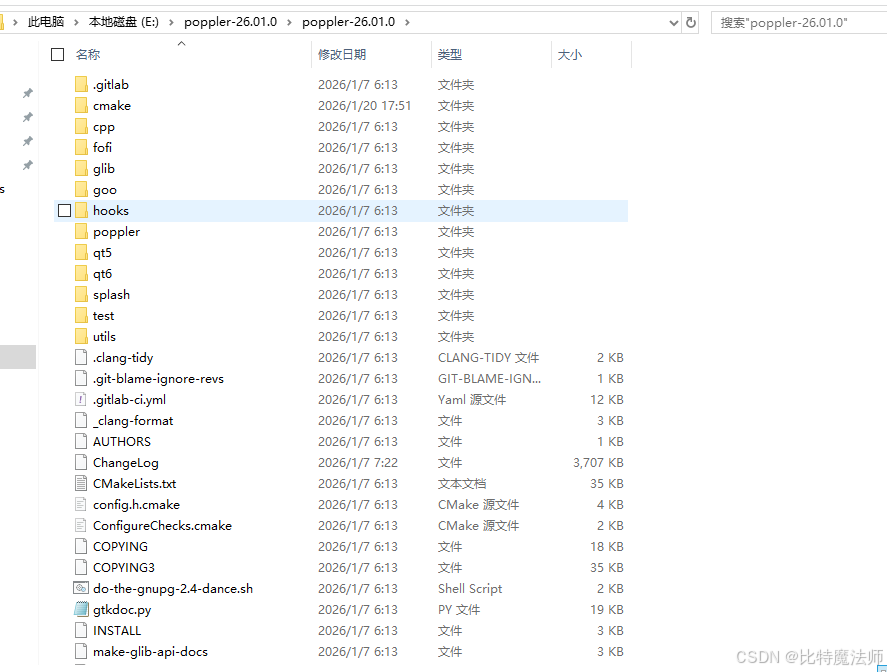
https://poppler.freedesktop.org/poppler-26.01.0.tar.xz解压:
二、安装依赖库
注意,依赖下载需要魔法。
bash
.\vcpkg install poppler:x64-windows
#.\vcpkg install poppler[core,cpp,glib,qt5,qt6]:x64-windows

.\vcpkg install pkgconf:x64-windows
.\vcpkg install nss:x64-windows
.\vcpkg install qt5-base:x64-windows
.\vcpkg install cairo:x64-windows
.\vcpkg install lcms:x64-windows
.\vcpkg install curl:x64-windows-
x64-windows表示编译 64 位动态库(DLL)。如果只想编译静态库,可以使用x64-windows-static。 -
vcpkg会自动处理freetype、fontconfig、libjpeg、libpng、openjpeg、libtiff等所有复杂依赖。
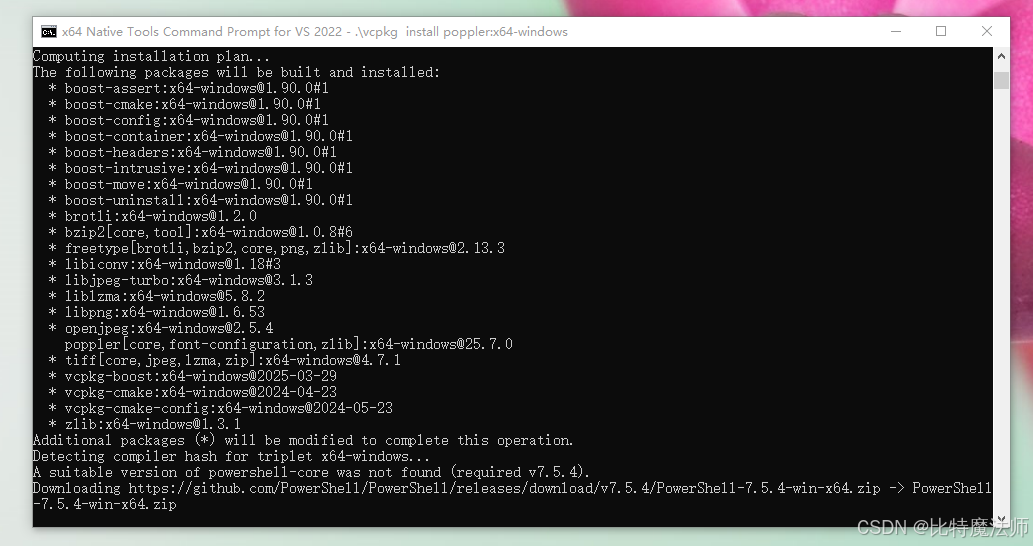
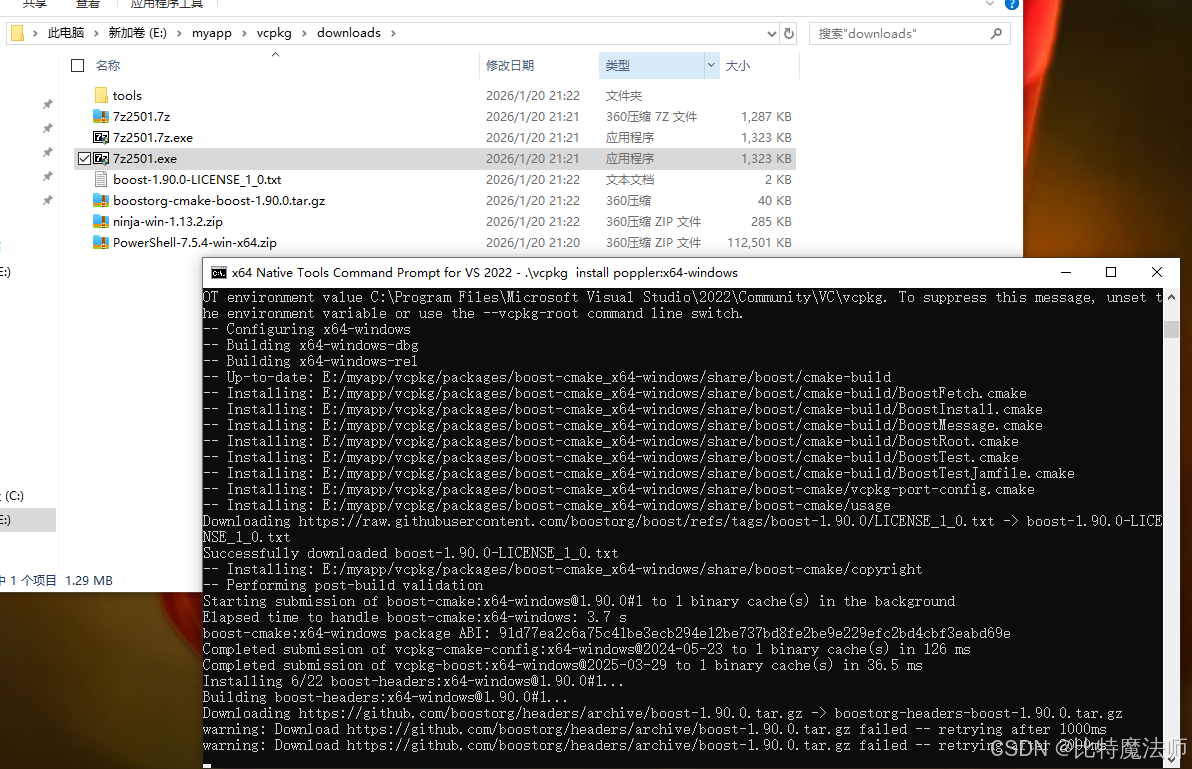
离线下载文件放到 downloads 文件夹,注意文件名有些是需要修改的:

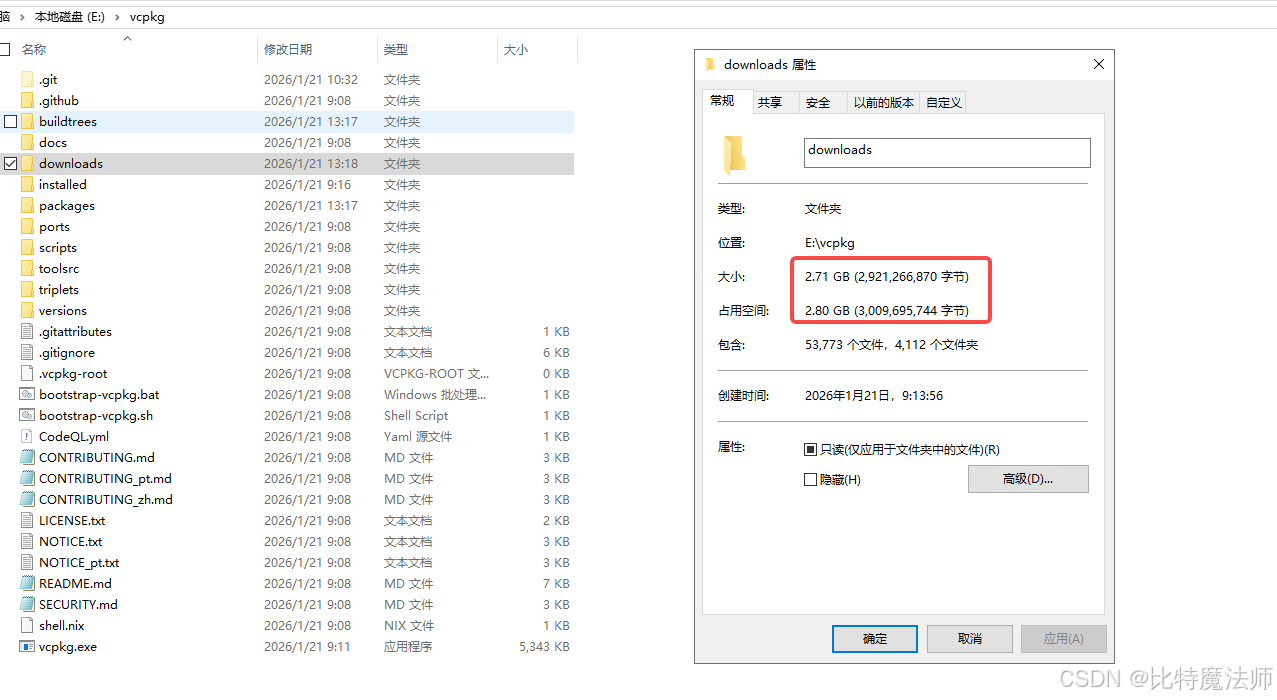
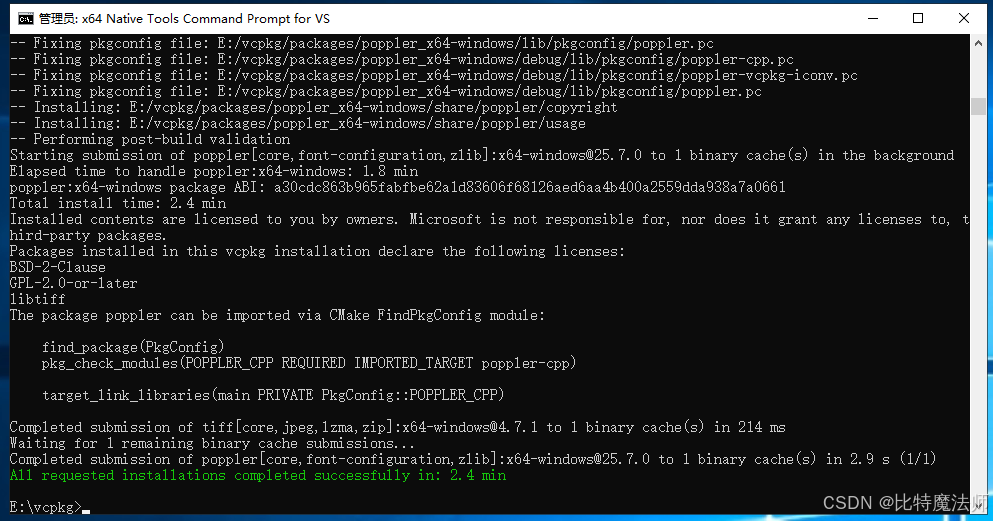
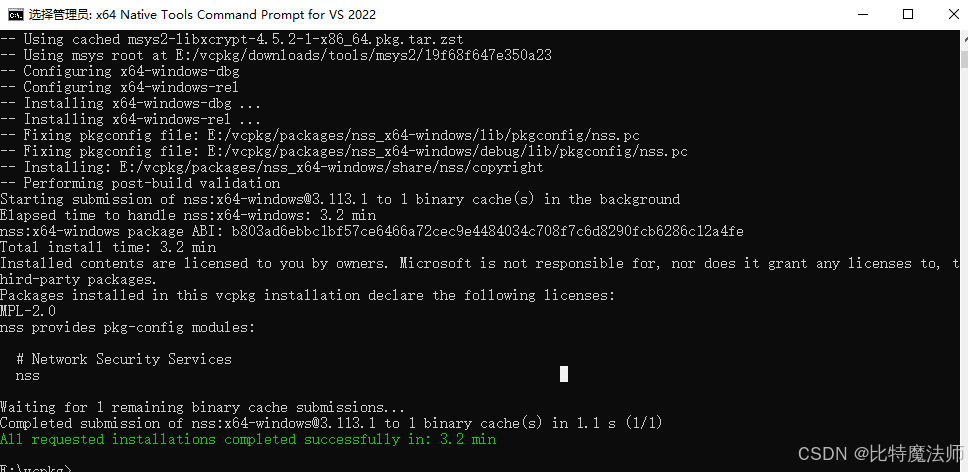
注意,依赖安装过程比较久,请耐心等待,依赖包比较多,接近 2.8G:
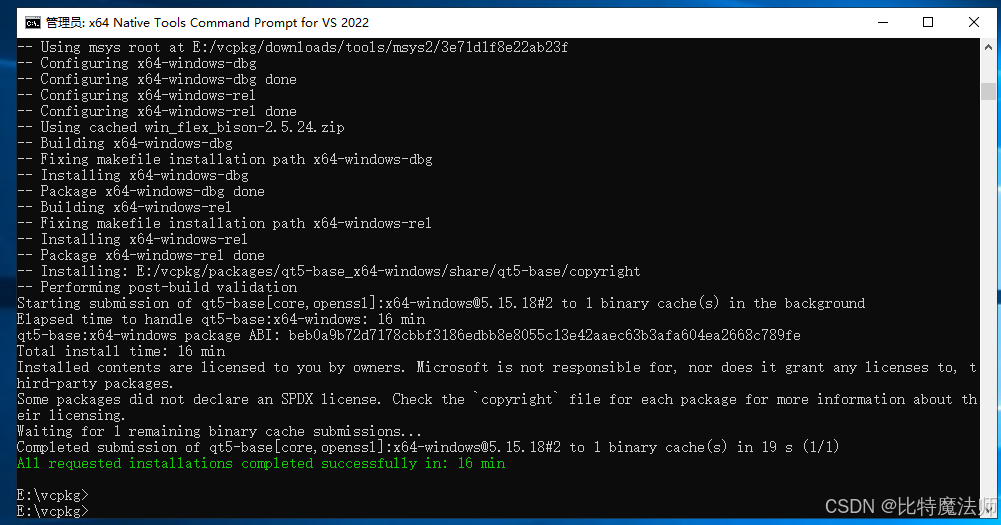
我将 Qt5 的依赖包整合到了一份 ,点击下载:

三、cmake + msvc 编译
在无界面的服务中解析 PDF 只需编译 GLIB、CPP
方式1:使用界面
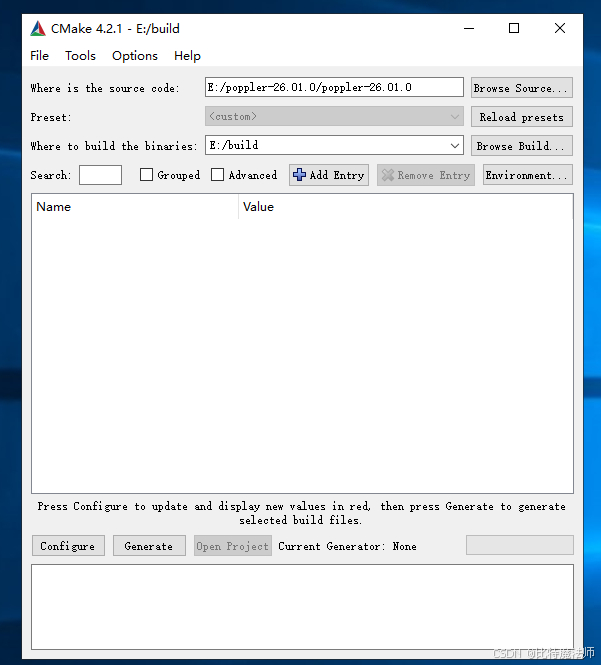
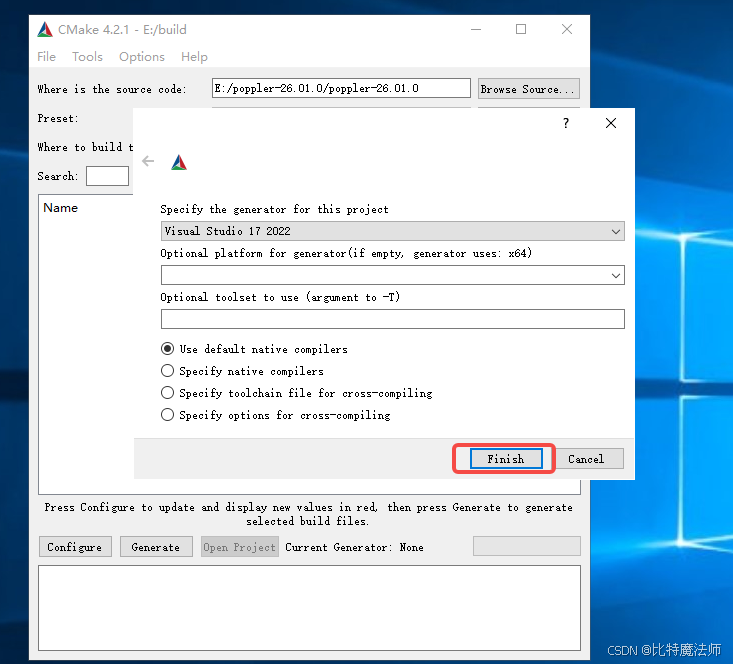
指定刚刚下载好的 poppler 源码路径,并且创建一个 build 目录保存编译结果,Add Entry 进行编译参数配置,依次点击Configure、Generate、Open Project:
方式2:使用指令
例如,需要使用界面,则可以编译QT5或者QT6,创建build目录,在build目录下执行:
bash
# VS 2022,编译 QT5
cmake .. -G "Visual Studio 17 2022" -A x64 -DCMAKE_TOOLCHAIN_FILE=E:/vcpkg/scripts/buildsystems/vcpkg.cmake -DENABLE_GLIB=OFF -DENABLE_QT5=ON -DENABLE_QT6=OFF -DENABLE_CPP=OFF -DENABLE_BOOST=OFF -DCMAKE_BUILD_TYPE=Release -DENABLE_GPGME=OFF -DCMAKE_CXX_STANDARD=17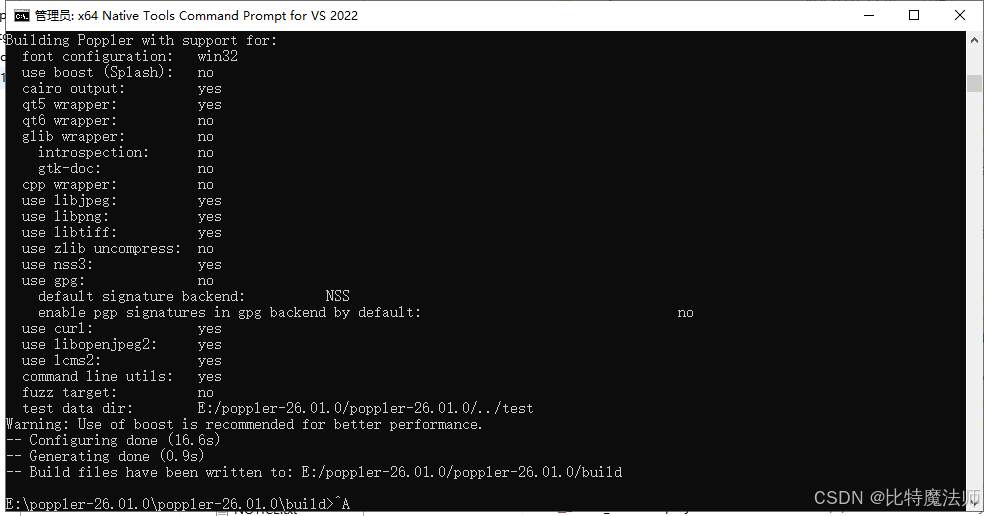
bash
# VS 2022,全编译
cmake .. -G "Visual Studio 17 2022" -A x64 -DCMAKE_TOOLCHAIN_FILE=E:/vcpkg/scripts/buildsystems/vcpkg.cmake -DENABLE_GLIB=ON -DENABLE_QT5=ON -DENABLE_QT6=ON -DENABLE_CPP=ON -DENABLE_BOOST=OFF -DCMAKE_BUILD_TYPE=Release -DENABLE_GPGME=OFF -DTESTDATADIR=E:/poppler-26.01.0/poppler-26.01.0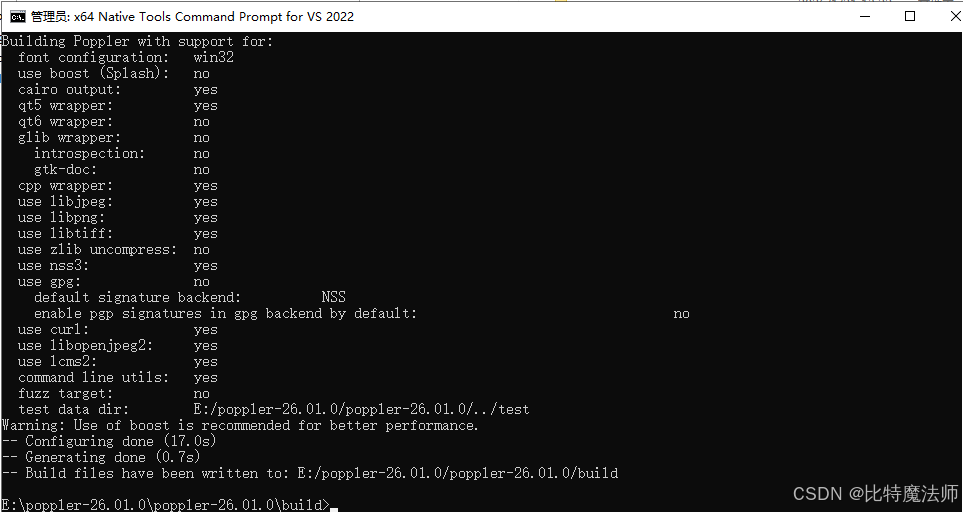
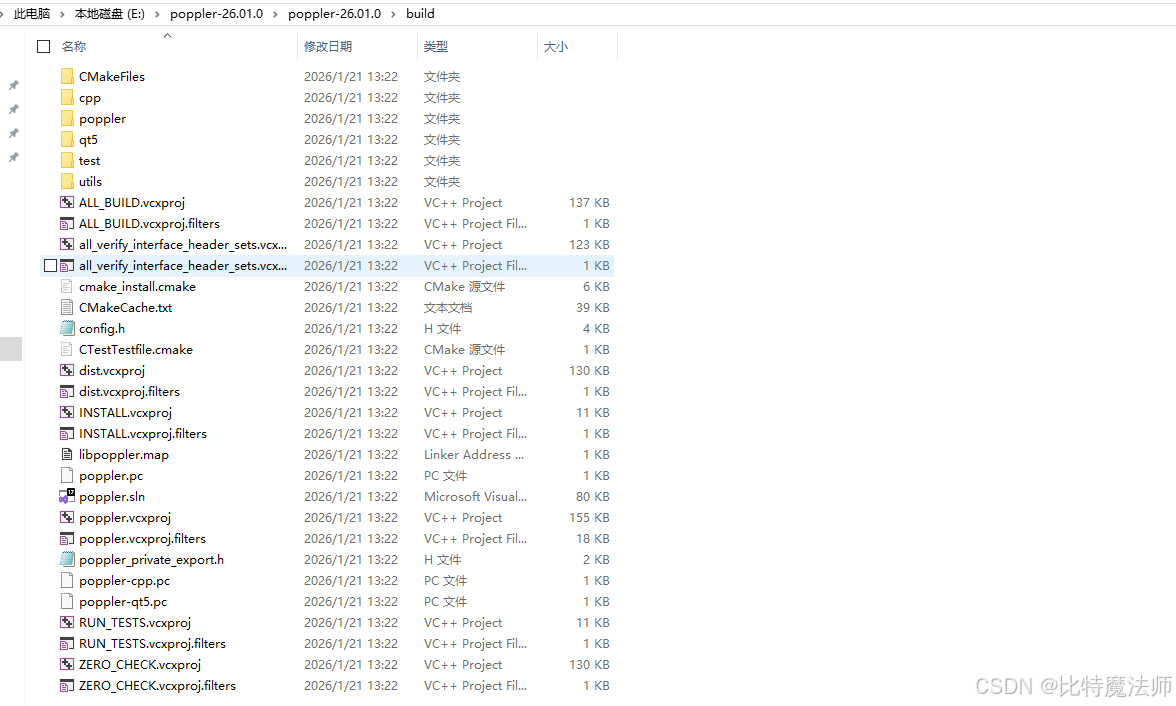
build 结果:
msvc 工程编译
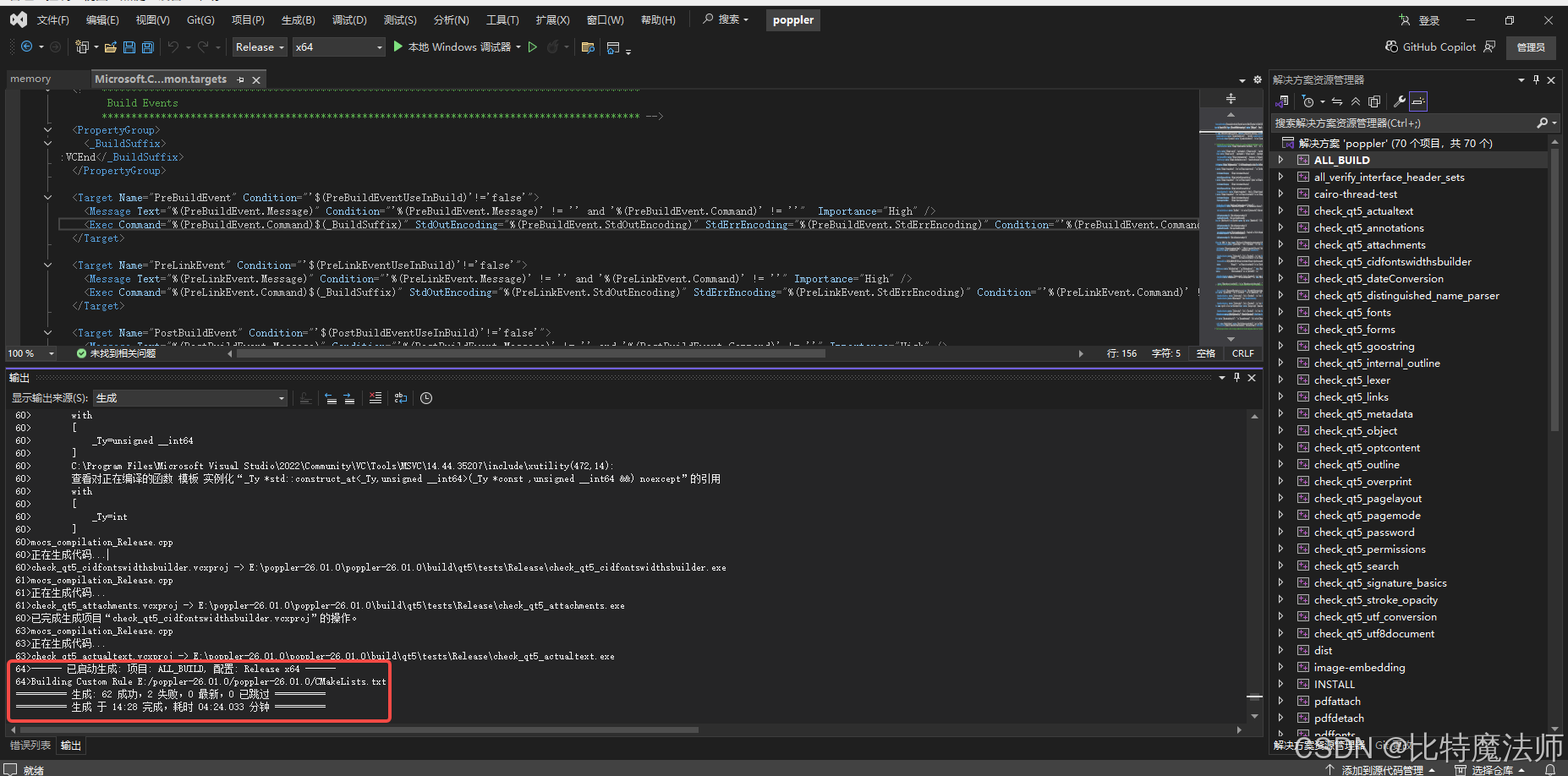
使用 vs2022 打开 poppler.sln,选择Release-x64,右键 解决方案poppler->生成解决方案:
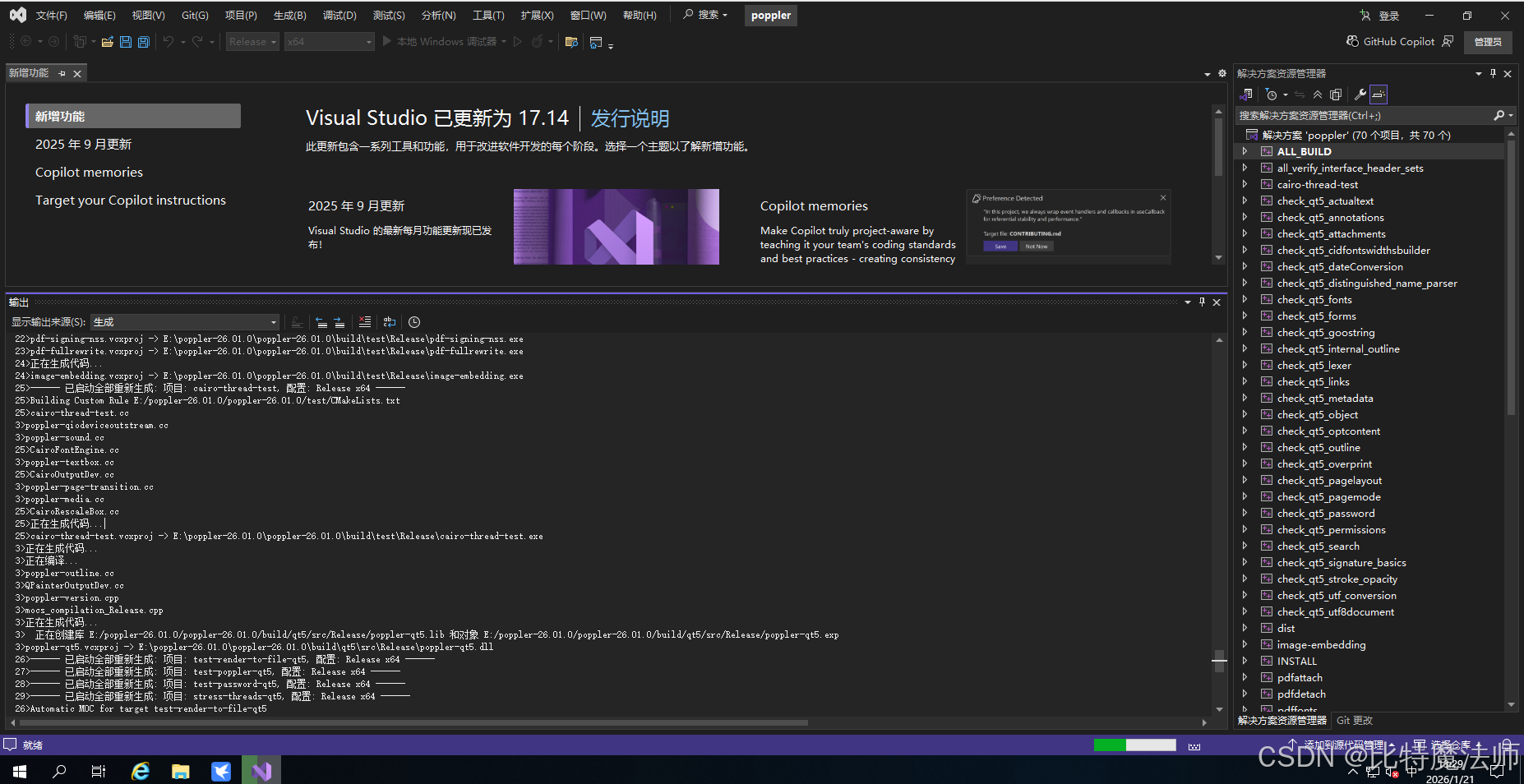
如果报错存在编码问题,则新建一个文件,把代码复制过去,替换源文件即可。
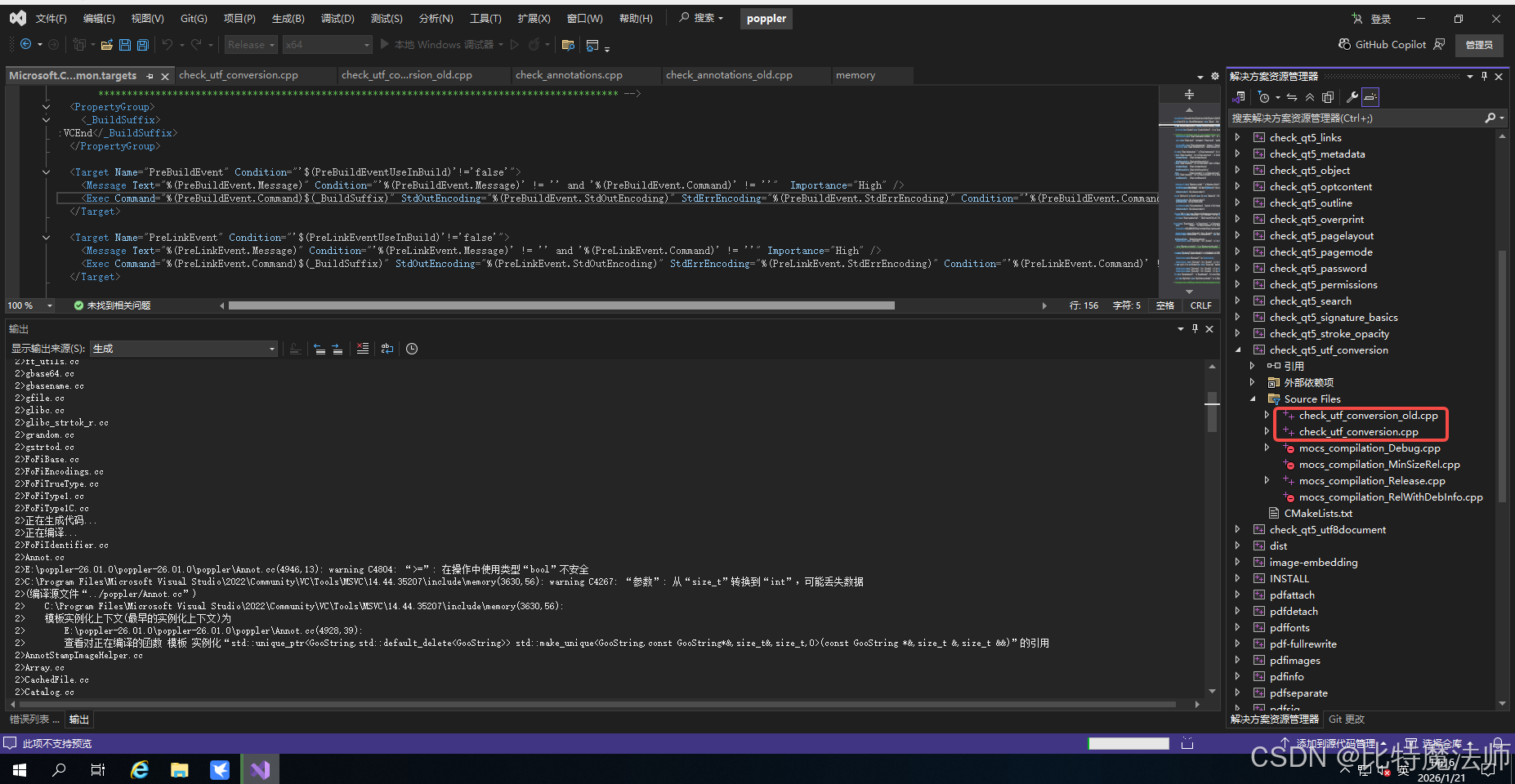
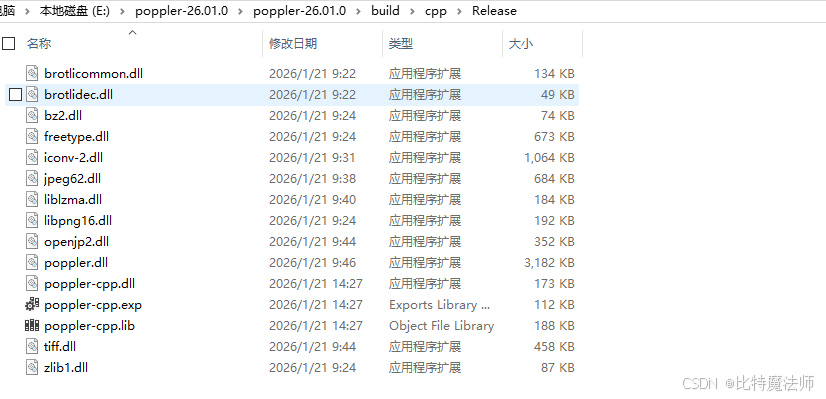
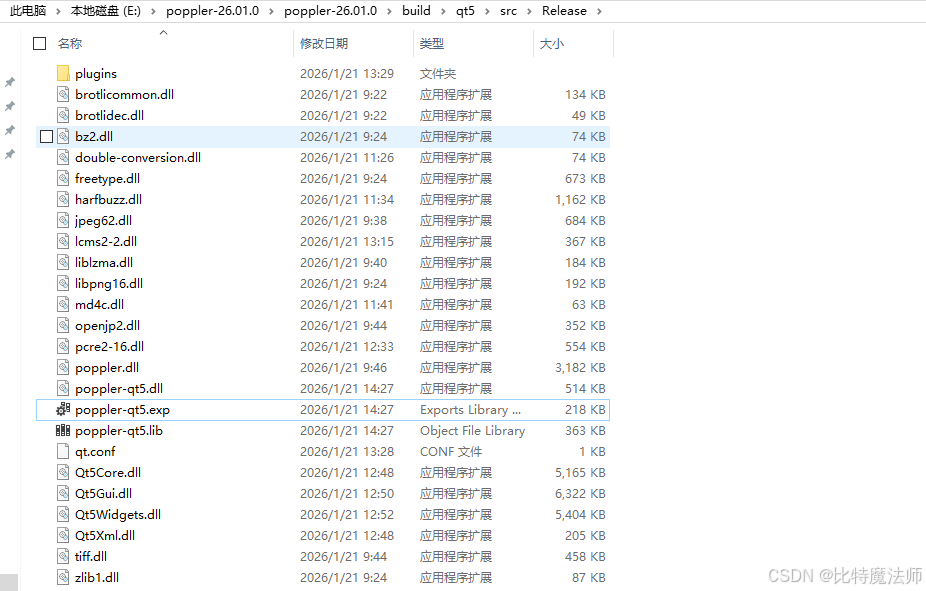
生成完毕:
四、cmake + mingw 编译
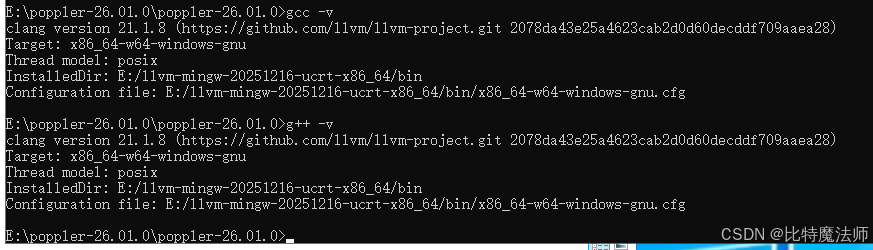
执行以下指令:
bash
cmake -B build -S . -G "MinGW Makefiles" -DCMAKE_C_COMPILER=gcc -DCMAKE_CXX_COMPILER=g++ -DCMAKE_PREFIX_PATH=E:/vcpkg/installed/x64-windows -DCMAKE_TOOLCHAIN_FILE=E:/vcpkg/scripts/buildsystems/vcpkg.cmake -DENABLE_GLIB=ON -DENABLE_QT5=OFF -DENABLE_QT6=OFF -DENABLE_CPP=ON -DENABLE_BOOST=OFF -DCMAKE_BUILD_TYPE=Release -DENABLE_GPGME=OFF -DTESTDATADIR=E:/poppler-github -DENABLE_NSS3=OFF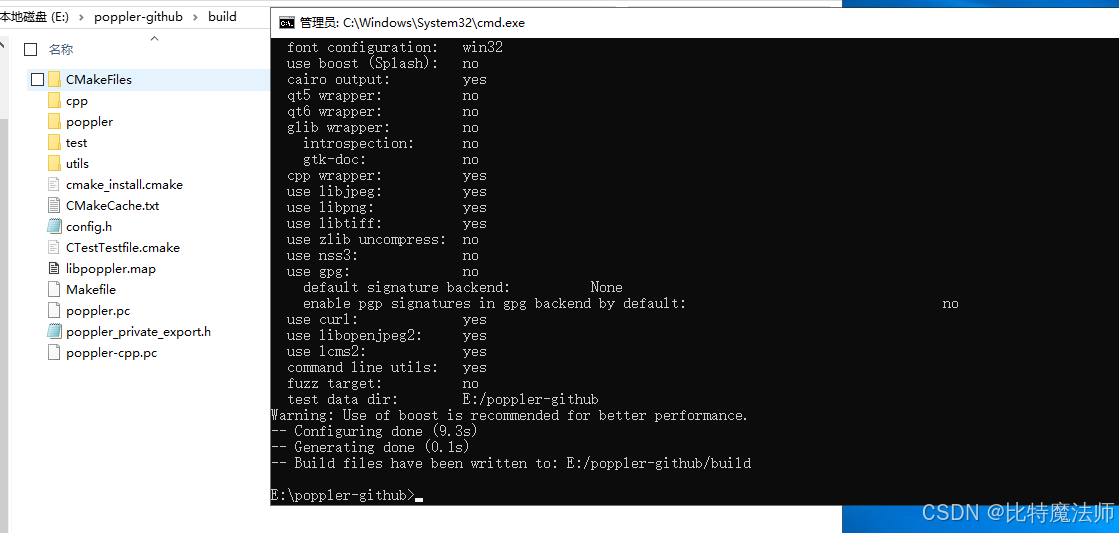
执行编译:
bash
cmake --build build --config Release --parallel 4 -v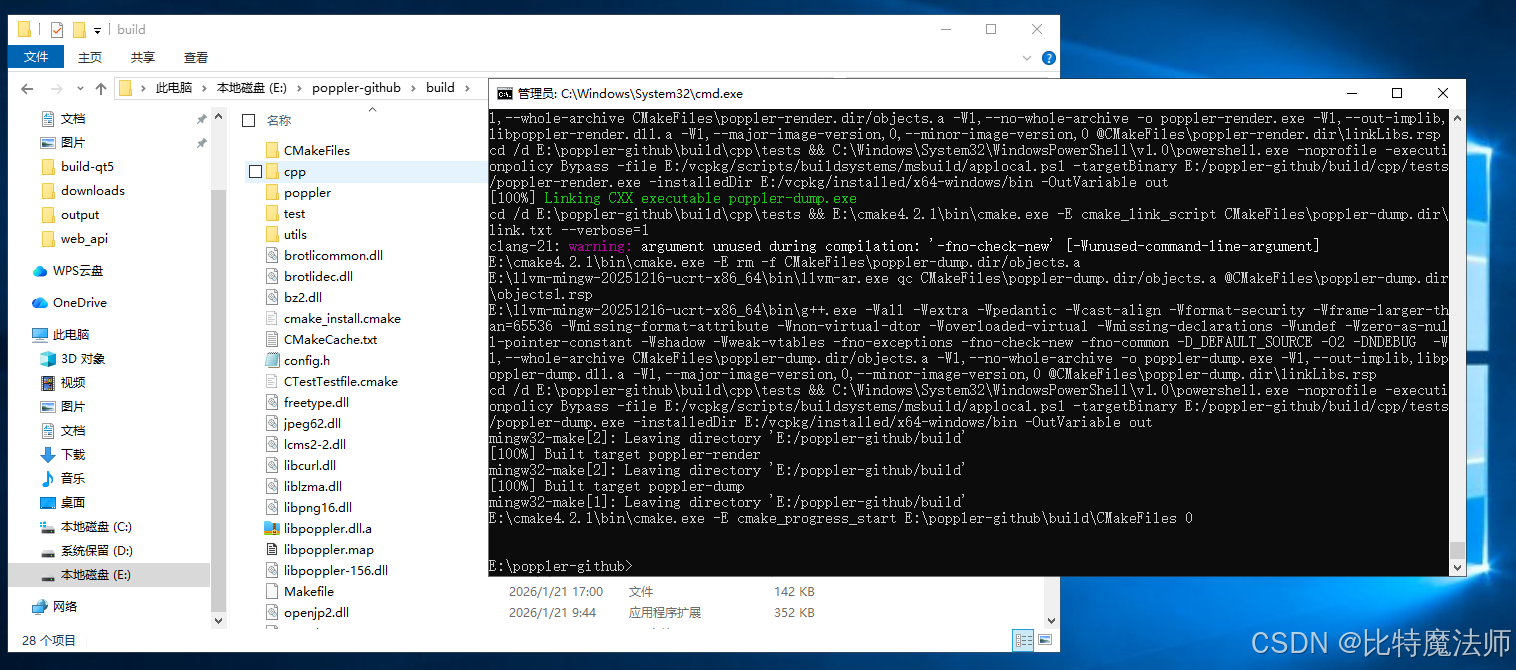
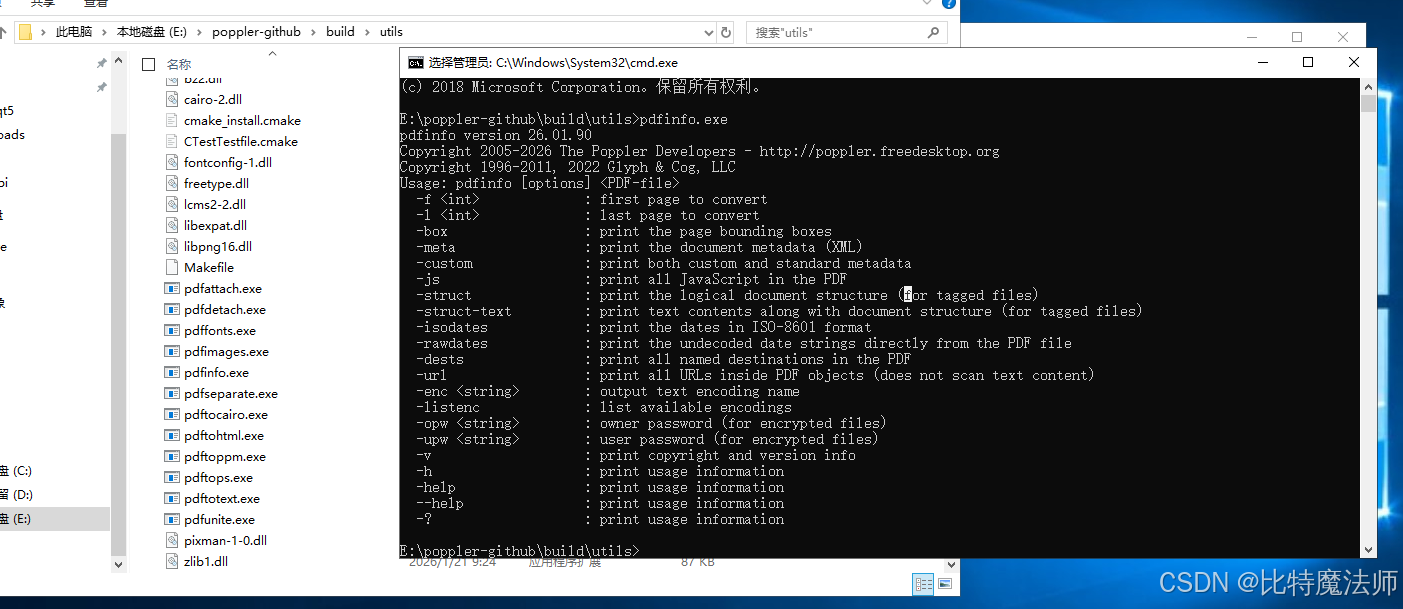
把 E:\poppler-github\build 加入到环境变量 Path 中,则可以运行:
五、MSYS2(MinGW-64)
仅适用于MinGW-64
下载 MSYS2:
bash
https://github.com/msys2/msys2-installer/releases/download/2025-12-13/msys2-x86_64-20251213.exe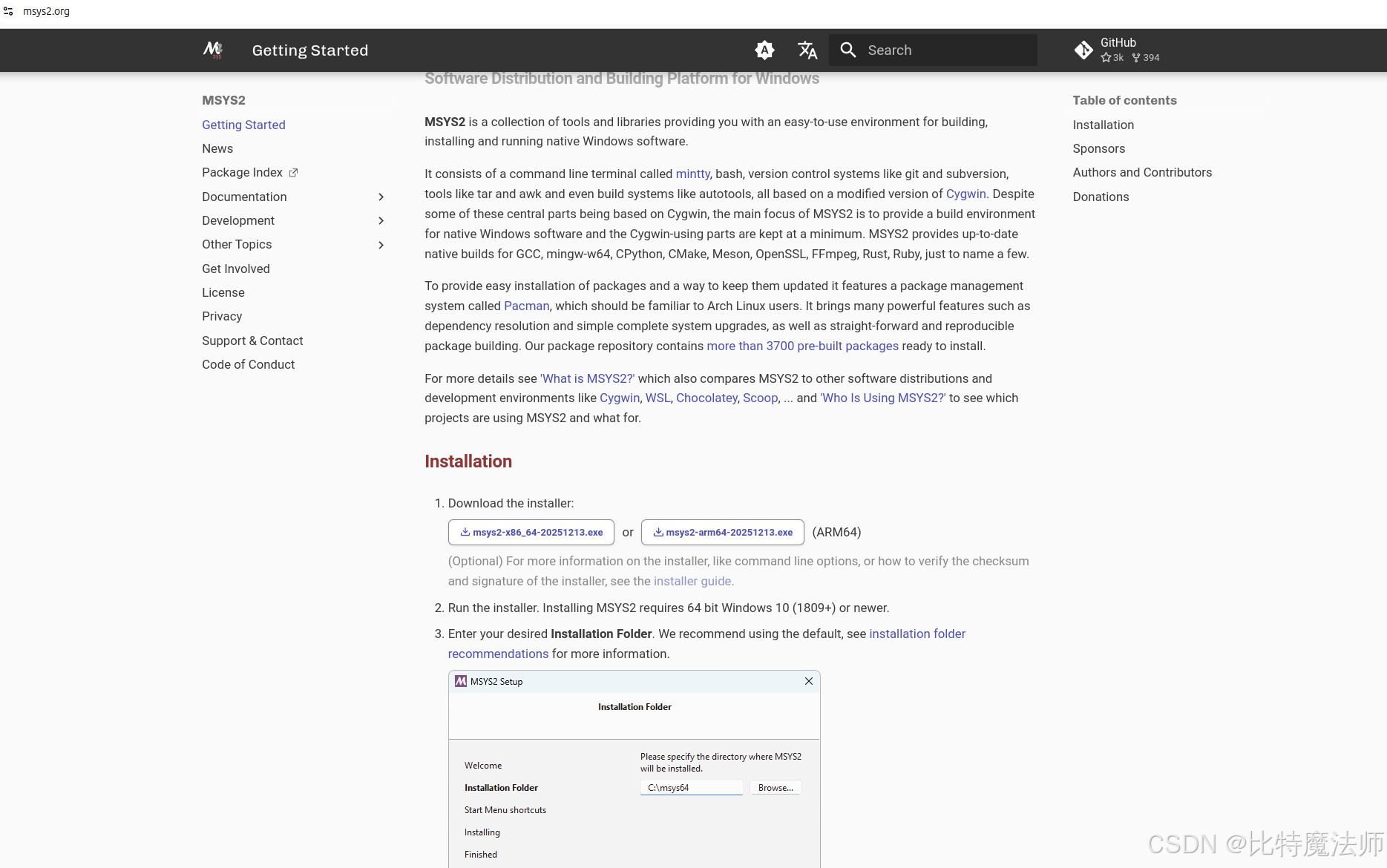
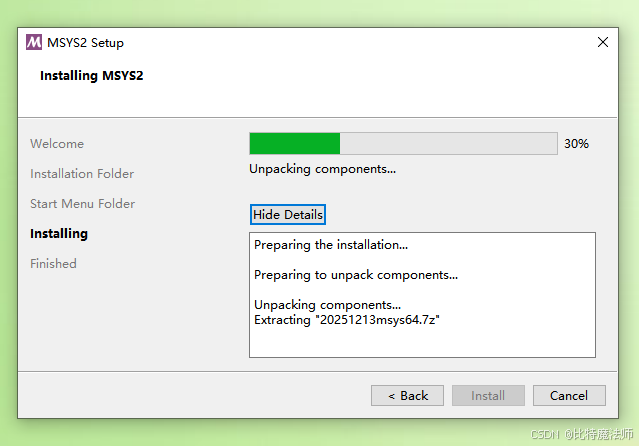
安装环境:
bash
pacman -S mingw-w64-ucrt-x86_64-gcc
gcc --version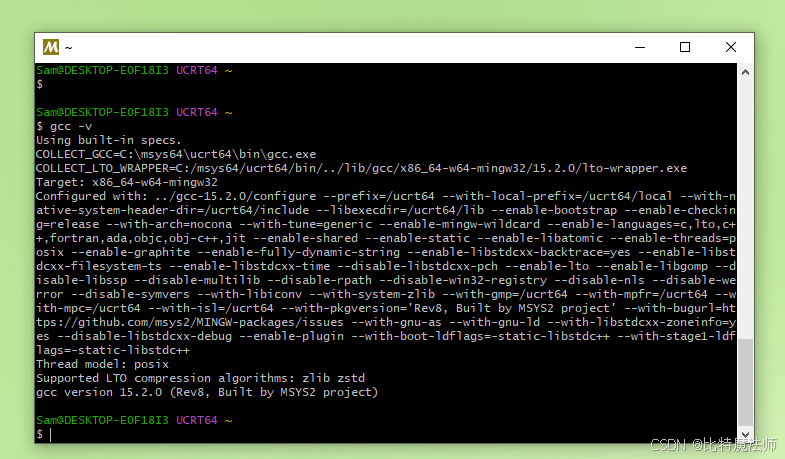
同步软件包数据库,然后执行系统全面升级:
bash
pacman -Syu同步完成后,重开一个窗口执行:
bash
# 搜索Poppler相关包
pacman -Ss poppler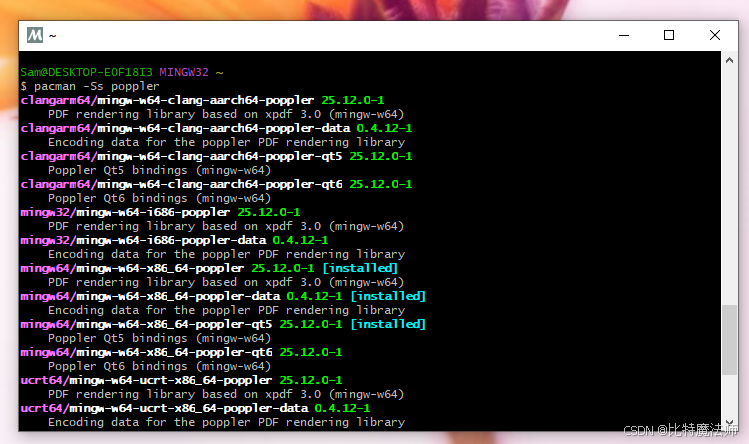
可以看到只有 mingw64 支持 qt5,因此我们下载:
bash
pacman -S mingw-w64-x86_64-poppler mingw-w64-x86_64-poppler-qt5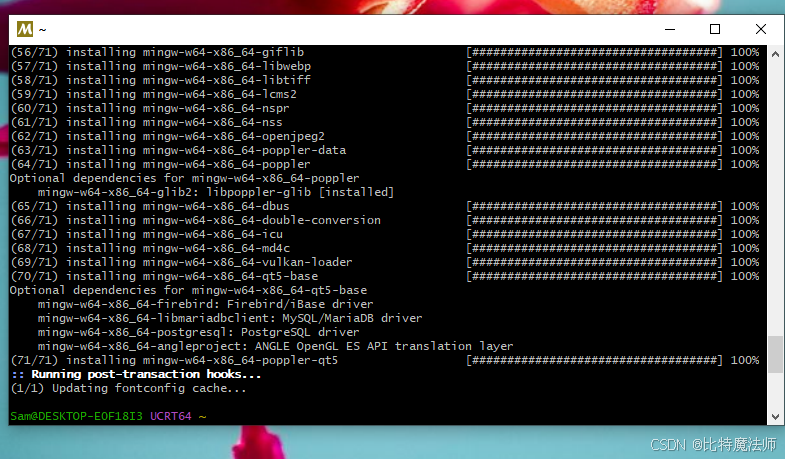
默认下载路径:C:\msys64\mingw64\lib、C:\msys64\mingw64\include,可以看到 poppler 的头文件和链接库:
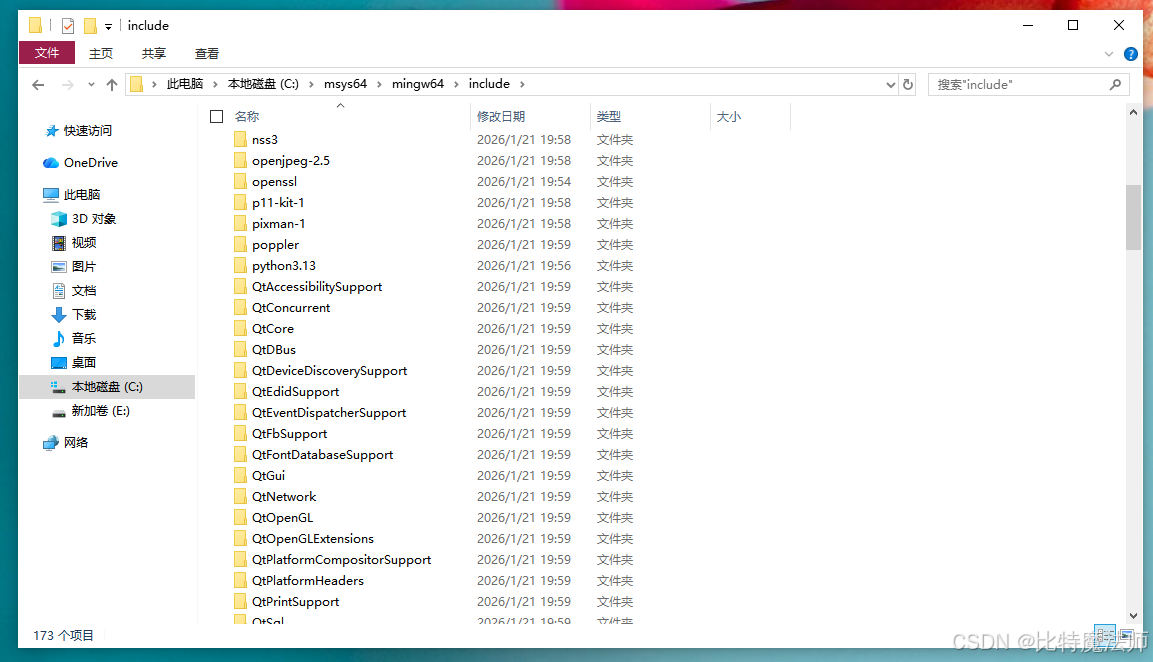
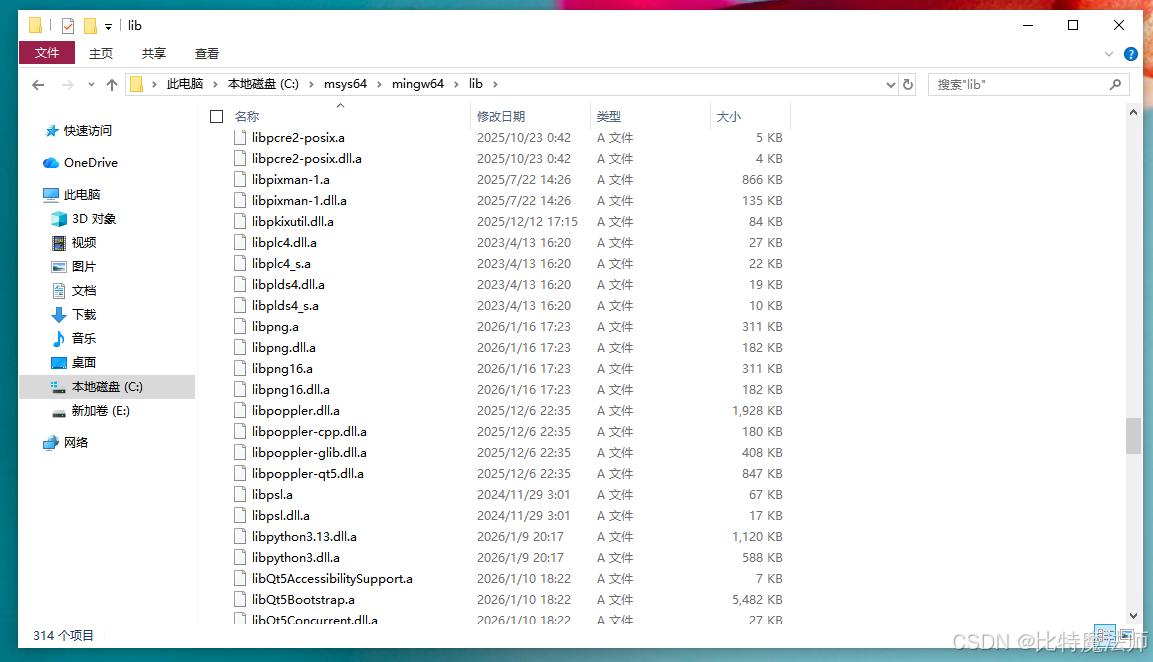
六、Qt5.14.2 实现 PDF 预览
下载并安装 Qt 5.14.2 :
bash
https://download.qt.io/archive/qt/5.14/5.14.2/qt-opensource-windows-x86-5.14.2.exe配置 .pro 文件:添加 include 和 lib 路径
bash
#-------------------------------------------------
#
# Project created by QtCreator 2026-01-21T21:09:38
#
#-------------------------------------------------

QT       += core gui widgets

greaterThan(QT_MAJOR_VERSION, 4): QT += widgets

TARGET = poppler-demo
TEMPLATE = app

# The following define makes your compiler emit warnings if you use
# any feature of Qt which has been marked as deprecated (the exact warnings
# depend on your compiler). Please consult the documentation of the
# deprecated API in order to know how to port your code away from it.
DEFINES += QT_DEPRECATED_WARNINGS

# You can also make your code fail to compile if you use deprecated APIs.
# In order to do so, uncomment the following line.
# You can also select to disable deprecated APIs only up to a certain version of Qt.
#DEFINES += QT_DISABLE_DEPRECATED_BEFORE=0x060000    # disables all the APIs deprecated before Qt 6.0.0


SOURCES += \
        main.cpp \
        mainwindow.cpp

HEADERS += \
        mainwindow.h

FORMS += \
        mainwindow.ui

INCLUDEPATH += C:\msys64\mingw64\include\poppler\qt5
LIBS += -LC:/msys64/mingw64/lib -lpoppler -lpoppler-qt5
LIBS += -LC:/msys64/mingw64/binmainwindow.h:引入 <poppler-qt5.h> 头文件
c
#ifndef MAINWINDOW_H
#define MAINWINDOW_H

#include <QMainWindow>
#include <QScrollArea>
#include <QLabel>
#include <poppler-qt5.h>

class MainWindow : public QMainWindow
{
    Q_OBJECT

public:
    MainWindow(QWidget *parent = nullptr);
    bool loadPDF(const QString &filePath);

private:
    QScrollArea *scrollArea;
    QLabel *pdfLabel;
    QVector<QImage> pdfPages;
    int currentPage;

    void displayPage(int pageIndex);
};

#endif // MAINWINDOW_Hmainwindow.cpp:实现 loadPDF 方法
cpp
#include "mainwindow.h"
#include <QFileDialog>
#include <QMessageBox>
#include <QVBoxLayout>
#include <QPushButton>
#include <QHBoxLayout>
#include <QToolBar>

MainWindow::MainWindow(QWidget *parent)
    : QMainWindow(parent), currentPage(0)
{
    // 创建中心部件
    QWidget *centralWidget = new QWidget(this);
    QVBoxLayout *mainLayout = new QVBoxLayout(centralWidget);

    // 创建工具栏
    QToolBar *toolBar = addToolBar("PDF Tools");

    QAction *openAction = toolBar->addAction("打开PDF");
    QAction *prevAction = toolBar->addAction("上一页");
    QAction *nextAction = toolBar->addAction("下一页");

    // 创建滚动区域用于显示PDF
    scrollArea = new QScrollArea(this);
    scrollArea->setWidgetResizable(true);

    // 创建标签用于显示PDF图像
    pdfLabel = new QLabel(this);
    pdfLabel->setAlignment(Qt::AlignCenter);
    pdfLabel->setBackgroundRole(QPalette::Base);
    pdfLabel->setAutoFillBackground(true);
    pdfLabel->setSizePolicy(QSizePolicy::Expanding, QSizePolicy::Expanding);

    scrollArea->setWidget(pdfLabel);
    mainLayout->addWidget(scrollArea);

    // 添加页面信息标签
    QLabel *pageInfoLabel = new QLabel(this);
    pageInfoLabel->setAlignment(Qt::AlignCenter);
    mainLayout->addWidget(pageInfoLabel);

    setCentralWidget(centralWidget);
    resize(800, 600);

    // 连接信号槽
    connect(openAction, &QAction::triggered, this, [this, pageInfoLabel]() {
        QString filePath = QFileDialog::getOpenFileName(
            this,
            "打开PDF文件",
            QDir::homePath(),
            "PDF文件 (*.pdf)"
        );

        if (!filePath.isEmpty()) {
            if (loadPDF(filePath)) {
                displayPage(0);
                pageInfoLabel->setText(
                    QString("第 %1 页 / 共 %2 页").arg(1).arg(pdfPages.size())
                );
            }
        }
    });

    connect(prevAction, &QAction::triggered, this, [this, pageInfoLabel]() {
        if (currentPage > 0 && !pdfPages.isEmpty()) {
            currentPage--;
            displayPage(currentPage);
            pageInfoLabel->setText(
                QString("第 %1 页 / 共 %2 页").arg(currentPage + 1).arg(pdfPages.size())
            );
        }
    });

    connect(nextAction, &QAction::triggered, this, [this, pageInfoLabel]() {
        if (currentPage < pdfPages.size() - 1 && !pdfPages.isEmpty()) {
            currentPage++;
            displayPage(currentPage);
            pageInfoLabel->setText(
                QString("第 %1 页 / 共 %2 页").arg(currentPage + 1).arg(pdfPages.size())
            );
        }
    });
}

bool MainWindow::loadPDF(const QString &filePath)
{
    // 清空之前的页面
    pdfPages.clear();
    currentPage = 0;

    // 加载PDF文档
    Poppler::Document *document = Poppler::Document::load(filePath);

    if (!document || document->isLocked()) {
        QMessageBox::critical(this, "错误", "无法加载PDF文件或文件已加密");
        delete document;
        return false;
    }

    // 设置渲染选项
    document->setRenderHint(Poppler::Document::Antialiasing, true);
    document->setRenderHint(Poppler::Document::TextAntialiasing, true);
    document->setRenderHint(Poppler::Document::TextHinting, true);

    // 获取所有页面
    int pageCount = document->numPages();

    for (int i = 0; i < pageCount; ++i) {
        // 获取页面
        Poppler::Page *page = document->page(i);

        if (page) {
            // 渲染页面为图像
            // 使用 150 DPI 渲染以获得良好质量
            QImage image = page->renderToImage(150.0, 150.0);

            if (!image.isNull()) {
                pdfPages.append(image);
            }

            delete page;
        }
    }

    delete document;

    if (pdfPages.isEmpty()) {
        QMessageBox::critical(this, "错误", "PDF页面渲染失败");
        return false;
    }

    return true;
}

void MainWindow::displayPage(int pageIndex)
{
    if (pageIndex >= 0 && pageIndex < pdfPages.size()) {
        // 获取当前页面图像
        QImage pageImage = pdfPages[pageIndex];

        // 创建QPixmap并显示
        QPixmap pixmap = QPixmap::fromImage(pageImage);

        // 如果图像太大,按比例缩放以适合窗口
        if (pixmap.width() > scrollArea->width() || pixmap.height() > scrollArea->height()) {
            pixmap = pixmap.scaled(
                scrollArea->size(),
                Qt::KeepAspectRatio,
                Qt::SmoothTransformation
            );
        }

        pdfLabel->setPixmap(pixmap);
        pdfLabel->adjustSize();
    }
}main.cpp:
cpp
#include "mainwindow.h"
#include <QApplication>

int main(int argc, char *argv[])
{
    QApplication app(argc, argv);

    MainWindow window;
    window.setWindowTitle("PDF查看器");
    window.show();

    // 可选:在启动时加载一个PDF文件
    // window.loadPDF("/path/to/your/pdf.pdf");
    // window.displayPage(0);

    return app.exec();
}
使用 MinGW 64-bit Release 运行效果:
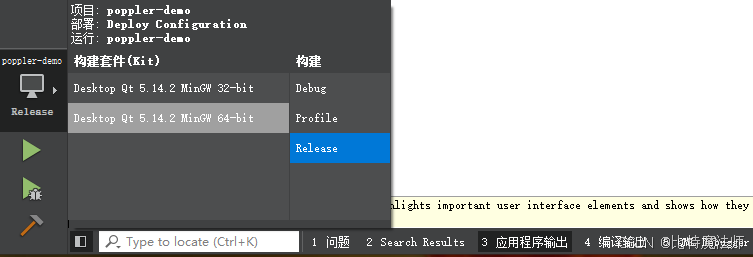
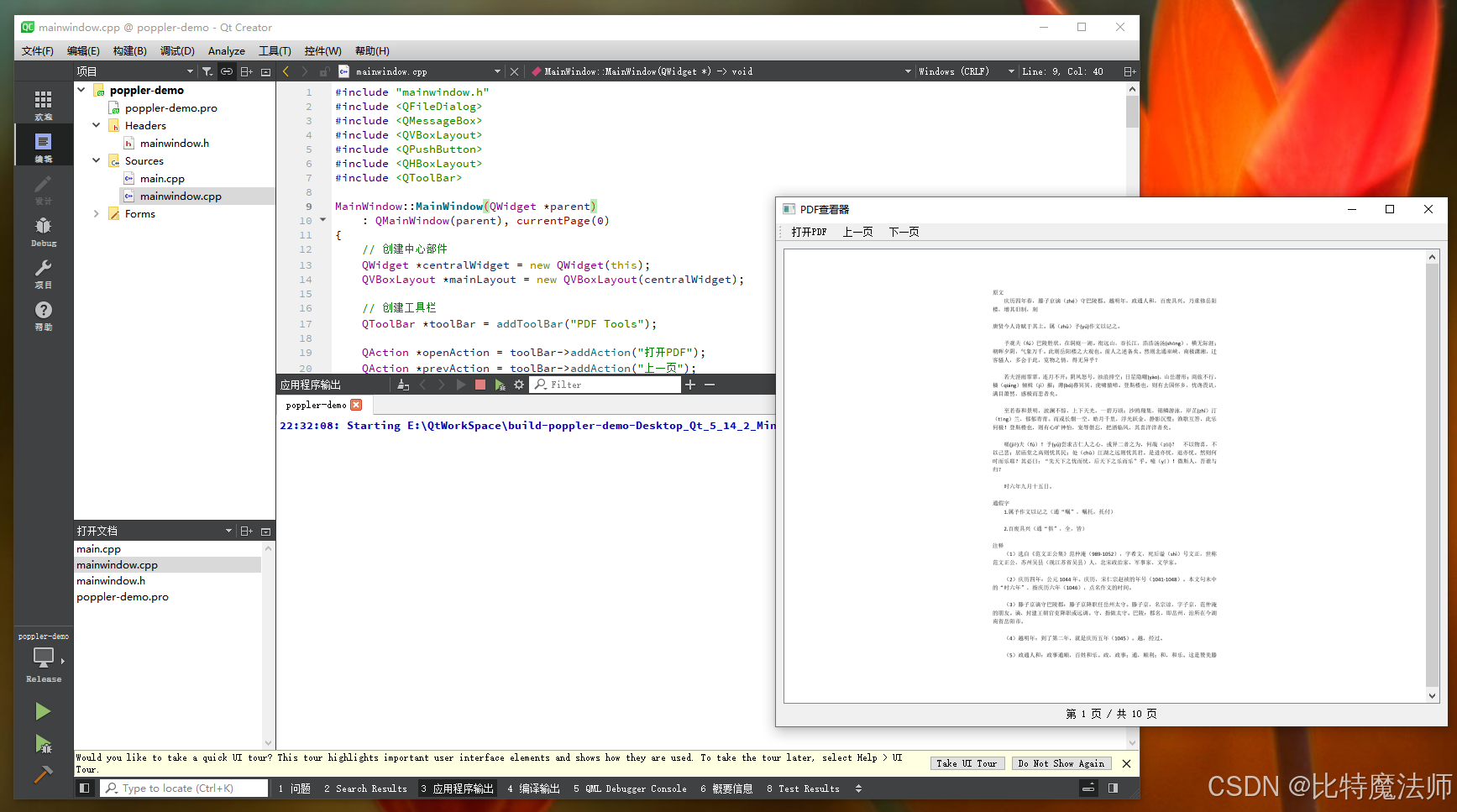
点击打开PDF菜单,弹窗选择一个PDF文件,点击上下页可以切换PDF页面:
本文使用的Qt示例代码点这里下载: