-
拦截器修改
// 检查响应是否为blob类型
if (response.data instanceof Blob) {
return response;
} else {
// 正常对象
if (res.returnCode == 200) {
return res;
} else {
// 错处理
}
} -
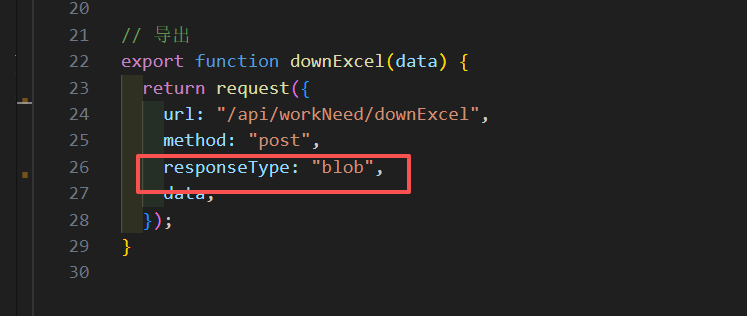
接口处理,返回数据类型设置为 responseType: "blob"
3.导出函数
// 导出
    output() {
      let data = {};
      if (this.status) {
        data.status = this.status * 1;
      }
      downExcel(data).then((response) => {
        const disposition = response.headers["content-disposition"];
        let filename = this.parseFilenameFromDisposition(disposition);
        this.$message({
          message: "导出成功!",
          type: "success",
        });
        // 创建 Blob 对象
        const blob = new Blob([response.data]);
        // 创建下载链接
        const url = window.URL.createObjectURL(blob);
        const link = document.createElement("a");
        link.href = url;
        link.setAttribute("download", filename); // 设置下载文件名
        document.body.appendChild(link);
        link.click();
        // 清理DOM和对象URL
        document.body.removeChild(link);
        window.URL.revokeObjectURL(url);
      });
},-
解析后端在content-disposition中返回的文件名称
parseFilenameFromDisposition(contentDisposition) {
if (!contentDisposition) {
return "download";
}
const filenameRegex =
/(?:filename|fileName)[;=\n]*=((['"]).*?\2|[;\n]*)/;
const matches = filenameRegex.exec(contentDisposition);
if (matches && matches[1]) {
// 提取文件名并去除引号
let filename = matches[1].replace(/['"]/g, "");
// 尝试解码URL编码的文件名
try {
filename = decodeURIComponent(filename);
} catch (e) {
console.warn("文件名解码失败:", e);
}
return filename;
}
return "download";
},