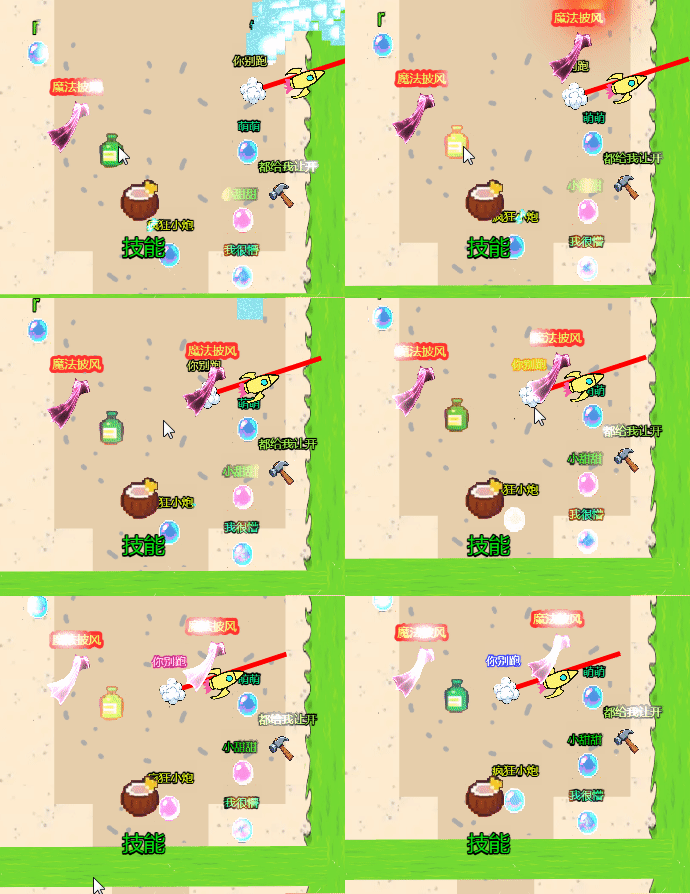
首先理解抛物线,这是我看的教程抛物线。
那我们肯定是选择开口向下的抛物线。
不过我们只做一半也就是四象限的正x -y, 这是从原点(0,0),向右抛物线。 当然向左是-x -y ,第三象限。
然后来看公式,开口向下的抛物线公式是x²=-2py 。
这个p是觉得抛物线胖瘦的也就是抛物线的弧度。
简化下y = -x²/2p ,用这个公式能计算出y的坐标。
现在将x自增就行了,举个例子x=0 ,带入公式y=0 。
x=1, y=-1/2p。
现在将x从0到10 ,能画出粗略的抛物线。
那现在精细的话 ,只需将x自增。
每次增加很小, 越小抛物线画出来越精细。
现在在cocos中用tween来做
首先理解tween中ratio
go
tween({ t: 0 })
        .to(1.0, { t: 1 }, {
            onUpdate: (obj, ratio) => {
                // ratio会自动从0到1!
                const x = 50 * ratio;  // 用ratio代替你的this.time
                const y = -(x * x) / 2;  // 你的公式

                // 注意:这里每帧都会自动调用onUpdate
                // ratio由Cocos自动计算!
            }
        })
        .start();
ratio 是 动画进度值,从 0 到 1(0%到100%)!
最直观的理解:
go
JAVASCRIPT
tween({ value: 0 }).to(2.0, { value: 1 }, ...)
// 2秒内,value从0均匀增加到1
// onUpdate回调中:
ratio = 当前时间 / 总时间 = 动画完成的百分比
就是从tween开始t是0 tween({ t: 0 })
.to(1.0, { t: 1 }是在1秒内进度到1
然后看下onupdate
go
tween({ t: 0 })
        .to(2.0, { t: 1 }, {
            onUpdate: (obj: any, ratio: number) => {
                // ratio就是你的"通用时间变量"!
                const x = totalX * ratio;  // x从0到50
                const y = -(x * x) / 2;    // y = -x²/2

                // 加上起点位置
                const pos = this.node.position;
                this.node.setPosition(
                    pos.x + x,
                    pos.y + y,  // y是负数,会向下
                    pos.z
                );
            }
        })
        .start();
onUpdate 是 每帧动画更新时的回调函数,用来自定义动画过程!
最直观的理解:
想象一个动画:
JAVASCRIPT
普通tween:
. 开始 结束
位置: (0,0) → → → (100,0)
用onUpdate:
. 开始 结束
位置: (0,0) → 📈 → (100,0)
↑
你在这里控制每一步怎么走!
我们用ratio作为x自增的比例 因为公式中xy都是取自原点(0,0),在后续用的时候用ratio乘个数 这个数是抛物线末端的x位置 自己决定const x = totalX * ratio; // x从0到50
现在计算y的位置
根据公式 y = -x²/2p
go
const ox = zx * ratio;  // 相对起始点的x距离,从0到70

                // 你的公式:y = -x²/2,但这里的x应该是相对距离
const oy = -(ox * ox) / 47;  // 负值,向下
后面的47看做(2*27)p=27
然后设置node位置
go
// 设置位置
                this.node.setPosition(new Vec3(pos.x-ox, pos.y+oy, pos.z));
pos.x-ox是将最末端x变为负数 也就是第三象限 抛物线从原点向左画出弧线
pos.x+ox是最末端x是正数 第四象限 抛物线从原点向右画出弧线
因为是onupdate 所以在tween ratio从0到1的时间内会将position不断改变 形成抛物线动画
下面是完整的
go
import { _decorator, Component, Node, tween, Vec3 } from 'cc';
const { ccclass, property } = _decorator;

@ccclass('zhuangbeidonghua')
export class zhuangbeidonghua extends Component {


    @property
    popDuration: number = 0.7;  // 弹出总时长

    @property
    popScale: number = 1.2;  // 弹出时的最大缩放(overshoot)


    time:number=0;
    onLoad(){
        // 重置初始状态
        this.node.setScale(1, 1, 1);

    }
    start() {

        this.playPopEffect();
    }

    update(deltaTime: number) {


        this.time=this.time+0.016;
    }
    // 公开方法:外部可以调用
    playPopEffect() {

        const pos=this.node.getPosition();


        let y=0;
        let x=0;


        let startx=pos.x-70;
        let starty=pos.y+70;
        // 2. 水平总距离
        const totalX = pos.x - startx; // = 70
        const zx = 70;  // 最高点高度
        const zy=70;
        this.node.setPosition(new Vec3(pos.x,pos.y,pos.z));
        // 落地后弹起效果    y = -x²/2


        tween({time:0})

            .to(0.4,{time:1},{
                onUpdate: (obj: any, ratio: number) => {
                    // 方法A:用你的公式,但用相对距离
                const ox = zx * ratio;  // 相对起始点的x距离,从0到70

                // 你的公式:y = -x²/2,但这里的x应该是相对距离
                const oy = -(ox * ox) / 47;  // 负值,向下

                // 当前位置 = 起始位置 + 偏移
                //const currentX = startx + relativeX;
                //const currentY = starty + yOffset;  // starty高,加上负yOffset = 下降

                // 设置位置
                this.node.setPosition(new Vec3(pos.x-ox, pos.y+oy, pos.z));

                }
            })
            .start();

        //tween(this.node)
            //.to(0.7, { position: new Vec3(pos.x, pos.y, pos.z) }, { easing: 'backOut' })
            //.to(0.2, { scale: Vec3.ONE })
            //.start();
    }
}