Compared to C++, which can run only with an executable file, Python source code should run with the interpreter. So you should know how to install an interpreter on your computer.
Typically, we won't install the python interpreter directly. We install a distribution of Python, which contains one or more than one interpreters , some useful standard librarys and other components. I will show how to install python in linux machine. Before that, I'd like to mention the important virtual environment for python.
2. I want to specify the virtual environment of Python.
When you install a distribution of Python, you may want to run a source code immediately. However, we usually don't do so. You will use a lot of librarys in your source code so that you should install a all of them so that your program will run normally. However, installing them globally is not recommended.
We usually create a virtual environment , and then install some librarys in the environment. The essense of a python environment is a folder which contains an independent interpreter and some librarys you installed. You can create more than 1 environments and when you want to run your code, choose a moderate one and activate it, then use the environment to run your code.
For instance:
bash复制代码
# in windows system


python -m venv environment1         # create an environment

python -m venv environment2         # create another environment

# ===============================================================================
# you will see 2 folders in current folder, environment1/ and environment2/

environment1\Scripts\activate       #activate the environment

pip install numpy                   # install a library named numpy, the library is installed in environment1

deactivate                          # exit the environment
Now the library numpy is in environment1 , not in environment2.
Now you have a text file named my_python.py of source code using the library numpy
The benefit of using virtual environment is obviously. Different projects use different environment, for example, Web projects utilize an environment with librarys like requests, flank and so on. It will make your projects more adaptive.
3. Installation of Python (in Linux System)
Steps are as follows:
1. Choose:
choose a python distribution. You can choose official distribution or Anaconda. Anaconda is a python distribution specifically designed for AI and data process, containing more than one python interpreters of different versions, and a lot of librarys for scientific computint.
2. Install:
The official release of Python is like that(https://www.python.org/downloads/), you can install with deb, or just use the command to instsall it.
write the code into a text file with suffix .py , for example, test.py
run
bash复制代码
#supposed that test.py is in home/python/test.py

cd home/python

python3 test.py
In this part, you know what is python envitonment and how to use it.
4. IDE installation
Just using a text deitor is boring. We need some powerful tool to help us write code and run the program. You surely don't want to write code in a plain text editor and run with python3 test.py
An Integrated development environment(IDE) is what you need, and I recomment **Pycharm,**a powerful IDE. How to install Pycharm is simple and ignored here. What I want to emphisize is how to use environment in Pycharm.
.
Install Pycharm
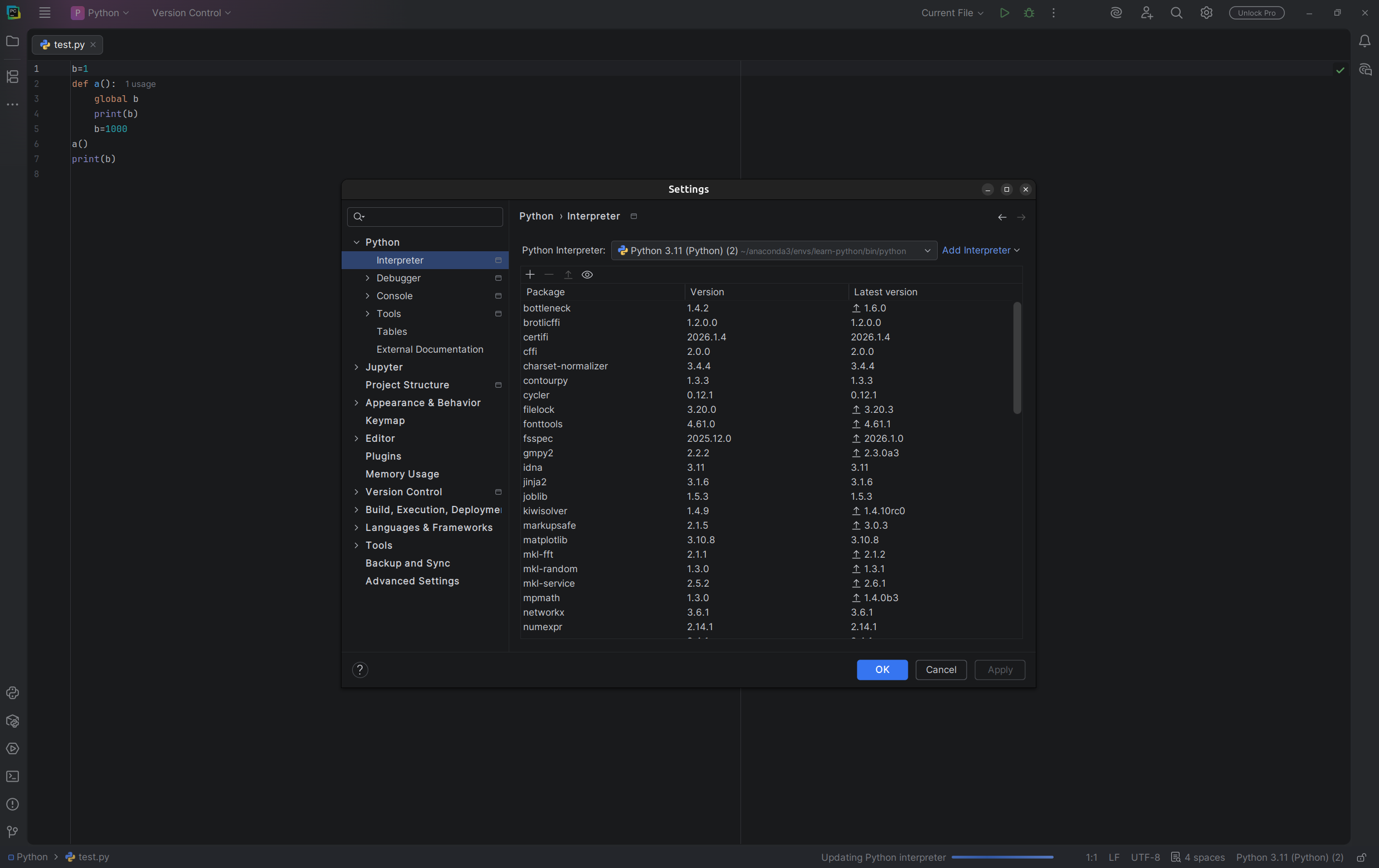
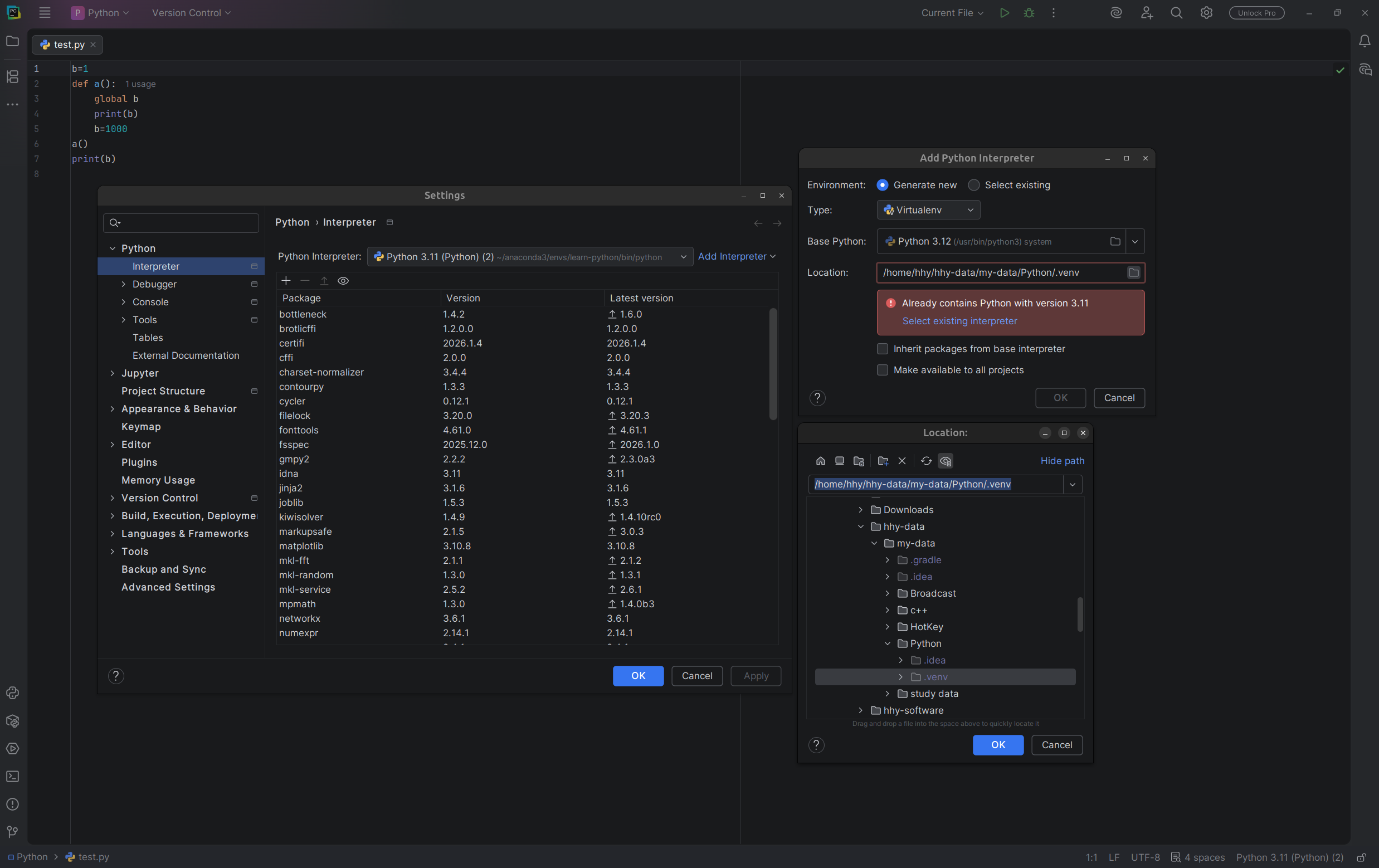
Tell what environment you want to use, click the setting button and find Interpreter
Click Add Interpreter , and enter the file system to fine your interpreter . Remember that every virtual environment has an independent Interpreter, find it and add it to pycharm.
Last but not least, If you encounter any questions during installation, feel free to ask AI.