目录
- [一、分析 RestTemplate](#一、分析 RestTemplate)
- 二、OpenFeign介绍
- 三、使用OpenFeign
- 四、OpenFeign参数传递
- 五、最佳实践
-
- [5.1 Feign 继承⽅式](#5.1 Feign 继承⽅式)
- [5.2 Feign 抽取⽅式](#5.2 Feign 抽取⽅式)

一、分析 RestTemplate
我们在前面学习的时候是使用的Rest Template的方式来实现远程调用接口,代码如下:
java
public OrderInfo selectOrderById(Integer orderId) {
 OrderInfo orderInfo = orderMapper.selectOrderById(orderId);
 String url = "http://product-service/product/"+ orderInfo.getProductId();
 ProductInfo productInfo = restTemplate.getForObject(url, ProductInfo.class);
 orderInfo.setProductInfo(productInfo);
 return orderInfo;
}
虽说RestTemplate 对HTTP封装后,已经⽐直接使⽤ HTTPClient 简单⽅便很多,但是还存在⼀些问题:
- 需要拼接URL,灵活性⾼,但是封装臃肿,URL复杂时,容易出错。
- 代码可读性差,⻛格不统⼀。
微服务之间的通信⽅式,通常有两种:RPC 和 HTTP。
RPC(Remote Procedure Call)远程过程调⽤,是⼀种通过⽹络从远程计算机上请求服务,⽽不需要了解底层⽹络通信细节。RPC可以使⽤多种⽹络协议进⾏通信, 如HTTP、TCP、UDP等,并且在TCP/IP⽹络四层模型中跨越了传输层和应⽤层。简⾔之RPC就是像调⽤本地⽅法⼀样调⽤远程⽅法。
常⻅的RPC框架有:
- Dubbo:Apache Dubbo 中⽂
- Thrift:Apache Thrift - Home
- gRPC:gRPC
在SpringCloud中,默认是使⽤HTTP来进⾏微服务的通信,最常⽤的实现形式有两种:
- RestTemplate
- OpenFeign
二、OpenFeign介绍
OpenFeign 是⼀个声明式的 Web Service 客⼾端。它让微服务之间的调⽤变得更简单,类似controller 调⽤service,只需要创建⼀个接⼝,然后添加注解即可使⽤OpenFeign。
OpenFeign 的前⾝ Feign 是 Netflix 公司开源的⼀个组件
- 2013年6⽉, Netflix发布 Feign的第⼀个版本 1.0.0
- 2016年7⽉, Netflix发布 Feign的最后⼀个版本 8.18.0
2016年,Netflix 将 Feign 捐献给社区
- 2016年7⽉ OpenFeign 的⾸个版本 9.0.0 发布,之后⼀直持续发布到现在
Spring Cloud Feign:
Spring Cloud Feign 是 Spring 对 Feign 的封装,将 Feign 项⽬集成到 Spring Cloud ⽣态系统中。受 Feign 更名影响,Spring Cloud Feign 也有两个 starter
- spring-cloud-starter-feign
- spring-cloud-starter-openfeign
由于Feign的停更维护,对应的,我们使⽤的依赖是 spring-cloud-starter-openfeign
OpenFeign 官⽅⽂档: GitHub-OpenFeign/feign: Feign makes writing java http clients easier
Spring Cloud Feign⽂档: Spring Cloud OpenFeign
三、使用OpenFeign
我们还是nacos的代码来开发。
- 引入依赖
在order-service的pom文件中引入Openfeign依赖
xml
        <dependency>
            <groupId>org.springframework.cloud</groupId>
            <artifactId>spring-cloud-starter-openfeign</artifactId>
</dependency>- 添加注解
在order-service的启动类添加注解 @EnableFeignClients , 开启OpenFeign的功能。
java
package com.cloud.order;

import org.springframework.boot.SpringApplication;
import org.springframework.boot.autoconfigure.SpringBootApplication;
import org.springframework.cloud.openfeign.EnableFeignClients;

@SpringBootApplication
@EnableFeignClients
public class OrderServiceApplication {
    public static void main(String[] args) {
        SpringApplication.run(OrderServiceApplication.class, args);
    }
}- 编写OpenFeign的客⼾端
java
package com.cloud.order.api;

import com.cloud.order.model.ProductInfo;
import org.springframework.cloud.openfeign.FeignClient;
import org.springframework.web.bind.annotation.PathVariable;
import org.springframework.web.bind.annotation.RequestMapping;
@FeignClient(value = "product-service", path = "/product")
public interface ProductApi {
 @RequestMapping("/{productId}")
  ProductInfo getProductById(@PathVariable("productId") Integer productId);
}
@FeignClient 注解作⽤在接⼝上,参数说明:
- name/value:指定FeignClient的名称,也就是微服务的名称,⽤于服务发现,Feign底层会使⽤Spring Cloud LoadBalance 进⾏负载均衡。也可以使⽤ url 属性指定⼀个具体的url。
- path:定义当前FeignClient的统⼀前缀。
- 远程调⽤
修改远程调⽤的⽅法
java
package com.cloud.order.service;

import com.cloud.order.api.ProductApi;
import com.cloud.order.mapper.OrderMapper;
import com.cloud.order.model.OrderInfo;
import com.cloud.order.model.ProductInfo;
import org.springframework.beans.factory.annotation.Autowired;
import org.springframework.stereotype.Service;
import org.springframework.web.client.RestTemplate;

@Service
public class OrderService {
    @Autowired
    private OrderMapper orderMapper;
    @Autowired
    private ProductApi productApi;
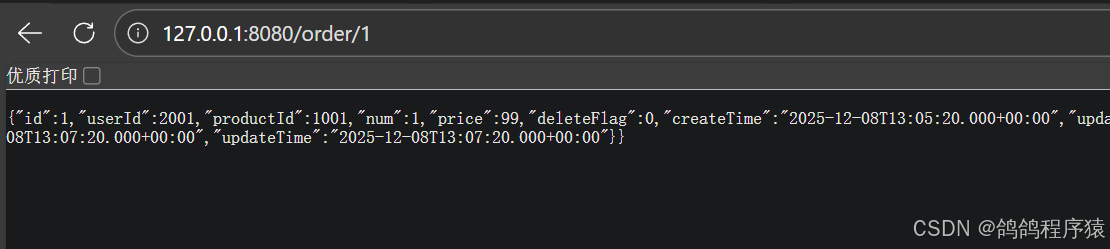
    public OrderInfo selectOrderById(Integer orderId) {
        OrderInfo orderInfo = orderMapper.selectOrderById(orderId);

        ProductInfo productInfo = productApi.getProductById(orderInfo.getProductId());

        orderInfo.setProductInfo(productInfo);
        return orderInfo;
    }

}
四、OpenFeign参数传递
- 传递单个参数
先在服务端product-service的controller层添加接收一个参数的接口: com.cloud.product.controller
java
   //一个参数
    @RequestMapping("p1")
    public String p1(Integer id) {
        return "接收到一个参数id:"+id;
    }
再在Feign 的客户端中添加调用的方法:com.cloud.order.api
java
 //一个参数
 @RequestMapping("p1")
 String p1(@RequestParam("id") Integer id);
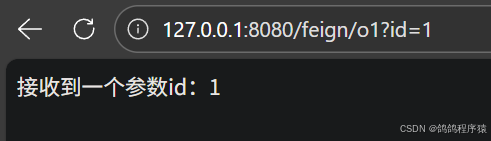
再通过客户端接口调用:
java
package com.cloud.order.controller;

import com.cloud.order.api.ProductApi;
import org.springframework.beans.factory.annotation.Autowired;
import org.springframework.web.bind.annotation.RequestMapping;
import org.springframework.web.bind.annotation.RestController;

@RequestMapping("/feign")
@RestController
public class FeignController {
    @Autowired
    private ProductApi productApi;
    @RequestMapping("o1")
    public String o1(Integer id) {
        return productApi.p1(id);
    }
}
- 传递多个参数
先在服务端product-service的controller层添加接收多个参数的接口:com.cloud.product.controller
java
//多个参数
    @RequestMapping("p2")
    public String p2(Integer id, String name) {
        return "接收到两个参数id:"+id +",name: "+name;
    }
再在Feign 的客户端中添加调用的方法:com.cloud.order.api
java
 //多个参数
 @RequestMapping("p2")
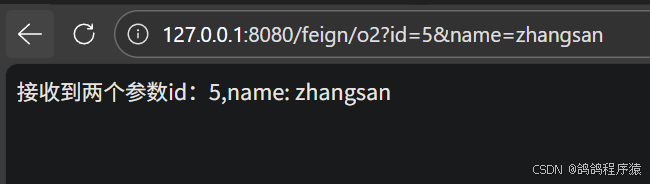
String p2(@RequestParam("id")Integer id, @RequestParam("name")String name);再通过客户端接口调用:com.cloud.order.controller
java
    //多个参数
    @RequestMapping("o2")
    public String o2(Integer id, String name) {
        return "接收到两个参数id:"+id +",name: "+name;
    }
- 传递对象
先在服务端product-service的controller层添加接收对象的接口:com.cloud.product.controller
java
    //对象
    @RequestMapping("p3")
    public String p3(ProductInfo productInfo) {
        return "接收到一个对象:"+productInfo.toString();
    }
再在Feign 的客户端中添加调用的方法:com.cloud.order.api
java
 //对象
 @RequestMapping("p3")
String p3(@SpringQueryMap ProductInfo productInfo) ;再通过客户端接口调用:com.cloud.order.controller
java
    //对象
    @RequestMapping("o3")
    public String o3(ProductInfo productInfo) {
        return "接收到一个对象:"+productInfo.toString();
    }
- 传递JSON
先在服务端product-service的controller层添加接收JSON的接口: com.cloud.product.controller
java
    //JSON
    @RequestMapping("p4")
    public String p4(@RequestBody ProductInfo productInfo) {
        return "接收到一个Json对象:"+productInfo.toString();
    }
再在Feign 的客户端中添加调用的方法:com.cloud.order.api
java
 //JSON
 @RequestMapping("p4")
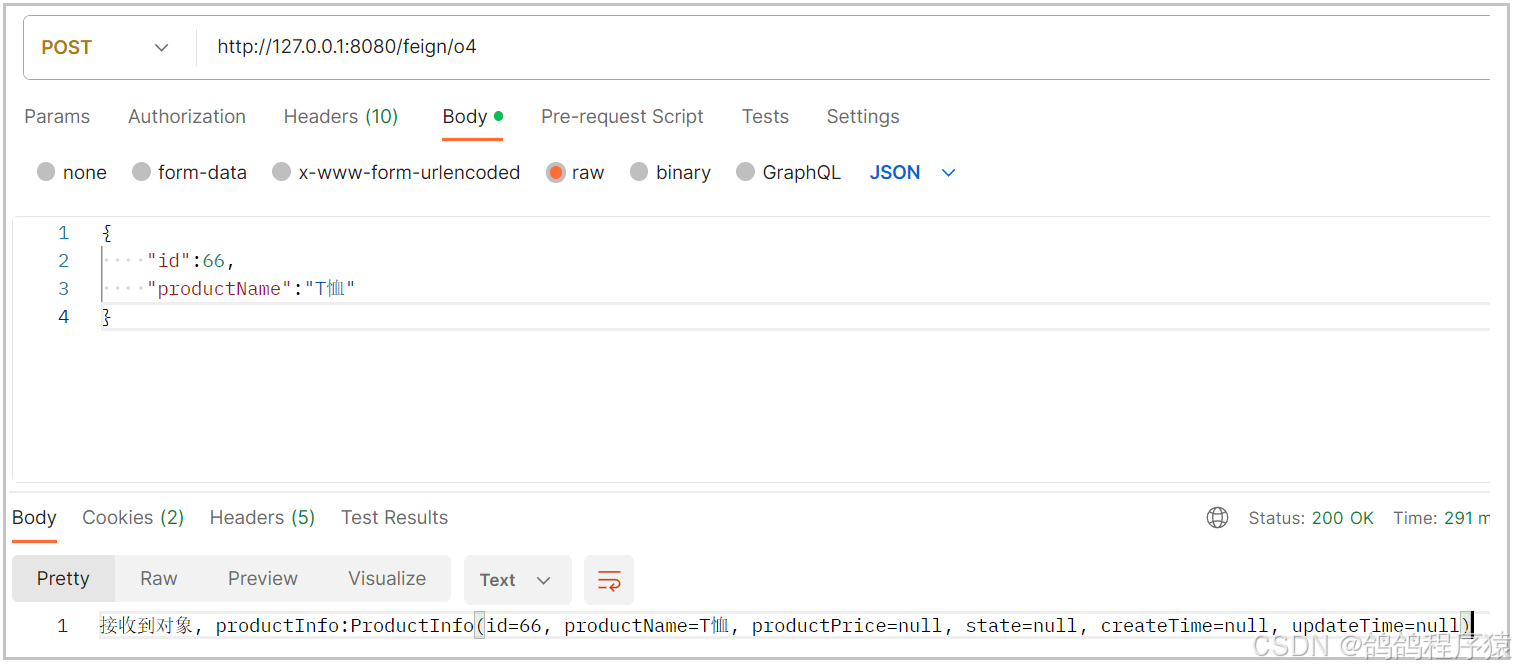
String p4(@RequestBody ProductInfo productInfo) ;再通过客户端接口调用:com.cloud.order.controller
java
    //JSON
    @RequestMapping("o4")
    public String o4(@RequestBody ProductInfo productInfo) {
        return "接收到一个Json对象:"+productInfo.toString();
    }
五、最佳实践
就是经过历史的迭代,在项⽬中的实践过程中,总结出来的最好的使⽤⽅式。
在上面我们实现调用,Feign的客⼾端与服务提供者的controller代码⾮常相似。其实有两种简化的方式。
5.1 Feign 继承⽅式
Feign ⽀持继承的⽅式,我们可以把⼀些常⻅的操作封装到接⼝⾥。
我们可以定义好⼀个接⼝,服务提供⽅实现这个接⼝,服务消费⽅编写Feign 接⼝的时候,直接继承这个接⼝
Spring Cloud OpenFeign Features :: Spring Cloud Openfeign
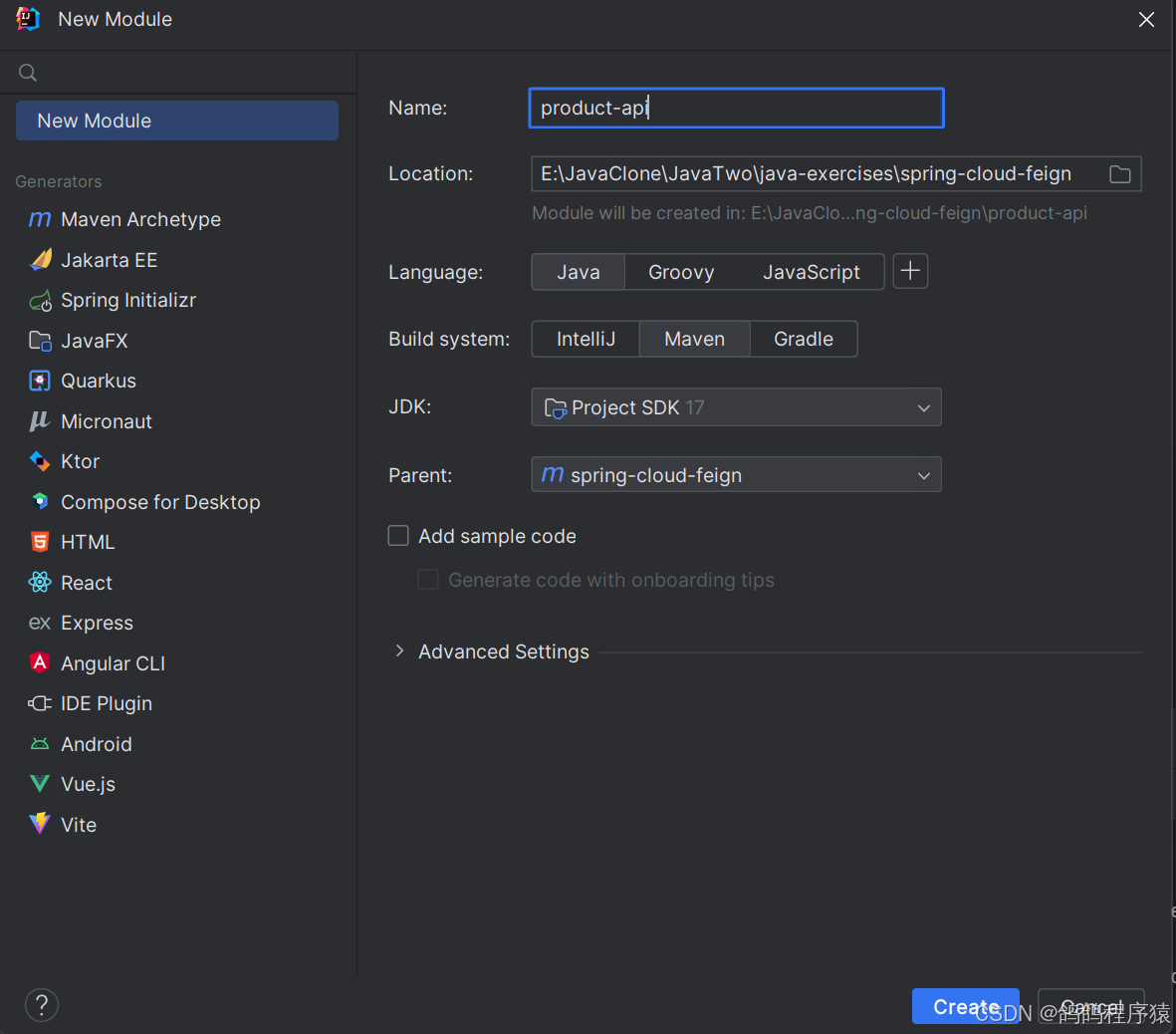
- 创建module
- 引入依赖
xml
    <dependencies>
        <dependency>
            <groupId>org.springframework.boot</groupId>
            <artifactId>spring-boot-starter-web</artifactId>
        </dependency>
        <dependency>
            <groupId>org.springframework.cloud</groupId>
            <artifactId>spring-cloud-starter-openfeign</artifactId>
        </dependency>
</dependencies>- 编写接⼝
复制 ProductApi,ProductInfo 到product-api模块中
java
package com.cloud.product.model;

import lombok.Data;

import java.util.Date;

@Data
public class ProductInfo {
 private Integer id;
 private String productName;
 private Integer productPrice;
 private Integer state;
 private Date createTime;
 private Date updateTime;
}
java
package com.cloud.product.api;

import com.cloud.product.model.ProductInfo;
import org.springframework.cloud.openfeign.SpringQueryMap;
import org.springframework.web.bind.annotation.PathVariable;
import org.springframework.web.bind.annotation.RequestBody;
import org.springframework.web.bind.annotation.RequestMapping;
import org.springframework.web.bind.annotation.RequestParam;

public interface ProductInterface {
    @RequestMapping("/{productId}")
    ProductInfo getProductById(@PathVariable("productId") Integer productId);

    //一个参数
    @RequestMapping("p1")
    String p1(@RequestParam("id") Integer id);

    //多个参数
    @RequestMapping("p2")
    String p2(@RequestParam("id")Integer id, @RequestParam("name")String name);
    //对象
    @RequestMapping("p3")
    String p3(@SpringQueryMap ProductInfo productInfo) ;
    //JSON
    @RequestMapping("p4")
    String p4(@RequestBody ProductInfo productInfo) ;
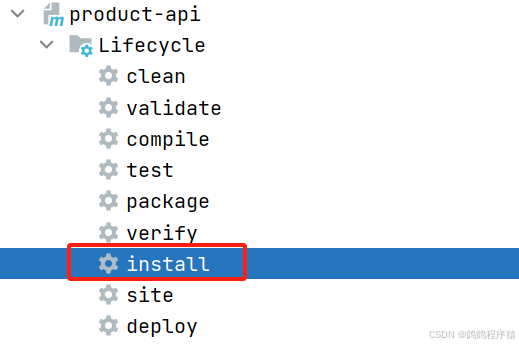
}- 打Jar包
把当前工程打包放入本地仓库。
- 服务提供⽅
服务提供⽅实现接⼝ ProductInterface

- 服务消费⽅
服务消费⽅继承ProductInterface
java
package com.cloud.order.api;

import com.cloud.product.api.ProductInterface;
import com.cloud.product.model.ProductInfo;
import org.springframework.cloud.openfeign.FeignClient;
import org.springframework.web.bind.annotation.PathVariable;
import org.springframework.web.bind.annotation.RequestMapping;

@FeignClient(value = "product-service", path = "/product")
public interface ProductApi  extends ProductInterface {
 @RequestMapping("/{productId}")
 ProductInfo getProductById(@PathVariable("productId") Integer productId);

}
5.2 Feign 抽取⽅式
官⽅推荐Feign的使⽤⽅式为继承的⽅式,但是企业开发中,更多是把Feign接⼝抽取为⼀个独⽴的模块(做法和继承相似,但理念不同)。
操作⽅法:
将Feign的Client抽取为⼀个独⽴的模块,并把涉及到的实体类等都放在这个模块中,打成⼀个Jar。服务消费⽅只需要依赖该Jar包即可。这种⽅式在企业中⽐较常⻅,Jar包通常由服务提供⽅来实现。
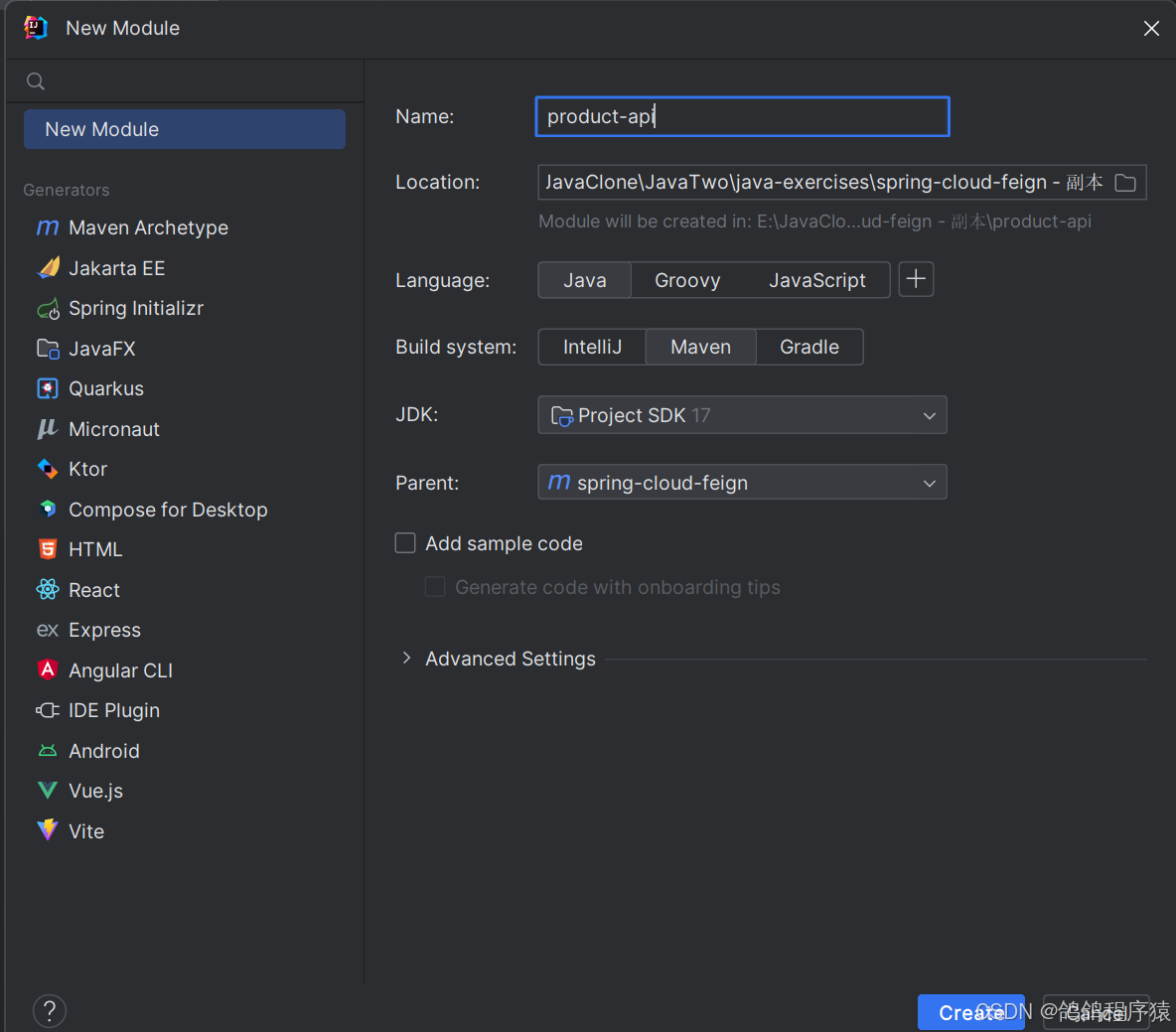
- 创建module
- 引⼊依赖
xml
    <dependencies>
        <dependency>
            <groupId>org.springframework.boot</groupId>
            <artifactId>spring-boot-starter-web</artifactId>
        </dependency>
        <dependency>
            <groupId>org.springframework.cloud</groupId>
            <artifactId>spring-cloud-starter-openfeign</artifactId>
        </dependency>
</dependencies>- 编写API
复制 ProductApi,ProductInfo 到product-api模块中
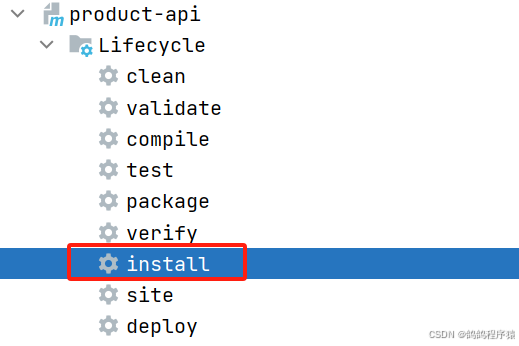
跟上一个操作是一样的。 - 打Jar包
- 服务消费⽅使⽤product-api
删除 ProductApi,ProductInfo。
引⼊依赖
xml
<dependency>
 <groupId>org.example</groupId>
 <artifactId>product-api</artifactId>
 <version>1.0-SNAPSHOT</version>
</dependency>- 指定扫描类:ProductApi
在启动类添加扫描路径
java
@EnableFeignClients(basePackages = {"com.cloud.api"})