1、在调度器(双网卡主机中):
dnf install haproxy.x86_64 -y
systemctl enable --now haproxy
2、前后端分开设定:
vim /etc/haproxy/haproxy.cfg
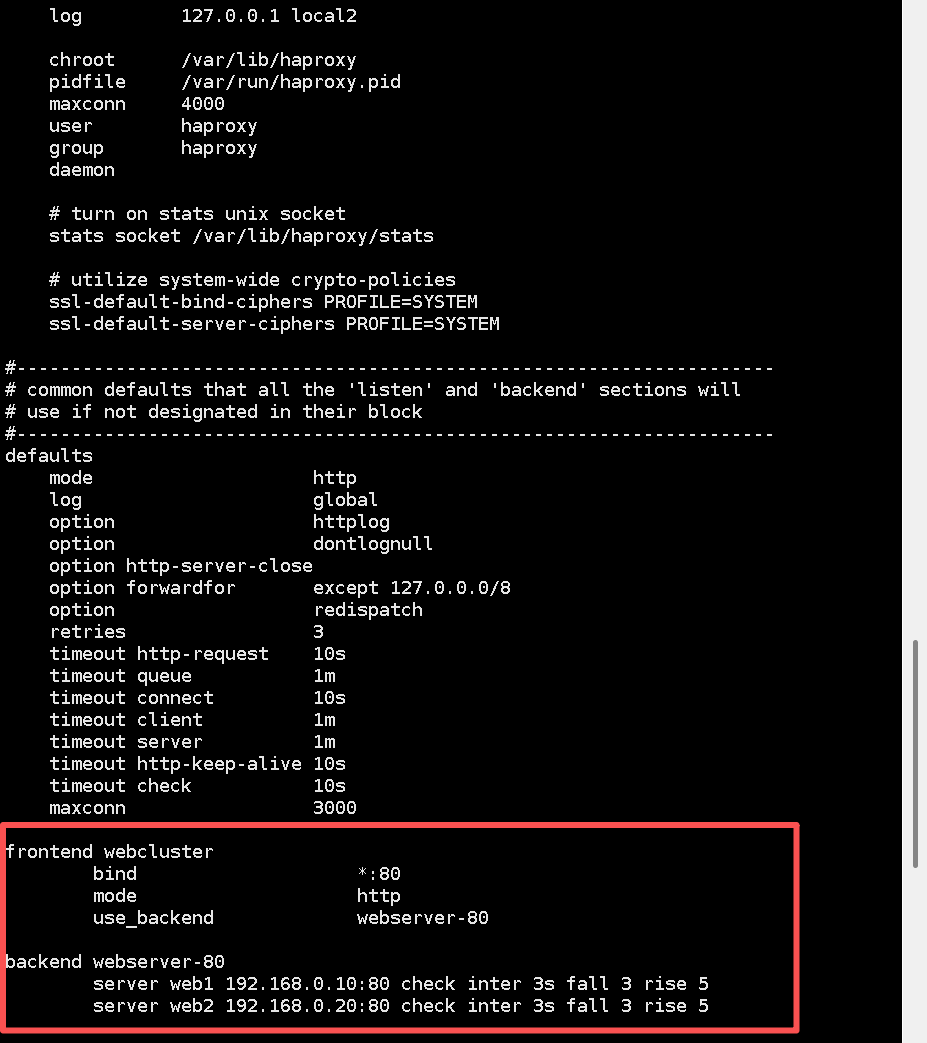
随后重启服务发现80端口被占用:
systemctl restart haproxy.service

通过命令查看日志和端口状态信息,发现80端口被httpd占用,导致haproxy服务启动失败,所以停止httpd服务,再重启:
netstat -anptu | grep :80
systemctl stop httpd
service haproxy start

最后测试:
