#
前言
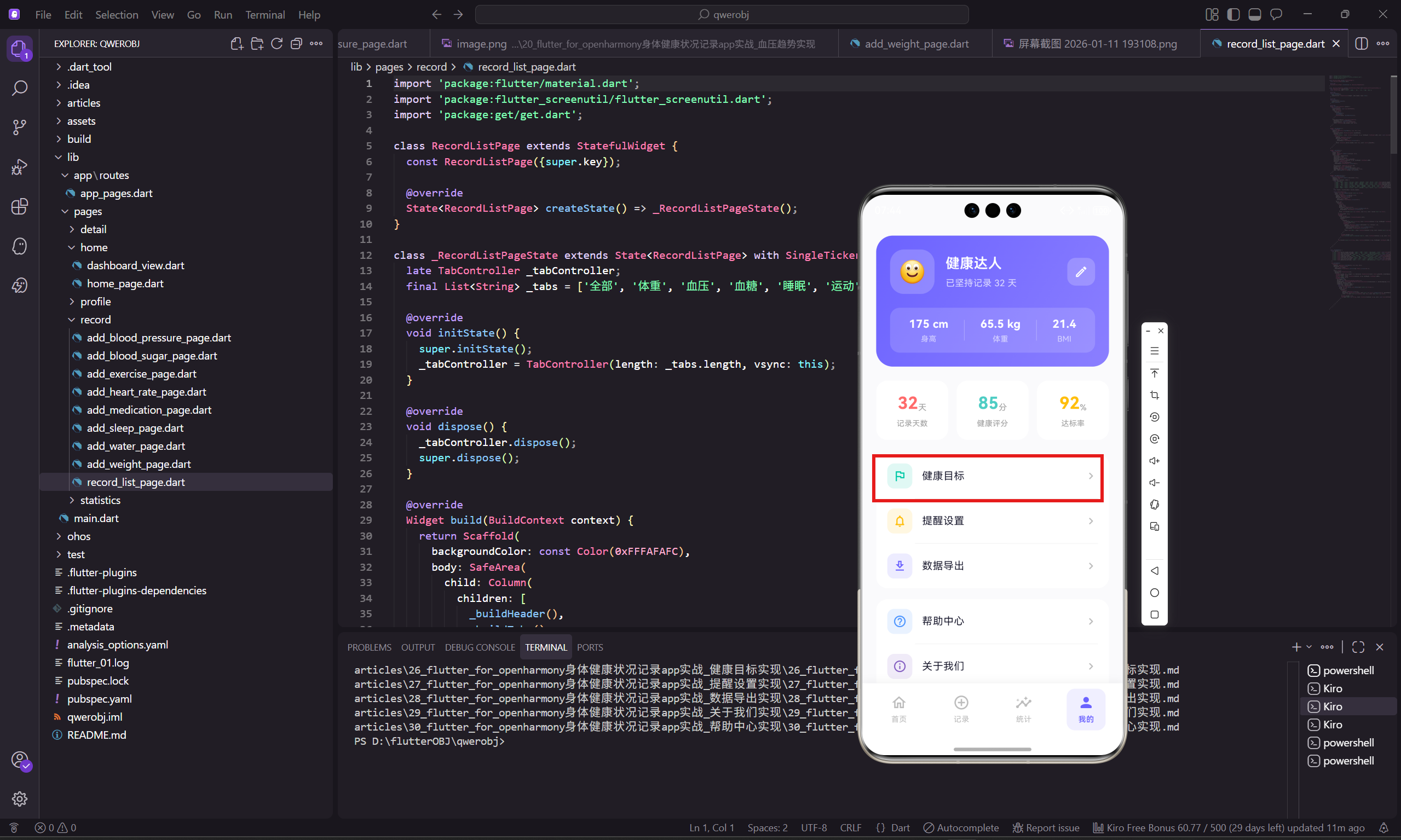
健康目标页面让用户可以设置和查看自己的健康目标,包括目标体重、每日饮水量、每周运动时长、睡眠时长等。明确的目标能帮助用户更有方向地管理自己的健康。
这篇文章会讲解健康目标页面的实现,包括目标卡片设计和进度展示等核心功能。
页面整体结构
健康目标页面展示多个目标卡片,每个卡片包含目标值和当前进度。
dart
class HealthGoalPage extends StatelessWidget {
  const HealthGoalPage({super.key});

  @override
  Widget build(BuildContext context) {
    return Scaffold(
      backgroundColor: const Color(0xFFFAFAFC),
      appBar: AppBar(
        backgroundColor: Colors.transparent,
        leading: IconButton(
          icon: Icon(Icons.arrow_back_ios_rounded, size: 20.w),
          onPressed: () => Get.back()
        ),
        title: Text('健康目标', style: TextStyle(fontSize: 17.sp, fontWeight: FontWeight.w600)),
        centerTitle: true,
      ),
      body: SingleChildScrollView(
        padding: EdgeInsets.all(20.w),
        child: Column(
          children: [
            _buildGoalCard('目标体重', '63 kg', '当前 65.5 kg', const Color(0xFFFF6B6B), Icons.monitor_weight_outlined),
            SizedBox(height: 12.h),
            _buildGoalCard('每日饮水', '2000 ml', '平均 1650 ml', const Color(0xFF4D96FF), Icons.local_drink_outlined),
            SizedBox(height: 12.h),
            _buildGoalCard('每周运动', '150 分钟', '本周 156 分钟', const Color(0xFF00C9A7), Icons.directions_run_rounded),
            SizedBox(height: 12.h),
            _buildGoalCard('睡眠时长', '7-8 小时', '平均 7.2 小时', const Color(0xFF845EC2), Icons.nightlight_outlined),
          ],
        ),
      ),
    );
  }
}
页面使用统一的浅灰色背景,四个目标卡片垂直排列,间距为 12.h。每个目标有不同的主题色,方便用户快速识别。
目标卡片组件
目标卡片展示目标名称、目标值、当前进度和图标。
dart
Widget _buildGoalCard(String title, String goal, String current, Color color, IconData icon) {
  return Container(
    padding: EdgeInsets.all(16.w),
    decoration: BoxDecoration(
      color: Colors.white,
      borderRadius: BorderRadius.circular(16.r)
    ),
    child: Row(
      children: [
        Container(
          padding: EdgeInsets.all(12.w),
          decoration: BoxDecoration(
            color: color.withOpacity(0.12),
            borderRadius: BorderRadius.circular(14.r)
          ),
          child: Icon(icon, size: 24.w, color: color),
        ),
        SizedBox(width: 14.w),
        Expanded(
          child: Column(
            crossAxisAlignment: CrossAxisAlignment.start,
            children: [
              Text(title, style: TextStyle(
                fontSize: 15.sp,
                fontWeight: FontWeight.w600,
                color: const Color(0xFF1A1A2E)
              )),
              SizedBox(height: 4.h),
              Text(current, style: TextStyle(
                fontSize: 12.sp,
                color: Colors.grey[500]
              )),
            ],
          ),
        ),
        Text(goal, style: TextStyle(
          fontSize: 16.sp,
          fontWeight: FontWeight.w700,
          color: color
        )),
      ],
    ),
  );
}
卡片左边是带颜色背景的图标,中间是目标名称和当前进度,右边是目标值。图标背景使用主题色的 12% 透明度,既能区分不同目标,又不会太刺眼。
目标值使用主题色和粗体字,让它成为视觉焦点。当前进度用灰色小字显示,作为参考信息。
目标进度计算
根据当前值和目标值计算进度:
dart
double _calculateProgress(double current, double target, String type) {
  switch (type) {
    case '体重':
      // 体重目标是减重,越接近目标越好
      final startWeight = 70.0; // 假设起始体重
      final progress = (startWeight - current) / (startWeight - target);
      return progress.clamp(0.0, 1.0);

    case '饮水':
    case '运动':
      // 越多越好,但不超过100%
      return (current / target).clamp(0.0, 1.0);

    case '睡眠':
      // 在目标范围内为100%
      if (current >= 7 && current <= 8) return 1.0;
      if (current < 7) return current / 7;
      return 8 / current; // 睡太多也不好

    default:
      return 0.0;
  }
}
不同类型的目标有不同的计算方式。体重目标是减重,所以越接近目标值进度越高;饮水和运动是越多越好;睡眠有一个最佳范围。
带进度条的目标卡片
可以在目标卡片中添加进度条,让进度更直观:
dart
Widget _buildGoalCardWithProgress(
  String title,
  String goal,
  String current,
  double progress,
  Color color,
  IconData icon
) {
  return Container(
    padding: EdgeInsets.all(16.w),
    decoration: BoxDecoration(
      color: Colors.white,
      borderRadius: BorderRadius.circular(16.r),
    ),
    child: Column(
      children: [
        Row(
          children: [
            Container(
              padding: EdgeInsets.all(10.w),
              decoration: BoxDecoration(
                color: color.withOpacity(0.12),
                borderRadius: BorderRadius.circular(12.r),
              ),
              child: Icon(icon, size: 22.w, color: color),
            ),
            SizedBox(width: 12.w),
            Expanded(
              child: Column(
                crossAxisAlignment: CrossAxisAlignment.start,
                children: [
                  Text(title, style: TextStyle(
                    fontSize: 14.sp,
                    fontWeight: FontWeight.w600,
                    color: const Color(0xFF1A1A2E),
                  )),
                  SizedBox(height: 2.h),
                  Text(current, style: TextStyle(
                    fontSize: 11.sp,
                    color: Colors.grey[500],
                  )),
                ],
              ),
            ),
            Column(
              crossAxisAlignment: CrossAxisAlignment.end,
              children: [
                Text(goal, style: TextStyle(
                  fontSize: 15.sp,
                  fontWeight: FontWeight.w700,
                  color: color,
                )),
                Text(
                  '${(progress * 100).toInt()}%',
                  style: TextStyle(
                    fontSize: 11.sp,
                    color: Colors.grey[400],
                  ),
                ),
              ],
            ),
          ],
        ),
        SizedBox(height: 12.h),
        ClipRRect(
          borderRadius: BorderRadius.circular(4.r),
          child: LinearProgressIndicator(
            value: progress,
            minHeight: 6.h,
            backgroundColor: Colors.grey[100],
            valueColor: AlwaysStoppedAnimation(color),
          ),
        ),
      ],
    ),
  );
}
进度条放在卡片底部,用主题色填充。右上角显示百分比数字,让用户能精确了解进度。
目标编辑功能
点击目标卡片可以编辑目标值:
dart
void _showGoalEditor(BuildContext context, String type, double currentGoal) {
  double newGoal = currentGoal;

  showModalBottomSheet(
    context: context,
    backgroundColor: Colors.white,
    shape: RoundedRectangleBorder(
      borderRadius: BorderRadius.vertical(top: Radius.circular(20.r)),
    ),
    builder: (context) => StatefulBuilder(
      builder: (context, setState) => Container(
        padding: EdgeInsets.all(20.w),
        child: Column(
          mainAxisSize: MainAxisSize.min,
          children: [
            Text('设置$type目标', style: TextStyle(
              fontSize: 16.sp,
              fontWeight: FontWeight.w600,
              color: const Color(0xFF1A1A2E),
            )),
            SizedBox(height: 20.h),
            Row(
              mainAxisAlignment: MainAxisAlignment.center,
              children: [
                IconButton(
                  onPressed: () {
                    setState(() => newGoal = (newGoal - 1).clamp(0, 999));
                  },
                  icon: Icon(Icons.remove_circle_outline,
                    size: 32.w,
                    color: const Color(0xFF6C63FF)
                  ),
                ),
                SizedBox(width: 20.w),
                Text(
                  _formatGoalValue(type, newGoal),
                  style: TextStyle(
                    fontSize: 32.sp,
                    fontWeight: FontWeight.w700,
                    color: const Color(0xFF1A1A2E),
                  ),
                ),
                SizedBox(width: 20.w),
                IconButton(
                  onPressed: () {
                    setState(() => newGoal = (newGoal + 1).clamp(0, 999));
                  },
                  icon: Icon(Icons.add_circle_outline,
                    size: 32.w,
                    color: const Color(0xFF6C63FF)
                  ),
                ),
              ],
            ),
            SizedBox(height: 20.h),
            SizedBox(
              width: double.infinity,
              child: ElevatedButton(
                onPressed: () {
                  // 保存目标
                  Navigator.pop(context);
                },
                style: ElevatedButton.styleFrom(
                  backgroundColor: const Color(0xFF6C63FF),
                  padding: EdgeInsets.symmetric(vertical: 14.h),
                  shape: RoundedRectangleBorder(
                    borderRadius: BorderRadius.circular(12.r),
                  ),
                ),
                child: Text('保存', style: TextStyle(
                  fontSize: 15.sp,
                  fontWeight: FontWeight.w600,
                  color: Colors.white,
                )),
              ),
            ),
          ],
        ),
      ),
    ),
  );
}

String _formatGoalValue(String type, double value) {
  switch (type) {
    case '体重': return '${value.toStringAsFixed(1)} kg';
    case '饮水': return '${value.toInt()} ml';
    case '运动': return '${value.toInt()} 分钟';
    case '睡眠': return '${value.toStringAsFixed(1)} 小时';
    default: return value.toString();
  }
}
目标编辑器使用加减按钮调整数值,中间显示当前值。不同类型的目标有不同的单位和格式。
目标达成提示
当目标达成时显示庆祝提示:
dart
Widget _buildAchievementBadge(bool isAchieved) {
  if (!isAchieved) return const SizedBox.shrink();

  return Container(
    padding: EdgeInsets.symmetric(horizontal: 8.w, vertical: 4.h),
    decoration: BoxDecoration(
      color: const Color(0xFF00C9A7),
      borderRadius: BorderRadius.circular(10.r),
    ),
    child: Row(
      mainAxisSize: MainAxisSize.min,
      children: [
        Icon(Icons.check_circle, size: 14.w, color: Colors.white),
        SizedBox(width: 4.w),
        Text('已达成', style: TextStyle(
          fontSize: 11.sp,
          color: Colors.white,
          fontWeight: FontWeight.w500,
        )),
      ],
    ),
  );
}
达成目标时显示绿色的"已达成"标签,给用户正向反馈。
目标建议
根据用户情况给出目标设置建议:
dart
Widget _buildGoalSuggestion() {
  return Container(
    padding: EdgeInsets.all(16.w),
    decoration: BoxDecoration(
      color: const Color(0xFF6C63FF).withOpacity(0.08),
      borderRadius: BorderRadius.circular(12.r),
    ),
    child: Row(
      children: [
        Icon(Icons.lightbulb_outline_rounded, size: 20.w, color: const Color(0xFF6C63FF)),
        SizedBox(width: 10.w),
        Expanded(
          child: Text(
            '建议:每周减重0.5-1kg比较健康,目标不宜设置过高',
            style: TextStyle(fontSize: 13.sp, color: const Color(0xFF6C63FF)),
          ),
        ),
      ],
    ),
  );
}
建议卡片用淡紫色背景,配合灯泡图标,给用户提供科学的目标设置指导。
目标历史
可以查看目标的历史变化:
dart
Widget _buildGoalHistory(String type) {
  final history = [
    {'date': '2026-01', 'goal': '65 kg', 'achieved': true},
    {'date': '2025-12', 'goal': '66 kg', 'achieved': true},
    {'date': '2025-11', 'goal': '67 kg', 'achieved': false},
  ];

  return Container(
    padding: EdgeInsets.all(16.w),
    decoration: BoxDecoration(
      color: Colors.white,
      borderRadius: BorderRadius.circular(16.r),
    ),
    child: Column(
      crossAxisAlignment: CrossAxisAlignment.start,
      children: [
        Text('目标历史', style: TextStyle(
          fontSize: 14.sp,
          fontWeight: FontWeight.w500,
          color: const Color(0xFF1A1A2E),
        )),
        SizedBox(height: 12.h),
        ...history.map((item) => Padding(
          padding: EdgeInsets.only(bottom: 10.h),
          child: Row(
            children: [
              Text(item['date'] as String, style: TextStyle(
                fontSize: 13.sp,
                color: Colors.grey[600],
              )),
              const Spacer(),
              Text(item['goal'] as String, style: TextStyle(
                fontSize: 13.sp,
                color: const Color(0xFF1A1A2E),
              )),
              SizedBox(width: 10.w),
              Icon(
                (item['achieved'] as bool)
                  ? Icons.check_circle
                  : Icons.cancel,
                size: 16.w,
                color: (item['achieved'] as bool)
                  ? const Color(0xFF00C9A7)
                  : Colors.grey[400],
              ),
            ],
          ),
        )),
      ],
    ),
  );
}
目标历史展示过去几个月的目标和达成情况,让用户了解自己的进步轨迹。
小结
健康目标页面通过目标卡片展示各项健康目标和当前进度,让用户能清楚地了解自己的目标完成情况。
核心设计要点包括:不同目标用不同颜色区分,进度条直观展示完成度,目标编辑器使用加减按钮方便调整。这些设计让用户能轻松设置和追踪自己的健康目标。
欢迎加入开源鸿蒙跨平台社区:https://openharmonycrossplatform.csdn.net