七层IP透传
#实验环境
root@haproxy \~# vim /etc/haproxy/haproxy.cfg
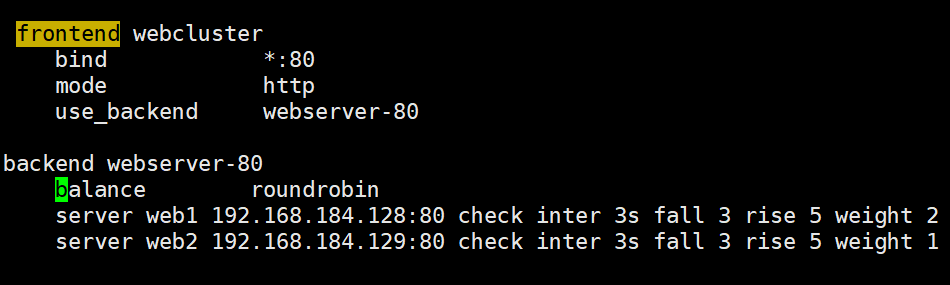
root@haproxy \~# systemctl restart haproxy.service
#测试环境
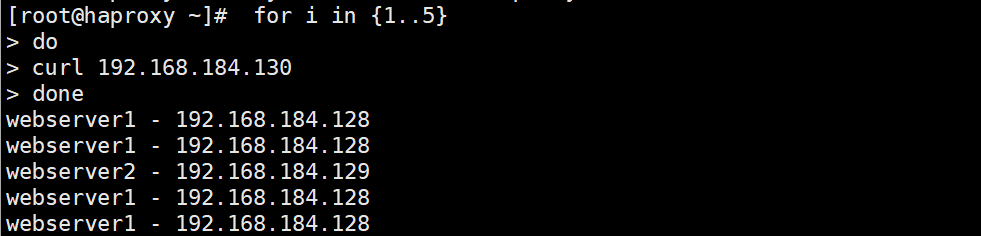
#在rs主机中默认是未开启透传功能的

#开启ip透传的方式
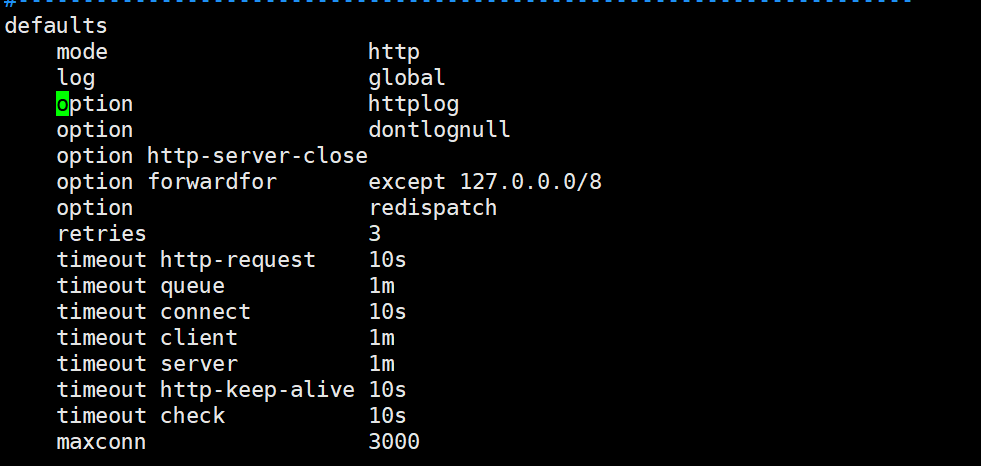
#在rs中设定采集透传IP
root@webserver1\~# vim /etc/httpd/conf/httpd.conf

root@webserver1 \~# systemctl restart httpd
#测试效果
root@webserver1 \~# cat /etc/httpd/logs/access_log

四层IP透传
#环境设置
#在RS中把apache停止


#部署nginx
webserver1
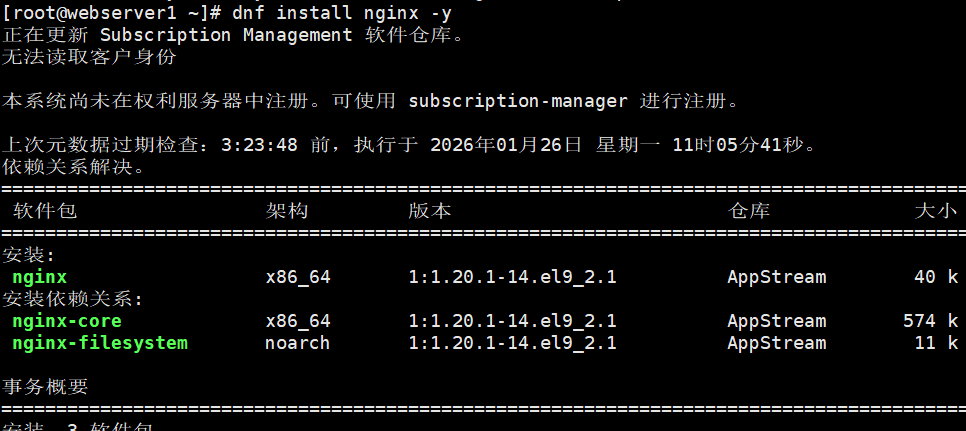

webserver2
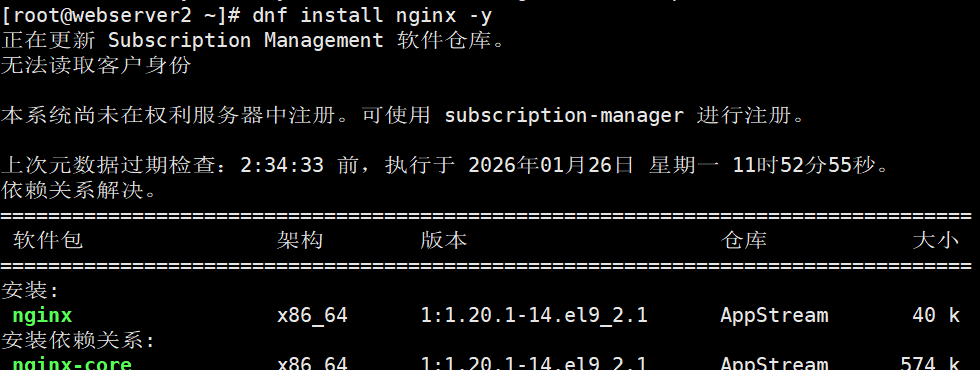

#测环境

#启用nginx的四层访问控制
webserver1

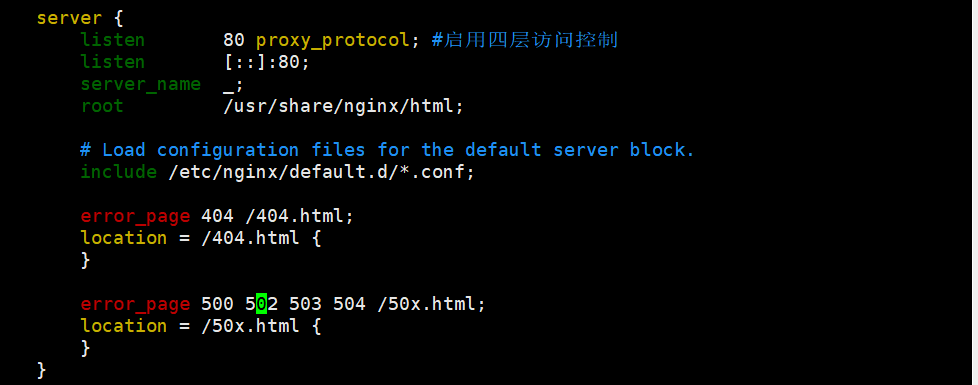

webserver2

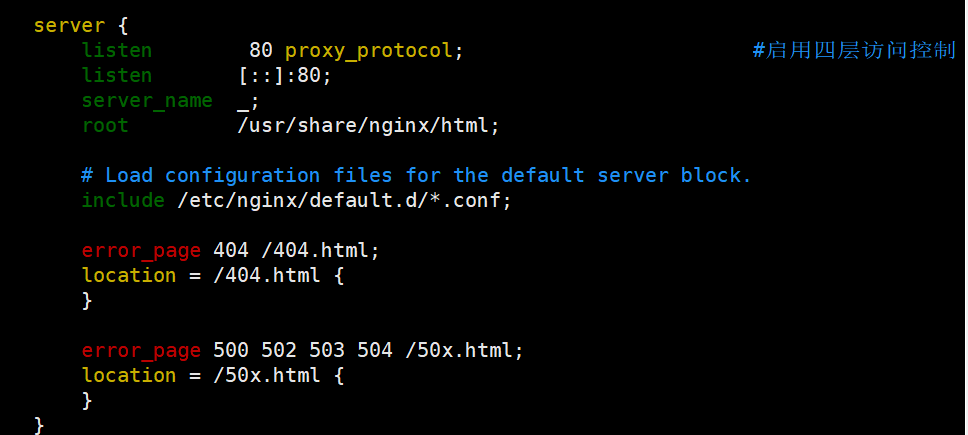

#测试
这里报错是正常的,出现下述报错标识nginx只支持四层访问
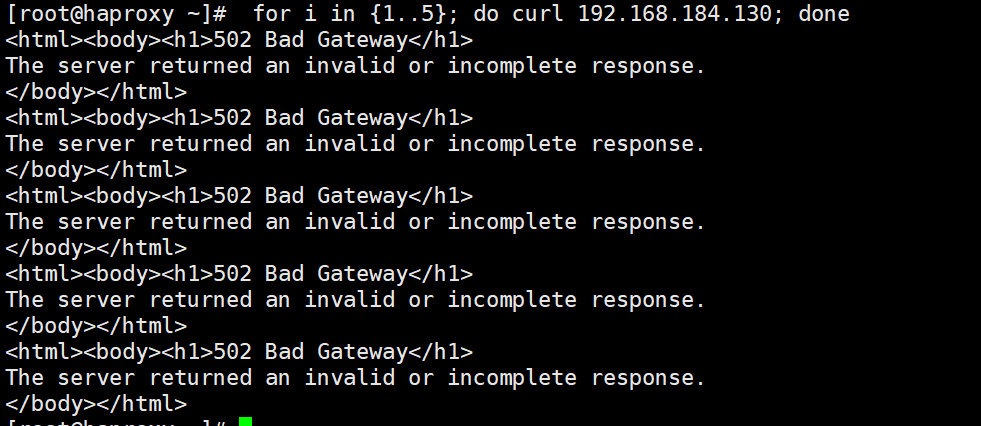
#设定haproxy访问4层

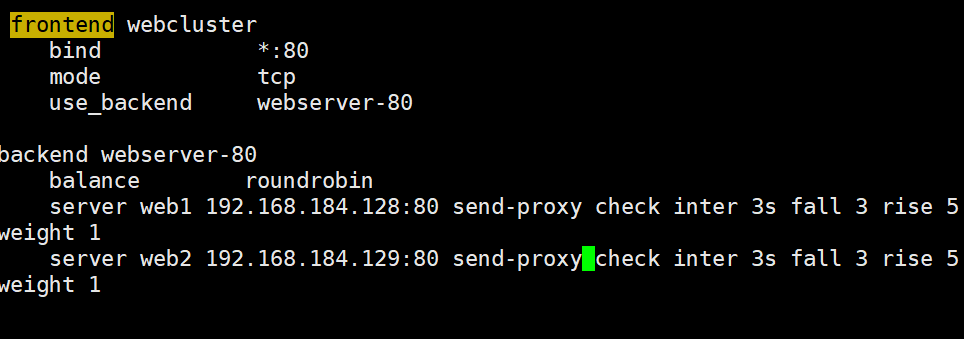
root@haproxy \~# systemctl restart haproxy.service
#测试四层访问
 #设置4层ip透传
root@webserver1\~# vim /etc/nginx/nginx.conf
root@webserver2\~# vim /etc/nginx/nginx.conf

root@webserver1 \~# systemctl restart nginx.service
root@webserver2 \~# systemctl restart nginx.service
#测试

root@webserver1 \~# cat /var/log/nginx/access.log
192.168.0.100 - - 26/Jan/2026:10:52:40 +0800 "GET / HTTP/1.1" "172.25.254.1"200 19 "-" "curl/7.65.0" "-"
192.168.0.100 - - 26/Jan/2026:10:53:49 +0800 "GET / HTTP/1.1" "172.25.254.1"200 19 "-" "curl/7.65.0" "-"
192.168.0.100 - - 26/Jan/2026:10:53:50 +0800 "GET / HTTP/1.1" "172.25.254.1"200 19 "-" "curl/7.65.0" "-"