Anaconda虚拟环境创建步骤
1、电脑环境变量中path 必须有两个路径,指明Anaconda的路径
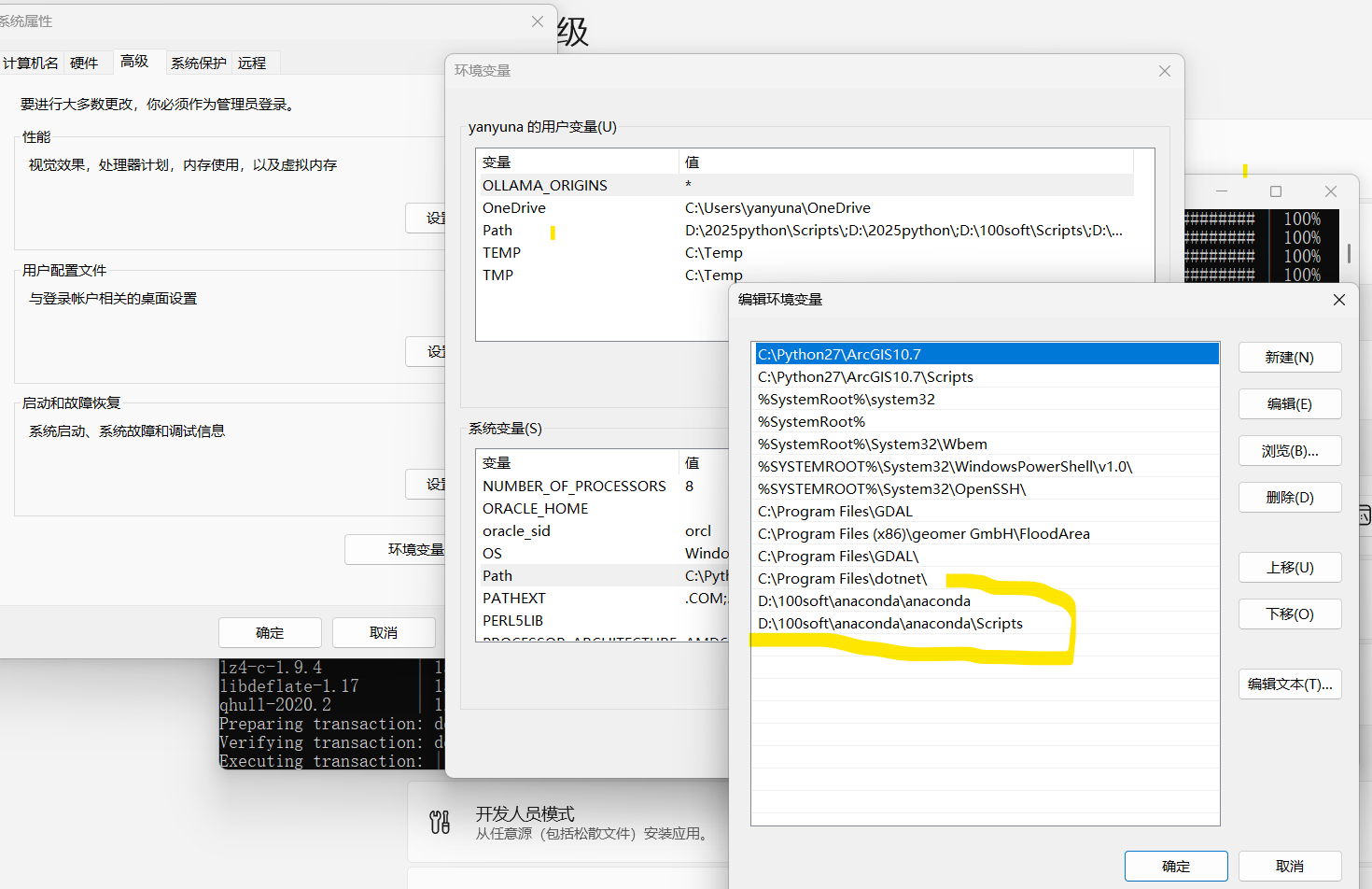
2、打开Anaconda prompt 进行编辑,使用管理员运行。
bash
# 新建名为 geo_clean 的环境,指定Python 3.9(兼容性最好)
conda create -n geo_clean python=3.9 -y
# 激活新环境
conda activate geo_clean
# 安装库
conda install rasterio gdal numpy -y
创建新环境并且安装需要的第三方库,完成。
3、如果出问题,则:
bash
# 1. 查看所有环境(确认要激活的环境名)
conda info --envs

# 2. 激活 geo_env 环境
conda activate geo_env

# 3. 验证(可选,查看当前激活的环境)
conda info --envs  # 输出中 geo_env 前会有 * 号

# 4. 退出环境(可选)
conda deactivate
bash
# 清空原有源,添加清华源
conda config --add channels https://mirrors.tuna.tsinghua.edu.cn/anaconda/cloud/conda-forge/
conda config --add channels https://mirrors.tuna.tsinghua.edu.cn/anaconda/pkgs/free/
conda config --add channels https://mirrors.tuna.tsinghua.edu.cn/anaconda/pkgs/main/
# 显示下载源,方便排查
conda config --set show_channel_urls yes
# 禁用默认源(关键)
conda config --remove-key channels