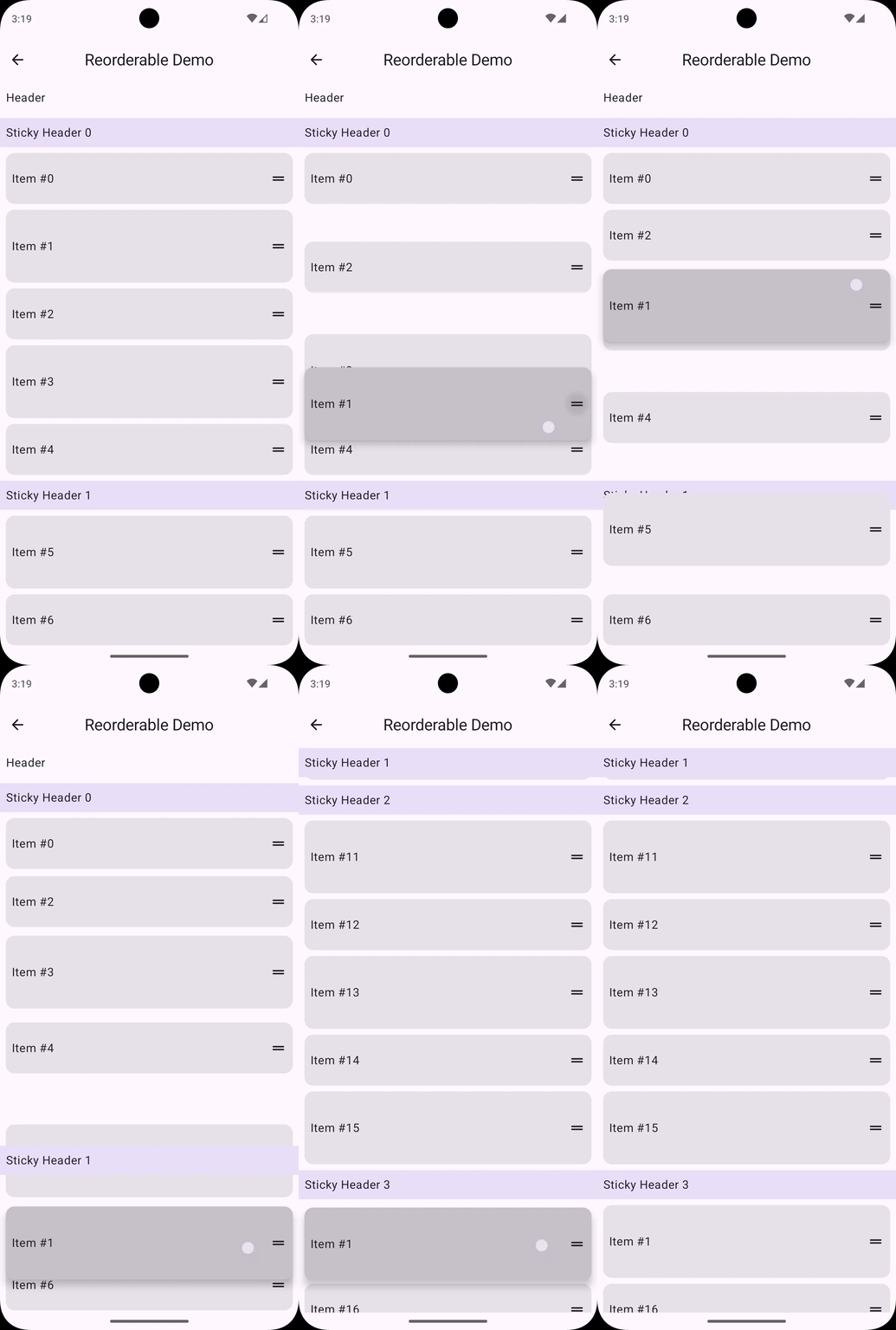
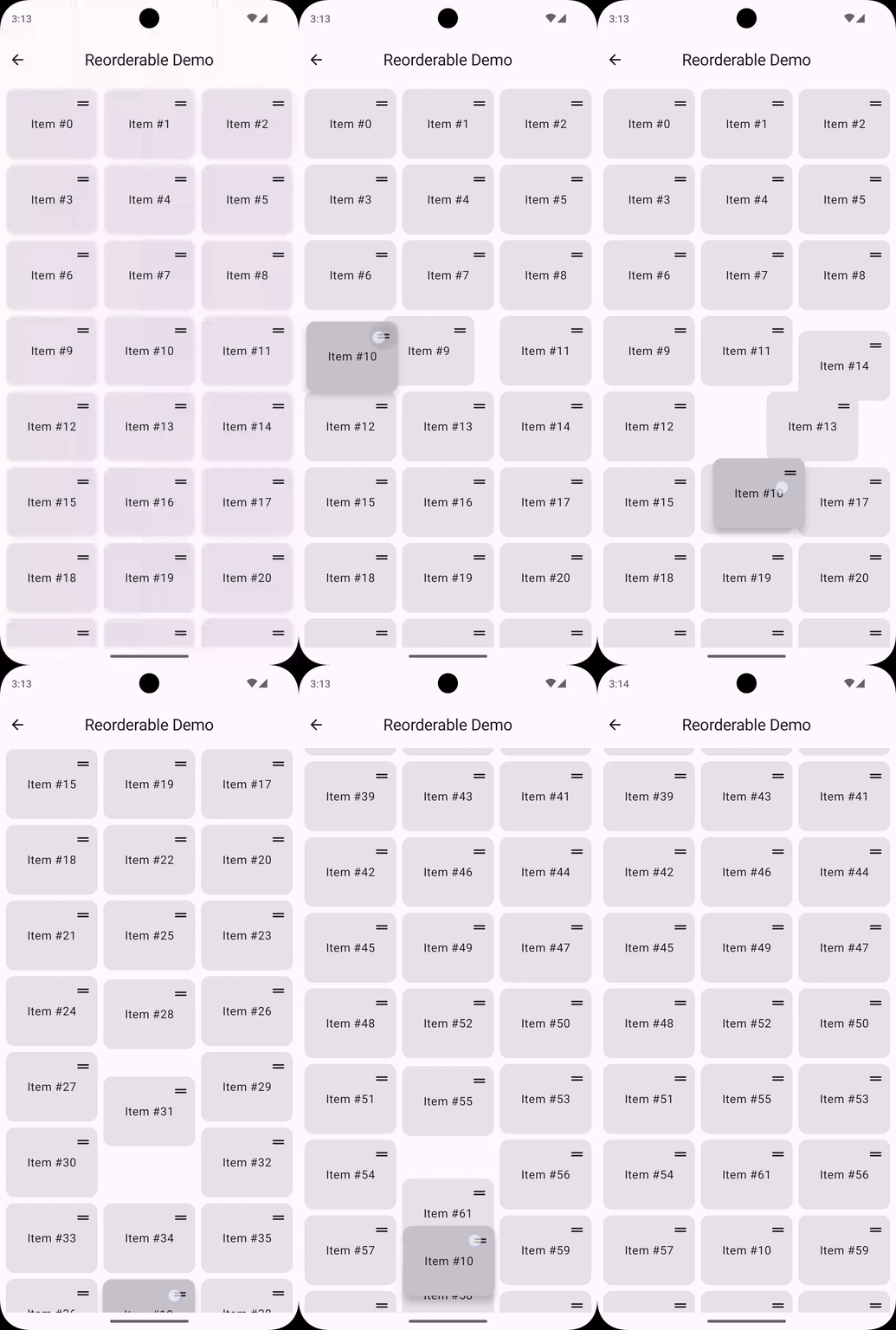
一、概念
支持列表(Column&Row)、滑动列表(LazyList)、网格(LazyGrid)、瀑布流(LazyStaggeredGrid)。
- **不同尺寸元素支持:**列表中可以包含大小不一的元素。
- 可选不可重排项:部分元素可以设置为不响应拖放操作。
- **多种启动方式:**支持直接拖放和长按启动两种模式。
- **边缘自动滚动:**拖拽到屏幕边缘时自动滚动列表。
- **流畅动画效果:**利用 Modifier.animateItem() 实现平滑过渡动画。
- **拖拽句柄支持:**可以使用子组件作为拖拽句柄,即使设置条目中触发拖动的位置。
- **触觉反馈集成:**支持拖拽过程中的震动反馈。
|----------------------------|---------------------------------------------------------------------------------------------------------------------------------------------------------------------------------------------------------------------------------------------------------------------------------------------------------------------------------|
| ReorderableItem() | @Composable fun LazyStaggeredGridItemScope.ReorderableItem( state: ReorderableLazyStaggeredGridState, key: Any, modifier: Modifier = Modifier, enabled: Boolean = true, animateItemModifier: Modifier = Modifier.animateItem(), content: @Composable ReorderableCollectionItemScope.(isDragging: Boolean) -> Unit, ) 包裹可拖动的条目。 |
| draggableHandle() | fun Modifier.draggableHandle( enabled: Boolean = true, interactionSource: MutableInteractionSource? = null, onDragStarted: (startedPosition: Offset) -> Unit = {}, onDragStopped: () -> Unit = {}, dragGestureDetector: DragGestureDetector = DragGestureDetector.Press ): Modifier 设置给条目中触发拖动的位置(拖动范围)。 |
| longPressDraggableHandle() | fun Modifier.longPressDraggableHandle( enabled: Boolean = true, interactionSource: MutableInteractionSource? = null, onDragStarted: (startedPosition: Offset) -> Unit = {}, onDragStopped: () -> Unit = {}, ): Modifier 长按触发拖动。 |
二、添加依赖
Kotlin
[versions]
reorderable = "3.0.0"

[libraries]
reorderable = { module = "sh.calvin.reorderable:reorderable", version.ref = "reorderable" }
三、简单使用
Kotlin
val lazyListState = rememberLazyListState()
val reorderableLazyListState = rememberReorderableLazyListState(lazyListState) { from, to ->
    //重排后更新列表
    list = list.toMutableList().apply {
        add(to.index, removeAt(from.index))
    }
}

LazyColumn(state = lazyListState) {
    items(list, key = { it.id }) {
        //包裹一下条目内容
        ReorderableItem(reorderableLazyListState, key = it.id) { isDragging ->
            IconButton(
                //设置条目中触发拖动的位置
                modifier = Modifier.draggableHandle()
            )
        }
    }
}
四、进阶使用
4.1 固定不可拖拽的条目
有时需要某些项目保持固定位置,比如标题栏或分隔符。
onMove 中的 from.index 和 to.index 表示项目在 LazyColumn 中的原始索引。若使用了分组头部或尾部,可能需要相应调整这些索引值。
XML
val reorderableLazyColumnState = rememberReorderableLazyListState(lazyListState) { from, to ->
    list = list.toMutableList().apply {
        add(to.index - 1, removeAt(from.index - 1))
    }
}
Kotlin
items(list) { index, item ->
    if (...) {
        // 渲染固定项目
    } else {
        ReorderableItem(state, key = item.id) {
            // 渲染可拖拽项目
        }
    }
}
4.2 添加震动反馈
XML
<uses-permission android:name="android.permission.VIBRATE" />
Kotlin
var list by remember { mutableStateOf(List(100) { "Item $it" }) }
val hapticFeedback = LocalHapticFeedback.current
val lazyListState = rememberLazyListState()
val reorderableLazyListState = rememberReorderableLazyListState(lazyListState) { from, to ->
    list = list.toMutableList().apply {
        add(to.index, removeAt(from.index))
    }
    hapticFeedback.performHapticFeedback(HapticFeedbackType.SegmentFrequentTick)
}

LazyColumn(
    modifier = Modifier.fillMaxSize(),
    state = lazyListState,
    contentPadding = PaddingValues(8.dp),
    verticalArrangement = Arrangement.spacedBy(8.dp),
) {
    items(list, key = { it }) {
        ReorderableItem(reorderableLazyListState, key = it) { isDragging ->
            val elevation by animateDpAsState(if (isDragging) 4.dp else 0.dp)
            Surface(shadowElevation = elevation) {
                Row {
                    Text(it, Modifier.padding(horizontal = 8.dp))
                    IconButton(
                        modifier = Modifier.draggableHandle(
                            onDragStarted = {
                                hapticFeedback.performHapticFeedback(HapticFeedbackType.GestureThresholdActivate)
                            },
                            onDragStopped = {
                                hapticFeedback.performHapticFeedback(HapticFeedbackType.GestureEnd)
                            },
                        ),
                        onClick = {},
                    ) {
                        Icon(Icons.Rounded.DragHandle, contentDescription = "Reorder")
                    }
                }
            }
        }
    }
}
4.3 传递 ReorderableCollectionItemScope 给子组件
Modifier.draggableHandle 和 Modifier.longPressDraggableHandle 仅能在 ReorderableCollectionItemScope 作用域内使用,因此需要传递给子组件。
Kotlin
LazyColumn(state = lazyListState) {
    items(list, key = { /* item key */ }) {
        ReorderableItem(reorderableLazyListState, key = /* item key */) { isDragging ->
            MyItem(this)
        }
    }
}

@Composable
fun MyItem(scope: ReorderableCollectionItemScope) {
    IconButton(
        modifier = with(scope) {
            Modifier.draggableHandle()
        }
    )
}
4.4 避开系统栏区域
以下是库作者的解决方案,推荐 Modifier.safeContentPadding() 设置给屏幕级组件更方便,详见
若您的 LazyColumn 在导航栏或状态栏下方显示,可考虑为 rememberReorderableLazyListState 添加 scrollThresholdPadding 参数,将滚动触发区域移出导航栏或状态栏的遮挡范围。
Kotlin
val reorderableLazyListState = rememberReorderableLazyListState(
    lazyListState = lazyListState,
    scrollThresholdPadding = WindowInsets.systemBars.asPaddingValues(),
) { from, to ->
    ...
}