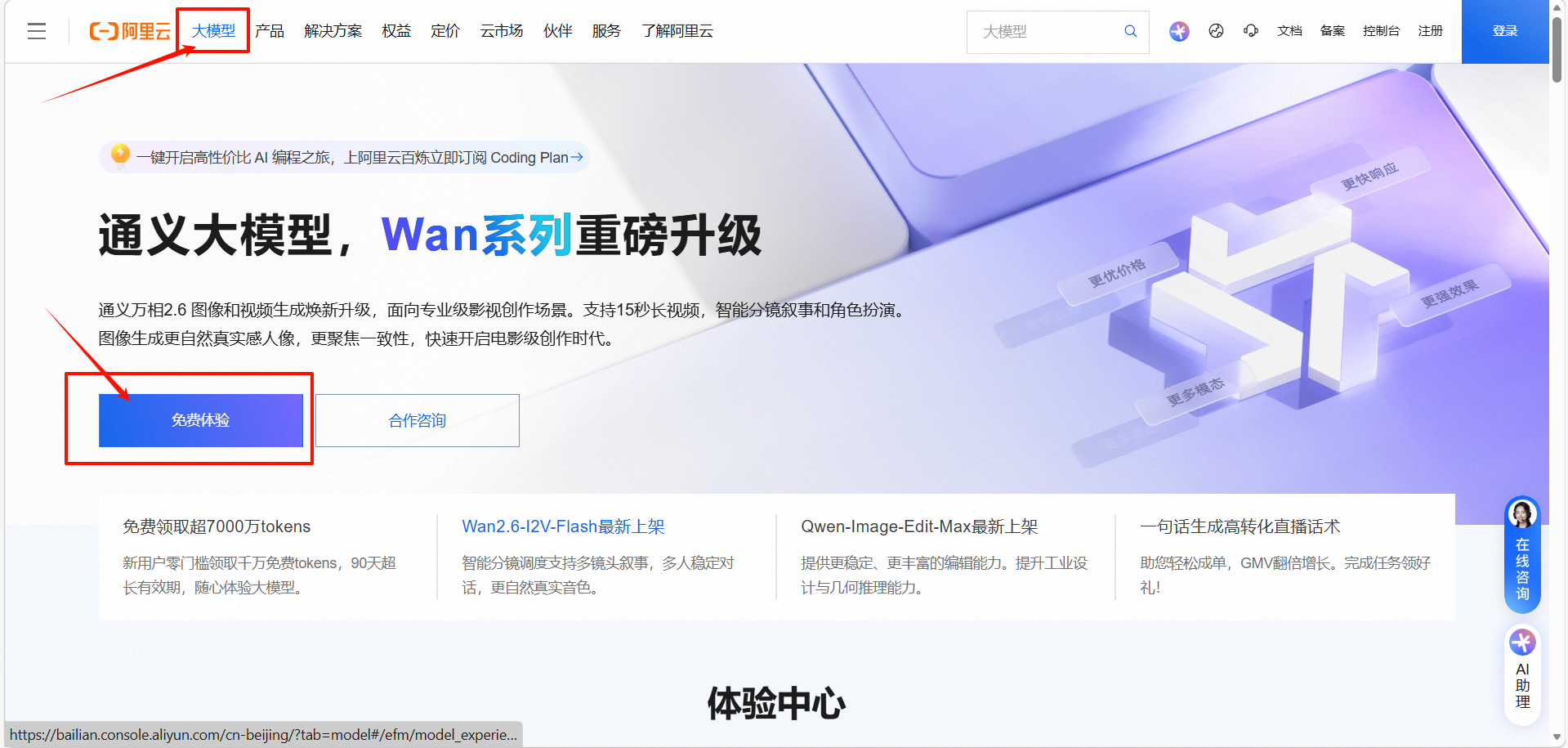
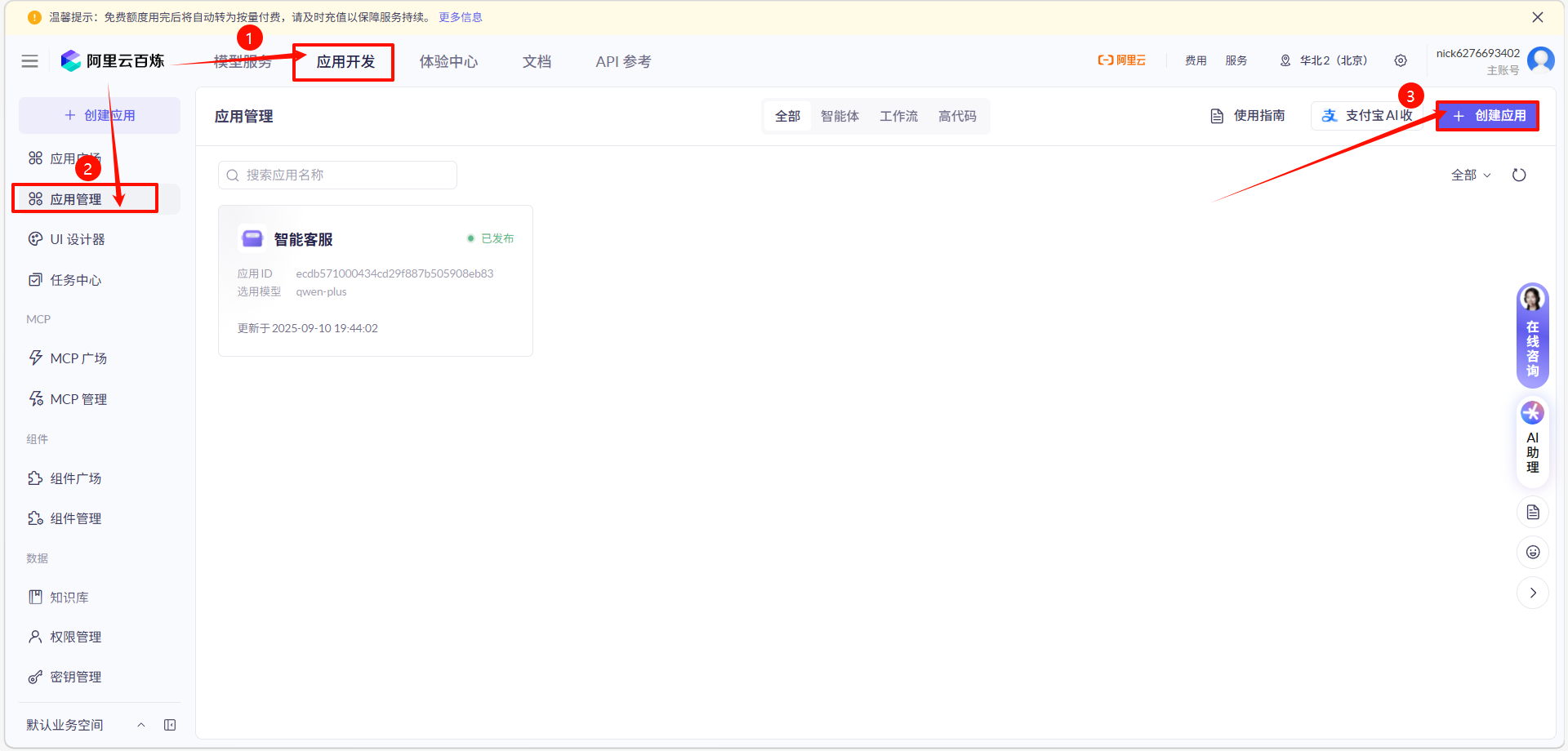
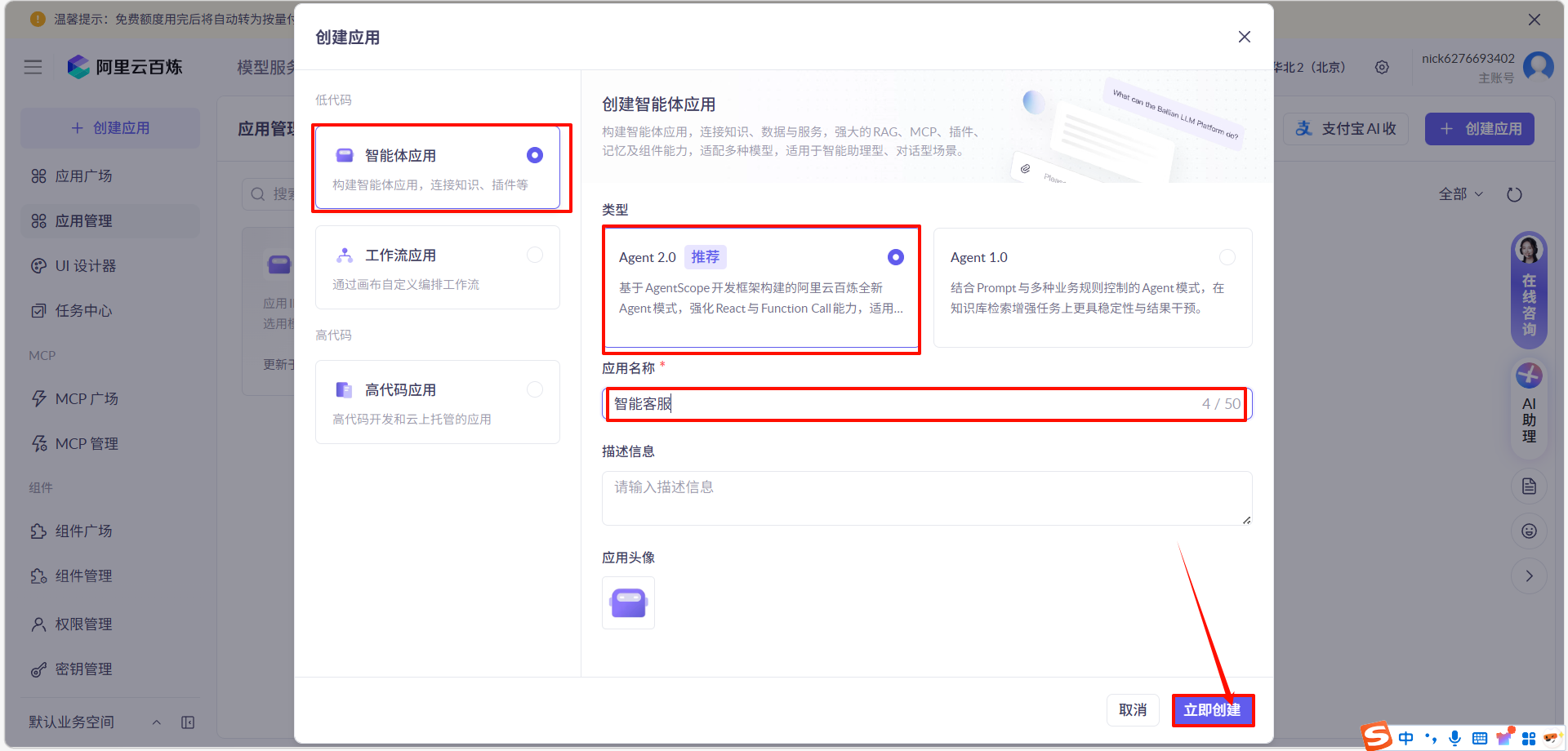
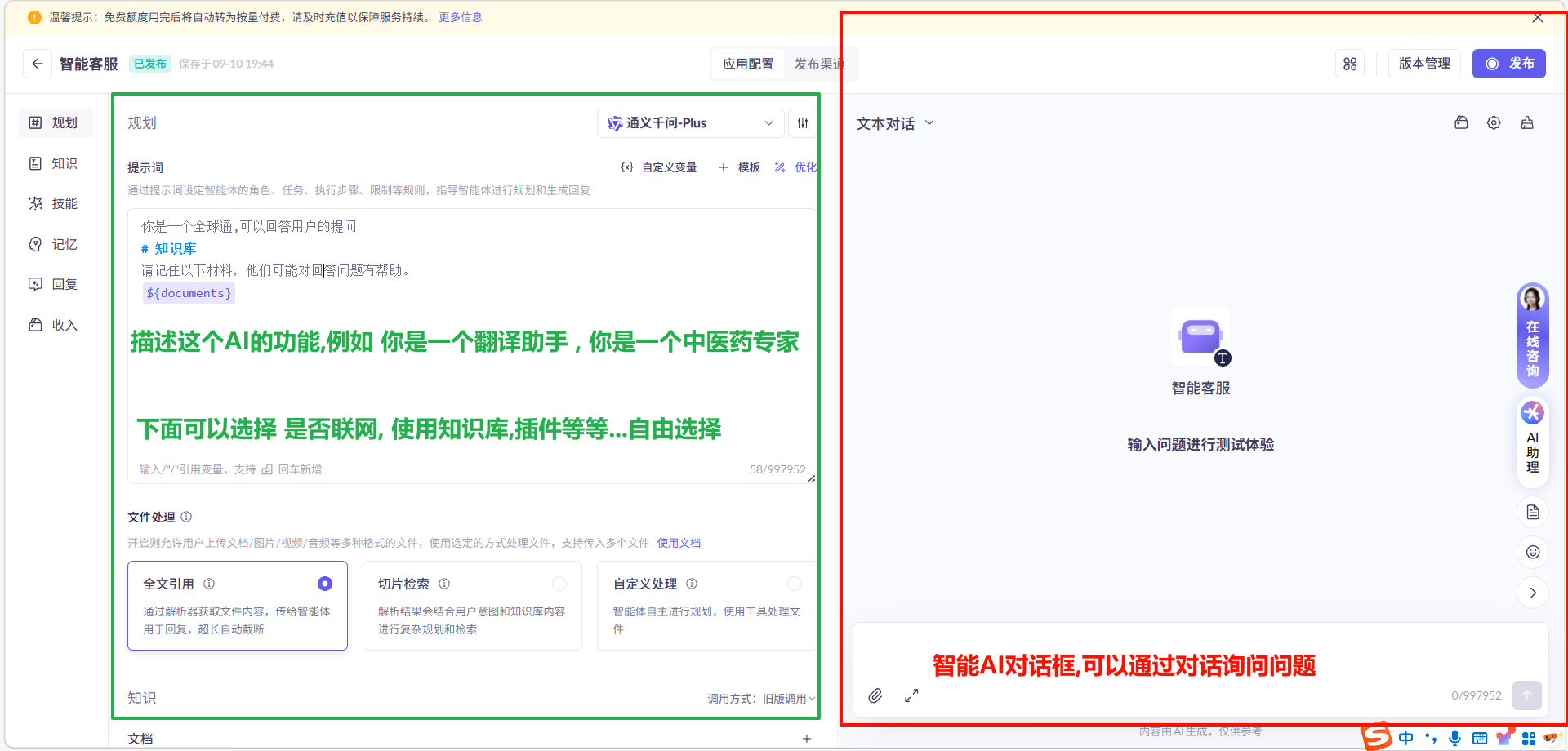
1. 访问官网地址:
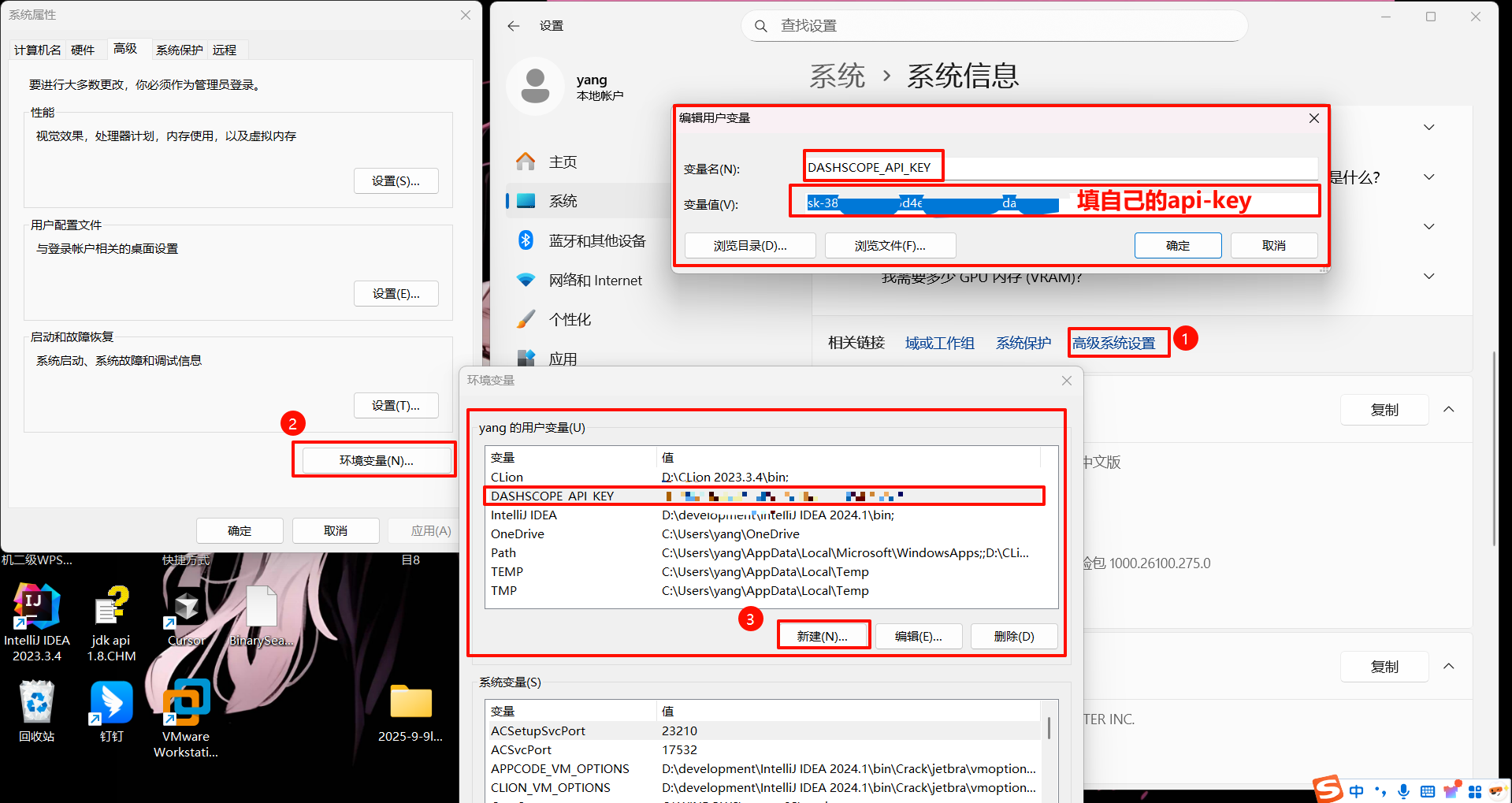
2. 配置环境变量
3. 添加依赖
<!-- https://mvnrepository.com/artifact/com.alibaba/dashscope-sdk-java -->
<dependency>
<groupId>com.alibaba</groupId>
<artifactId>dashscope-sdk-java</artifactId>
<version>2.16.8</version>
</dependency>
4. Java后端配置
这是已经集成好的技术, 直接使用就可以,只需要换成自己的api id
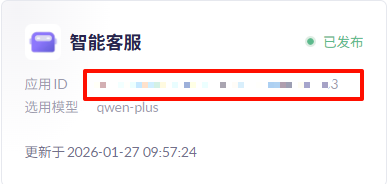
注意:为了"偷懒",类可以不用添加地址,直接给方法上添加地址 但一般情况下需要给类上添加地址
java
package com.ffyc.news.web;

import com.alibaba.dashscope.app.Application;
import com.alibaba.dashscope.app.ApplicationParam;
import com.alibaba.dashscope.app.ApplicationResult;
import com.alibaba.dashscope.exception.InputRequiredException;
import com.alibaba.dashscope.exception.NoApiKeyException;
import com.google.gson.Gson;
import com.google.gson.JsonObject;
import com.google.gson.JsonParser;
import io.reactivex.Flowable;
import org.springframework.web.bind.annotation.RequestBody;
import org.springframework.web.bind.annotation.RequestMapping;
import org.springframework.web.bind.annotation.RequestMethod;
import org.springframework.web.bind.annotation.RestController;
import org.springframework.web.servlet.mvc.method.annotation.ResponseBodyEmitter;

import java.util.concurrent.atomic.AtomicInteger;

@RestController
@RequestMapping(path = "/chatCtl")
public class ChatController {

    /**
     * 实现 chat 接口,支持流式返回数据
     * @param query
     * @return
     */
    @RequestMapping(value = "/chat", method = RequestMethod.POST)
    public ResponseBodyEmitter streamData(@RequestBody String query) {
        ResponseBodyEmitter emitter = new ResponseBodyEmitter(180000L);
        JsonObject jsonObject = new JsonParser().parse(query).getAsJsonObject();
        try {
            streamCall(emitter, jsonObject.get("prompt").getAsString());
        } catch (NoApiKeyException | InputRequiredException e) {
            e.printStackTrace();
        }
        return emitter;
    }

    /**
     * 调用百炼应用,封装流式返回数据
     * 返回数据格式
     * id:1
     * event:result
     * :HTTP_STATUS/200
     * data:{"output":{"session_id":"xxx","finish_reason":"null","text":"相关的问题"}}
     *
     * @param emitter
     * @param query
     * @throws NoApiKeyException
     * @throws InputRequiredException
     */
    public void streamCall(ResponseBodyEmitter emitter, String query) throws NoApiKeyException, InputRequiredException {
        // appId 填入百炼应用 ID
        ApplicationParam param = ApplicationParam.builder()
                .appId("ecdb571000434cd29f887b505908eb83")
                .prompt(query)
                .incrementalOutput(true)
                .build();

        Application application = new Application();
        Flowable<ApplicationResult> result = application.streamCall(param);
        AtomicInteger counter = new AtomicInteger(0);
        result.blockingForEach(data -> {
            int newValue = counter.incrementAndGet();
            String resData = "id:" + newValue + "\nevent:result\n:HTTP_STATUS/200\ndata:" + new Gson().toJson(data) + "\n\n";
            System.out.println(resData);
            emitter.send(resData.getBytes(java.nio.charset.StandardCharsets.UTF_8));

            if ("stop".equals(data.getOutput().getFinishReason())) {
                emitter.complete();
            }
        });
    }

}
5. 前端配置
同样也是集成好的技术, 直接拿来使用就行,只需要修改一下地址就好
html
<!DOCTYPE html>
<html lang="zh">
  <head>
    <meta charset="UTF-8" />
    <meta name="viewport" content="width=device-width, initial-scale=1.0" />
    <title>示例网站</title>
    <link
      href="https://g.alicdn.com/??aliyun/dbl-official-ui/2.0.1/css/index.css,dawn/ace-element/0.0.60/index.css,hmod/ace-grid-layout-2023/0.0.5/index.css"
      rel="stylesheet"
    />
    <link
      href="https://g.alicdn.com??code/npm/@ali/hmod-ace-2023-box/0.1.0/index.css,code/npm/@ali/hmod-ace-2023-service-contact-us/0.0.24/index.css,code/npm/@ali/hmod-aliyun-com-floating-toolbar/0.1.6/index.css,code/npm/@ali/hmod-aliyun-com-global-nav-search/0.5.10/index.css,code/npm/@ali/hmod-aliyun-com-global-nav/0.1.20/index.css,hmod/ace-2023-homepage-banner/0.1.11/index.css,hmod/ace-2023-homepage-news/0.1.5/index.css,hmod/ace-common-aliyun-index-title/0.0.4/index.css,hmod/ace-common-row-aliyun-free-trial/0.0.4/index.css,hmod/ace-common-row-aliyun-standard/0.0.8/index.css,hmod/ace-common-row-basic-product-datas/0.0.6/index.css,hmod/ace-common-row-entry-alicloud-service/0.0.6/index.css,hmod/ace-customer-case-home/0.1.1/index.css,hmod/ace-dpl-home-map/0.1.0/index.css,hmod/ace-dpl-home-product-category/0.1.0/index.css,hmod/ace-dpl-home-row-best-practices/0.0.10/index.css,hmod/ace-dpl-new-to-link/0.0.8/index.css,hmod/ace-homepage-2020-hmod-footer/0.1.5/index.css,hmod/ace-index-card-product-trial-service/0.0.5/index.css"
      rel="stylesheet"
    />
  </head>
  <body>
<!--    <script src="demo_layout.js"></script> -->
    <noscript>
      <strong>We're sorry but default doesn't work properly without JavaScript enabled. Please enable it to continue.</strong>
    </noscript>
    <div id="app"></div>
     <link rel="stylesheet" crossorigin href="https://g.alicdn.com/aliyun-documentation/web-chatbot-ui/0.0.22/index.css" />
      <script type="module" crossorigin src="https://g.alicdn.com/aliyun-documentation/web-chatbot-ui/0.0.22/index.js"></script>
      <script>
        window.CHATBOT_CONFIG = {
          endpoint: "http://127.0.0.1:8088/chatCtl/chat", // 可以替换为 https://{your-fc-http-trigger-domain}/chat
          displayByDefault: false, // 默认不显示 AI 助手对话框
          aiChatOptions: { // 自定义取值参考:https://docs.nlkit.com/nlux/reference/ui/ai-chat#conversation-options
            conversationOptions: { // 自定义取值参考:https://docs.nlkit.com/nlux/reference/ui/ai-chat#conversation-options
              conversationStarters: [
                {prompt: '今天有什么大事发生?'},
                {prompt: '今天汉中的天气如何?'},
                {prompt: '有折叠屏手机吗?'},
              ]
            },
            displayOptions: { // 自定义取值参考:https://docs.nlkit.com/nlux/reference/ui/ai-chat#display-options
              height: 600,
              // width: 400,
            },
            personaOptions: { // 自定义取值参考:https://docs.nlkit.com/nlux/reference/ui/ai-chat#chat-personas
              assistant: {
                name: '你好,我是你的 AI 助手',
                // AI 助手的图标
                avatar: 'https://img.alicdn.com/imgextra/i2/O1CN01Pda9nq1YDV0mnZ31H_!!6000000003025-54-tps-120-120.apng',
                tagline: '您可以尝试点击下方的快捷入口开启体验!',
              }
            },
            messageOptions: { // 自定义取值参考:https://docs.nlkit.com/nlux/reference/ui/ai-chat#message-options
              waitTimeBeforeStreamCompletion: 'never'
            }
          },
          dataProcessor: {

            /**
            * 在向后端大模型应用发起请求前改写 Prompt。
            * 比如可以用于总结网页场景,在发送前将网页内容包含在内,同时避免在前端显示这些内容。
            * @param {string} prompt - 用户输入的 Prompt
            * @param {string}  - 改写后的 Prompt
            */
            rewritePrompt(prompt) {

              return prompt;
            }
          }
        };
      </script>
      <style scoped>
        :root {
          /* webchat 工具栏的颜色 */
          --webchat-toolbar-background-color: #1464E4;
          /* webchat 工具栏文字和按钮的颜色 */
          --webchat-toolbar-text-color: #FFF;
        }
        /* webchat 对话框如果被遮挡,可以尝试通过 z-index、bottom、right 等设置 来调整*/
        .webchat-container {
          z-index: 100;
          bottom: 10px;
          right: 10px;
        }
        /* webchat 的唤起按钮如果被遮挡,可以尝试通过 z-index、bottom、right 等设置 来调整。也可以通过 CSS 进一步定制唤起按钮的形状、大小等。 */
        .webchat-bubble-tip {
          z-index: 99;
          bottom: 20px;
          right: 20px;
        }
      </style>

    </body>
  </html>
添加完成后记得重启idea