方式一:SpringBoot对静态资源的自动映射(最基础)
SpringBoot框架将欢迎页做了自动配置 ,不需要任何配置,只需在静态资源目录下添加index.jsp欢迎页即可。
⭐1. 导入jquery‐webjar依赖
XML
<!--引入jquery‐webjar 在访问的时候只需要写webjars下面资源的名称即可-->
<dependency>
    <groupId>org.webjars</groupId>
    <artifactId>jquery</artifactId>
    <version>3.3.1</version>
</dependency>⭐2. 在 src/main/resources/static/ 下新建一个 index.html
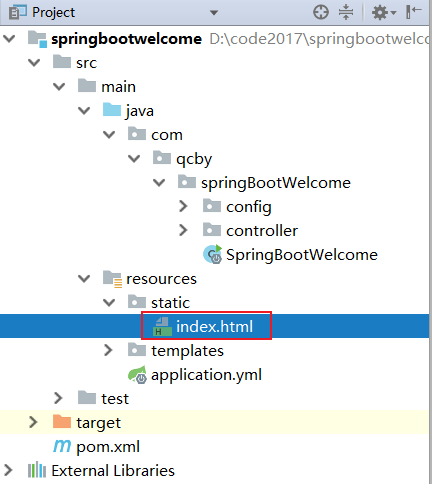
html
<!DOCTYPE html>
<html lang="en">
<head>
    <meta charset="UTF-8">
    <title>Title</title>
</head>
<body>
    <h2>SpringBoot对静态资源的自动映射</h2>
    <p>springboot自动配置,在静态资源下查找index.html文件</p>
</body>
</html>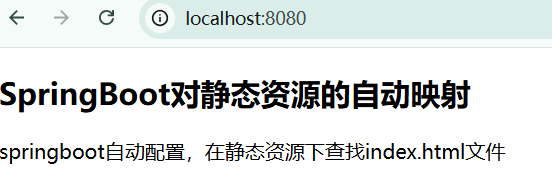
⭐3. 访问当前项目的任何资源,都去(静态资源的文件夹)找映射
优先级:从高到低
bash
# 任选其一
"classpath:/META‐INF/resources/index.html",
"classpath:/resources/index.html",
"classpath:/static/index.html",
"classpath:/public/index.html"
"/":当前项目的根路径⭐4. 适用场景:
- 纯静态的 HTML 页面,
- 不需要编写xml,
- 不需要后端传数据,
- 也不使用 Thymeleaf 语法。
方式二:SpringBoot-Controller映射(最常用)
最常用的一种获取动态页面的方式,页面通常放在
classpath:/templates/目录下(模板引擎默认目录)。
⭐1. 在 src/main/resources/ templates**/ 下新建一个 index.html**
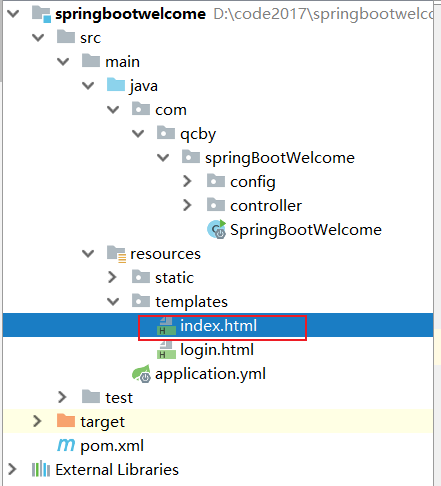
html
<!DOCTYPE html>
<html lang="en" xmlns:th="http://www.thymeleaf.org">
<head>
    <meta charset="UTF-8">
    <title>Title</title>
</head>
<body>
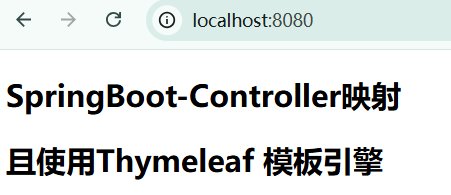
    <h2 th:text="${message}"></h2>
    <h2>且使用Thymeleaf 模板引擎</h2>
</body>
</html>⭐2. 在controller层建一个java文件
java
package com.qcby.springBootWelcome.controller;

import org.springframework.stereotype.Controller;
import org.springframework.ui.Model;
import org.springframework.web.bind.annotation.RequestMapping;

@Controller
public class WelcomeController {
    @RequestMapping("/")
    public String welcomeHello(Model model){
        model.addAttribute("message","SpringBoot-Controller映射");
        return "index";
    }
}
⭐3. 访问路径: classpath:/templates/index.html
⭐4. 适用场景:
- 使用 Thymeleaf 模板引擎的动态页面
- 需要后端数据交互
方式三:WebMvcConfigurer 配置类
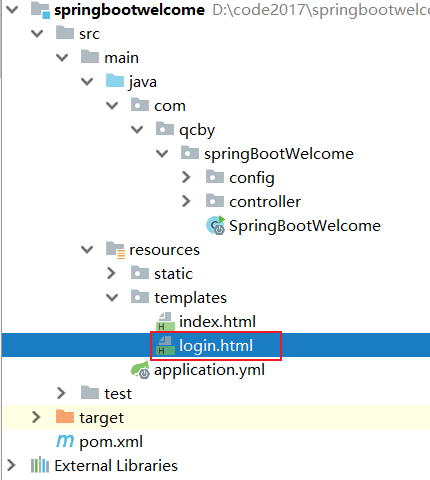
⭐1. 在 src/main/resources/ templates**/ 下新建一个 login.html**
html
<!DOCTYPE html>
<html lang="en">
<head>
    <meta charset="UTF-8">
    <title>Title</title>
</head>
<body>
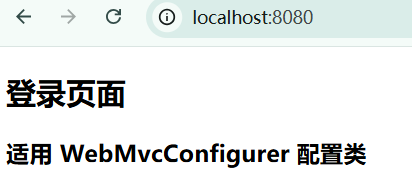
    <h2>登录页面</h2>
    <h3>适用 WebMvcConfigurer 配置类</h3>
</body>
</html>⭐2. 创建WebConfig配置类
java
package com.qcby.springBootWelcome.config;

import org.springframework.context.annotation.Configuration;
import org.springframework.web.servlet.config.annotation.ViewControllerRegistry;
import org.springframework.web.servlet.config.annotation.WebMvcConfigurer;

@Configuration
public class WebConfig implements WebMvcConfigurer{
    @Override
    public void addViewControllers(ViewControllerRegistry registry) {
        // 直接映射到静态页面
//        registry.addViewController("/").setViewName("login.html");

        // 或者映射到模板引擎页面
         registry.addViewController("/").setViewName("login");
    }
}
⭐3. 访问路径: classpath:/templates/login.html
⭐4. 适用场景:
- 使用 Thymeleaf 模板引擎的动态页面
- 不需要后端传特定数据,仅仅是做路由跳
总结
这三种方式的优先级:SpringBoot-Controller映射 > WebMvcConfigurer 配置类 > SpringBoot对静态资源的自动映射
| 方法 | 适用场景 | 优点 | 缺点 |
|---|---|---|---|
| 静态资源默认 | 简单静态页面 | 无需配置 | 功能单一 |
| WebMvcConfigurer | 需要URL映射 | 灵活 | 需要代码配置 |
| Controller方式 | 动态内容 | 功能强大 | 代码量多 |
| 模板引擎 | 动态页面 | 前后端结合 | 需要学习模板语法 |