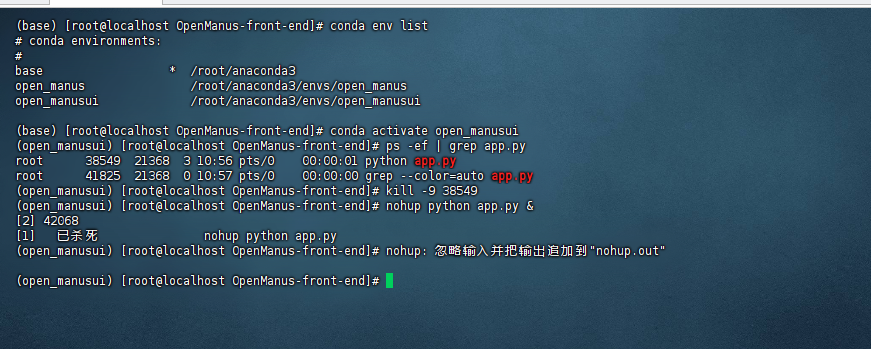
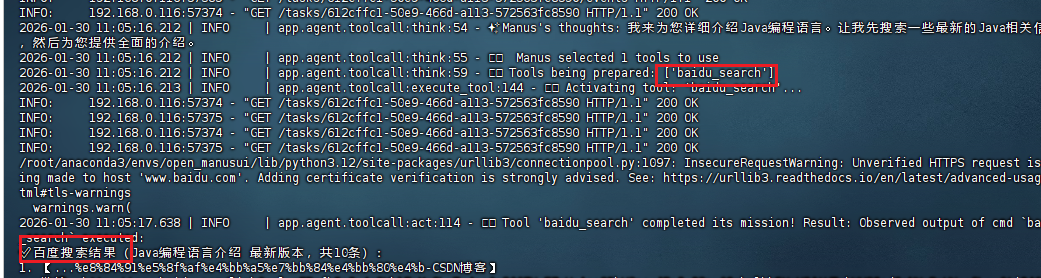
openManus 一直用Google搜索,服务器又访问不到,所以想将搜索替换为百度
在官网的github上搜索 百度相关的发现有提交过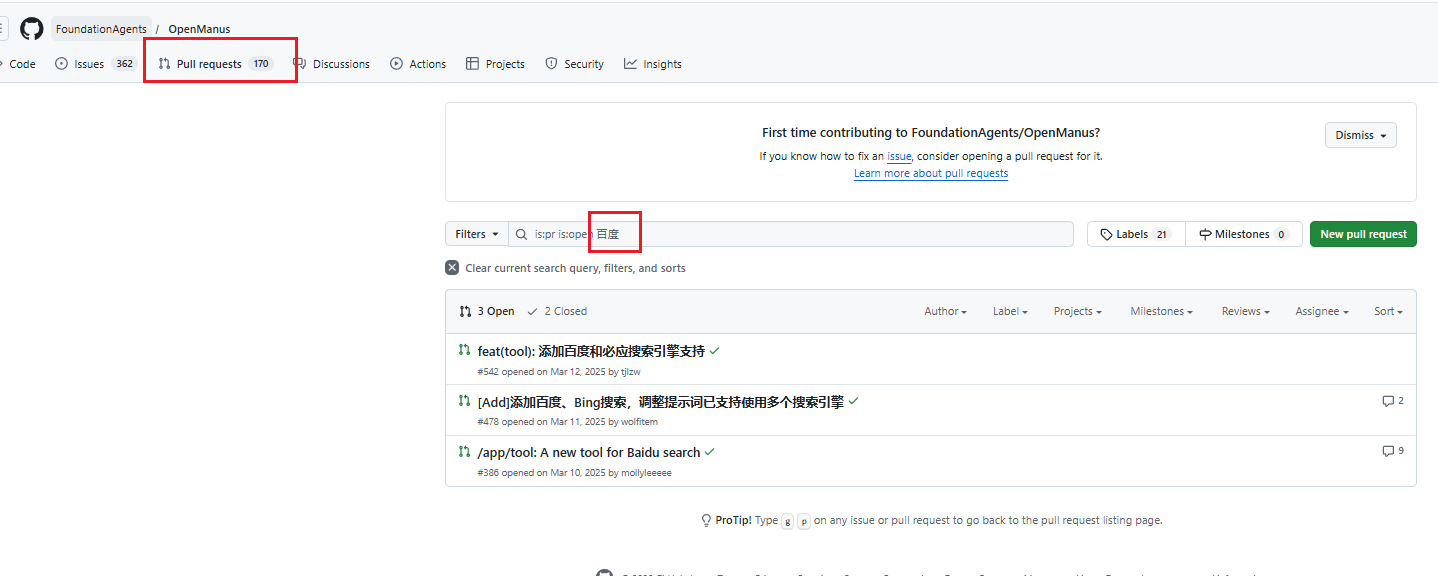
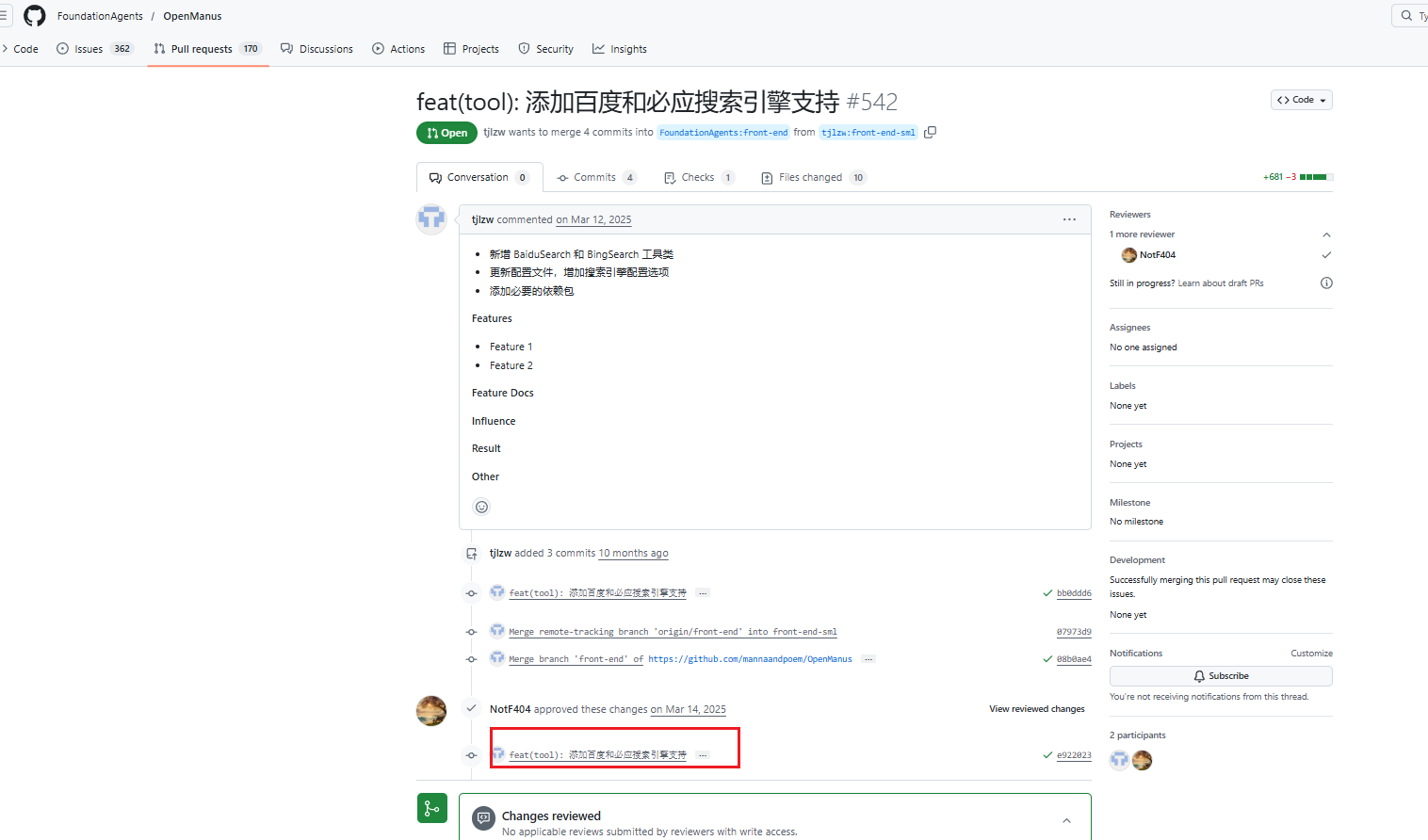
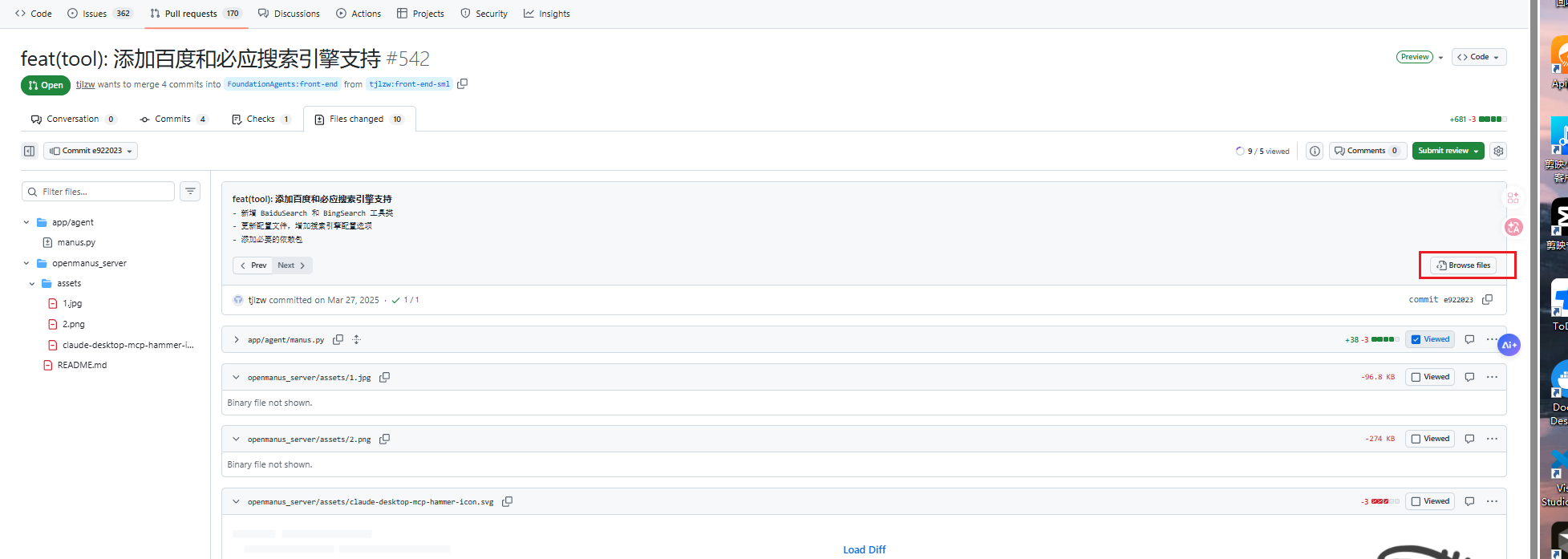
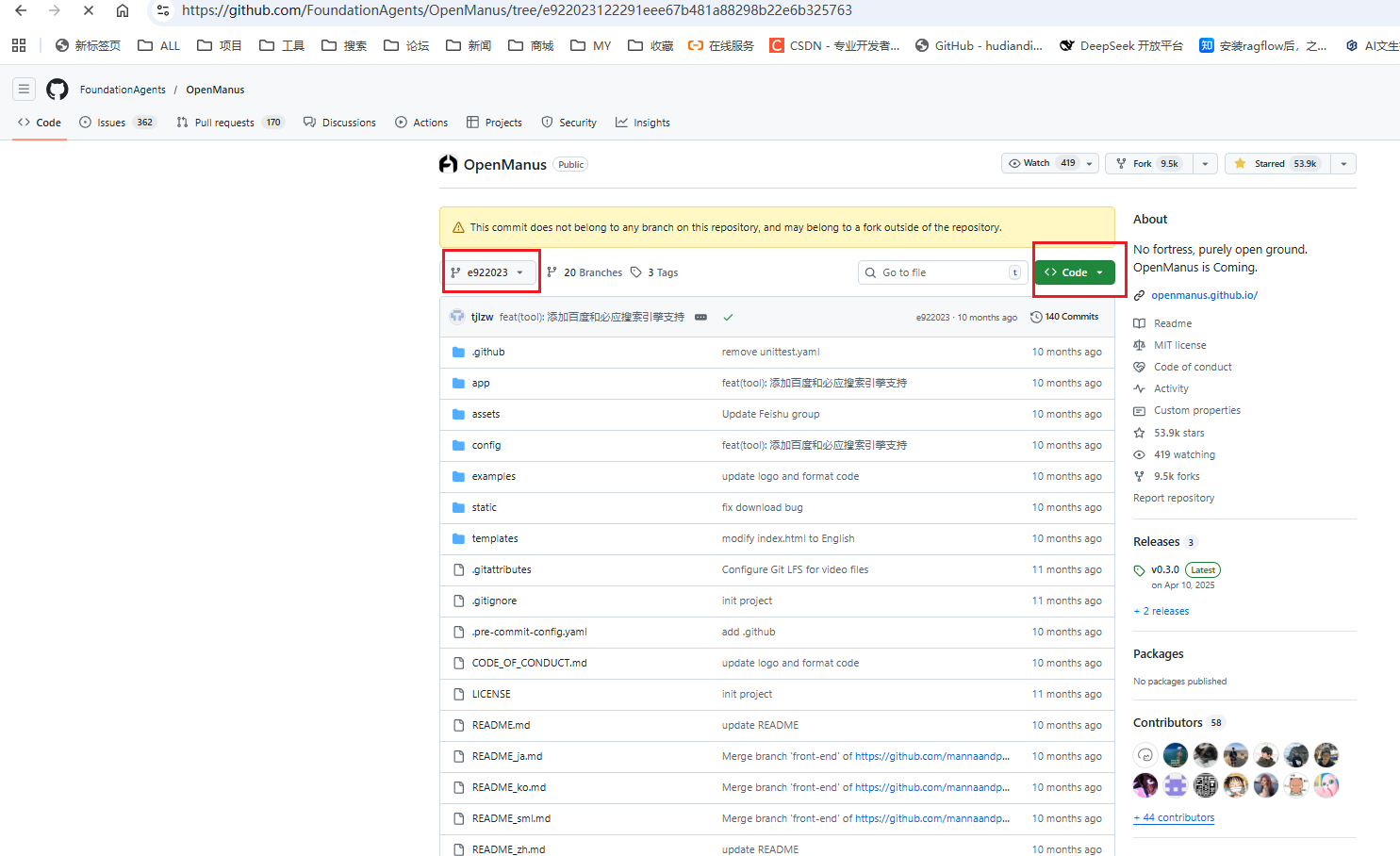
然后下载这个版本的OpenManus就可以了
https://github.com/tjlzw/OpenManus/tree/e922023122291eee67b481a88298b22e6b325763
下载后解压,懂代码的可以将对应的方法调用加到自己的openManus中
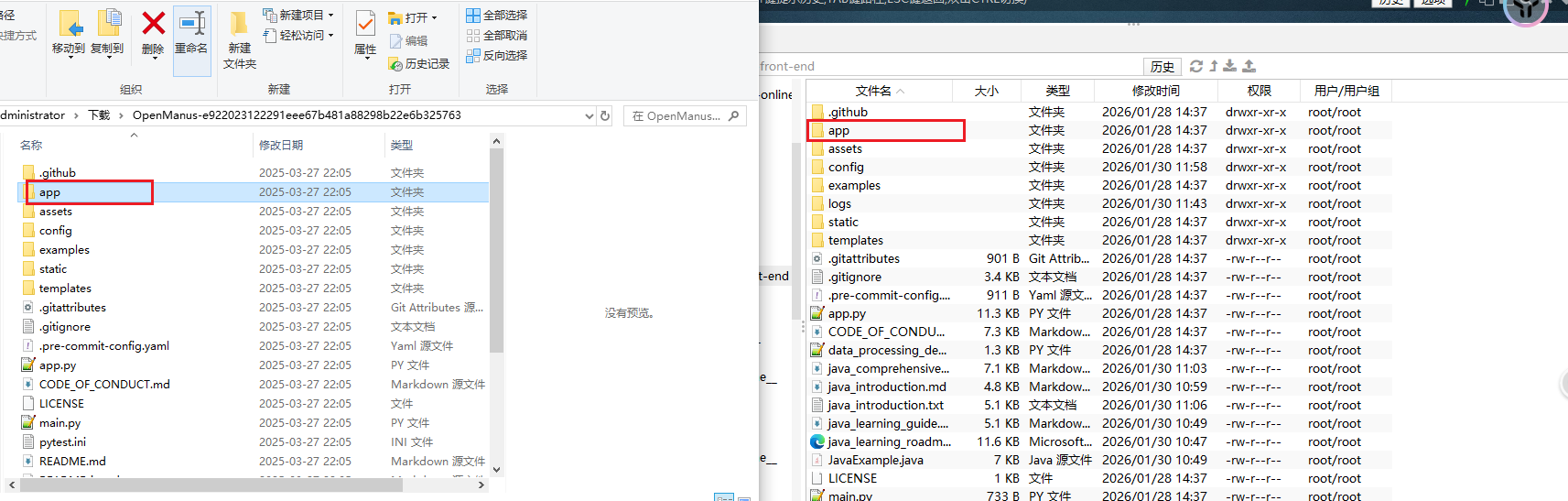
嫌麻烦的可以将app文件夹直接替换到我们的OpenManus中
打开配置文件config.toml ,将search设置baidu
cpp
[search]
engine = "baidu" # Available options: google, baidu, bing
timeout = 30
max_results = 5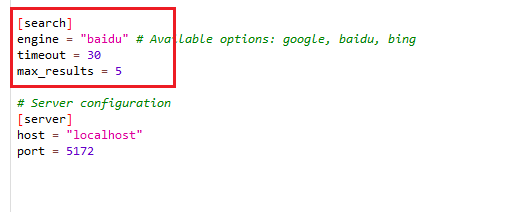
完事之后启动就可以了
========================================================================== =
以下是我最初测试版本,结果发现百度的搜索有反爬虫没有成功,只单纯记录,不能使用
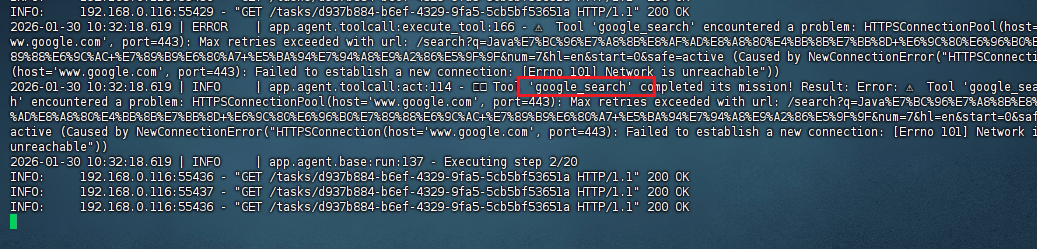
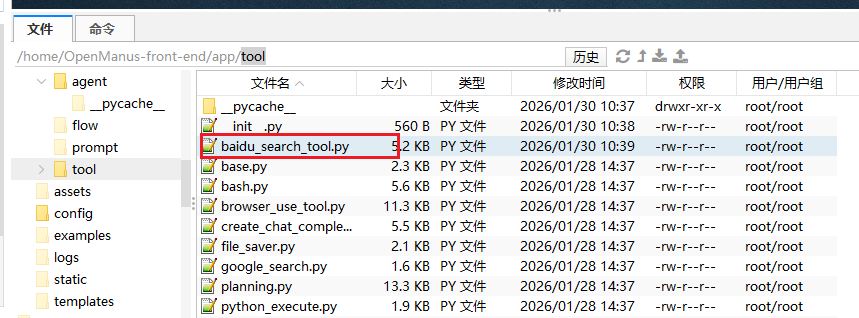
/app/tool 下增加 baidu_search_tool.py
cpp
# app/tool/baidu_search_tool.py
import asyncio
import requests
import urllib.parse
from typing import Optional, Dict, Any
from bs4 import BeautifulSoup
from app.tool.base import BaseTool
from app.logger import logger

class BaiduSearchTool(BaseTool):
    """百度搜索工具(适配空参数+自动提取兜底关键词)"""
    name: str = "baidu_search"
    description: str = "百度搜索工具,用于查询国内各类公开信息,无需科学上网,速度快"

    async def execute(self, *args, **kwargs) -> str:
        """适配OpenManus调用逻辑,自动提取兜底搜索关键词"""
        # 1. 兼容所有参数传递方式,提取tool_input
        tool_input = kwargs.get("tool_input") or (args[0] if args and len(args) > 0 else {})
        if not isinstance(tool_input, dict):
            tool_input = {"query": str(tool_input)}

        # 2. 提取query,无则从kwargs/args中兜底提取(核心修复)
        query = tool_input.get("query", "").strip()
        # 兜底1:从kwargs直接取query
        if not query:
            query = kwargs.get("query", "").strip()
        # 兜底2:从args中取第一个非字典参数作为query
        if not query and args:
            for arg in args:
                if isinstance(arg, str) and arg.strip():
                    query = arg.strip()
                    break
        # 兜底3:固定提示(避免完全空关键词)
        if not query:
            query = "Java编程语言介绍 最新版本"  # 可替换为通用兜底词

        num_results = tool_input.get("num_results", 10)
        if not isinstance(num_results, int) or num_results <= 0:
            num_results = 10

        # 3. 执行搜索
        try:
            loop = asyncio.get_event_loop()
            result = await loop.run_in_executor(None, self._search, query, num_results)
            return result
        except Exception as e:
            error_msg = f"百度搜索执行失败:{str(e)}"
            logger.error(error_msg)
            return error_msg

    def _search(self, query: str, num_results: int) -> str:
        """同步搜索核心逻辑"""
        base_url = "https://www.baidu.com/s"
        params = {
            "wd": urllib.parse.quote(query),
            "rn": num_results,
            "ie": "utf-8",
            "oe": "utf-8"
        }
        headers = {
            "User-Agent": "Mozilla/5.0 (Windows NT 10.0; Win64; x64) AppleWebKit/537.36 (KHTML, like Gecko) Chrome/120.0.0.0 Safari/537.36",
            "Accept-Language": "zh-CN,zh;q=0.9",
            "Connection": "keep-alive",
            "Cache-Control": "no-cache"
        }

        try:
            resp = requests.get(
                base_url, params=params, headers=headers, timeout=10, verify=False
            )
            resp.raise_for_status()
            return self._parse_results(resp.text, query, num_results)
        except requests.exceptions.Timeout:
            return f"百度搜索失败:请求超时(10秒未响应)"
        except requests.exceptions.ConnectionError:
            return f"百度搜索失败:无法连接百度(网络异常)"
        except Exception as e:
            return f"百度搜索失败:{str(e)}"


def _parse_results(self, html: str, query: str, num_results: int) -> str:
    """解析搜索结果(修复乱码+兼容最新百度页面)"""
    import urllib.parse
    # 修复HTML编码问题
    html = html.encode('iso-8859-1').decode('utf-8', errors='ignore')
    soup = BeautifulSoup(html, "html.parser")
    results = []

    # 适配百度2025最新页面结构(核心修复)
    result_elems = soup.select(".result-op.c-container.xpath-log") or soup.select(".c-container")

    for i, elem in enumerate(result_elems[:num_results], 1):
        # 1. 提取并解码标题(解决乱码)
        title_tag = elem.select_one("h3 a")
        if title_tag:
            title = title_tag.get_text(strip=True)
            # 解码URL编码的标题
            title = urllib.parse.unquote(title)
        else:
            title = "无标题"

        # 2. 提取并解码链接(解决短链接问题)
        link_tag = elem.select_one("h3 a")
        if link_tag and "href" in link_tag.attrs:
            raw_link = link_tag["href"]
            # 解析百度跳转链接,获取真实链接
            if "baidu.com/link?" in raw_link:
                try:
                    # 发送HEAD请求获取真实跳转链接(不下载页面)
                    resp = requests.head(raw_link, allow_redirects=True, timeout=5, verify=False)
                    link = resp.url
                except:
                    link = raw_link
            else:
                link = raw_link
            # 解码链接
            link = urllib.parse.unquote(link)
        else:
            link = "无链接"

        # 3. 提取简介(兼容多种百度简介样式)
        desc_tag = (
            elem.select_one(".c-abstract") or
            elem.select_one(".content-right_8Zs40") or
            elem.select_one(".abstract_3BvzF") or  # 百度2025新样式
            elem.select_one(".lemma-summary")     # 百科类简介
        )
        if desc_tag:
            desc = desc_tag.get_text(strip=True)
            desc = urllib.parse.unquote(desc)  # 解码简介
        else:
            desc = "无简介"

        results.append(f"{i}. 【{title}】\n   链接:{link}\n   简介:{desc}\n")

    if not results:
        return f"百度搜索「{query}」未找到相关结果"
    return f"✅ 百度搜索结果({query},共{len(results)}条):\n{''.join(results)}"
cpp
pip install beautifulsoup4 requests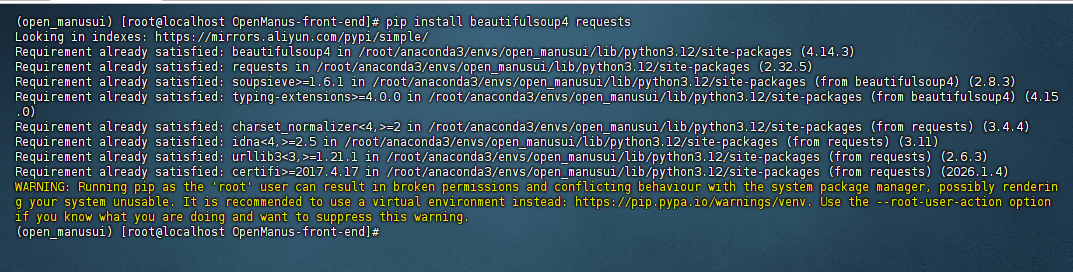
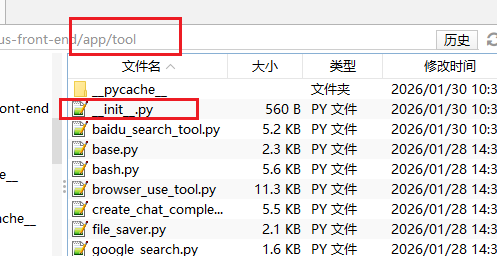
修改 __init__.py
cpp
from app.tool.baidu_search_tool import BaiduSearchTool
cpp
"BaiduSearchTool",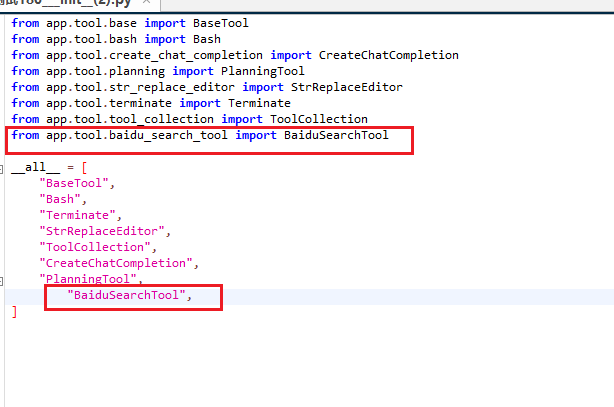
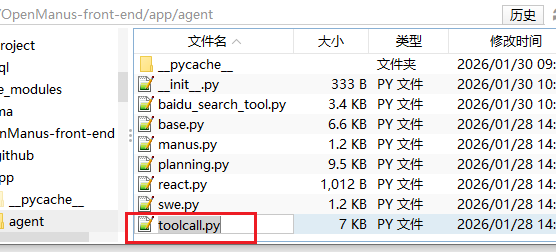
修改/app/agent 下的 toolcall.py
cpp
# 先导入新增的百度搜索工具
from app.tool.baidu_search_tool import BaiduSearchTool
# 若需禁用browser_use,注释其导入
# from app.tool.browser_use_tool import BrowserUseTool

# 修改 available_tools 定义
available_tools: ToolCollection = ToolCollection(
    CreateChatCompletion(),
    Terminate(),
    BaiduSearchTool()  # 新增百度搜索工具

)
嫌麻烦的可以直接复制修改后的
cpp
import json
from typing import Any, List, Literal, Optional, Union

from pydantic import Field

from app.agent.react import ReActAgent
from app.logger import logger
from app.prompt.toolcall import NEXT_STEP_PROMPT, SYSTEM_PROMPT
from app.schema import AgentState, Message, ToolCall
from app.tool import CreateChatCompletion, Terminate, ToolCollection
from app.tool.baidu_search_tool import BaiduSearchTool

TOOL_CALL_REQUIRED = "Tool calls required but none provided"


class ToolCallAgent(ReActAgent):
    """Base agent class for handling tool/function calls with enhanced abstraction"""

    name: str = "toolcall"
    description: str = "an agent that can execute tool calls."

    system_prompt: str = SYSTEM_PROMPT
    next_step_prompt: str = NEXT_STEP_PROMPT

    available_tools: ToolCollection = ToolCollection(
        CreateChatCompletion(), Terminate(),BaiduSearchTool()
    )
    tool_choices: Literal["none", "auto", "required"] = "auto"
    special_tool_names: List[str] = Field(default_factory=lambda: [Terminate().name])

    tool_calls: List[ToolCall] = Field(default_factory=list)

    max_steps: int = 30
    max_observe: Optional[Union[int, bool]] = None

    async def think(self) -> bool:
        """Process current state and decide next actions using tools"""
        if self.next_step_prompt:
            user_msg = Message.user_message(self.next_step_prompt)
            self.messages += [user_msg]

        # Get response with tool options
        response = await self.llm.ask_tool(
            messages=self.messages,
            system_msgs=[Message.system_message(self.system_prompt)]
            if self.system_prompt
            else None,
            tools=self.available_tools.to_params(),
            tool_choice=self.tool_choices,
        )
        self.tool_calls = response.tool_calls

        # Log response info
        logger.info(f"✨ {self.name}'s thoughts: {response.content}")
        logger.info(
            f"🛠️ {self.name} selected {len(response.tool_calls) if response.tool_calls else 0} tools to use"
        )
        if response.tool_calls:
            logger.info(
                f"🧰 Tools being prepared: {[call.function.name for call in response.tool_calls]}"
            )

        try:
            # Handle different tool_choices modes
            if self.tool_choices == "none":
                if response.tool_calls:
                    logger.warning(
                        f"🤔 Hmm, {self.name} tried to use tools when they weren't available!"
                    )
                if response.content:
                    self.memory.add_message(Message.assistant_message(response.content))
                    return True
                return False

            # Create and add assistant message
            assistant_msg = (
                Message.from_tool_calls(
                    content=response.content, tool_calls=self.tool_calls
                )
                if self.tool_calls
                else Message.assistant_message(response.content)
            )
            self.memory.add_message(assistant_msg)

            if self.tool_choices == "required" and not self.tool_calls:
                return True  # Will be handled in act()

            # For 'auto' mode, continue with content if no commands but content exists
            if self.tool_choices == "auto" and not self.tool_calls:
                return bool(response.content)

            return bool(self.tool_calls)
        except Exception as e:
            logger.error(f"🚨 Oops! The {self.name}'s thinking process hit a snag: {e}")
            self.memory.add_message(
                Message.assistant_message(
                    f"Error encountered while processing: {str(e)}"
                )
            )
            return False

    async def act(self) -> str:
        """Execute tool calls and handle their results"""
        if not self.tool_calls:
            if self.tool_choices == "required":
                raise ValueError(TOOL_CALL_REQUIRED)

            # Return last message content if no tool calls
            return self.messages[-1].content or "No content or commands to execute"

        results = []
        for command in self.tool_calls:
            result = await self.execute_tool(command)
            logger.info(
                f"🎯 Tool '{command.function.name}' completed its mission! Result: {result}"
            )

            if self.max_observe:
                result = result[: self.max_observe]

            # Add tool response to memory
            tool_msg = Message.tool_message(
                content=result, tool_call_id=command.id, name=command.function.name
            )
            self.memory.add_message(tool_msg)
            results.append(result)

        return "\n\n".join(results)

    async def execute_tool(self, command: ToolCall) -> str:
        """Execute a single tool call with robust error handling"""
        if not command or not command.function or not command.function.name:
            return "Error: Invalid command format"

        name = command.function.name
        if name not in self.available_tools.tool_map:
            return f"Error: Unknown tool '{name}'"

        try:
            # Parse arguments
            args = json.loads(command.function.arguments or "{}")

            # Execute the tool
            logger.info(f"🔧 Activating tool: '{name}'...")
            result = await self.available_tools.execute(name=name, tool_input=args)

            # Format result for display
            observation = (
                f"Observed output of cmd `{name}` executed:\n{str(result)}"
                if result
                else f"Cmd `{name}` completed with no output"
            )

            # Handle special tools like `finish`
            await self._handle_special_tool(name=name, result=result)

            return observation
        except json.JSONDecodeError:
            error_msg = f"Error parsing arguments for {name}: Invalid JSON format"
            logger.error(
                f"📝 Oops! The arguments for '{name}' don't make sense - invalid JSON, arguments:{command.function.arguments}"
            )
            return f"Error: {error_msg}"
        except Exception as e:
            error_msg = f"⚠️ Tool '{name}' encountered a problem: {str(e)}"
            logger.error(error_msg)
            return f"Error: {error_msg}"

    async def _handle_special_tool(self, name: str, result: Any, **kwargs):
        """Handle special tool execution and state changes"""
        if not self._is_special_tool(name):
            return

        if self._should_finish_execution(name=name, result=result, **kwargs):
            # Set agent state to finished
            logger.info(f"🏁 Special tool '{name}' has completed the task!")
            self.state = AgentState.FINISHED

    @staticmethod
    def _should_finish_execution(**kwargs) -> bool:
        """Determine if tool execution should finish the agent"""
        return True

    def _is_special_tool(self, name: str) -> bool:
        """Check if tool name is in special tools list"""
        return name.lower() in [n.lower() for n in self.special_tool_names]
搜索 google_search被使用的地方
cpp
grep -rn "google_search" --include="*.py" --include="*.toml" --include="*.txt" --include="*.md" ./
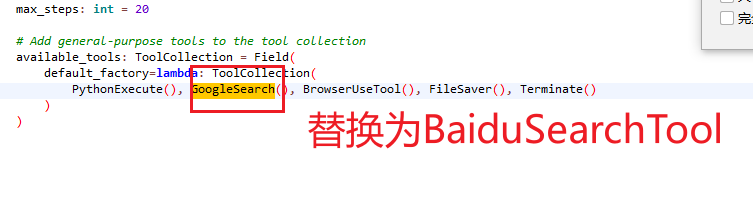
找到 /app/agent/manus.py,将谷歌更改为百度

cpp
from pydantic import Field

from app.agent.toolcall import ToolCallAgent
from app.prompt.manus import NEXT_STEP_PROMPT, SYSTEM_PROMPT
from app.tool import Terminate, ToolCollection
from app.tool.browser_use_tool import BrowserUseTool
from app.tool.file_saver import FileSaver
#from app.tool.google_search import GoogleSearch
from app.tool.baidu_search_tool import BaiduSearchTool
from app.tool.python_execute import PythonExecute


class Manus(ToolCallAgent):
    """
    A versatile general-purpose agent that uses planning to solve various tasks.

    This agent extends PlanningAgent with a comprehensive set of tools and capabilities,
    including Python execution, web browsing, file operations, and information retrieval
    to handle a wide range of user requests.
    """

    name: str = "Manus"
    description: str = (
        "A versatile agent that can solve various tasks using multiple tools"
    )

    system_prompt: str = SYSTEM_PROMPT
    next_step_prompt: str = NEXT_STEP_PROMPT

    max_observe: int = 2000
    max_steps: int = 20

    # Add general-purpose tools to the tool collection
    available_tools: ToolCollection = Field(
        default_factory=lambda: ToolCollection(
            PythonExecute(), BaiduSearchTool(), BrowserUseTool(), FileSaver(), Terminate()
        )
    )
重启