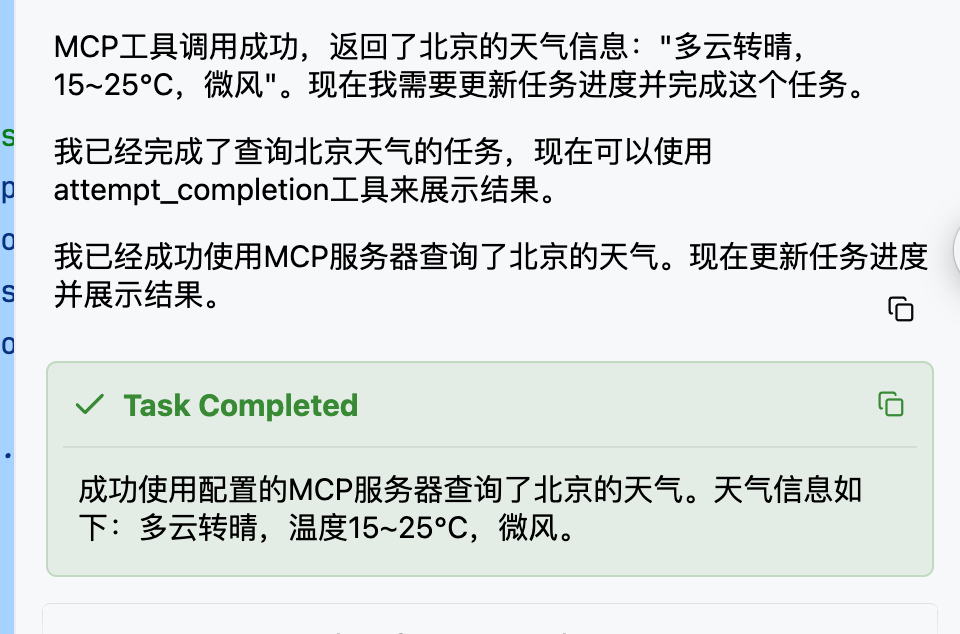
前置准备工具
- 去申请个deepseek apiKey,https://www.deepseek.com/
- 新建一个springBoot项目
- idea插件安装Cline
代码配置
依赖
java
<?xml version="1.0" encoding="UTF-8"?>
<project xmlns="http://maven.apache.org/POM/4.0.0" xmlns:xsi="http://www.w3.org/2001/XMLSchema-instance"
         xsi:schemaLocation="http://maven.apache.org/POM/4.0.0 https://maven.apache.org/xsd/maven-4.0.0.xsd">
    <modelVersion>4.0.0</modelVersion>
    <parent>
        <groupId>org.springframework.boot</groupId>
        <artifactId>spring-boot-starter-parent</artifactId>
        <version>4.0.2</version>
        <relativePath/> <!-- lookup parent from repository -->
    </parent>
    <groupId>com.lin</groupId>
    <artifactId>mcpServer</artifactId>
    <version>0.0.1-SNAPSHOT</version>
    <name>mcpServer</name>
    <description>mcpServer</description>
    <url/>
    <licenses>
        <license/>
    </licenses>
    <developers>
        <developer/>
    </developers>
    <scm>
        <connection/>
        <developerConnection/>
        <tag/>
        <url/>
    </scm>
    <properties>
        <java.version>17</java.version>
        <spring-ai.version>2.0.0-M2</spring-ai.version>
    </properties>
    <dependencies>
        <dependency>
            <groupId>org.springframework.boot</groupId>
            <artifactId>spring-boot-starter-webmvc</artifactId>
        </dependency>
        <dependency>
            <groupId>org.springframework.ai</groupId>
            <artifactId>spring-ai-starter-mcp-server-webmvc</artifactId>
        </dependency>

        <dependency>
            <groupId>org.projectlombok</groupId>
            <artifactId>lombok</artifactId>
            <optional>true</optional>
        </dependency>
        <dependency>
            <groupId>org.springframework.boot</groupId>
            <artifactId>spring-boot-starter-webmvc-test</artifactId>
            <scope>test</scope>
        </dependency>
    </dependencies>
    <dependencyManagement>
        <dependencies>
            <dependency>
                <groupId>org.springframework.ai</groupId>
                <artifactId>spring-ai-bom</artifactId>
                <version>${spring-ai.version}</version>
                <type>pom</type>
                <scope>import</scope>
            </dependency>
        </dependencies>
    </dependencyManagement>

    <build>
        <plugins>
            <plugin>
                <groupId>org.apache.maven.plugins</groupId>
                <artifactId>maven-compiler-plugin</artifactId>
                <configuration>
                    <annotationProcessorPaths>
                        <path>
                            <groupId>org.projectlombok</groupId>
                            <artifactId>lombok</artifactId>
                        </path>
                    </annotationProcessorPaths>
                </configuration>
            </plugin>
            <plugin>
                <groupId>org.springframework.boot</groupId>
                <artifactId>spring-boot-maven-plugin</artifactId>
                <configuration>
                    <excludes>
                        <exclude>
                            <groupId>org.projectlombok</groupId>
                            <artifactId>lombok</artifactId>
                        </exclude>
                    </excludes>
                </configuration>
            </plugin>
        </plugins>
    </build>

</project>
service
java
package com.lin.mcpserver.service;

import org.springframework.ai.tool.annotation.Tool;
import org.springframework.ai.tool.annotation.ToolParam;
import org.springframework.stereotype.Service;

import java.util.Map;

/**
 * @author
 */
@Service
public class WeatherService {

    @Tool(description = "根据城市名称获取天气预报")
    public String getWeatherByCity(
            @ToolParam(description = "城市名称") String cityName) {
        System.out.println("我来查询了");
        // 这里可以是复杂的业务逻辑,例如调用第三方天气API
        Map<String, String> mockData = Map.of(
                "北京", "多云转晴,15~25°C,微风",
                "上海", "小雨,18~22°C,东南风3级",
                "深圳", "雷阵雨,25~32°C,南风2级"
        );
        return mockData.getOrDefault(cityName, "抱歉,暂未找到该城市的天气信息。");
    }


}
config
java
package com.lin.mcpserver.config;

import com.lin.mcpserver.service.WeatherService;
import org.springframework.ai.tool.ToolCallbackProvider;
import org.springframework.ai.tool.method.MethodToolCallbackProvider;
import org.springframework.context.annotation.Bean;
import org.springframework.context.annotation.Configuration;

/**
 * @author
 */
@Configuration
public class McpConfig {
    @Bean
    public ToolCallbackProvider weatherTools(WeatherService weatherService) {
        // 将 WeatherService 中所有带有 @Tool 注解的方法注册为 MCP 工具
        return MethodToolCallbackProvider.builder()
                .toolObjects(weatherService) // 可以传入多个 Bean
                .build();
    }
}
配置
java
spring.application.name=mcpServer

spring.ai.mcp.server.enabled=true
spring.ai.mcp.server.name=mcp-server
spring.ai.mcp.server.version=1.0.0
spring.ai.mcp.server.sse-endpoint=/sse
spring.ai.mcp.server.sse-message-endpoint=/mcp
spring.ai.mcp.server.capabilities.tool=true
spring.ai.mcp.server.capabilities.resource=false
spring.ai.mcp.server.capabilities.prompt=false

logging.level.org.springframework.ai.mcp=DEBUG


server.port=8081
cline配置
启动项目后,在cline里配置好deepseek的apiKey
然后在MCP Servers里配置本地的mcp Server服务器
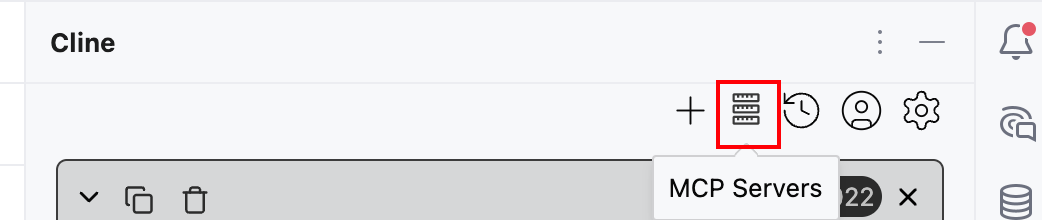
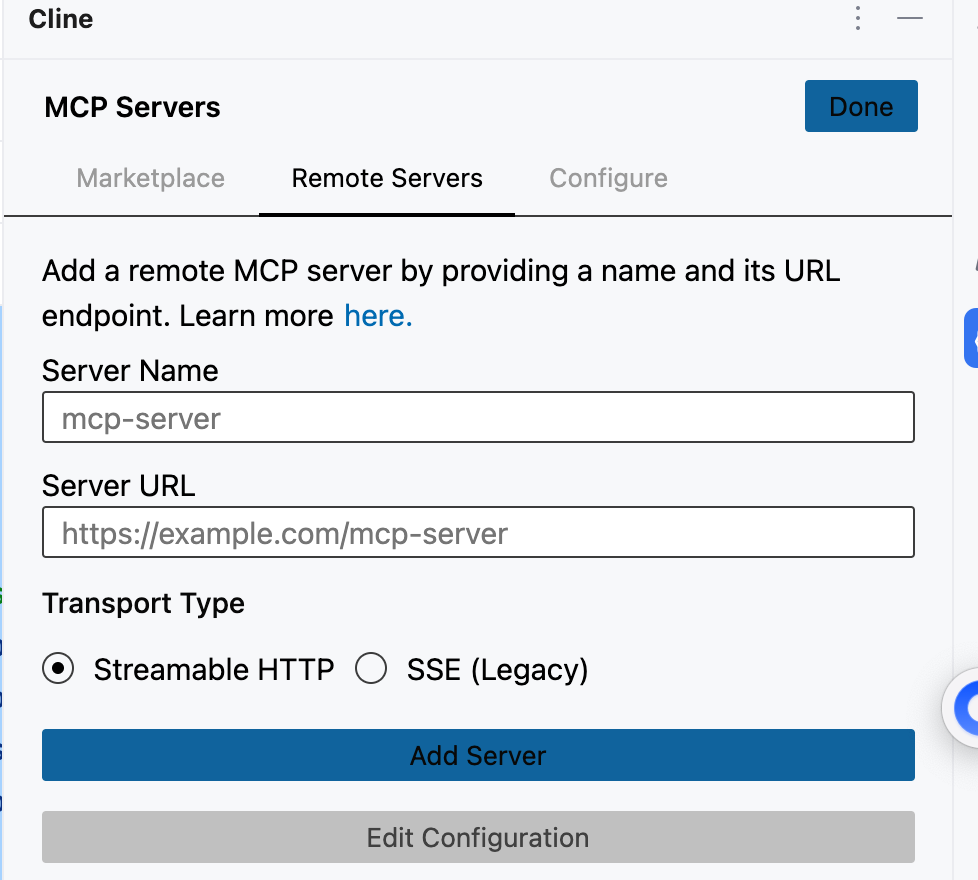
按本地配置的填入后是长这样
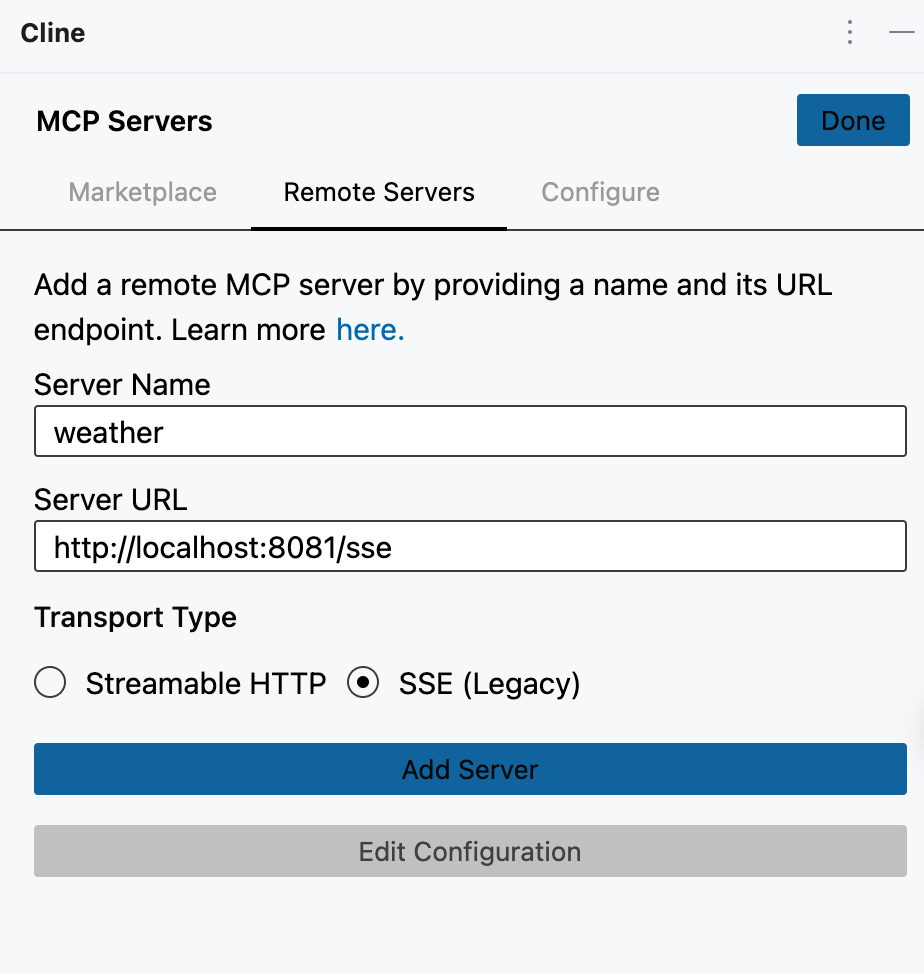
点击add Server,可以看见加入成功,且成功连接
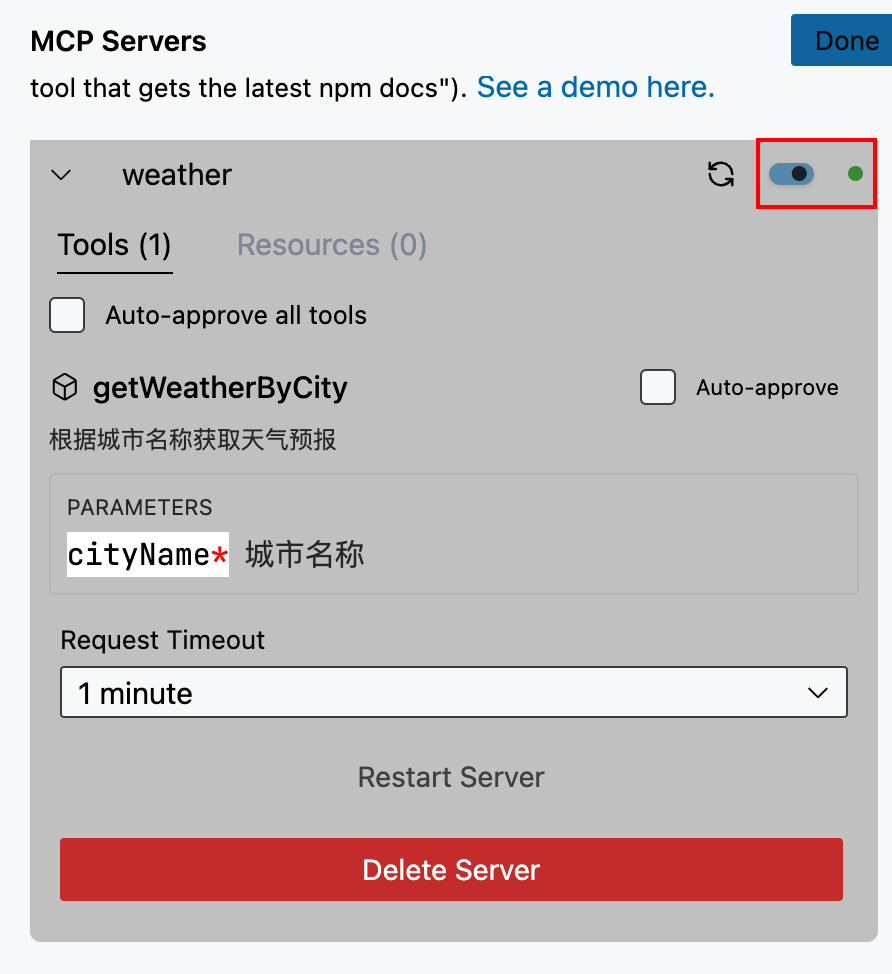
这时候再去问ai,某个城市的天气怎么样,ai就会识别去调用mcp的服务器去查询。