文章目录
- [画栈 · 跨端画师接稿平台:基于 Flutter × OpenHarmony 的整体设计与数据结构解析](#画栈 · 跨端画师接稿平台:基于 Flutter × OpenHarmony 的整体设计与数据结构解析)
画栈 · 跨端画师接稿平台:基于 Flutter × OpenHarmony 的整体设计与数据结构解析
前言
随着移动端应用需求的多样化,艺术创作者和委托方的线上交互需求逐渐增长,尤其是在画师接稿和作品展示领域。为了打造一个高效、可跨端(移动端与桌面端)运行的平台,我们基于 Flutter × OpenHarmony 技术栈实现了"画栈"------一个面向画师接稿的平台。本文将深入分析其 数据结构、整体设计思路,并对核心代码进行逐行讲解,为开发者提供可参考的跨端开发经验。
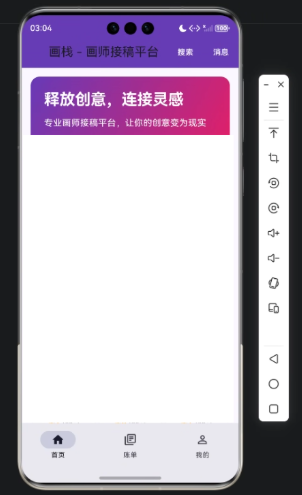
背景
在传统的画师接稿模式中,信息沟通效率低,作品展示和委托管理分散。数字化平台的出现,使得接稿流程可以标准化、线上化:
- 委托发布:客户可以在线提交作品需求。
- 画师接稿:画师可以根据能力、风格选择接稿。
- 作品管理:平台记录作品展示、交易状态。
- 跨端访问:用户既可以在手机端浏览,也可以在 PC 或平板端操作。
为满足以上需求,我们选择 Flutter × OpenHarmony 的组合:
- Flutter:提供高性能 UI 构建能力,支持 Android、iOS、Web 等多端。
- OpenHarmony:在鸿蒙生态下提供原生跨端支持,尤其适合 IoT、智能设备场景。
Flutter × OpenHarmony 跨端开发介绍
Flutter 是一个基于 Dart 的跨端 UI 框架,通过 Widget 构建高性能界面。它的核心特点:
- 声明式 UI:界面通过代码描述而非手动布局。
- 高性能渲染:通过 Skia 渲染引擎实现流畅动画。
- 跨平台一致性:同一套代码可运行在移动端、Web 和桌面端。
OpenHarmony 提供了:
- 原生跨端能力,支持多设备协同。
- 与 Flutter 集成后可在鸿蒙生态下实现统一体验。
- 原生组件能力,优化性能和系统交互。
结合二者,可以快速构建一个界面丰富、响应流畅、跨端一致的艺术接稿平台 。
数据结构设计
为了支撑"画栈"的功能,设计了如下核心数据结构:
dart
class Artist {
  final String id;
  final String name;
  final String avatarUrl;
  final List<String> skills;
  final double rating;

  Artist({required this.id, required this.name, required this.avatarUrl, required this.skills, required this.rating});
}

class CommissionRequest {
  final String id;
  final String title;
  final String description;
  final String requesterId;
  final DateTime deadline;
  final double budget;

  CommissionRequest({required this.id, required this.title, required this.description, required this.requesterId, required this.deadline, required this.budget});
}

class Work {
  final String id;
  final String title;
  final String artistId;
  final String imageUrl;
  final DateTime createdAt;

  Work({required this.id, required this.title, required this.artistId, required this.imageUrl, required this.createdAt});
}
解析:
Artist:存储画师信息,包括技能标签和评分。CommissionRequest:存储委托信息,包含预算和截止时间。Work:存储已完成作品的元数据,便于在首页和个人中心展示。- 数据结构扁平、简洁,易于序列化和跨端传输。
开发核心代码解析
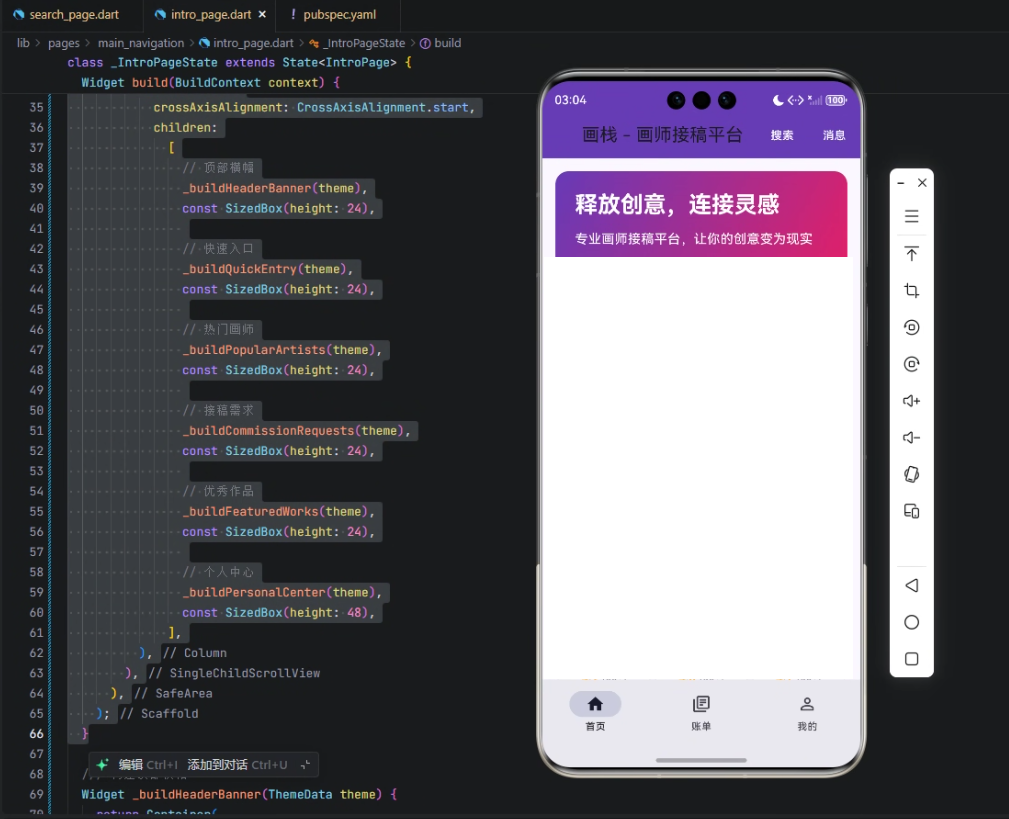
下面以首页 IntroPage 为例,展示平台核心界面实现和逻辑拆解。
dart
class IntroPage extends StatefulWidget {
  const IntroPage({super.key});

  @override
  State<IntroPage> createState() => _IntroPageState();
}- StatefulWidget:用于管理动态数据和状态,如热门画师列表、委托需求。
createState创建与页面关联的状态类_IntroPageState。
dart
class _IntroPageState extends State<IntroPage> {
  @override
  Widget build(BuildContext context) {
final theme = Theme.of(context);build方法是 Widget 树的入口,每次状态变化时会被调用。Theme.of(context)获取全局主题,便于统一 UI 样式。
dart
return Scaffold(
  appBar: AppBar(
    title: const Text('画栈 - 画师接稿平台'),
    elevation: 1,
    backgroundColor: const Color(0xFF673AB7),
    actions: [
      TextButton(
        onPressed: () {},
        child: const Text('搜索', style: TextStyle(color: Colors.white)),
      ),
      TextButton(
        onPressed: () {},
        child: const Text('消息', style: TextStyle(color: Colors.white)),
      ),
    ],
),-
Scaffold 提供页面基础框架(AppBar + Body)。
-
AppBar定义标题、背景颜色、按钮:搜索和消息按钮预留交互逻辑。
-
elevation控制阴影高度,增加层次感。
dart
  body: SafeArea(
    child: SingleChildScrollView(
      padding: const EdgeInsets.all(16),
      child: Column(
        crossAxisAlignment: CrossAxisAlignment.start,
        children: [
          _buildHeaderBanner(theme),
          const SizedBox(height: 24),
          _buildQuickEntry(theme),
          const SizedBox(height: 24),
          _buildPopularArtists(theme),
          const SizedBox(height: 24),
          _buildCommissionRequests(theme),
          const SizedBox(height: 24),
          _buildFeaturedWorks(theme),
          const SizedBox(height: 24),
          _buildPersonalCenter(theme),
          const SizedBox(height: 48),
        ],
      ),
    ),
  ),
);-
SafeArea:避免刘海、虚拟导航栏遮挡。
-
SingleChildScrollView:页面可滚动,适配多屏幕。
-
Column + SizedBox:纵向布局,分隔不同板块:
- 顶部横幅:展示平台宣传或活动。
- 快速入口:提供热门功能入口。
- 热门画师:动态列表展示画师信息。
- 接稿需求:展示最新委托信息。
- 优秀作品:展示画师作品。
- 个人中心:用户相关操作入口。
子组件示例解析
以 _buildPopularArtists(theme) 为例:
dart
Widget _buildPopularArtists(ThemeData theme) {
  return Column(
    crossAxisAlignment: CrossAxisAlignment.start,
    children: [
      Text('热门画师', style: theme.textTheme.headline6),
      SizedBox(height: 16),
      SizedBox(
        height: 120,
        child: ListView.builder(
          scrollDirection: Axis.horizontal,
          itemCount: popularArtists.length,
          itemBuilder: (context, index) {
            final artist = popularArtists[index];
            return Padding(
              padding: const EdgeInsets.only(right: 16),
              child: Column(
                children: [
                  CircleAvatar(
                    radius: 40,
                    backgroundImage: NetworkImage(artist.avatarUrl),
                  ),
                  SizedBox(height: 8),
                  Text(artist.name),
                ],
              ),
            );
          },
        ),
      ),
    ],
  );
}ListView.builder:横向滚动列表,动态加载画师数据。CircleAvatar:圆形头像显示,视觉上更友好。Padding与SizedBox控制布局间距。- 通过
popularArtists数据源动态生成界面,体现 数据驱动 UI 的设计思想。
心得
通过 Flutter × OpenHarmony 的组合:
- 跨端一致性强:UI 和业务逻辑可复用。
- 组件化开发:每个模块可独立维护,便于迭代。
- 数据驱动 UI:通过数据结构直接驱动界面,实现动态更新。
- 易扩展:未来可扩展社交功能、在线支付、消息通知等。
总结
"画栈"通过 Flutter 和 OpenHarmony 构建了一个跨端画师接稿平台,实现了界面丰富、数据驱动的接稿展示和作品管理功能。通过合理的数据结构设计和组件化布局,平台不仅实现了基础业务功能,还保证了良好的跨端体验。本文所示的设计思路和代码解析,为其他跨端应用开发提供了可复用的实践经验。
欢迎加入开源鸿蒙跨平台社区:https://openharmonycrossplatform.csdn.net