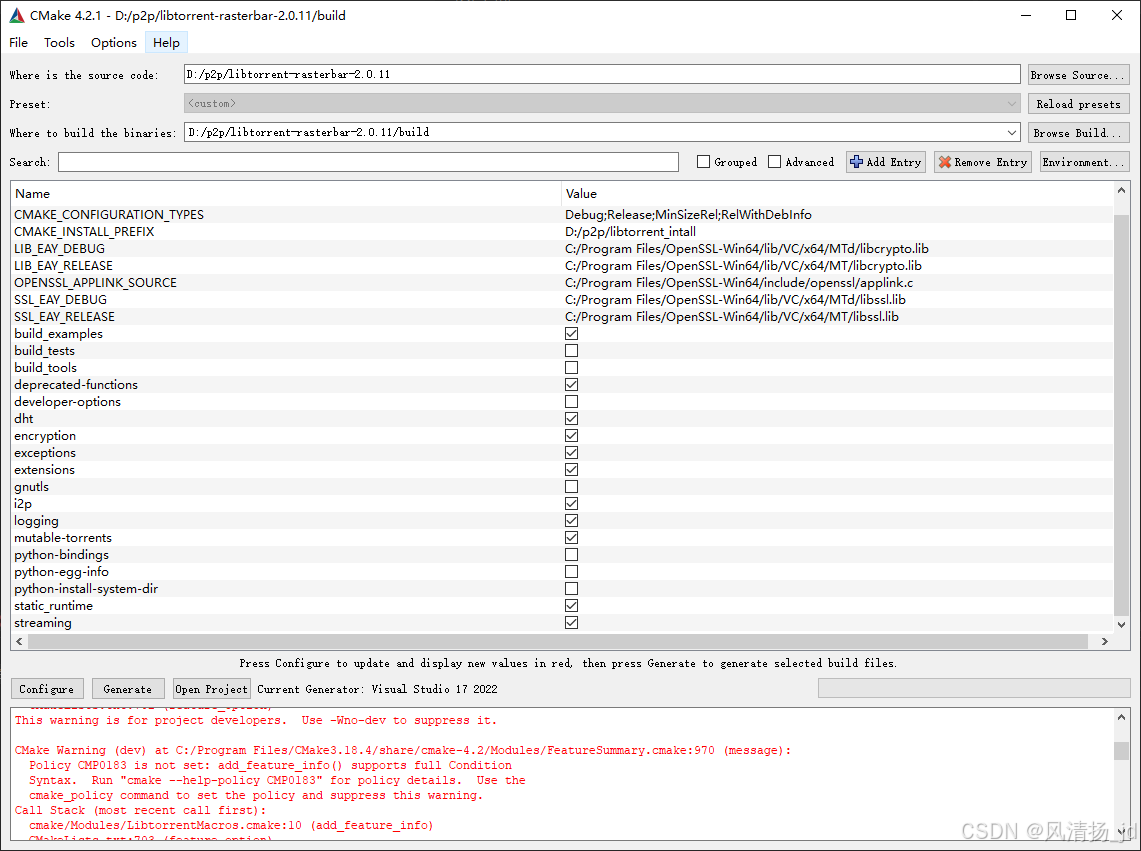
1、编译环境
vs2022 +cmake 4.0 MT编译
2、依赖
libtorrent-rasterbar-2.0.11 openssl3.0+ boost1.88
源码下载
Releases · arvidn/libtorrent · GitHub
3、配置好boost openssl
D:\boost_1_88_0_install 或者cmake-gui手动指定
4、cmake-gui配置:
feature_option(BUILD_SHARED_LIBS "build libtorrent as a shared library" ON)
feature_option(static_runtime "build libtorrent with static runtime" OFF)
静态编译指定static_runtime 去掉BUILD_SHARED_LIBS勾选即可。