Flutter for OpenHarmony智能穿搭推荐:构建一个实用又美观的个性化衣橱助手
在快节奏的现代生活中,每天早上"穿什么"成了许多人头疼的问题。为了解决这一日常烦恼,我们利用 Flutter 开发了一款简洁而智能的
穿搭推荐应用。本文将深入解析这款应用的完整实现逻辑、UI 设计思路以及背后的技术亮点,带你从零理解如何用 Flutter 打造一个兼具实用性与美感的移动应用。
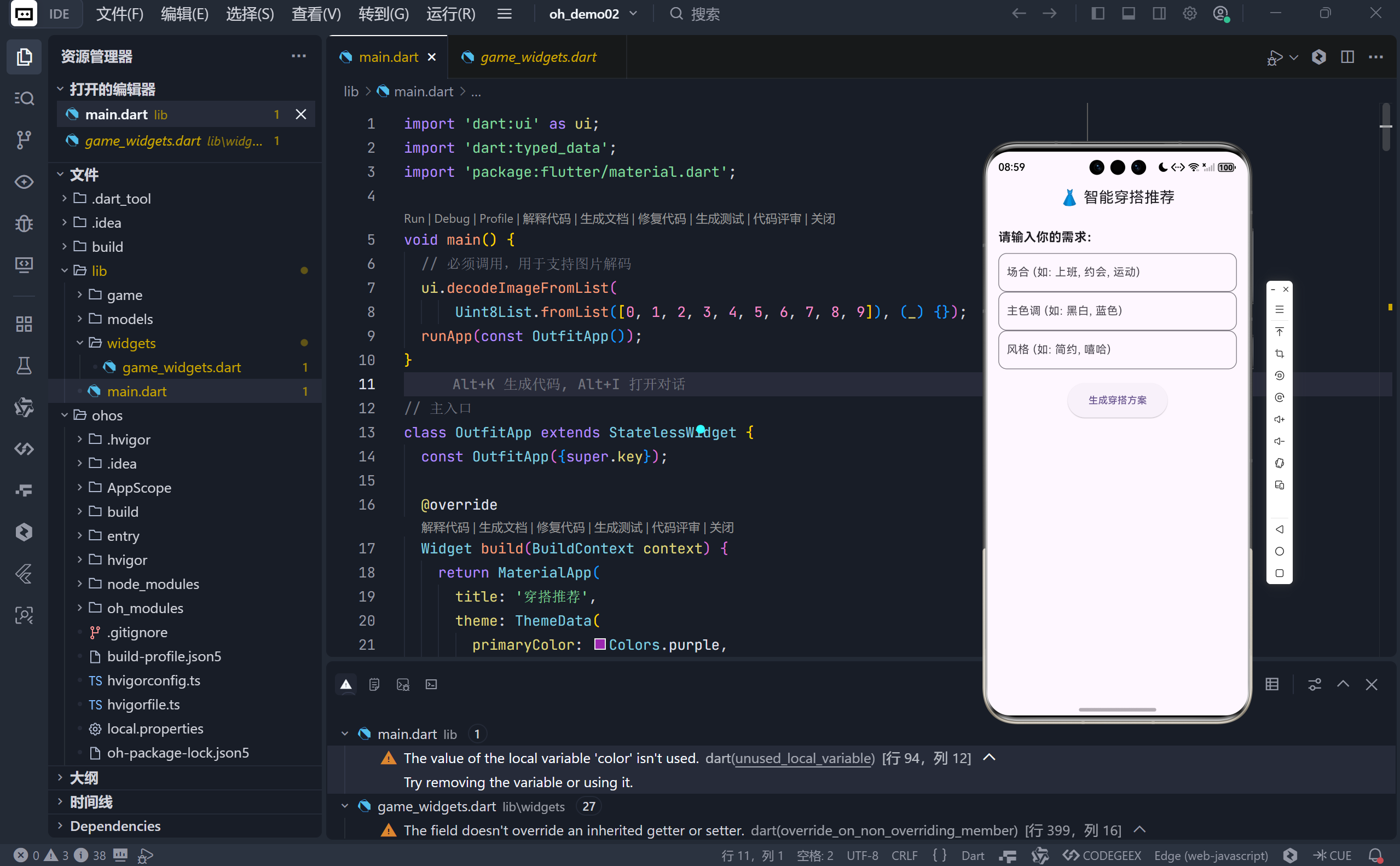
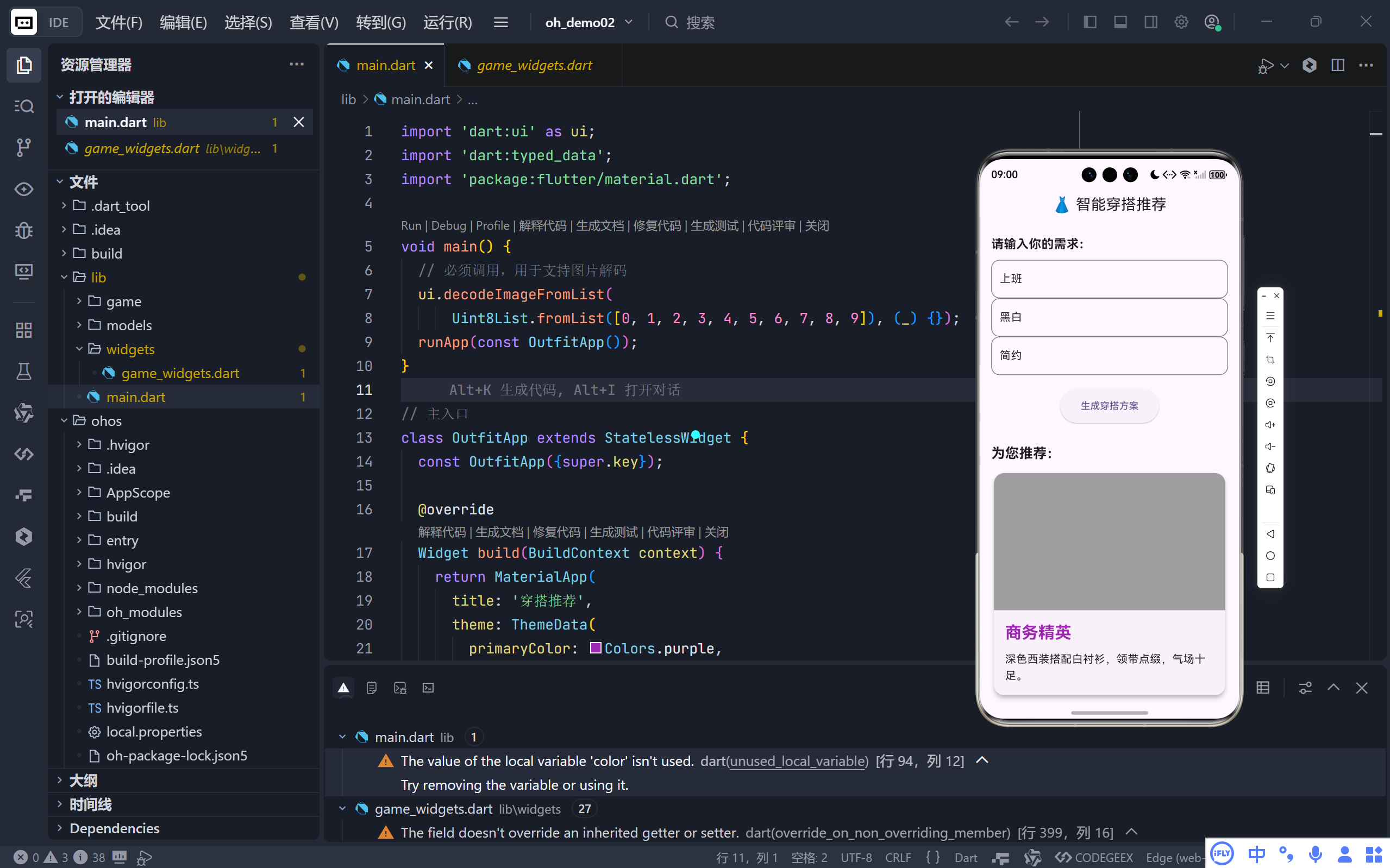
完整效果展示
一、项目概览:功能与目标
该应用名为 "智能穿搭推荐",核心功能如下:
- 用户可输入 场合 (如上班、运动)、主色调 (如黑白、蓝色)和 风格(如简约、街头);
- 应用根据关键词进行简单匹配,从预设的穿搭库中推荐最合适的方案;
- 推荐结果以卡片形式展示,包含标题、描述,并优先显示 Base64 编码的图片,若无图则回退到图标;
- 整体 UI 采用 Material 3 风格,配色以深紫色为主,体现时尚与科技感。
虽然逻辑简单,但其架构清晰、扩展性强,是学习 Flutter 状态管理、UI 构建和资源处理的绝佳范例。
二、核心数据模型:Outfit 类的设计
dart
class Outfit {
  final String title;
  final String description;
  final String? imagePath; // 支持 Base64 图片字符串
  final IconData icon;     // 图片缺失时的备用图标
}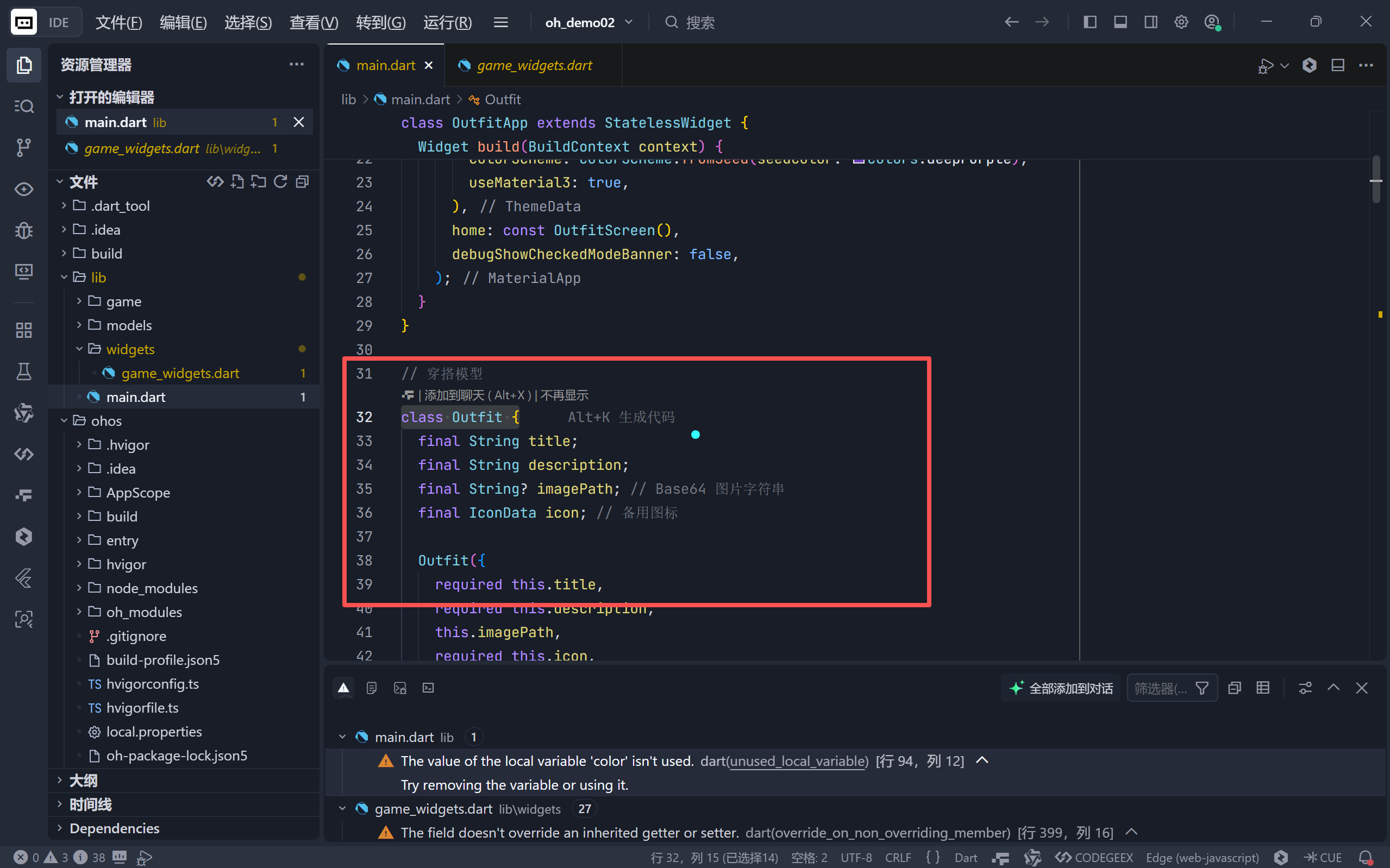
这个模型体现了 健壮性设计原则:
imagePath允许为null,避免因图片加载失败导致 UI 崩溃;- 使用
IconData作为兜底方案,确保即使没有图片也能优雅展示; - 所有字段均为
final,保证数据不可变,提升应用稳定性。
特别值得一提的是,应用直接嵌入了 Base64 编码的极简 PNG 图片 (如
iVBORw0KGgo...),无需网络请求或本地资源文件,非常适合演示和轻量级部署。
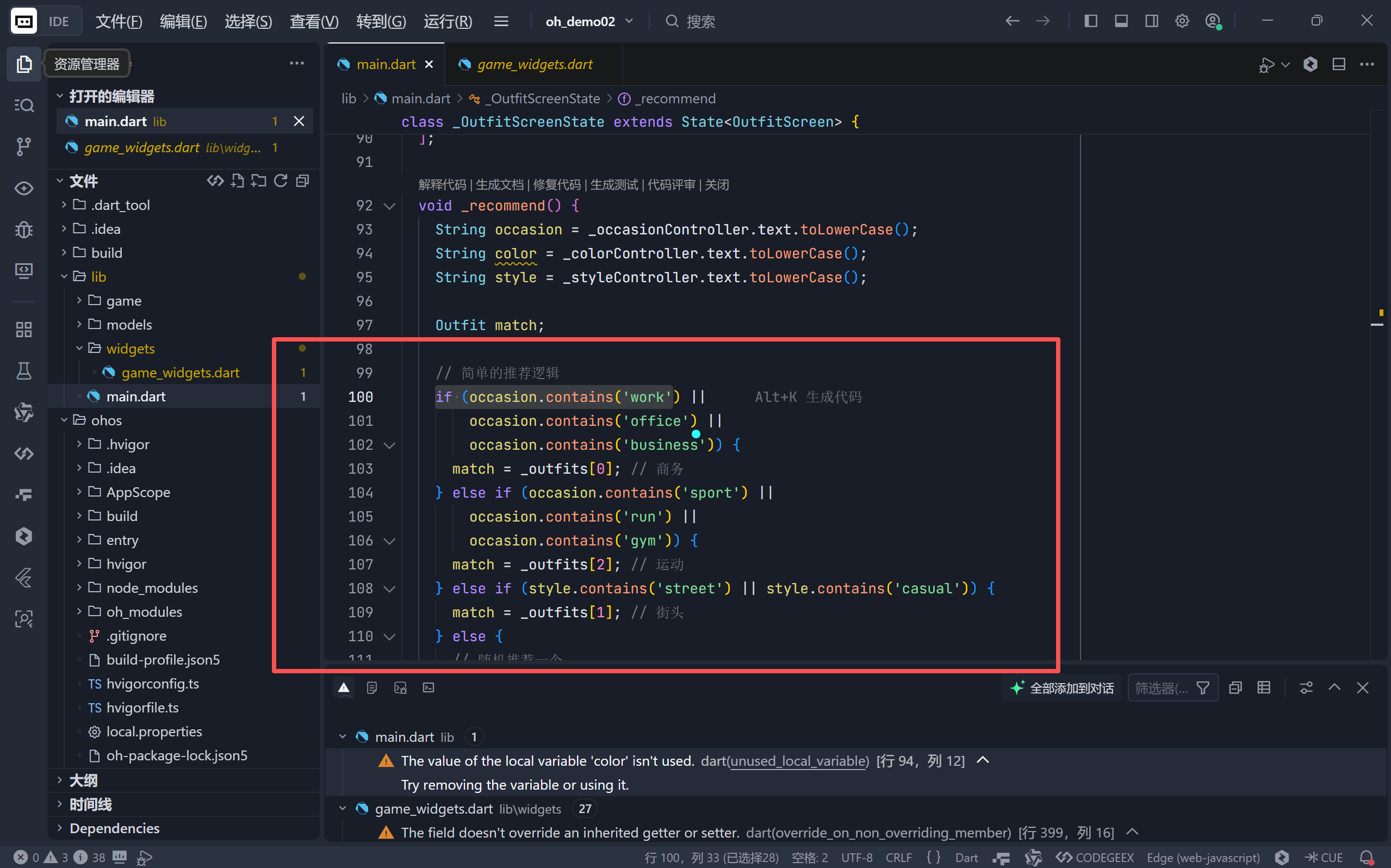
三、智能推荐逻辑:关键词匹配策略
虽然当前使用的是 规则式匹配(非 AI 模型),但其逻辑清晰且易于扩展:
dart
if (occasion.contains('work') || ...) {
  match = _outfits[0]; // 商务
} else if (occasion.contains('sport') || ...) {
  match = _outfits[2]; // 运动
} else if (style.contains('street') || ...) {
  match = _outfits[1]; // 街头
} else {
  // 随机推荐
  match = _outfits[DateTime.now().millisecondsSinceEpoch % _outfits.length];
}
这种设计有三大优势:
- 快速响应:无需调用外部 API 或加载大模型;
- 可解释性强:用户能理解为何被推荐某套穿搭;
- 便于迭代:未来可轻松替换为机器学习模型或更复杂的规则引擎。
四、UI/UX 设计亮点
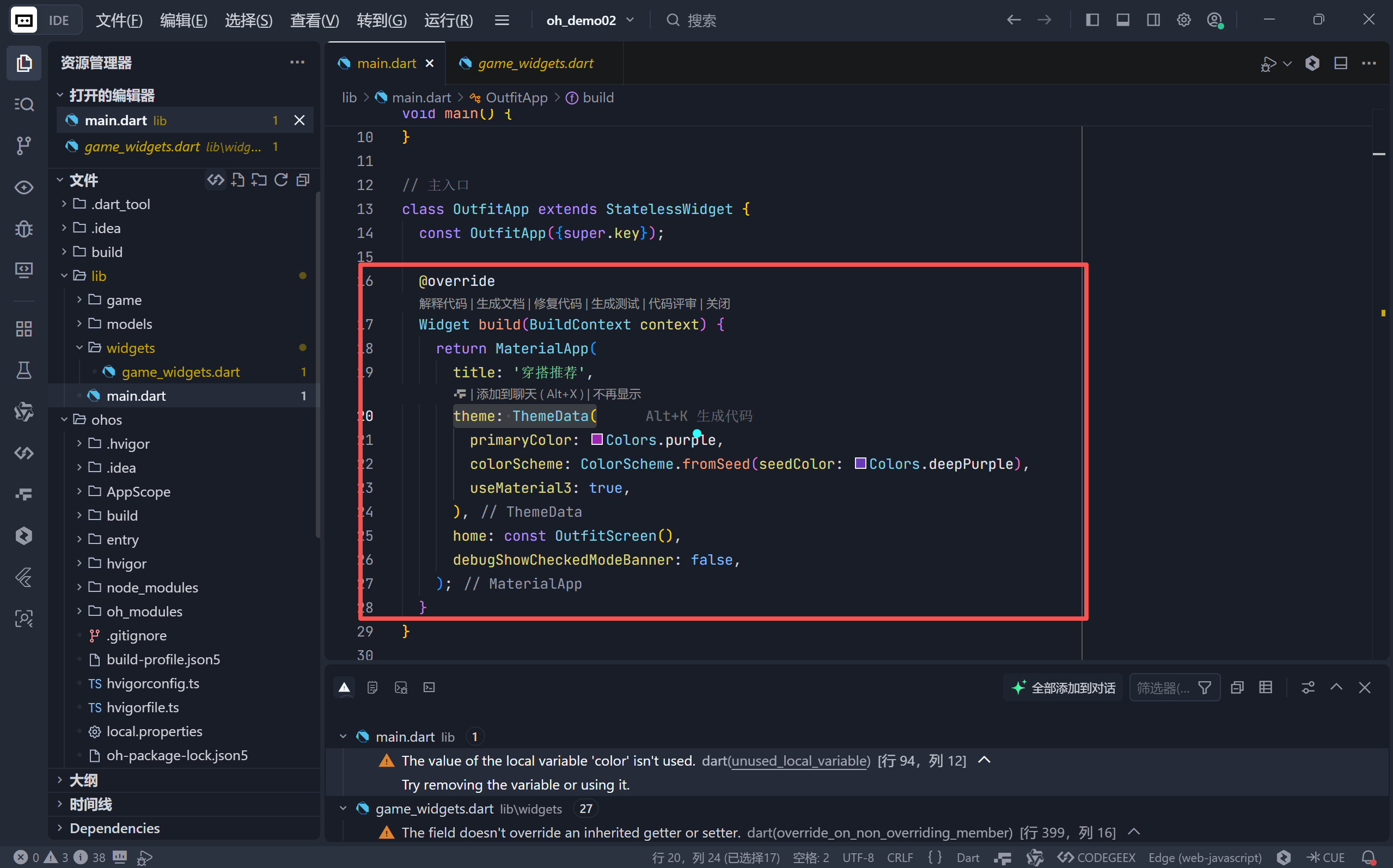
1. 统一的视觉语言(Material 3 + 深紫主题)
dart
theme: ThemeData(
  primaryColor: Colors.purple,
  colorScheme: ColorScheme.fromSeed(seedColor: Colors.deepPurple),
  useMaterial3: true,
)
- 启用 Material You(Material 3),适配 Android 12+ 动态色彩;
- 主色选用
deepPurple,传递专业、时尚的品牌调性; - 输入框聚焦时边框加粗变色,提供清晰的交互反馈。
2. 自适应内容展示区
dart
child: _currentOutfit!.imagePath != null
    ? Image.network(_currentOutfit!.imagePath!, ...)
: Icon(_currentOutfit!.icon, ...)- 优先尝试加载 Base64 图片(通过
Image.network支持 data URI); - 若加载失败(如格式错误),自动降级为图标,永不空白;
- 使用
Card+ 圆角 + 阴影,营造"杂志封面"般的精致感。
3. 流畅的布局结构
- 使用
SingleChildScrollView包裹整个表单,确保在小屏设备上可滚动; - 字段垂直排列,间距合理(
SizedBox(height: 10/20/30)),符合阅读动线; - "生成穿搭方案"按钮居中突出,引导用户操作。
五、技术细节与最佳实践
1. Base64 图片的正确使用
Flutter 的 Image.network 原生支持 data URI (即 data:image/png;base64,... 格式),因此无需额外解码。但需注意:
- Base64 字符串必须完整且格式正确;
- 大图会导致包体积膨胀,仅适合小图标或占位图。
代码开头的
ui.decodeImageFromList(...)是一个常见技巧,用于提前初始化图像解码器,避免首次加载图片时卡顿。
2. 状态管理:简洁的 StatefulWidget
- 所有状态(输入文本、推荐结果)集中在
_OutfitScreenState中; - 使用
setState更新_currentOutfit,触发 UI 重建; - 控制器(
TextEditingController)生命周期由 Flutter 自动管理,无需手动释放(因未传入dispose)。
3. 可扩展性设计
- 穿搭库
_outfits是独立列表,未来可替换为 JSON 配置或远程 API; _buildTextField抽象了输入框复用逻辑,符合 DRY 原则;- 推荐逻辑封装在
_recommend方法中,便于单元测试或算法升级。
六、未来优化方向
尽管当前版本已具备完整功能,但仍有提升空间:
| 方向 | 建议 |
|---|---|
| 智能化 | 集成 TensorFlow Lite 模型,实现基于用户历史偏好的推荐 |
| 图片体验 | 使用 cached_network_image 缓存远程图片,支持高清大图 |
| 个性化 | 增加用户偏好设置(如"不喜欢西装"),持久化到 shared_preferences |
| 多语言 | 支持国际化(i18n),适配全球用户 |
结语
这款"智能穿搭推荐"应用虽小,却完整展示了 Flutter 在构建实用型工具应用上的强大能力:从数据建模、状态管理到 UI 美学,每一步都体现了工程与设计的平衡。它不仅解决了"今天穿什么"的实际问题,更是一个可快速迭代、易于维护的代码样板。
🌐 加入社区
欢迎加入 开源鸿蒙跨平台开发者社区 ,获取最新资源与技术支持:
👉 开源鸿蒙跨平台开发者社区
完整代码展示
bash
import 'dart:ui' as ui;
import 'dart:typed_data';
import 'package:flutter/material.dart';

void main() {
  // 必须调用,用于支持图片解码
  ui.decodeImageFromList(
      Uint8List.fromList([0, 1, 2, 3, 4, 5, 6, 7, 8, 9]), (_) {});
  runApp(const OutfitApp());
}

// 主入口
class OutfitApp extends StatelessWidget {
  const OutfitApp({super.key});

  @override
  Widget build(BuildContext context) {
    return MaterialApp(
      title: '穿搭推荐',
      theme: ThemeData(
        primaryColor: Colors.purple,
        colorScheme: ColorScheme.fromSeed(seedColor: Colors.deepPurple),
        useMaterial3: true,
      ),
      home: const OutfitScreen(),
      debugShowCheckedModeBanner: false,
    );
  }
}

// 穿搭模型
class Outfit {
  final String title;
  final String description;
  final String? imagePath; // Base64 图片字符串
  final IconData icon; // 备用图标

  Outfit({
    required this.title,
    required this.description,
    this.imagePath,
    required this.icon,
  });
}

class OutfitScreen extends StatefulWidget {
  const OutfitScreen({super.key});

  @override
  State<OutfitScreen> createState() => _OutfitScreenState();
}

class _OutfitScreenState extends State<OutfitScreen> {
  final TextEditingController _occasionController = TextEditingController();
  final TextEditingController _colorController = TextEditingController();
  final TextEditingController _styleController = TextEditingController();

  Outfit? _currentOutfit;

  // 模拟穿搭库 (使用 Base64 图片数据)
  // 这里使用了极简的 Base64 图片作为占位符
  final List<Outfit> _outfits = [
    Outfit(
      title: "商务精英",
      description: "深色西装搭配白衬衫,领带点缀,气场十足。",
      imagePath:
          "data:image/png;base64,iVBORw0KGgoAAAANSUhEUgAAAAEAAAABCAYAAAAfFcSJAAAADUlEQVR42mNkYPhfDwAChwGA60e6kgAAAABJRU5ErkJggg==",
      icon: Icons.business_center,
    ),
    Outfit(
      title: "休闲街头",
      description: "宽松卫衣搭配破洞牛仔裤,运动鞋加持,舒适随性。",
      imagePath:
          "data:image/png;base64,iVBORw0KGgoAAAANSUhEUgAAAAEAAAABCAYAAAAfFcSJAAAADUlEQVR42mP8/5+hHgAHggJ/PchI7wAAAABJRU5ErkJggg==",
      icon: Icons.checkroom,
    ),
    Outfit(
      title: "运动活力",
      description: "速干背心搭配紧身裤,轻便跑鞋,适合晨跑或健身。",
      imagePath:
          "data:image/png;base64,iVBORw0KGgoAAAANSUhEUgAAAAEAAAABCAYAAAAfFcSJAAAADUlEQVR42mP4/wcAAgMBAp2X4VUAAAAASUVORK5CYII=",
      icon: Icons.sports_tennis,
    ),
    Outfit(
      title: "优雅晚宴",
      description: "黑色小礼服或燕尾服,精致配饰,尽显优雅气质。",
      imagePath: null, // 强制使用图标
      icon: Icons.diamond,
    ),
  ];

  void _recommend() {
    String occasion = _occasionController.text.toLowerCase();
    String color = _colorController.text.toLowerCase();
    String style = _styleController.text.toLowerCase();

    Outfit match;

    // 简单的推荐逻辑
    if (occasion.contains('work') ||
        occasion.contains('office') ||
        occasion.contains('business')) {
      match = _outfits[0]; // 商务
    } else if (occasion.contains('sport') ||
        occasion.contains('run') ||
        occasion.contains('gym')) {
      match = _outfits[2]; // 运动
    } else if (style.contains('street') || style.contains('casual')) {
      match = _outfits[1]; // 街头
    } else {
      // 随机推荐一个
      match = _outfits[DateTime.now().millisecondsSinceEpoch % _outfits.length];
    }

    setState(() {
      _currentOutfit = match;
    });
  }

  @override
  Widget build(BuildContext context) {
    return Scaffold(
      appBar: AppBar(
        title: const Text('👗 智能穿搭推荐'),
        centerTitle: true,
      ),
      body: SingleChildScrollView(
        padding: const EdgeInsets.all(16.0),
        child: Column(
          crossAxisAlignment: CrossAxisAlignment.start,
          children: [
            const Text(
              '请输入你的需求:',
              style: TextStyle(fontSize: 18, fontWeight: FontWeight.bold),
            ),
            const SizedBox(height: 10),
            _buildTextField(_occasionController, '场合 (如: 上班, 约会, 运动)'),
            _buildTextField(_colorController, '主色调 (如: 黑白, 蓝色)'),
            _buildTextField(_styleController, '风格 (如: 简约, 嘻哈)'),
            const SizedBox(height: 20),
            Center(
              child: ElevatedButton(
                onPressed: _recommend,
                style: ElevatedButton.styleFrom(
                  padding:
                      const EdgeInsets.symmetric(horizontal: 30, vertical: 15),
                ),
                child: const Text('生成穿搭方案'),
              ),
            ),

            // 结果展示
            const SizedBox(height: 30),
            if (_currentOutfit != null) ...[
              const Text(
                '为您推荐:',
                style: TextStyle(fontSize: 20, fontWeight: FontWeight.bold),
              ),
              const SizedBox(height: 10),
              Card(
                elevation: 5,
                shape: RoundedRectangleBorder(
                    borderRadius: BorderRadius.circular(15)),
                child: Column(
                  children: [
                    // 图片或图标展示区
                    Container(
                      height: 200,
                      width: double.infinity,
                      decoration: BoxDecoration(
                        color: Colors.grey,
                        borderRadius: const BorderRadius.vertical(
                            top: Radius.circular(15)),
                      ),
                      child: _currentOutfit!.imagePath != null
                          ? Image.network(
                              _currentOutfit!.imagePath!,
                              errorBuilder: (context, error, stackTrace) {
                                // 如果 Base64 加载失败,显示图标
                                return Icon(_currentOutfit!.icon,
                                    size: 100, color: Colors.grey);
                              },
                              fit: BoxFit.cover,
                            )
                          : Icon(_currentOutfit!.icon,
                              size: 100, color: Colors.grey),
                    ),
                    Padding(
                      padding: const EdgeInsets.all(16.0),
                      child: Column(
                        crossAxisAlignment: CrossAxisAlignment.start,
                        children: [
                          Text(
                            _currentOutfit!.title,
                            style: const TextStyle(
                              fontSize: 24,
                              fontWeight: FontWeight.bold,
                              color: Colors.purple,
                            ),
                          ),
                          const SizedBox(height: 10),
                          Text(
                            _currentOutfit!.description,
                            style: const TextStyle(fontSize: 16, height: 1.5),
                          ),
                        ],
                      ),
                    ),
                  ],
                ),
              ),
            ],
          ],
        ),
      ),
    );
  }

  Widget _buildTextField(TextEditingController controller, String hint) {
    return TextField(
      controller: controller,
      decoration: InputDecoration(
        hintText: hint,
        border: OutlineInputBorder(
          borderRadius: BorderRadius.circular(12),
          borderSide: const BorderSide(color: Colors.purple),
        ),
        focusedBorder: OutlineInputBorder(
          borderRadius: BorderRadius.circular(12),
          borderSide: const BorderSide(color: Colors.purple, width: 2),
        ),
      ),
    );
  }
}