文章目录
Runpod注册地址
更多资讯,欢迎关注东哥科技AIGC
代码地址
github代码仓库:https://github.com/cdmstrong/ootd-models
可自行fork
导读
想自己部署GPU服务,整租的话真的贵,看了下也只有阿里云有提供GPU的运行时收费服务(国内厂商,AWS不知道),但是阿里云的收费太复杂了(CU为计费单位),看了下也挺贵的
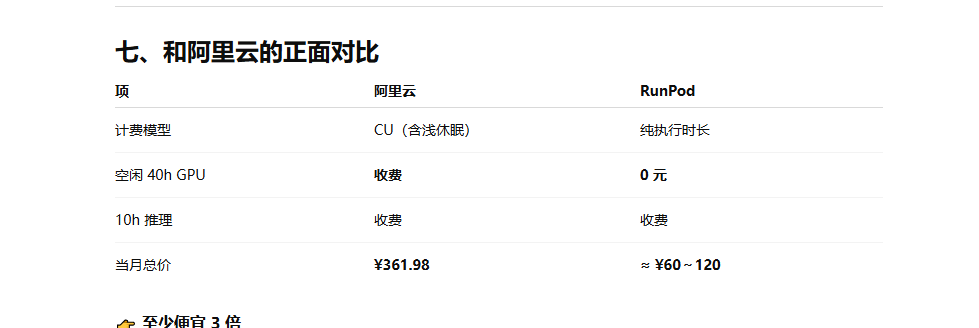
基本上阿里云需要3倍的价格, 索性先试试Runpod,整个流程算是比较好的
使用流程
代码开发
- 先第一步,把推理流程和输入参数定义好,用black-forest-labs/FLUX.2-klein-4B 这个推理模型来做演示
下载地址:https://huggingface.co/black-forest-labs/FLUX.2-klein-4B
服务体验地址:https://huggingface.co/spaces/black-forest-labs/FLUX.2-klein-4B
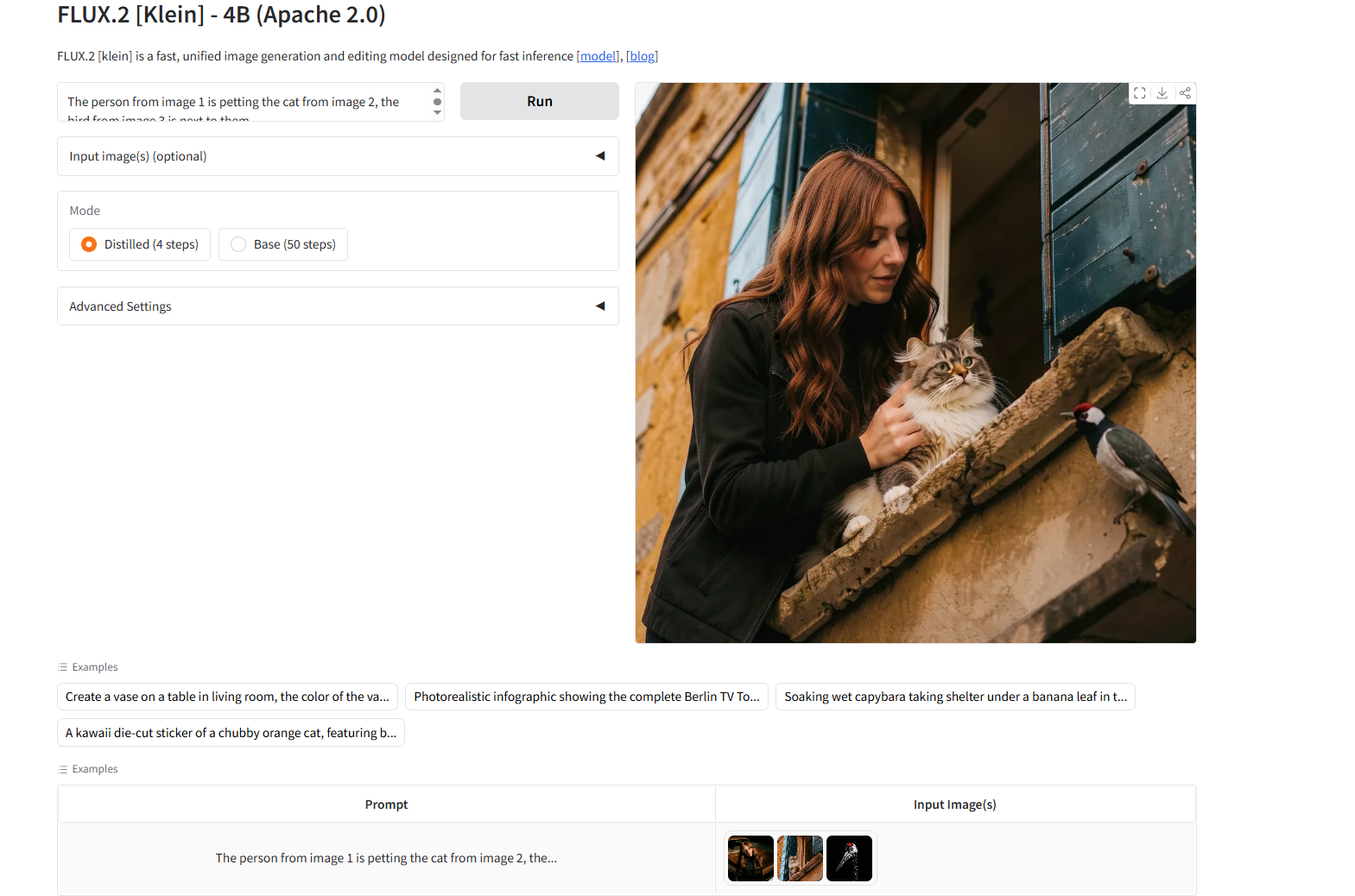
现在我们的目标是:定义模型推理服务,服务端只要请求api接口,就可以运行推理服务,生成图片
流程说明
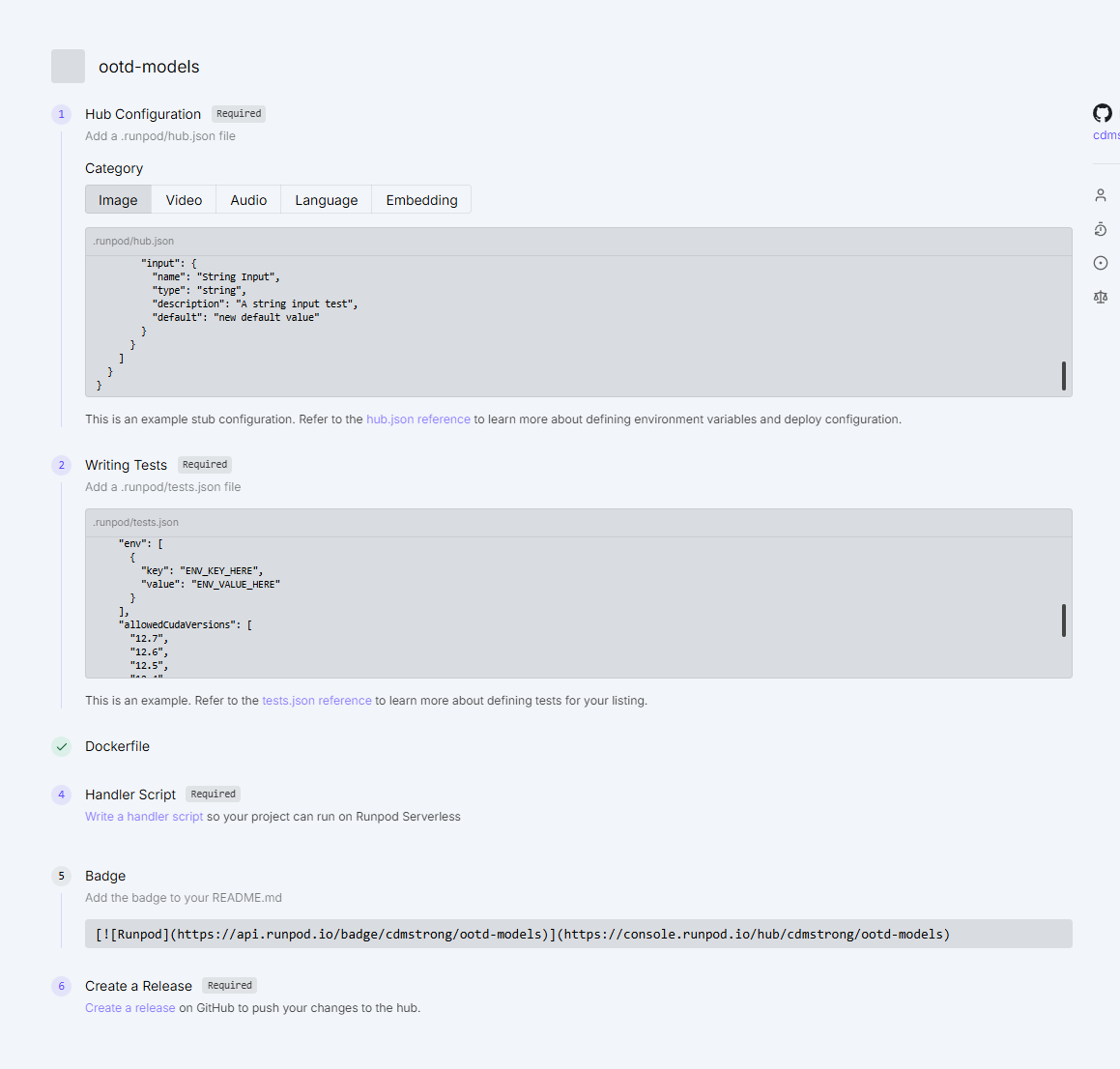
编写hub.json
c
{
    "title": "Ootd Models",
    "description": "OOTD inference service",
    "type": "serverless",
    "category": "image",
    "config": {
      "runsOn": "GPU",
      "containerDiskInGb": 30,
      "gpuCount": 1,
      "gpuIds": "AMPERE_24,AMPERE_16,ADA_24"
    }
  }
字段配置说明可以参考: hub.json 文档说明
tests.json
c
{
    "tests": [
      {
        "name": "test_inference",
        "input": {
            "task_type": "infer",
            "prompt": "Test prompt",
            "image_paths": ["https://miguverse.migudm.cn/pre/mos/api/release/client_api/v1/buckets/281ad071d3264adea2edc0ce914ed4eb/content/model_1.png"],
            "remove_background": [false]
        },
        "timeout": 10000
      }
    ]
  }
这个主要是用来跑docker时,runpod运行的测试用例
Dockerfile
这个主要是用来CI、CD的,这里不要用本地打包的思维去打包,全部用在线打包的方式了,当然模型要是几十G的话,可以考虑用storage(只收取相应的存储费,大概20G/一个月10块,很便宜了),我这里用的是在线打包模型
c
# Example Dockerfile for OOTD service
# This Dockerfile pre-downloads all models during build time

FROM nvidia/cuda:12.1.1-cudnn8-runtime-ubuntu22.04

WORKDIR /app

# Install system dependencies
RUN apt-get update && apt-get install -y \
    python3 \
    python3-pip \
    libgl1 \
    libglib2.0-0 \
    git \
    && rm -rf /var/lib/apt/lists/*

    # 让 python = python3(很重要)
RUN ln -s /usr/bin/python3 /usr/bin/python

# 升级 pip
RUN python -m pip install --upgrade pip

# Copy requirements first (for better caching)
# COPY wheels /app/wheels
RUN python -m pip install torch torchvision torchaudio   --index-url https://download.pytorch.org/whl/cu121
# RUN pip install /app/wheels/*.whl
# RUN rm -rf /app/wheels
# COPY ./.u2net /root/.u2net
COPY requirements.txt .
# COPY diffusers /app/diffusers

RUN pip install -r requirements.txt
# RUN pip install /app/diffusers

# Install Python dependencies

# Pre-download rembg model (this will download to ~/.u2net/)
# RUN python -c "from rembg import new_session; new_session('')" || echo "Warning: rembg model download failed"

# Copy application code

# Create output directories
RUN mkdir -p app/outputs/bg_removed app/outputs
RUN pip install -U "huggingface_hub[hf_transfer]" -i https://pypi.tuna.tsinghua.edu.cn/simple
ENV HF_HUB_ENABLE_HF_TRANSFER=1
RUN hf download Gulraiz00/u2net --local-dir ~/.u2net
RUN hf download black-forest-labs/FLUX.2-klein-4B --local-dir /app/flux2-klein
COPY . /app

CMD ["python", "handler.py"]
# Expose ports
# EXPOSE 8000 8001

# # Default command (can be overridden)
# CMD ["python", "-m", "uvicorn", "main:app", "--host", "0.0.0.0", "--port", "8000"]
编写handler.py
c
"""Runpod serverless handler for OOTD inference service.

This module wraps the local inference & background-removal logic into a
Runpod-compatible handler function.

Input format (queue job JSON):

Infer task (default task_type is "infer"):
{
  "input": {
    "task_type": "infer",                # optional, defaults to "infer"
    "prompt": "....",
    "image_paths": ["person.png", "top.png"],
    "height": 1024,                      # optional
    "width": 1024,                       # optional
    "guidance_scale": 1.0,              # optional
    "num_inference_steps": 10,          # optional
    "remove_background": [false, true]  # optional, per-image flags
  }
}

Notes on remove_background flags:
- If omitted            -> no background removal for any image.
- If a single bool      -> applies to all images (legacy/shortcut).
- If a list[bool]       -> per-image flags; extra images default to False.

Background-removal-only task:
{
  "input": {
    "task_type": "remove_background",
    "image_path": "person.png"
  }
}

Both task types return:
{
  "success": true,
  "image_base64": "<PNG as base64>",
  "error_message": null
}
"""

from __future__ import annotations

from io import BytesIO
from typing import Any, Dict, List

import base64
import os

import runpod

from bg_removal.remover import remove_background
from infer import run_inference


def _bool_flags_for_images(
    image_paths: List[str],
    remove_background_param: Any,
) -> List[bool]:
    """Normalize remove_background param into per-image bool flags."""
    n = len(image_paths)

    # No parameter -> all False
    if remove_background_param is None:
        return [False] * n

    # Single bool -> apply to all images
    if isinstance(remove_background_param, bool):
        return [remove_background_param] * n

    # List-like -> per-image flags
    if isinstance(remove_background_param, list):
        flags: List[bool] = []
        for idx in range(n):
            if idx < len(remove_background_param):
                flags.append(bool(remove_background_param[idx]))
            else:
                flags.append(False)
        return flags

    # Fallback: treat as "no removal"
    return [False] * n


def _encode_image_file_to_base64(path: str) -> str:
    """Read an image file and return PNG base64 string."""
    from PIL import Image  # local import to avoid unnecessary dependency at import time

    with Image.open(path) as img:
        img = img.convert("RGB")
        buffer = BytesIO()
        img.save(buffer, format="PNG")
        buffer.seek(0)
        return base64.b64encode(buffer.getvalue()).decode("utf-8")


def _handle_infer(job_input: Dict[str, Any], job_id: str) -> Dict[str, Any]:
    """Handle the 'infer' task_type."""
    prompt = job_input.get("prompt")
    image_paths = job_input.get("image_paths")

    if not prompt or not image_paths:
        return {
            "success": False,
            "image_base64": None,
            "error_message": "Both 'prompt' and 'image_paths' are required for infer task.",
        }

    height = int(job_input.get("height", 1024))
    width = int(job_input.get("width", 1024))
    guidance_scale = float(job_input.get("guidance_scale", 1.0))
    num_inference_steps = int(job_input.get("num_inference_steps", 10))

    # Per-image background removal flags
    remove_background_param = job_input.get("remove_background")
    flags = _bool_flags_for_images(image_paths, remove_background_param)

    # Prepare processed image paths (some may have background removed)
    processed_paths: List[str] = []
    tmp_dir = os.path.join("/tmp", "bg_removed", job_id)
    os.makedirs(tmp_dir, exist_ok=True)

    for idx, path in enumerate(image_paths):
        if flags[idx]:
            # Remove background and use the processed image path
            output_path = os.path.join(tmp_dir, f"img_{idx}.png")
            processed_path = remove_background(path, output_path=output_path)
            processed_paths.append(processed_path)
        else:
            processed_paths.append(path)

    try:
        # run_inference already returns base64-encoded PNG string
        image_base64 = run_inference(
            prompt=prompt,
            image_paths=processed_paths,
            height=height,
            width=width,
            guidance_scale=guidance_scale,
            num_inference_steps=num_inference_steps,
            output_path=None,
        )
        return {
            "success": True,
            "image_base64": image_base64,
            "error_message": None,
        }
    except Exception as exc:  # noqa: BLE001
        return {
            "success": False,
            "image_base64": None,
            "error_message": str(exc),
        }


def _handle_remove_background(job_input: Dict[str, Any], job_id: str) -> Dict[str, Any]:
    """Handle the 'remove_background' task_type."""
    image_path = job_input.get("image_path")
    if not image_path:
        return {
            "success": False,
            "image_base64": None,
            "error_message": "'image_path' is required for remove_background task.",
        }

    tmp_dir = os.path.join("/tmp", "bg_removed", job_id)
    os.makedirs(tmp_dir, exist_ok=True)
    output_path = os.path.join(tmp_dir, "removed.png")

    try:
        processed_path = remove_background(image_path_or_url=image_path, output_path=output_path)
        image_base64 = _encode_image_file_to_base64(processed_path)
        return {
            "success": True,
            "image_base64": image_base64,
            "error_message": None,
        }
    except Exception as exc:  # noqa: BLE001
        return {
            "success": False,
            "image_base64": None,
            "error_message": str(exc),
        }


def handler(event: Dict[str, Any], context: Any | None = None) -> Dict[str, Any]:
    """Runpod serverless handler.

    Parameters
    ----------
    event:
        The RunPod job/event payload, typically:
        {
            "id": "...",
            "input": { ... }
        }
    context:
        Optional execution context for compatibility with handler(event, context)
        style signatures. Not used by this implementation.
    """
    job_id = str(event.get("id", "unknown"))
    job_input = event.get("input") or {}

    task_type = job_input.get("task_type", "infer")

    if task_type == "infer":
        return _handle_infer(job_input, job_id)
    if task_type == "remove_background":
        return _handle_remove_background(job_input, job_id)

    return {
        "success": False,
        "image_base64": None,
        "error_message": f"Unknown task_type: {task_type}",
    }


runpod.serverless.start({"handler": handler})
然后运行命令先本地测试下:
c
python handler.py --test_input '{
  "input": {
    "task_type": "infer",
    "prompt": "Test prompt",
    "image_paths": ["https://miguverse.migudm.cn/pre/mos/api/release/client_api/v1/buckets/281ad071d3264adea2edc0ce914ed4eb/content/model_1.png"],
    "remove_background": [false]
  }
}'
显示推理成功,就可以了

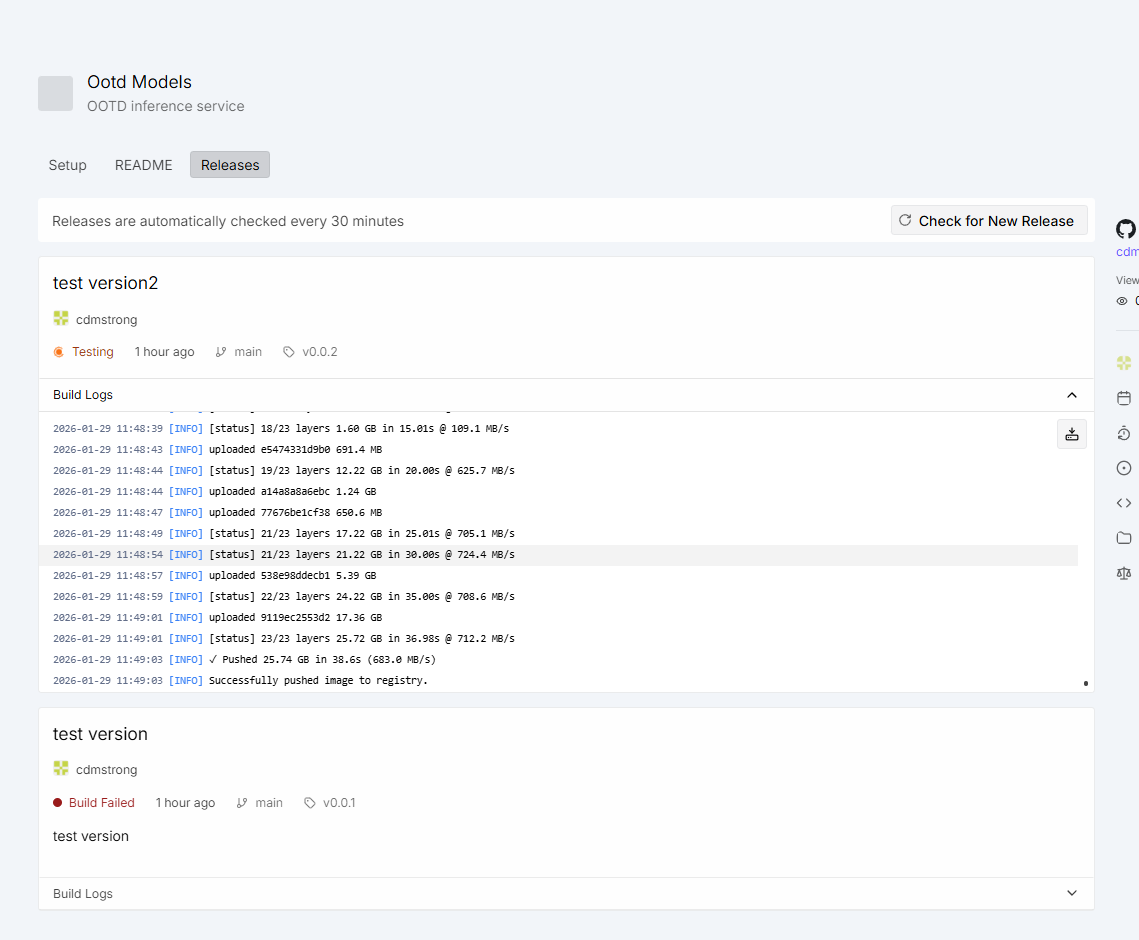
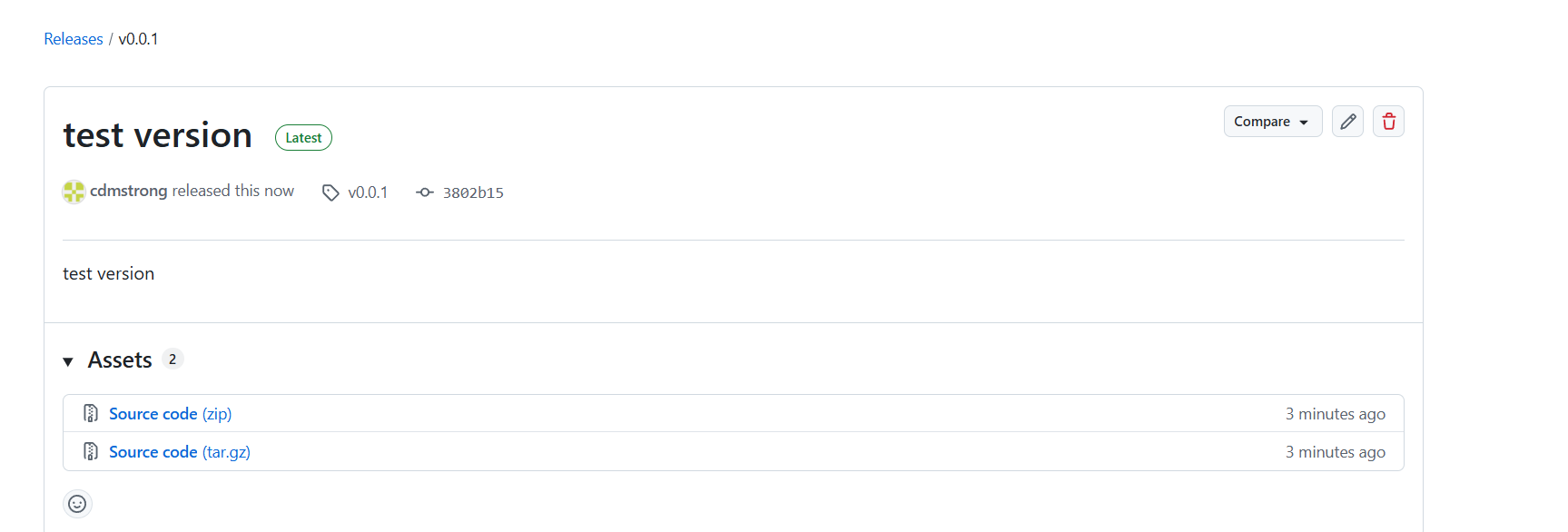
发布版本
c
git tag -a v0.0.1 -m "serverless版本"
git push origin v0.0.1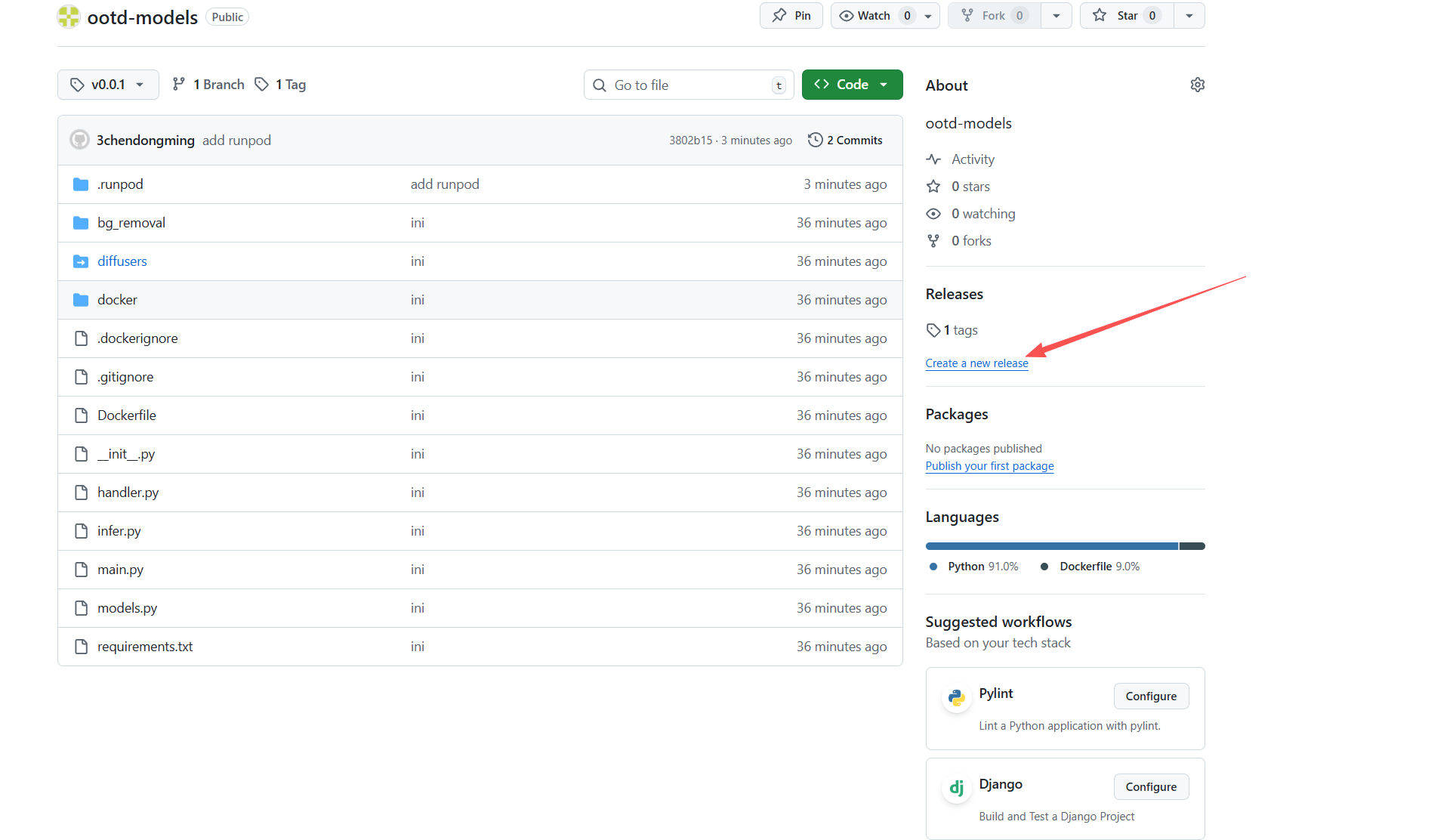
运行请求
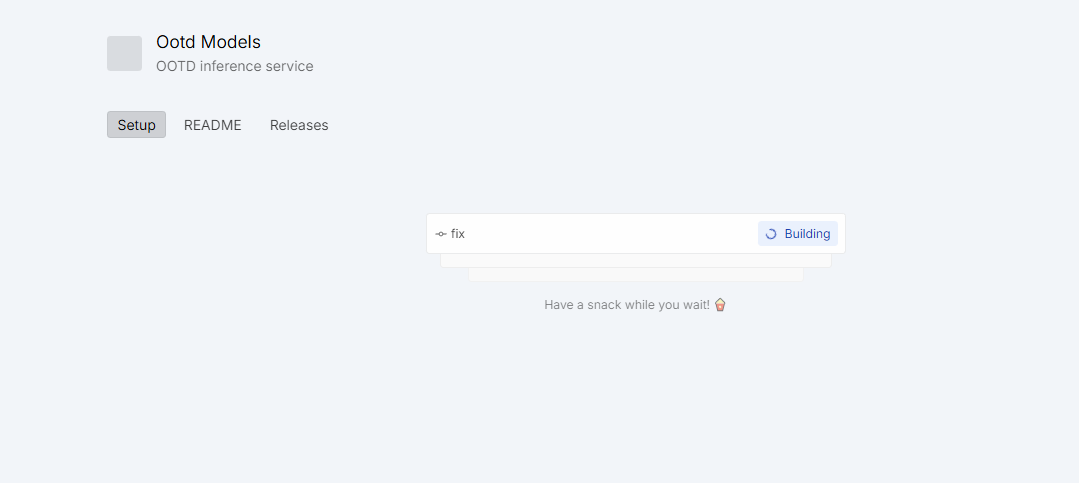
等待打包后就可以启动服务了