仓库是集中存放镜像的地方,分有公有仓库和私有仓库。
1,docker hub:公共镜像市场,官方提供(需要VPN)
2,第三方镜像市场:阿里云,网易云,腾讯云
3,搭建本地私有仓库
搭建docker私有仓库(Registry)
docker pull registry
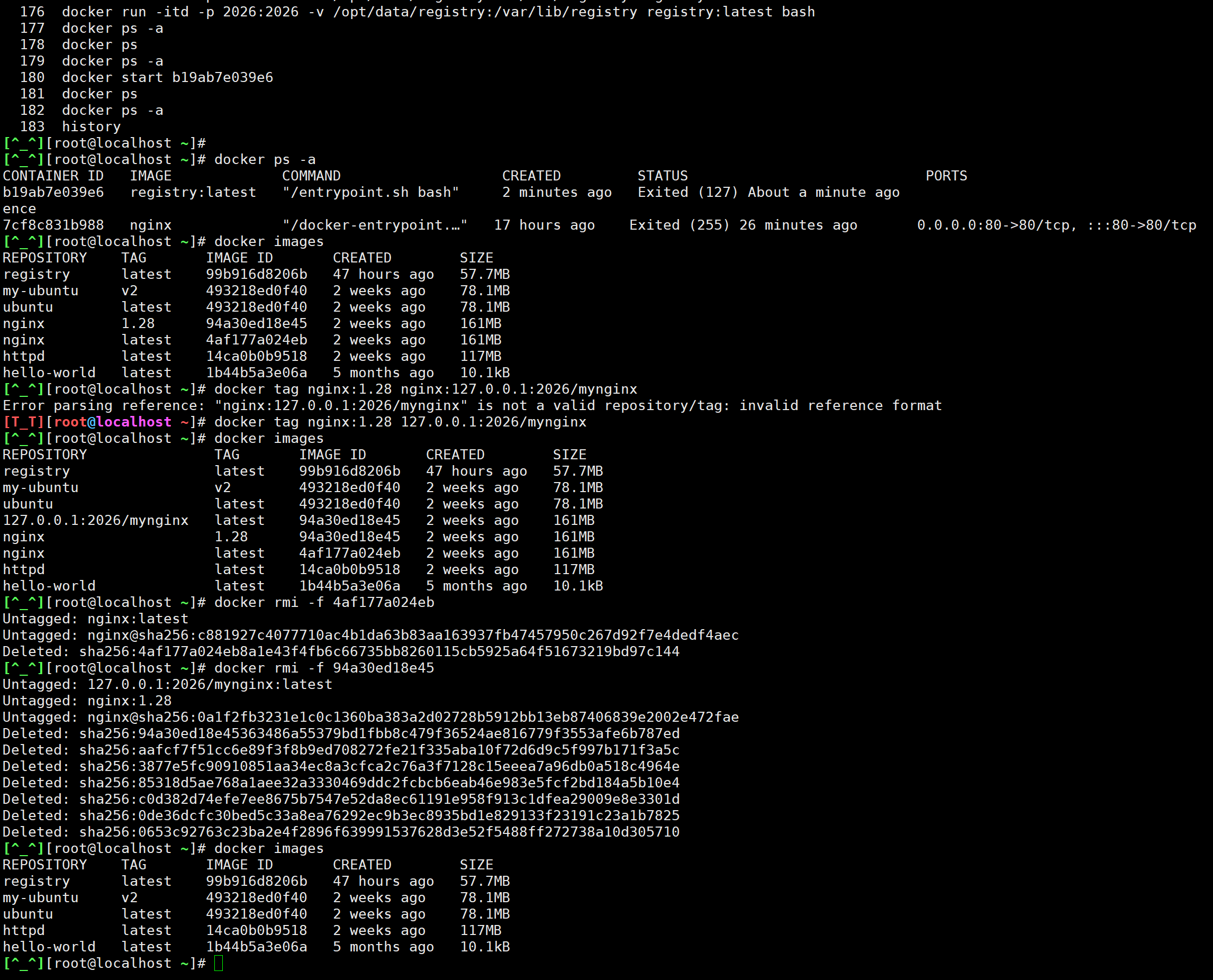
步骤概要:①搭建仓库(默认拉取端口5000,上传pull端口要与拉取端口一致),
②标记镜像(tag),
③上传镜像(pull),
④验证是否成功上传仓库(curl http://localhost:5000/v2/_catalog),
⑤删除已有的相关镜像,并从本地仓库拉取镜像(docker rmi 与docker pull localhost:5000/镜像名:tag名)这里的tag名是标记镜像tag时候取的,参考 练习:将httpd镜像上传到registry仓库的# 标记httpd镜像那一条命令的末尾,我为httpd镜像取的Tag是mylocalhttpd
centos7搭建docker本地私有仓库:
确保docker已安装与系统更新,创建存储镜像的目录与设置权限
# 创建存储镜像的目录
sudo mkdir -p /opt/data/registry

# 设置权限(确保Docker可以访问)
sudo chmod -R 777 /opt/data/registry
拉取registry镜,启用容器并验证容器是否运行
# 拉取最新Registry镜像
docker pull registry:latest

# 启动Registry容器(使用5000端口)
docker run -d \
  --name local-registry \
  -p 5000:5000 \
  -v /opt/data/registry:/var/lib/registry \
  --restart=always \
  registry:latest

# 验证容器是否运行
docker ps
标记(tag)镜像,推送(pull)镜像到私有仓库(5000端口)
# 验证 Registry 是否正常工作
curl http://localhost:5000/v2/_catalog
# 应该返回:{"repositories":[]} 表示空仓库

# 重新标记镜像(使用5000端口)
docker tag nginx:latest localhost:5000/nginx:latest

# 如果已经有了标记,先删除错误标记
docker rmi localhost:2026/nginx:latest

# 推送镜像到私有仓库(使用5000端口)
docker push localhost:5000/nginx:latest

# 验证推送成功
curl http://localhost:5000/v2/_catalog
# 应该返回:{"repositories":["nginx"]}

# 查看镜像标签
curl http://localhost:5000/v2/nginx/tags/list
# 应该返回:{"name":"nginx","tags":["latest"]}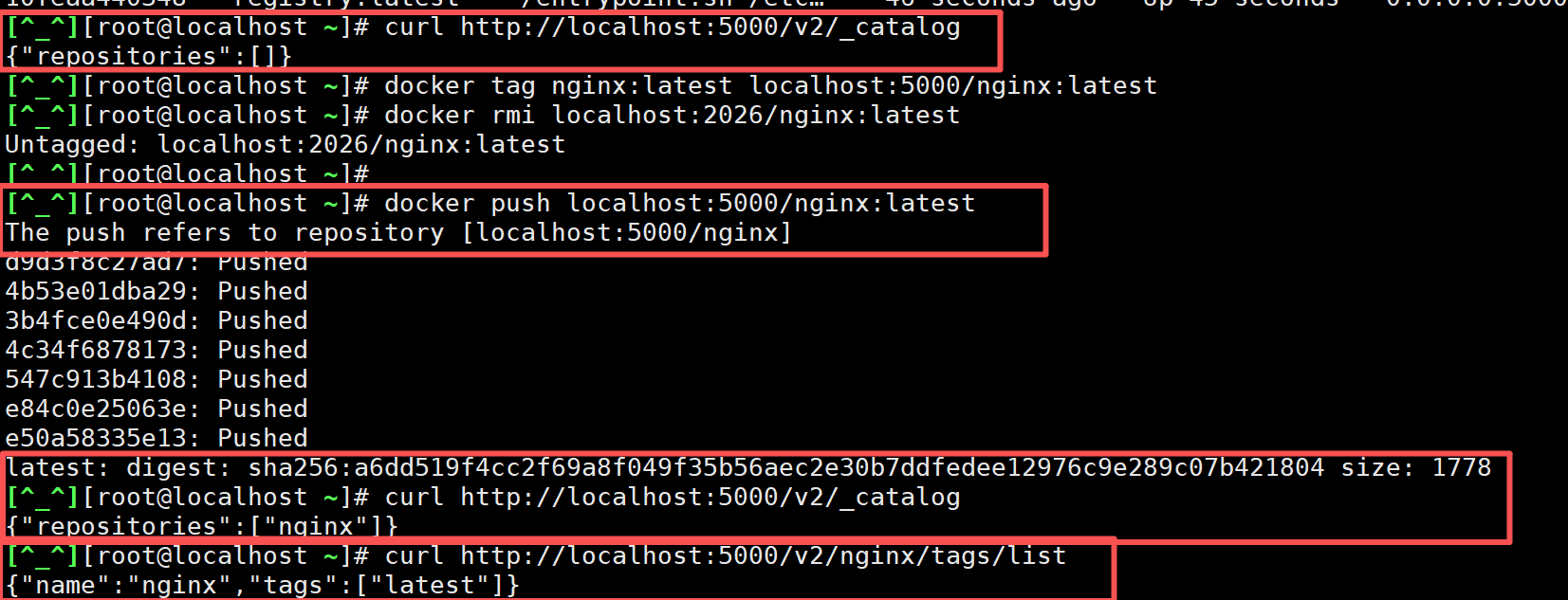
如果有问题,检查防火墙设置
# 查看防火墙状态
sudo systemctl status firewalld

# 如果防火墙开启,开放5000端口
sudo firewall-cmd --add-port=5000/tcp --permanent
sudo firewall-cmd --reload

# 或者临时关闭防火墙(仅用于测试)
sudo systemctl stop firewalld
测试从私有仓库拉取nginx镜像
# 先删除本地相关镜像
docker rmi localhost:5000/nginx:latest
docker rmi nginx:latest

# 从私有仓库拉取
docker pull localhost:5000/nginx:latest

# 验证
docker images

# 运行测试容器
docker run -d --name test-nginx -p 8080:80 localhost:5000/nginx:latest
curl http://localhost:8080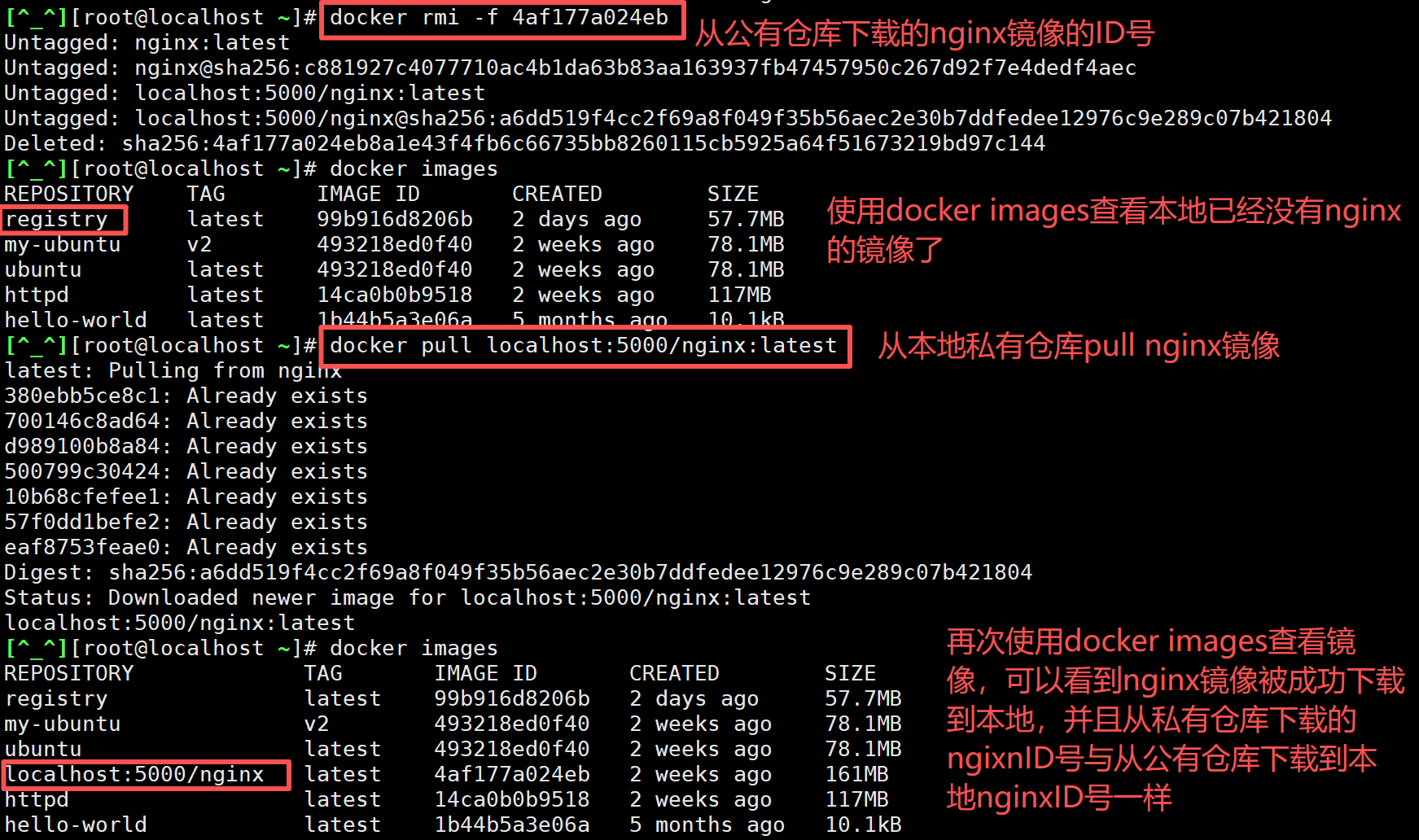
练习:将httpd镜像上传到registry仓库
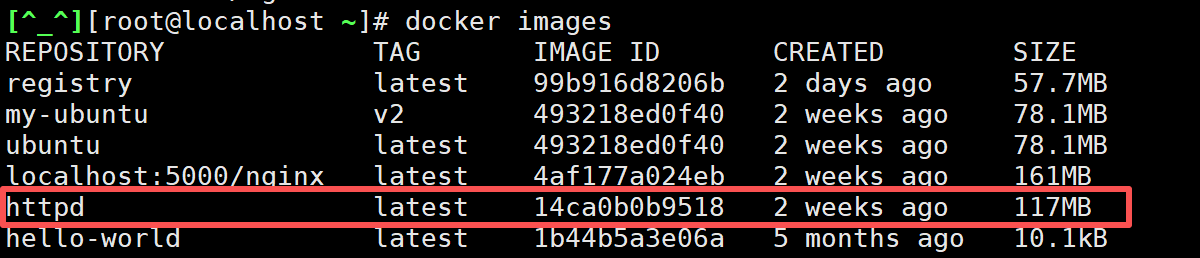
已经搭建好本地仓库,首先需要标记镜像,然后再将镜像推送到本地仓库。
# 标记httpd镜像
docker tag httpd:latest localhost:5000/httpd:mylocalhttpd

# 推送httpd镜像到本地仓库
docker push localhost:5000/httpd:mylocalhttpd

# 验证是否上传成功
curl http://localhost:5000/v2/_catalog
# 应返回{"repositories":["httpd","nginx"]}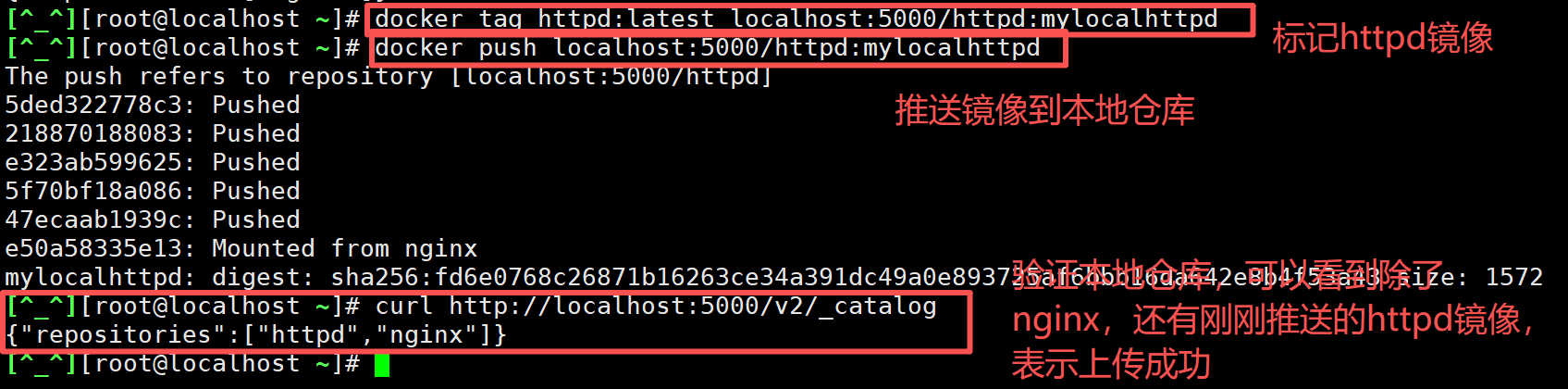
验证是否能够从本地仓库拉取httpd镜像,首先先删除已有的httpd镜像,然后再从本地仓库拉取httpd镜像
# 先删除本地相关的httpd镜像
docker rmi httpd:latest
docker rmi localhost:5000/httpd:mylocalhttpd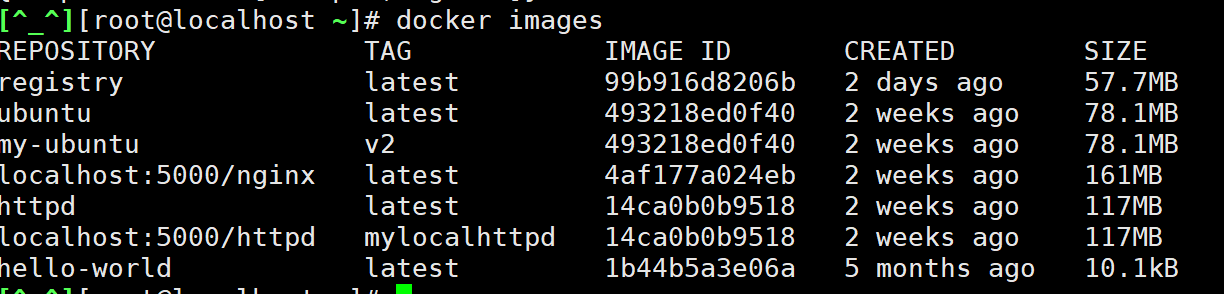
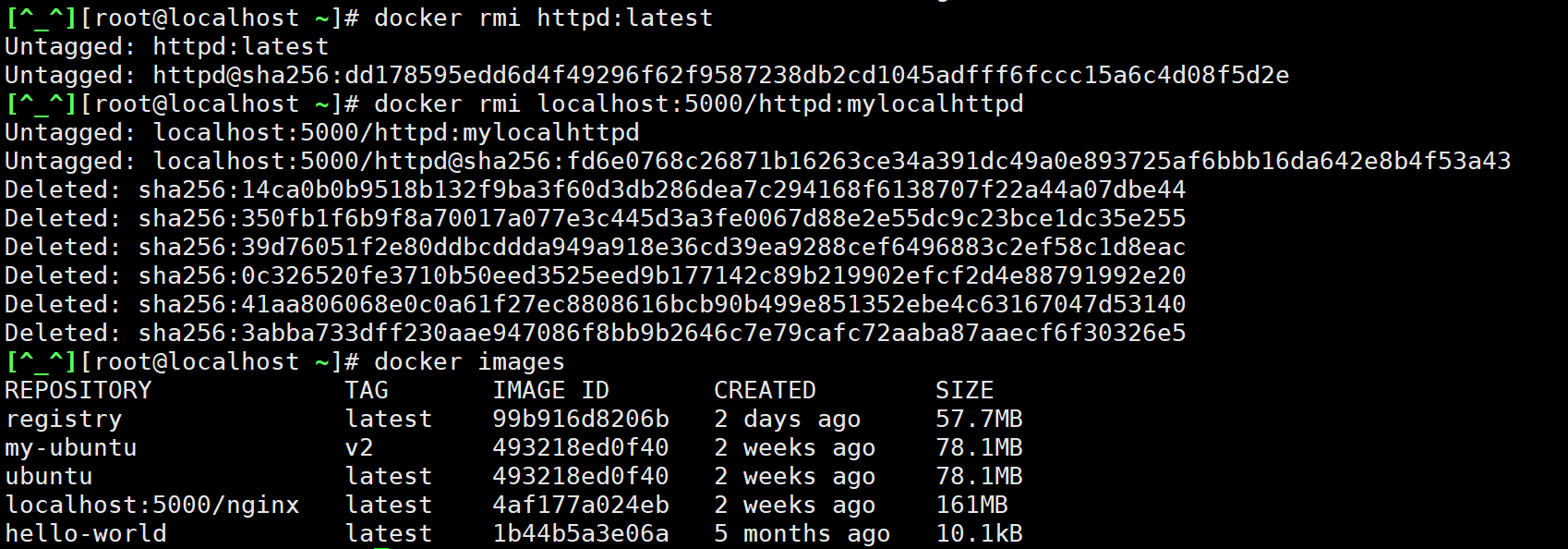
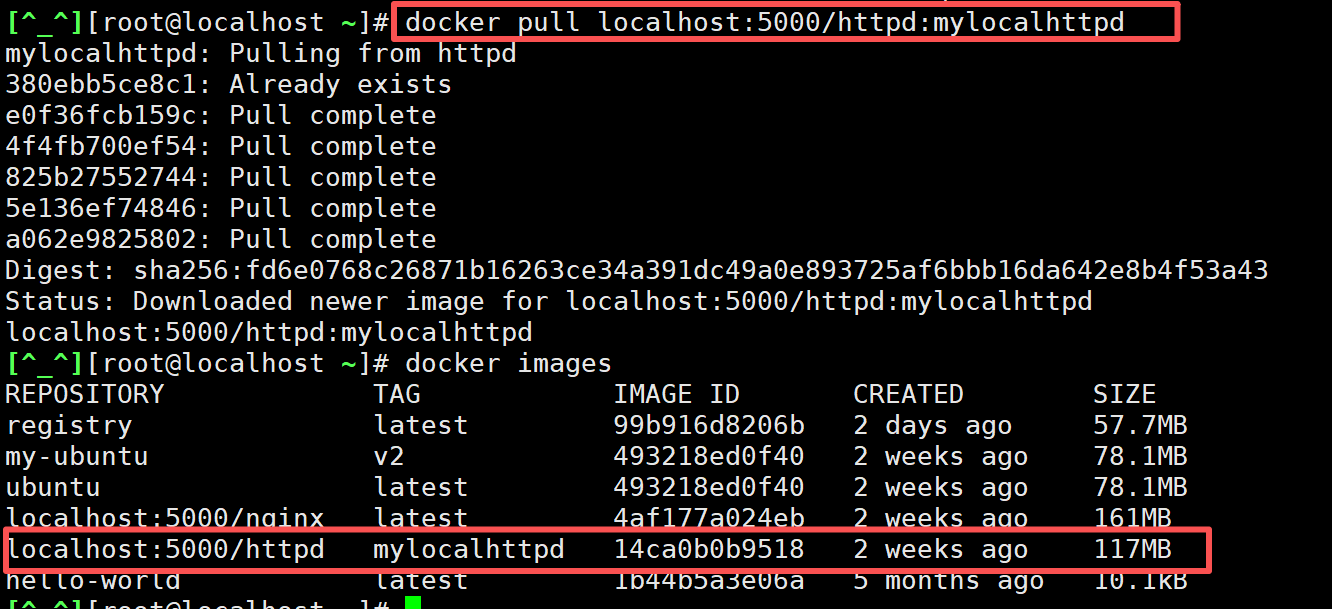
再从本地仓库拉取httpd镜像,而且拉取完镜像后,镜像ID会和已经删除的httpd镜像ID一样,并不会像从公有仓库那样,将镜像删除后,再次下载同样的镜像,镜像ID会改变。
docker pull localhost:5000/httpd:mylocalhttpd