uniapp 使用vue开发,它的开发过程基本与vue相同
目录结构
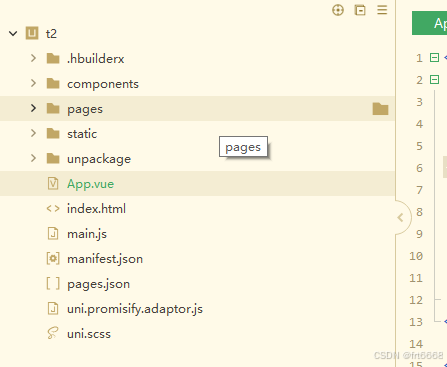
components为组件目录
名称很重要,必须是这个单词
新建一个组件
<template>
	<view class="item">
		<view class="title">{{obj.name}}</view>
		<view class="image">{{obj.body}}</view>
	</view>
</template>

<script setup>
	import {ref} from "vue"

	defineProps(["obj"]);


</script>

<style lang="scss" scoped>
	.title{
		text-align: left;
	}
	.item{
		width: 100%;
	}
	.image {
		font-size: 16rpx;
		width: 100%;
		display: block;
	}

</style>
再写个页面,引用这个组件
<template>
	<view>
		<view v-for="item in list">
			<myitem :obj="item"></myitem>
		</view>

	</view>

</template>

<script setup>
	import {ref,onMounted} from "vue"
	import {onPullDownRefresh} from "@dcloudio/uni-app"
	import myitem from "@/components/myitem.vue"


	const status = ref("")
	var list = ref([]);
	onMounted(async ()=>{
		var url = "https://jsonplaceholder.typicode.com/comments"
		const l = await uni.request({
			url:url
		});
		list.value = l.data;
	})

	onPullDownRefresh(()=>{
	    console.log('下拉刷新');

	 })

	const more = () => {
		console.log("more");
	}

</script>

<style>

</style>
测试
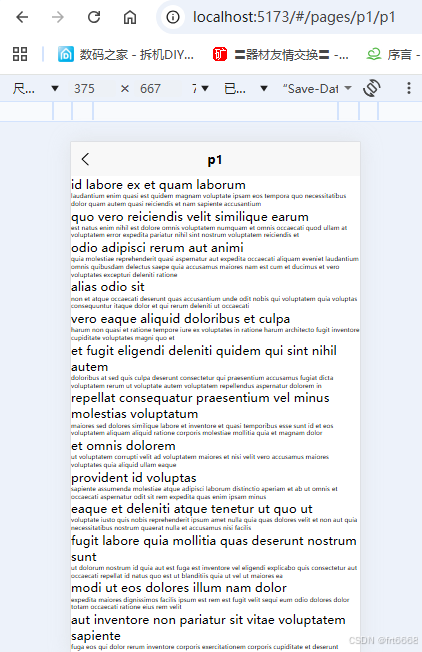
成功!