文章目录
-
- 一、前言
- 二、项目概述
- 三、核心功能模块
-
-
- [1. 用户管理系统](#1. 用户管理系统)
- [2. 数据存储架构](#2. 数据存储架构)
- [3. 诗词内容系统](#3. 诗词内容系统)
- [4. UI界面系统](#4. UI界面系统)
- [5. 技术栈特色](#5. 技术栈特色)
-
- 四、部分功能点核心代码详解
-
-
- [1. 用户注册](#1. 用户注册)
- [2. 用户登录](#2. 用户登录)
- [3. 数据库用户创建](#3. 数据库用户创建)
- [4. 搜索功能实现](#4. 搜索功能实现)
- [4.1 搜索结果展示](#4.1 搜索结果展示)
-
- 五、项目运行效果图
一、前言
在移动互联网时代,传统文化的数字化传承变得越来越重要。本文将详细介绍一个基于HarmonyOS开发的诗词鉴赏应用程序,该项目采用现代化的ArkTS语言开发,结合SQLite数据库和丰富的UI组件,为用户提供优质的古典诗词阅读体验。通过本文,读者可以深入了解HarmonyOS应用开发的完整流程和技术实现细节。
二、项目概述
这是一个功能完善的诗词鉴赏移动应用,专为喜爱中国古典文化的用户设计。应用提供了丰富的诗词内容库,涵盖古诗、宋词、元曲、文言文等多个类别,让用户能够随时随地欣赏中华传统文化的瑰宝。
三、核心功能模块
1. 用户管理系统
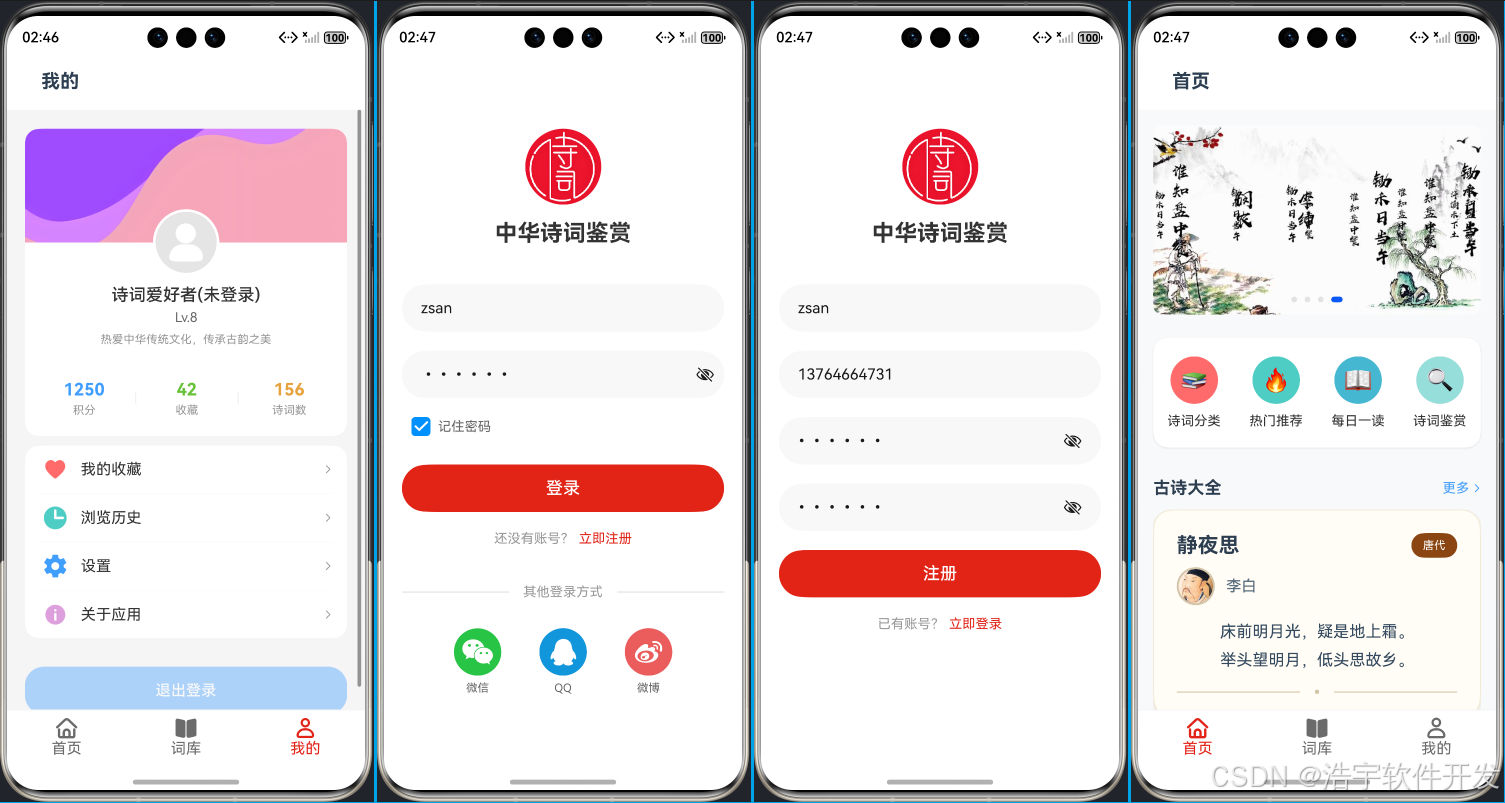
- 用户注册:支持用户名、手机号、密码注册,包含完整表单验证
- 用户登录:账号密码登录,支持记住密码功能
- 智能记忆功能:记住密码和自动填充
2. 数据存储架构
- SQLite数据库:使用HarmonyOS关系型数据库存储用户信息
- 数据表设计:users表包含id、username、password、avatar、signature字段
- 数据库初始化:应用启动时自动初始化数据库和表结构
- CRUD操作:完整的用户数据增删改查功能
3. 诗词内容系统
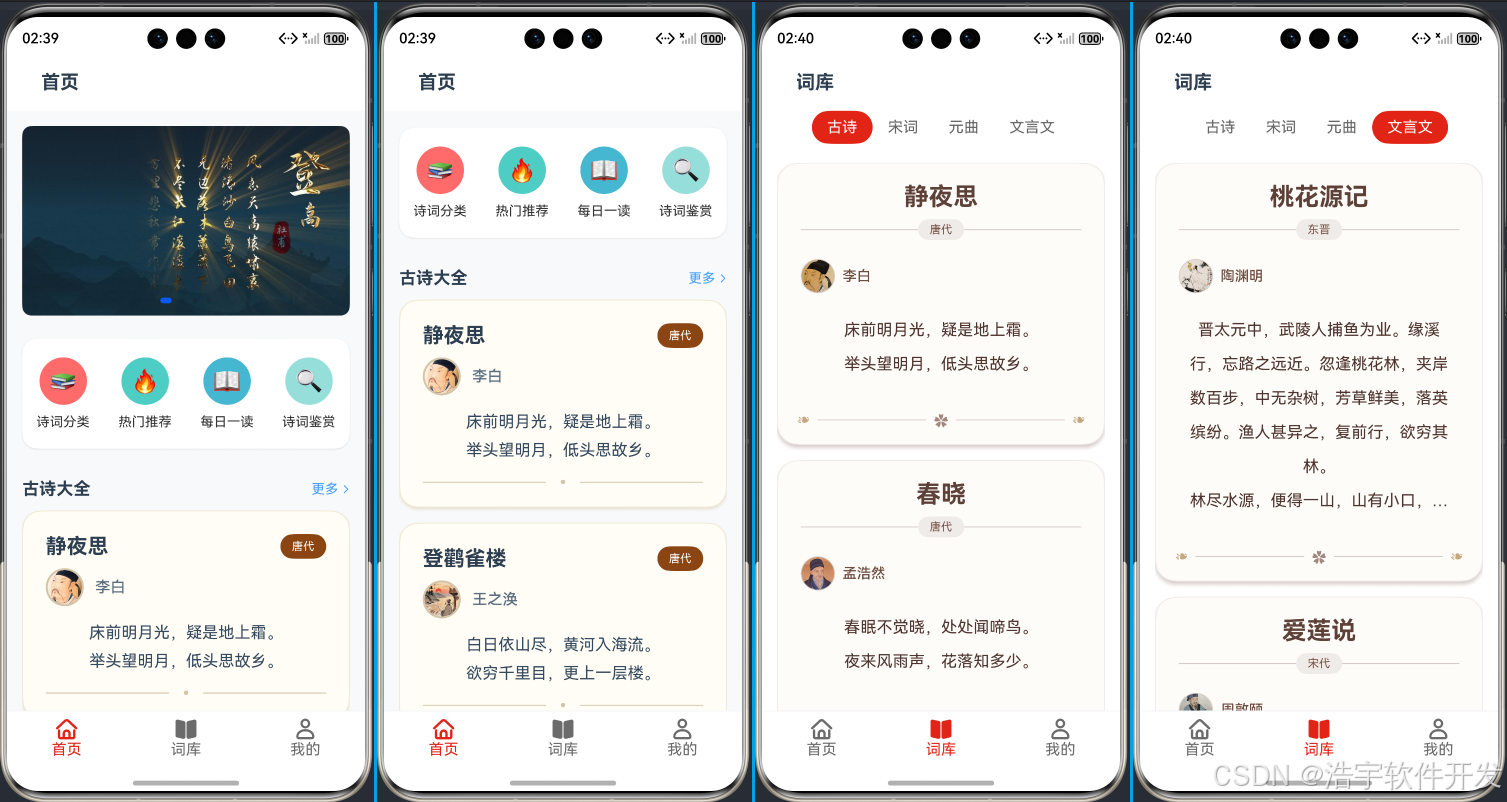
- 诗词分类展示:按古诗、宋词、元曲、文言文四个类别组织
- 首页推荐:精选热门诗词展示
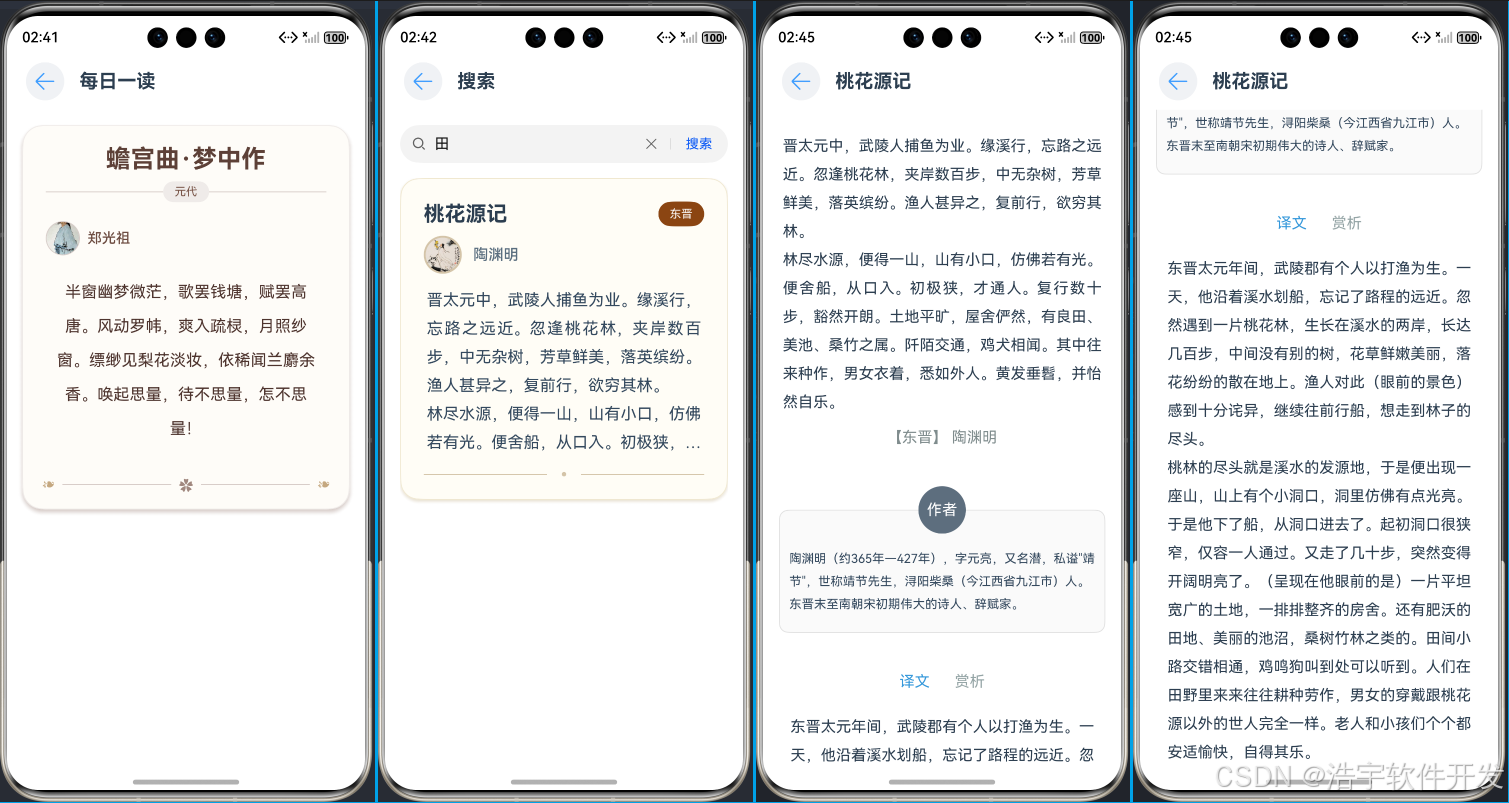
- 每日一读:随机推荐诗词功能
- 诗词详情:完整的诗词展示页面,包含原文、译文、赏析、作者介绍
- 搜索功能:支持按标题和内容搜索诗词
4. UI界面系统
- 底部导航:首页、词库、我的三个主要Tab页面
- 响应式布局:适配不同屏幕尺寸
- 美观设计:现代化UI设计,包含渐变、阴影、圆角等视觉效果
- 交互反馈:按钮状态变化、Toast提示、加载动画等用户体验优化
5. 技术栈特色
- 开发框架:HarmonyOS ArkTS语言
- 数据库:关系型数据库(RDB)技术
- UI框架:声明式UI编程范式
- 架构模式:组件化、模块化设计思想
四、部分功能点核心代码详解
1. 用户注册
typescript
async onRegister() {
  // 表单验证
  this.validateUsername();
  this.validatePhone();
  this.validatePassword();
  this.validateConfirmPassword();

  if (this.hasErrors()) {
    this.registerMessage = '注册';
    return;
  }

  // 构建用户对象
  const user: UserInfo = {
    username: this.username,
    password: this.password,
    avatar: '12121',
    signature: '热爱中华传统文化,传承古韵之美'
  }

  // 检查用户是否存在
  const existingUser = await PoetryDatabase.getInstance().validateUser(user.username, user.password)
  if (existingUser) {
    this.getUIContext().getPromptAction().showToast({
      message: "用户已存在",
    })
    return
  }

  // 执行注册
  this.isInputValid = false;
  this.registerMessage = '注册中...';
  const row = await PoetryDatabase.getInstance().createUser(user)
  if (row > 0) {
    this.getUIContext().getPromptAction().showToast({
      message: "注册成功",
    });
    // 注册成功后跳转到登录页面
    setTimeout(() => {
      this.registerMessage = '注册';
      this.isInputValid = true;
      this.getUIContext().getRouter().back();
    }, 1000);
  }
}
2. 用户登录
typescript
async onLogin() {
  this.isInputValid = false
  this.loginMessage = '登录中...'

  const userInfo = await PoetryDatabase.getInstance().getUserByUsername(this.username)
  if (userInfo) {
    // 存储用户信息到本地存储
    AppStorage.setOrCreate('userInfo', userInfo);
    this.loginMessage = '登录'
    this.isInputValid = true

    // 保存密码和用户名到Preferences
    dataPreferences?.putSync('username', this.username)
    dataPreferences?.putSync('password', this.password)
    dataPreferences?.putSync('rememberMe', this.rememberMe)
    dataPreferences?.flush()

    // 跳转到主页面
    this.getUIContext().getPromptAction().showToast({
      message: '登录成功',
    })
    this.getUIContext().getRouter().back()
  } else {
    // 登录失败处理
    this.loginMessage = '登录'
    this.isInputValid = true
    this.getUIContext().getPromptAction().showToast({
      message: '用户名或密码错误',
    });
  }
}
3. 数据库用户创建
typescript
// PoetryDatabase.ets 中的 createUser 方法
async createUser(user: UserInfo): Promise<number> {
  if (!this.rdbStore) {
    throw new Error('数据库未初始化');
  }

  const valueBucket: relationalStore.ValuesBucket = {
    "username": user.username,
    "password": user.password,  // 明文存储,实际加密由DatabaseHelper处理
    "avatar": user.avatar,
    "signature": user.signature,
  };

  try {
    const rowId = await this.rdbStore.insert('users', valueBucket);
    console.info('-----------', '用户创建成功,rowId:', rowId);
    return rowId;
  } catch (error) {
    console.info('-----------', '用户创建失败:', error);
    throw new Error('用户创建失败');
  }
}
4. 搜索功能实现
typescript
public search() {
  if (this.searchValue == '' || this.searchValue == null) {
    this.getUIContext().getPromptAction().showToast({
      message: '请输入搜索内容'
    })
    return
  }

  // 清空原有数据,然后赋值新数组
  this.poetryInfoList = []

  // 将所有分类的数据添加到poetryInfoList中
  this.poetryInfoList.push(...DataService.getPoetryList(0))
  this.poetryInfoList.push(...DataService.getPoetryList(1))
  this.poetryInfoList.push(...DataService.getPoetryList(2))
  this.poetryInfoList.push(...DataService.getPoetryList(3))

  // 搜索过滤
  this.searchList = this.poetryInfoList.filter((poetryInfo: PoetryInfo) => {
    return poetryInfo.title.includes(this.searchValue) ||
           poetryInfo.content.includes(this.searchValue)
  })
}
4.1 搜索结果展示
typescript
build() {
  Column() {
    // 搜索输入区域
    Row() {
      TextInput({ placeholder: '请输入搜索内容', text: this.searchValue })
        .onChange((value: string) => {
          this.searchValue = value;
        })

      Button('搜索')
        .onClick(() => {
          this.search();
        })
    }

    // 搜索结果列表
    if (this.searchList.length > 0) {
      List() {
        ForEach(this.searchList, (item: PoetryInfo) => {
          ListItem() {
            PoetryItemComponent({ poetryInfo: item })
          }
          .onClick(() => {
            this.navigateToDetail(item);
          })
        })
      }
    } else {
      // 空状态展示
      EmptyComponent({
        title: "暂无搜索结果",
        subTitle: "试试其他关键词吧"
      })
    }
  }
}
五、项目运行效果图