https://community.nxp.com/t5/S32K/s32k1-csec-trng-prng/m-p/1459144
0、简介
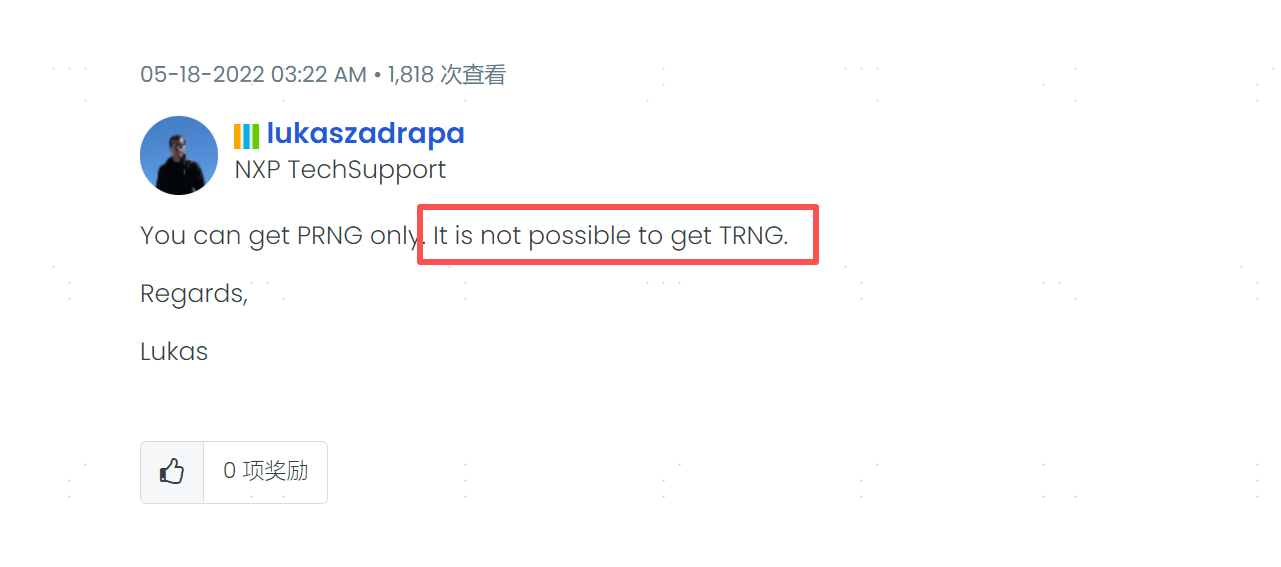
根据NXP社区FAE的回复,s144上没法找到真随机数TRNG(True Random Number Generator),但是能拿到伪随机数Pseudo Random Number Generator (PRNG),且《AN4234Using the Cryptographic Service》手册上说这个伪随机数是通过真随机数生成的。
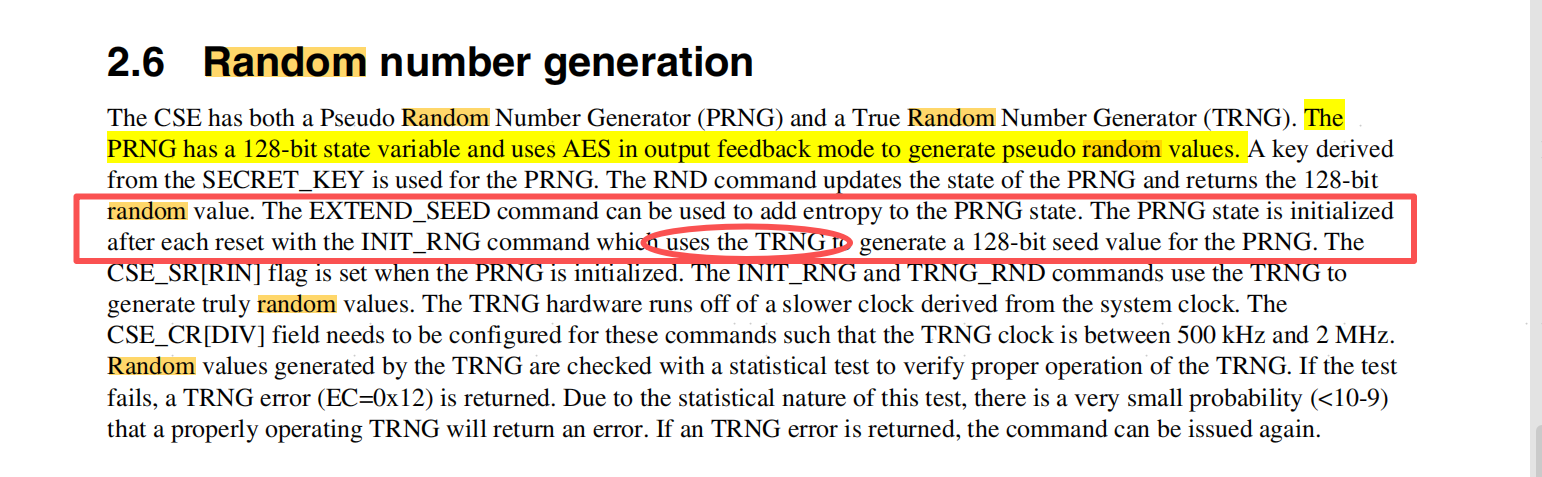
本文作为踩坑文,建议使用CSEc的朋友仔细阅读。
1、1_Configure_part_and_Load_keys
1.1 例程代码
c
int main(void)
{
	uint8_t __attribute__((unused)) flash_error = 0;
	uint16_t __attribute__((unused)) csec_error = 0; //1 means No Error
	uint8_t __attribute__((unused)) result = 0; //1 means No Error

	/* This configures part for 24 keys, SFE=0, load EERAM on reset, 4K EERAM and 64K EEPROM-backup */
	flash_error = configure_part_CSEc();
    csec_error = INIT_RNG();

//    /* Load RAM_KEY and export it */
//    csec_error = LOAD_RAM_KEY(RAM_KEY_VALUE);
//    csec_error = EXPORT_RAM_KEY(M1,M2,M3,M4,M5);

	/* Load MASTER_ECU_KEY */
    calculate_M1_to_M5(M1, M2, M3, M4, M5, BLANK_KEY_VALUE, MASTER_ECU_KEY_VALUE, MASTER_ECU_KEY, MASTER_ECU_KEY, 1, 0); /* Calculate M1 to M5 in Software */
    csec_error = LOAD_KEY(M4_out, M5_out, M1, M2, M3, MASTER_ECU_KEY); /* Load the key using SW calculated M1 to M3, and it returns M4 and M5 */
    result = compare_results(M4, M4_out); /* Compare M4 generated by SW with the M4_out returned by CSEc */

	/* Load KEY_1 */
    calculate_M1_to_M5(M1, M2, M3, M4, M5, MASTER_ECU_KEY_VALUE, KEY_1_VALUE, MASTER_ECU_KEY, KEY_1, 1, 0); /* Calculate M1 to M5 in Software, Authorizing Key = Master ECU Key */
    csec_error = LOAD_KEY(M4_out, M5_out, M1, M2, M3, KEY_1); /* Load the key using M1 to M3, returns M4 and M5 */
    result = compare_results(M4, M4_out); /* Compare M4 generated by SW with the M4_out returned by CSEc */

	/* Load KEY_11 */
    calculate_M1_to_M5(M1, M2, M3, M4, M5, MASTER_ECU_KEY_VALUE, KEY_11_VALUE, MASTER_ECU_KEY, KEY_11, 1, 0b000100); /* Calculate M1 to M5 in Software, Authorizing Key = Master ECU Key, Key Usage=1(for CMAC operations) */
    csec_error = LOAD_KEY(M4_out, M5_out, M1, M2, M3, KEY_11); /* Load the key using M1 to M3, returns M4 and M5 */
    result = compare_results(M4, M4_out); /* Compare M4 generated by SW with the M4_out returned by CSEc */

	while(1);
    /* to avoid the warning message for GHS and IAR: statement is unreachable*/
#if defined (__ghs__)
#pragma ghs nowarning 111
#endif
#if defined (__ICCARM__)
#pragma diag_suppress=Pe111
#endif
	return 0;
}

/* Enables CSEc by issuing the Program Partition Command, procedure: Figure 32-8 in RM, Configures for all 20 Keys */
uint8_t configure_part_CSEc(void)
{
    while((FTFC->FSTAT & FTFC_FSTAT_CCIF_MASK) != FTFC_FSTAT_CCIF_MASK); /* Wait until any ongoing flash operation is completed */

    FTFC->FSTAT = (FTFC_FSTAT_FPVIOL_MASK | FTFC_FSTAT_ACCERR_MASK);  /* Write 1 to clear error flags */
    FTFC->FCCOB[3] = 0x80; /* FCCOB0 = 0x80, program partition command */
    FTFC->FCCOB[2] = 0x03; /* FCCOB1 = 2b11, 20 keys */
    FTFC->FCCOB[1] = 0x00; /* FCCOB2 = 0x00, SFE = 0, VERIFY_ONLY attribute functionality disable */
    FTFC->FCCOB[0] = 0x00; /* FCCOB3 = 0x00, FlexRAM will be loaded with valid EEPROM data during reset sequence */
    FTFC->FCCOB[7] = 0x02; /* FCCOB4 = 0x02, 4k EEPROM Data Set Size */
    FTFC->FCCOB[6] = 0x04; /* FCCOB5 = 0x04, no data flash, 64k(all) EEPROM backup */
    FTFC->FSTAT = FTFC_FSTAT_CCIF_MASK; /* Start command execution by writing 1 to clear CCIF bit */
    while((FTFC->FSTAT & FTFC_FSTAT_CCIF_MASK) != FTFC_FSTAT_CCIF_MASK); /* Wait until ongoing flash operation is completed */
    flash_error_status = FTFC->FSTAT; /* Read the flash status register for any Execution Error */
    return flash_error_status;
}
如果分区时候出现分区返回值为:0XA0的情况,即提示错误Access error detected:
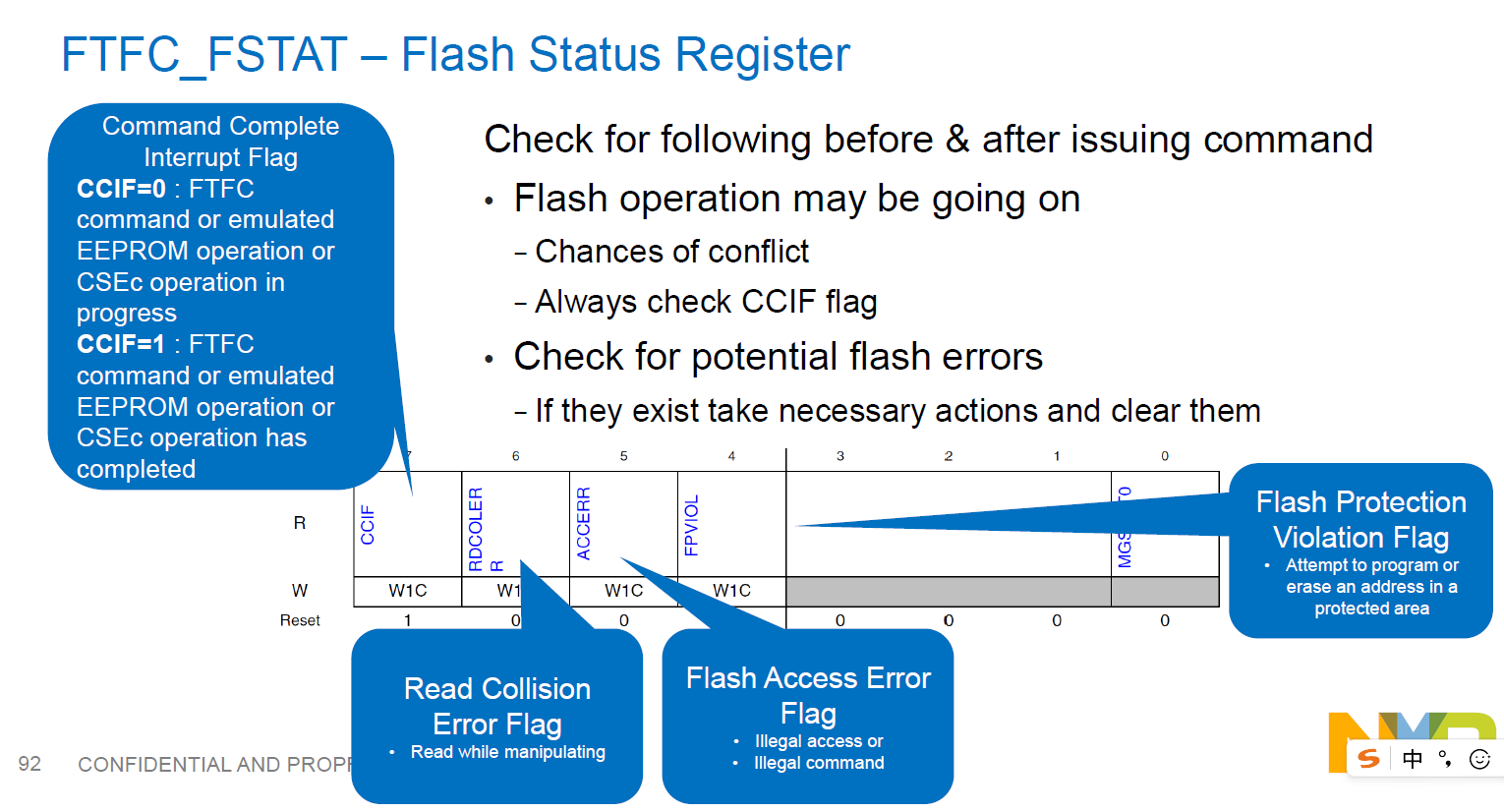
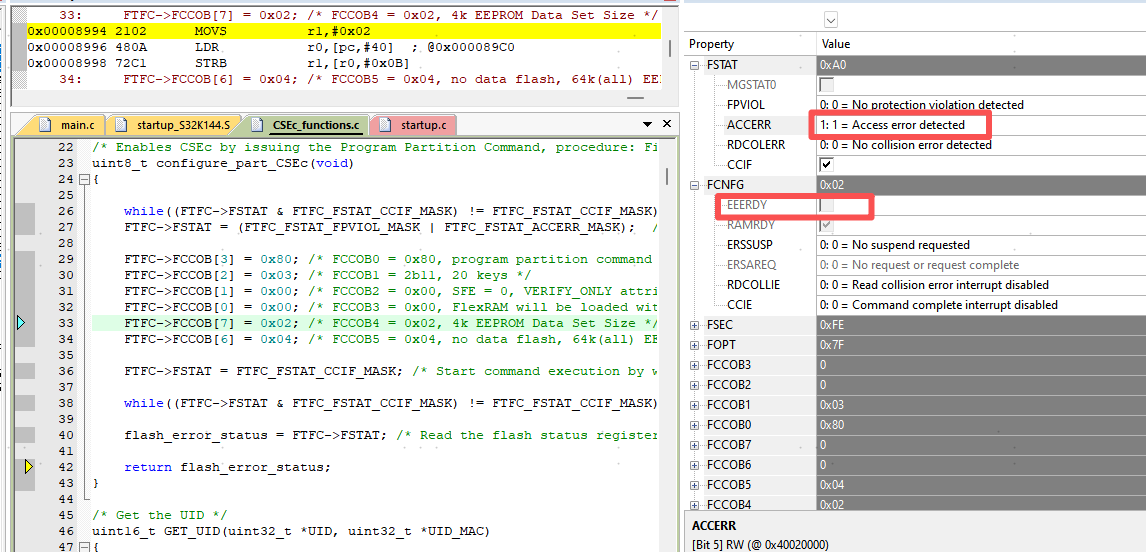
可能有两个原因:
①、S32K144部分型号并不支持CESc:
参考https://community.nxp.com/t5/S32K/S32K144-Departition-for-Csec/m-p/1553832
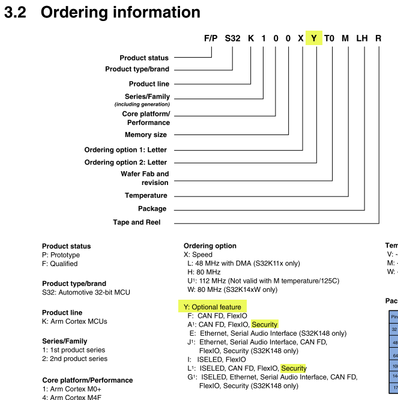
我使用的型号是:FS32K144HA T0MLHT,若是FS32K144HFT0MLHT则不行
②、已经执行过configure_part_CSEc函数并且成功返回过0X80。想要重新刷可以完整跑完本工程。再执行5_Resetting_flash_to_the_factory_state工程。
③、EEPROM区域存在数据,需要erase chip。
需要注意两点:
一、main代码需要完整跑完,以初始化MASTER_ECU_KEY。
二、该工程需要编译并运行在RAM中,否则无法全速跑,只能单步调试。烧录也无法执行。
会在while((FTFC->FSTAT & FTFC_FSTAT_CCIF_MASK) != FTFC_FSTAT_CCIF_MASK); /* Wait until ongoing flash operation is completed */这句出问题。在此处打断点就可通过。
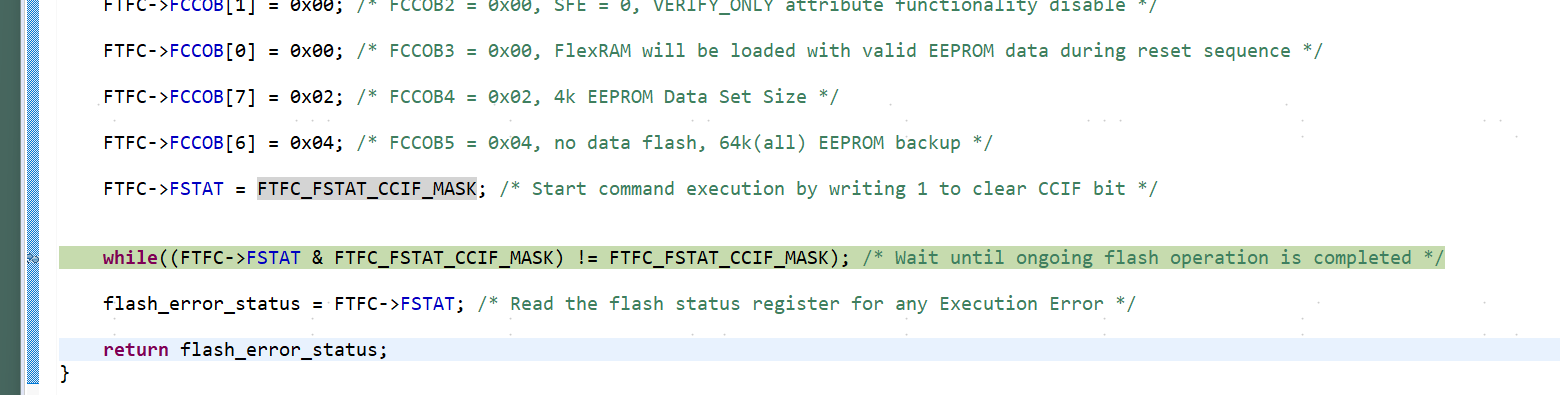
原因参考:https://community.nxp.com/t5/S32K/Debug-S32K144-CSEc-example-issues/m-p/1678171

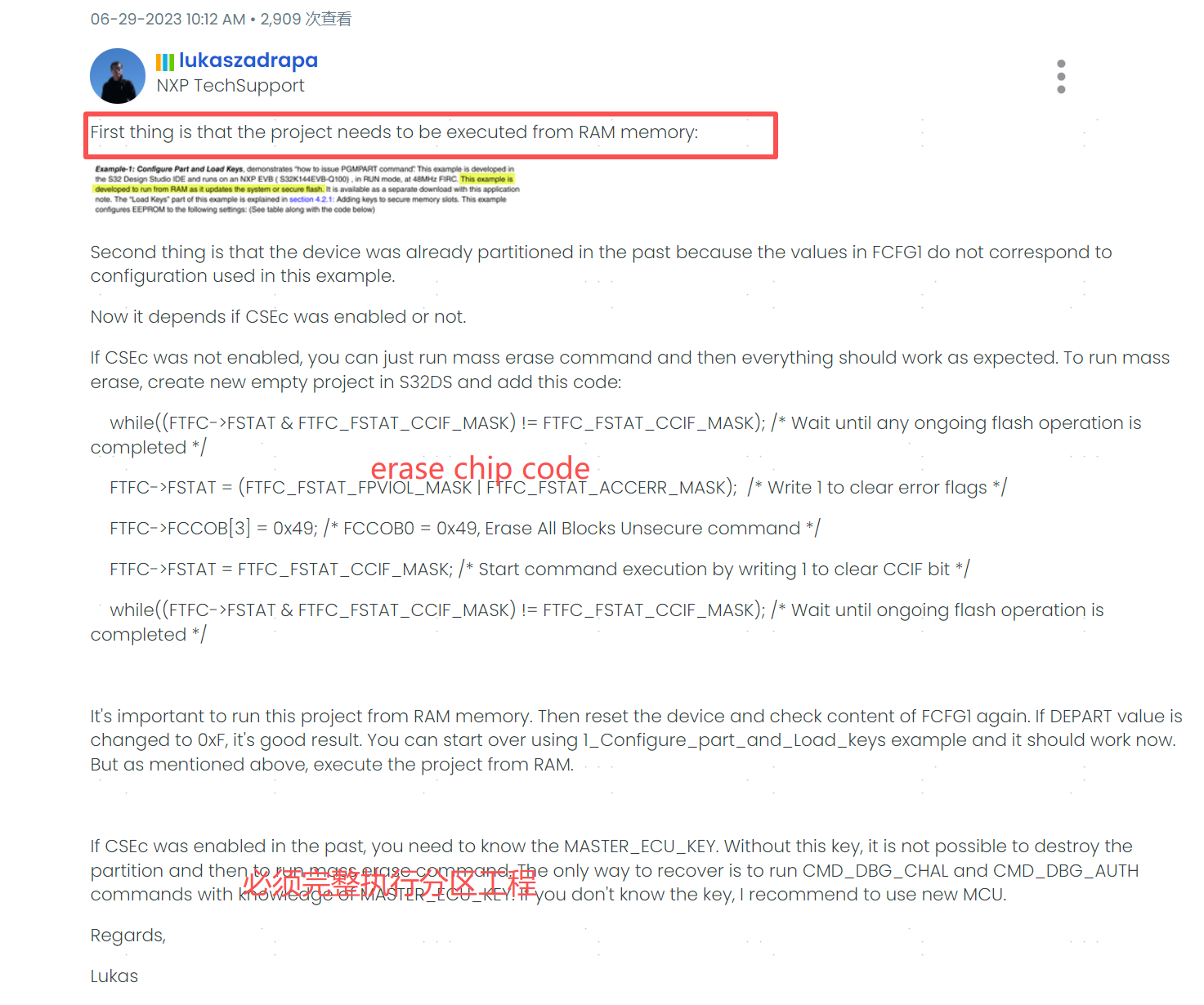
需要完成操作:
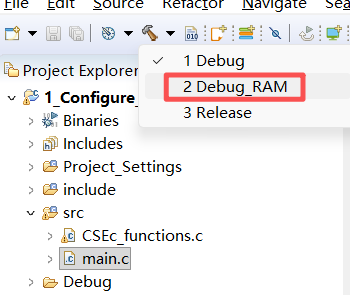
①、编译时选择debug_ram
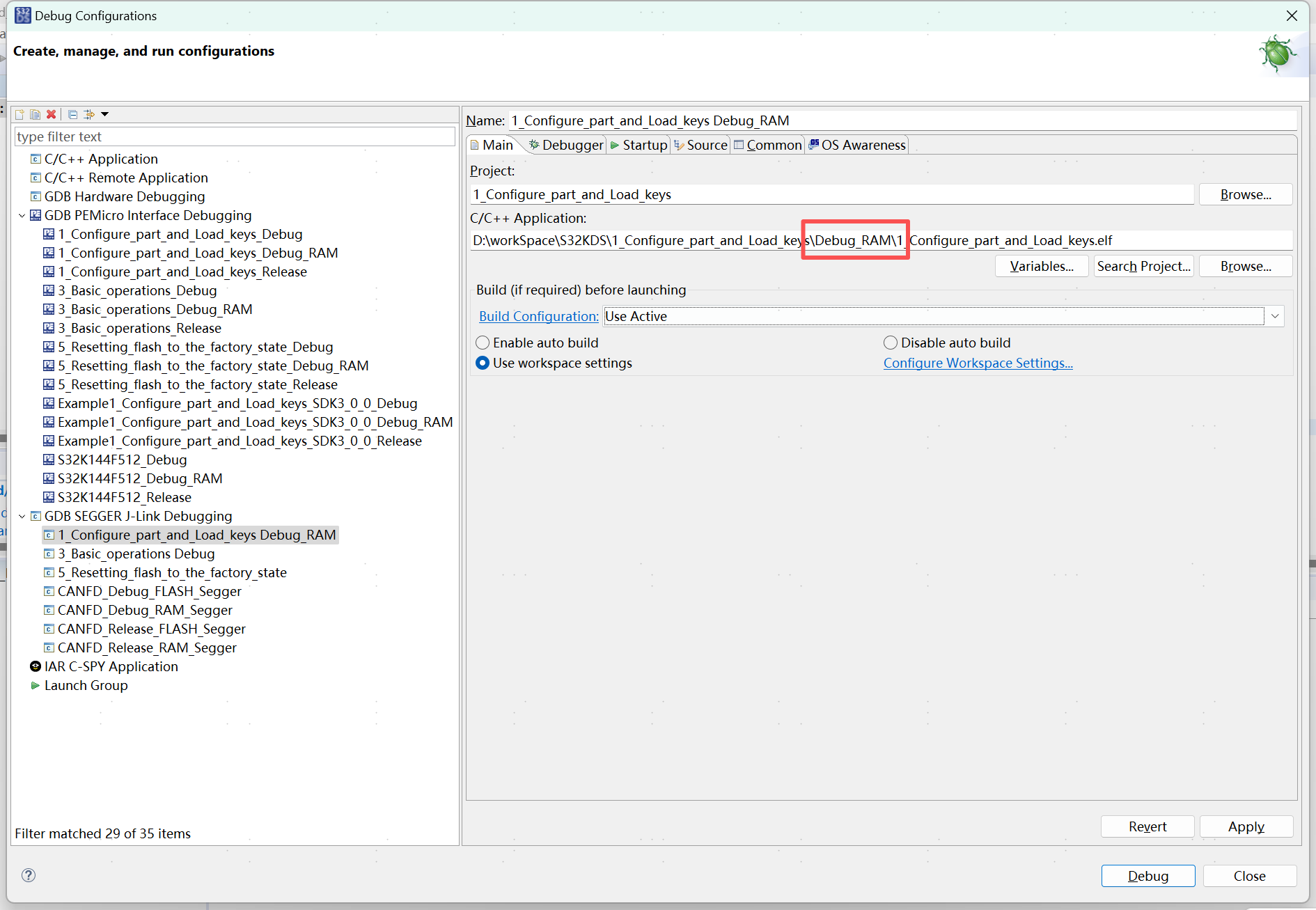
②、debug时选择在ram内编译的程序
需要注意的是这段代码无法通过仿真器烧入,因为是ram区域: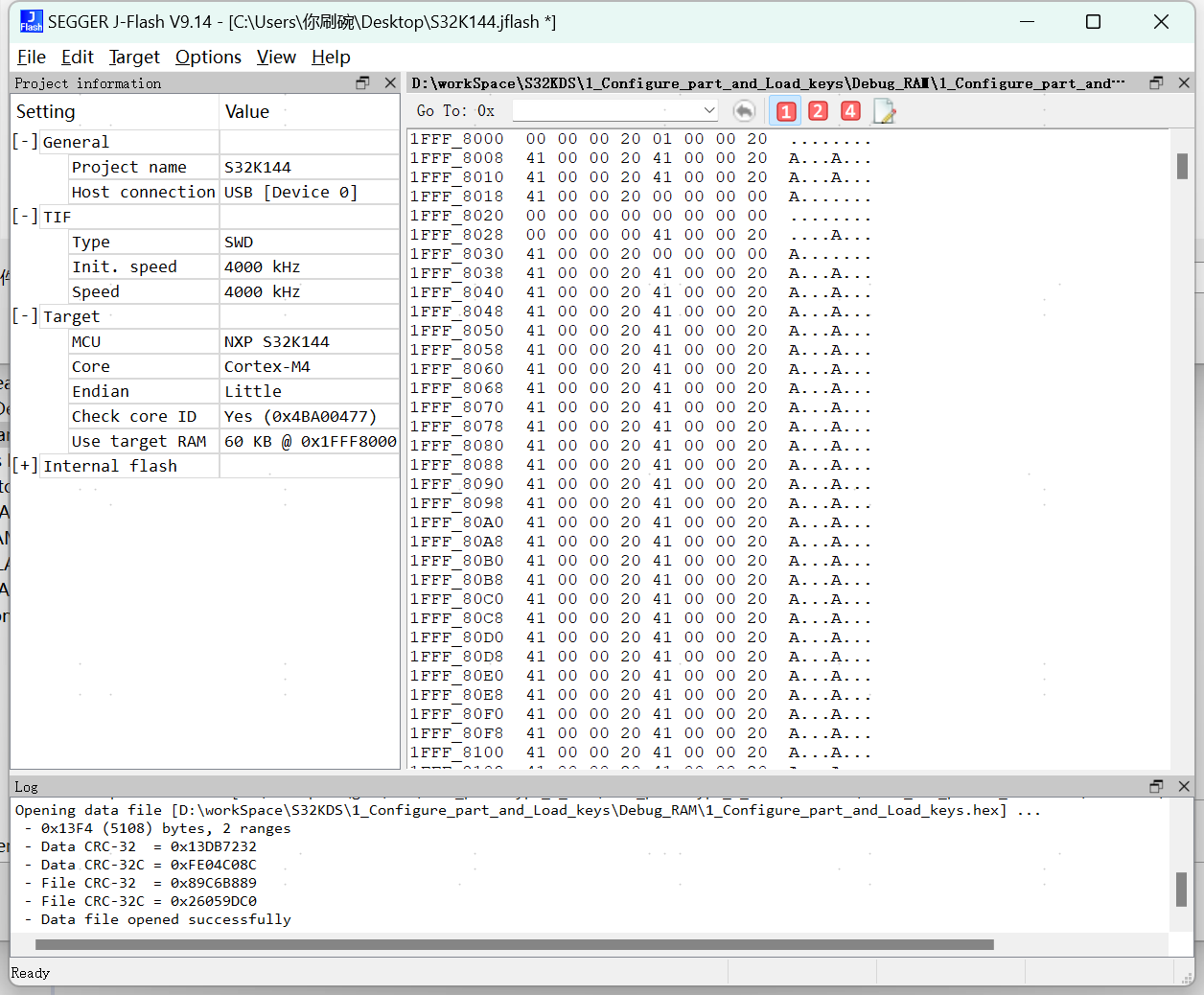
2、3_Basic_operations
该工程没什么好说的。如果1_Configure_part_and_Load_keys执行成功,那随机数random_number不应该为4个0x0(uint32_t)。
2.1 例程代码
c
int main(void)
{
	uint8_t __attribute__((unused)) flash_error = 0;
	uint16_t __attribute__((unused)) csec_error = 0; //1 means No Error
	uint8_t __attribute__((unused)) result = 0; //1 means No Error
	uint8_t __attribute__((unused)) success=1; //1 means Pass
	uint8_t __attribute__((unused)) i;
	uint16_t verification_status;
	uint16_t NXP_logo_size, num_pages,pagecnt;
	static uint8_t wordcnt;

	/* Initialize the Random Number Generator and Generate Random Number */
	uint32_t random_number[4];
	csec_error = INIT_RNG(); //Randum number generator must be initialize before generating random number
	while(1){
    csec_error = GENERATE_RANDOM_NUMBER(random_number);
	}
}
3、5_Resetting_flash_to_the_factory_state
3.1 例程代码
如果需要擦除全片,参考https://community.nxp.com/t5/S32K/csec-使能后-无法调试/m-p/1834132
正确流程为:
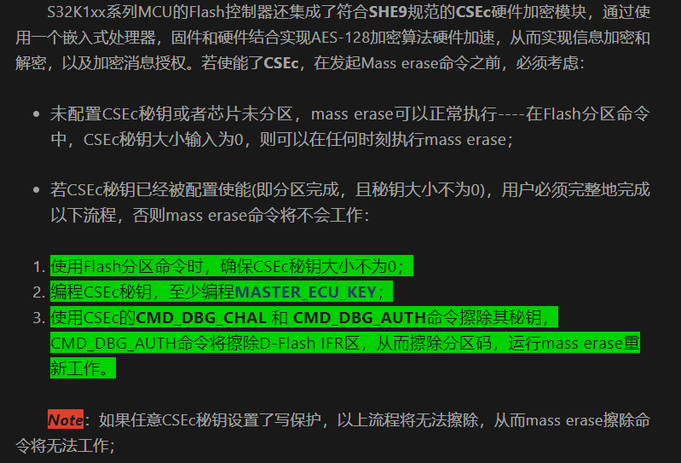
可以理解为完整跑完5_Resetting_flash_to_the_factory_state工程后即可通过调试器Erase chip。
c
int main(void)
{
	uint16_t __attribute__((unused)) csec_error = 0; //1 means No Error

	csec_error = INIT_RNG(); /* Initialize the Random Number Generator before generating challenge */

    //To Erase all keys and reset the part to the factory state
    csec_error = DBG_CHAL(dbg_challenge_out); /* Generate the Challenge */
    csec_error = DBG_AUTH(dbg_challenge_out); /* Issue the Authorization */

	while(1);
    /* to avoid the warning message for GHS and IAR: statement is unreachable*/
#if defined (__ghs__)
#pragma ghs nowarning 111
#endif
#if defined (__ICCARM__)
#pragma diag_suppress=Pe111
#endif
	return 0;
}
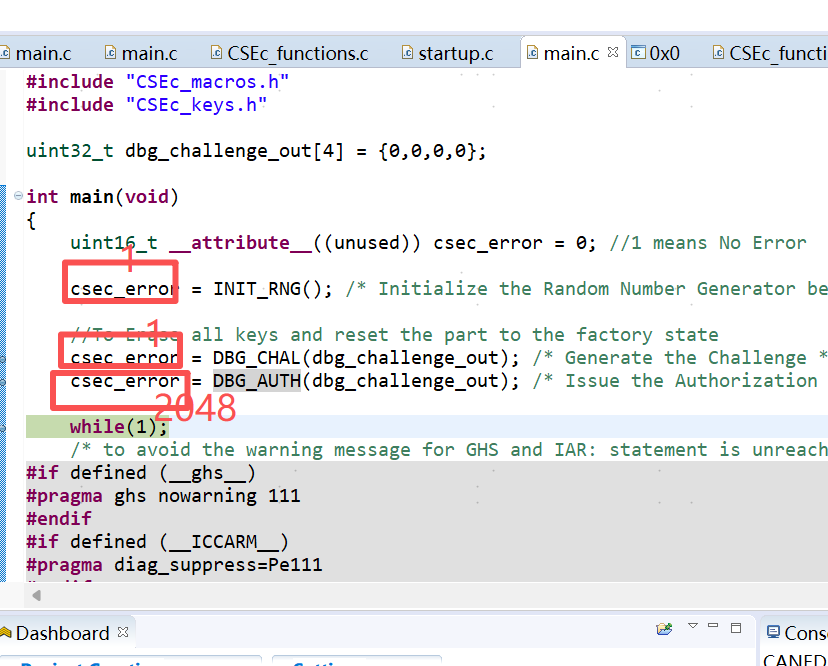
特别注意:初次调试一定要看看返回值csec_error是否每一步都为1。防止擦除CSEc失败,之后使用ERASE CHIP则会锁住片子并废掉片子。
如果返回如下错误,则代表擦除CSEc是失败的,如果尝试Erase chip也会废掉片子:
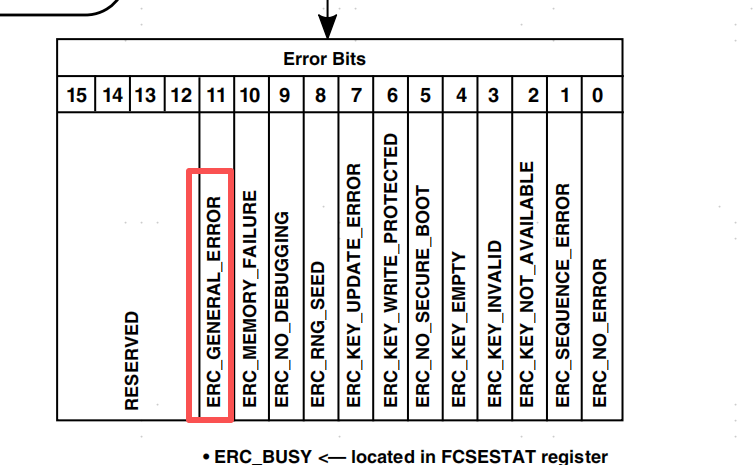
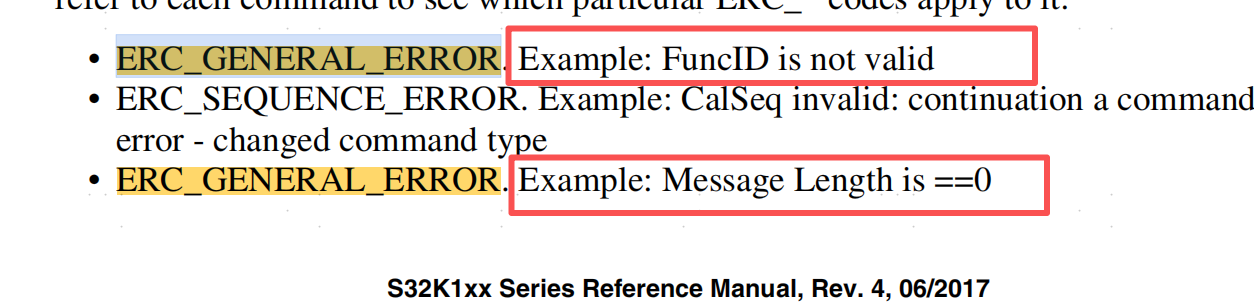

问题原因是:
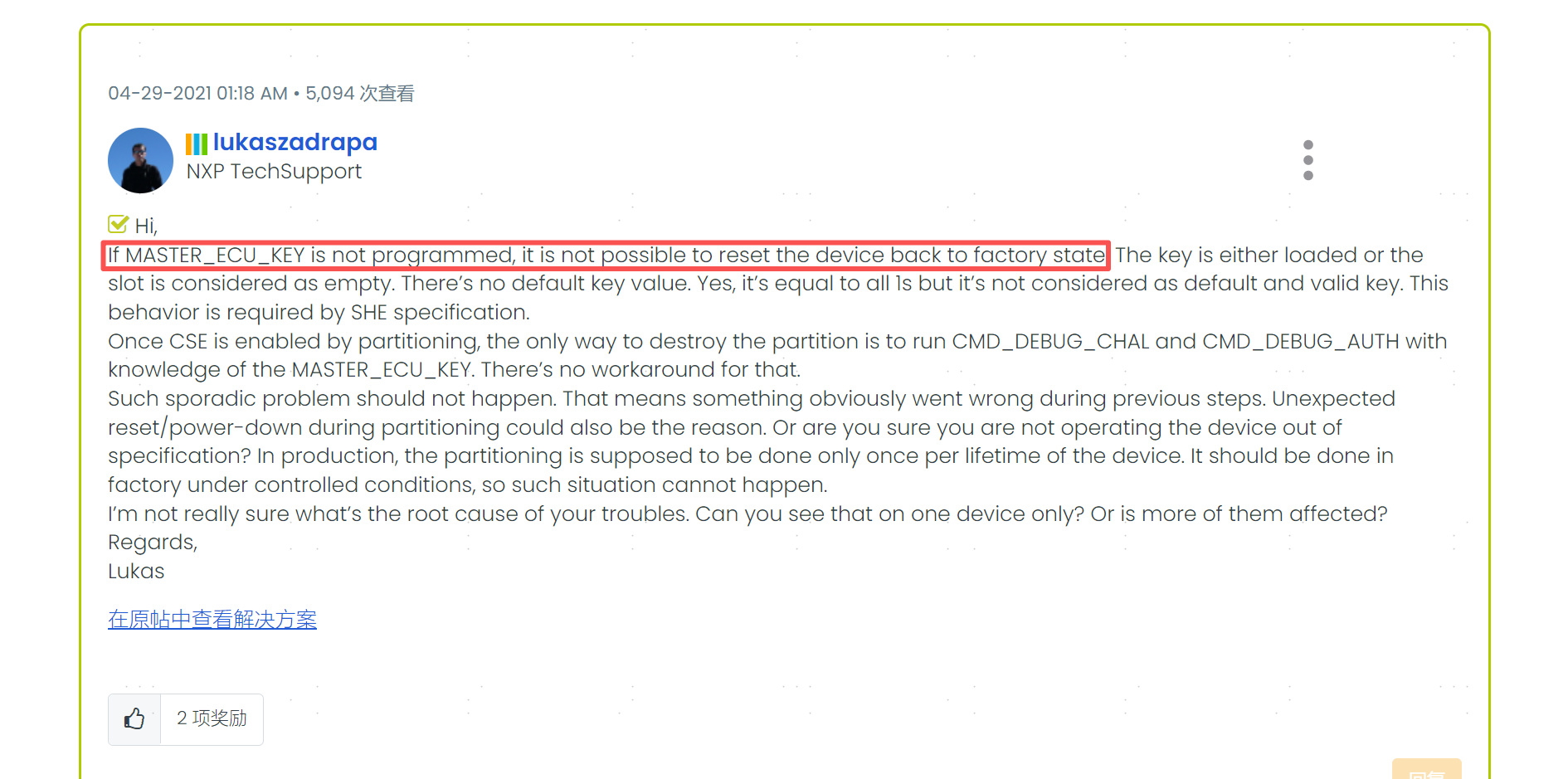
参考https://community.nxp.com/t5/S32K/CSEc-MASTER-ECU-KEY-update-error/m-p/1269612
1_Configure_part_and_Load_keys工程需要完整跑完代码,保证初始化MASTER_ECU_KEY。擦除CSEc时需要用到此Key。
锁住后仿真器连接会爆出如下错误:Ox40e - Ox40F indicate that readout protection is set.一般这种问题是可以将复位短接地进行解锁的,但是加了CSEc的就把片子废了。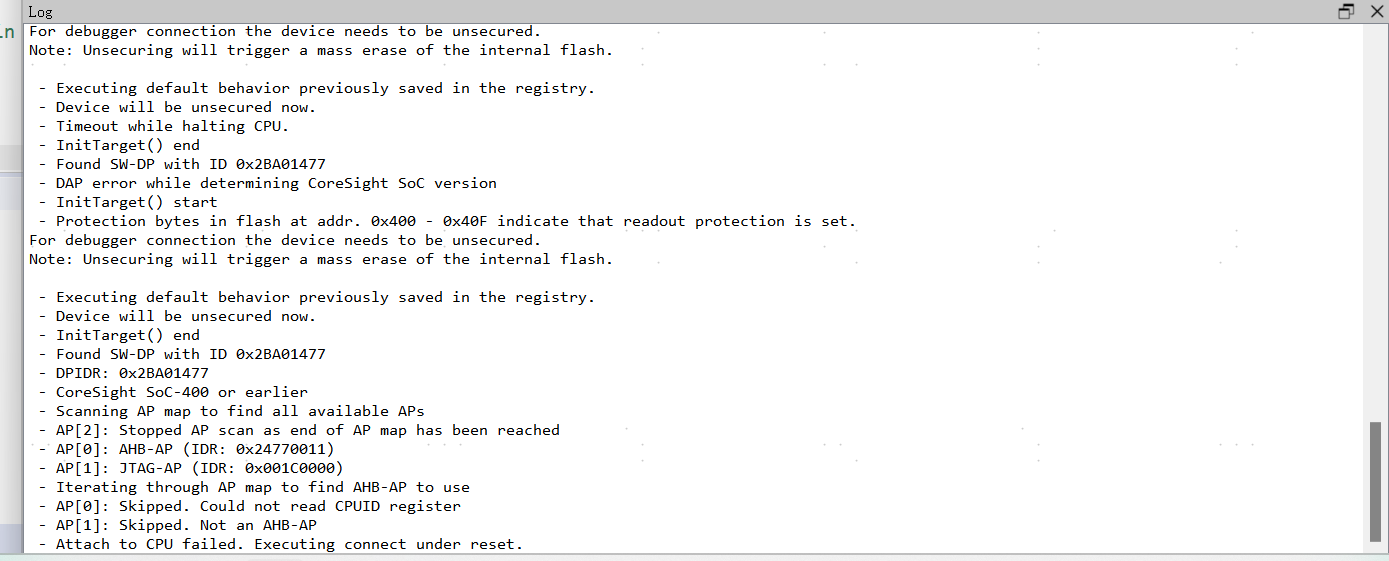
2、遗留问题
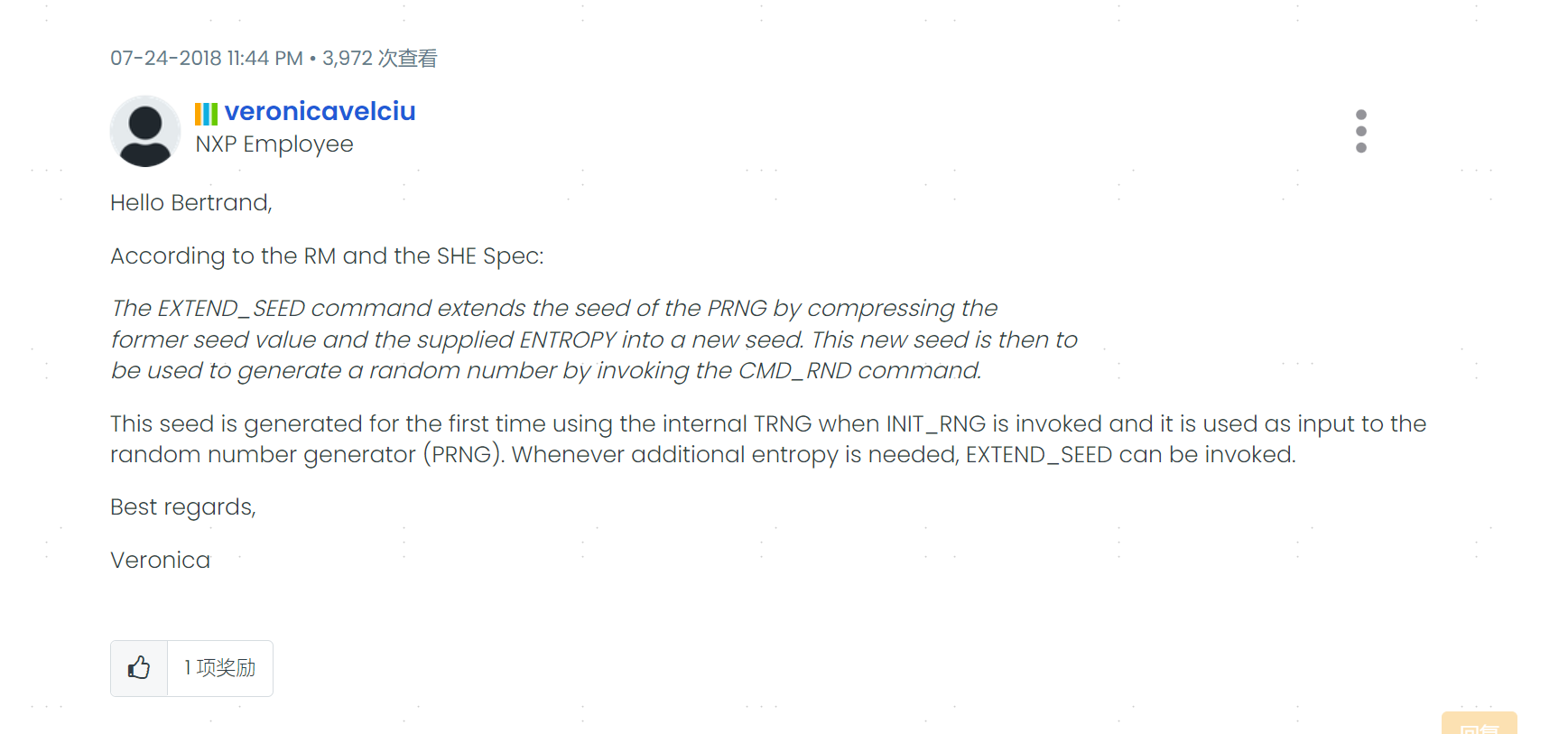
https://community.nxp.com/t5/S32K/TRNG-on-S32K144EVB/m-p/815148
对于CMD_EXTEND_SEED指令并不清楚意思。