安装环境
bash
sudo apt update
sudo apt install bzip2 tar
sudo apt-get install curl
安装ShellCrash
sudo -i #切换到root用户
bash
export url='https://fastly.jsdelivr.net/gh/juewuy/ShellCrash@master' && wget -q --no-check-certificate -O /tmp/install.sh $url/install.sh && bash /tmp/install.sh && source /etc/profile &> /dev/null备用源
bash
export url='https://gh.jwsc.eu.org/master' && bash -c "$(curl -kfsSl $url/install.sh)" && source /etc/profile &> /dev/null安装SC
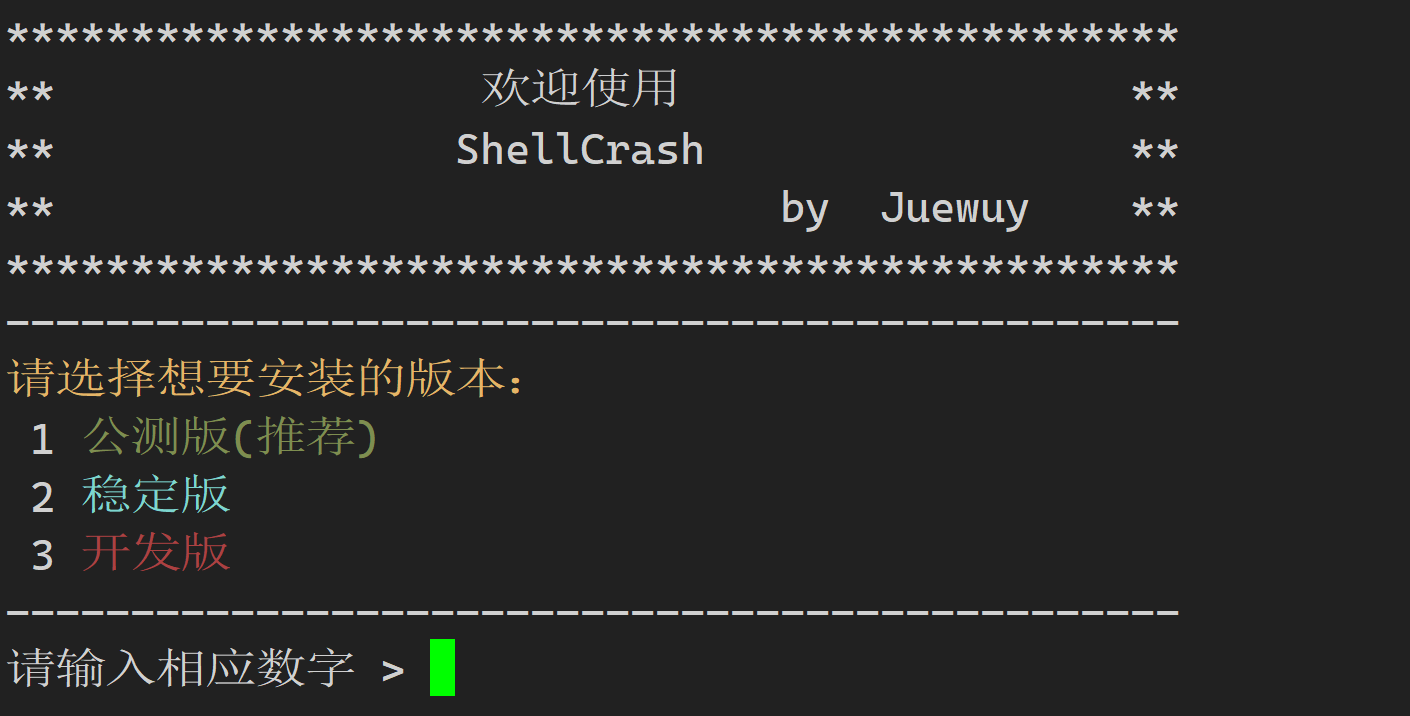
建议选择1
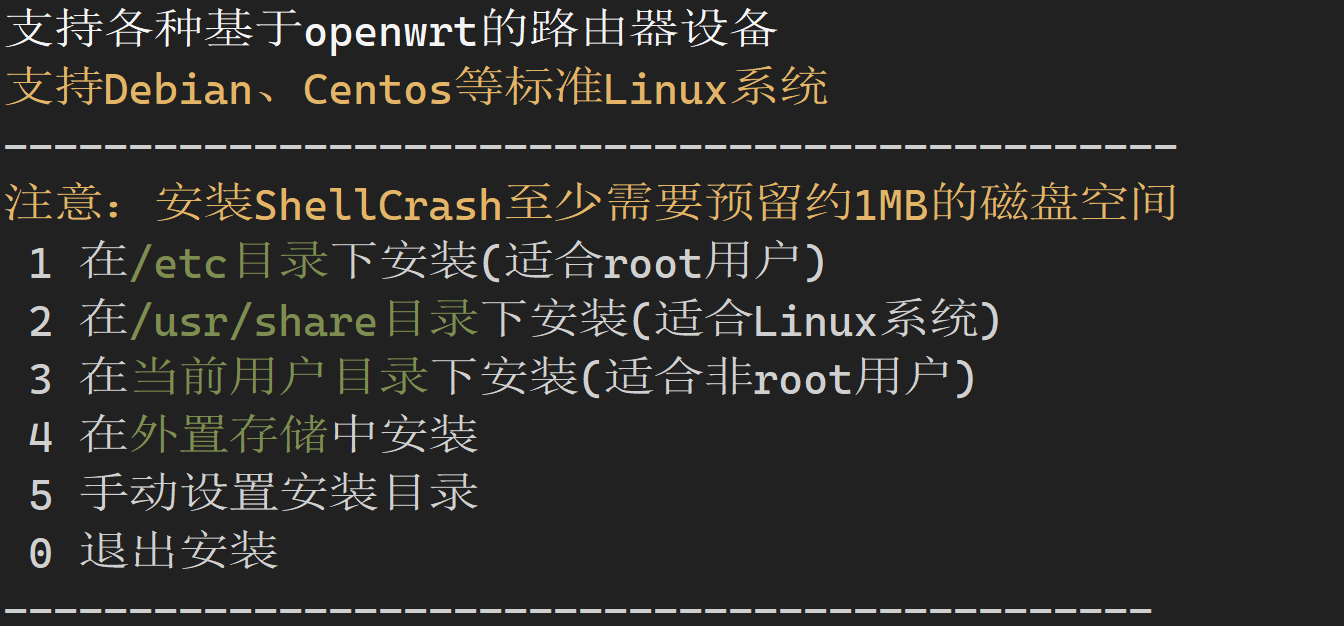
root用户选择1
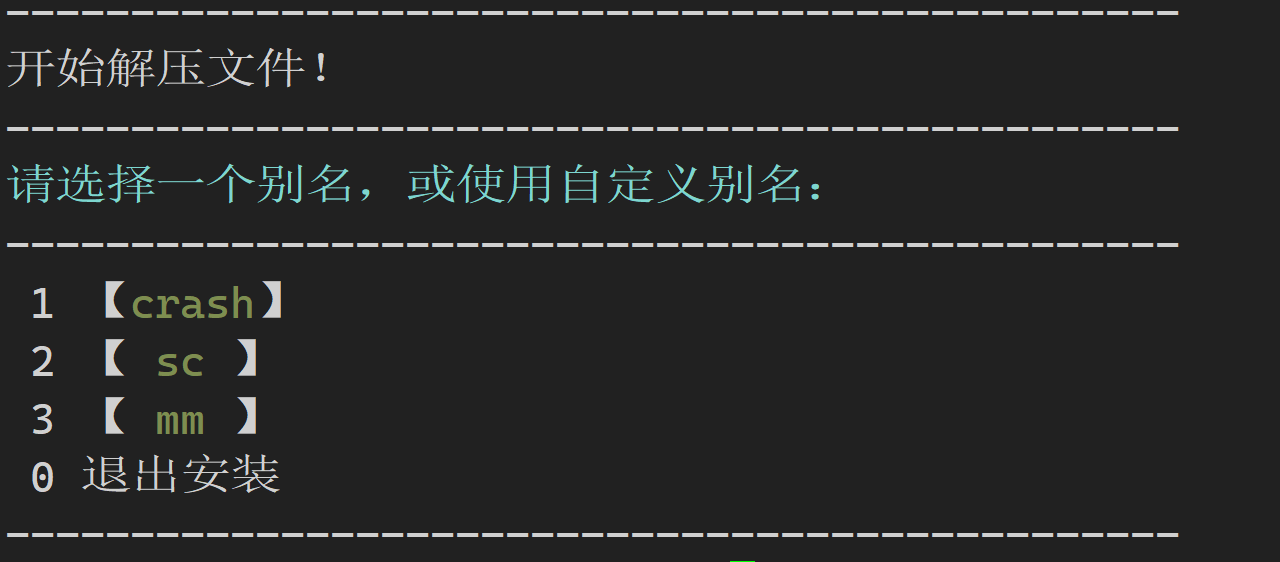
选择一个别名
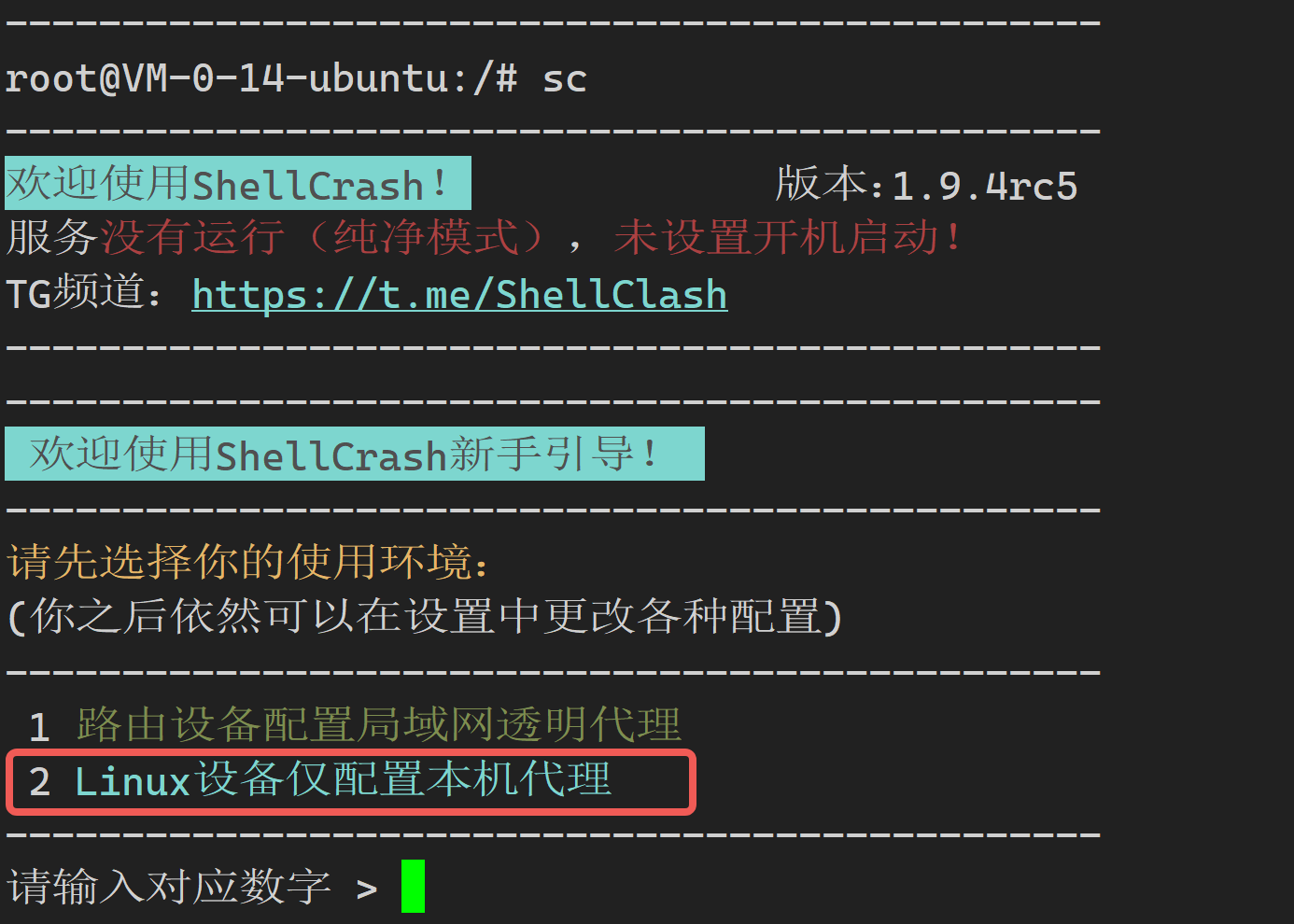
输入命令sc(我选的是sc)
输入数字2配置本机代理
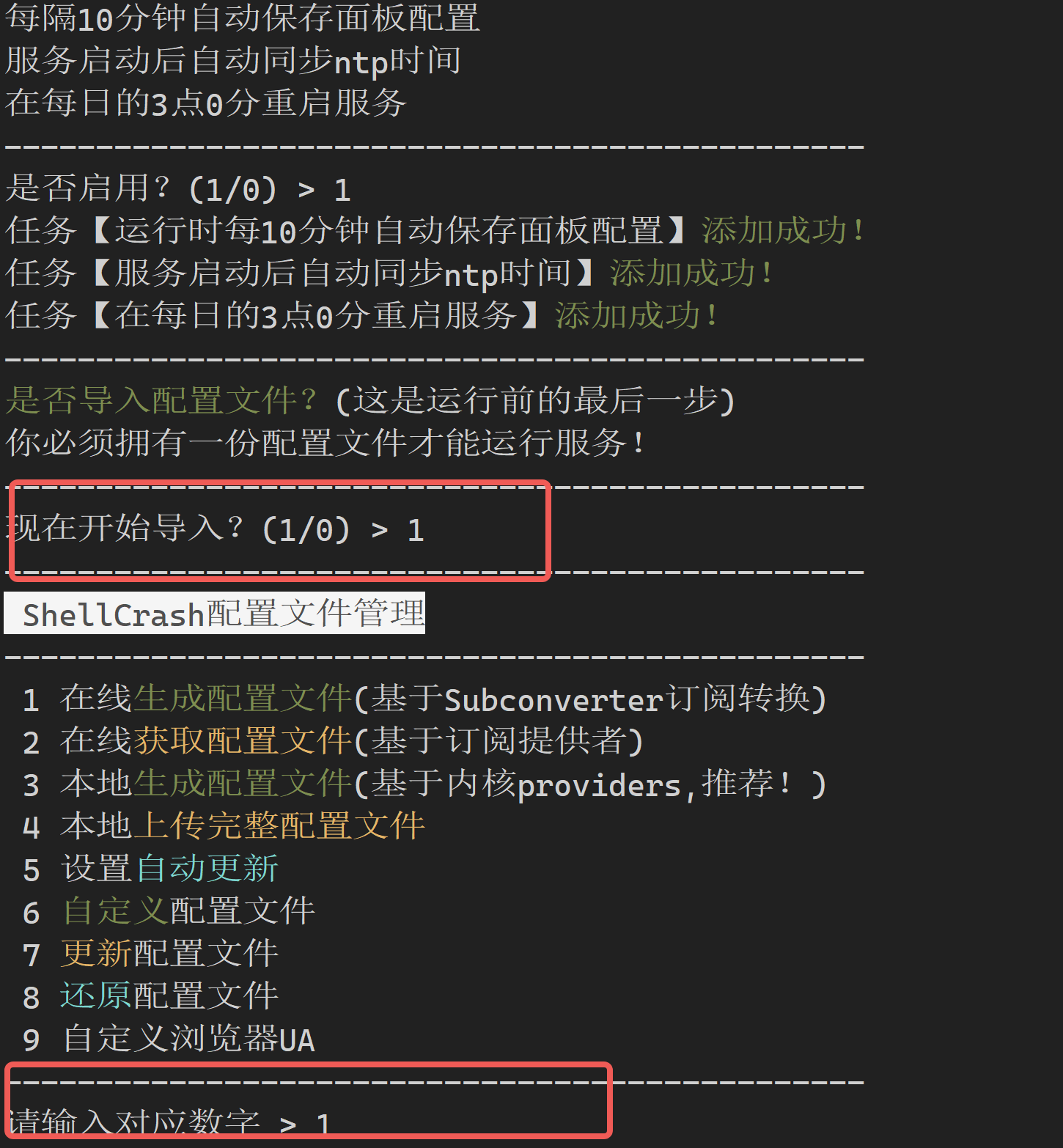
根据提示操作,选择在线生成配置文件
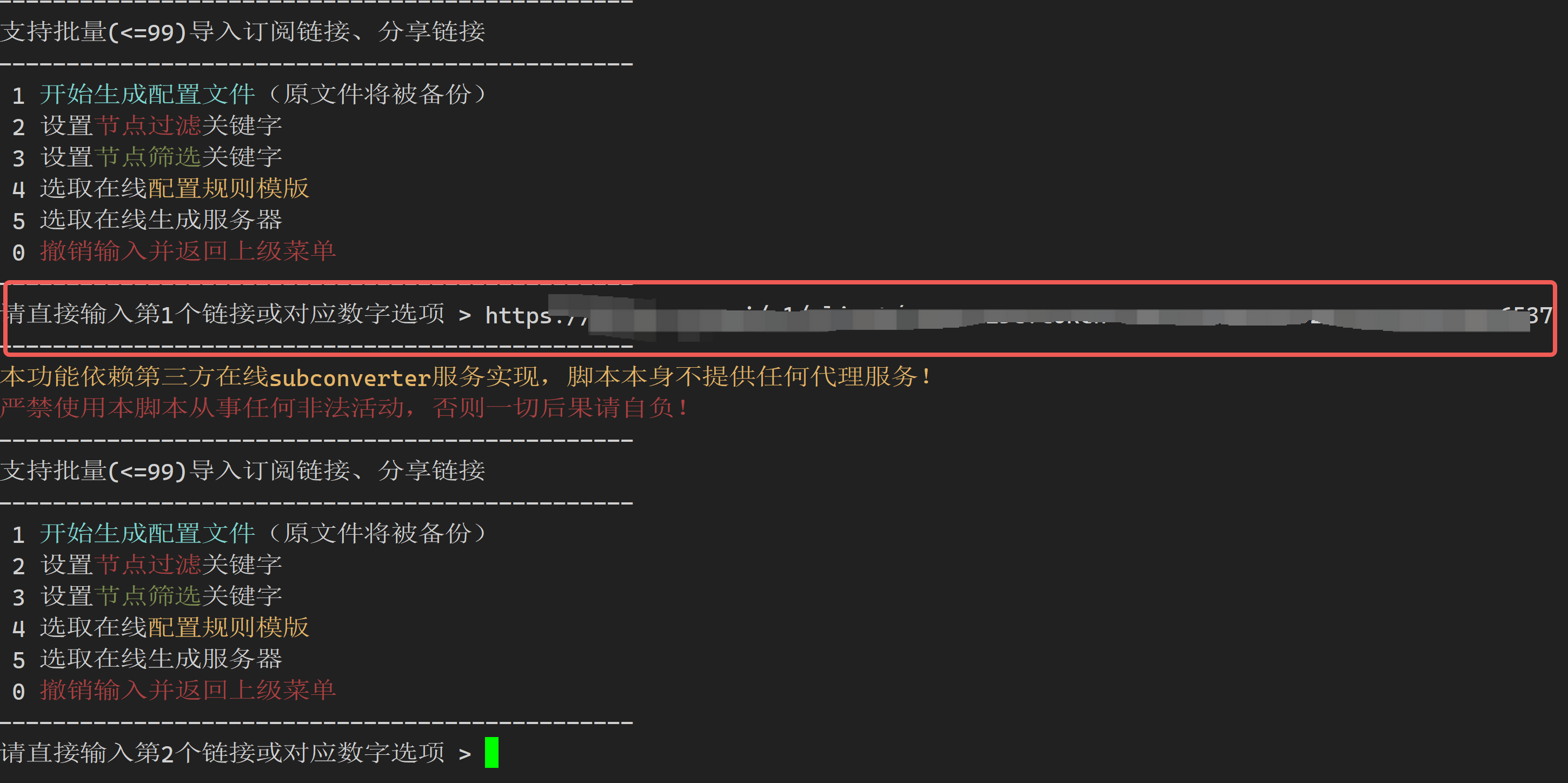
直接输入你的代理订阅链接
然后输入1生成文件

启动服务
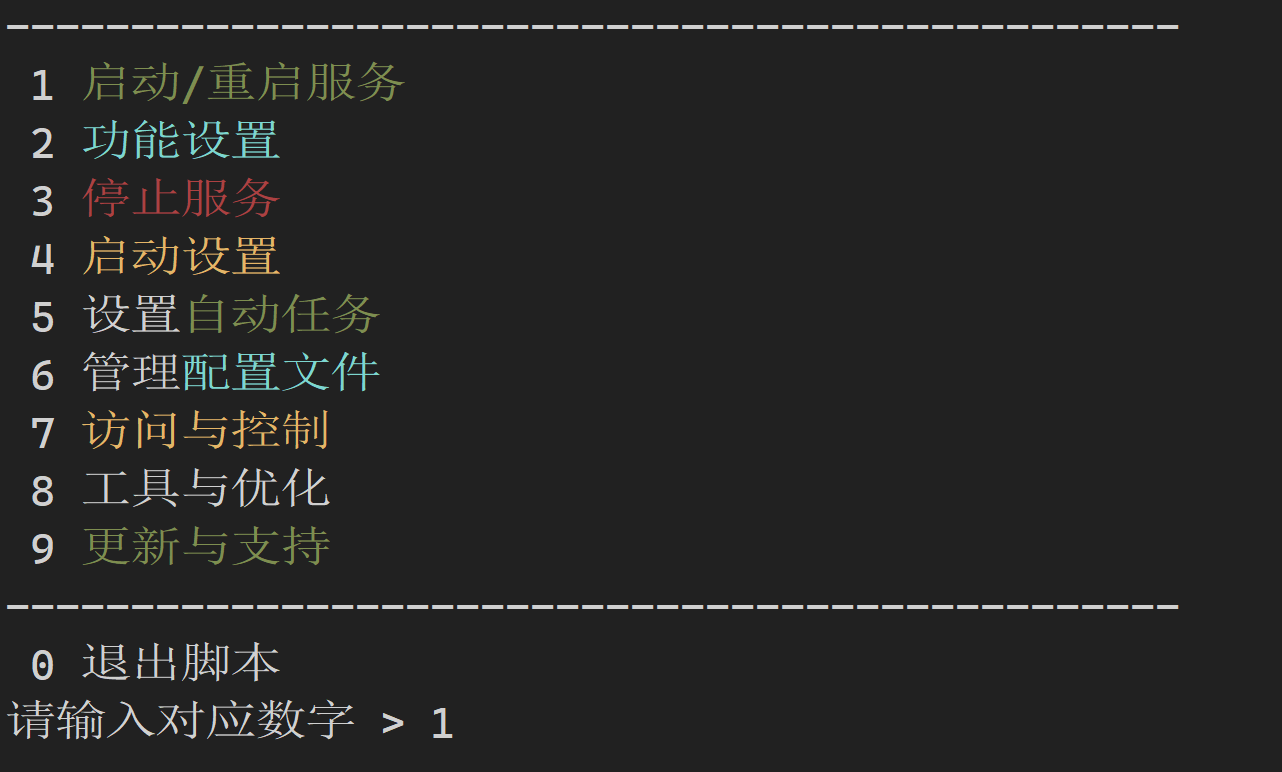
可以自行进行配置
放行端口
bash
iptables -I INPUT -p tcp --dport 9999 -j ACCEPT测试打开google
bash
curl google.com测速
bash
sudo apt install speedtest-cli运行:speedtest