IDEA启动SpringBoot项目时报错:命令行太长
1、报错信息
出现的问题:启动项目时抛出下图错误提示:Error running XXXXApplication. Command line is too long. Shorten the command line and rerun.

2、解决方法
方法一:
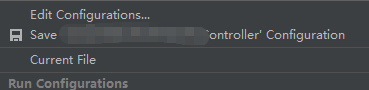
1、右上角服务启动选择Edit Configuration:
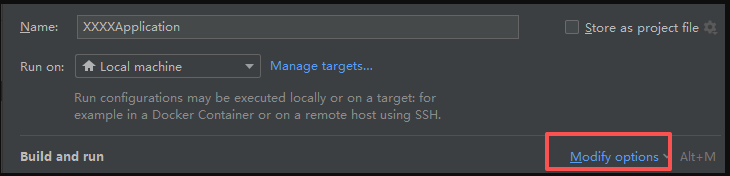
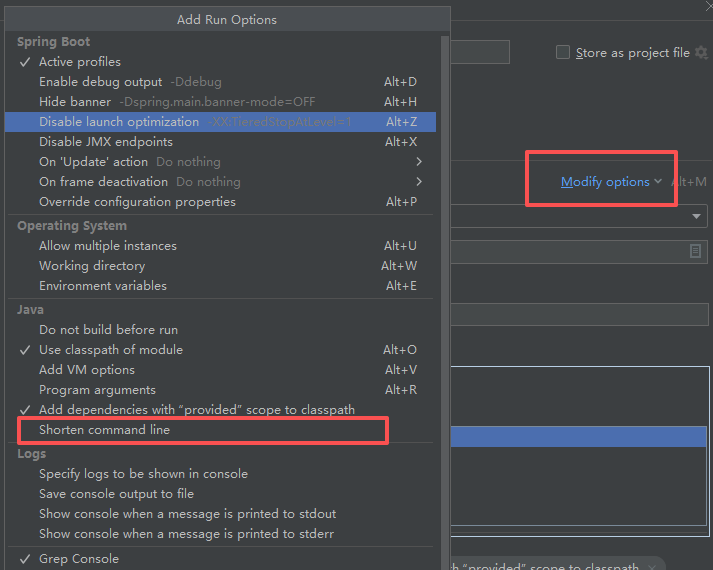
2、点击Mondify options -> 勾选Shorten command line -> 然后点击Shorten command line下拉框选择JAR -> 点击ok后就可以启动运行了

方法二:
1、找到项目下\.idea\workspace.xml文件,打开文件目录,直接在IDEA中打开文件修改
2、搜索标签
html
<component name="PropertiesComponent">3、增加标签,在搜索到的标签中添加。
html
<property name="dynamic.classpath" value="true" />如上,保存后重启项目即可