问题描述
在Azure Function App服务资源中部署/创建的Python Function被扫描出包含安全漏洞。
漏洞描述为:
The library `cryptography ` version `3.1.1` was detected in `PIP library manager` located at `/requirements.txt` on line `6` and is vulnerable to `CVE-2023-5363`, which exists in versions `<41.0.5`.
The vulnerability was found in the Pyup.io Safety DB(https://data.safetycli.com/v/62452/52d) with vendor severity: `High` (NVD(https://nvd.nist.gov/vuln/detail/CVE-2023-5363) severity: `High`).
The vulnerability can be remediated by updating the library to version `41.0.5` or higher, using `pip install --upgrade cryptography`.
如果是本地开发Python代码后部署到Azure中,可以在本地项目的requirements.txt 中对cryptography的版本修改为41.0.5 及更高就可以。
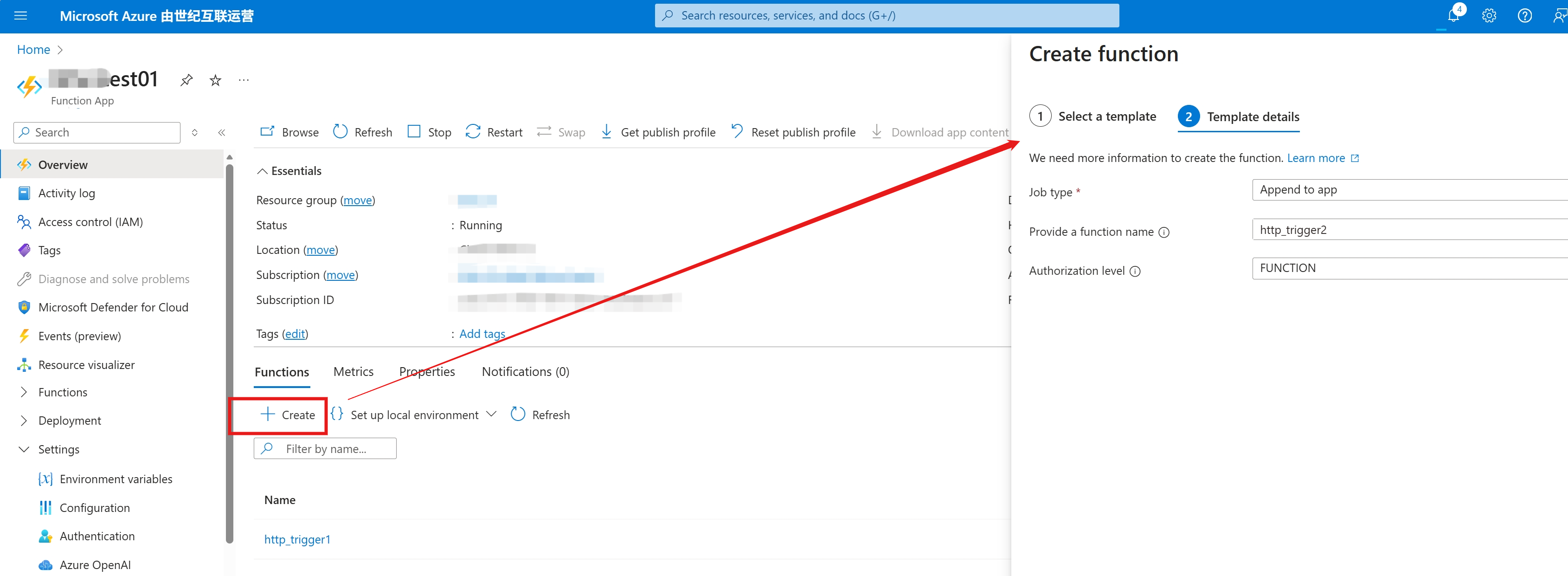
但是,如果是在Azure门户中,直接通过页面创建的Python Function,如何来修改 cryptography 版本呢?
问题解答
Azure Function App提供一个高级工具(kudu站点:https://<your function app name>.scm.chinacloudsites.cn/newui/filemanager/site/wwwroot/ )可以直接查看Function的代码文件及requirements.txt和host.json等配置文件:
1: 进入Advanced Tools页面,点击Go进入Kudu站点
2: 在kud页面的URL后手动加上 \newui 进入新版ui界面,然后点击左侧的 File Manger
3: 一层层进入目录 site/wwwroot,打开requirements.txt 文件,直接修改 cryptography 的版本号
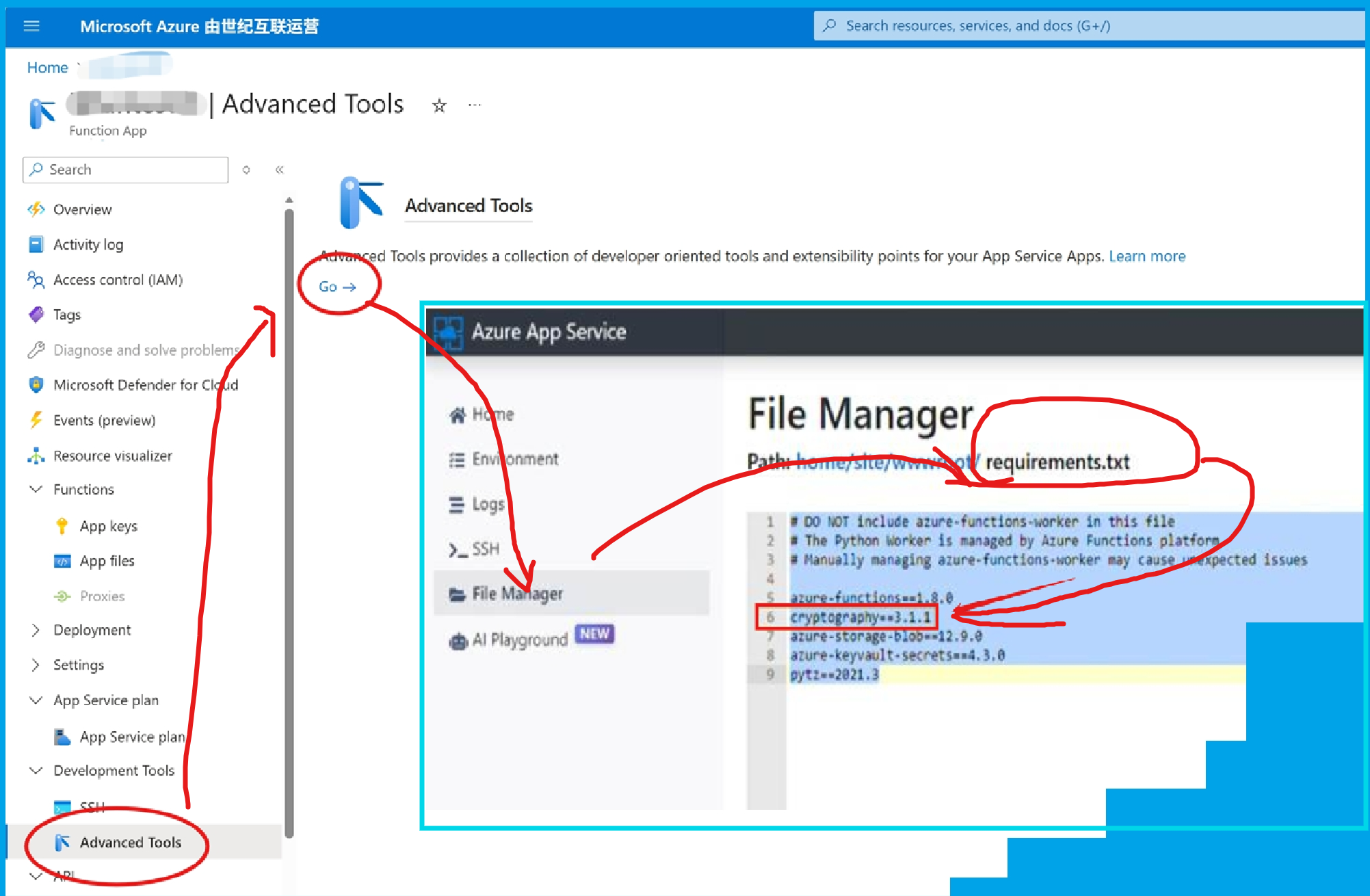
保存修改后重启Function App!
参考资料
当在复杂的环境中面临问题,格物之道需:浊而静之徐清,安以动之徐生。 云中,恰是如此!