此功能是抓取本地文件里面的数据,然后填充到web应用上的指定输入框
1.首先下载 msedgedriver
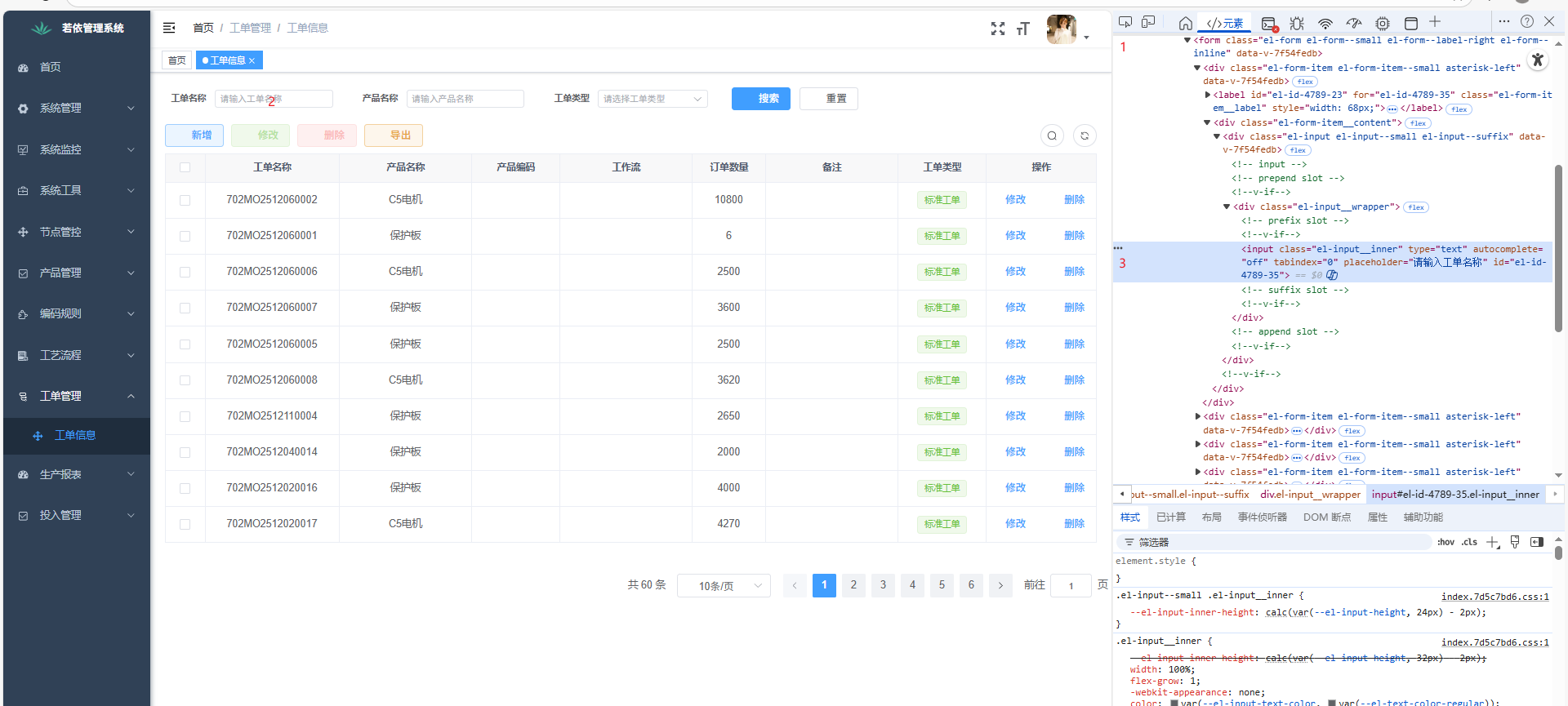
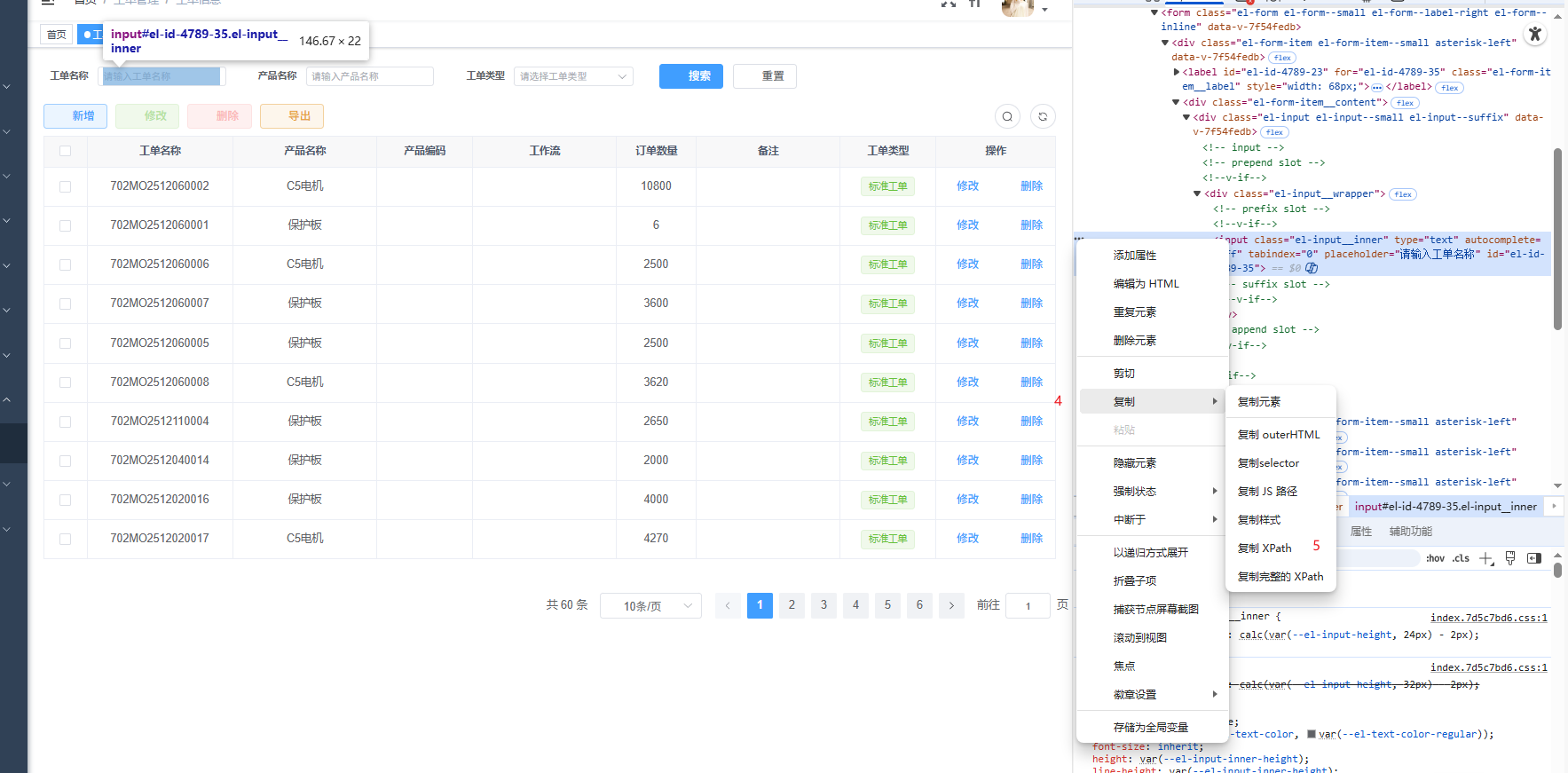
2 其次获取Xpath
3.配置selenium 仓库地址
java
package com.example.automation;

import org.openqa.selenium.*;
import org.openqa.selenium.edge.EdgeDriver;

import java.io.*;

public class WorkOrderAutomation {
    public static void main(String[] args) throws InterruptedException, IOException {

        System.setProperty("webdriver.edge.driver", "C:\\Windows\\System32\\msedgedriver.exe");

        WebDriver driver = new EdgeDriver();

        driver.get("http://localhost:3000/workorder/workorder");
        Thread.sleep(20000);
        String myXPath ="//input[@placeholder='请输入工单名称']";
        BufferedReader reader = new BufferedReader(new FileReader("C:\\Users\\zhihu.wang\\Desktop\\LotSN.txt"));
        String data;
        while((data = reader.readLine()) != null){

            try {
                //查找元素
                WebElement element = driver.findElement(By.xpath(myXPath));
                element.clear();
                //输入值
                element.sendKeys(reader.readLine());
                //回车
                element.sendKeys(Keys.RETURN);
                //延迟2秒
                Thread.sleep(2000);

            } catch (Exception e) {
                System.out.println("错误:" + e.getMessage());
            }
        }
        //等待五秒关闭浏览器
        Thread.sleep(5000);
        driver.quit();
    }
}
4.有时候复制的Xpath不准,需要在浏览器控制台运行下面代码获取Xpath。
// 查找所有非隐藏输入框
var inputs = Array.from(document.querySelectorAll('input:not(type="hidden")'));
inputs.forEach((input, index) => {
console.log(`${index+1}`, {
placeholder: input.placeholder,
id: input.id,
name: input.name,
class: input.className,
type: input.type
});
});