目录
实用1 万能头
大部分人应该都知道此代码。
其代码为:
cpp
#include<bits/stdc++.h>工作原理
此头文件包含众多头文件,因此加上这个,大多数考试加上它就不用打其他头文件。
万能头文件包含其他头文件实例。
cpp
#include<iostream>
#include<cstdio>
#include<climits>
#include<algorithm>
#include<cmath>
#include<cstring>
#include<string>
#include<vector>
#include<map>
#include<set>
...
注意事项和弊端
代码中因包含许多头文件,自己打代码实容易与关键字冲突。
但是只要变量名简单或加个数字一般就行。
因包含许多头文件,空间有可能影响。
实用2 加速输入输出
这个应该有许多人知道。
cpp
ios_base::sync_with_stdio(0);
	cin.tie(0);
	cout.tie(0);
此代码可以加速输入(cin)输出(cout)。
工作原理
此代码改变输入输出流,因此加速了输入输出。
注意事项和弊端
代码使用后,关闭 scanf 和 printf 输入流了,所以不能使用。
而且 getchar() 不能使用。
最重要的,endl 不能用了,但可以用 "\n" 。
如果打 endl 习惯了,可以用以下模版。
cpp
#include<bits/stdc++.h>
using namespace std;
#define endl "\n"
int main()
{
	return 0;
}
实用 3 快读
在输入量较大时,可用以下模版。
cpp
void read(long long &x){
	char c=getchar();
	x=0;
	int dir=1;
	while(!isdigit(c)){
		if(c=='-') dir=-1;
		c=getchar();
	}
	while(isdigit(c)) x=x*10+c-'0',c=getchar();
	x*=dir;
}
大佬可自编,只给思路。
使用原理
void 是个函数,输入每个位后, c c c 就按位数每个位 了,然后进入 while 循环了,首先判断他是否为数。
也就是。
cpp
while(!isdigit(c)){

	}
然后判断他是否负数
cpp
if(c=='-') dir=-1;然后再按位拼回去。
cpp
while(isdigit(c)) x=x*10+c-'0',c=getchar();
	x*=dir;
增加读入速度。
问题来了,为什么以下代码不会报错?
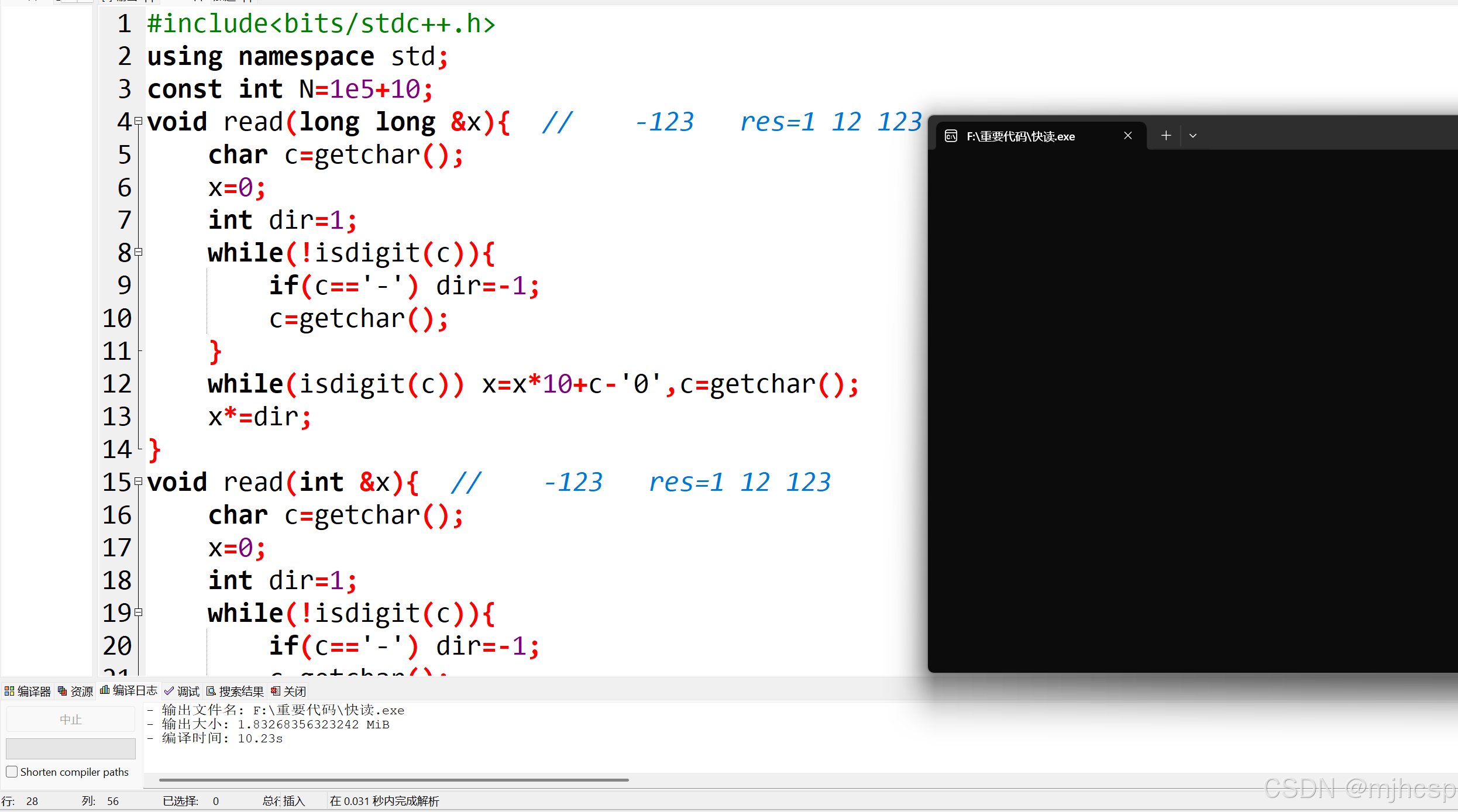
原因是,函数看输入数什么类型,名字一样,没问题,关键输入类行,如果名字类型完全一样,会报错。
那么程序如何判断进入那个函数呢,看的就是, n n n 输入的是什么类型。
也就是
Created with Raphaël 2.3.0 输入每个字符 检查是否为负数和整数 确认输入? 输入完成 yes
cpp
#include<bits/stdc++.h>
using namespace std;
void read(int &x){
	char c=getchar();
	x=0;
	int dir=1;
	while(!isdigit(c)){
		if(c=='-') dir=-1;
		c=getchar();
	}
	while(isdigit(c)) x=x*10+c-'0',c=getchar();
	x*=dir;
}
int n;
int main(){
	read(n);
	cout<<n;
	return 0;
}
后记
文章肝了很久,点个关注和收藏吧。
在这里提前祝新年快乐,马到成功!!!