👨🎓博主简介
💊交流社区: 运维交流社区 欢迎大家的加入!
🐋 希望大家多多支持,我们一起进步!😄
🎉如果文章对你有帮助的话,欢迎 点赞 👍🏻 评论 💬 收藏 ⭐️ 加关注+💗
文章目录
- [一、DaemonSet 简介](#一、DaemonSet 简介)
-
- [1.1 DaemonSet 是什么](#1.1 DaemonSet 是什么)
- [1.2 DaemonSet 与 Deployment 的区别](#1.2 DaemonSet 与 Deployment 的区别)
- [1.3 DaemonSet 的应用场景](#1.3 DaemonSet 的应用场景)
- [1.4 节点污点 注意事项](#1.4 节点污点 注意事项)
- [二、DaemonSet 举例](#二、DaemonSet 举例)
-
- [2.1 写 nginx-daemonset.yaml](#2.1 写 nginx-daemonset.yaml)
- [2.2 启动运行](#2.2 启动运行)
- [2.3 验证](#2.3 验证)
一、DaemonSet 简介
1.1 DaemonSet 是什么
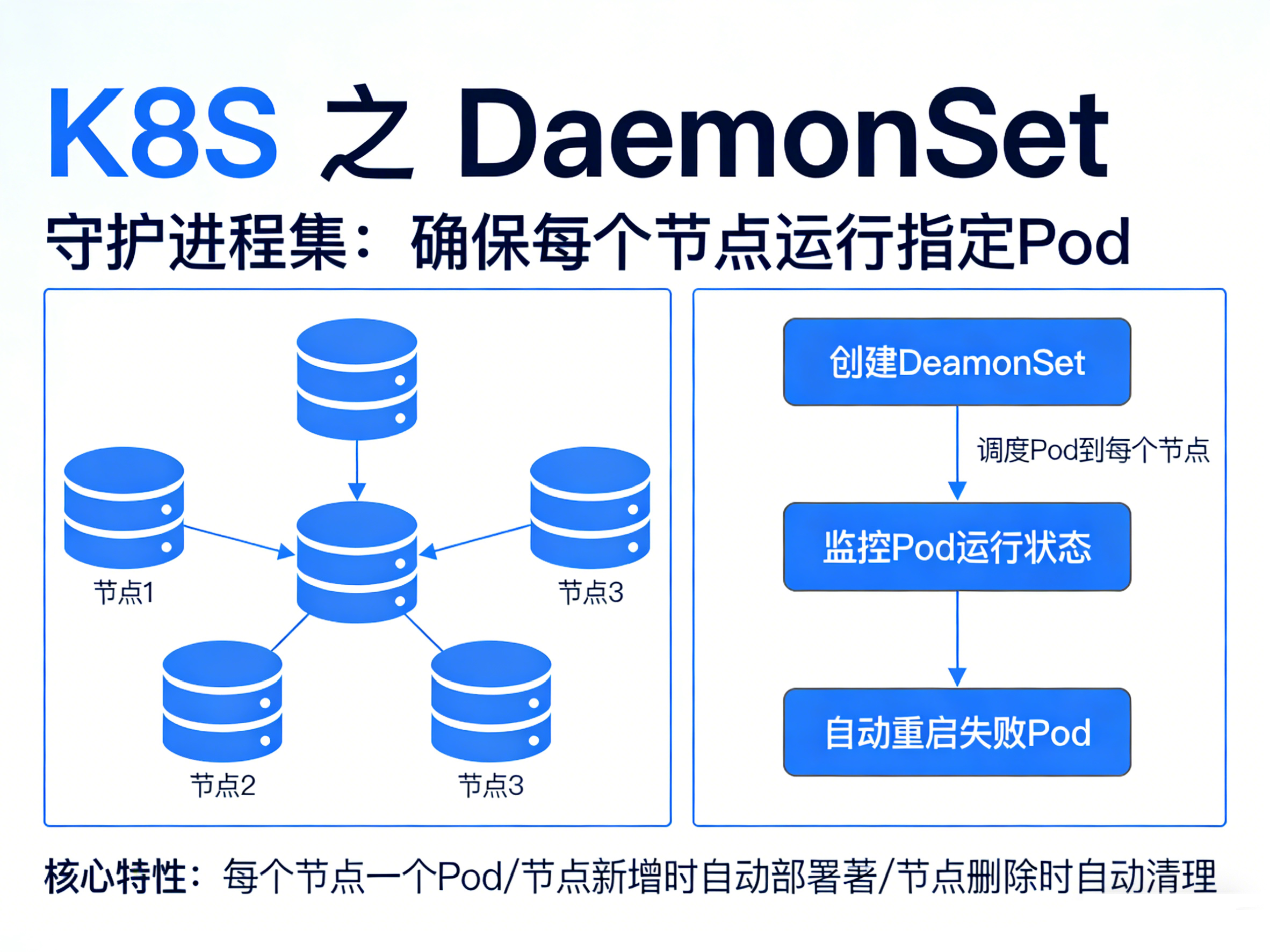
DaemonSet 是 Kubernetes 的一种控制器,缩写:
DS,确保集群内每个节点上运行且仅运行一个 Pod 副本,当有节点加入集群时, 也会为他们新增一个 Pod 。当有节点从集群移除时,这些 Pod 也会被回收。删除 DaemonSet 将会删除它创建的所有 Pod。
1.2 DaemonSet 与 Deployment 的区别
| 特性 | DaemonSet | Deployment |
|---|---|---|
| 调度目标 | 每个节点强制一个 | 按副本数随机分布 |
| 适用场景 | 节点级守护进程 (监控、日志、网络) | 无状态应用 无状态应用(Web、API、微服务) |
| 扩缩容 | 自动随节点增减 | 手动调整 replicas |
1.3 DaemonSet 的应用场景
- 节点日志的收集:
fluentd、filebeat - 节点监控指标采集:
node_exporter、cadvisor - 网络代理/CNI 插件:
calico、flannel - 存储守护进程:
Ceph OSD、GlusterFS、OpenEBS、Longhorn - 安全/审计代理:
Falco、Auditd、Sysdig
1.4 节点污点 注意事项
从 Kubernetes 1.6 开始,Master 节点默认排斥 DaemonSet Pod。
原因 :Master 节点带有 node-role.kubernetes.io/master:NoSchedule 污点,而 DaemonSet 创建的 Pod 默认无此容忍度,因此不会被调度。
建议 :如无特殊需求(如控制面监控、API Server 指标采集),不要将 DaemonSet Pod 调度到 Master 节点,避免占用控制面资源。
如需调度到 Master 节点
在 DaemonSet 的 Pod 模板中添加容忍度:
yaml
tolerations:
  - key: node-role.kubernetes.io/master
    effect: NoSchedule
    operator: Exists
  # K8s 1.20+ 推荐使用 control-plane 标签
  - key: node-role.kubernetes.io/control-plane
    effect: NoSchedule
    operator: Exists
⚠️ 注意 :K8s 1.24+ 已废弃
master标签,改用control-plane,建议同时容忍两者以保证兼容性。
如何判断节点有没有污点
bash
kubectl describe node <master-node> | grep Taints返回:
<none>节点无污点,任何 Pod 都可调度;
node-role.kubernetes.io/master:NoSchedule或node-role.kubernetes.io/control-plane:NoSchedule有污点,Pod 需添加对应容忍:tolerations或 去除污点:taintsPod才能进行调度;
- 去除污点
bash
# 去除 master 污点(K8s 1.23 及以下)
kubectl taint node <master-node-name> node-role.kubernetes.io/master:NoSchedule-

# 去除 control-plane 污点(K8s 1.24+)
kubectl taint node <master-node-name> node-role.kubernetes.io/control-plane:NoSchedule-- 恢复污点
bash
# 重新添加 Master 污点(K8s 1.23 及以下)
kubectl taint node <master-node> node-role.kubernetes.io/master:NoSchedule

# 或 control-plane 污点(K8s 1.24+)
kubectl taint node <master-node> node-role.kubernetes.io/control-plane:NoSchedule
二、DaemonSet 举例
需求:再每一个节点上部署一个nginx服务;
2.1 写 nginx-daemonset.yaml
nginx-daemonset.yaml
yaml
apiVersion: v1
kind: Namespace
metadata:
  name: nginx
---
apiVersion: apps/v1
kind: DaemonSet
metadata:
  name: nginx-daemonset
  namespace: nginx
  labels:
    app: nginx
spec:
  selector:
    matchLabels:
      app: nginx
  template:
    metadata:
      labels:
        app: nginx
    spec:
      hostNetwork: true
      tolerations:           # ← 添加容忍度,如果不添加,则不会再有污点的节点上部署
        - key: node-role.kubernetes.io/master
          effect: NoSchedule
          operator: Exists
        - key: node-role.kubernetes.io/control-plane
          effect: NoSchedule
          operator: Exists
      containers:
      - name: nginx
        image: nginx:1.24.0
        ports:
        - containerPort: 80
        resources:
          requests:
            cpu: "100m"
            memory: "128Mi"
          limits:
            cpu: "500m"
memory: "256Mi"- 注意事项
- DaemonSet 不能有
replicas字段
- DaemonSet 不能有
2.2 启动运行
bash
kubectl apply -f nginx-daemonset.yaml
2.3 验证
bash
# 查看nginx pod是否每个节点都部署了一个
kubectl get pods -n nginx -o wide

# 查看DaemonSet中有没有nginx
kubectl get ds -n nginx -o wide
如图:可以看到三个节点都部署了nginx,那么就没问题了
- 页面访问测试;
172.16.11.230
172.16.11.231
172.16.11.232
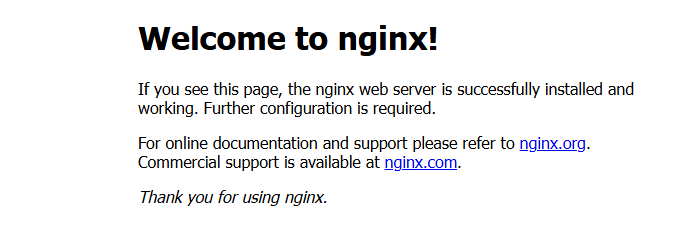
访问没问题,成功!!!