目录
[一. map](#一. map)
[1.5.1. insert(插入)](#1.5.1. insert(插入))
[1.5.2. erase(删除)](#1.5.2. erase(删除))
[1.5.3. swap(交换)](#1.5.3. swap(交换))
[1.5.4. clear(清空)](#1.5.4. clear(清空))
[1.5.5. emplace(C++11新增)](#1.5.5. emplace(C++11新增))
[1.5.6. emplace_hint(C++11新增)](#1.5.6. emplace_hint(C++11新增))
[二. multimap](#二. multimap)
一. map
官网:cplusplus.com/reference/map/map/
1.1.构造函数
首先有3种构造函数
cpp
// 1. 空构造函数
explicit map (const key_compare& comp = key_compare(),
              const allocator_type& alloc = allocator_type());

// 2. 范围构造函数
template <class InputIterator>
map (InputIterator first, InputIterator last,
     const key_compare& comp = key_compare(),
     const allocator_type& alloc = allocator_type());

// 3. 拷贝构造函数
map (const map& x);
对于这个空构造函数
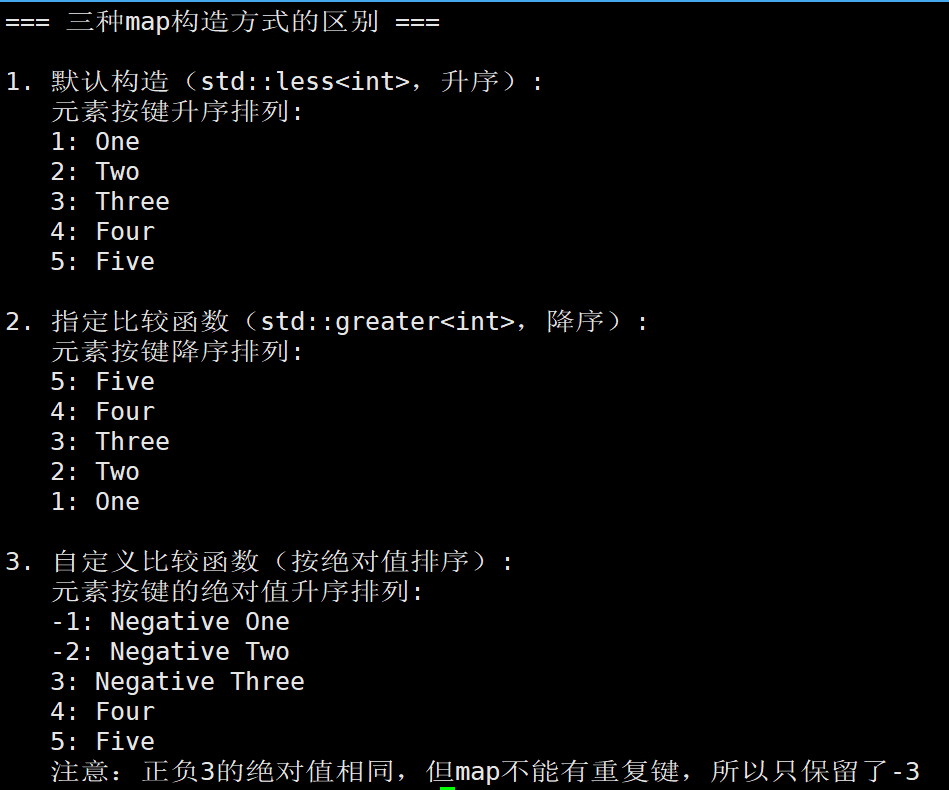
它其实也有3种三种构造方式:
-
默认构造:使用默认的比较函数(std::less<Key>)和分配器,创建一个空的map。
-
指定比较函数:我们可以提供一个比较函数,用于决定map中元素的排序方式。默认是std::less<Key>,即按Key的升序排列。
如果我们指定为std::greater<Key>,则会按降序排列。
-
自定义比较函数:我们可以自己定义一个比较函数,这个函数可以是函数指针、函数对象(仿函数)或lambda表达式,用于自定义排序规则。
cpp
#include <iostream>
#include <map>
#include <string>
#include <functional>  // for std::greater
#include <algorithm>   // for std::lexicographical_compare

int main() {
    std::cout << "=== 三种map构造方式的区别 ===\n" << std::endl;

    // 1. 默认构造 - 使用 std::less<int>(升序)
    std::cout << "1. 默认构造(std::less<int>,升序):" << std::endl;
    std::map<int, std::string> mapDefault;

    mapDefault[3] = "Three";
    mapDefault[1] = "One";
    mapDefault[4] = "Four";
    mapDefault[2] = "Two";
    mapDefault[5] = "Five";

    std::cout << "   元素按键升序排列:" << std::endl;
    for (const auto& pair : mapDefault) {
        std::cout << "   " << pair.first << ": " << pair.second << std::endl;
    }

    // 2. 指定比较函数 - 使用 std::greater<int>(降序)
    std::cout << "\n2. 指定比较函数(std::greater<int>,降序):" << std::endl;
    std::map<int, std::string, std::greater<int>> mapGreater;

    mapGreater[3] = "Three";
    mapGreater[1] = "One";
    mapGreater[4] = "Four";
    mapGreater[2] = "Two";
    mapGreater[5] = "Five";

    std::cout << "   元素按键降序排列:" << std::endl;
    for (const auto& pair : mapGreater) {
        std::cout << "   " << pair.first << ": " << pair.second << std::endl;
    }

    // 3. 自定义比较函数 - 按键的绝对值排序
    std::cout << "\n3. 自定义比较函数(按绝对值排序):" << std::endl;

    // 自定义比较函数:按绝对值从小到大排序
    struct AbsoluteCompare {
        bool operator()(int a, int b) const {
            return abs(a) < abs(b);
        }
    };

    std::map<int, std::string, AbsoluteCompare> mapAbsolute;

    mapAbsolute[3] = "Three";
    mapAbsolute[-1] = "Negative One";
    mapAbsolute[4] = "Four";
    mapAbsolute[-2] = "Negative Two";
    mapAbsolute[5] = "Five";
    mapAbsolute[-3] = "Negative Three";  // 绝对值3,与正3冲突!

    std::cout << "   元素按键的绝对值升序排列:" << std::endl;
    for (const auto& pair : mapAbsolute) {
        std::cout << "   " << pair.first << ": " << pair.second << std::endl;
    }
    std::cout << "   注意:正负3的绝对值相同,但map不能有重复键,所以只保留了-3" << std::endl;

    return 0;
}
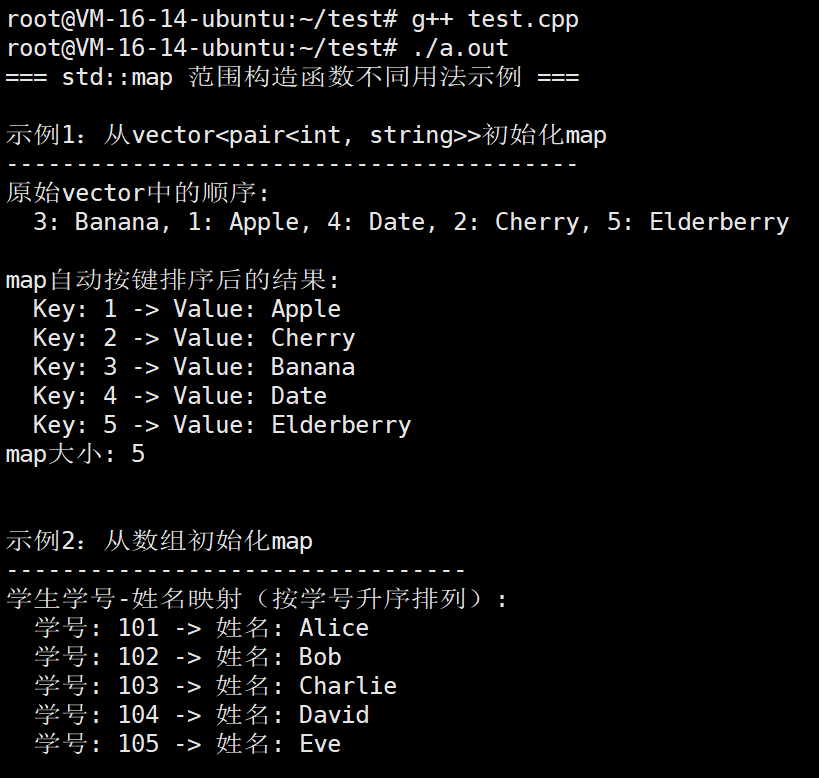
那么接下来我们看看范围构造
cpp
#include <iostream>
#include <map>
#include <vector>
#include <utility>  // for std::pair
#include<list>
#include<deque>

int main() {
    std::cout << "=== std::map 范围构造函数不同用法示例 ===\n" << std::endl;

    /***************************************************************
     * 示例1:从vector<pair>初始化map
     * 特点:使用容器中的键值对批量初始化
     ***************************************************************/
    std::cout << "示例1:从vector<pair<int, string>>初始化map" << std::endl;
    std::cout << "-----------------------------------------" << std::endl;

    // 创建包含键值对的vector
    std::vector<std::pair<int, std::string>> fruits = {
        {3, "Banana"},
        {1, "Apple"},
        {4, "Date"},
        {2, "Cherry"},
        {5, "Elderberry"}
    };

    // 使用范围构造函数(自动按键升序排序)
    std::map<int, std::string> fruitMap(fruits.begin(), fruits.end());

    std::cout << "原始vector中的顺序:" << std::endl;
    std::cout << "  3: Banana, 1: Apple, 4: Date, 2: Cherry, 5: Elderberry" << std::endl;

    std::cout << "\nmap自动按键排序后的结果:" << std::endl;
    for (const auto& pair : fruitMap) {
        std::cout << "  Key: " << pair.first << " -> Value: " << pair.second << std::endl;
    }
    std::cout << "map大小: " << fruitMap.size() << std::endl;

    /***************************************************************
     * 示例2:从数组初始化map
     * 特点:使用C风格数组批量初始化
     ***************************************************************/
    std::cout << "\n\n示例2:从数组初始化map" << std::endl;
    std::cout << "---------------------------------" << std::endl;

    // 创建C风格数组
    std::pair<int, std::string> scores[] = {
        {101, "Alice"},
        {103, "Charlie"},
        {102, "Bob"},
        {105, "Eve"},
        {104, "David"}
    };

    // 计算数组大小
    int arraySize = sizeof(scores) / sizeof(scores[0]);

    // 使用范围构造函数
    std::map<int, std::string> scoreMap(scores, scores + arraySize);

    std::cout << "学生学号-姓名映射(按学号升序排列):" << std::endl;
    for (const auto& pair : scoreMap) {
        std::cout << "  学号: " << pair.first << " -> 姓名: " << pair.second << std::endl;
    }

    /***************************************************************
     * 示例3:从map的部分范围初始化
     * 特点:只复制原map的一部分
     ***************************************************************/
    std::cout << "\n\n示例3:从map的部分范围初始化" << std::endl;
    std::cout << "-------------------------------------" << std::endl;

    // 创建一个大的map
    std::map<int, std::string> bigMap;
    for (int i = 1; i <= 10; i++) {
        bigMap[i] = "Value" + std::to_string(i);
    }

    std::cout << "原始map有 " << bigMap.size() << " 个元素:" << std::endl;
    int count = 0;
    for (const auto& pair : bigMap) {
        std::cout << "  " << pair.first << ": " << pair.second;
        if (++count % 5 == 0) std::cout << std::endl;
        else std::cout << " | ";
    }

    // 只取前3个元素
    auto beginIt = bigMap.begin();
    auto endIt = bigMap.begin();
    std::advance(endIt, 3);  // 移动迭代器到第3个位置

    std::map<int, std::string> smallMap(beginIt, endIt);

    std::cout << "\n\n只取前3个元素的新map:" << std::endl;
    for (const auto& pair : smallMap) {
        std::cout << "  Key: " << pair.first << " -> Value: " << pair.second << std::endl;
    }
    std::cout << "新map大小: " << smallMap.size() << std::endl;

    /***************************************************************
     * 示例4:从map的特定范围初始化(中间部分)
     * 特点:复制原map的中间一部分
     ***************************************************************/
    std::cout << "\n\n示例4:从map的特定范围初始化(中间部分)" << std::endl;
    std::cout << "-----------------------------------------------" << std::endl;

    // 创建另一个map
    std::map<std::string, int> wordCount = {
        {"apple", 5},
        {"banana", 3},
        {"cherry", 7},
        {"date", 2},
        {"elderberry", 4},
        {"fig", 6},
        {"grape", 8}
    };

    std::cout << "原始单词计数map:" << std::endl;
    for (const auto& pair : wordCount) {
        std::cout << "  \"" << pair.first << "\": " << pair.second << std::endl;
    }

    // 只取"cherry"到"fig"之间的元素
    auto start = wordCount.find("cherry");
    auto end = wordCount.find("fig");
    if (start != wordCount.end() && end != wordCount.end()) {
        end++;  // 包含"fig"元素

        std::map<std::string, int> subMap(start, end);

        std::cout << "\n只取\"cherry\"到\"fig\"之间的元素(包含两端):" << std::endl;
        for (const auto& pair : subMap) {
            std::cout << "  \"" << pair.first << "\": " << pair.second << std::endl;
        }
        std::cout << "子map大小: " << subMap.size() << std::endl;
    }

    /***************************************************************
     * 示例5:从已存在的容器中过滤数据初始化map
     * 特点:使用条件筛选数据
     ***************************************************************/
    std::cout << "\n\n示例5:过滤数据后初始化map" << std::endl;
    std::cout << "-----------------------------------" << std::endl;

    // 原始数据
    std::vector<std::pair<int, std::string>> employees = {
        {101, "Alice"},
        {102, "Bob"},
        {103, "Charlie"},
        {104, "David"},
        {105, "Eve"},
        {106, "Frank"},
        {107, "Grace"}
    };

    // 过滤出ID为偶数的员工
    std::vector<std::pair<int, std::string>> filteredEmployees;
    for (const auto& emp : employees) {
        if (emp.first % 2 == 0) {  // ID为偶数
            filteredEmployees.push_back(emp);
        }
    }

    // 使用过滤后的数据初始化map
    std::map<int, std::string> evenIdEmployees(filteredEmployees.begin(), filteredEmployees.end());

    std::cout << "ID为偶数的员工(自动按键排序):" << std::endl;
    for (const auto& pair : evenIdEmployees) {
        std::cout << "  员工ID: " << pair.first << " -> 姓名: " << pair.second << std::endl;
    }
    std::cout << "符合条件的员工数: " << evenIdEmployees.size() << std::endl;

    /***************************************************************
     * 示例6:使用不同容器类型初始化map
     * 特点:演示各种容器都可以作为数据源
     ***************************************************************/
    std::cout << "\n\n示例6:使用不同容器类型初始化map" << std::endl;
    std::cout << "-------------------------------------" << std::endl;

    // 使用list初始化
    std::cout << "使用list<pair>初始化:" << std::endl;
    std::list<std::pair<std::string, double>> priceList = {
        {"Milk", 3.99},
        {"Bread", 2.49},
        {"Eggs", 4.29},
        {"Cheese", 5.99}
    };

    std::map<std::string, double> priceMap(priceList.begin(), priceList.end());

    for (const auto& pair : priceMap) {
        std::cout << "  " << pair.first << ": $" << pair.second << std::endl;
    }

    // 使用deque初始化
    std::cout << "\n使用deque<pair>初始化:" << std::endl;
    std::deque<std::pair<int, char>> charDeque = {
        {3, 'C'},
        {1, 'A'},
        {4, 'D'},
        {2, 'B'}
    };

    std::map<int, char> charMap(charDeque.begin(), charDeque.end());

    for (const auto& pair : charMap) {
        std::cout << "  " << pair.first << ": '" << pair.second << "'" << std::endl;
    }

    /***************************************************************
     * 示例7:处理重复键的情况
     * 特点:展示范围构造函数如何处理重复键
     ***************************************************************/
    std::cout << "\n\n示例7:处理重复键的情况" << std::endl;
    std::cout << "------------------------------" << std::endl;

    // 包含重复键的数据
    std::vector<std::pair<int, std::string>> duplicateData = {
        {1, "First"},
        {2, "Second"},
        {1, "Duplicate of First"},  // 重复键
        {3, "Third"},
        {2, "Another Second"}       // 重复键
    };

    std::cout << "原始数据(包含重复键):" << std::endl;
    for (const auto& pair : duplicateData) {
        std::cout << "  Key: " << pair.first << " -> Value: " << pair.second << std::endl;
    }

    std::map<int, std::string> uniqueMap(duplicateData.begin(), duplicateData.end());

    std::cout << "\n初始化后的map(重复键只保留最后一个值):" << std::endl;
    for (const auto& pair : uniqueMap) {
        std::cout << "  Key: " << pair.first << " -> Value: " << pair.second << std::endl;
    }
    std::cout << "注意:键1和2的重复值被覆盖,只保留了最后一个值" << std::endl;

    return 0;
}
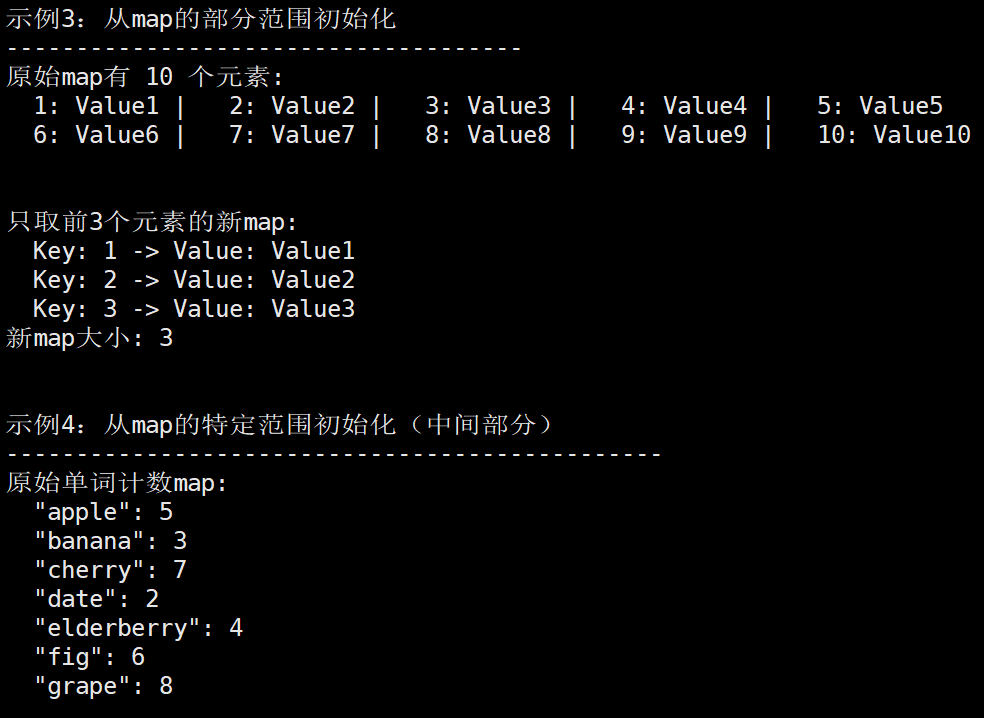
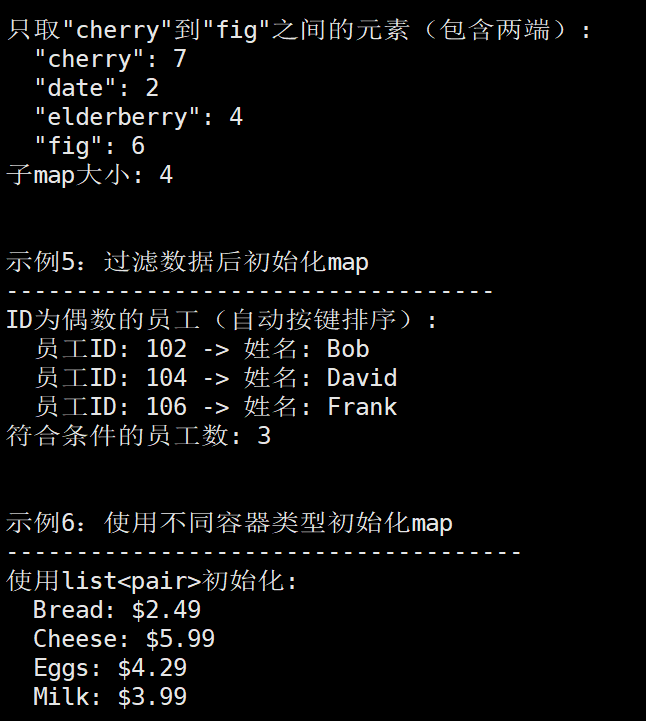
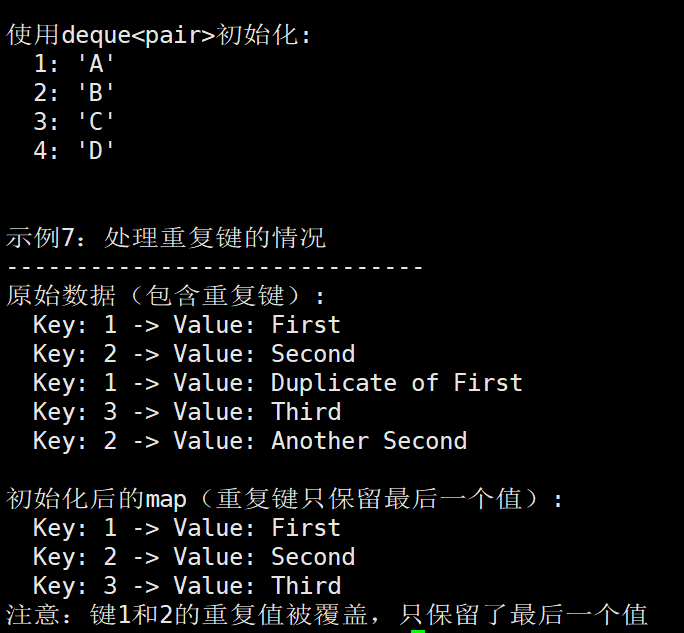
最后我们看看移动构造函数
cpp
#include <iostream>
#include <map>
#include <string>
#include<vector>
int main() {
    std::cout << "=== std::map 拷贝构造函数示例 ===\n" << std::endl;

    // 3.1 创建一个原始map
    std::map<int, std::string> original;

    original[101] = "Alice";
    original[102] = "Bob";
    original[103] = "Charlie";
    original[104] = "David";
    original[105] = "Eve";

    std::cout << "1. 原始map内容:" << std::endl;
    for (const auto& pair : original) {
        std::cout << "   " << pair.first << ": " << pair.second << std::endl;
    }
    std::cout << "   大小: " << original.size() << std::endl;

    // 3.2 使用拷贝构造函数创建副本
    std::map<int, std::string> copy1(original);  // 拷贝构造

    std::cout << "\n2. 拷贝构造后的副本内容:" << std::endl;
    for (const auto& pair : copy1) {
        std::cout << "   " << pair.first << ": " << pair.second << std::endl;
    }
    std::cout << "   大小: " << copy1.size() << std::endl;

    // 3.3 修改原始map,验证拷贝是独立的
    original[106] = "Frank";  // 添加新元素
    original[101] = "Alice Smith";  // 修改现有元素

    std::cout << "\n3. 修改原始map后:" << std::endl;
    std::cout << "   原始map:" << std::endl;
    for (const auto& pair : original) {
        std::cout << "   " << pair.first << ": " << pair.second << std::endl;
    }
    std::cout << "   大小: " << original.size() << std::endl;

    std::cout << "\n   拷贝map(未受影响):" << std::endl;
    for (const auto& pair : copy1) {
        std::cout << "   " << pair.first << ": " << pair.second << std::endl;
    }
    std::cout << "   大小: " << copy1.size() << std::endl;

    // 3.4 深拷贝验证
    std::cout << "\n4. 深拷贝验证(修改拷贝不影响原始):" << std::endl;
    copy1[107] = "Grace";  // 向拷贝添加新元素
    copy1[102] = "Bob Johnson";  // 修改拷贝中的元素

    std::cout << "   原始map:" << std::endl;
    for (const auto& pair : original) {
        std::cout << "   " << pair.first << ": " << pair.second << std::endl;
    }
    std::cout << "   大小: " << original.size() << std::endl;

    std::cout << "\n   拷贝map:" << std::endl;
    for (const auto& pair : copy1) {
        std::cout << "   " << pair.first << ": " << pair.second << std::endl;
    }
    std::cout << "   大小: " << copy1.size() << std::endl;

    // 3.5 复杂类型的拷贝构造
    std::cout << "\n5. 复杂类型的拷贝构造:" << std::endl;

    std::map<std::string, std::vector<int>> complexMap;
    complexMap["scores"] = {85, 90, 78};
    complexMap["ages"] = {25, 30, 35};

    // 拷贝构造
    std::map<std::string, std::vector<int>> complexCopy(complexMap);

    std::cout << "   原始复杂map:" << std::endl;
    for (const auto& pair : complexMap) {
        std::cout << "   " << pair.first << ": ";
        for (int val : pair.second) {
            std::cout << val << " ";
        }
        std::cout << std::endl;
    }

    // 修改拷贝中的vector
    complexCopy["scores"].push_back(95);

    std::cout << "\n   修改拷贝后:" << std::endl;
    std::cout << "   原始复杂map(未受影响):" << std::endl;
    for (const auto& pair : complexMap) {
        std::cout << "   " << pair.first << ": ";
        for (int val : pair.second) {
            std::cout << val << " ";
        }
        std::cout << std::endl;
    }

    std::cout << "\n   拷贝map:" << std::endl;
    for (const auto& pair : complexCopy) {
        std::cout << "   " << pair.first << ": ";
        for (int val : pair.second) {
            std::cout << val << " ";
        }
        std::cout << std::endl;
    }

    return 0;
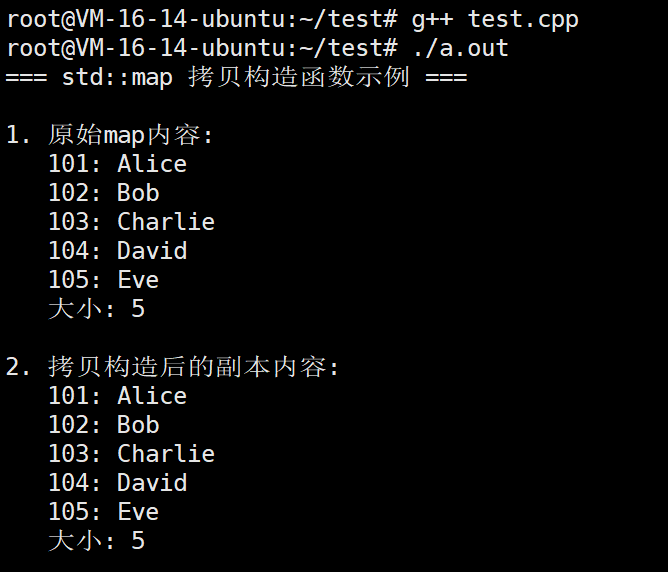
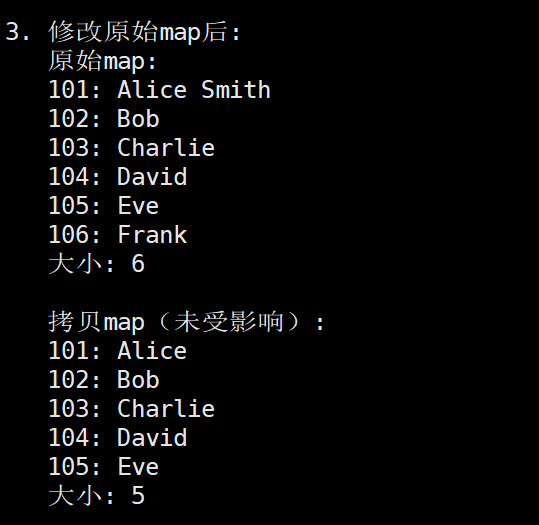
}
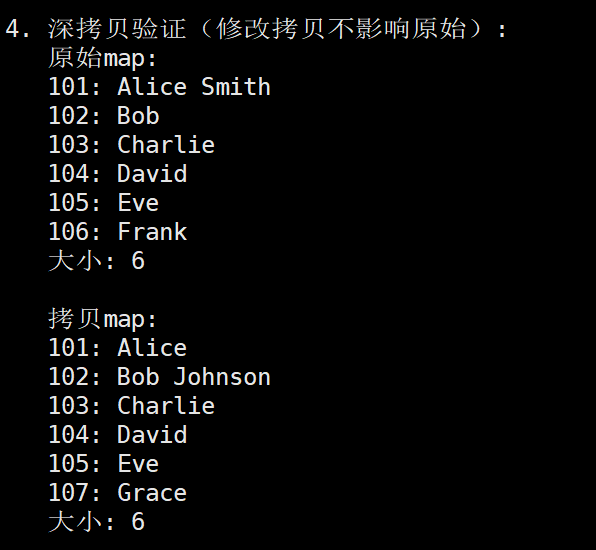
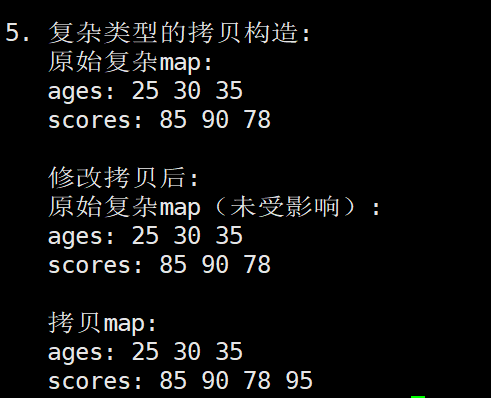
1.2.map的迭代器
begin
- 返回指向容器中第一个元素的迭代器。
- 在 std::map 中,元素按键的升序排列,因此 begin() 指向键值最小的元素。
- 该迭代器可用于从容器的起始位置开始遍历。
end
- 返回指向容器末尾(最后一个元素之后)的迭代器。
- 它不指向任何有效元素。
- 通常用作遍历的结束条件,或在判断容器是否为空时与 begin() 比较。
如果容器为空,那么begin()返回的迭代器和end()返回的迭代器是相同的。
cpp
// 1. 遍历map
for (auto it = map.begin(); it != map.end(); ++it) {
    // it->first 是键
    // it->second 是值
}

// 2. 判断map是否为空
if (map.begin() == map.end()) {
    // map是空的
}

// 3. 安全访问第一个元素
if (!map.empty()) {
    auto firstElement = *map.begin();  // 安全
}

// 4. 按升序处理所有元素
// (map已经自动排序,begin()开始就是最小键)
begin()
- 指向map中键最小的元素
- map自动按键升序排列
- 空map时,begin() == end()
end()
- 指向最后一个元素之后的位置
- 不是有效元素,不能解引用
- 用作遍历结束条件
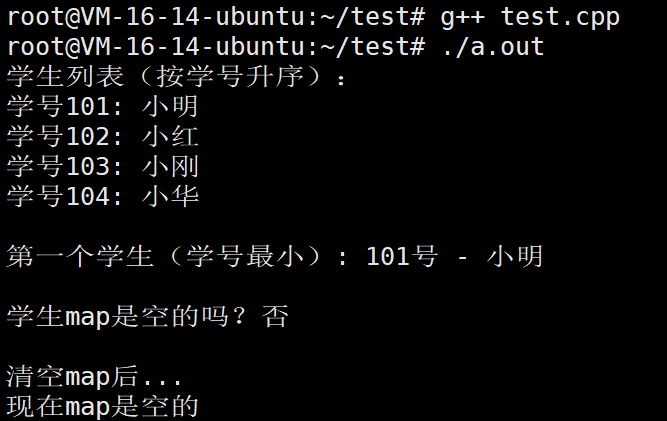
我们直接看例子
cpp
#include <iostream>
#include <map>
#include <string>

int main() {
    // 创建一个学生map
    std::map<int, std::string> students = {
        {102, "小红"},
        {101, "小明"},
        {104, "小华"},
        {103, "小刚"}
    };

    // 1. 使用 begin() 和 end() 遍历map
    std::cout << "学生列表(按学号升序):\n";
    for (auto it = students.begin(); it != students.end(); ++it) {
        std::cout << "学号" << it->first << ": " << it->second << std::endl;
    }

    // 2. 获取第一个学生(学号最小)
    std::cout << "\n第一个学生(学号最小): ";
    std::cout << students.begin()->first << "号 - " << students.begin()->second << std::endl;

    // 3. 判断map是否为空
    std::cout << "\n学生map是空的吗?";
    if (students.begin() == students.end()) {
        std::cout << "是" << std::endl;
    } else {
        std::cout << "否" << std::endl;
    }

    // 4. 清空map后判断
    std::cout << "\n清空map后..." << std::endl;
    students.clear();

    if (students.begin() == students.end()) {
        std::cout << "现在map是空的" << std::endl;
    }

    return 0;
}
rbegin
- 返回指向容器中最后一个元素的反向迭代器。
- 反向迭代器从后向前遍历容器,rbegin() 指向键值最大的元素,相当于反向遍历时的"开始位置"。
rend
- 返回指向容器起始位置之前(第一个元素之前)的反向迭代器。
- 它不指向有效元素,用于作为反向遍历的结束标志。
常用方式:
cpp
// 1. 反向遍历(按键从大到小)
for (auto it = map.rbegin(); it != map.rend(); ++it) {
    // it->first 是键,it->second 是值
}

// 2. 获取最大键的元素
if (!map.empty()) {
    auto largest = map.rbegin();
    std::cout << largest->first << ": " << largest->second;
}

// 3. 判断是否为空
if (map.rbegin() == map.rend()) {
    // map是空的
}
一句话记忆:
- rbegin() 指向最后一个元素(最大键),rend() 指向第一个元素之前(结束标志)。反向迭代器 ++ 会向键更小的方向移动。
cpp
#include <iostream>
#include <map>
#include <string>

int main() {
    // 创建一个学生map(键是学号,值是姓名)
    std::map<int, std::string> students = {
        {102, "小红"},
        {101, "小明"},
        {104, "小华"},
        {103, "小刚"}
    };

    // 1. 正向遍历:begin → end(学号升序)
    std::cout << "=== 正向遍历(升序) ===\n";
    for (auto it = students.begin(); it != students.end(); ++it) {
        std::cout << "学号" << it->first << ": " << it->second << std::endl;
    }

    // 2. 反向遍历:rbegin → rend(学号降序)
    std::cout << "\n=== 反向遍历(降序) ===\n";
    for (auto it = students.rbegin(); it != students.rend(); ++it) {
        std::cout << "学号" << it->first << ": " << it->second << std::endl;
    }

    // 3. rbegin() 指向最后一个元素(键最大的)
    std::cout << "\n=== rbegin() 指向最大键 ===\n";
    std::cout << "学号" << students.rbegin()->first
              << ": " << students.rbegin()->second << std::endl;

    // 4. rend() 指向第一个元素之前(不能解引用,用于判断结束)
    std::cout << "\n=== rend() 是结束标志 ===\n";
    std::cout << "rend() 是否等于 rbegin()?"
              << (students.rend() == students.rbegin() ? "是" : "否") << std::endl;
    std::cout << "rend() 前一个元素是第一个元素(键最小)" << std::endl;

    // 5. 空map的情况
    std::cout << "\n=== 空map ===\n";
    std::map<int, std::string> emptyMap;
    if (emptyMap.rbegin() == emptyMap.rend()) {
        std::cout << "空map: rbegin() == rend()" << std::endl;
    }

    return 0;
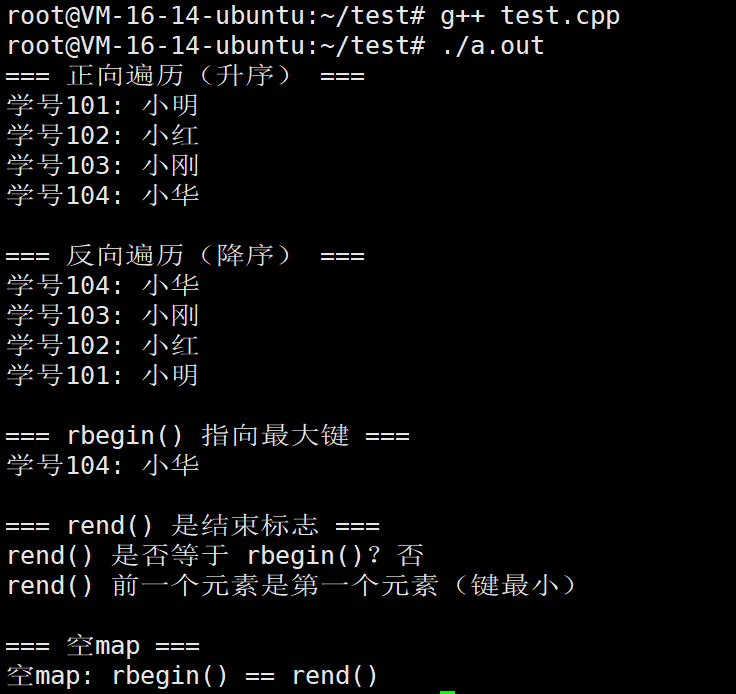
}
cbegin
- 返回指向容器中第一个元素的 常量迭代器。
- 与 begin() 类似,但通过该迭代器无法修改所指向的元素值,适用于只读遍历。
cend
- 返回指向容器末尾的 常量迭代器。
- 与 end() 类似,但不允许修改元素,适用于只读操作的结束判断。
一句话总结: cbegin() 和 cend() 就是只读版的 begin() 和 end(),保证不会修改容器内容。
cpp
std::map<int, int> m = {{1, 100}, {2, 200}};

// 1. 普通 begin:可以修改
auto it1 = m.begin();
it1->second = 999;  // ✅ 允许

// 2. cbegin:不能修改
auto it2 = m.cbegin();
// it2->second = 999;  // ❌ 编译错误

// 3. const 对象上的 begin
const auto& cm = m;
auto it3 = cm.begin();  // 类型是 const_iterator
// it3->second = 999;   // ❌ 编译错误
我们直接看例子
cpp
#include <iostream>
#include <map>
#include <string>

int main() {
    // 创建一个学生成绩map
    std::map<std::string, int> scores = {
        {"小明", 85},
        {"小红", 92},
        {"小刚", 78},
        {"小华", 95}
    };

    // 1. 使用 cbegin() 和 cend() 进行只读遍历
    std::cout << "=== 学生成绩(只读遍历) ===\n";
    for (auto it = scores.cbegin(); it != scores.cend(); ++it) {
        // it->second = 100;  // 编译错误!常量迭代器不能修改元素
        std::cout << it->first << ": " << it->second << "分" << std::endl;
    }

    // 2. cbegin() 返回 const 迭代器,即使 map 本身不是 const
    std::cout << "\n第一个学生: " << scores.cbegin()->first
              << " = " << scores.cbegin()->second << "分" << std::endl;

    // 3. 在 const map 上使用 begin() 也会得到常量迭代器
    const std::map<std::string, int>& constRef = scores;
    auto it2 = constRef.begin();  // 这里实际上是 const_iterator
    // it2->second = 100;         // 编译错误
    std::cout << "通过 const 引用访问: " << it2->first
              << " = " << it2->second << "分" << std::endl;

    // 4. 空 map 的情况
    std::map<int, char> emptyMap;
    if (emptyMap.cbegin() == emptyMap.cend()) {
        std::cout << "\n空 map: cbegin() == cend()" << std::endl;
    }

    return 0;
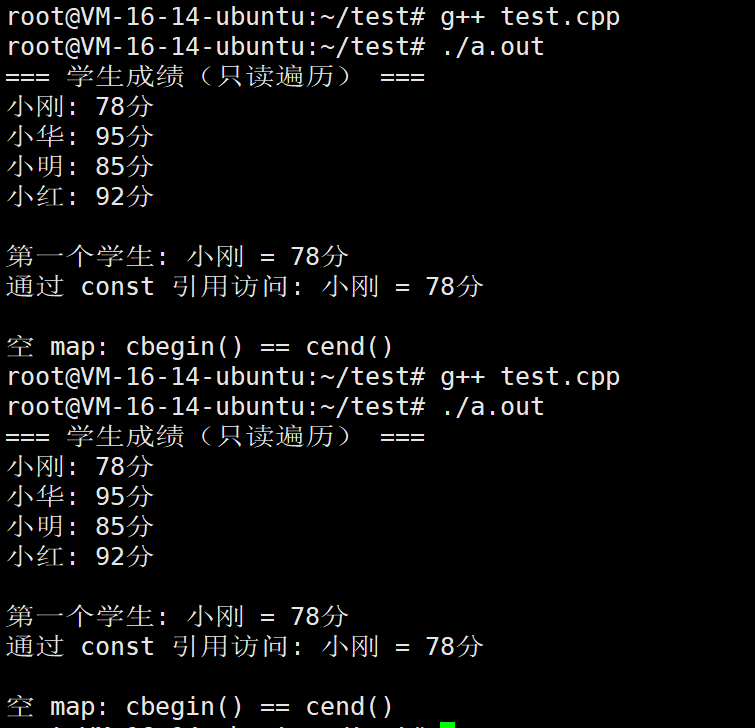
}
crbegin
- 返回指向容器中最后一个元素的 常量反向迭代器。
- 与 rbegin() 类似,但禁止修改元素内容,适用于从后向前的只读遍历。
crend
- 返回指向容器起始位置之前的 常量反向迭代器。
- 与 rend() 类似,但不允许修改元素,用于只读反向遍历的结束判断。
一句话总结: crbegin/crend = rbegin/rend 的只读版本,适合只需要查看、无需修改的反向遍历。
cpp
// 按键从大到小只读遍历
for (auto it = map.crbegin(); it != map.crend(); ++it) {
    std::cout << it->first << " = " << it->second << std::endl;
}- crbegin():指向最后一个元素(键最大),用于从尾部开始只读遍历。
- crend():指向第一个元素之前,作为反向遍历的结束标志。
- 与 rbegin()/rend() 功能相同,但禁止修改元素。
- 即使 map 本身是非常量,通过 crbegin/crend 也只能读取,不能写入。
我们直接看看
cpp
#include <iostream>
#include <map>
#include <string>

int main() {
    // 创建一个水果价格map
    std::map<std::string, double> prices = {
        {"苹果", 5.99},
        {"香蕉", 3.49},
        {"橙子", 4.29},
        {"葡萄", 12.99}
    };

    // 1. 使用 crbegin() 和 crend() 进行反向只读遍历(按键从大到小)
    std::cout << "=== 反向只读遍历(价格从高到低?实际上按水果名降序) ===\n";
    for (auto it = prices.crbegin(); it != prices.crend(); ++it) {
        // it->second = 9.99;  // 编译错误!常量反向迭代器不能修改
        std::cout << it->first << ": ¥" << it->second << std::endl;
    }

    // 2. crbegin() 指向最后一个元素(键最大)
    std::cout << "\n=== crbegin() 指向键最大的元素 ===\n";
    std::cout << "水果: " << prices.crbegin()->first
              << ", 价格: ¥" << prices.crbegin()->second << std::endl;

    // 3. crend() 指向第一个元素之前(结束标志)
    std::cout << "\n=== crend() 是反向遍历的结束标志 ===\n";
    std::cout << "crend() 是否等于 crbegin()?"
              << (prices.crend() == prices.crbegin() ? "是" : "否") << std::endl;

    // 4. 空map的情况
    std::cout << "\n=== 空map ===" << std::endl;
    std::map<int, char> emptyMap;
    if (emptyMap.crbegin() == emptyMap.crend()) {
        std::cout << "空map: crbegin() == crend()" << std::endl;
    }

    return 0;
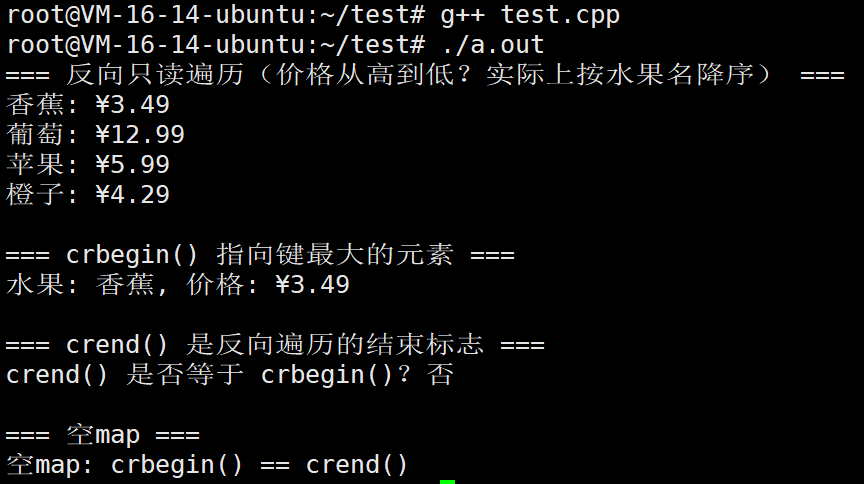
}
1.3.map的容量操作
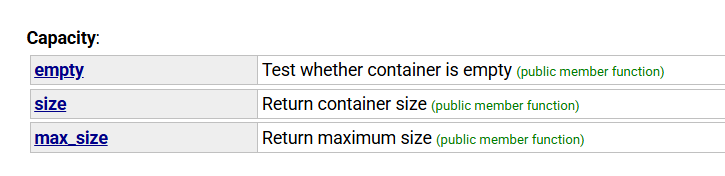
empty
- 作用:检查容器是否为空(即容器内是否没有任何元素)。
- 使用场景:通常在循环或条件判断中使用,用来判断是否还有元素需要处理。
- 返回值:如果容器为空,返回 true;否则返回 false。
cpp
#include <iostream>
#include <map>
#include <string>

int main() {
    std::cout << "=== std::map::empty() 方法示例 ===\n" << std::endl;

    // 1.1 创建空map并检查
    std::map<int, std::string> map1;

    std::cout << "1. 检查空map:" << std::endl;
    if (map1.empty()) {
        std::cout << "   map1 是空的" << std::endl;  // 会执行这里
    } else {
        std::cout << "   map1 不是空的" << std::endl;
    }

    // 1.2 添加元素后检查
    map1[1] = "One";
    map1[2] = "Two";

    std::cout << "\n2. 添加元素后检查:" << std::endl;
    if (!map1.empty()) {
        std::cout << "   map1 现在不是空的" << std::endl;  // 会执行这里
    } else {
        std::cout << "   map1 还是空的" << std::endl;
    }

    // 1.3 安全操作示例
    std::cout << "\n3. 安全操作示例(防止访问空map):" << std::endl;

    std::map<std::string, int> emptyMap;

    // 错误示例:直接访问空map可能导致意外结果
    // int value = emptyMap["key"];  // 会插入默认值并返回,可能不是期望的行为

    // 正确做法:先检查是否为空
    if (!emptyMap.empty()) {
        std::cout << "   map中有元素,可以安全访问" << std::endl;
        int value = emptyMap["key"];
        std::cout << "   值: " << value << std::endl;
    } else {
        std::cout << "   map是空的,需要先添加元素" << std::endl;  // 会执行这里
    }

    // 1.4 循环条件中使用 empty()
    std::cout << "\n4. 在循环条件中使用 empty():" << std::endl;

    std::map<int, char> charMap;
    charMap[1] = 'A';
    charMap[2] = 'B';
    charMap[3] = 'C';

    int loopCount = 0;
    while (!charMap.empty()) {
        loopCount++;
        std::cout << "   第" << loopCount << "次循环,当前map大小: " << charMap.size() << std::endl;

        // 删除第一个元素
        charMap.erase(charMap.begin());
    }

    std::cout << "   循环结束,map现在是否为空: " << (charMap.empty() ? "是" : "否") << std::endl;

    return 0;
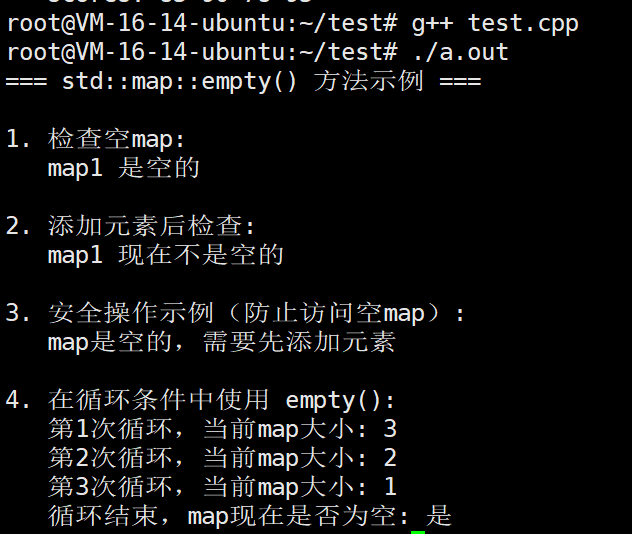
}
size
- 作用:返回容器当前实际包含的元素数量。
- 使用场景:需要知道容器中有多少个元素时使用,比如遍历前确定循环次数。
- 注意:返回的是 size_t 类型的无符号整数。
cpp
#include <iostream>
#include <map>
#include <string>

int main() {
    std::cout << "=== std::map::size() 方法示例 ===\n" << std::endl;

    std::map<std::string, double> priceMap;

    // 2.1 初始大小
    std::cout << "1. 初始map大小: " << priceMap.size() << std::endl;  // 输出: 0

    // 2.2 添加元素
    std::cout << "\n2. 添加元素:" << std::endl;
    priceMap["Apple"] = 2.99;
    std::cout << "   添加 Apple 后,大小: " << priceMap.size() << std::endl;  // 输出: 1

    priceMap["Banana"] = 1.49;
    priceMap["Cherry"] = 3.99;
    std::cout << "   再添加 Banana 和 Cherry 后,大小: " << priceMap.size() << std::endl;  // 输出: 3

    // 2.3 更新现有键值
    std::cout << "\n3. 更新现有键的值:" << std::endl;
    priceMap["Apple"] = 2.49;  // 更新已存在的键
    std::cout << "   更新 Apple 的价格后,大小: " << priceMap.size() << std::endl;  // 输出: 3(大小不变)

    // 2.4 删除元素
    std::cout << "\n4. 删除元素:" << std::endl;
    priceMap.erase("Banana");
    std::cout << "   删除 Banana 后,大小: " << priceMap.size() << std::endl;  // 输出: 2

    // 2.5 清空map
    std::cout << "\n5. 清空map:" << std::endl;
    priceMap.clear();
    std::cout << "   清空后,大小: " << priceMap.size() << std::endl;  // 输出: 0

    // 2.6 批量添加元素
    std::cout << "\n6. 批量添加元素:" << std::endl;
    std::map<int, std::string> idMap;

    for (int i = 1; i <= 10; i++) {
        idMap[i] = "Item" + std::to_string(i);
        std::cout << "   添加 Item" << i << " 后,大小: " << idMap.size() << std::endl;
    }

    // 2.7 使用size()进行容量检查
    std::cout << "\n7. 使用size()进行容量检查:" << std::endl;
    std::map<int, int> dataMap;

    int maxCapacity = 1000;
    for (int i = 0; i < 1500; i++) {
        dataMap[i] = i * 2;

        if (dataMap.size() >= maxCapacity) {
            std::cout << "   达到最大容量 " << maxCapacity << ",停止添加" << std::endl;
            break;
        }
    }

    std::cout << "   最终map大小: " << dataMap.size() << std::endl;

    return 0;
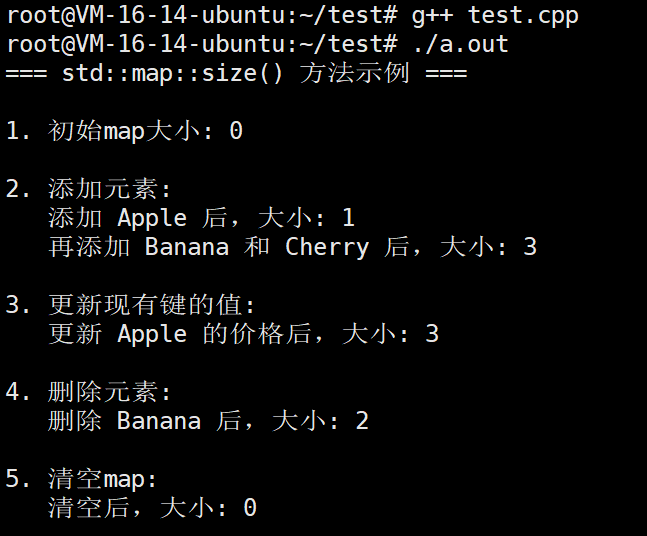
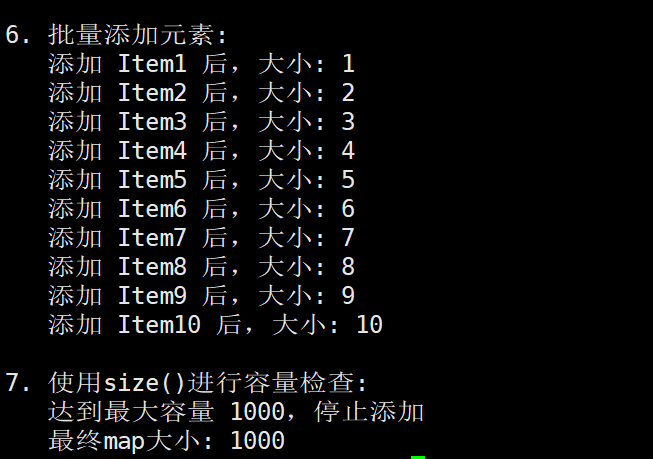
}
1.4.map的元素访问接口
- operator\[\]
核心作用:
-
通过键(key)访问或修改对应的值(value)
-
但有一个极其重要的特性 :如果键不存在,会自动插入新键值对
详细行为:
-
当键存在时 → 返回对应的值引用(可读取或修改)
-
当键不存在时 → 自动创建该键 ,并用值初始化(如 int 初始化为 0),然后返回这个新值的引用
特点:
-
✅ 既是访问器又是修改器:查找时可能改变 map 内容
-
❌ 不能在 const map 上使用:因为可能修改 map
-
⚡ 效率较高:一次操作完成查找+插入(如果需要)
-
⚠️ 可能意外插入:单纯想检查是否存在却可能添加新元素
特别注意:
- 参数是键(key),不是数字索引
- 如果键不存在,会自动插入一个新的键值对
- 值会被值初始化(对于内置类型是0,类类型是默认构造)
详细行为:
当键存在时:
cpp
// 概念示例
map<string, int> scores = {{"Alice", 95}};
int score = scores["Alice"];  // 返回 95,键已存在
当键不存在时:
cpp
// 概念示例
map<string, int> scores = {{"Alice", 95}};
int score = scores["Bob"];  // 键"Bob"不存在!
// 这里会自动插入 {"Bob", 0},然后返回 0
// scores 现在包含:{"Alice", 95}, {"Bob", 0}
我们现在直接看例子
cpp
#include <iostream>
#include <map>
#include <string>

int main() {
    std::cout << "=== std::map::operator[] 方法示例 ===\n" << std::endl;

    std::map<std::string, int> wordCount;

    /***************************************************************
     * 情况1:访问已存在的键
     ***************************************************************/
    std::cout << "1. 访问已存在的键:" << std::endl;

    wordCount["apple"] = 5;
    wordCount["banana"] = 3;

    std::cout << "   apple 计数: " << wordCount["apple"] << std::endl;   // 输出: 5
    std::cout << "   banana 计数: " << wordCount["banana"] << std::endl; // 输出: 3

    /***************************************************************
     * 情况2:访问不存在的键(自动创建)
     * 注意:这是 operator[] 的重要特性!
     ***************************************************************/
    std::cout << "\n2. 访问不存在的键(自动创建):" << std::endl;

    std::cout << "   访问前 map 大小: " << wordCount.size() << std::endl; // 2

    // 访问不存在的键,会插入新元素(值为默认构造,int为0)
    int cherryCount = wordCount["cherry"];

    std::cout << "   cherry 计数: " << cherryCount << std::endl;          // 输出: 0
    std::cout << "   访问后 map 大小: " << wordCount.size() << std::endl; // 3

    /***************************************************************
     * 情况3:修改已存在的值
     ***************************************************************/
    std::cout << "\n3. 修改已存在的值:" << std::endl;

    wordCount["apple"] = 10;  // 修改已存在的键的值
    wordCount["banana"]++;    // 递增操作

    std::cout << "   修改后 apple 计数: " << wordCount["apple"] << std::endl;   // 10
    std::cout << "   修改后 banana 计数: " << wordCount["banana"] << std::endl; // 4

    /***************************************************************
     * 情况4:链式赋值
     ***************************************************************/
    std::cout << "\n4. 链式赋值:" << std::endl;

    std::map<int, std::string> students;

    // 链式赋值
    students[1001] = "Alice";
    students[1002] = "Bob";
    students[1003] = students[1001] + " Smith";  // 使用已有值

    for (const auto& pair : students) {
        std::cout << "   学号: " << pair.first << " -> 姓名: " << pair.second << std::endl;
    }

    /***************************************************************
     * 情况5:复杂的键类型
     ***************************************************************/
    std::cout << "\n5. 复杂类型作为键:" << std::endl;

    std::map<std::string, std::map<std::string, int>> nestedMap;

    // 使用 operator[] 创建嵌套结构
    nestedMap["fruits"]["apple"] = 5;
    nestedMap["fruits"]["banana"] = 3;
    nestedMap["vegetables"]["carrot"] = 8;

    std::cout << "   嵌套 map 结构:" << std::endl;
    for (const auto& category : nestedMap) {
        std::cout << "   类别: " << category.first << std::endl;
        for (const auto& item : category.second) {
            std::cout << "     " << item.first << ": " << item.second << std::endl;
        }
    }

    /***************************************************************
     * 重要注意事项
     ***************************************************************/
    std::cout << "\n6. 重要注意事项:" << std::endl;

    // 问题:意外创建键值对
    std::map<std::string, int> scores;

    // 检查学生是否有分数
    if (scores["Tom"] == 0) {
        // 这里有问题!实际上创建了 "Tom": 0 的键值对
        std::cout << "   Tom 的分数是 0" << std::endl;
    }

    std::cout << "   意外创建的 map 大小: " << scores.size() << std::endl; // 输出: 1

    // 正确做法:先用 find() 检查是否存在
    auto it = scores.find("Jerry");
    if (it == scores.end()) {
        std::cout << "   Jerry 没有分数记录(没有意外创建键值对)" << std::endl;
    } else {
        std::cout << "   Jerry 的分数: " << it->second << std::endl;
    }

    std::cout << "   使用 find() 后的 map 大小: " << scores.size() << std::endl; // 仍然是 1

    return 0;
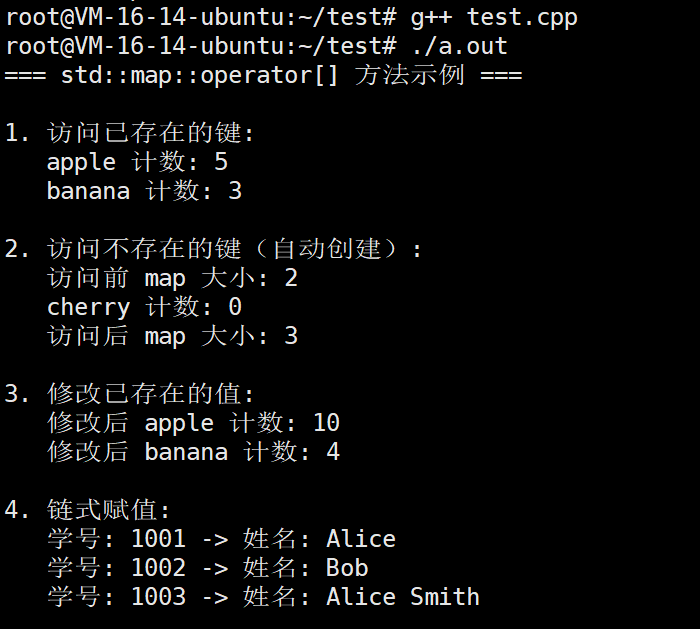
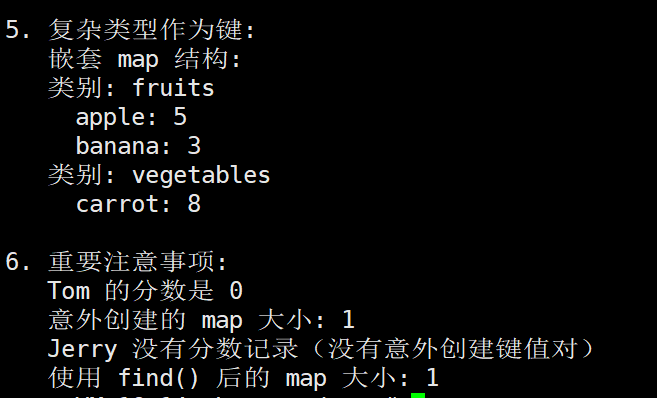
}
核心作用:
-
通过键(key)安全地访问对应的值(value)
-
严格只读访问:不会修改 map 内容
详细行为:
-
当键存在时 → 返回对应的值引用(可读取或修改值本身)
-
当键不存在时 → 抛出 std::out_of_range 异常
特点:
-
✅ 纯访问器:保证不改变 map 的键结构
-
✅ 可用于 const map:有 const 版本
-
⚠️ 需要异常处理:访问前需确保键存在或捕获异常
-
🔍 行为可预测:要么成功访问,要么抛出异常
cpp
#include <iostream>
#include <map>
#include <string>
#include <stdexcept>
#include<vector>
int main() {
    std::cout << "=== std::map::at() 方法示例 ===\n" << std::endl;

    std::map<std::string, int> inventory;

    // 添加一些库存
    inventory["apple"] = 50;
    inventory["banana"] = 30;
    inventory["orange"] = 40;

    /***************************************************************
     * 情况1:访问已存在的键
     ***************************************************************/
    std::cout << "1. 访问已存在的键:" << std::endl;

    try {
        std::cout << "   apple 库存: " << inventory.at("apple") << std::endl;   // 50
        std::cout << "   banana 库存: " << inventory.at("banana") << std::endl; // 30
        std::cout << "   orange 库存: " << inventory.at("orange") << std::endl; // 40
    } catch (const std::out_of_range& e) {
        std::cout << "   异常: " << e.what() << std::endl;
    }

    /***************************************************************
     * 情况2:访问不存在的键(抛出异常)
     ***************************************************************/
    std::cout << "\n2. 访问不存在的键(抛出异常):" << std::endl;

    try {
        int grapeStock = inventory.at("grape");  // 键不存在!
        std::cout << "   grape 库存: " << grapeStock << std::endl;
    } catch (const std::out_of_range& e) {
        std::cout << "   捕获到异常: " << e.what() << std::endl;
        std::cout << "   grape 不在库存中" << std::endl;
    }

    /***************************************************************
     * 情况3:安全的数据访问模式
     ***************************************************************/
    std::cout << "\n3. 安全的数据访问模式:" << std::endl;

    auto safeGetStock = [&](const std::string& item) -> std::string {
        try {
            int stock = inventory.at(item);
            return std::to_string(stock);
        } catch (const std::out_of_range&) {
            return "未找到";
        }
    };

    std::cout << "   apple 库存: " << safeGetStock("apple") << std::endl;
    std::cout << "   grape 库存: " << safeGetStock("grape") << std::endl;
    std::cout << "   banana 库存: " << safeGetStock("banana") << std::endl;

    /***************************************************************
     * 情况4:使用 at() 修改已存在的值
     ***************************************************************/
    std::cout << "\n4. 使用 at() 修改已存在的值:" << std::endl;

    try {
        // 修改已存在的键的值
        inventory.at("apple") = 60;  // 修改为60
        inventory.at("banana") += 10; // 增加10

        std::cout << "   修改后 apple 库存: " << inventory.at("apple") << std::endl;   // 60
        std::cout << "   修改后 banana 库存: " << inventory.at("banana") << std::endl; // 40
    } catch (const std::out_of_range& e) {
        std::cout << "   修改时出错: " << e.what() << std::endl;
    }

    /***************************************************************
     * 情况5:const map 只能使用 at()
     ***************************************************************/
    std::cout << "\n5. const map 只能使用 at():" << std::endl;

    const std::map<std::string, int> constInventory = {
        {"book", 100},
        {"pen", 200},
        {"pencil", 150}
    };

    // 对于 const map,operator[] 不可用
    // constInventory["book"] = 50;  // 编译错误!

    // 只能使用 at() 进行只读访问
    try {
        std::cout << "   const map 中 book 的数量: " << constInventory.at("book") << std::endl;
        std::cout << "   const map 中 pen 的数量: " << constInventory.at("pen") << std::endl;
    } catch (const std::out_of_range& e) {
        std::cout << "   异常: " << e.what() << std::endl;
    }

    /***************************************************************
     * 情况6:异常处理的完整示例
     ***************************************************************/
    std::cout << "\n6. 异常处理的完整示例:" << std::endl;

    std::map<int, std::string> employeeDatabase = {
        {101, "Alice"},
        {102, "Bob"},
        {103, "Charlie"}
    };

    // 用户输入要查询的员工ID
    std::vector<int> queries = {101, 105, 102, 999};  // 包含不存在的ID

    for (int id : queries) {
        try {
            std::string name = employeeDatabase.at(id);
            std::cout << "   员工ID " << id << ": " << name << std::endl;
        } catch (const std::out_of_range&) {
            std::cout << "   错误: 员工ID " << id << " 不存在" << std::endl;
        }
    }

    /***************************************************************
     * 情况7:性能对比示例
     ***************************************************************/
    std::cout << "\n7. 性能考虑:" << std::endl;

    // 在实际应用中,at() 比 operator[] 稍慢,但更安全
    std::cout << "   at() 进行边界检查,更安全但稍慢" << std::endl;
    std::cout << "   operator[] 不检查边界,更快但可能意外创建元素" << std::endl;
    std::cout << std::endl;

    // 推荐的使用场景
    std::cout << "推荐的使用场景:" << std::endl;
    std::cout << "  1. 已知键一定存在 -> 使用 operator[]" << std::endl;
    std::cout << "  2. 键可能不存在,需要安全处理 -> 使用 at() 或 find()" << std::endl;
    std::cout << "  3. 需要处理 const map -> 使用 at()" << std::endl;
    std::cout << "  4. 避免意外创建元素 -> 使用 find() 或 at()" << std::endl;

    return 0;
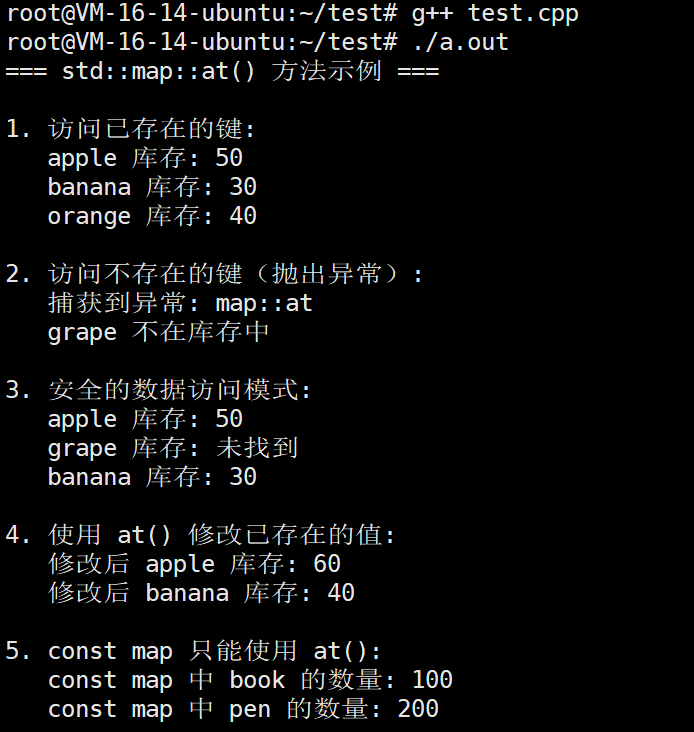
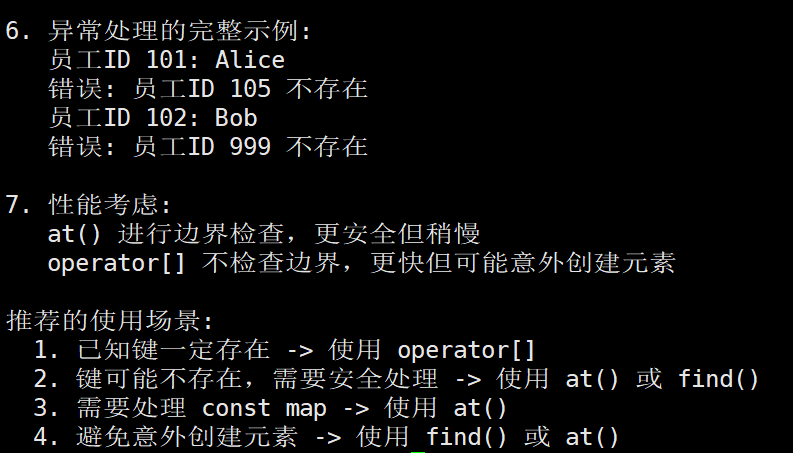
}
1.5.map的元素修改操作
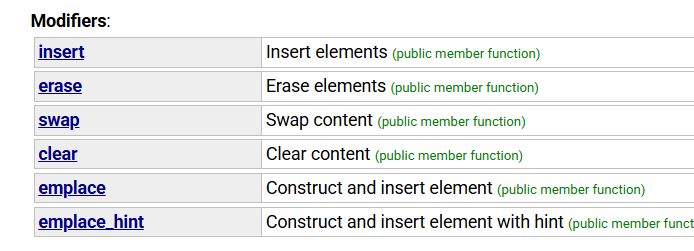
1.5.1. insert(插入)
作用:向 map 中插入一个或多个键值对
使用场景:
-
插入单个键值对(不覆盖已存在的键)
-
插入来自另一个 map 的部分或全部键值对
-
插入初始化列表中的多个键值对
特点:
-
如果键已存在,插入操作不会覆盖原有值,而是保持原值不变
-
返回一个
pair<iterator, bool>,其中:-
first:指向插入位置的迭代器 -
second:是否插入成功(true=成功,false=键已存在)
-
示例用途:
cpp
// 概念示例
map<string, int> scores{{"Alice", 95}};
auto result = scores.insert({"Bob", 88});  // 插入成功
auto result2 = scores.insert({"Alice", 100});  // 失败,Alice保持95分
话不多说,我们直接看例子
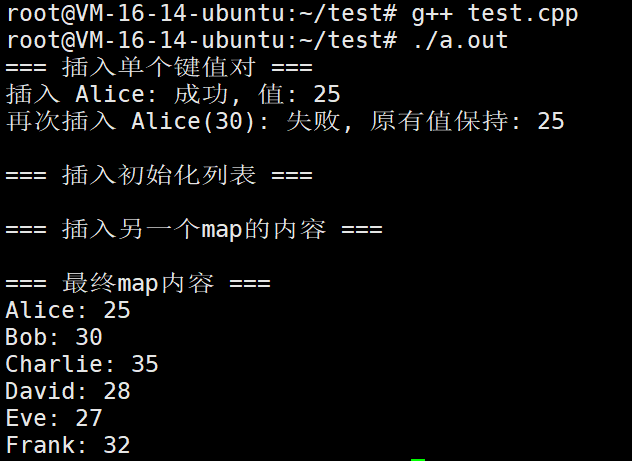
cpp
#include <iostream>
#include <map>
#include <string>

int main() {
    // 创建一个空的 map
    std::map<std::string, int> ageMap;

    // 1. 插入单个键值对(不覆盖已存在的键)
    std::cout << "=== 插入单个键值对 ===\n";

    // 第一次插入 "Alice",应该成功
    auto result1 = ageMap.insert({"Alice", 25});
    std::cout << "插入 Alice: " << (result1.second ? "成功" : "失败")
              << ", 值: " << result1.first->second << std::endl;

    // 尝试再次插入 "Alice"(不同的值),不会覆盖,应该失败
    auto result2 = ageMap.insert({"Alice", 30});
    std::cout << "再次插入 Alice(30): " << (result2.second ? "成功" : "失败")
              << ", 原有值保持: " << ageMap["Alice"] << std::endl;

    // 2. 插入初始化列表中的多个键值对
    std::cout << "\n=== 插入初始化列表 ===\n";
    ageMap.insert({
        {"Bob", 30},
        {"Charlie", 35},
        {"David", 28}
    });

    // 3. 插入来自另一个map的内容
    std::cout << "\n=== 插入另一个map的内容 ===\n";
    std::map<std::string, int> otherMap = {
        {"Eve", 27},
        {"Frank", 32},
        {"Alice", 40}  // 这个不会覆盖原有的Alice
    };

    ageMap.insert(otherMap.begin(), otherMap.end());

    // 显示最终结果
    std::cout << "\n=== 最终map内容 ===\n";
    for (const auto& pair : ageMap) {
        std::cout << pair.first << ": " << pair.second << std::endl;
    }

    return 0;
}
1.5.2. erase(删除)
作用:从 map 中删除一个或多个元素
使用场景:
-
通过迭代器删除单个元素
-
通过键值(key)删除对应的键值对
-
删除一定范围内的多个元素
注意:
-
删除元素后,被删除元素的迭代器失效
-
通过键删除时,如果键不存在,则什么也不做
-
对于 map,删除操作是 O(log n) 时间复杂度
cpp
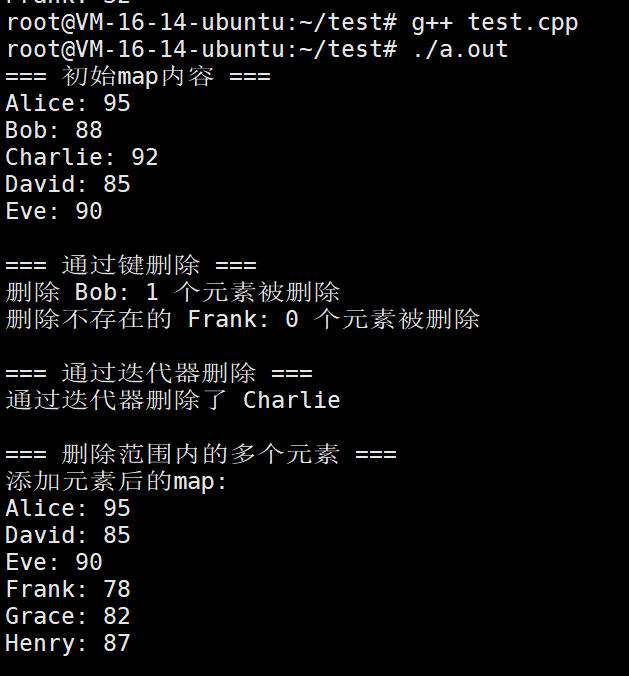
#include <iostream>
#include <map>
#include <string>

int main() {
    // 创建一个map并初始化
    std::map<std::string, int> scores = {
        {"Alice", 95},
        {"Bob", 88},
        {"Charlie", 92},
        {"David", 85},
        {"Eve", 90}
    };

    std::cout << "=== 初始map内容 ===\n";
    for (const auto& pair : scores) {
        std::cout << pair.first << ": " << pair.second << std::endl;
    }

    // 1. 通过键值(key)删除对应的键值对
    std::cout << "\n=== 通过键删除 ===\n";

    // 删除存在的键
    size_t count1 = scores.erase("Bob");
    std::cout << "删除 Bob: " << count1 << " 个元素被删除" << std::endl;

    // 删除不存在的键(什么也不做)
    size_t count2 = scores.erase("Frank");
    std::cout << "删除不存在的 Frank: " << count2 << " 个元素被删除" << std::endl;

    // 2. 通过迭代器删除单个元素
    std::cout << "\n=== 通过迭代器删除 ===\n";

    // 查找 "Charlie" 的迭代器
    auto it = scores.find("Charlie");
    if (it != scores.end()) {
        scores.erase(it);  // 通过迭代器删除
        std::cout << "通过迭代器删除了 Charlie" << std::endl;
    }

    // 3. 删除一定范围内的多个元素
    std::cout << "\n=== 删除范围内的多个元素 ===\n";

    // 先添加一些元素以便演示范围删除
    scores.insert({{"Frank", 78}, {"Grace", 82}, {"Henry", 87}});

    std::cout << "添加元素后的map:\n";
    for (const auto& pair : scores) {
        std::cout << pair.first << ": " << pair.second << std::endl;
    }

    // 获取第一个要删除的位置
    auto first = scores.find("David");
    // 获取最后一个要删除的位置(不包括)
    auto last = scores.find("Henry");  // Henry不会被删除

    if (first != scores.end() && last != scores.end()) {
        // 删除从 first 到 last(不包括 last)的所有元素
        scores.erase(first, last);
        std::cout << "\n删除了从 David 到(不包括)Henry 的所有元素" << std::endl;
    }

    // 4. 迭代器失效的演示
    std::cout << "\n=== 迭代器失效演示 ===\n";

    scores.clear();  // 清空map
    scores = {{"A", 1}, {"B", 2}, {"C", 3}, {"D", 4}};

    auto it1 = scores.find("B");
    auto it2 = scores.find("C");

    std::cout << "删除前: it1->" << it1->first << ", it2->" << it2->first << std::endl;

    // 删除it1指向的元素
    scores.erase(it1);

    // it1 现在已失效,不能使用!
    // std::cout << it1->first << std::endl;  // 错误!未定义行为

    // it2 仍然有效(如果它指向的元素没有被删除)
    std::cout << "删除后: it2->" << it2->first << std::endl;

    // 5. 显示最终结果
    std::cout << "\n=== 最终map内容 ===\n";
    for (const auto& pair : scores) {
        std::cout << pair.first << ": " << pair.second << std::endl;
    }

    return 0;
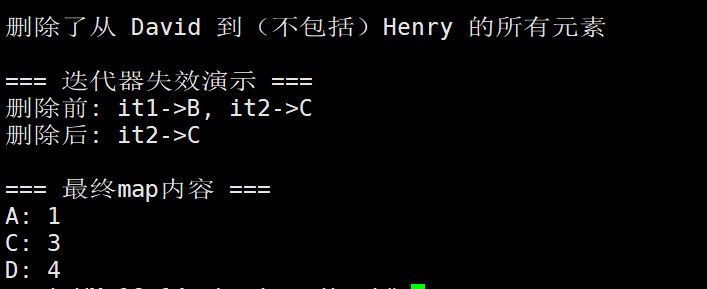
}
1.5.3. swap(交换)
作用:交换两个 map 的所有内容
使用场景:
-
快速交换两个 map 的所有键值对
-
实现高效的容器内容转移
特点:
-
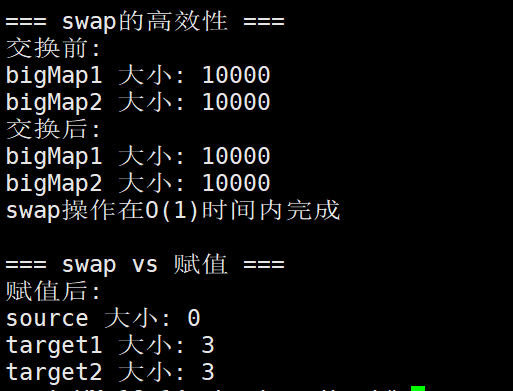
非常高效,只交换内部指针,不复制元素
-
两个 map 的类型必须完全相同(包括比较器和分配器)
-
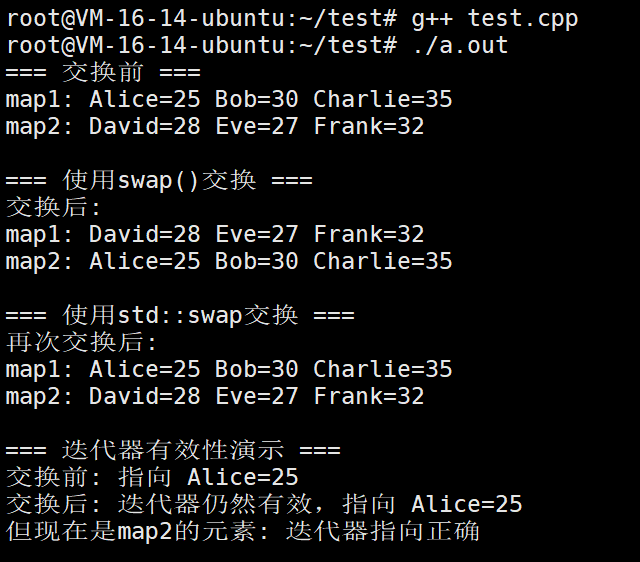
交换后,原来指向元素的迭代器、指针和引用在另一个容器中仍然有效
直接看例子
cpp
#include <iostream>
#include <map>
#include <string>

int main() {
    // 创建两个map
    std::map<std::string, int> map1 = {
        {"Alice", 25},
        {"Bob", 30},
        {"Charlie", 35}
    };

    std::map<std::string, int> map2 = {
        {"David", 28},
        {"Eve", 27},
        {"Frank", 32}
    };

    // 显示交换前的内容
    std::cout << "=== 交换前 ===\n";
    std::cout << "map1: ";
    for (const auto& pair : map1) {
        std::cout << pair.first << "=" << pair.second << " ";
    }
    std::cout << "\nmap2: ";
    for (const auto& pair : map2) {
        std::cout << pair.first << "=" << pair.second << " ";
    }
    std::cout << "\n";

    // 1. 使用swap成员函数交换两个map
    std::cout << "\n=== 使用swap()交换 ===\n";

    map1.swap(map2);

    std::cout << "交换后:\n";
    std::cout << "map1: ";
    for (const auto& pair : map1) {
        std::cout << pair.first << "=" << pair.second << " ";
    }
    std::cout << "\nmap2: ";
    for (const auto& pair : map2) {
        std::cout << pair.first << "=" << pair.second << " ";
    }
    std::cout << "\n";

    // 2. 使用std::swap函数模板交换两个map
    std::cout << "\n=== 使用std::swap交换 ===\n";

    std::swap(map1, map2);

    std::cout << "再次交换后:\n";
    std::cout << "map1: ";
    for (const auto& pair : map1) {
        std::cout << pair.first << "=" << pair.second << " ";
    }
    std::cout << "\nmap2: ";
    for (const auto& pair : map2) {
        std::cout << pair.first << "=" << pair.second << " ";
    }
    std::cout << "\n";

    // 3. 迭代器有效性演示
    std::cout << "\n=== 迭代器有效性演示 ===\n";

    // 获取map1中"Alice"的迭代器
    auto it = map1.find("Alice");
    if (it != map1.end()) {
        std::cout << "交换前: 指向 " << it->first << "=" << it->second << std::endl;

        // 交换map1和map2
        map1.swap(map2);

        // 注意:it仍然指向原来的元素"Alice",但现在在map2中
        // 因为swap只交换内部数据结构,不重新分配元素内存
        std::cout << "交换后: 迭代器仍然有效,指向 " << it->first << "=" << it->second << std::endl;
        std::cout << "但现在是map2的元素: ";

        // 验证it现在指向的是map2中的元素
        auto it2 = map2.find("Alice");
        if (it2 != map2.end() && it == it2) {
            std::cout << "迭代器指向正确\n";
        }
    }

    // 4. 高效性演示
    std::cout << "\n=== swap的高效性 ===\n";

    std::map<std::string, int> bigMap1, bigMap2;

    // 向bigMap1添加大量元素
    for (int i = 0; i < 10000; ++i) {
        bigMap1[std::to_string(i)] = i;
    }

    // 向bigMap2添加大量元素
    for (int i = 0; i < 10000; ++i) {
        bigMap2[std::to_string(i + 10000)] = i + 10000;
    }

    std::cout << "交换前:\n";
    std::cout << "bigMap1 大小: " << bigMap1.size() << std::endl;
    std::cout << "bigMap2 大小: " << bigMap2.size() << std::endl;

    // swap非常高效,只交换内部指针,不复制元素
    bigMap1.swap(bigMap2);

    std::cout << "交换后:\n";
    std::cout << "bigMap1 大小: " << bigMap1.size() << std::endl;
    std::cout << "bigMap2 大小: " << bigMap2.size() << std::endl;
    std::cout << "swap操作在O(1)时间内完成\n";

    // 5. 与赋值操作对比
    std::cout << "\n=== swap vs 赋值 ===\n";

    std::map<std::string, int> source = {{"A", 1}, {"B", 2}, {"C", 3}};
    std::map<std::string, int> target1, target2;

    // 方法1: 使用赋值(需要复制所有元素)
    target1 = source;

    // 方法2: 使用swap(高效)
    target2.swap(source);  // source现在为空,target2获得所有元素

    std::cout << "赋值后:\n";
    std::cout << "source 大小: " << source.size() << std::endl;  // 0
    std::cout << "target1 大小: " << target1.size() << std::endl; // 3
    std::cout << "target2 大小: " << target2.size() << std::endl; // 3

    return 0;
}
1.5.4. clear(清空)
作用:清空 map 中的所有元素
使用场景:
-
重置 map 以便重新使用
-
释放 map 中所有元素占用的内存
注意:
-
clear()后size()返回 0 -
map 的内部结构(如红黑树的节点)会被完全释放
-
与 vector 不同,map 的
clear()通常会释放所有内存
cpp
#include <iostream>
#include <map>
#include <string>
#include <memory>  // 为了演示内存管理

// 一个简单的类,用于演示析构函数调用
class Resource {
public:
    Resource(int id, const std::string& name) : id(id), name(name) {
        std::cout << "Resource " << id << " (" << name << ") 被创建\n";
    }

    ~Resource() {
        std::cout << "Resource " << id << " (" << name << ") 被销毁\n";
    }

    // 禁止拷贝,允许移动
    Resource(const Resource&) = delete;
    Resource& operator=(const Resource&) = delete;

    Resource(Resource&&) = default;
    Resource& operator=(Resource&&) = default;

private:
    int id;
    std::string name;
};

int main() {
    std::cout << "=== 基本clear操作 ===\n";

    std::map<int, std::string> studentMap = {
        {101, "Alice"},
        {102, "Bob"},
        {103, "Charlie"},
        {104, "David"}
    };

    std::cout << "clear前:\n";
    std::cout << "大小: " << studentMap.size() << std::endl;
    std::cout << "是否为空: " << (studentMap.empty() ? "是" : "否") << std::endl;
    std::cout << "内容:\n";
    for (const auto& pair : studentMap) {
        std::cout << "  " << pair.first << ": " << pair.second << std::endl;
    }

    // 使用clear清空map
    studentMap.clear();

    std::cout << "\nclear后:\n";
    std::cout << "大小: " << studentMap.size() << std::endl;
    std::cout << "是否为空: " << (studentMap.empty() ? "是" : "否") << std::endl;
    std::cout << "内容: ";
    if (studentMap.empty()) {
        std::cout << "map为空\n";
    }

    // 2. clear后可以重新使用
    std::cout << "\n=== clear后重新使用 ===\n";
    studentMap[201] = "Emma";
    studentMap[202] = "Frank";
    studentMap[203] = "Grace";

    std::cout << "重新添加元素后:\n";
    std::cout << "大小: " << studentMap.size() << std::endl;
    for (const auto& pair : studentMap) {
        std::cout << "  " << pair.first << ": " << pair.second << std::endl;
    }

    // 3. 演示clear调用元素的析构函数
    std::cout << "\n=== clear调用析构函数 ===\n";
    {
        std::map<int, Resource> resourceMap;

        // 使用emplace避免拷贝
        resourceMap.emplace(1, Resource(1, "文件句柄"));
        resourceMap.emplace(2, Resource(2, "网络连接"));
        resourceMap.emplace(3, Resource(3, "数据库连接"));

        std::cout << "\n准备调用clear...\n";
        // clear会调用所有元素的析构函数
        resourceMap.clear();
        std::cout << "clear完成\n";
    }

    // 4. 与swap清空方式的对比
    std::cout << "\n=== clear vs swap清空 ===\n";

    std::map<int, int> map1, map2;

    // 填充数据
    for (int i = 0; i < 5; ++i) {
        map1[i] = i * 10;
        map2[i + 10] = i * 100;
    }

    std::cout << "map1初始大小: " << map1.size() << std::endl;
    std::cout << "map2初始大小: " << map2.size() << std::endl;

    // 方法1: 使用clear清空
    map1.clear();
    std::cout << "clear后map1大小: " << map1.size() << std::endl;

    // 方法2: 使用swap清空(有时能更好地释放内存)
    std::map<int, int> temp;
    map2.swap(temp);  // 将map2的内容交换到临时map,临时map离开作用域后自动释放
    std::cout << "swap后map2大小: " << map2.size() << std::endl;

    // 5. clear对迭代器的影响
    std::cout << "\n=== clear对迭代器的影响 ===\n";

    std::map<char, int> charMap = {
        {'A', 1},
        {'B', 2},
        {'C', 3}
    };

    // 获取迭代器
    auto it = charMap.find('B');
    if (it != charMap.end()) {
        std::cout << "clear前迭代器指向: " << it->first << " = " << it->second << std::endl;
    }

    // 清空map
    charMap.clear();

    // 迭代器现在失效了!不要使用它
    // std::cout << it->first << std::endl;  // 错误!未定义行为

    std::cout << "clear后迭代器已失效\n";

    // 6. clear与内存使用
    std::cout << "\n=== clear与内存使用 ===\n";

    // 创建一个大的map
    std::map<int, std::string> largeMap;
    for (int i = 0; i < 1000; ++i) {
        largeMap[i] = "这是一个很长的字符串用于演示内存使用 " + std::to_string(i);
    }

    std::cout << "添加1000个元素后大小: " << largeMap.size() << std::endl;

    // clear会释放元素的内存,但可能保留map的内部结构(如红黑树节点)
    largeMap.clear();
    std::cout << "clear后大小: " << largeMap.size() << std::endl;

    // 如果需要完全释放内存(包括内部结构),可以使用swap技巧
    std::cout << "\n如果需要完全释放内存(包括内部结构):\n";
    std::map<int, std::string> anotherLargeMap;
    for (int i = 0; i < 1000; ++i) {
        anotherLargeMap[i] = "另一个很长的字符串 " + std::to_string(i);
    }

    std::cout << "anotherLargeMap大小: " << anotherLargeMap.size() << std::endl;

    // 使用swap技巧完全释放内存
    std::map<int, std::string>().swap(anotherLargeMap);
    std::cout << "swap清空后anotherLargeMap大小: " << anotherLargeMap.size() << std::endl;

    return 0;
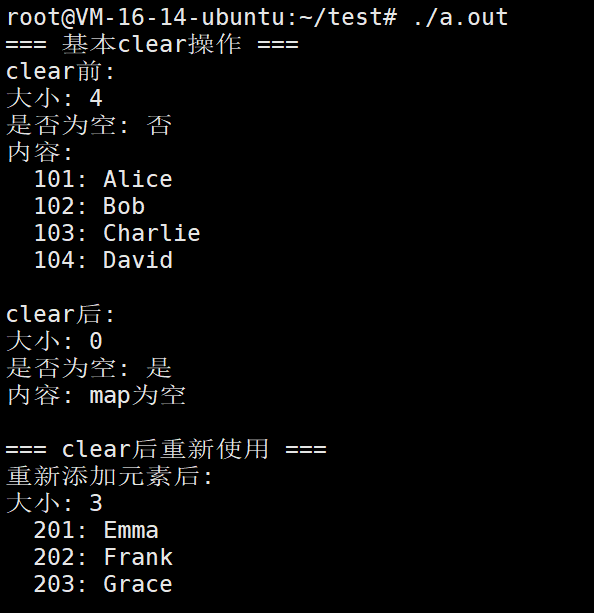
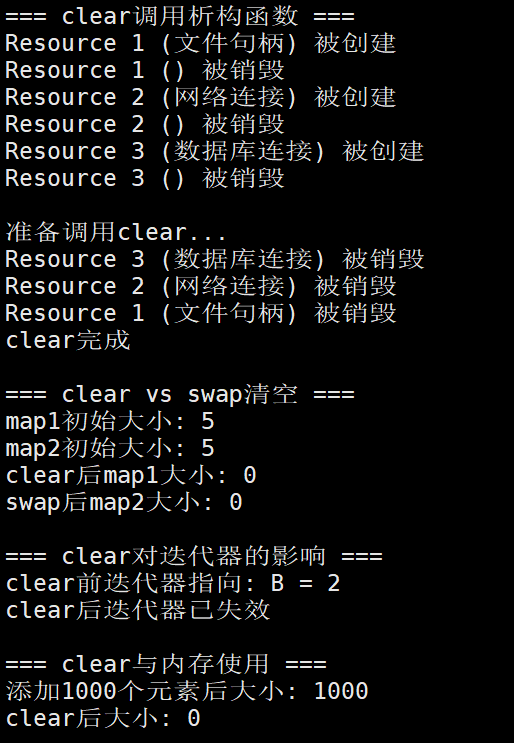
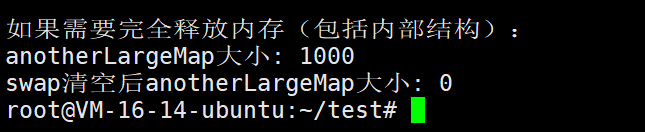
}
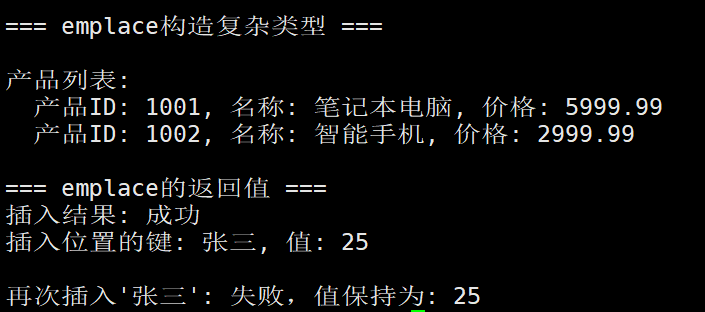
1.5.5. emplace(C++11新增)
作用:在 map 内直接构造一个键值对,避免不必要的拷贝
使用场景:
-
当键或值的构造代价较高时
-
直接在 map 内部构造元素,无需先创建临时 pair 再插入
特点:
-
参数是构造键值对所需的参数(分别对应键和值的构造函数参数)
-
行为与
insert类似:键已存在时不插入 -
比
insert(make_pair(...))更高效,特别是对于不可拷贝或移动成本高的类型
示例:
cpp
// 概念示例
map<string, complex> data;
// 直接在map内构造string和complex对象,避免临时对象的创建和拷贝
data.emplace("point1", 1.0, 2.0, 3.0);  // 假设complex有构造函数(1.0, 2.0, 3.0)
话不多说,我们直接看例子
cpp
#include <iostream>
#include <map>
#include <string>

// 一个构造和复制代价较高的类
class HeavyObject {
public:
    HeavyObject(int id, const std::string& name) : id(id), name(name) {
        std::cout << "构造 HeavyObject " << id << ": " << name << " (代价较高)\n";
    }

    // 拷贝构造函数
    HeavyObject(const HeavyObject& other) : id(other.id), name(other.name) {
        std::cout << "拷贝 HeavyObject " << id << " (高代价)\n";
    }

    // 移动构造函数
    HeavyObject(HeavyObject&& other) noexcept : id(other.id), name(std::move(other.name)) {
        std::cout << "移动 HeavyObject " << id << "\n";
    }

private:
    int id;
    std::string name;
};

int main() {
    std::cout << "=== emplace基本用法 ===\n";

    std::map<int, std::string> map1;

    // 使用emplace直接构造键值对
    auto result1 = map1.emplace(101, "Alice");
    std::cout << "插入 (101, \"Alice\"): "
              << (result1.second ? "成功" : "失败") << "\n";

    auto result2 = map1.emplace(102, "Bob");
    std::cout << "插入 (102, \"Bob\"): "
              << (result2.second ? "成功" : "失败") << "\n";

    // 尝试插入已存在的键(不会覆盖)
    auto result3 = map1.emplace(101, "Charlie");
    std::cout << "再次插入 (101, \"Charlie\"): "
              << (result3.second ? "成功" : "失败")
              << ",实际值仍然是: " << map1[101] << "\n";

    std::cout << "\n最终内容:\n";
    for (const auto& pair : map1) {
        std::cout << "  " << pair.first << ": " << pair.second << "\n";
    }

    std::cout << "\n=== emplace vs insert 性能对比 ===\n";

    std::map<int, HeavyObject> map2, map3;

    std::cout << "\n使用insert插入(需要临时对象):\n";
    // insert需要先创建pair,可能涉及拷贝
    map2.insert(std::make_pair(1, HeavyObject(1, "Object1")));

    std::cout << "\n使用emplace插入(直接在map中构造):\n";
    // emplace直接在map中构造元素,避免额外拷贝
    map3.emplace(1, HeavyObject(1, "Object1"));

    std::cout << "\n=== emplace构造复杂类型 ===\n";

    // 使用emplace构造包含pair的值
    std::map<int, std::pair<std::string, double>> productMap;

    // 方式1: 直接传递构造参数
    productMap.emplace(1001, std::make_pair("笔记本电脑", 5999.99));

    // 方式2: 使用piecewise_construct(避免临时pair)
    productMap.emplace(
        std::piecewise_construct,
        std::forward_as_tuple(1002),  // 键的构造参数
        std::forward_as_tuple("智能手机", 2999.99)  // 值的构造参数
    );

    std::cout << "\n产品列表:\n";
    for (const auto& pair : productMap) {
        std::cout << "  产品ID: " << pair.first
                  << ", 名称: " << pair.second.first
                  << ", 价格: " << pair.second.second << "\n";
    }

    std::cout << "\n=== emplace的返回值 ===\n";

    std::map<std::string, int> ageMap;

    // emplace返回pair<iterator, bool>
    auto result = ageMap.emplace("张三", 25);

    std::cout << "插入结果: " << (result.second ? "成功" : "失败") << "\n";
    std::cout << "插入位置的键: " << result.first->first
              << ", 值: " << result.first->second << "\n";

    // 再次插入相同键
    auto result_again = ageMap.emplace("张三", 30);
    std::cout << "\n再次插入'张三': "
              << (result_again.second ? "成功" : "失败")
              << ",值保持为: " << ageMap["张三"] << "\n";

    return 0;
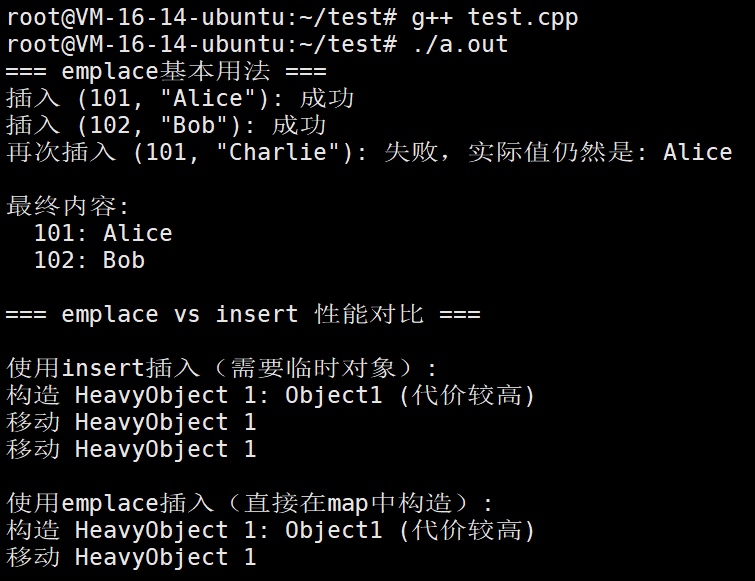
}
1.5.6. emplace_hint(C++11新增)
作用 :与 emplace 类似,但提供一个"提示"位置
使用场景:
-
当你大致知道新元素应该插入的位置时
-
优化插入性能,特别是当 map 很大时
特点:
-
提供提示位置(迭代器),容器会尝试在提示位置附近插入
-
正确的提示可以将插入操作从 O(log n) 优化到分摊 O(1)
-
如果提示不正确,容器会自动调整,不会出错
-
返回指向插入元素的迭代器(或已存在元素的迭代器)
示例:
cpp
// 概念示例
map<string, int> scores{{"Alice", 95}, {"Charlie", 88}};
auto hint = scores.find("Charlie");
// 提示在Charlie之后插入Bob
scores.emplace_hint(hint, "Bob", 92);
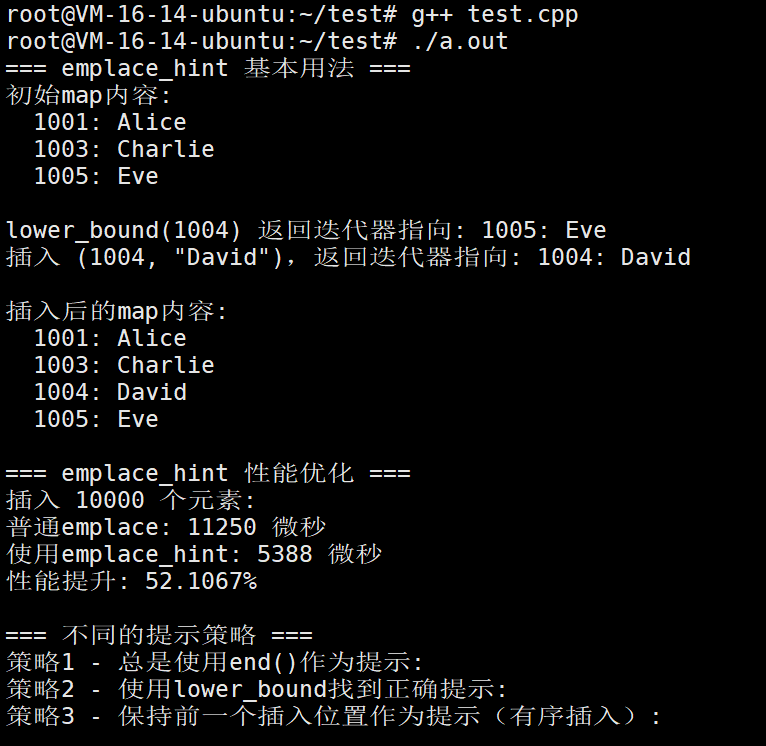
话不多说,我们直接看例子
cpp
#include <iostream>
#include <map>
#include <string>
#include <chrono>  // 用于计时
#include<vector>

int main() {
    std::cout << "=== emplace_hint 基本用法 ===\n";

    std::map<int, std::string> studentMap;

    // 先插入一些初始数据
    studentMap.emplace(1001, "Alice");
    studentMap.emplace(1003, "Charlie");
    studentMap.emplace(1005, "Eve");

    std::cout << "初始map内容:\n";
    for (const auto& pair : studentMap) {
        std::cout << "  " << pair.first << ": " << pair.second << "\n";
    }

    // 我们知道1004应该插入在1003和1005之间
    // 使用lower_bound找到合适的位置提示
    auto hint = studentMap.lower_bound(1004);

    std::cout << "\nlower_bound(1004) 返回迭代器指向: ";
    if (hint != studentMap.end()) {
        std::cout << hint->first << ": " << hint->second << "\n";
    } else {
        std::cout << "end()\n";
    }

    // 使用emplace_hint,提供位置提示
    auto result = studentMap.emplace_hint(hint, 1004, "David");
    std::cout << "插入 (1004, \"David\"),返回迭代器指向: "
              << result->first << ": " << result->second << "\n";

    std::cout << "\n插入后的map内容:\n";
    for (const auto& pair : studentMap) {
        std::cout << "  " << pair.first << ": " << pair.second << "\n";
    }

    // 2. 性能优化演示
    std::cout << "\n=== emplace_hint 性能优化 ===\n";

    // 创建两个相同的map进行比较
    std::map<int, std::string> mapWithoutHint;
    std::map<int, std::string> mapWithHint;

    const int NUM_ELEMENTS = 10000;

    // 方法1: 普通emplace(没有提示)
    auto start1 = std::chrono::high_resolution_clock::now();
    for (int i = 0; i < NUM_ELEMENTS; ++i) {
        mapWithoutHint.emplace(i, "Value" + std::to_string(i));
    }
    auto end1 = std::chrono::high_resolution_clock::now();
    auto duration1 = std::chrono::duration_cast<std::chrono::microseconds>(end1 - start1);

    // 方法2: 使用emplace_hint(正确提示)
    auto start2 = std::chrono::high_resolution_clock::now();
    auto hintIt = mapWithHint.end();  // 初始提示
    for (int i = 0; i < NUM_ELEMENTS; ++i) {
        // 对于有序插入,最佳的提示是上一个插入位置
        hintIt = mapWithHint.emplace_hint(hintIt, i, "Value" + std::to_string(i));
    }
    auto end2 = std::chrono::high_resolution_clock::now();
    auto duration2 = std::chrono::duration_cast<std::chrono::microseconds>(end2 - start2);

    std::cout << "插入 " << NUM_ELEMENTS << " 个元素:\n";
    std::cout << "普通emplace: " << duration1.count() << " 微秒\n";
    std::cout << "使用emplace_hint: " << duration2.count() << " 微秒\n";
    std::cout << "性能提升: "
              << (duration1.count() - duration2.count()) * 100.0 / duration1.count()
              << "%\n";

    // 3. 不同的提示策略
    std::cout << "\n=== 不同的提示策略 ===\n";

    std::map<int, std::string> mapStrategy1, mapStrategy2, mapStrategy3;

    // 策略1: 总是使用end()作为提示(最差情况)
    std::cout << "策略1 - 总是使用end()作为提示:\n";
    for (int i = 0; i < 10; ++i) {
        mapStrategy1.emplace_hint(mapStrategy1.end(), i, "S1_" + std::to_string(i));
    }

    // 策略2: 使用lower_bound找到正确提示(较好情况)
    std::cout << "策略2 - 使用lower_bound找到正确提示:\n";
    for (int i = 0; i < 10; ++i) {
        auto hint2 = mapStrategy2.lower_bound(i);
        mapStrategy2.emplace_hint(hint2, i, "S2_" + std::to_string(i));
    }

    // 策略3: 保持前一个插入位置作为提示(最优情况 - 有序插入)
    std::cout << "策略3 - 保持前一个插入位置作为提示(有序插入):\n";
    auto lastHint = mapStrategy3.end();
    for (int i = 0; i < 10; ++i) {
        lastHint = mapStrategy3.emplace_hint(lastHint, i, "S3_" + std::to_string(i));
    }

    std::cout << "\n三种策略结果相同: "
              << (mapStrategy1 == mapStrategy2 && mapStrategy2 == mapStrategy3 ? "是" : "否") << "\n";

    // 4. 错误提示的演示
    std::cout << "\n=== 错误提示的演示 ===\n";

    std::map<int, std::string> mapWithWrongHint = {{1, "A"}, {5, "E"}, {10, "J"}};

    // 故意给出错误提示
    auto wrongHint = mapWithWrongHint.find(5);  // 指向5
    std::cout << "错误提示指向: " << wrongHint->first << ": " << wrongHint->second << "\n";

    // 尝试插入3,但提示指向5(3应该在5前面)
    auto result2 = mapWithWrongHint.emplace_hint(wrongHint, 3, "C");
    std::cout << "插入 (3, \"C\") 使用错误提示\n";
    std::cout << "map自动调整,插入成功: "
              << result2->first << ": " << result2->second << "\n";

    std::cout << "\nmap内容(顺序正确):\n";
    for (const auto& pair : mapWithWrongHint) {
        std::cout << "  " << pair.first << ": " << pair.second << "\n";
    }

    // 5. 实际应用场景
    std::cout << "\n=== 实际应用场景 ===\n";

    // 场景:从文件中读取有序数据插入到map中
    std::map<int, std::string> database;

    // 模拟从文件读取有序数据
    std::vector<std::pair<int, std::string>> dataFromFile = {
        {101, "Record101"},
        {103, "Record103"},
        {105, "Record105"},
        {107, "Record107"},
        {109, "Record109"}
    };

    std::cout << "批量插入有序数据:\n";
    auto dbHint = database.end();

    for (const auto& record : dataFromFile) {
        dbHint = database.emplace_hint(dbHint, record.first, record.second);
        std::cout << "插入 " << record.first << ",提示位置: ";
        if (dbHint != database.end()) {
            std::cout << "新元素位置\n";
        }
    }

    // 现在插入一些中间的数据
    std::cout << "\n插入中间数据 (104 和 106):\n";

    // 104应该插入在103和105之间
    auto hint104 = database.lower_bound(104);
    database.emplace_hint(hint104, 104, "Record104");

    // 106应该插入在105和107之间
    auto hint106 = database.lower_bound(106);
    database.emplace_hint(hint106, 106, "Record106");

    std::cout << "\n最终数据库内容:\n";
    for (const auto& pair : database) {
        std::cout << "  " << pair.first << ": " << pair.second << "\n";
    }

    // 6. 与普通emplace的对比
    std::cout << "\n=== emplace_hint 与 emplace 对比 ===\n";

    std::map<int, std::string> mapA, mapB;

    std::cout << "对于已存在的键,两种方法行为相同:\n";

    mapA.emplace(1, "Apple");
    mapB.emplace(1, "Apple");

    // 尝试插入已存在的键
    auto hintA = mapA.find(1);  // 指向已存在的键
    auto resultA = mapA.emplace_hint(hintA, 1, "Orange");
    std::cout << "emplace_hint(1, \"Orange\"): 返回已存在元素,值保持为: "
              << resultA->second << "\n";

    auto resultB = mapB.emplace(1, "Orange");
    std::cout << "emplace(1, \"Orange\"): "
              << (resultB.second ? "成功" : "失败")
              << ",值保持为: " << resultB.first->second << "\n";

    return 0;
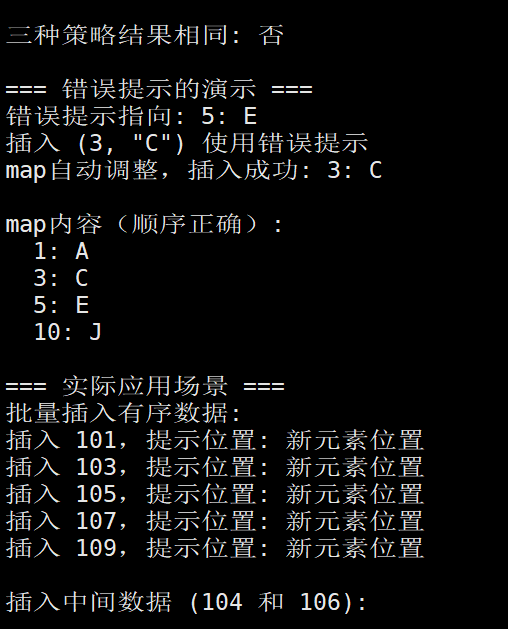
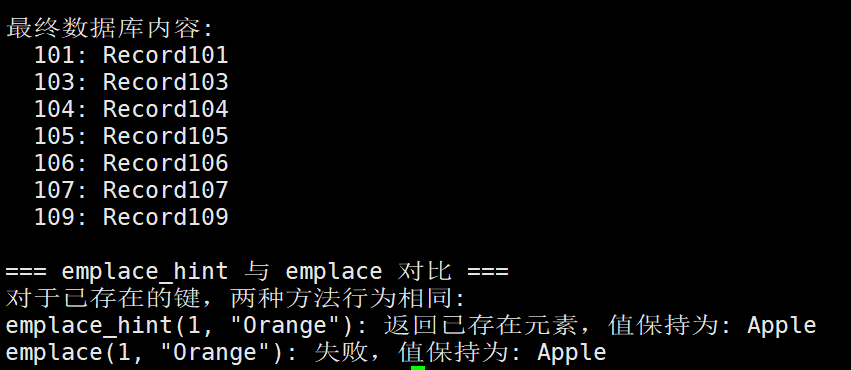
}
1.6.map的元素查找操作
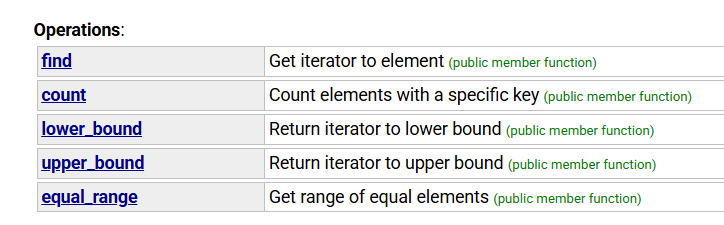
1.6.1.find
作用 :根据给定的键(key) 查找对应的元素,返回指向该元素的迭代器
特点:
-
如果找到,返回指向该键值对的迭代器
-
如果没找到,返回
end()迭代器 -
时间复杂度:O(log n)
-
不会修改 map,是纯查找操作
典型用途:
cpp
// 概念示例:安全地检查并访问元素
map<string, int> scores{{"Alice", 95}};
auto it = scores.find("Alice");
if (it != scores.end()) {
    // 找到了,可以访问 it->second
}
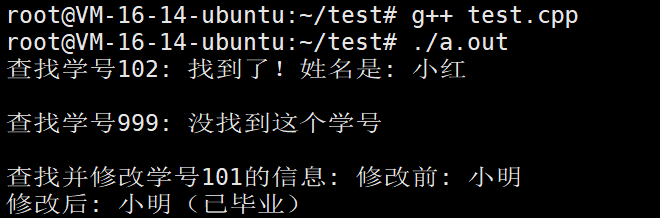
话不多说,直接看例子
cpp
#include <iostream>
#include <map>

int main() {
    // 创建一个学生map:学号 -> 姓名
    std::map<int, std::string> students = {
        {101, "小明"},
        {102, "小红"},
        {103, "小刚"}
    };

    // 1. 查找存在的学生
    std::cout << "查找学号102: ";
    auto it = students.find(102);
    if (it != students.end()) {
        std::cout << "找到了!姓名是: " << it->second << std::endl;
    } else {
        std::cout << "没找到这个学号" << std::endl;
    }

    // 2. 查找不存在的学生
    std::cout << "\n查找学号999: ";
    it = students.find(999);
    if (it != students.end()) {
        std::cout << "找到了!" << std::endl;
    } else {
        std::cout << "没找到这个学号" << std::endl;
    }

    // 3. 使用找到的数据
    std::cout << "\n查找并修改学号101的信息: ";
    it = students.find(101);
    if (it != students.end()) {
        std::cout << "修改前: " << it->second << std::endl;
        it->second = "小明(已毕业)";  // 修改值
        std::cout << "修改后: " << it->second << std::endl;
    }

    return 0;
}
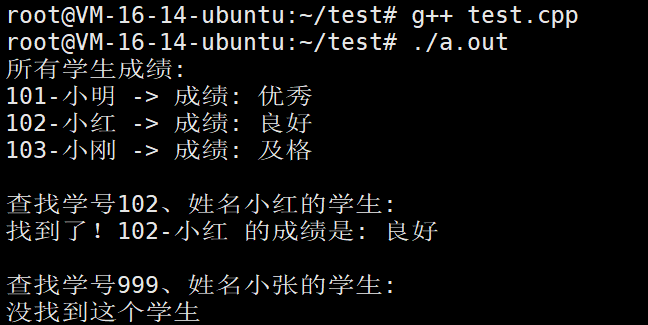
我们再看一个例子
cpp
#include <iostream>
#include <map>
#include <string>

// 1. 自定义学生类作为键
class StudentId {
public:
    int id;  // 学号
    std::string name;  // 姓名

    // 构造函数
    StudentId(int i, const std::string& n) : id(i), name(n) {}

    // 关键:必须定义 < 运算符,map才知道怎么排序和比较
    bool operator<(const StudentId& other) const {
        // 先按学号排序,学号相同按姓名排序
        if (id != other.id) {
            return id < other.id;
        }
        return name < other.name;
    }

    // 为了输出好看,加个打印函数
    void print() const {
        std::cout << id << "-" << name;
    }
};

int main() {
    // 2. 创建以StudentId为键的map
    std::map<StudentId, std::string> studentScores;

    // 3. 插入一些数据
    studentScores[StudentId(101, "小明")] = "优秀";
    studentScores[StudentId(102, "小红")] = "良好";
    studentScores[StudentId(103, "小刚")] = "及格";

    // 4. 显示所有学生成绩
    std::cout << "所有学生成绩:\n";
    for (const auto& pair : studentScores) {
        pair.first.print();  // 打印学生信息
        std::cout << " -> 成绩: " << pair.second << std::endl;
    }

    // 5. 查找特定的学生
    std::cout << "\n查找学号102、姓名小红的学生:\n";
    StudentId target(102, "小红");

    auto it = studentScores.find(target);
    if (it != studentScores.end()) {
        std::cout << "找到了!";
        it->first.print();
        std::cout << " 的成绩是: " << it->second << std::endl;
    } else {
        std::cout << "没找到这个学生" << std::endl;
    }

    // 6. 查找不存在的学生
    std::cout << "\n查找学号999、姓名小张的学生:\n";
    StudentId notExist(999, "小张");

    it = studentScores.find(notExist);
    if (it != studentScores.end()) {
        std::cout << "找到了!" << std::endl;
    } else {
        std::cout << "没找到这个学生" << std::endl;
    }

    return 0;
}注意:如果你的类想作为map的键,必须告诉map如何比较两个对象 → 重载 < 运算符。
1.6.2.count
作用:统计具有特定键的元素数量
特点:
-
对于 std::map ,返回值只能是 0 或 1(因为键唯一)
-
对于
std::multimap,返回值可能大于1 -
时间复杂度:O(log n)
-
不返回迭代器,只返回数量
典型用途:
cpp
// 概念示例:快速检查键是否存在
if (scores.count("Alice") > 0) {
    // 存在Alice这个键
}
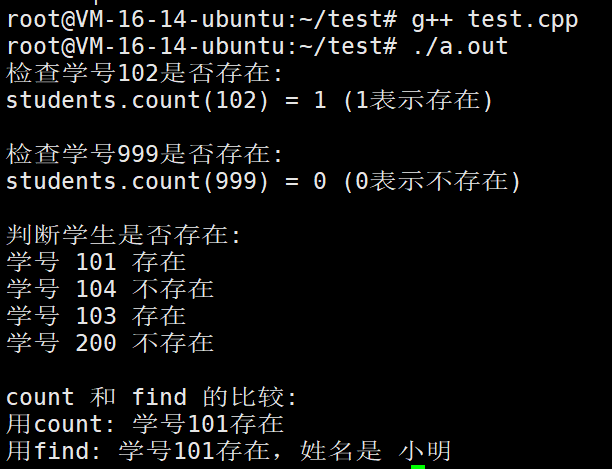
我们看个例子
cpp
#include <iostream>
#include <map>
#include <string>
#include<vector>

int main() {
    // 创建一个学生map
    std::map<int, std::string> students = {
        {101, "小明"},
        {102, "小红"},
        {103, "小刚"}
    };

    // 1. 统计存在的键
    std::cout << "检查学号102是否存在:\n";
    int count1 = students.count(102);
    std::cout << "students.count(102) = " << count1 << " (1表示存在)" << std::endl;

    // 2. 统计不存在的键
    std::cout << "\n检查学号999是否存在:\n";
    int count2 = students.count(999);
    std::cout << "students.count(999) = " << count2 << " (0表示不存在)" << std::endl;

    // 3. 用count判断键是否存在
    std::cout << "\n判断学生是否存在:\n";
    std::vector<int> checkIDs = {101, 104, 103, 200};

    for (int id : checkIDs) {
        if (students.count(id) > 0) {
            std::cout << "学号 " << id << " 存在" << std::endl;
        } else {
            std::cout << "学号 " << id << " 不存在" << std::endl;
        }
    }

    // 4. 比较:count vs find
    std::cout << "\ncount 和 find 的比较:\n";

    // 用count检查
    if (students.count(101)) {
        std::cout << "用count: 学号101存在" << std::endl;
    }

    // 用find检查(同时可以获取值)
    auto it = students.find(101);
    if (it != students.end()) {
        std::cout << "用find: 学号101存在,姓名是 " << it->second << std::endl;
    }

    return 0;
}
1.6.3.lower_bound
作用 :返回指向第一个不小于给定键的元素的迭代器
特点:
-
"不小于" 意味着:键 >= 给定键
-
如果所有键都小于给定键,返回
end() -
常用于范围查询的开始位置
话不多说,我们直接看例子
cpp
// lower_bound_demo.cpp
#include <iostream>
#include <map>

int main() {
    // 创建一个学生成绩表
    std::map<int, std::string> students = {
        {60, "小明"},
        {70, "小红"},
        {80, "小刚"},
        {90, "小华"}
    };

    std::cout << "=== lower_bound 示例 ===\n";
    std::cout << "成绩表:\n";
    for (const auto& p : students) {
        std::cout << p.second << ": " << p.first << "分\n";
    }

    std::cout << "\nlower_bound 查找(找第一个 >= 给定分数的学生):\n\n";

    // 测试不同的分数
    int test_scores[] = {55, 60, 65, 80, 85, 95};

    for (int score : test_scores) {
        std::cout << "查找分数 " << score << ":\n";

        // lower_bound: 找到第一个 >= score 的元素
        auto it = students.lower_bound(score);

        if (it != students.end()) {
            std::cout << "  找到: " << it->second << " (" << it->first << "分)\n";
            std::cout << "  这是第一个 >= " << score << " 的学生\n";
        } else {
            std::cout << "  没找到 >= " << score << " 的学生\n";
        }
        std::cout << std::endl;
    }

    // 重点展示当分数刚好存在时
    std::cout << "=== 关键点演示 ===\n";
    int exact_score = 80;
    std::cout << "查找刚好存在的分数 " << exact_score << ":\n";

    auto it = students.lower_bound(exact_score);
    if (it != students.end()) {
        std::cout << "lower_bound(" << exact_score << ") 指向: ";
        std::cout << it->second << " (" << it->first << "分)\n";
        std::cout << "注意:它指向分数刚好为 " << exact_score << " 的学生\n";
        std::cout << "这就是 '>=' 中的 '=' 部分\n";
    }

    return 0;
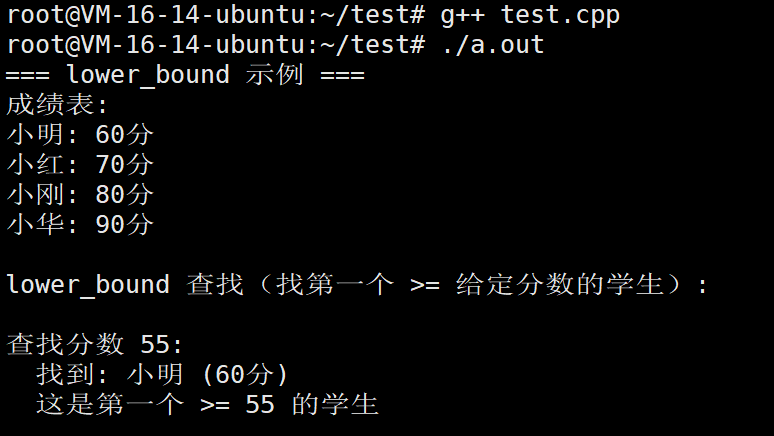
}
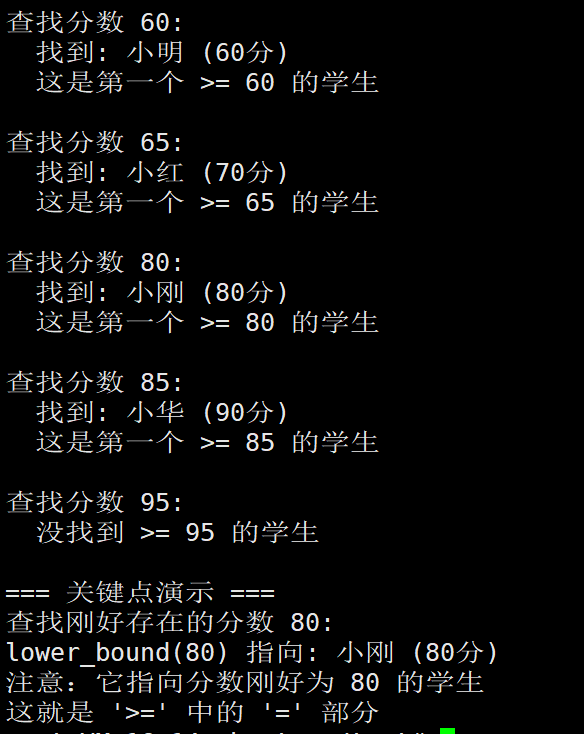
1.6.4.upper_bound
作用 :返回指向第一个大于给定键的元素的迭代器
特点:
-
严格"大于":键 > 给定键
-
常用于范围查询的结束位置
-
与
lower_bound配合使用,可以获取一个范围
cpp
// upper_bound_demo.cpp
#include <iostream>
#include <map>

int main() {
    // 创建一个学生成绩表
    std::map<int, std::string> students = {
        {60, "小明"},
        {70, "小红"},
        {80, "小刚"},
        {90, "小华"}
    };

    std::cout << "=== upper_bound 示例 ===\n";
    std::cout << "成绩表:\n";
    for (const auto& p : students) {
        std::cout << p.second << ": " << p.first << "分\n";
    }

    std::cout << "\nupper_bound 查找(找第一个 > 给定分数的学生):\n\n";

    // 测试不同的分数
    int test_scores[] = {55, 60, 65, 80, 85, 95};

    for (int score : test_scores) {
        std::cout << "查找分数 " << score << ":\n";

        // upper_bound: 找到第一个 > score 的元素
        auto it = students.upper_bound(score);

        if (it != students.end()) {
            std::cout << "  找到: " << it->second << " (" << it->first << "分)\n";
            std::cout << "  这是第一个 > " << score << " 的学生\n";
        } else {
            std::cout << "  没找到 > " << score << " 的学生\n";
        }
        std::cout << std::endl;
    }

    // 重点展示当分数刚好存在时
    std::cout << "=== 关键点演示 ===\n";
    int exact_score = 80;
    std::cout << "查找刚好存在的分数 " << exact_score << ":\n";

    auto it = students.upper_bound(exact_score);
    if (it != students.end()) {
        std::cout << "upper_bound(" << exact_score << ") 指向: ";
        std::cout << it->second << " (" << it->first << "分)\n";
        std::cout << "注意:它指向分数刚好为 " << it->first << " 的学生\n";
        std::cout << "这是第一个 > " << exact_score << " 的学生\n";
        std::cout << "即使存在分数为 " << exact_score << " 的学生,也不会指向他\n";
    } else {
        std::cout << "upper_bound(" << exact_score << ") 指向: end()\n";
        std::cout << "没有比 " << exact_score << " 更大的分数\n";
    }

    // 对比:查找80时,lower_bound和upper_bound的区别
    std::cout << "\n=== 与 lower_bound 对比 ===\n";
    std::cout << "对于分数 80:\n";

    auto lb_it = students.lower_bound(80);
    auto ub_it = students.upper_bound(80);

    std::cout << "lower_bound(80): ";
    if (lb_it != students.end()) {
        std::cout << lb_it->second << " (" << lb_it->first << "分)\n";
    }

    std::cout << "upper_bound(80): ";
    if (ub_it != students.end()) {
        std::cout << ub_it->second << " (" << ub_it->first << "分)\n";
    } else {
        std::cout << "end()\n";
    }

    std::cout << "\n结论:lower_bound 指向 80,upper_bound 指向 90\n";

    return 0;
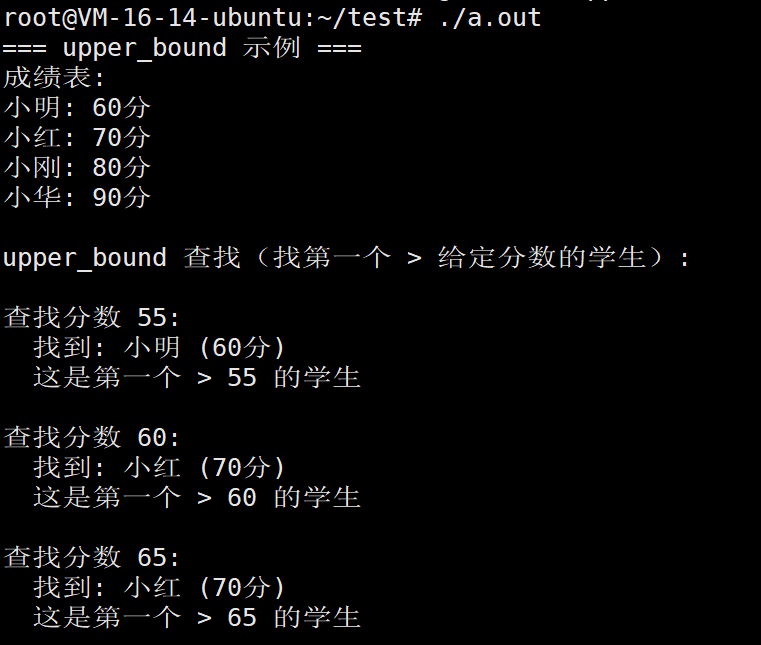
}
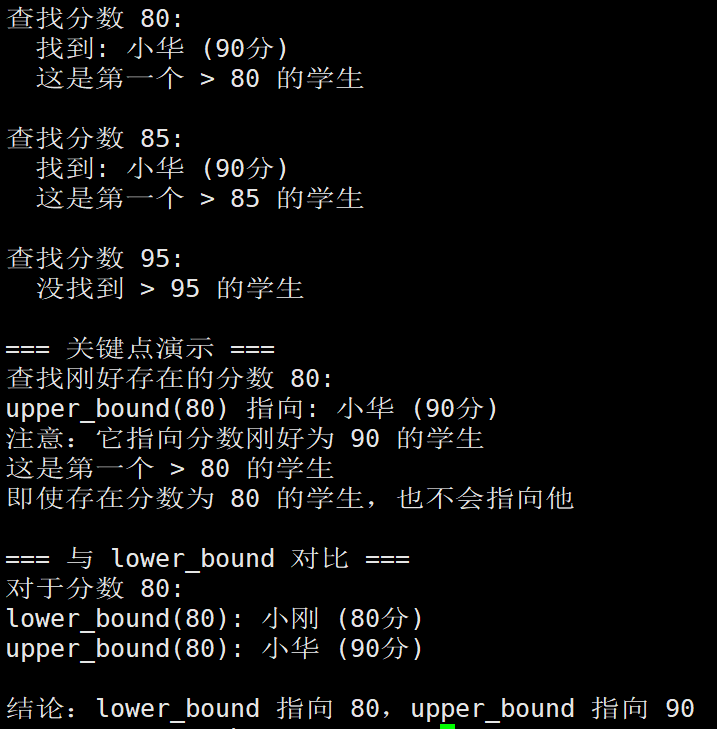
lower_bound 和 upper_bound 的 >= 和 > 区别示例
我们现在看看两者结合
cpp
#include <iostream>
#include <map>

int main() {
    // 创建一个包含重复测试的map
    std::map<int, std::string> data = {
        {10, "十"},
        {20, "二十"},
        {20, "二十重复"},  // 这个不会插入,因为map键唯一
        {30, "三十"},
        {40, "四十"}
    };

    std::cout << "=== 突出 >= 和 > 的区别 ===\n";
    std::cout << "数据表:\n";
    for (const auto& p : data) {
        std::cout << p.first << " -> " << p.second << std::endl;
    }

    // 测试1:查找键20
    std::cout << "\n1. 查找键20:\n";

    auto lb20 = data.lower_bound(20);  // 第一个 >=20 的
    auto ub20 = data.upper_bound(20);  // 第一个 >20 的

    std::cout << "lower_bound(20): ";
    if (lb20 != data.end()) {
        std::cout << lb20->first << " -> " << lb20->second;
        std::cout << " (第一个 >=20 的元素)" << std::endl;
    }

    std::cout << "upper_bound(20): ";
    if (ub20 != data.end()) {
        std::cout << ub20->first << " -> " << ub20->second;
    } else {
        std::cout << "end()";
    }
    std::cout << " (第一个 >20 的元素)" << std::endl;

    // 测试2:查找不存在的键25
    std::cout << "\n2. 查找键25:\n";

    auto lb25 = data.lower_bound(25);  // 第一个 >=25 的
    auto ub25 = data.upper_bound(25);  // 第一个 >25 的

    std::cout << "lower_bound(25): ";
    if (lb25 != data.end()) {
        std::cout << lb25->first << " -> " << lb25->second;
        std::cout << " (第一个 >=25 的元素)" << std::endl;
    }

    std::cout << "upper_bound(25): ";
    if (ub25 != data.end()) {
        std::cout << ub25->first << " -> " << ub25->second;
    } else {
        std::cout << "end()";
    }
    std::cout << " (第一个 >25 的元素)" << std::endl;

    // 测试3:可视化展示
    std::cout << "\n3. 可视化展示:\n";
    std::cout << "数据: 10  20  30  40\n";
    std::cout << "索引: 1   2   3   4\n\n";

    int test_keys[] = {15, 20, 25, 40, 45};

    for (int key : test_keys) {
        std::cout << "查找键 " << key << ":\n";

        auto lb = data.lower_bound(key);
        auto ub = data.upper_bound(key);

        std::cout << "  lower_bound(>=): ";
        if (lb != data.end()) {
            std::cout << "指向 " << lb->first;
        } else {
            std::cout << "指向 end()";
        }

        std::cout << "\n  upper_bound(>): ";
        if (ub != data.end()) {
            std::cout << "指向 " << ub->first;
        } else {
            std::cout << "指向 end()";
        }
        std::cout << "\n\n";
    }

    // 测试4:用具体场景展示区别
    std::cout << "4. 实际场景:考试成绩评级\n";
    std::map<int, std::string> gradeScale = {
        {90, "A"},
        {80, "B"},
        {70, "C"},
        {60, "D"},
        {0,  "F"}
    };

    std::cout << "评级标准:\n";
    for (auto it = gradeScale.rbegin(); it != gradeScale.rend(); ++it) {
        std::cout << it->first << "分以上: " << it->second << std::endl;
    }

    std::cout << "\n学生考试成绩和评级:\n";
    int scores[] = {85, 90, 65, 92, 58};

    for (int score : scores) {
        // 用lower_bound找到第一个 >= score的键
        // 但我们的评级是"xx分以上",所以应该用upper_bound
        auto it = gradeScale.upper_bound(score);  // 第一个 > score的

        if (it != gradeScale.begin()) {
            --it;  // 后退一个,就是 <= score的最大键
            std::cout << score << "分 -> 等级: " << it->second;
            std::cout << " (使用upper_bound)" << std::endl;
        }
    }

    return 0;
}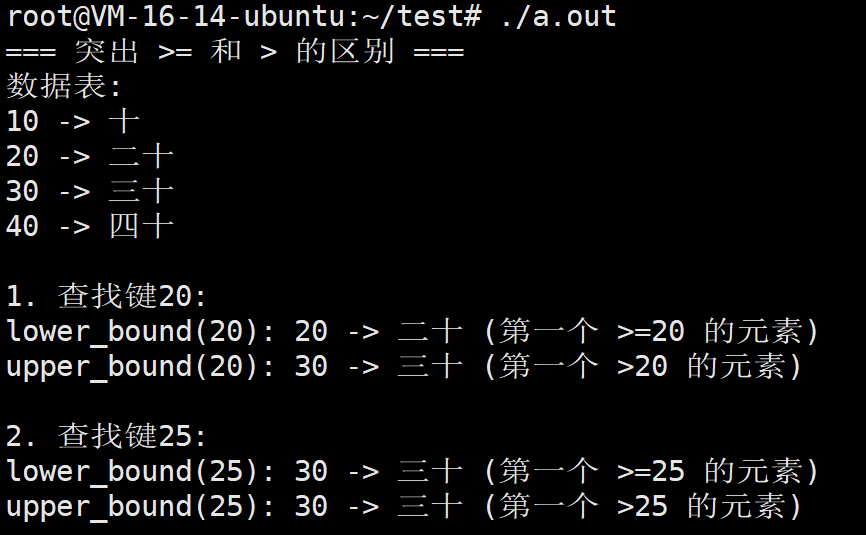
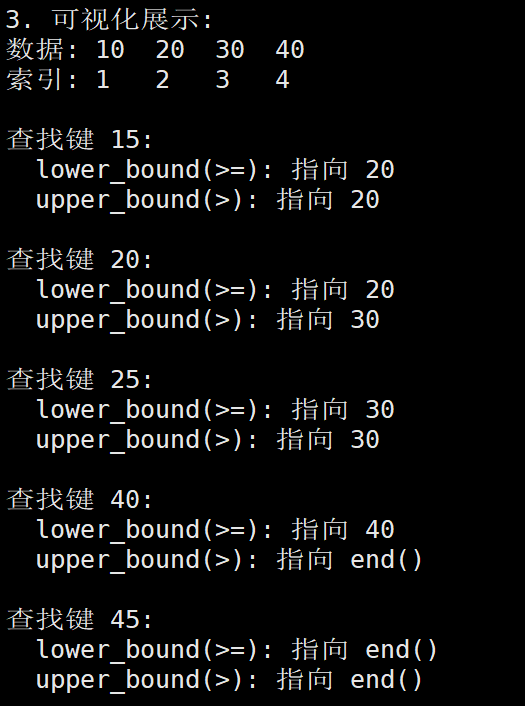
核心区别总结:
| 情况 | lower_bound (≥) | upper_bound (>) | 说明 |
|---|---|---|---|
| 键 存在 | 指向 该键本身 | 指向 下一个键 | 关键区别! |
| 键 不存在 | 指向 第一个大于它的键 | 指向 第一个大于它的键 | 结果相同 |
| 查找值 大于所有键 | end() | end() | 结果相同 |
记住这两个例子:
例1:键存在时(比如查找20)
cpp
map: {10, 20, 30, 40}

lower_bound(20) -> 指向20 (第一个≥20的)
upper_bound(20) -> 指向30 (第一个>20的)
例2:键不存在时(比如查找25)
cpp
map: {10, 20, 30, 40}

lower_bound(25) -> 指向30 (第一个≥25的)
upper_bound(25) -> 指向30 (第一个>25的)
// 结果相同,因为25不存在
一句话理解:
- lower_bound:找 第一个大于等于,如果键存在就指向它自己
- upper_bound:找 第一个大于,即使键存在也指向下一个
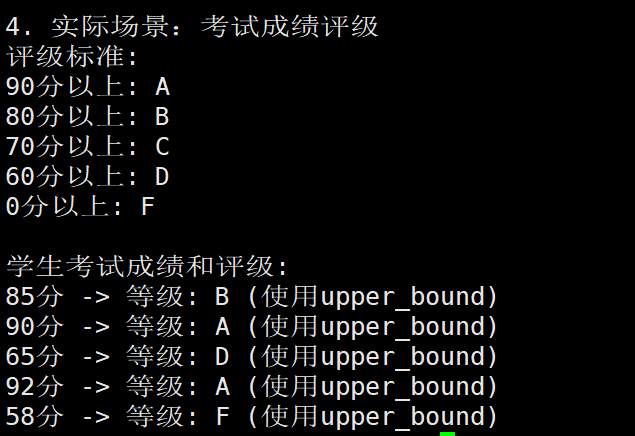
lower_bound 和 upper_bound 的唯一区别:
| 情况 | lower_bound (≥) | upper_bound (>) |
|---|---|---|
| 查找分数 80(存在) | 指向 80分 的小刚 | 指向 90分 的小华 |
| 查找分数 85(不存在) | 指向 90分 的小华 | 指向 90分 的小华 |
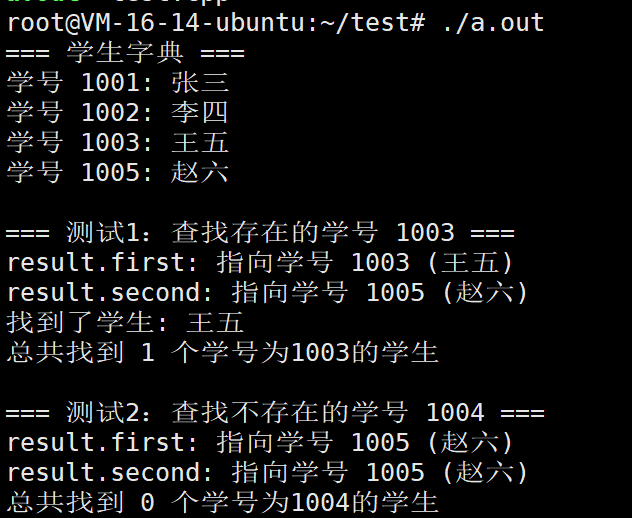
1.6.5.equal_range
作用 :返回一个迭代器对(pair),表示与给定键相等的元素范围
特点:
-
对于
std::map,这个范围最多包含一个元素(因为键唯一) -
返回值是一个
pair<iterator, iterator>:-
first:指向第一个匹配的元素(相当于lower_bound的结果) -
second:指向最后一个匹配元素之后的位置(相当于upper_bound的结果)
-
-
一次性获取
lower_bound和upper_bound
equal_range = lower_bound + upper_bound 的组合
在 std::map 中:
- 最多找到一个元素(因为键唯一)
- 如果找到了:result.first 指向该元素,result.second 指向下一个元素
- 如果没找到:result.first 和 result.second 都指向第一个大于该键的元素
在 std::multimap 中:
- 可能找到多个元素(允许多个相同键)
- result.first 指向第一个等于该键的元素
- result.second 指向第一个大于该键的元素
📊 范围查询示例
cpp
auto range = map.equal_range(key);

// 遍历找到的所有元素
for (auto it = range.first; it != range.second; ++it) {
    // 处理每个元素
    std::cout << "键: " << it->first << ", 值: " << it->second << std::endl;
}
我们再看看
cpp
// 概念示例:查找键在 ["Bob", "David"] 范围内的所有元素
map<string, int> scores{
    {"Alice", 95}, {"Bob", 88}, {"Charlie", 77}, {"David", 66}, {"Eve", 99}
};

// 方法1:使用 lower_bound 和 upper_bound
auto lower = scores.lower_bound("Bob");   // 指向 "Bob"(第一个 >= "Bob" 的)
auto upper = scores.upper_bound("David"); // 指向 "Eve"(第一个 > "David" 的)

// 遍历 [lower, upper) 范围
for (auto it = lower; it != upper; ++it) {
    // 包含 Bob, Charlie, David
}

// 方法2:使用 equal_range(对于 map 通常只有一个元素)
auto range = scores.equal_range("Charlie");
// range.first 指向 "Charlie"(如果存在)
// range.second 指向 "David"(第一个 > "Charlie" 的)
我们看个简单的例子
cpp
#include <iostream>
#include <map>
#include <string>

int main() {
    // 创建一个学生字典:学号 -> 学生姓名
    std::map<int, std::string> studentDict = {
        {1001, "张三"},
        {1002, "李四"},
        {1003, "王五"},
        {1005, "赵六"}
    };

    std::cout << "=== 学生字典 ===\n";
    for (const auto& s : studentDict) {
        std::cout << "学号 " << s.first << ": " << s.second << std::endl;
    }

    std::cout << "\n=== 测试1:查找存在的学号 1003 ===" << std::endl;
    auto result = studentDict.equal_range(1003);

    std::cout << "result.first: ";
    if (result.first != studentDict.end()) {
        std::cout << "指向学号 " << result.first->first
                  << " (" << result.first->second << ")" << std::endl;
    }

    std::cout << "result.second: ";
    if (result.second != studentDict.end()) {
        std::cout << "指向学号 " << result.second->first
                  << " (" << result.second->second << ")" << std::endl;
    } else {
        std::cout << "指向 end()" << std::endl;
    }

    // 统计找到多少个学号为1003的学生
    int count = 0;
    for (auto it = result.first; it != result.second; ++it) {
        std::cout << "找到了学生: " << it->second << std::endl;
        count++;
    }
    std::cout << "总共找到 " << count << " 个学号为1003的学生" << std::endl;

    std::cout << "\n=== 测试2:查找不存在的学号 1004 ===" << std::endl;
    result = studentDict.equal_range(1004);

    std::cout << "result.first: ";
    if (result.first != studentDict.end()) {
        std::cout << "指向学号 " << result.first->first
                  << " (" << result.first->second << ")" << std::endl;
    } else {
        std::cout << "指向 end()" << std::endl;
    }

    std::cout << "result.second: ";
    if (result.second != studentDict.end()) {
        std::cout << "指向学号 " << result.second->first
                  << " (" << result.second->second << ")" << std::endl;
    } else {
        std::cout << "指向 end()" << std::endl;
    }

    // 统计找到多少个学号为1004的学生
    count = 0;
    for (auto it = result.first; it != result.second; ++it) {
        std::cout << "找到了学生: " << it->second << std::endl;
        count++;
    }
    std::cout << "总共找到 " << count << " 个学号为1004的学生" << std::endl;

    return 0;
}
二. multimap
官网: cplusplus.com/reference/map/multimap/
C++标准模板库(STL)中的两种关联容器:std::map和std::multimap。它们都是有序关联容器,但有一个关键区别:map中的键必须是唯一的,而multimap允许重复的键。
换句话说,map和multimap的核心区别就是:键的唯一性约束
std::map(标准映射)
-
键的唯一性 :每个键(key)在容器中必须唯一,不能重复
-
映射关系 :实现一对一的键值对应关系
-
设计哲学 :类似于数学中的函数映射,一个输入对应唯一输出
std::multimap(多重映射)
-
键的重复性 :允许同一个键出现多次,关联多个不同的值
-
映射关系 :实现一对多的键值对应关系
-
设计哲学:类似于现实世界的分类索引,一个类别包含多个项目
接口与操作差异
-
元素访问:
-
map 提供了
operator[]和at()方法,可以直接通过键来访问对应的值。这是因为每个键唯一对应一个值,所以这种直接访问是明确的。 -
**multimap 没有提供operator[]和at()方法。**因为一个键可能对应多个值,直接访问会引发歧义。要访问multimap中的元素,必须使用迭代器或范围查询。
-
-
插入操作:
-
map 的
insert方法在键已存在时会失败(不会插入新元素)。而operator[]则可以直接插入新键值对,或者覆盖已存在的键对应的值。 -
multimap 的
insert方法总是会插入一个新的元素,即使键已经存在。因为multimap允许重复键,所以插入操作不会因为键重复而失败。
-
-
查找操作:
-
map 的
find方法返回指向唯一元素的迭代器(如果找到),或者返回end()(如果没找到)。count方法返回0或1。 -
multimap 的
find方法返回指向第一个匹配 键的元素的迭代器(如果找到)。但由于可能有多个相同键的元素,所以通常使用equal_range方法来获取一个迭代器范围,表示所有匹配键的元素。count方法返回匹配键的元素数量(可能大于1)。
-
-
删除操作:
-
map 的
erase方法可以通过键删除一个元素,或者通过迭代器删除指定位置元素。 -
multimap 的
erase方法如果通过键调用,则会删除所有匹配该键的元素。如果只想删除一个,则需要通过迭代器指定要删除的单个元素。
-
2.1.构造函数
我们首先解释一下三种构造函数:
-
默认构造函数:可以指定比较器和分配器。
-
范围构造函数:用迭代器范围[first, last)内的元素初始化,可以指定比较器和分配器。
-
拷贝构造函数:用一个已有的multimap对象x来初始化新的multimap。
注意:multimap允许重复键,而map不允许。
cpp
#include <iostream>
#include <map>
#include <string>

int main() {
    // 默认构造函数:创建一个空的multimap
    std::multimap<int, std::string> mmap1;

    // 插入一些数据(multimap允许重复键)
    mmap1.insert({101, "张三"});
    mmap1.insert({101, "李四"});  // 可以插入相同键
    mmap1.insert({102, "王五"});
    mmap1.insert({101, "赵六"});  // 可以插入相同键

    std::cout << "mmap1 内容:\n";
    for (const auto& p : mmap1) {
        std::cout << p.first << ": " << p.second << std::endl;
    }
    std::cout << std::endl;

    // 带比较器的默认构造函数(降序排列)
    std::multimap<int, std::string, std::greater<int>> mmap2;
    mmap2.insert({101, "张三"});
    mmap2.insert({101, "李四"});
    mmap2.insert({102, "王五"});

    std::cout << "mmap2 内容(降序):\n";
    for (const auto& p : mmap2) {
        std::cout << p.first << ": " << p.second << std::endl;
    }

    return 0;
}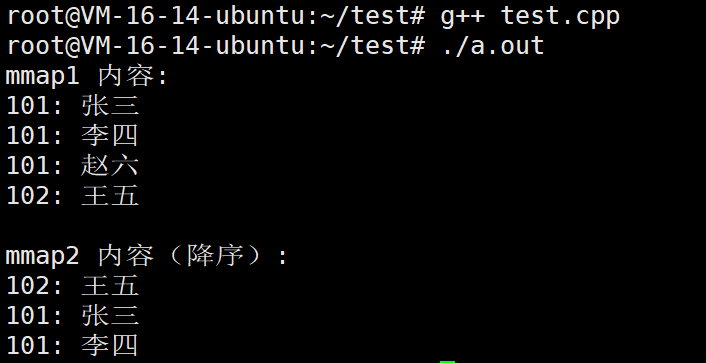
cpp
#include <iostream>
#include <map>
#include <vector>
#include <string>

int main() {
    // 创建一个vector,包含一些键值对
    std::vector<std::pair<int, std::string>> data = {
        {101, "数学"},
        {101, "英语"},   // 重复的键
        {102, "语文"},
        {103, "物理"},
        {102, "化学"}    // 重复的键
    };

    // 使用范围构造函数:从vector初始化multimap
    std::multimap<int, std::string> subjects(data.begin(), data.end());

    std::cout << "从vector初始化的multimap:\n";
    for (const auto& p : subjects) {
        std::cout << "课程编号 " << p.first << ": " << p.second << std::endl;
    }
    std::cout << std::endl;

    // 使用数组初始化
    std::pair<int, std::string> scores[] = {
        {85, "张三"},
        {85, "李四"},  // 相同分数
        {90, "王五"},
        {78, "赵六"},
        {85, "钱七"}   // 相同分数
    };

    // 使用数组范围初始化
    std::multimap<int, std::string> scoreMap(scores, scores + 5);

    std::cout << "从数组初始化的multimap(按分数排序):\n";
    for (const auto& p : scoreMap) {
        std::cout << p.first << "分: " << p.second << std::endl;
    }
    std::cout << std::endl;

    // 使用范围构造函数 + 自定义比较器(按分数降序)
    std::multimap<int, std::string, std::greater<int>>
        scoreMapDesc(scores, scores + 5);

    std::cout << "从数组初始化的multimap(按分数降序):\n";
    for (const auto& p : scoreMapDesc) {
        std::cout << p.first << "分: " << p.second << std::endl;
    }

    return 0;
}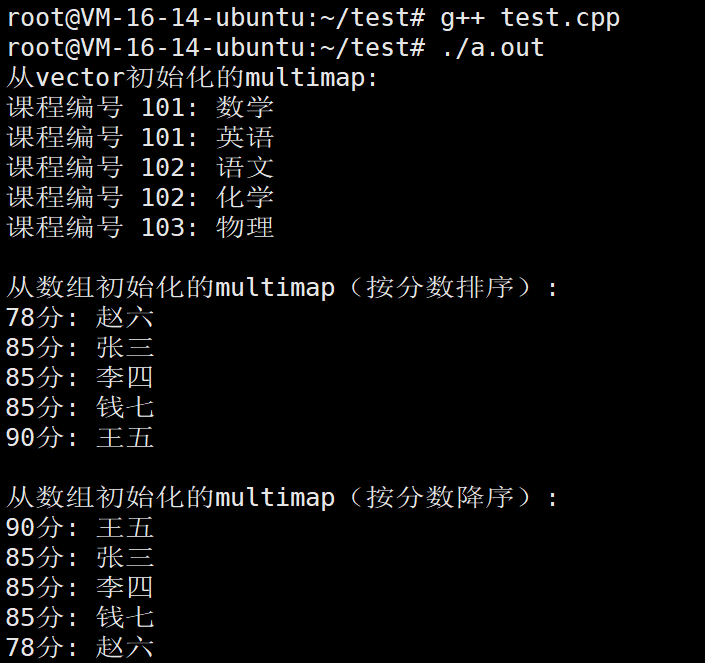
cpp
#include <iostream>
#include <map>
#include <string>

int main() {
    // 创建一个原始multimap
    std::multimap<std::string, int> original = {
        {"苹果", 5},
        {"苹果", 3},     // 重复的键
        {"香蕉", 2},
        {"橙子", 4},
        {"香蕉", 6}      // 重复的键
    };

    std::cout << "原始multimap:\n";
    for (const auto& p : original) {
        std::cout << p.first << ": " << p.second << "个" << std::endl;
    }
    std::cout << std::endl;

    // 使用拷贝构造函数创建副本
    std::multimap<std::string, int> copy1(original);

    std::cout << "拷贝1(使用拷贝构造函数):\n";
    for (const auto& p : copy1) {
        std::cout << p.first << ": " << p.second << "个" << std::endl;
    }
    std::cout << std::endl;

    // 修改原始multimap
    original.insert({"葡萄", 8});
    original.insert({"苹果", 2});  // 苹果现在是3个

    std::cout << "修改后的原始multimap:\n";
    for (const auto& p : original) {
        std::cout << p.first << ": " << p.second << "个" << std::endl;
    }
    std::cout << std::endl;

    std::cout << "拷贝1(未受影响):\n";
    for (const auto& p : copy1) {
        std::cout << p.first << ": " << p.second << "个" << std::endl;
    }
    std::cout << std::endl;

    // 另一个例子:修改副本
    copy1.erase("香蕉");
    copy1.insert({"梨子", 7});

    std::cout << "修改后的拷贝1:\n";
    for (const auto& p : copy1) {
        std::cout << p.first << ": " << p.second << "个" << std::endl;
    }
    std::cout << std::endl;

    std::cout << "原始multimap(未受影响):\n";
    for (const auto& p : original) {
        std::cout << p.first << ": " << p.second << "个" << std::endl;
    }

    return 0;
}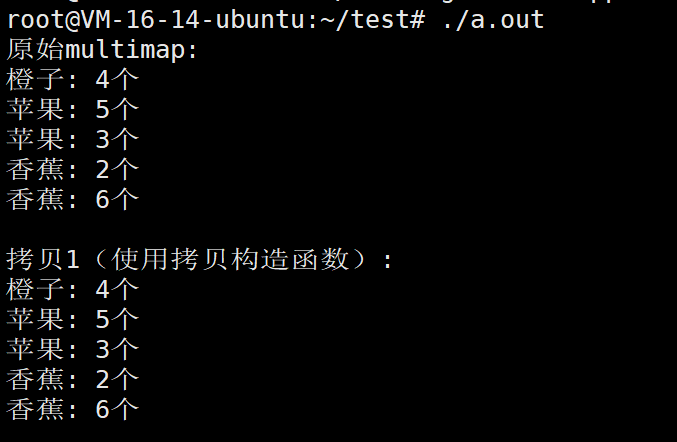
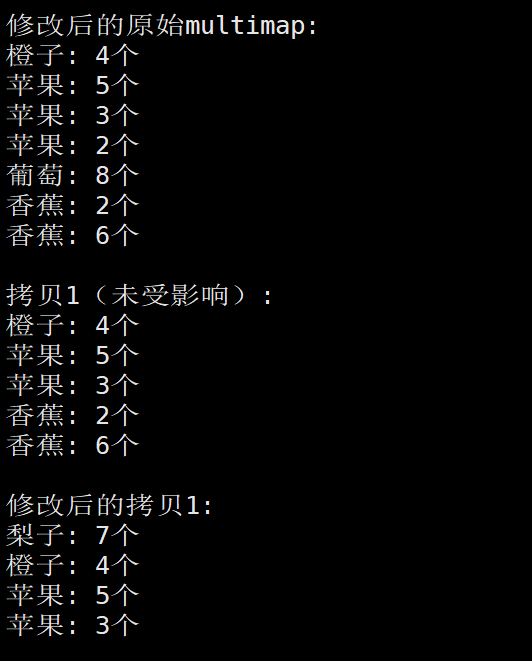
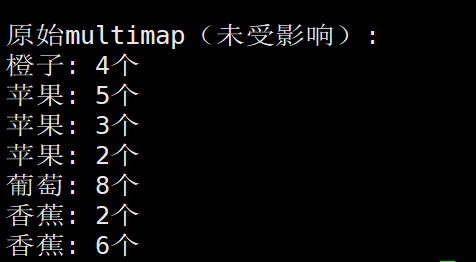
2.2.multimap的容量操作
首先,这个multimap的容量操作可以说是和这个map一模一样的。

也是我们熟悉的这2个接口。
cpp
#include <iostream>
#include <map>
#include <string>

int main() {
    // 创建一个空的 multimap(部门 -> 员工)
    std::multimap<int, std::string> department;

    // 1. 初始状态
    std::cout << "=== 初始状态 ===" << std::endl;
    std::cout << "size: " << department.size() << std::endl;
    std::cout << "empty: " << (department.empty() ? "是" : "否") << std::endl;

    // 2. 插入一些员工
    department.insert({101, "张三"});
    department.insert({101, "李四"});   // 同一部门可以有多人
    department.insert({102, "王五"});
    department.insert({103, "赵六"});

    std::cout << "\n=== 插入4名员工后 ===" << std::endl;
    std::cout << "size: " << department.size() << std::endl;
    std::cout << "empty: " << (department.empty() ? "是" : "否") << std::endl;

    // 3. 清空
    department.clear();

    std::cout << "\n=== 清空后 ===" << std::endl;
    std::cout << "size: " << department.size() << std::endl;
    std::cout << "empty: " << (department.empty() ? "是" : "否") << std::endl;

    return 0;
}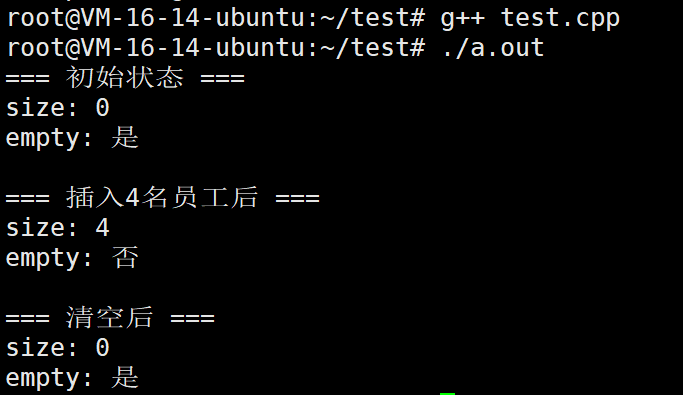
2.3.multimap的元素修改操作
1.insert
用于向 std::multimap 中添加一个或多个新的键值对。与 std::map 不同,multimap 允许存在多个相同键的元素,因此插入操作总是成功,不会覆盖已有的元素。
- 插入单个元素:接受一个 value_type(即 pair<const Key, T>)对象,将元素插入到容器中,并返回一个指向新插入元素的迭代器。
- 带提示位置的插入:额外提供一个迭代器作为"提示",建议从该位置附近开始查找插入点。若提示准确,可使插入操作接近常数时间复杂度。返回指向新元素的迭代器。
- 插入范围:接受一对迭代器,将另一个容器中的一段元素插入当前容器。
- 插入初始化列表:接受一个花括号括起的键值对列表,依次插入每个元素。
插入后容器自动按键的升序排列所有元素(键相同则按插入顺序保持相对次序)。
话不多说,我们直接看例子
cpp
#include <iostream>
#include <map>
#include <string>
#include <vector>

int main() {
    // 创建一个空的 multimap:部门编号 -> 员工姓名
    std::multimap<int, std::string> dept;

    // 1. 插入单个元素(允许重复键)
    std::cout << "=== 插入单个元素 ===" << std::endl;
    dept.insert({101, "张三"});
    dept.insert({101, "李四"});   // 键重复,成功插入
    dept.insert({102, "王五"});
    dept.insert({101, "赵六"});   // 再次插入键101

    // 2. 带提示位置的插入
    std::cout << "\n=== 带提示位置的插入 ===" << std::endl;
    auto hint = dept.lower_bound(102);  // 第一个键 >=102 的位置
    dept.insert(hint, {103, "钱七"});   // 提示插入位置

    // 3. 插入范围(从 vector 插入)
    std::cout << "\n=== 插入范围 ===" << std::endl;
    std::vector<std::pair<int, std::string>> new_employees = {
        {104, "孙八"},
        {101, "周九"},   // 再次插入键101
        {105, "吴十"}
    };
    dept.insert(new_employees.begin(), new_employees.end());

    // 4. 插入初始化列表
    std::cout << "\n=== 插入初始化列表 ===" << std::endl;
    dept.insert({{106, "郑十一"}, {102, "冯十二"}});  // 键102再次出现

    // 输出最终所有员工(按部门编号升序,相同键按插入顺序)
    std::cout << "\n=== 最终部门员工列表 ===" << std::endl;
    for (const auto& entry : dept) {
        std::cout << "部门" << entry.first << " : " << entry.second << std::endl;
    }

    return 0;
}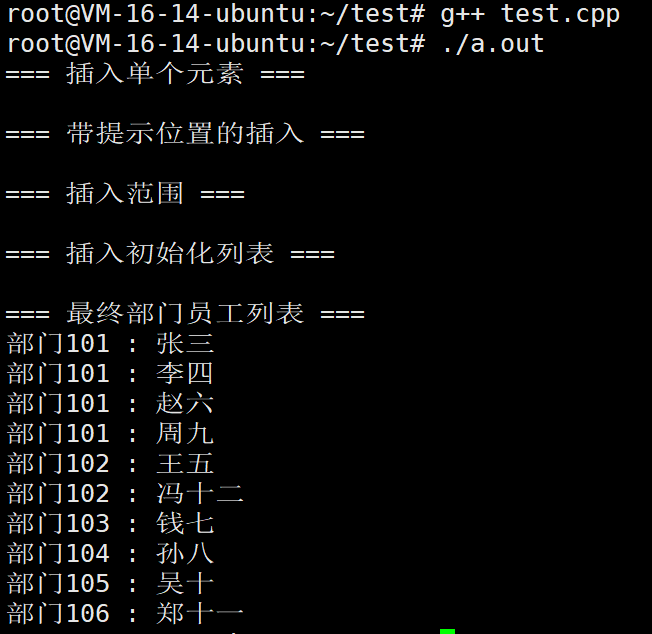
总是成功:multimap 允许重复键,任何插入都不会覆盖已有元素。
2.erase
用于从 std::multimap 中移除元素,根据指定的方式不同,行为有所区别:
- 移除单个元素:接受一个指向待删除元素的迭代器,删除该迭代器所指向的元素。无返回值(C++11前返回 void,C++11起返回指向被删元素之后元素的迭代器)。
- 移除具有特定键的所有元素:接受一个键值,删除容器中所有与该键匹配的元素。返回被删除的元素个数(因为允许多个相同键)。
- 移除一个范围内的元素:接受两个迭代器(起始和结束),删除该范围内的所有元素,返回指向最后一个被删元素之后元素的迭代器。
擦除操作会使被删元素的迭代器和引用失效,但其他迭代器不受影响。
cpp
#include <iostream>
#include <map>
#include <string>

int main() {
    // 创建一个 multimap:部门编号 -> 员工姓名
    std::multimap<int, std::string> employees = {
        {101, "张三"},
        {101, "李四"},
        {102, "王五"},
        {103, "赵六"},
        {101, "钱七"},   // 部门101的第三个员工
        {102, "孙八"},   // 部门102的第二个员工
        {104, "周九"}
    };

    std::cout << "=== 初始员工列表 ===" << std::endl;
    for (const auto& e : employees) {
        std::cout << "部门" << e.first << " : " << e.second << std::endl;
    }

    // 1. 通过迭代器删除单个元素
    std::cout << "\n=== 删除部门102的第一个员工(王五) ===" << std::endl;
    auto it = employees.find(102);  // 找到部门102的第一个元素
    if (it != employees.end()) {
        it = employees.erase(it);   // 删除,并返回下一个元素的迭代器
        std::cout << "删除成功,下一个员工:部门" << it->first << " : " << it->second << std::endl;
    }

    // 2. 通过键删除所有匹配的元素(删除整个部门101)
    std::cout << "\n=== 删除整个部门101的所有员工 ===" << std::endl;
    size_t count = employees.erase(101);
    std::cout << "删除了 " << count << " 个员工" << std::endl;

    // 3. 删除一个范围内的元素
    std::cout << "\n=== 删除部门103到部门104之间的所有员工 ===" << std::endl;
    auto start = employees.lower_bound(103);  // 第一个 >=103 的元素
    auto end   = employees.upper_bound(104);  // 第一个 >104 的元素
    employees.erase(start, end);
    std::cout << "删除范围 [103, 104] 内的元素" << std::endl;

    // 最终剩余员工
    std::cout << "\n=== 最终员工列表 ===" << std::endl;
    if (employees.empty()) {
        std::cout << "现在没有员工了" << std::endl;
    } else {
        for (const auto& e : employees) {
            std::cout << "部门" << e.first << " : " << e.second << std::endl;
        }
    }

    return 0;
}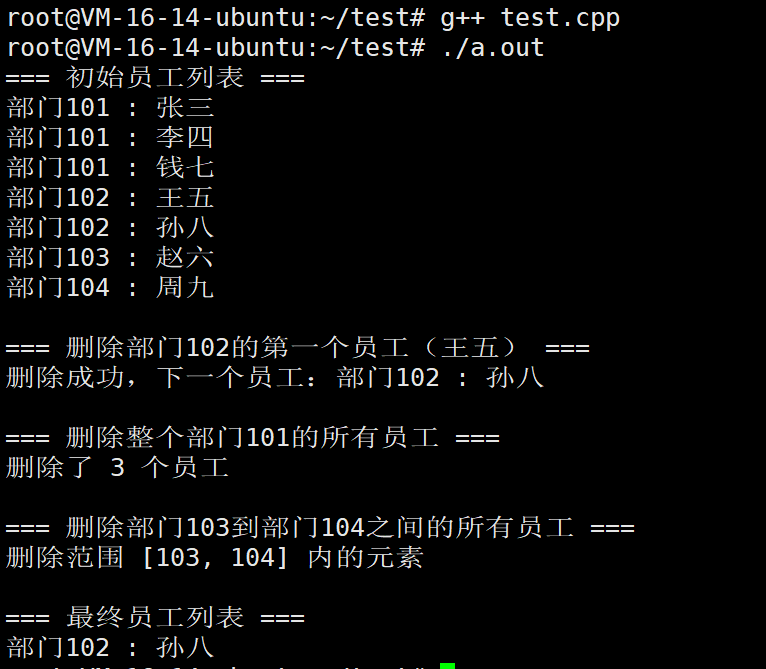
swap
交换当前 std::multimap 与另一个同类型 multimap 容器的全部内容。
- 交换的内容包括:所有存储的键值对、键比较函数对象、分配器等内部数据。
- 此操作通常非常高效,仅交换容器的内部数据结构指针,不涉及元素本身的拷贝或移动。
- 交换后两个容器原有的迭代器、引用和指针仍然有效,但指向的元素已归属对方容器。
该函数有两种形式:成员函数 swap 和非成员函数 std::swap 特化版本,效果相同。
cpp
#include <iostream>
#include <map>
#include <string>

int main() {
    // 创建两个 multimap:部门 -> 员工
    std::multimap<int, std::string> deptA = {
        {101, "张三"},
        {101, "李四"},
        {102, "王五"}
    };

    std::multimap<int, std::string> deptB = {
        {201, "赵六"},
        {202, "钱七"}
    };

    // 交换前
    std::cout << "=== 交换前 ===" << std::endl;
    std::cout << "deptA:\n";
    for (const auto& e : deptA) std::cout << e.first << " : " << e.second << std::endl;
    std::cout << "deptB:\n";
    for (const auto& e : deptB) std::cout << e.first << " : " << e.second << std::endl;

    // 1. 成员函数 swap
    std::cout << "\n=== 成员函数 swap ===" << std::endl;
    deptA.swap(deptB);

    std::cout << "deptA:\n";
    for (const auto& e : deptA) std::cout << e.first << " : " << e.second << std::endl;
    std::cout << "deptB:\n";
    for (const auto& e : deptB) std::cout << e.first << " : " << e.second << std::endl;

    // 2. 非成员函数 std::swap(交换回来)
    std::cout << "\n=== 非成员函数 std::swap ===" << std::endl;
    std::swap(deptA, deptB);

    std::cout << "deptA:\n";
    for (const auto& e : deptA) std::cout << e.first << " : " << e.second << std::endl;
    std::cout << "deptB:\n";
    for (const auto& e : deptB) std::cout << e.first << " : " << e.second << std::endl;

    // 3. 迭代器有效性演示
    std::cout << "\n=== 迭代器有效性 ===" << std::endl;
    auto it = deptA.begin();  // 指向 deptA 的第一个元素
    std::cout << "交换前 deptA 的第一个元素: " << it->first << " : " << it->second << std::endl;

    deptA.swap(deptB);        // 交换后,it 仍然指向原来的元素,但现在属于 deptB

    std::cout << "交换后迭代器指向的元素: " << it->first << " : " << it->second << std::endl;
    std::cout << "该元素现在属于 deptB: " << deptB.count(it->first) << " 个" << std::endl;

    return 0;
}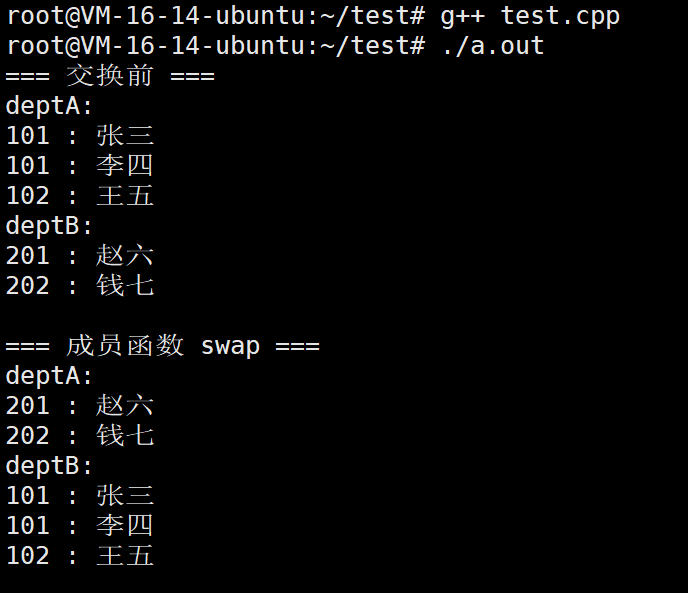
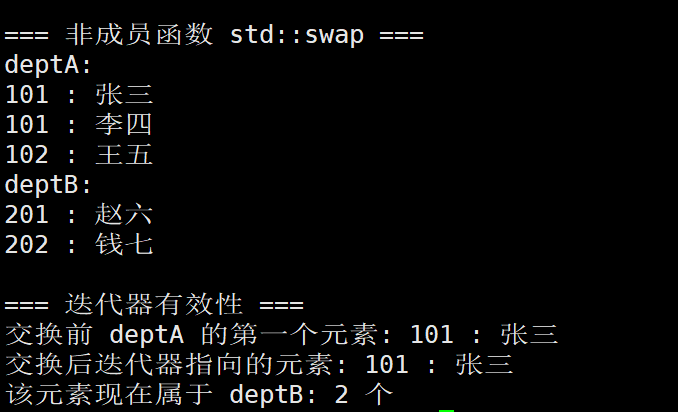
clear
立即删除 std::multimap 中的所有元素,使容器变为空状态(size() 为 0)。
- 调用后,所有指向容器元素的迭代器、引用和指针均失效。
- 容器的容量(capacity)不一定被释放,但保证所有元素已被销毁。
- 复杂度为线性,即与当前元素个数成正比(因为需要逐一析构)。
cpp
#include <iostream>
#include <map>
#include <string>

int main() {
    // 创建一个 multimap:部门编号 -> 员工姓名
    std::multimap<int, std::string> departments = {
        {101, "张三"},
        {101, "李四"},
        {102, "王五"},
        {103, "赵六"}
    };

    std::cout << "=== 调用 clear 前 ===" << std::endl;
    std::cout << "大小: " << departments.size() << std::endl;
    std::cout << "是否为空: " << (departments.empty() ? "是" : "否") << std::endl;
    std::cout << "员工列表:" << std::endl;
    for (const auto& e : departments) {
        std::cout << "部门" << e.first << " : " << e.second << std::endl;
    }

    // 保存一个迭代器用于演示失效
    auto it = departments.begin();
    std::cout << "\nclear 前第一个元素: 部门" << it->first << " : " << it->second << std::endl;

    // 调用 clear
    departments.clear();
    std::cout << "\n=== 调用 clear 后 ===" << std::endl;
    std::cout << "大小: " << departments.size() << std::endl;
    std::cout << "是否为空: " << (departments.empty() ? "是" : "否") << std::endl;

    // 尝试遍历(不会有任何输出)
    std::cout << "员工列表(空):" << std::endl;
    for (const auto& e : departments) {
        std::cout << "部门" << e.first << " : " << e.second << std::endl;
    }

    // 迭代器已失效,以下代码可能引发未定义行为,因此注释掉
    // std::cout << "尝试访问失效的迭代器: " << it->first << std::endl;

    std::cout << "\n注意:clear 后所有迭代器均已失效,不应再使用。" << std::endl;

    return 0;
}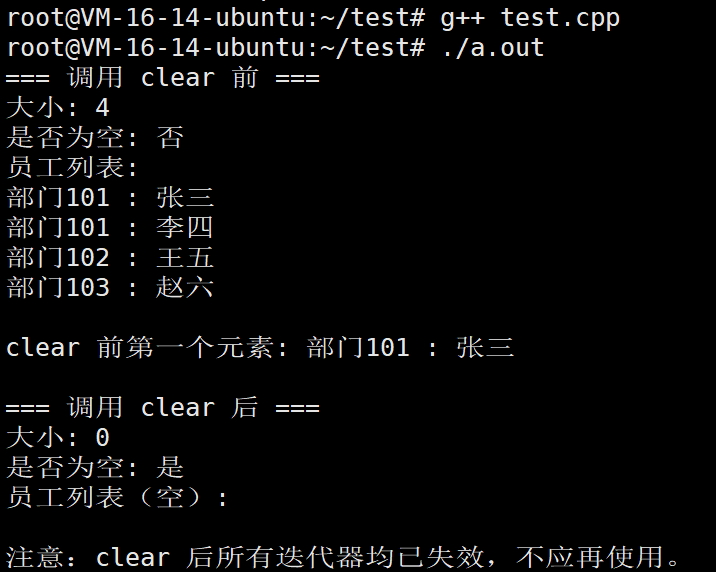
emplace
在 std::multimap 中直接构造一个新元素,避免临时对象的创建与拷贝。
- 接受与元素构造函数相匹配的参数包,在容器内部内存中就地构造键值对。
- 参数通常依次为键和值的构造参数,例如 emplace(key, value);如果键或值本身是类类型,也可传递多个参数以调用其构造函数。
- 插入位置由容器根据键排序规则自动决定。
- 返回一个迭代器,指向新插入的元素。
此函数对于复杂类型(如字符串、自定义类)能显著提升性能。
cpp
#include <iostream>
#include <map>
#include <string>

// 一个简单的类,构造函数只接受一个参数
class Employee {
public:
    // 不加 explicit,允许从 const char* 隐式转换
    Employee(const std::string& name) : name_(name) {}
    std::string getName() const { return name_; }
private:
    std::string name_;
};

int main() {
    // ------------------ 1. 基本类型 ------------------
    std::multimap<int, std::string> mm1;

    // emplace 直接传两个参数:键 和 值
    mm1.emplace(101, "张三");
    mm1.emplace(101, "李四");   // 重复键,允许
    mm1.emplace(102, "王五");

    std::cout << "=== 基本类型 emplace ===" << std::endl;
    for (const auto& p : mm1)
        std::cout << p.first << " : " << p.second << std::endl;

    // ------------------ 2. 自定义类型(单参数构造函数)------------------
    std::multimap<int, Employee> mm2;

    // 同样直接传两个参数:键 和 Employee 的构造参数
    // 编译器会自动用 "张三" 构造 Employee 对象
    mm2.emplace(201, "张三");
    mm2.emplace(201, "李四");
    mm2.emplace(202, "王五");

    std::cout << "\n=== 自定义类型 emplace(简单) ===" << std::endl;
    for (const auto& p : mm2)
        std::cout << p.first << " : " << p.second.getName() << std::endl;

    return 0;
}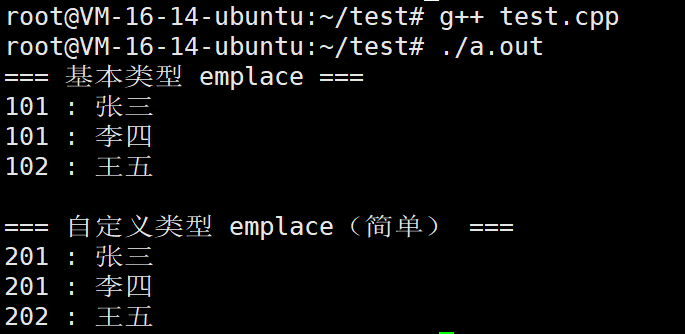
emplace_hint
带插入位置提示的就地构造版本,是 emplace 的增强形式。
- 第一个参数是一个迭代器,用作插入位置的"提示";后续参数为元素构造所需的参数包。
- 如果提供的迭代器位置非常接近实际插入点(例如,恰好位于应插入位置的前驱或后继),插入操作可以达到均摊常数时间复杂度;否则退化为常规插入的复杂度。
- 返回一个迭代器,指向新插入的元素。
- 即使提示不准确,函数也能正确插入,不会失败。
该函数在有序插入或批量插入时尤其有用,可大幅减少重排查找的开销。
cpp
#include <iostream>
#include <map>
#include <string>

int main() {
    std::multimap<int, std::string> m;

    // 1. 先插入几个元素作为基础
    m.emplace(10, "十");
    m.emplace(20, "二十");
    m.emplace(30, "三十");
    m.emplace(40, "四十");

    // 2. 使用 emplace_hint 插入新元素,并提供准确提示
    // 已知下一个键 25 应该插在 20 之后、30 之前
    auto hint = m.upper_bound(20);   // 指向 30
    auto it = m.emplace_hint(hint, 25, "二十五");
    std::cout << "插入: " << it->first << " -> " << it->second << std::endl;
    std::cout << "提示位置: 指向键 " << hint->first << std::endl;

    // 3. 再次使用 emplace_hint,这次提供不准确的提示(故意给 end)
    auto it2 = m.emplace_hint(m.end(), 15, "十五");
    std::cout << "插入: " << it2->first << " -> " << it2->second << "(提示不准,依然成功)" << std::endl;

    // 4. 利用前一次插入返回的迭代器作为下一次的提示(有序插入)
    auto last = m.emplace_hint(m.end(), 50, "五十");
    last = m.emplace_hint(last, 55, "五十五");
    last = m.emplace_hint(last, 60, "六十");
    std::cout << "利用上一次迭代器连续插入多个元素" << std::endl;

    // 输出最终结果
    std::cout << "\n最终 multimap 内容(按键升序):\n";
    for (const auto& p : m) {
        std::cout << p.first << " : " << p.second << std::endl;
    }

    return 0;
}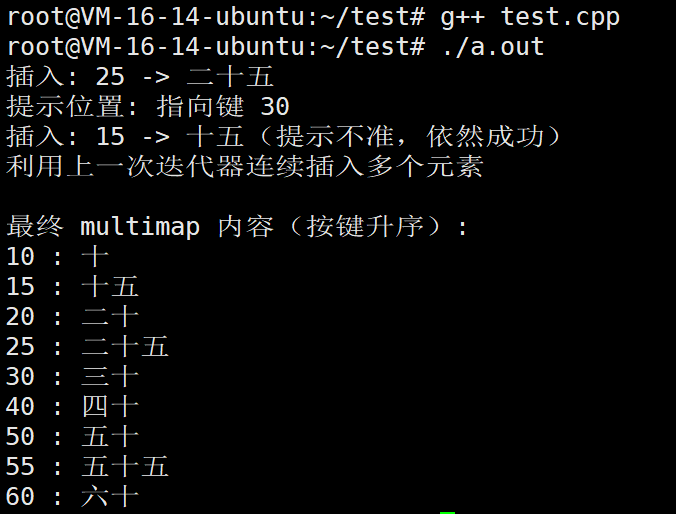
2.4.multimap的元素查询操作
find
用于在 std::multimap 中查找指定键对应的元素。
参数:一个键值(key),类型与容器的键类型一致。
返回值:
- 若容器中存在该键的元素,则返回指向第一个键等于 key 的元素的迭代器。
- 若不存在,则返回 end() 迭代器。
行为特点:
- 由于 multimap 允许重复键,find 仅返回按键升序排列的第一个匹配元素,而非任意一个。
- 如果你需要访问所有相同键的元素,应结合 equal_range 或循环调用 find 并递增迭代器(但更推荐 equal_range)。
复杂度:对数级别,与容器大小成对数关系。
cpp
#include <iostream>
#include <map>
#include <string>

int main() {
    // 创建一个multimap:部门编号 -> 员工姓名
    std::multimap<int, std::string> dept = {
        {101, "张三"},
        {101, "李四"},   // 同一部门多个员工
        {102, "王五"},
        {101, "赵六"},   // 部门101还有员工
        {103, "钱七"}
    };

    // 1. 查找存在的键:返回第一个匹配的元素
    auto it = dept.find(101);
    if (it != dept.end()) {
        std::cout << "部门101的第一个员工: " << it->second << std::endl;
    }

    // 2. 查找不存在的键
    it = dept.find(999);
    if (it == dept.end()) {
        std::cout << "部门999不存在" << std::endl;
    }

    // 3. 查找并遍历所有相同键的元素(配合循环)
    std::cout << "\n部门101的所有员工:" << std::endl;
    auto range = dept.equal_range(101);
    for (auto i = range.first; i != range.second; ++i) {
        std::cout << i->second << std::endl;
    }

    return 0;
}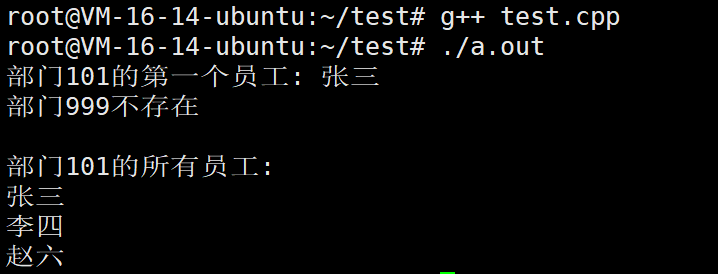
- find(key) 只返回 第一个 键等于 key 的元素(按键升序的第一个)。
- 若键不存在,返回 end()。
- 要获取 所有 相同键的元素,请使用 equal_range() 或循环递增迭代器(不推荐)。
count
统计容器中具有指定键的元素个数。
- 参数:一个键值(key)。
- 返回值:类型为 size_type 的整数,表示键等于 key 的元素数量。
行为特点:
- 对于 std::multimap,由于允许键重复,返回值可以是任意非负整数。
- 如果键不存在,返回 0。
- 该函数常用来快速判断容器中是否存在至少一个指定键的元素,或获取该键的总出现次数。
复杂度:对数级别(查找键位置所需时间)加上线性时间(计数重复元素个数),但通常实现为 upper_bound - lower_bound,因此仍为对数复杂度。
cpp
#include <iostream>
#include <map>
#include <string>

int main() {
    // 创建一个 multimap:部门编号 -> 员工姓名(允许重复键)
    std::multimap<int, std::string> dept = {
        {101, "张三"},
        {101, "李四"},
        {102, "王五"},
        {101, "赵六"},
        {103, "钱七"},
        {102, "孙八"}
    };

    // 统计各个部门的员工人数
    std::cout << "部门101有 " << dept.count(101) << " 名员工" << std::endl;
    std::cout << "部门102有 " << dept.count(102) << " 名员工" << std::endl;
    std::cout << "部门103有 " << dept.count(103) << " 名员工" << std::endl;
    std::cout << "部门999有 " << dept.count(999) << " 名员工(不存在)" << std::endl;

    return 0;
}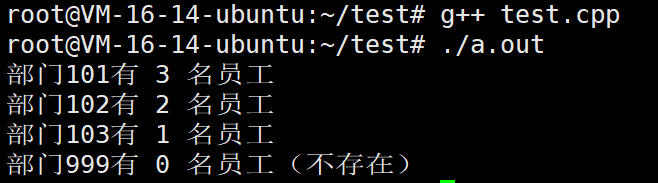
lower_bound
返回指向容器中第一个不小于指定键的元素的迭代器。
所谓不小于就是>=
参数:一个键值(key)。
返回值:
- 如果容器中存在键 ≥ key 的元素,则返回指向其中第一个键 ≥ key 的元素的迭代器(即键值刚好等于 key 的第一个元素,或首个大于 key 的元素)。
- 如果所有元素的键都小于 key,则返回 end()。
行为特点:
- 该迭代器可用于确定插入位置(新元素应插入在此迭代器之前以保持排序),或作为范围查询的起始点。
- 对于 multimap,当键 key 存在时,lower_bound 精确指向该键的第一个出现位置。
复杂度:对数级别。
cpp
#include <iostream>
#include <map>
#include <string>

int main() {
    // 创建一个 multimap:分数 -> 姓名(允许相同分数)
    std::multimap<int, std::string> scores = {
        {60, "小明"},
        {70, "小红"},
        {80, "小刚"},
        {80, "小丽"},   // 重复键
        {90, "小华"}
    };

    // 1. lower_bound 查找存在的键 → 指向第一个 >= 60 的元素(即60本身)
    auto it = scores.lower_bound(60);
    std::cout << "lower_bound(60): 分数 " << it->first << " -> " << it->second << std::endl;

    // 2. lower_bound 查找存在的键(重复键)→ 指向第一个 >= 80 的元素(即第一个80)
    it = scores.lower_bound(80);
    std::cout << "lower_bound(80): 分数 " << it->first << " -> " << it->second << std::endl;

    // 3. lower_bound 查找不存在的键(介于两个键之间)→ 指向第一个大于它的元素
    it = scores.lower_bound(75);
    std::cout << "lower_bound(75): 分数 " << it->first << " -> " << it->second << std::endl;

    // 4. lower_bound 查找大于所有键的值 → 返回 end()
    it = scores.lower_bound(100);
    if (it == scores.end()) {
        std::cout << "lower_bound(100): 返回 end(),没有分数 ≥100" << std::endl;
    }

    return 0;
}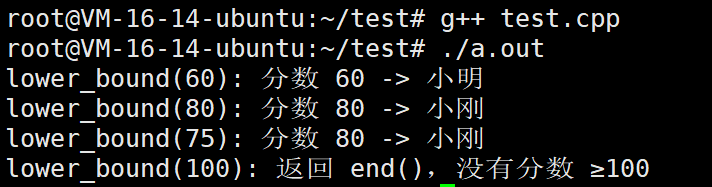
- lower_bound(key) 返回指向 第一个 key <= 元素键 的迭代器(即不小于 key 的最小键位置)。
- 若 key 存在,指向该键的第一个出现位置(即使有重复键)。
- 若 key 不存在,指向第一个大于 key 的元素。
- 若所有键都小于 key,返回 end()。
upper_bound
返回指向容器中第一个大于指定键的元素的迭代器。
参数:一个键值(key)。
返回值:
- 如果存在键 > key 的元素,则返回指向其中第一个键 > key 的元素的迭代器。
- 如果没有这样的元素(所有键 ≤ key),则返回 end()。
行为特点:
- 对于 multimap,当键 key 存在时,upper_bound 指向该键所有出现位置之后的下一个元素(即键值大于 key 的最小元素)。
- 常与 lower_bound 配合使用,构成一个左闭右开区间 [lower_bound, upper_bound),该区间包含了所有键等于 key 的元素。
复杂度:对数级别。
cpp
#include <iostream>
#include <map>
#include <string>

int main() {
    // 创建一个 multimap:分数 -> 姓名(允许相同分数)
    std::multimap<int, std::string> scores = {
        {60, "小明"},
        {70, "小红"},
        {80, "小刚"},
        {80, "小丽"},   // 重复键
        {90, "小华"}
    };

    // 1. upper_bound 查找存在的键 → 指向第一个 > 60 的元素(70)
    auto it = scores.upper_bound(60);
    std::cout << "upper_bound(60): 分数 " << it->first << " -> " << it->second << std::endl;

    // 2. upper_bound 查找存在重复键的键 → 指向第一个 > 80 的元素(90)
    it = scores.upper_bound(80);
    std::cout << "upper_bound(80): 分数 " << it->first << " -> " << it->second << std::endl;

    // 3. upper_bound 查找不存在的键(介于两个键之间)→ 指向第一个大于它的元素
    it = scores.upper_bound(75);
    std::cout << "upper_bound(75): 分数 " << it->first << " -> " << it->second << std::endl;

    // 4. upper_bound 查找大于所有键的值 → 返回 end()
    it = scores.upper_bound(100);
    if (it == scores.end()) {
        std::cout << "upper_bound(100): 返回 end(),没有分数 > 100" << std::endl;
    }

    return 0;
}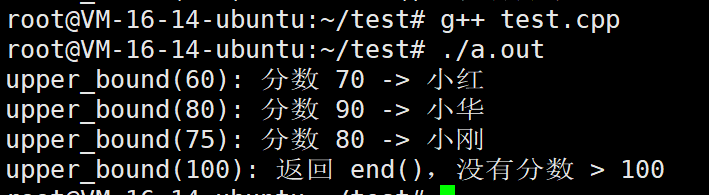
- upper_bound(key) 返回指向 第一个 元素键 > key 的迭代器。
- 若 key 存在,它指向该键之后的位置(第一个大于该键的元素)。
- 若 key 不存在,指向第一个大于 key 的元素(此时与 lower_bound 结果相同)。
- 若所有键都 ≤ key,返回 end()。
equal_range
返回一个迭代器对,表示容器中所有键等于指定键的元素的范围。
参数:一个键值(key)。
返回值:pair<iterator, iterator>,其中:
- first 等于 lower_bound(key)。
- second 等于 upper_bound(key)。
行为特点:
- 形成的区间 [first, second) 包含了容器中所有键等于 key 的元素。
- 如果 key 不存在,则 first 和 second 均指向第一个键大于 key 的元素(或同为 end()),此时 first == second,表示空范围。
- 这是遍历 multimap 中某一键对应的所有元素的最直接、高效的方法。
复杂度:对数级别(两次二分查找),但通常实现为一次完整的树搜索即可获得两个边界,因此仍为对数时间。
我们直接看例子
cpp
#include <iostream>
#include <map>
#include <string>

int main() {
    // 创建一个员工部门记录:部门编号 -> 员工姓名
    // 注意:使用multimap允许多个员工在同一部门
    std::multimap<int, std::string> departmentEmployees = {
        {101, "张三"},
        {101, "李四"},   // 同一部门的另一个员工
        {102, "王五"},
        {101, "赵六"},   // 同一部门的第三个员工
        {103, "钱七"},
        {103, "孙八"}    // 同一部门的另一个员工
    };

    std::cout << "=== 部门员工表 ===\n";
    std::cout << "格式:部门编号 - 员工姓名\n";
    for (const auto& emp : departmentEmployees) {
        std::cout << "部门 " << emp.first << ": " << emp.second << std::endl;
    }

    // 查找部门101的所有员工
    std::cout << "\n=== 查找部门101的所有员工 ===" << std::endl;
    auto result = departmentEmployees.equal_range(101);

    std::cout << "结果范围:从部门" << result.first->first
              << " 到 部门" << result.second->first << std::endl;

    std::cout << "\n部门101的员工列表:\n";
    int count = 0;
    for (auto it = result.first; it != result.second; ++it) {
        count++;
        std::cout << count << ". " << it->second << std::endl;
    }
    std::cout << "部门101共有 " << count << " 名员工" << std::endl;

    // 查找部门103的所有员工
    std::cout << "\n=== 查找部门103的所有员工 ===" << std::endl;
    result = departmentEmployees.equal_range(103);

    std::cout << "部门103的员工列表:\n";
    count = 0;
    for (auto it = result.first; it != result.second; ++it) {
        count++;
        std::cout << count << ". " << it->second << std::endl;
    }
    std::cout << "部门103共有 " << count << " 名员工" << std::endl;

    // 查找部门105的所有员工(不存在的部门)
    std::cout << "\n=== 查找部门105的所有员工(不存在的部门) ===" << std::endl;
    result = departmentEmployees.equal_range(105);

    std::cout << "部门105的员工列表:\n";
    count = 0;
    for (auto it = result.first; it != result.second; ++it) {
        count++;
        std::cout << count << ". " << it->second << std::endl;
    }
    std::cout << "部门105共有 " << count << " 名员工" << std::endl;

    return 0;
}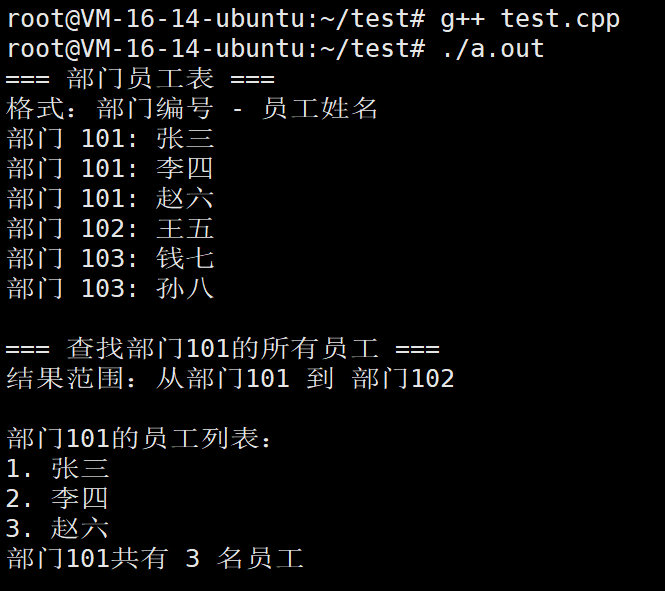
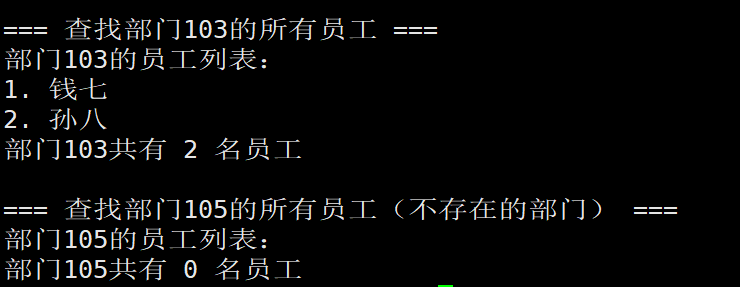
cpp
#include <iostream>
#include <map>
#include <string>

int main() {
    // 创建一个 multimap:部门编号 -> 员工姓名(允许重复键)
    std::multimap<int, std::string> dept = {
        {101, "张三"},
        {101, "李四"},
        {102, "王五"},
        {101, "赵六"},
        {103, "钱七"}
    };

    // 1. 使用 equal_range 查找部门101的所有员工
    auto range = dept.equal_range(101);

    std::cout << "部门101的员工:\n";
    for (auto it = range.first; it != range.second; ++it) {
        std::cout << "  " << it->second << std::endl;
    }

    // 2. equal_range 返回的范围长度 = 元素个数
    std::cout << "部门101共有 " << std::distance(range.first, range.second) << " 名员工\n\n";

    // 3. 查找不存在的部门
    auto range2 = dept.equal_range(999);
    std::cout << "部门999的员工:";
    if (range2.first == range2.second) {
        std::cout << " 无\n";
    }

    // 4. equal_range 等价于 lower_bound + upper_bound
    auto lb = dept.lower_bound(101);
    auto ub = dept.upper_bound(101);
    std::cout << "\nlower_bound(101) + upper_bound(101) 结果相同:\n";
    for (auto it = lb; it != ub; ++it) {
        std::cout << "  " << it->second << std::endl;
    }

    return 0;
}