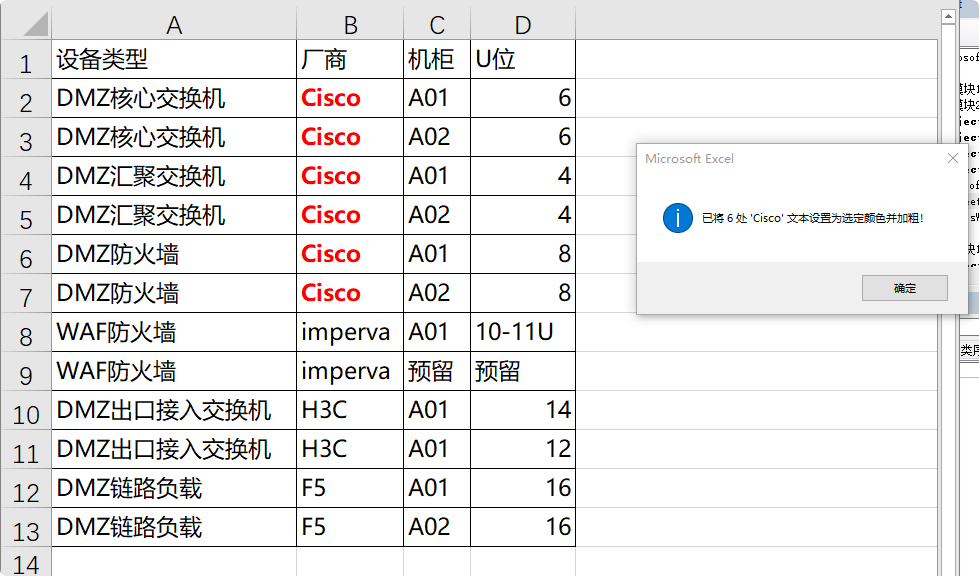
EXCEL VBA Color 将选中区域 的指定字符,设置字体颜色(比如红)
vba脚本 如下:
bash
Sub HighlightTextSimple()
Dim rng As Range
Dim cell As Range
Dim searchText As String
Dim i As Long
Dim startPos As Long
Dim selectedColor As Long
' 检查是否有选中的区域
If TypeName(Selection) <> "Range" Then
MsgBox "请先选择一个单元格区域!", vbExclamation
Exit Sub
End If
Set rng = Selection
' 获取搜索文本
searchText = InputBox("请输入要标红加粗的文本:", "查找文本", "UDP")
If searchText = "" Then Exit Sub
' 使用简单的颜色选择
Dim colorChoice As String
colorChoice = InputBox("选择颜色:" & vbCrLf & _
"R - 红色 " & vbCrLf & _
"G - 绿色 " & vbCrLf & _
"B - 蓝色 " & vbCrLf & _
"Y - 黄色 " & vbCrLf & _
"P - 紫色 " & vbCrLf & _
"O - 橙色 ", "选择颜色", "R")
' 转换为大写
colorChoice = UCase(colorChoice)
' 根据选择设置颜色
Select Case colorChoice
Case "G"
selectedColor = RGB(0, 176, 80) ' 绿色
Case "B"
selectedColor = RGB(0, 112, 192) ' 蓝色
Case "Y"
selectedColor = RGB(255, 255, 0) ' 黄色
Case "P"
selectedColor = RGB(112, 48, 160) ' 紫色
Case "O"
selectedColor = RGB(255, 192, 0) ' 橙色
Case Else
selectedColor = RGB(255, 0, 0) ' 默认红色
End Select
Application.ScreenUpdating = False
Dim count As Long
count = 0
' 遍历选中区域
For Each cell In rng
If VarType(cell.Value) = vbString Then
If cell.Value <> "" Then
startPos = 1
' 查找所有匹配的文本
Do
i = InStr(startPos, cell.Value, searchText, vbTextCompare)
If i > 0 Then
With cell.Characters(Start:=i, Length:=Len(searchText)).Font
.Color = selectedColor
.Bold = True
End With
count = count + 1
startPos = i + Len(searchText)
Else
Exit Do
End If
Loop
End If
End If
Next cell
Application.ScreenUpdating = True
If count > 0 Then
MsgBox "已将 " & count & " 处 '" & searchText & "' 文本设置为选定颜色并加粗!", vbInformation
Else
MsgBox "未找到文本 '" & searchText & "'", vbExclamation
End If
End Sub
2 操作步骤
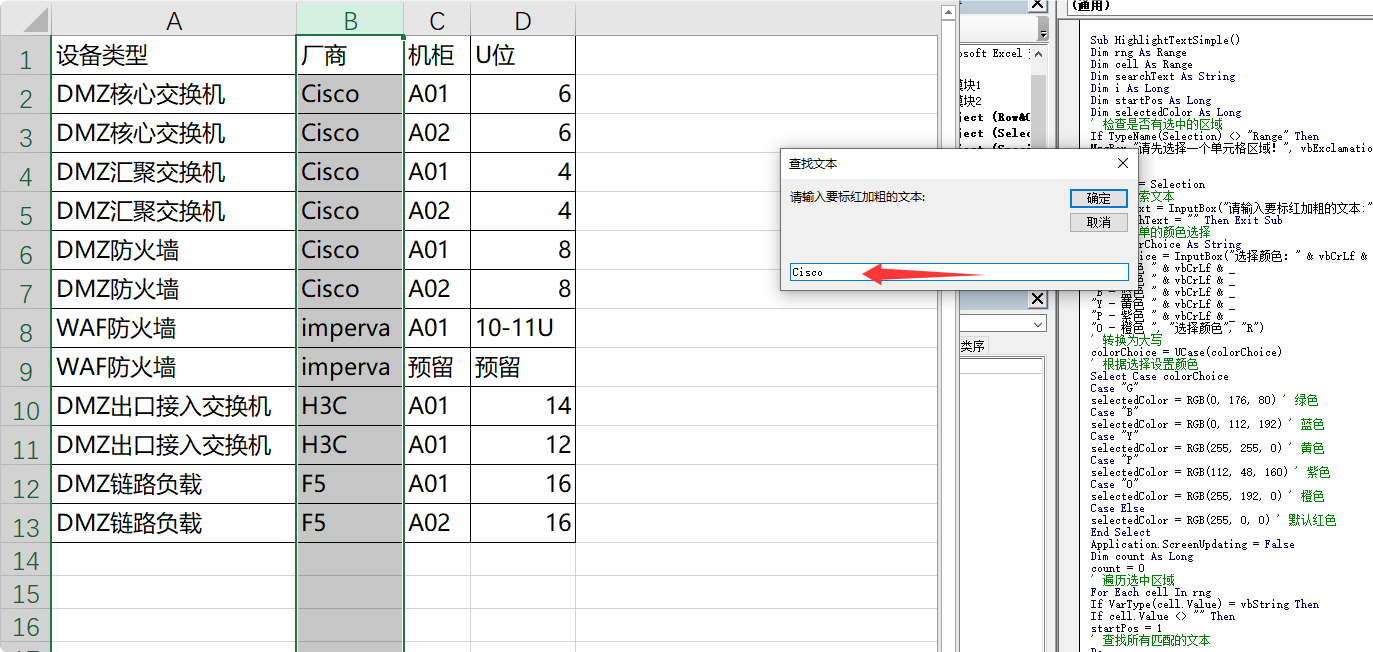
2.1 EXCEL中选中要设置的区域 ,执行脚本
输入 关键字,这里我们要将Cisco 字符设置为红色
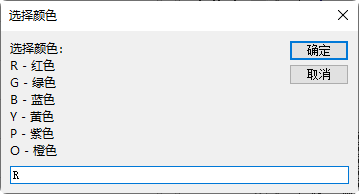
2.2 指定颜色,红色为 R
2.3 执行完成