👨🎓博主简介
💊交流社区: 运维交流社区 欢迎大家的加入!
🐋 希望大家多多支持,我们一起进步!😄
🎉如果文章对你有帮助的话,欢迎 点赞 👍🏻 评论 💬 收藏 ⭐️ 加关注+💗
文章目录
- 一、核心概念
-
- [1.1 什么是 Taints(污点)](#1.1 什么是 Taints(污点))
- [1.2 什么是 Tolerations(容忍)](#1.2 什么是 Tolerations(容忍))
- [1.3 两者的关系](#1.3 两者的关系)
- 二、污点详解
-
- [2.1 污点语法格式](#2.1 污点语法格式)
- [2.2 三种 Effect 效果](#2.2 三种 Effect 效果)
- [2.3 常用命令](#2.3 常用命令)
- [2.4 生产场景示例(自定义标识)](#2.4 生产场景示例(自定义标识))
- 三、容忍详解
-
- [3.1 容忍语法结构](#3.1 容忍语法结构)
- [3.2 两种 Operator 匹配模式](#3.2 两种 Operator 匹配模式)
- [3.3 特殊用法](#3.3 特殊用法)
- 四、实例:开启污点,容忍启用与不启用的区别展示
-
- [4.1 开启污点,不添加容忍](#4.1 开启污点,不添加容忍)
- [4.2 开启污点,添加容忍](#4.2 开启污点,添加容忍)
- 五、生产建议
一、核心概念
1.1 什么是 Taints(污点)
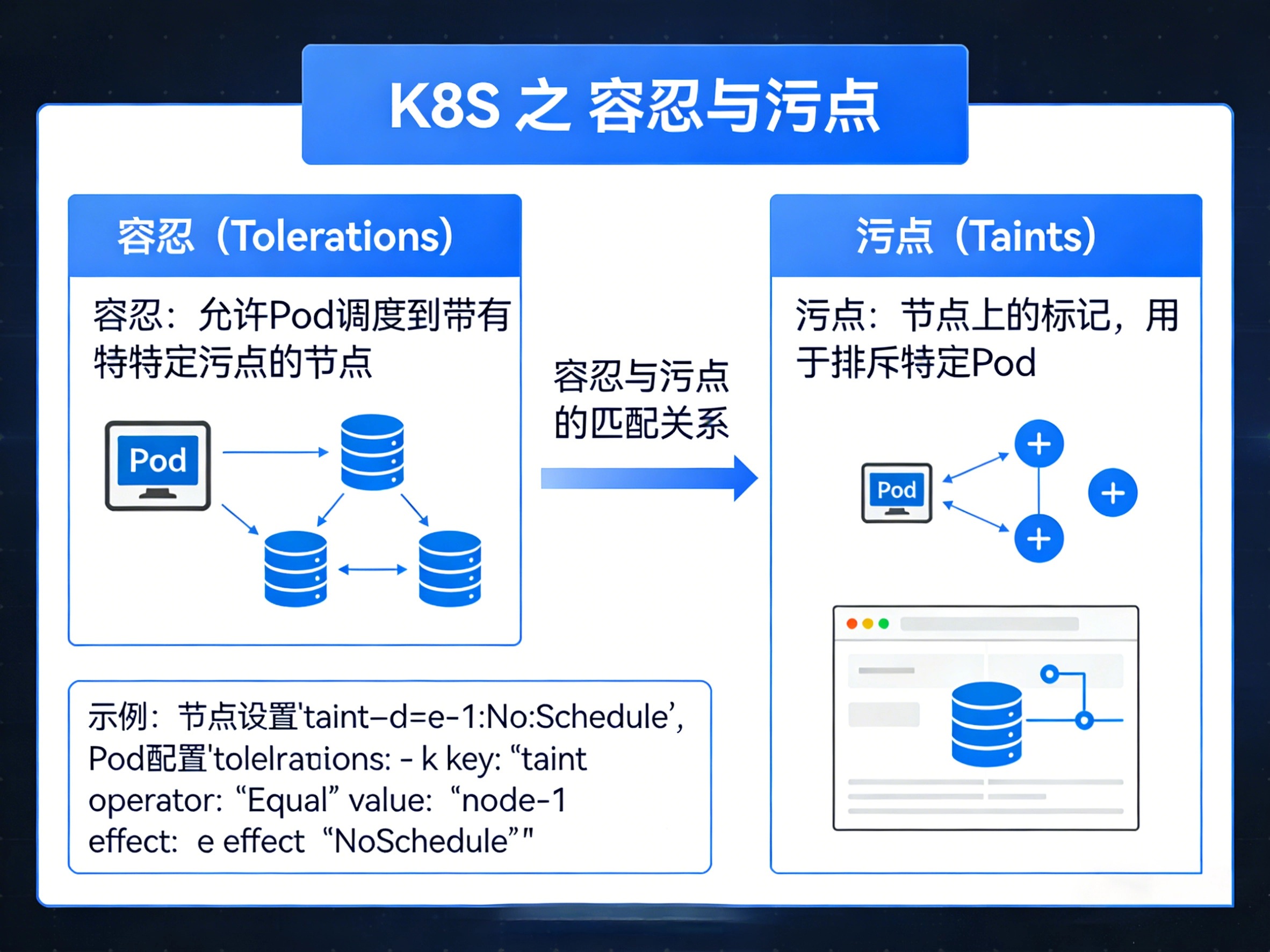
污点 是节点的"禁止调度"标签,专门用来阻止 Pod 部署到该节点上。
- 如何判断节点有没有污点
bash
kubectl describe node <master-node> | grep Taints返回:
<none>节点无污点,任何 Pod 都可调度;
node-role.kubernetes.io/master:NoSchedule或node-role.kubernetes.io/control-plane:NoSchedule有污点,Pod 需添加对应容忍:tolerations或 去除污点:taintsPod才能进行调度;
- 去除污点
bash
# 去除 master 污点(K8s 1.23 及以下)
kubectl taint node <master-node-name> node-role.kubernetes.io/master:NoSchedule-

# 去除 control-plane 污点(K8s 1.24+)
kubectl taint node <master-node-name> node-role.kubernetes.io/control-plane:NoSchedule-- 恢复污点
bash
# 重新添加 Master 污点(K8s 1.23 及以下)
kubectl taint node <master-node> node-role.kubernetes.io/master:NoSchedule

# 或 control-plane 污点(K8s 1.24+)
kubectl taint node <master-node> node-role.kubernetes.io/control-plane:NoSchedule作用:
- 保护特定节点(如 Master)不被业务 Pod 占用
- 标记故障节点,阻止新 Pod 调度
- 实现专用节点(如 GPU、SSD 节点)的独占使用
1.2 什么是 Tolerations(容忍)
容忍 是 Pod 的"通行证",让 Pod 能够突破节点限制,部署到被禁止调度的节点上。
yaml
# Pod 配置示例
spec:
tolerations: 	# 两种可同时存在
  # K8s 1.20- 推荐使用 control-plane 标签
  - key: node-role.kubernetes.io/master
    effect: NoSchedule
    operator: Exists
  # K8s 1.20+ 推荐使用 control-plane 标签
  - key: node-role.kubernetes.io/control-plane
    effect: NoSchedule
operator: Exists作用:
- 允许监控组件部署到 Master 节点
- 允许特定应用使用专用硬件节点
- 实现故障节点的临时应急调度
1.3 两者的关系
| 特性 | Taint(污点) | Toleration(容忍) |
|---|---|---|
| 作用对象 | 节点 | Pod |
| 功能 | 排斥 Pod | 突破排斥 |
| 设置方式 | kubectl taint |
YAML spec.tolerations |
| 类比 | "禁止入内"的门禁 | "特殊通行证" |
核心逻辑 :污点是节点的"拒绝策略",容忍是 Pod 的"豁免凭证"。两者独立存在,但必须配对匹配 才能实现精准调度控制。
注意事项:如果污点不存在,则不需要写容忍。
二、污点详解
2.1 污点语法格式
bash
kubectl taint node <node-name> <key>=<value>:<effect>| 字段 | 说明 | 示例 |
|---|---|---|
key |
污点标识 | node-role.kubernetes.io/master |
value |
可选值 | 默认:true |
effect |
排斥效果 | NoSchedule / PreferNoSchedule / NoExecute |
2.2 三种 Effect 效果
| Effect | 含义 | 使用场景 |
|---|---|---|
| NoSchedule | 不调度新 Pod | 保护 Master 节点 |
| PreferNoSchedule | 尽量不调度(软限制) | 资源紧张时的偏好设置 |
| NoExecute | 不调度 + 驱逐已有 Pod | 节点故障、维护下线 |
2.3 常用命令
- 标准三件套:添加、查看、删除
bash
# 1. 添加污点
kubectl taint node k8s-master node-role.kubernetes.io/master:NoSchedule

# 2. 查看污点
kubectl describe node k8s-master | grep Taints
# 2.1 查看多个污点:-A数值可调节
kubectl describe node k8s-master | grep -A2 Taints

# 3. 去除污点(key:effect-)
kubectl taint node k8s-master node-role.kubernetes.io/master:NoSchedule-
2.4 生产场景示例(自定义标识)
bash
# 场景1:标记 GPU 专用节点
kubectl taint node gpu-node-1 hardware=gpu:NoSchedule

# 场景2:标记节点维护中(驱逐所有 Pod)
kubectl taint node node-2 maintenance=true:NoExecute
三、容忍详解
3.1 容忍语法结构
注意:写容忍前,需查看污点值来确认容忍的内容 :
kubectl describe node k8s-master | grep Taints
yaml
spec:
  tolerations:
    - key: "master"              # 污点标识(必填,必须和污点key一致)
      value: "gpu"               # 污点值(operator=Equal 时必填)
      effect: "NoSchedule"       # 污点效果(operator=Equal 时必填必填,需和污点效果一致)
      operator: "Equal"          # 操作符:Equal / Exists(必填)
      # tolerationSeconds: 3600    # 容忍多久后被驱逐(仅 NoExecute)
3.2 两种 Operator 匹配模式
| Operator | 逻辑 | 适用场景 |
|---|---|---|
| Equal | key + value + effect 全匹配 | 精确匹配特定污点 |
| Exists | 只要 key 存在即匹配(无视 value) | 兼容多版本、通用匹配 |
3.3 特殊用法
yaml
# 1. 仅匹配 key,无视 effect(但建议都写上)
tolerations:
  - key: "node-role.kubernetes.io/master"
    operator: "Exists"

# 3. 设置容忍时间(NoExecute 效果下,多久后被强制驱逐)
tolerations:
  - key: "maintenance"
    value: "true"
    effect: "NoExecute"
    operator: "Equal"
    tolerationSeconds: 3600   # 1小时后自动驱逐
四、实例:开启污点,容忍启用与不启用的区别展示
使用
DaemonSet方式部署Nginx服务,并展示有污点的情况下,启用容忍与不启用的区别;
- 查看是否有污点
bash
kubectl describe node k8s-master | grep Taints
存在污点。
4.1 开启污点,不添加容忍
nginx-daemonset.yaml
yaml
apiVersion: v1
kind: Namespace
metadata:
  name: nginx
---
apiVersion: apps/v1
kind: DaemonSet
metadata:
  name: nginx-daemonset
  namespace: nginx
  labels:
    app: nginx
spec:
  selector:
    matchLabels:
      app: nginx
  template:
    metadata:
      labels:
        app: nginx
    spec:
      hostNetwork: true
      containers:
      - name: nginx
        image: nginx:1.24.0
        ports:
        - containerPort: 80
        resources:
          requests:
            cpu: "100m"
            memory: "128Mi"
          limits:
            cpu: "500m"
memory: "256Mi"- 运行启动nginx服务
bash
kubectl apply -f nginx-daemonset.yaml- 查看pod及运行所在节点
bash
kubectl get pods -n nginx -o wide
可以看到并没有再k8s-master节点上跑,因为此节点开启了NoSchedule污点,所以不会再此节点上创建pod;
4.2 开启污点,添加容忍
nginx-daemonset.yaml
yaml
apiVersion: v1
kind: Namespace
metadata:
  name: nginx
---
apiVersion: apps/v1
kind: DaemonSet
metadata:
  name: nginx-daemonset
  namespace: nginx
  labels:
    app: nginx
spec:
  selector:
    matchLabels:
      app: nginx
  template:
    metadata:
      labels:
        app: nginx
    spec:
      hostNetwork: true
      tolerations:           # ← 添加容忍度,可以添加多个容忍
        - key: node-role.kubernetes.io/master
          effect: NoSchedule
          operator: Exists
        - key: node-role.kubernetes.io/control-plane
          effect: NoSchedule
          operator: Exists
      containers:
      - name: nginx
        image: nginx:1.24.0
        ports:
        - containerPort: 80
        resources:
          requests:
            cpu: "100m"
            memory: "128Mi"
          limits:
            cpu: "500m"
            memory: "256Mi"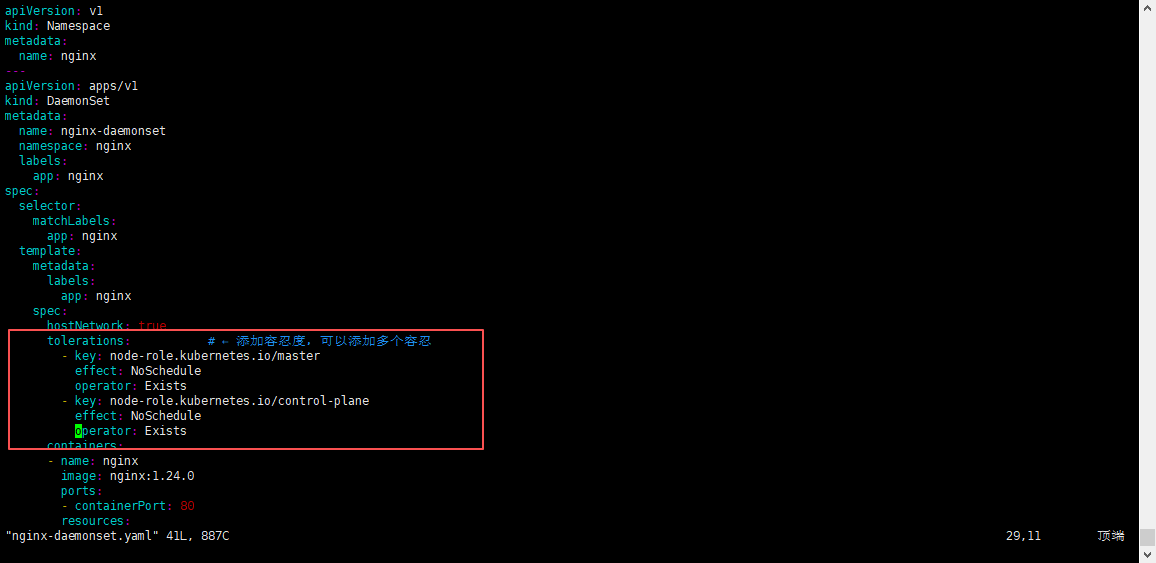
- 先删除刚刚创建的pod
bash
kubectl delete -f nginx-daemonset.yaml- 运行启动nginx服务
bash
kubectl apply -f nginx-daemonset.yaml- 查看pod及运行所在节点
bash
kubectl get pods -n nginx -o wide
可以看到k8s-master节点上也跑起来了,共3个节点都跑起来了;
五、生产建议
- Master 节点保持污点,仅在必要 DaemonSet(监控、日志)中添加容忍
- 专用节点采用 "标签+污点" 双机制:标签用于定向调度,污点用于隔离保护
- NoExecute 慎用 ,设置
tolerationSeconds避免业务长时间挂起 - 版本兼容 :K8s 1.24+ 使用
control-plane替代master,建议两者同时容忍