背景
在 浅解 Junit 4 第二篇: Runner 和 ParentRunner 一文中,我们初步探讨了 JUnit 4 是如何找到并运行带有 @Test 注解的方法的。但有时候,代码还没有写好,测试类还不能成功运行,我们可以在测试类上添加 @Ignore 注解。那么类上的 @Ignore 注解是如何起作用的呢?本文会对这个问题进行探讨。
注意: @Ignore 注解也可以加在 方法 上,本文 不涉及 那样的情况。
要点
- 对带有
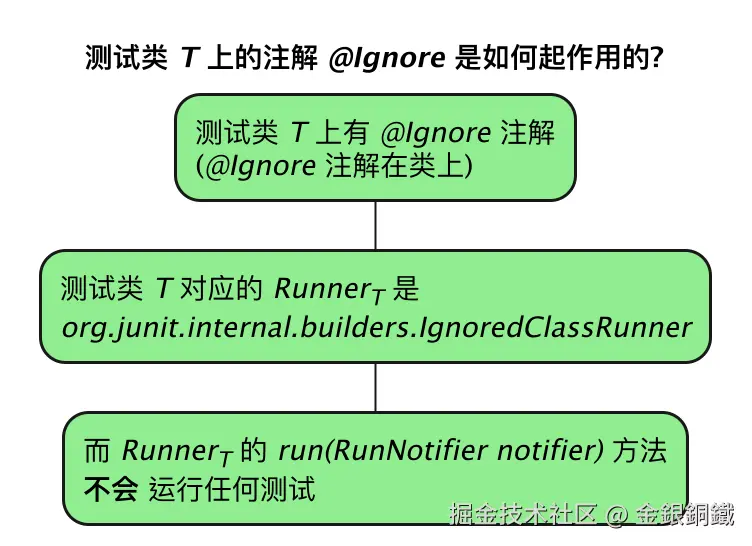
@Ignore注解的测试类T而言,它对应的Runner是 org.junit.internal.builders.IgnoredClassRunner IgnoredClassRunner中的run(RunNotifier notifier)方法不会运行任何测试,这样T中的所有测试就都被ignore(忽略)了
正文
在 浅解 Junit 4 第二篇: Runner 和 ParentRunner 一文中,我们已经分析了 Runner 和 ParentRunner。Runner (运行器)负责运行对应的测试,那么带有 @Ignore 注解的测试类是否也是由某个 Runner 来处理的呢?
一个具体的例子
我在本地创建了一个小项目来以便于学习 JUnit 4,这个项目中包含以下目录/文件(.idea 目录和 target 目录的内容均略去)
-
src/test/java/org/study 目录下的文件是
- src/test/java/org/study/SimpleCalculatorTest.java
-
src/main/java/org/example 目录下的文件是
- src/main/java/org/example/SimpleCalculator.java
-
pom.xml (在项目顶层)
执行以下 shell 命令,就可以生成上述目录/文件(文件为空,下文列出了 SimpleCalculatorTest.java/SimpleCalculator.java/pom.xml 的内容,可以手动复制粘贴过去)
bash
mkdir junit-study
cd junit-study

mkdir -p src/main/java/org/example/
mkdir -p src/test/java/org/study/

touch src/main/java/org/example/SimpleCalculator.java
touch src/test/java/org/study/SimpleCalculatorTest.java
touch pom.xml
src/main/java/org/example/SimpleCalculator.java 文件的内容如下 ⬇️
java
package org.example;

/**
 * A simple calculator for integer addition & subtraction operation
 */
public class SimpleCalculator {
    /**
     * TODO: implement the logic for adding two integer numbers
     */
    public int add(int a, int b) {
        return 0;
    }

    /**
     * TODO: implement the logic for subtracting one integer number from another one
     */
    public int minus(int a, int b) {
        return 0;
    }
}
src/test/java/org/study/SimpleCalculatorTest.java 文件的内容如下 ⬇️
java
package org.study;

import org.example.SimpleCalculator;
import org.junit.Assert;
import org.junit.Ignore;
import org.junit.Test;
import org.junit.runner.JUnitCore;

@Ignore
public class SimpleCalculatorTest {

    private final SimpleCalculator calculator = new SimpleCalculator();

    @Test
    public void testAdd() {
        Assert.assertEquals(2, calculator.add(1, 1));
    }

    @Test
    public void testMinus() {
        Assert.assertEquals(1, calculator.minus(2, 1));
    }

    public static void main(String[] args) {
        JUnitCore.runClasses(SimpleCalculatorTest.class);
    }
}
pom.xml 文件的内容如下 ⬇️
xml
<?xml version="1.0" encoding="UTF-8"?>
<project xmlns="http://maven.apache.org/POM/4.0.0"
         xmlns:xsi="http://www.w3.org/2001/XMLSchema-instance"
         xsi:schemaLocation="http://maven.apache.org/POM/4.0.0 http://maven.apache.org/xsd/maven-4.0.0.xsd">
    <modelVersion>4.0.0</modelVersion>

    <groupId>org.example</groupId>
    <artifactId>junit-study</artifactId>
    <version>1.0-SNAPSHOT</version>

    <properties>
        <maven.compiler.source>25</maven.compiler.source>
        <maven.compiler.target>25</maven.compiler.target>
        <project.build.sourceEncoding>UTF-8</project.build.sourceEncoding>
    </properties>
    <dependencies>
        <dependency>
            <groupId>junit</groupId>
            <artifactId>junit</artifactId>
            <version>4.13.2</version>
            <scope>test</scope>
        </dependency>
    </dependencies>

</project>
SimpleCalculator 的类图如下
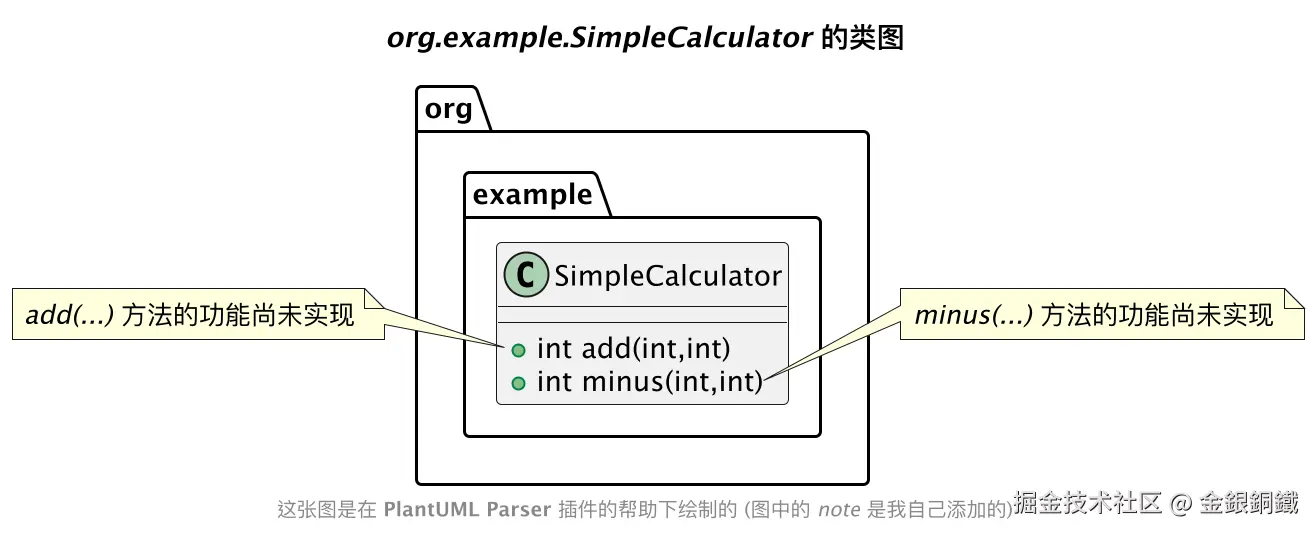
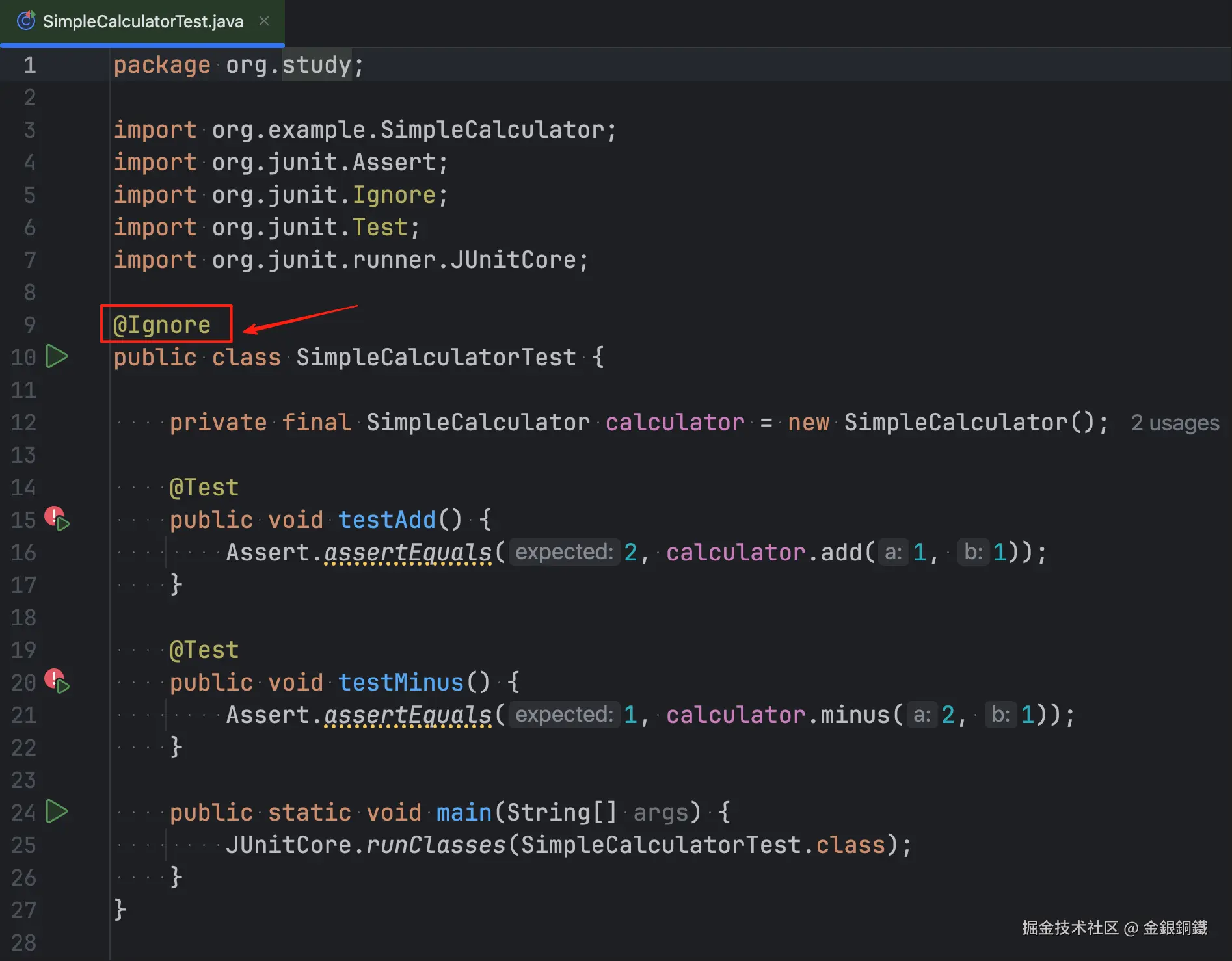
由于 SimpleCalculator 中的 add(...) 方法和 minus(...) 方法的逻辑尚未实现,所以对应的单元测试无法通过,我们可以在 SimpleCalculatorTest 类上添加 @Ignore 注解,如下图所示 ⬇️
类上的 @Ignore 注解是如何起作用的?
在 SimpleCalculatorTest 类上添加 @Ignore 注解之后,发生了什么呢?带有 @Ignore 注解的测试类,它所对应的 Runner 会是一个特殊的类 ⬇️ org.junit.internal.builders.IgnoredClassRunner
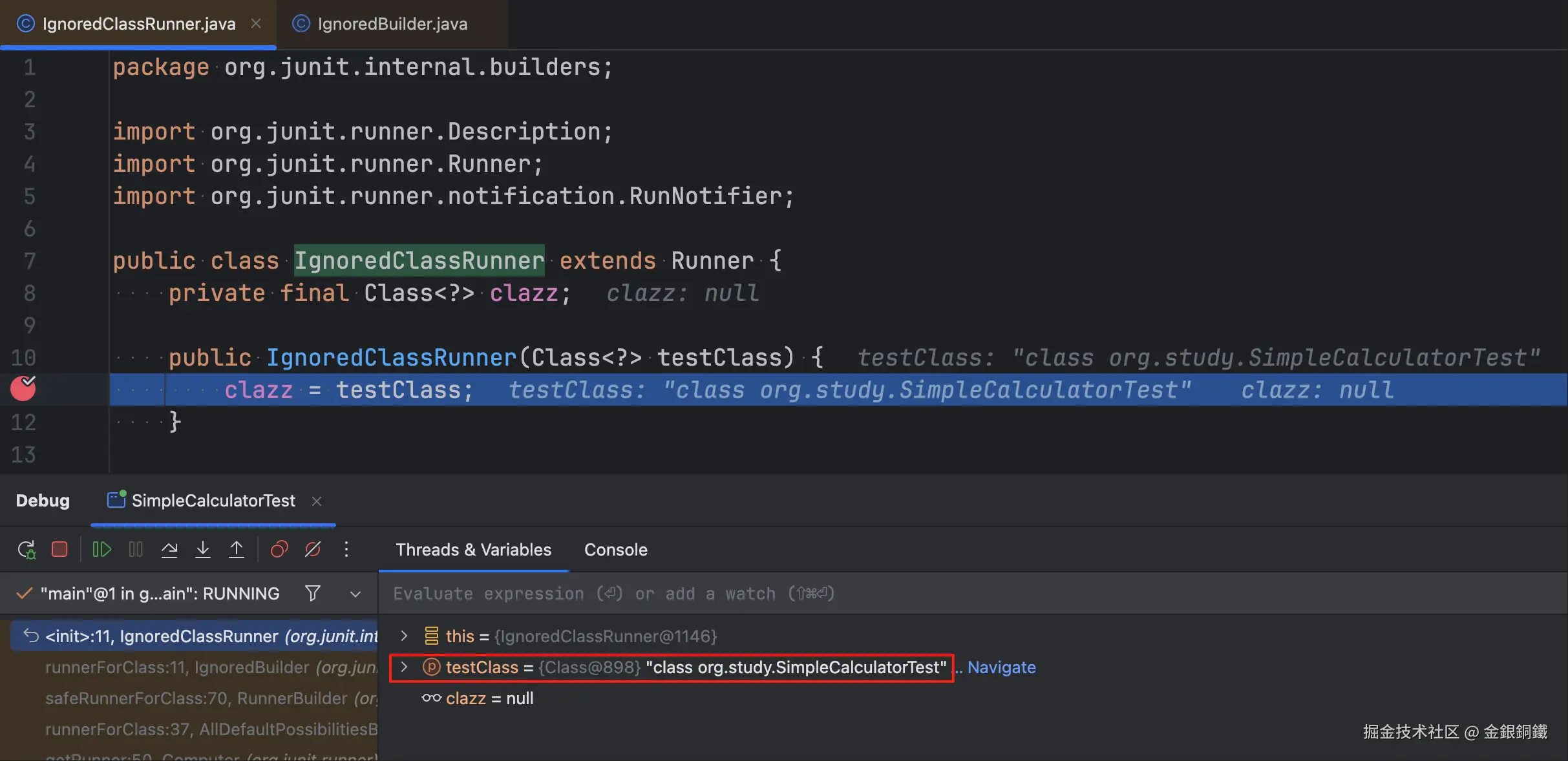
我们可以在它的构造函数里打个断点(断点的位置如下图所示)
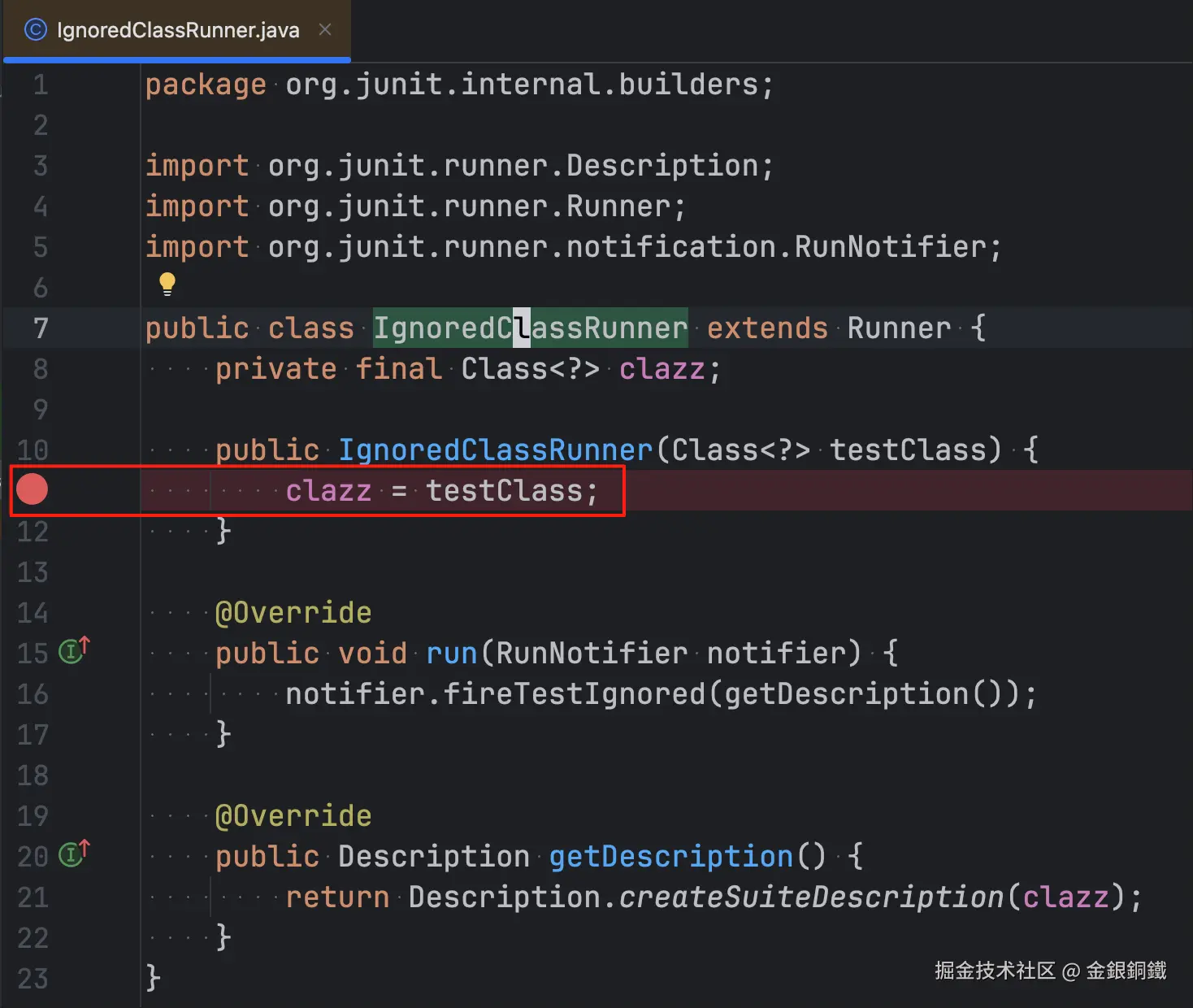
之后 debug SimpleCalculatorTest 的 main 方法。在断点处,可以看到 testClass 参数(也就是待测试的类的 class 对象)的值为 org.study.SimpleCalculatorTest.class
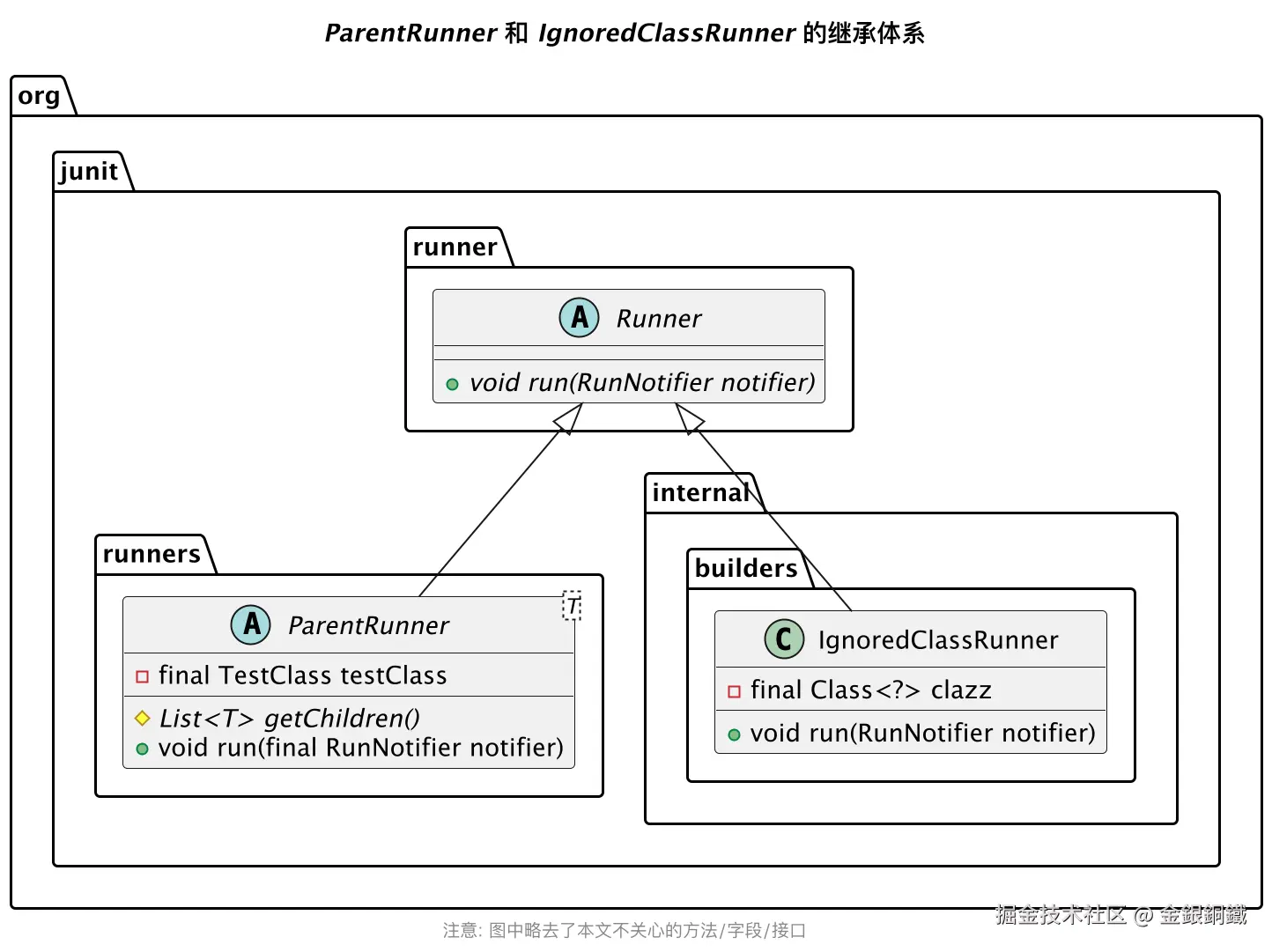
IgnoredClassRunner 是 Runner 的子类。之前我们介绍过 Runner 的另一个子类 ParentRunner(当我们认为 Runner 具有"亲子结构"时,就可以使用 ParentRunner)。下方的类图中同时展示了 ParentRunner 和 IgnoredClassRunner ⬇️
IgnoredClassRunner 的 run(RunNotifier) 方法中并没有运行任何测试,只是调用了 RunNotifier 的某个方法(从而通知各个 listener 这个测试被 ignore 了) ⬇️ 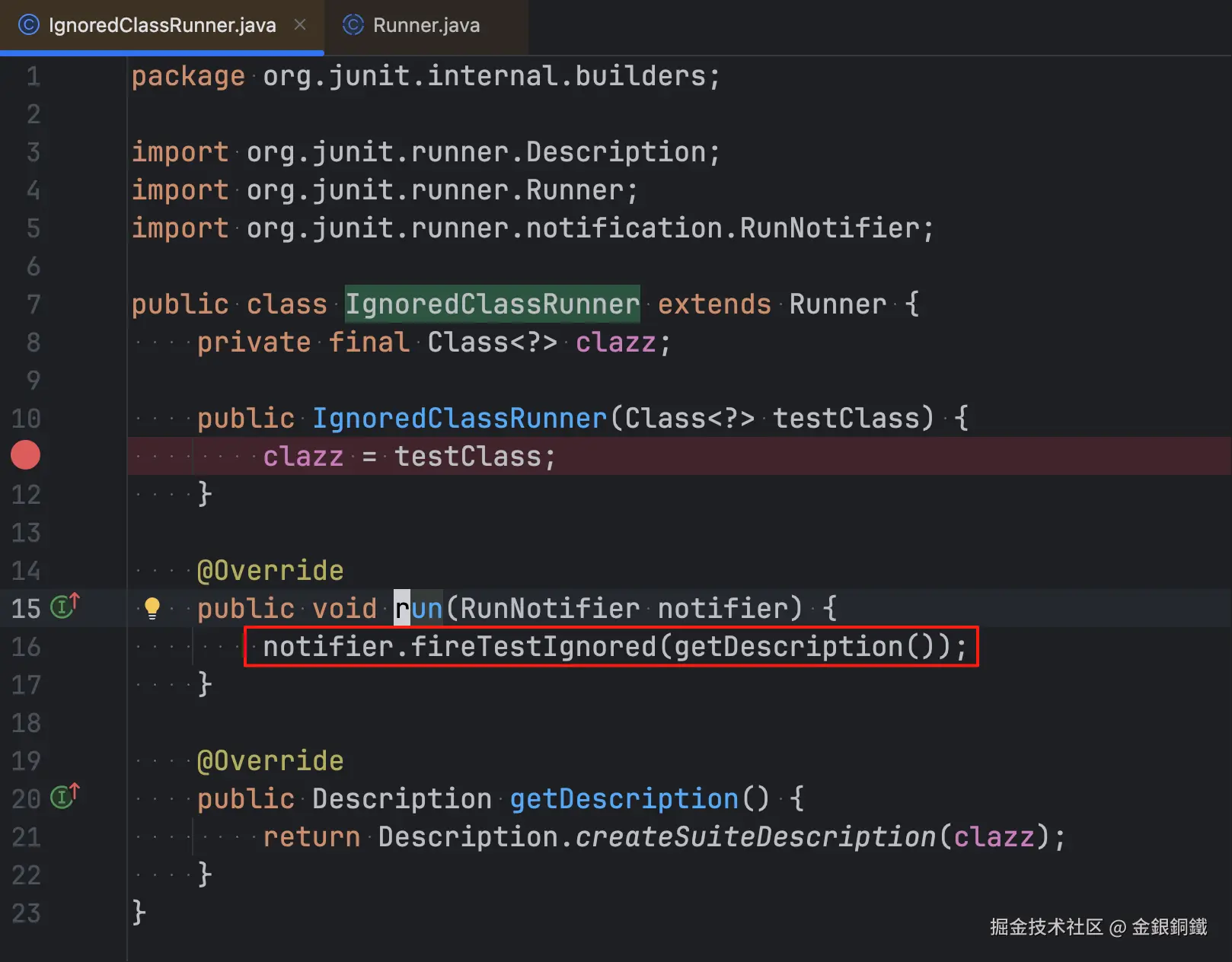
其他
1. 文中的"测试类 T 上的注解 @Ignore 是如何起作用的?"一图是如何绘制的?
我用了 PlantUML 来画那张图,具体的代码如下
puml
@startmindmap
'https://plantuml.com/mindmap-diagram
top to bottom direction

title 测试类 <i>T</i> 上的注解 <i>@Ignore</i> 是如何起作用的?

*[#lightgreen]:测试类 <i>T</i> 上有 <i>@Ignore</i> 注解
(<i>@Ignore</i> 注解在类上);
**[#lightgreen]:测试类 <i>T</i> 对应的 <i>Runner<sub>T</sub></i> 是
<i>org.junit.internal.builders.IgnoredClassRunner</i>;
***[#lightgreen]:而 <i>Runner<sub>T</sub></i> 的 <i>run(RunNotifier notifier)</i> 方法
<b>不会</b> 运行任何测试;


@endmindmap
2. 文中的"org.example.SimpleCalculator 的类图"是如何绘制的?
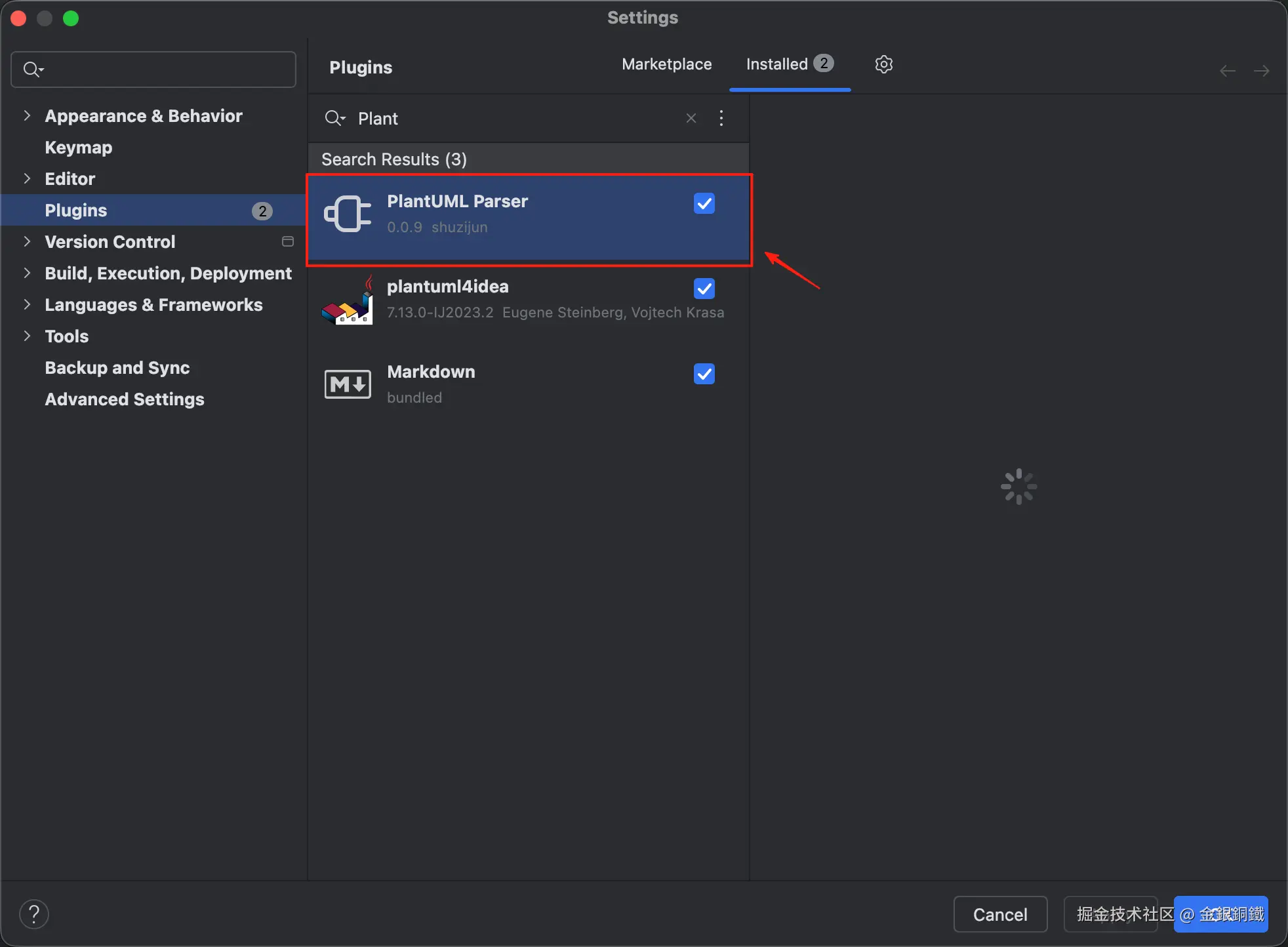
我是先用 Intellij IDEA (Community Edition) 里的 PlantUML Parser 插件(如下图所示)为 SimpleCalculator 这个类生成了基本的类图,然后又手动添加了 note,title 等内容。
用到的代码如下
puml
@startuml
title <i>org.example.SimpleCalculator</i> 的类图

class org.example.SimpleCalculator {
+ int add(int,int)
+ int minus(int,int)
}

note left of SimpleCalculator::add
<i>add(...)</i> 方法的功能尚未实现
end note

note right of SimpleCalculator::minus
<i>minus(...)</i> 方法的功能尚未实现
end note

footer 这张图是在 <b>PlantUML Parser</b> 插件的帮助下绘制的 (图中的 <i>note</i> 是我自己添加的)

@enduml
3. 文中的"ParentRunner 和 IgnoredClassRunner 的继承体系"一图是如何绘制的?
我用了 PlantUML 来画那张图,具体的代码如下
puml
@startuml
title <i>ParentRunner</i> 和 <i>IgnoredClassRunner</i> 的继承体系

org.junit.runner.Runner <|-- org.junit.runners.ParentRunner
org.junit.runner.Runner <|-- org.junit.internal.builders.IgnoredClassRunner

abstract class org.junit.runner.Runner {
    +{abstract} void run(RunNotifier notifier)
}

abstract class org.junit.runners.ParentRunner<T> {
    -final TestClass testClass
    #{abstract} List<T> getChildren()
    +void run(final RunNotifier notifier)
}

class org.junit.internal.builders.IgnoredClassRunner {
    -final Class<?> clazz
    +void run(RunNotifier notifier)
}


footer 注意: 图中略去了本文不关心的方法/字段/接口

@enduml